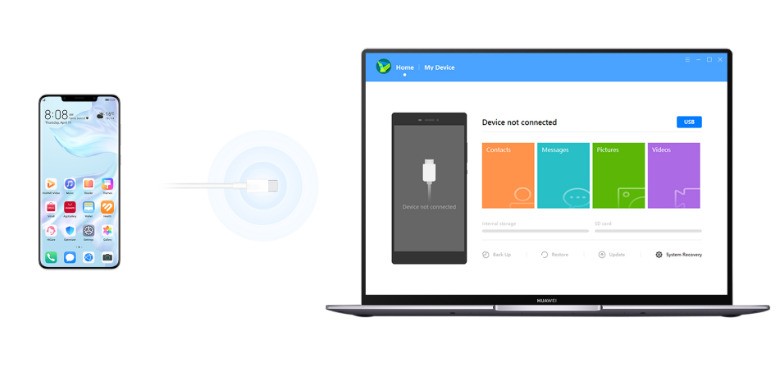

To transfer data between multiple devices, you can use a variety of methods depending on the type of data and the devices involved. Some common options include using a cloud storage service, using a physical data transfer cable, using a local network, or using Bluetooth or other wireless technology.
For example, you can use a service like Google Drive or Dropbox to upload files from one device and then download them on another device. This allows you to access the files from anywhere and makes it easy to share them with others. Alternatively, you can use a USB cable to physically connect the two devices and transfer the data directly between them.
If both devices are on the same local network, you can also use a network file transfer tool to transfer the data over the network. This can be faster than transferring the data over the internet, but it does require that both devices be connected to the same network.
Finally, if the devices support it, you can use Bluetooth or other wireless technology to transfer data between them. This can be a convenient option, but it may be slower than other methods and is limited by the range of the wireless connection.
SHAREit is a file transfer and sync utility that allows users to share data and media between a PC and mobile devices such as phones and tablets.
The application can be useful for sharing all kinds of files over a WiFi network including photos, videos and even Android apps.
SHAREit’s main user interface is eye-pleasing and provides a quick way to send and receive files. The interface includes icons along with the names of connected devices.
An interesting feature to note is that SHAREit can clone a device file system by sending device layout and data to other devices.
The application works with Windows, Android and iOS devices for Apple such as iPad and iPhone.
For novice users, SHAREit provides tutorials on how to complete certain tasks, whether it’s cloning a device or sharing certain types of files with them.
It is important to note that SHAREit program also requires you to install the relevant apps on other devices for it to work.
Overall, SHAREit can be a useful application, but it can be buggy and not always working properly. Either way, it has the ability to share files with complete ease.
Features and highlights
Share everything with other devices: pictures, videos, music files, documents, contacts
Devices with SHAREit can automatically find each other when they are within range
Transfer HUGE files and videos in seconds – up to 60 times faster than BluetoothShare without the need for Bluetooth, phone network, or active Wi-Fi network Photo:SHAREit
Devices connect wirelessly directly
The app itself can also be shared with other devices wirelessly, and quick sharing can start immediately
SHAREit High-speed Transfer data Download