The best software for live video streaming depends on your requirements. Popular choices include OBS Studio, Streamlabs OBS, XSplit, and Wirecast, each offering features tailored to different types of streaming, such as gaming, events, or webinars. When choosing the right software, consider factors like ease of use, hardware compatibility, and essential features for your streaming setup. It’s advisable to research each option to find the best fit.
Encoding and Live Streaming
A camera’s raw video signal must be encoded to be broadcasted online. The encoding process compresses and prepares the video for delivery in formats like RTMP (Real-Time Messaging Protocol) or HLS (HTTP Live Streaming). RTMP is ideal for low-latency streaming, while HLS supports adaptive bitrate streaming, adjusting quality based on the viewer’s internet connection.
Production Features in Streaming Software
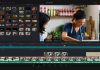
Live streaming software allows you to produce content that looks polished. Most platforms offer features like adding/editing titles, live effects, transitions, overlays, and more. These tools let you mix and switch content and manage audio for a professional-quality stream.
Internet Connection, Cameras, and Encoders
To broadcast live streams, you need a stable internet connection, a camera, an encoder, and a streaming service. Since raw video is too large for online broadcasting, it’s encoded using software on a powerful computer or dedicated hardware encoders for high-performance streaming. If you’re aiming for HD quality or parallel streams, ensure your system is robust enough. Hardware encoders are more reliable but costly; software encoders are versatile and often free.
Recording Your Streams
A key feature in live streaming software is the ability to record your streams for later use or archiving. Some platforms offer isolated recordings for each camera input, providing more flexibility for post-streaming editing and content sharing.

Software Options for Live Streaming
- OBS Studio (Open Broadcaster Software): Free and open-source with many features and customization options, available on Windows, macOS, and Linux.
- XSplit Broadcaster: User-friendly with resizable tools, supporting live streaming to platforms like Twitch, YouTube, and Facebook Live.
- Streamlabs OBS: An easy-to-use version of OBS Studio with additional integrations, making it ideal for streamers who want more customization and monetization options.
- Zoom: Primarily a video conferencing and live streaming tool, suitable for online conferences, webinars, and seminars, with features like shared screens and breakout rooms.
What to Look for in Live Video Streaming Software
When selecting streaming software, consider the broader live streaming setup, which includes:
- Audio/Video source: Your camera or other content source.
- Capture card: To connect non-USB cameras to your computer.
- Encoder: To compress and package your video for streaming.
- Stable internet connection: Essential for reliable streaming.
- Streaming service: The platform where your stream will be broadcasted.
Encoding is a critical part of this setup, and software encoders are popular among non-professionals due to their affordability and flexibility. When choosing live streaming software, ensure it meets your encoding needs and supports additional features like scene switching, multi-camera setups, and recording.

XSplit Broadcaster allows you to record your live stream with advanced features like multiple audio tracks. You can add queue points to simplify post-production editing. With its flexible recording profiles, you can stream and record different scenes simultaneously. This means you could record raw gameplay footage while streaming with your camera and overlays visible.
System Requirements
Minimum:
- OS: Windows 10 (64-bit)
- Processor (CPU): 2nd Generation Core i5 or equivalent
- Memory (RAM): 8 GB
- Graphics (GPU): GeForce or Radeon class with DirectX 10.1 support or higher
- Storage: 250 MB available space
- Network: For basic streaming, a minimum upload speed of 500 kbps is required
Recommended:
- OS: Windows 10 (64-bit)
- Processor (CPU): 2nd Generation Core i7 or equivalent
- Memory (RAM): 8 GB
- Graphics (GPU): GeForce or Radeon class with DirectX 10.1 support or higher
- Storage: 250 MB available space
- Network: For HD quality streaming, an upload speed of at least 5 Mbps is recommended.
For most people, the best live video streaming software is OBS Studio because it is free, open-source, powerful, and works on Windows, macOS, and Linux. OBS supports live streaming and recording for platforms like Twitch and YouTube.
| Best for | Software | Why I’d pick it |
|---|---|---|
| Best overall / free | OBS Studio | Free, open-source, highly customizable, great for YouTube, Twitch, Facebook, and custom RTMP. Best value. |
| Beginners / gamers | Streamlabs Desktop | Easier setup than OBS, built-in alerts, overlays, widgets, analytics, and creator tools. |
| Professional productions | vMix | Best for multi-camera shows, NDI/SRT, video calls, titles, replay, Zoom inputs, and advanced live switching on Windows. |
| Mac users | Ecamm Live | Polished Mac-native tool with camera switching, screen sharing, overlays, interview mode, virtual camera, and multistreaming options. |
| Multistreaming | Restream | Best when you want to go live to YouTube, Facebook, Twitch, LinkedIn, X, TikTok, and more at the same time. |
| Paid pro alternative | Wirecast | Strong choice for professional live events, remote guests, multistreaming, ISO recording, PTZ control, and Mac/Windows workflows. |
| Podcasts / interviews | Riverside | Better for live interviews where you also want high-quality local recordings and separate audio/video files. |
My pick by situation:
Use OBS Studio if you want the best free option and do not mind learning setup.
Use Streamlabs if you are a beginner, gamer, or streamer who wants alerts, overlays, and donation tools built in.
Use vMix if you are running a serious event, church service, sports broadcast, conference, or multi-camera production.
Use Ecamm Live if you are on Mac and want something easier than OBS but still professional.
Use Restream if your main goal is streaming to several platforms at once.
Use Riverside if your stream is also a podcast, interview, or content recording session.
Overall recommendation: OBS Studio for most users, Streamlabs for beginners, vMix for professionals, and Restream for multistreaming.