Home Blog Page 114

Review: ViewSonic X10 4K UHD DLP Projector – top quality

0

Get high-quality cinematic pictures, wherever you are, with the ViewSonic X10-4K.
The high-quality 4K HDR projector that is also portable
Although 4K HDR projectors are now widely available, finding a compact, portable one like the X10-4K is not easy. This compact and lightweight 4K projector features a transport handle and short-firing lens, making it ideal for transportation from room to room or even outside.
Big details – 4K UHD
With Ultra HD 4K resolution, this ViewSonic 4K projector brings content to life with striking detail, color, and contrast for a fully immersive viewing experience. At 8.3 million pixels, the X10-4K is not only incredibly detailed, but also allows you to sit closer to the screen without losing image clarity.ViewSonic X10 4K Improved HDR – ViewSonic X10 4K
Working in combination with 4K UHD resolution, high dynamic range (HDR) and Rec.709 standards make the picture even more natural. HDR reveals details within shadows and subtle textures within colors that previously looked solid. With HDR, pictures are simply more realistic than ever.
Super brightness for all room lighting conditions
With a super bright 2400 ANSI Lumens, the ViewSonic X10-4K not only offers vivid and bright colors, but can also be used in many lighting conditions. Even in daylight conditions with curtains or curtains open, this ViewSonic 4K projector can produce a watchable and detailed image, thanks to its sensational brightness.
Harman Kardon Quality Integrated Audio
With the sound of Harman Kardon, the built-in speaker system delivers crisp, incisive sound. Equipped with analog (3.5 mm) and optical digital outputs, you can also easily connect to a wide range of soundbars, AV and Hi-Fi systems for a large increase in sound quality.
Inputs include HDMI, audio, SC card slots, and more. You will be able to connect to multiple sources without exchanging cables around and there are two HDMI ports! There are two 8W Harmon Kardon speakers built with bluetooth, so the sound will be perfect for your home theater. 709 standardizes the format of HD television. Built-in Wi-Fi connectivity is also available! Don’t worry about replacing lamps as the LED light source offers 30,000 hours!ViewSonic X10 4KCombining stunning 4K resolution with smart streaming and portable design, the ViewSonic X10-4K projector delivers a cinematic experience from anywhere in your home. With a lightweight design, easy-to-carry handle, and a short-range lens, this projector easily moves from room to room and even outdoors to the courtyard. No matter where you look, the images remain vivid and clear thanks to 2,400 LED lumens of brightness, Support with Rec. Crisp 709 and ultra HD 3840 x 2160 resolution.
Built-in Wi-Fi connectivity allows you to stream from your favorite content providers, while support for Amazon Alexa and Google Assistant provides the convenience of voice control. With built-in Harman Kardon Bluetooth speakers and up to 120″ projection screen sizes, this compact 4K projector delivers an immersive, large home entertainment experience.
The luxurious leather textures and metal surface combine in perfect harmony on the ViewSonic X10-4K, heralding a new standard for premium home entertainment devices.
Enjoy the crisp details of the real 4K Ultra HD with Full HD 4x clarity. With 8.3 million pixels projected onto the screen, all 4K movies, games, sports, and streaming content have life in incredibly sharp detail. In addition, the power consumption of the X10-4K is only 35% of a 4K UHD TV, which is greener and more affordable.
With 2,400 LED lumens, the lampless X10-4K can project light images without blur for up to 30,000 hours of use, a significant upgrade over a traditional lamp-based projector and is mercury-free!
Adopting second-generation LED technology, the X10-4K integrates red, green and double blue LED light sources, which efficiently improve luminance and color saturation.
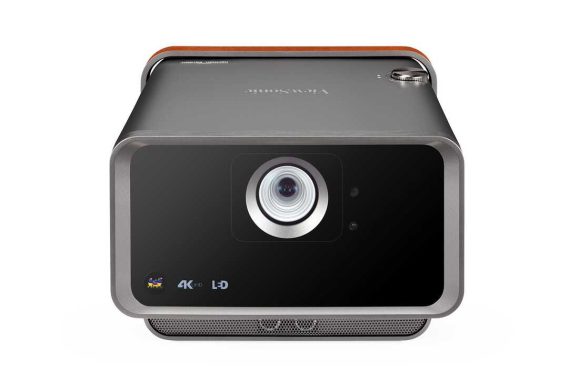
HDR10 (High Dynamic Range) highlights as many details as possible in the brightest and darkest parts of an image to improve color and contrast ratios and a better overall viewing experience. Photo:ViewSonic
Smart TVs and built-in Wi-Fi
Equipped with a built-in Smart TV interface, it’s easy to stream a wide range of TV shows from popular content providers. Built-in Wi-Fi provides access to popular apps, such as Netflix and YouTube, through the Android Aptoide store.
Voice-compatible
Suitable for use with both Amazon Alexa devices and the Google Assistant, you can connect the ViewSonic X10-4K projector to your voice-control smart home. Once connected, operate the basic functions simply by talking to your voice assistant.

Dual HDMI, HDCP2.2 and USB charging
With two HDMI connections, compatible with both HDMI2 and HDCP2.2, the X10-4K is well equipped to handle input sources. Three USB sockets connect a wide range of multimedia devices. There is also a USB power output on a USB, perfect for keeping your smartphone or tablet charged during use.

Don’t compromise on image high-quality from a portable projector – the ViewSonic X10 4K matches both – to perfection.

Native Resolution: 3840×2160
Brightness (LED Lumens): 2400 LED Lumens
Contrast Ratio: 3000000:1
Display Colour: 1.07 Billion Colours
Light Source Type: LED
Light Source Life (Normal): up to 30000
Lamp Watt: RGBB LED
Lens: F=1.8, f=8.5mm
Projection Offset: 100%+/-5%
Throw Ratio: 0.8
Image Size: 30″ – 200″
Throw Distance: 0.5-3.5m (100″@1.77m)
Keystone: V:+28°/-40°
Optical Zoom: Fixed
Audible Noise (Normal): 30dB
Audible Noise (Eco): 26dB
Local Storage: Total 16GB
(12GB available storage)
Resolution Support: VGA(640 x 480) to
4K(3840 x 2160)
HDTV Compatibility: 480i, 480p, 576i, 576p, 720p, 1080i, 1080p, 2160P
Horizontal Frequency: 15K-135KHz
Vertical Scan Rate: 23-120Hz

Audio-in (3.5mm): 1
HDMI: 2
(HDMI 2.0, HDCP 1.4/2.2)
SD Card: Micro SD (64GB, SDXC)
USB Type C: 1 (5V/ 2A)
USB Type A: 2
(USB 3.0 Reader*1,
USB 2.0 Reader*1,
share with power)
RJ45 Input: 1
(Internet & Alexa control)
Wifi Input: 1 (5Gn)
Bluetooth Input: 1 (BT4.0 / audio in)

Audio out (3.5mm): 1
S/PDIF: 1
Speaker: 8W Cube x2
USB Type A (Power): 2
( USB 3.0 – 5V/ 2A,
USB2.0 – 5V/ 1.5A,
share with Reader )
Bluetooth Output: 1 (BT4.0)
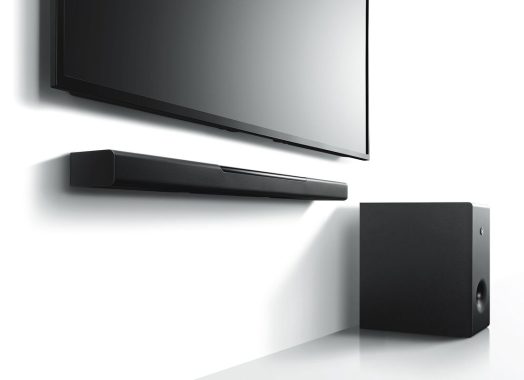
Yamaha MusicCast Bar 400 YAS-408 – the best home cinema experience

0

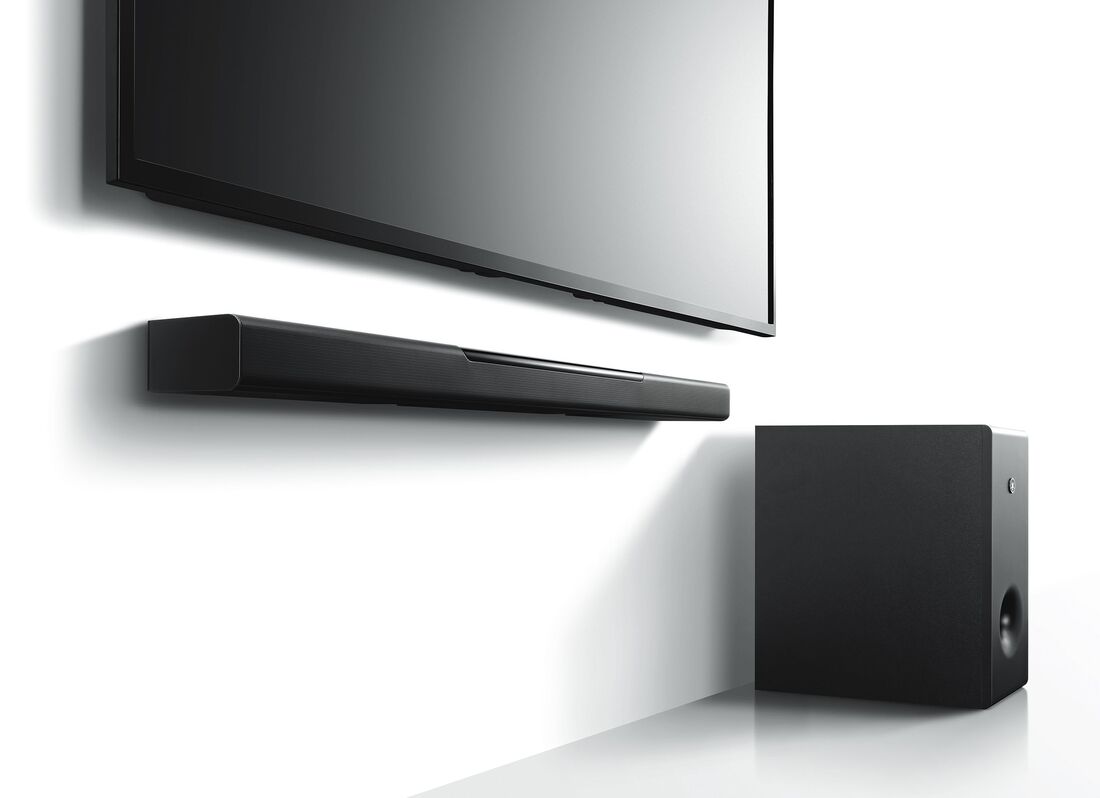
The construction quality of the YAS-408 soundbar is good. It is mainly made of plastic, except for the front side of the bar, which is covered with a metal grid. The submarine is made of wood and the only weakness of the configuration is the fabric that covers the speaker of the subwoofer, which can get dirty or damaged.
The Yamaha YAS-408 has a great frequency response. Its low-frequency extension is also decent, which will help recreate the deep fist, fist, and roar of movies and music for heavy bass. Its overall sound profile is also very neutral and accurate, which is suitable for a wide variety of music genres and other content.
The dynamic performance of the Yamaha Bar 400 is good. It can reach a good volume level that will be suitable for large rooms and crowded environments. However, there are a small number of remarkable compression artifacts when pushing the bar to its maximum capabilities. Most people won’t notice it with real-life.Yamaha YAS-408Like the YAS-207, the Yamaha YAS-408 has poor sound enhancement features. Correction of the missing room, which means that this soundbar may look different depending on the room. There is also no automatic/nightly volume mode, so you cannot normalize the sound between content types such as a TV show and the sound level of a commercial. On the plus side, it supports a dialog enhancement feature to help you hear the dialog more clearly, even at lower volumes. You can also adjust the subwoofer level separately, ideal for adjusting the amount of bass the sub is producing. Although the bar has a 3D surround mode, the sound quality is not the best when used. It will be better to use the normal surround mode, which does not sound so bad.
Via HDMI ARC, Yamaha YAS-408 soundbar can play surround sounds encoded in Dolby Digital and DTS downmixed to 2.1. Dolby Digital is very common on platforms such as Netflix and Blu-ray discs. DTS, however, is not so common on its own, but rather as the recoil of the high-quality DTS-HD MA lossless surround format widely found on blu-rays. Unfortunately, object-based surround sound formats, such as Dolby Atmos or PCM 5.1 without data loss, are not supported.Yamaha Yamaha MusicCast Bar 400 YAS-408The Yamaha YAS-408 has excellent audio playback suitable for most music genres and dialogue content such as podcasts and audiobooks. However, it has lower performance than pairing with surround channels and does not support height channels, resulting in a less immersive listening experience with movies. Unfortunately, its soundscape is not so wide, and the bar will mix surround content up to the stereo.
The audio playback of the Yamaha MusicCast Bar 400 is accurate, but some people may feel that it lacks some bass, especially in bass heavy content. Although its sound scenery is not very broad, it is well focused and does not seem too widespread. There isn’t much compression at a moderate volume, but when pushed to maximum volume, you can hear some pumping and compression artifacts in the bass range, especially in heavy bass genres. On the plus side, you can easily adjust the subwoofer level separately.
The Yamaha MusicCast Bar 400 has good overall audio playback, but doesn’t work well with surround channels. On the other hand, the soundscape is not so wide and has no height channels. All of this results in a less immersive listening experience. This 2.1 configuration will mix 5.1 content and won’t sound real like other settings, but virtual surround mode might help a bit. On the plus side, you have some features to customize your sound a bit to your liking, although you won’t have room correction.
The Yamaha YAS-408 has excellent audio playback suitable for most music genres and dialogue content such as podcasts and audiobooks. However, it has lower performance than pairing with surround channels and does not support height channels, resulting in a less immersive listening experience with movies. Unfortunately, its soundscape is not so wide, and the bar will mix surround content up to the stereo.Yamaha Yamaha MusicCast Bar 400 YAS-408The Yamaha MusicCast Bar 400 YAS-408 is a good high-performance soundbar with great audio playback. It looks very neutral and also packs a fair amount of bass. However, it lacks height channels and Atmos, resulting in a less immersive listening experience. Some people may also feel that the under-bass is missing and a small punch is missing. However, the YAS-408 works well, even at high volume. Its virtual surround sound mode is decent too, but we recommend not using 3D mode because it sounds weak. Photo:Yamaha

MusicCast BAR 400 (YAS-408) Specs:

GeneralDrivers(Centre Unit) : Four 4.6 cm (1-3/4”) woofers, Dual 2.5 cm (1″) tweeters, (Subwoofer) : 16 cm (6-1/2”) cone woofer
Output Power200W total power: 100 W + 100 W subwoofer
Power Consumption(Centre Unit) : 30 W, (Subwoofer) : 19 W
Standby Power Consumption(Centre Unit) : 0.4 W (HDMI control, Network standby off), 0.5 W (HDMI control on, Network standby off), 1.9 W (HDMI control off, Network standby on), 2.1 W (HDMI control on, Network standby on), (Subwoofer): 1.3 W
Dimensions (W x H x D)(Centre Unit) : 980 x 60 x 110.5 mm; 38-5/8” x 2-3/8” x 4-3/8”, (Subwoofer) : 180 x 417 x 405 mm; 7-1/8” x 16-3/8” x 16”
Weight(Centre Unit) : 2.7 kg; 6.0 lbs, (Subwoofer) : 9.4 kg; 21 lbs
Input / OutputHDMI1 in / 1 out
Digital Optical1 in
Analog Audio1 in
HDMI4K Pass-throughYes (50 / 60 Hz YCbCr=4:4:4, HDR10, Dolby Vision, HLG and HDCP2.3)
3D Pass-throughYes
ARCYes
CECYes
Auto Lip-SyncYes
Sound TechnologySurround TechnologyDTS Virtual:X
Surround ModeMusic, TV programme, Movie, Sport, Game
Compressed Music EnhancerYes (for Bluetooth®)
Bass ExtensionYes
Audio FormatsDolby DigitalYes
Dolby Pro Logic IIYes
DTS Digital SurroundYes
File FormatMP3 / WMA / MPEG-4 AAC: up to 48 kHz / 16-bit, ALAC: up to 96 kHz / 24-bit, FLAC / WAV / AIFF: up to 192 kHz / 24-bit
ConnectivityWireless Music StreamingYes
Wi-FiYes (2.4 / 5 GHz)
MusicCast SurroundYes
AirPlayYes (AirPlay 2 via firmware update)
Bluetooth Version/ProfileVer. 4.2 + EDR / A2DP, AVRCP
Bluetooth Maximum Communication Range10 m ; 33 ft
Wireless SubwooferYes
Other FeaturesApp ControlYes
Learning FunctionYes

Teac LPR550USB MK2 Mini System – Recorder/Casette All-in-one

0

The Teac LPR550USB MK2 Mini System is a compact audio system designed for playing CDs and digital music files. It features a CD player, AM/FM radio, and a USB port for playing music from a USB storage device. The system also has a built-in amplifier and speakers, allowing you to easily enjoy your favorite tunes without the need for additional equipment. The LPR550USB MK2 has a sleek design and is easy to operate, making it a convenient choice for anyone looking for a compact audio solution.

Record to CD or PC using USB
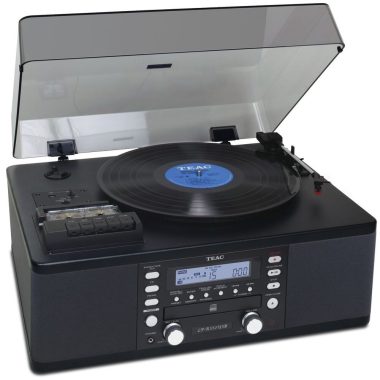
At first glance, the Teac LP-R550USB looks like a normal hi-fi system, but there’s more. With a built-in CD recorder, you can record discs and cassettes directly to CD-R or RW discs, without the need for other components or cables. An exclusive Track Increment identification system correctly separates tracks once recorded on the CD, while a USB output connects to the PC, allowing you to record directly to the hard drive -required software.

Fully functional
Teac LP-R550USB is not only a complete recording unit, but is also a complete hi-fi system. Containing a recorder, cassette player, CD/recorder player, FM/AM radio, amplifier and stereo speakers, this Teac system has everything you need in one standalone unit.Teac LPR550USB MK2

Also play 78s
The record deck has three speeds, including 78 (separate stylus ideally required) for playing all record formats. It also has an automatic return to protect the stylus from damage at the end of the record. The CD player has a full range of playback options including 32-track programming, repetition, and shuffle playback. Both the cassette player and the tuner radio are fully functional and well integrated.

All about one compact case
Proving that Teac has thought of everything, the LP-R550 USB is also equipped with a remote control, headphone socket and auxiliary input. The auxiliary input allows you to connect another source, such as the TV, and listen/record from that as well. Even the large and clear display makes it easy to use.

With low-reflection speakers and a 3.5+3.5W amplifier to increase low frequencies, the LP-R550USB is ideal for both recording and listening to music. RCA pin connector input/output auxiliary terminals make it easy to connect other audio devices, including existing equipment. The 3-speed analog turntable can also play LP and EP discs at 78 rpm. The auto-return function automatically returns the tone arm when the record is finished playing.
At first glance, the Teac LP-R550USB looks like a normal high-fidelity system, but there is much more. The cassette cover allows you to record vinyl and CDs in cassette. Thanks to the built-in CD burner, it is also possible to burn cassette discs and tapes directly to CDs, without the need for other components or cables. To make it even easier, the Teac also uses an exclusive Track Increment identification system so that tracks are properly separated once recorded on the CD. You can burn to CD-R or RW discs with total flexibility in choosing the disc. Finally, a USB output connects to your home computer, allowing you to burn directly to your hard drive – software required.Teac LP-R550USB A clean touch is the ability to burn to CD and USB at the same time. With a recording cover, cassette cover, CD/recorder player, FM/AM radio, amplifier and stereo speakers, this Teac system has everything you need for a standalone hi-fi drive. The disc deck offers 3 speeds, of which 78 (a separate pen ideally required) for playback of all recording formats. It also has an automatic return to protect the stylus from damage at the end of registration. In addition to recording, the CD player will, of course, play CDs. There is a wide range of playback options, including 32-track programming, repetition, and random playback. Both the cassette cover and the tuner radio are fully functional and perfectly integrated. Proving that Teac has thought of everything, the Teac LP-R550 USB is also equipped with a remote control, headphone jack and auxiliary input. The auxiliary input allows you to connect another source, such as the TV, and listen/record from this as well. Perfectly contained inside a single box I wouldn’t think Teac crowded so much in such a compact case. Photo:Teac

For a one-stop recording & playback solution, Teac LP-R550USB MK2 perfectly combines the old and the new.

Brand    Teac
Colour     Black
Audio Inputs    1
Dimensions WxDxH (mm)    470 x 390 x 230
Remote Control    yes
CD Recorder    Yes
Power Consumption –    Standby 25
Power Output – Watts per CH    3.5W x 2
Tuner Radio    FM/AM
Weight (KG)    11
Replacement Stylus Code STL-103
Speeds    33 / 45 / 78
USB Output    Yes – PC and Mac
Cartridge Included TEAC STL-103 – MM
Auto/Manual   auto
Belt Drive/Direct Drive   belt_drive
Built In Phono Stage   yes
CD Player   yes
Sub Output   No
Optical Digital Inputs    No
Headphone Output   Yes
Freq Response (Hz)    50 – 20,000
Audio Outputs    1 (RCA Phono)

4th Gen Amazon Echo Speaker Review

0

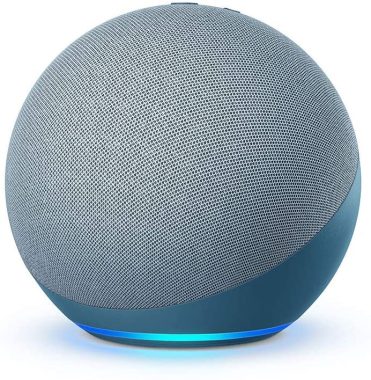
Amazon Echo is a little speaker with a characteristic spherical design. It looks very similar to the Amazon Echo Dot Gen 4, but it’s a bit bigger. It is located at its base, and there is a ring of light surrounding the base of the speaker. Lights are turned on with voice commands, volume settings, and when the microphone is turned off. However, it doesn’t flash when you play music, and you can’t control the colors it displays.
The quality of the construction is not remarkable. The speaker feels solid and the fabric around it is tight and does not seem to be able to tear easily. However, it doesn’t have an IP rating advertised for dust or water resistance, so be careful if you’re going to use it around the water.
This speaker has inadequate portability. It is small and can be carried with one hand, which is nice. However, it is powered by AC, so you need to connect it to a power outlet to make it work. As a result, it cannot be transported outdoors as easily as battery-powered speakers such as Bose SoundLink Micro.Amazon Echo Gen 4 SpeakerAmazon Echo Gen 4 speaker has exceptional voice assistant support. It has built-in Amazon Alexa features, which you can activate with your voice. The speaker can understand you, even if you are away or in a noisy environment. You can also mute your microphone when you don’t want the speaker to listen to you.
Amazon echo is good enough for podcasts. Its balanced mid-range can clearly reproduce voices, although speech at higher frequencies may seem a bit veiled. In addition, it is not too strong and there are some compression artifacts present during playback at maximum volume. On the plus side, it has a Multi-Room feature, so you can pair two Echo speakers together and take your podcast with you from room to room.
Amazon Echo is pretty good for music. Its sound profile is a bit boomy, and the higher frequencies sound veiled and dark. Bass is also missing, so you don’t feel the deep blow in the bass-heavy music genres. There are bass and high settings to help you customize your sound to your liking, which is nice. However, this speaker can’t be very noisy and also mixes stereo content in mono, which isn’t very addictive.
Amazon Echo 4th Gen speaker is excellent for voice assistant support. It has built-in Amazon Alexa features, which you can activate with your voice. The speaker can understand you even if you are not very close to him or if he is in a noisy environment. You can also mute your microphone when you don’t want me to listen to you, which is good.
Echo offers clear highs, dynamic mids, and deep bass for rich, detailed sound that automatically adapts to any room.Amazon Echo Gen 4 SpeakerControl your entertainment: Stream songs from Amazon Music, Apple Music, Spotify, SiriusXM, and more. Plus, listen to audible radio stations, podcasts, and audiobooks.
Help Ready- Ask Alexa to play music, answer questions, play news, control time, set alarms, control compatible smart home devices, and more.
Simplified Smart Home – With the built-in hub, easily configure compatible Zigbee devices or Ring Smart Lighting products (soon) on voice control lights, locks, and sensors.
Fill your home with sounds – With multi-room music, play synced music via Echo devices in different rooms. Or pair echo with compatible Fire TV devices to hear scenes come to life with home theater audio.
Connect with others – Call almost everyone hands-free. Immediately spend in other rooms or announce to the whole house that dinner is ready.
Designed to protect your privacy – Built with multiple layers of protections and privacy controls, including a microphone power button that electronically disconnects microphones.Amazon Echo Gen 4 SpeakerAmazon Echo Gen 4 is a small spherical speaker with built-in Alexa capabilities. You can turn on alexa with your voice, and the speaker can understand you even if you’re away or in a noisy environment. Although your default audio profile is a bit boomy and veiled, you can adjust bass and high levels using settings in the Amazon Alexa app. There’s also an mute button on the microphone, so you can control when the speaker is listening to you. Unfortunately, since it is powered by AC, it is not suitable for outdoor use. Photo:Amazon

Size5.7” x 5.7” x 5.2” (144 x 144 x 133 mm)
Weight34.2 oz (970 g) Actual size and weight may vary by manufacturing process.
Wifi connectivityDual-band wifi supports 802.11a/b/g/n/ac (2.4 and 5 GHz) networks. Does not support connecting to ad-hoc (or peer-to-peer) wifi networks.
Smart home hubZigbee
Bluetooth connectivityAdvanced Audio Distribution Profile (A2DP) support for audio streaming from your mobile device to Echo or from Echo to your Bluetooth speaker. Audio/Video Remote Control Profile (AVRCP) for voice control of connected mobile devices. Hands-free voice control is not supported for Mac OS X devices. Direct control of BLE Mesh. Bluetooth speakers requiring PIN codes are not supported.
Audio3.0” (76.2 mm) neodymium woofer and two 0.8” (20 mm) tweeters.
Alexa appThe Alexa app is compatible with Fire OS, Android, and iOS devices.
Accessibility featuresThe Alexa app and Alexa-enabled products include several features for customers with accessibility needs related to vision, hearing, mobility, and speech.

How to Choose the best Thermal Imaging Camera?

0

Thermal imaging solutions have come a long way and are now used wisely in numerous industries. These wonderful tools are suitable for various applications, and their popularity has increased in recent years as they have become more accessible. The thermal imaging camera is a wonderful option for perimeter security due to the fact that it does not need visible light to capture images and difficult conditions will not prevent it from serving its purpose. Using an ultra-low perimeter safety camera is the smart way to go.

What are the camera applications?
Nowadays we can find thermal and infrared imaging solutions in various sectors. However, the most common application of these devices is in the security settings to identify intruders and monitor essential infrastructure. The camera is suitable for outdoor use because it offers optimal performance in low light and poor visibility. There are numerous perimeters where light and visibility vary and that’s why a thermal imaging camera is a great solution.

Thermal imaging camera can be successfully used to maintain a secure and safe perimeter as it offers perfect performance in low light situations. In recent years we have seen an increasing use of thermal imaging systems due to the advanced technology, the decrease in costs and the various advantages they offer compared to other visible imaging solutions. Thermal imaging cameras can work without visible light, and that’s a plus. These devices can capture images in harsh conditions and are not affected by bright light, unlike traditional cameras.Thermal imaging camera

Another great thing about them is that they can capture images over long distances, thus allowing you to detect intrusion immediately. This cannot be achieved by using standard cameras for longer distances that cannot distinguish the human in the background. This technology has been adopted by a wide range of customers and for various applications because it is available at different prices. For example, those who cannot afford to invest a large amount of money in such technology can opt for a camera with less advanced capabilities. Despite their many applications, thermal imaging cameras are mainly used in mainstream security.

What is the role of the ultra camera in low light conditions?
One of the best things about the ultra camera in low light is that as technology advances, its capabilities expand and so does its range of applications. Security professionals are very satisfied with this innovative technology and implement it mainly for detection. The main role of this technology is to capture fantastic images when there is little light available. Newer devices are designed to automatically adapt when light conditions change.

You can use a camera in low light conditions in a variety of environments, especially in places with low light or no light. These devices are designed to capture high-quality images in space where light is a problem. If you are determined to invest in a device that offers great performance in low light conditions, these are the features you should want:

True day-night: This feature significantly improves performance in low light conditions, improves image clarity and reduces noise in the image.
Digital slow shutter: this feature is essential to improve performance in low light conditions, but its disadvantage is that it has image noise; you need a camera designed to react to fast changing light levels, a camera that recovers and settles well.Thermal imaging cameraDigital noise reduction: This feature is known to improve object recognition and reduce storage needs.
To select the ultra camera in low light conditions that best suits your specific needs, it’s best to determine what you need, what features matter most to you, and how much money you’re willing to spend on this technology. By setting your priorities, you will save time and it will be easier for you to find a camera that meets your needs. You should make it your priority to choose the right technology for the intended application. The good news is that you can count on professional help so you make a purchase that you are satisfied with in the long run.

How to choose the ultra-low camera and lightweight camera
Selecting the right camera for your particular environment can be a challenge these days, as you have so many options. How do you know which camera is best for you? How much money should you spend on that technology? Security surveillance systems have come a long way and today you should have no difficulty finding the perfect camera for your needs, regardless of the intended application.

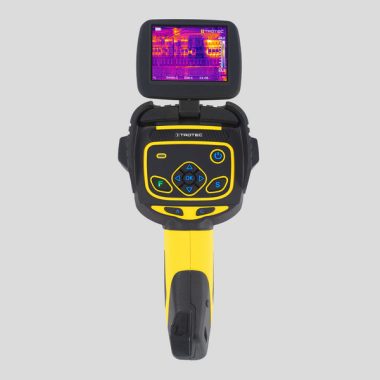
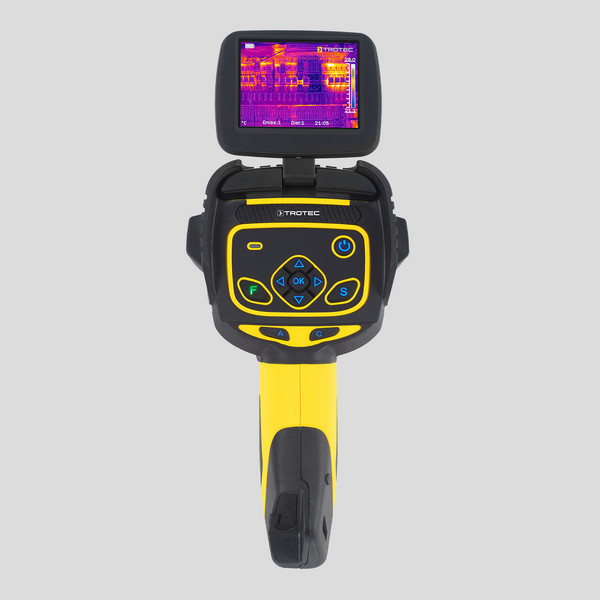
What you can do to narrow down your options by purchasing an ultra-low-light camera is to pay attention to the following aspects: the space in which you want to install the camera, the existing conditions, the features you have, your budget and ease of use. It makes sense to invest in an easy-to-use system that gives you the best value for money. As for thermal imaging cameras, these are ideal for external locations and their main function is to detect. Photo:Thermal imaging camera Trotec

Thermal imaging camera allows you to assess the situation you are dealing with and reduces false alarms, saving time and money. There is no doubt that these devices are very useful in various applications, especially surveillance, but they have some limitations, such as image limitations. Using such cameras, you will be able to see the shape of people, objects and so on, but you will not get specific details. These devices should not be used for identification purposes, but they are a great choice when it comes to improving early detection of intruders. In general, there are several things to keep in mind when buying this technology to make sure you get the best value for money. The good news is that you can count on the assistance of specialists in this field when you make a purchase.

SHAREit – High-speed Transfer data between multiple devices

0

To transfer data between multiple devices, you can use a variety of methods depending on the type of data and the devices involved. Some common options include using a cloud storage service, using a physical data transfer cable, using a local network, or using Bluetooth or other wireless technology.

For example, you can use a service like Google Drive or Dropbox to upload files from one device and then download them on another device. This allows you to access the files from anywhere and makes it easy to share them with others. Alternatively, you can use a USB cable to physically connect the two devices and transfer the data directly between them.

If both devices are on the same local network, you can also use a network file transfer tool to transfer the data over the network. This can be faster than transferring the data over the internet, but it does require that both devices be connected to the same network.

Finally, if the devices support it, you can use Bluetooth or other wireless technology to transfer data between them. This can be a convenient option, but it may be slower than other methods and is limited by the range of the wireless connection.

SHAREit is a file transfer and sync utility that allows users to share data and media between a PC and mobile devices such as phones and tablets.

The application can be useful for sharing all kinds of files over a WiFi network including photos, videos and even Android apps.

SHAREit’s main user interface is eye-pleasing and provides a quick way to send and receive files. The interface includes icons along with the names of connected devices.

An interesting feature to note is that SHAREit can clone a device file system by sending device layout and data to other devices.SHAREit

The application works with Windows, Android and iOS devices for Apple such as iPad and iPhone.

For novice users, SHAREit provides tutorials on how to complete certain tasks, whether it’s cloning a device or sharing certain types of files with them.

It is important to note that SHAREit program also requires you to install the relevant apps on other devices for it to work.

Overall, SHAREit can be a useful application, but it can be buggy and not always working properly. Either way, it has the ability to share files with complete ease.SHAREit

Features and highlights
Share everything with other devices: pictures, videos, music files, documents, contacts
Devices with SHAREit can automatically find each other when they are within range
Transfer HUGE files and videos in seconds – up to 60 times faster than BluetoothShare without the need for Bluetooth, phone network, or active Wi-Fi network  Photo:SHAREit
Devices connect wirelessly directly
The app itself can also be shared with other devices wirelessly, and quick sharing can start immediately

SHAREit High-speed Transfer data Download

Review: Anthem MRX740 Dolby Atmos and DTS:X AV Amplifier

0

With custom room correction and premium components, the Anthem MRX 740 anticipates your home theater experience.
Putting sound first
Like other Anthem products, the MRX 740 puts sound quality before functionality. Using a high-quality CLASS AB amplifier with discrete components (Class D for Atmos channels), the MRX 740 delivers detailed, dynamic sound. The class-leading room calibration system, ARC Genesis, sets the Ion apart from the opposition. A wide range of streaming music options makes this generation of Anthem AV amplifiers ideal as a complete hub for movies and music.
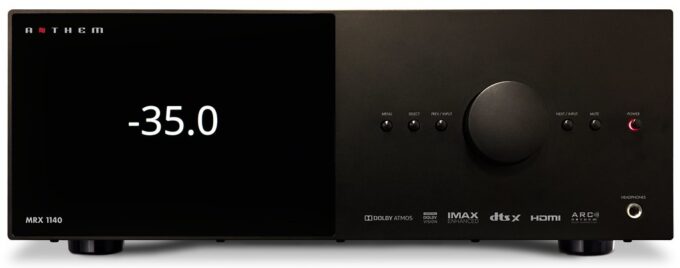
The Anthem MRX740 is a brilliantly refreshing design by Anthem AV and includes all the latest protocols in a high-performance package.Anthem MRX 740 amplifier

Based on the feature set of our previous models, we’ve added the latest version of ARC Genesis, a redesigned and more accurate calibration microphone, Anthem’s web UI, built-in streaming support, object-oriented audio codecs with support for up to 15.2 channels, and the clean power delivery anthem is known for with up to 140 watts per channel.

The MRX 540, 740 and 1140 are a great way to bring premium audio to any home theater or media room. Seamlessly integrate your smart TV or projector with 7 HDMI inputs and 2 outputs, plus eARC. Ultra HD signals are passed up to 18.2 Gbps unchanged with Dolby Vision, HDR and Hybrid Log Gamma support.

The Anthem MRX 740 boasts seven HDMI inputs and two HDMI outputs, with a third output for a second zone. The main output supports eARC and all HDMI ports are compatible with popular HDR formats like HDR10, HLG, and Dolby Vision. However, it doesn’t support passthrough of HDR10+ or ALLM, VRR, or 4K/120Hz. But, an optional HDMI 2.1 8K upgrade will be available early next year to keep up with future technology.

Aside from HDMI, the MRX 740 has five analogue inputs, three optical digital inputs, a pair of coaxial digital inputs, a USB port, an IR input, 12V triggers, and an RS232 serial connector. The device has dual antennas for Wi-Fi and Bluetooth, with the option to connect via Ethernet. The set-up is straightforward, and wireless connection requires Google Home. The MRX 740 supports Apple AirPlay 2 and Google Chromecast, with Spotify Connect and Roon support to be added soon.

Installation is easy, thanks to the well-designed and labelled rear panel. Users can connect up to two subwoofers and choose from 5.1, 7.1, and 5.1.2 systems out of the box, with the option to add extra amplification for 5.1.4, 7.1.2, and 7.1.4 systems. The MRX 740 is compatible with third-party control solutions like Control4 and Crestron.

Anthem’s USER web interface is now integrated into all MRX receivers and AVM processors. Using a phone, tablet, or laptop, owners can easily access any feature or settings and make changes on the go. Turn the main or second area on or off, adjust the volume, change audio modes, or adjust channel settings for a seamless surround sound experience. The web UI can also be used to calibrate speaker delays and levels and configure network settings/control options. Source devices can be renamed, simplifying configuration by allowing unused entries to be deleted. Installers can import and export files to make remote management simple and convenient.Anthem MRX 740 amplifier

ARC Genesis – the difference between the
In addition to premium electronics, Anthem’s distinctive feature is ARC (Anthem Room Correction). The latest ARC Genesis software takes a big step forward, giving you seamless room integration, ensuring you make the most of the MRX 740’s potential. Compatible with Mac and Windows, this third-generation room correction system uses custom Digital Signal Processing (DSP) and a dedicated microphone. Once set up, you will feel an incredible improvement as more integrated and “together” is sound. (Professional configuration recommended).

The magic of Dolby Atmos and DTS:X
Dolby Atmos and DTS:X use ceiling speakers or triggers for three-dimensional, fully immersive sound. Whether the rain falls into a rainforest or the intense sound of aerial shooting, Dolby Atmos and DTS:X put you at the center of the action.

Be even more immersed: with 11.2 channel processing
With processing for 11.2 or 7.2.4 channels, you can add a 4-channel power amplifier (or two stereo power amplifiers) and not only double the number of ceiling speakers, but also add additional effect speakers, providing total sound immersion.

Certificate for IMAX Enhanced
A partnership between IMAX, DTS and Hollywood’s award-winning sound mixers offers an impressive new audio format: IMAX Enhanced. Only the highest quality home theater equipment meets the standard, with advanced IMAX content available in HDR streaming and UHD Blu-ray disc.

Set up speakers your way
Channel reassignment allows you to configure speakers the way you want. With seven-channel powered outputs, unused outputs can be used to amplify front speakers, adding a second zone or additional presence speakers in a 7.2 configuration. Thanks to ARC Genesis, the perfect presentation is guaranteed, whatever the format.

Zone 2 HDMI
For a fully independent AV output, the Anthem MRX 740 features an HDMI Zone 2 output. This allows you to vary the audio and visual output on another screen, such as a TV in another room. In addition, there are two HDMI outputs at the main source, ideal if you are using a protection and a TV in the same room.Anthem MRX 740 amplifier

Premium digital processing
With a premium 32-bit/768 kHz differential output DAC (digital to analog converters), the Anthem MRX740 amplifier decodes digital signals to the highest standards. These high-resolution DACs don’t miss a breath of action and make both movies and music brilliant.

Updatable HDMI Card – Supports Dolby Vision, HDR, HLG and eARC
Featuring an upgradeable HDMI interface with 7-inch/3 outputs, the Anthem MRX 740 amplifier supports a wide range of high dynamic range video formats. These include Dolby Vision, HDR and HLG. It also supports enhanced audio return channel (eARC), the latest return channel audio system that transmits uncompressed surround sound signals, including Dolby Atmos and DTS:X, from compatible TV to amplifier. The removable card allows for future HDMI updates (reseller return required). Photo:Anthem

AirPlay 2, Chromecast and Bluetooth: your streaming choice
Connect to your network via wi-fi or Ethernet and stream from your music app of your choice. Compatible with AirPlay 2 and Google Chromecast, the player adapts to most music apps available on Apple and Android smartphones and tablets. Bluetooth provides a quick and easy wireless connection to your smartphone, tablet or computer for easy music streaming. A free and future update will also include support for Spotify and Roon, making the MRX 740 even more versatile.

Update your home theater sound and vision with the Anthem MRX 740.

Anthem MRX 740 – CHROMECAST SETUP

Wired Connection:
Connect an ethernet cable to the Receiver/Processor.
Wired & Wireless Connection:
Download and open the Google Home app.

Update your home theater sound and vision with the Anthem MRX 740.

You should be prompted that there is a device available for setup. If not, simply tap “Add” followed by “Setup a
Device.” Select the Receiver/Processor and follow the instructions on screen.
To listen to cast audio from any supported application on your Receiver/Processor, ensure your device is connected
to the same network as the Receiver/Processor.
Tap the Chromecast built-in icon from within the application and select the Receiver/Processor as the playback
device

Anthem MRX 740 Bluetooth Setup

Bluetooth connection requires both wireless antennas to be attached. Once the antennas are attached, you must be
on the Bluetooth input for the MRX/AVM to enter Bluetooth pairing mode. Note that when you switch off of the
Bluetooth input or change inputs, the MRX will lose the pairing. The unpairing happens because Bluetooth was
designed for individual speakers and if it automatically reconnects to the receiver, it can switch your input and play
unwanted audio from something like background audio on a website that may be too loud.

4K UHD DLP Projector, perfect Acer V6810

0

HDR and Rec.2020 compatible for stunning contrast detail
With the best image potential, the Acer V6810 supports HDR and complies with the Rec.2020 standard. HDR not only offers deeper blacks, brighter whites and bright colors, but also thinner images. So what looks like a massive black area on a lower projector will turn out to be as if he’s seen the details seen before.
Learn more details with UHD 4K
Making the most of HDR support is 4K UHD resolution. The projection in this resolution offers detail and realism that is impossible to achieve with conventional Full HD resolution. The 4K UHD resolution is four times higher than that of the more conventional 1920 x 1080 Full HD projectors and is a difference that can be easily seen on a large projection screen. Eye-catching details and sharper definition make it the perfect projector for UHD viewing.Acer V6810 projectorAcuMotion for smoother video
AcuMotion technology, unique to Acer projectors, improves picture sharpness in fast-moving scenes and reduces motion blur. Generates intermediate frames and inserts them between existing frames, avoiding unwanted flickering. Whether you’re watching a fast-moving sporting event or a Hollywood blockbuster, AcuMotion lets you keep up with the action, without blur.
Guaranteed high-definition color accuracy – with Rec.709
Modeled after the Rec.709 HD TV standard, the V6810 uses Acer’s ColorPurity and ColorBoost II technologies to provide the truest possible color reproduction. With such a precise color, you can enjoy realistic images of sports, movies and documentaries.
Wide range of connections
Two HDMI jacks (one with HDR support) allow you to connect a couple of video sources, such as a UHD Blu-ray player and a TV set-top box. There’s also a VGA input, making this projector ideal for connecting older PCs and laptops. A USB interface is ideal for providing power to accessories, such as a Roku TV broadcast memory.
Projector menus include skin tone, sharpness, and overall color enhancements, along with common basics. A rather technically called EOTF function, on the other hand, allows you to choose between brightness and contrast when playing HDR sources. This is useful to adapt to different room conditions or between the brightness of the baseline and the degrees of detail “trim” in the brightest parts of HDR images.Acer V6810 projectorAs with most budget projectors, the Acer V6810 projector has a built-in speaker. This is quite powerful at 10W, but it’s just mono.
The Acer V6810 claims 2200 lumens of brightness and a contrast ratio of 10,000:1. These are pretty high numbers for such a cheap projector. That said, in reality neither figure, particularly the light output, suggests that the V6810 will be able to provide very strong HDR performance. Although Acer has provided ColorPurity technology that combines continuous lamp adjustments with a special color wheel design to extend the color range and contrast of the V6810.Acer V6810 projectorVideo connections include a pair of HDMI (although only one supports 4K HDR) and a D-SUB PC port. There’s also a USB-powered port that you could use to squeeze a video stick. Rs-232 and 12V ignition ports, on the other hand, are provided to help integrate into a larger home entertainment system.
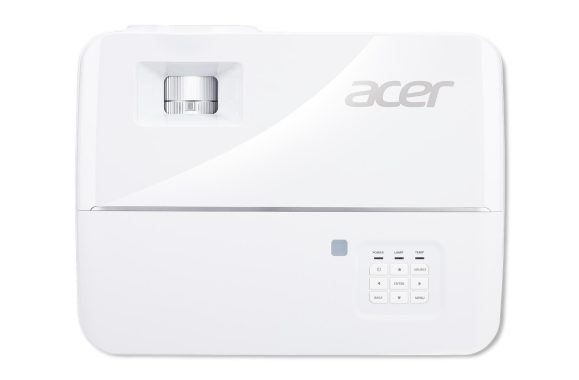
Get up close to the action with the super detailed Acer V6810 projector. Photo:Acer

Native Resolution

3840 x 2160

Maximum Resolution

3840 x 2160

Standard Mode Brightness

Up to 2200 lm

Native Aspect Ratio

16:9

Compatible Aspect Ratio

4:3

Contrast Ratio

10,000:1

Throw Ratio

1.47 to 1.76 (61″@78.74″)

Vertical Keystone Correction

-40°/+40°

Maximum Vertical Sync

120 Hz

Maximum Horizontal Sync

135 kHz

Minimum Vertical Sync

24 Hz

Minimum Horizontal Sync

15 kHz

Color Supported

1.07 Billion Colors (30-bit)

Projection Lens

Minimum Lens Aperture

F/1.94

Maximum Lens Aperture

F/2.06

Minimum Focal Length

5.57 mm

Maximum Focal Length

18.67 mm

Minimum Diagonal Image Size

26″

Maximum Diagonal Image Size

25 ft

Minimum Projection Distance

39.37″

Maximum Projection Distance

32.15 ft

Optical Zoom

1.2x

Lamp

Lamp Type

UHP

Number of Lamps

1

Lamp Power

240 W

Normal Mode Lamp Life

4000 Hour

Economy Mode Lamp Life

10000 Hour

ExtremeEco Mode Lamp Life

15000 Hour

Interfaces/Ports

HDMI

Yes

HDMI Version

HDMI 2.0

Number of USB Ports

1

USB

Yes

Number of VGA Inputs

1

VGA In

Yes

Number Of Audio Inputs

1

Number Of Audio Outputs

1

Audio Line In

Yes

Audio Line Out

Yes

Total Number of HDMI Ports

2

Cloud Migration Types – move data and applications to the cloud

0

What is cloud migration?

Cloud migration is a plan or process in which data and applications are moved to the cloud. You’re migrating your digital business operations through this.

What are all the steps in the migration process?

Migration is not just a one-step process. Migration can be a complex process depending on the size and complexity of applications. Here we mention the four key steps in the migration process.

Migration planning: Before planning for migration, you must have a clear goal as to why you want to migrate and the strategies to use. You must calculate cloud server requirements based on the current requirements of application resources. That’s because you don’t have to pay more for what you don’t need. At this stage, you can get help from migration specialists to determine all dependencies and requirements.
Choose your cloud data provider: Once you’re scheduled to migrate, you can decide which cloud environment to adopt. It can be a public cloud, hybrid cloud, private cloud, or multiple clouds (or services like Google, Azure, or AWS). Depending on future requirements and needs, you can decide on this.

cloud migration
photo:Pixabay

Application and data migration: With expert guidance and an appropriate plan, you can easily migrate data and applications. Consider only all security, data, and backup issues during migration.
Migration validation: We can only call migration a success if it provides the desired performance. You can compare pre- and post-migration results from a technical and business perspective.
What are all kinds of migration process?

Re-hosting: The re-hosting strategy is also called elevation and scrolling because it involves lifting servers or applications from the current hosting environment and moving to the cloud infrastructure. During re-hosting, exact copies of the current environment are transported without making any changes. This saves money on re-training staff in a new system. This strategy usually starts when companies initially think about migrating
Repositioning: Replacement is just the same as re-hosting. With this strategy, we migrate applications and their components to a managed cloud platform without having to change the main architecture of the application. You can increase or reduce your company’s resources and capabilities at any time by adopting this strategy.
Buy back: By adopting this strategy you are discarding the old app platform and buying new platforms. It has disadvantages such as losing familiarity with existing code and re-training employees.
Refactoring: Refactoring is also called rear detection where applications are rebuilt from scratch. Although it is the most expensive method, it is the best option when you want to improve services. Companies often embrace it when their current environment is difficult to improve.
Remove: While your business plans to migrate applications to the cloud, it lists its apps. They check that everyone needs to be migrated and also understand the use and cost to the business. If your business believes your app isn’t worthy enough to migrate, you can simply reduce the size and exit the list. This not only simplifies costs, but also makes it better for a business to promote scalability and efficiency

Amazing True Wireless Earbuds – Skullcandy Indy ANC

0

The Skullcandy Indy ANC True Wireless Earbuds is decently comfortable. They come with different sizes of headphone tips and stability fins to help you get the best fit possible. When you use their controls, they don’t hurt your ear, which is good. However, the gems stand out a little from your ears and can feel aged after long listening sessions.
Skullcandy Indy ANC earbuds is incredibly portable. Like most truly wireless ears, they are small and light. You can also put them in their portable charging case when you’re on the go and they should be in your pocket.
The Skullcandy Indy ANC has a low-heavy sound profile. They offer an additional boom, bump, and bump that can please fans of heavy bass music genres, but can sound booming and overwhelming for fans of a more neutral sound. The main voices and instruments are clear and present, but higher frequency noises can be boring and veiled. Some EQ presets are available to help you adjust your sound to your liking.Skullcandy Indy ANC earbudsThese headphones have incredible average accuracy. There is a slight emphasis on low media extending from the bass range, and slight immersion in the media can push voices and guide instruments to the back of the mix. However, the range is mostly flat and balanced, resulting in clear and present voices and lead instruments within their mixtures.
Skullcandy Indy ANC earbuds is ideal for commuting and traveling. Its portable design makes it easy to carry on the go, and its ANC function does a decent job of blocking background noise from heavy bass such as bus and airplane engines. The ANC feature does an even better job of blocking the sounds of people chatting around you too. However, these headphones may not be comfortable for long listening sessions, and their 5.1-hour continuous battery life may not last until long international flights.
Skullcandy Indy ANC is ideal for sports and fitness. These well-built headphones have a portable design that makes them easy to carry on the go. They are stable enough to be used during more intense workouts. They have an IPX4 rating for water resistance, although we don’t test for it at the moment. However, its design in the ear might seem a little ingested after long listening sessions.

Skullcandy Indy ANC has acceptable battery performance. They last more than 5 hours with a single charge with the ANC enabled, although battery life may vary depending on usage. The company says they can last nine hours with the ANC off. While it may not last during the working day, its portable charging case offers about three additional costs so you can turn it on while you’re on the go. You can also listen to audio with one headset while the other charges, which is nice.
Skullcandy Indy ANC have very good noise isolation. Thanks to their ANC function, they do a decent job blocking low-heavy background noise such as bus and aircraft engines. They work even better against higher frequency ambient noise, so don’t listen to the sounds of colleagues chatting nearby or the hum of an A/C unit. However, its ANC function works in a similar way to your passive insulation skills in the range of highs.
Skullcandy Indy’s ANC is very good for phone calls. Its built-in microphone has decent recording quality, so your voice is understandable, but also a bit subtle. They have great sound insulation, so they are not distracted by background noise during their calls. However, they are best suited for making calls from quiet environments, as the microphone may have trouble separating the voice from ambient noise.Skullcandy Indy ANC earbudsSkullcandy Indy’s ANC is not bad for neutral sound. They have a low-heavy sound profile that can be muddy or boomy for fans of a more neutral sound. While the main voices and instruments are clear and present in the mix, the upper harmonics are dark and veiled. Some EQ presets are available in your app, so you have a certain chance to adjust your sound. Photo:Skullcandy
Skullcandy Indy ANC True Wireless earbuds is well built in the ears with great sound insulation. Thanks to their ANC function, they can block background noise such as bus and plane engines and the speeches of the people around you. Its heavy bass sound profile adds an extra touch to the audio, but it can also look muddy, dark, or veiled. Some EQ presets are available in the Skullcandy app. Its continuous battery life of 5.1 hours may not last until the day, but its portable charging case makes it easy to turn on while on the go.

Headphone Type: True Wireless Earbud
Connection Type: Bluetooth® 5
Impedance: 32 Ohms
Driver Diameter: 12mm
THD: <3% at 1KHz
Sound Pressure Level: 98-103dB
Frequency Response: 20Hz – 20KHz
Weight: 76g