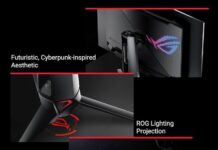
The Gigabyte AORUS FI32U is a standout in the competitive world of high-performance gaming monitors. Offering a blend of high resolution, ultra-fast refresh rate, and gaming-centric features, this 31.5-inch SS IPS monitor is designed to cater to both gamers and content creators alike. Let’s dive into the details and see how it holds up in comparison to other monitors on the market.
There’s no denying that the Gigabyte Aorus FI32Q X is an impressive display on paper. Its standout specs — a large screen, 1440p resolution, and a high refresh rate — are only the beginning. Add in DisplayHDR 600 certification, a quoted 1ms G2G response time, and a built-in KVM switch, and you’ve got a feature-packed monitor. It even supports overclocking via a one-click toggle in the OSD, pushing the refresh rate up to 270Hz for an even smoother gaming experience.
To start with the obvious: the 240Hz refresh rate (or 270Hz when overclocked) paired with the 1440p resolution delivers a fast, fluid, and sharp experience. The panel’s response times are equally impressive. If you’re consistently hitting over 200 FPS, the ‘Balance’ overdrive setting strikes a good compromise between speed and visual clarity. Otherwise, ‘Picture Quality’ mode is the better choice.
More broadly, I’d argue that 240Hz 1440p monitors hit a real sweet spot for gamers today. The resolution is far less demanding than 4K, making it more accessible for current hardware, while the high refresh rate offers a degree of future-proofing. Even if today’s GPUs struggle to consistently hit 240 FPS in newer titles, this monitor leaves you with plenty of performance headroom for future upgrades.
Key Features
-
Display Type: 31.5” SS IPS (Super Speed In-Plane Switching)
-
True Resolution: 3840 x 2160 (UHD 4K)
-
Color Saturation: 90% DCI-P3 / 123% sRGB
-
Brightness: 350 cd/m² (Typical)
-
Refresh Rate: 144Hz (also supports 120Hz for console gaming)
-
Response Time: 1ms GTG (Gray-to-Gray) / 1ms MPRT (Moving Picture Response Time)
-
HDR: VESA Display HDR400
-
Connectivity: HDMI 2.1, DisplayPort 1.4, USB Type-C, and more
-
Special Features: Active Noise Cancelling 2.0, Aim Stabilizer Sync, Black Equalizer, RGB Fusion 2.0, and more.

AORUS FI32U . images: gigabyte
Pros
-
Stunning 4K Display:
-
The 3840 x 2160 UHD resolution combined with an SS IPS panel offers crisp, vibrant visuals with excellent color accuracy, making it ideal for both gaming and creative work. The 90% DCI-P3 and 123% sRGB color gamut ensure that the colors pop and are rich, whether you’re editing photos or playing the latest AAA titles.
-
-
144Hz Refresh Rate:
-
Gamers will appreciate the 144Hz refresh rate, which provides ultra-smooth gameplay. It’s ideal for fast-paced gaming genres like FPS, racing, and MOBAs. For console gamers, the monitor supports 120Hz at 4K, making it a top-tier choice for next-gen consoles like the PlayStation 5 and Xbox Series X.
-
-
1ms Response Time:
-
The 1ms GTG and 1ms MPRT response times are excellent for reducing motion blur and ghosting, ensuring a fluid gaming experience. This is a significant advantage over monitors with slower response times in competitive gaming scenarios.
-
-
HDR Support:
-
With VESA Display HDR400, the AORUS FI32U offers better contrast and a wider color range, enhancing the viewing experience for HDR-compatible games and media. While it doesn’t reach the higher-end HDR1000 spec, it still adds value for those looking to experience more vibrant visuals.
-
-
Flexible Stand and Ergonomics:
-
The monitor’s stand offers tilt, swivel, pivot, and height adjustment (up to 130mm), allowing for a highly customizable setup for ergonomic comfort.
-
-
Rich Feature Set for Gamers:
-
Features like Aim Stabilizer Sync, Black Equalizer, and RGB Fusion 2.0 bring additional customization and enhancement to the gaming experience. The Active Noise Cancelling 2.0 is a unique inclusion that can improve communication during multiplayer games by reducing background noise from external sounds.
-
-
Comprehensive Connectivity:
-
With HDMI 2.1, DisplayPort 1.4, and USB Type-C, the AORUS FI32U provides excellent future-proofing for high-bandwidth gaming and content creation needs. KVM support also allows for controlling multiple devices via a single keyboard and mouse, which is a bonus for multi-tasking setups.

AORUS FI32U
-
Cons
-
Brightness:
-
While the 350 cd/m² brightness is good for most environments, it may not be bright enough for use in very bright rooms or for HDR-heavy content, especially when compared to high-end monitors with HDR1000 support. It’s adequate but not exceptional.
-
-
HDR Performance:
-
The VESA Display HDR400 standard is a step up from standard SDR but falls short of the richer HDR experiences seen in higher-end monitors with HDR1000 or HDR1400. If you’re a content creator or media enthusiast looking for premium HDR, this monitor may not fully satisfy your needs.
-
-
No Built-In Speakers:
-
The lack of integrated speakers means you’ll need to invest in external speakers or headphones. However, considering the monitor’s target audience, this isn’t a major issue for gamers or professionals who are likely using external audio equipment.
-
-
Price:
-
The Gigabyte AORUS FI32U comes at a premium price point, particularly when compared to some competing models that offer similar features at a lower cost. If you’re looking for a more budget-friendly 4K gaming monitor, you might find other options that offer slightly lower performance but at a more affordable price. (price: £606.95)

Gigabyte AORUS FI32U
-
Comparison with Competitors
-
LG 32GN650-B:
-
The LG 32GN650-B is another popular 32-inch 4K monitor aimed at gamers, but it features a lower 60Hz refresh rate and lacks many of the advanced features found in the AORUS FI32U. While it has excellent color accuracy and contrast, it doesn’t match the 1ms response time or 144Hz refresh rate of the AORUS, making the latter a superior choice for competitive gaming.
-
-
Samsung Odyssey G7 (LC32G75TQSNXZA):
-
The Samsung Odyssey G7 offers a 240Hz refresh rate with QLED technology for exceptional color and contrast, but it comes at a higher price. While the Odyssey G7 excels in gaming performance, the AORUS FI32U still stands out with its 4K resolution and IPS panel, making it more versatile for both gaming and content creation.
-
-
ASUS ROG Strix XG32UQ:
-
The ASUS ROG Strix XG32UQ offers similar features with a 144Hz refresh rate and 4K resolution, but the AORUS FI32U edges out in terms of color accuracy with its 90% DCI-P3 support. The ASUS model is also a solid option, but the AORUS FI32U brings more unique gaming features like Aim Stabilizer and Active Noise Cancelling.
-
The Gigabyte AORUS FI32U is an outstanding 4K gaming monitor, blending cutting-edge technology with features that cater to both gamers and professionals. The 144Hz refresh rate, 1ms response time, and HDR400 support make it a powerhouse for gaming, while the excellent color accuracy and USB-C connectivity also make it an attractive option for creative professionals who require both performance and color precision.
Its biggest downsides are its brightness and HDR limitations, but these are minor drawbacks given its other strengths. Whether you’re a competitive gamer or a content creator looking for a versatile monitor, the AORUS FI32U is hard to beat in this price range.
Here are three of the best alternatives to the AORUS FI32U — a 31.5″ 4K 144 Hz HDMI 2.1 gaming monitor:
Alienware aw3225qf – 4K QD‑OLED with 240 Hz Refresh
Why It’s a Top Alternative
This monitor is one of the most compelling step‑ups from the FI32U thanks to its QD‑OLED panel and up to 240 Hz refresh rate, making it excellent for both immersive single‑player games and ultra‑responsive competitive play.
Key Strengths
- Panel Technology: QD‑OLED delivers deeper blacks, more vibrant colors, and much higher contrast than IPS LCDs, improving HDR content dramatically.
- Faster Refresh & Response: Up to 240 Hz refresh rate and ultra‑fast pixel response time (~0.03 ms) mean smoother motion and reduced blur.
- HDR & Color: Excellent HDR performance and wide color gamut deliver richer visuals compared to more standard HDR400 monitors like the FI32U.
Considerations
- Generally higher in price than typical 4K 144 Hz models.
- OLED monitors occasionally have burn‑in concerns if static content is displayed for many hours (though modern panels mitigate this risk).
Great pick if ultimate image quality and refresh rate matter more than price.
Dell G3223q – Balanced 4K 144 Hz HDR600 Gaming Monitor
Why It’s a Strong All‑Around Choice
The Dell G3223Q strikes an excellent balance between value and feature set, offering many benefits beyond the FI32U — especially if you want stronger HDR and broader color coverage without jumping into OLED.
Key Strengths
- HDR600 Rating: Significantly better HDR performance than the FI32U’s DisplayHDR400 class, meaning brighter highlights and more nuanced dark scenes.
- Color & Coverage: ~95 % DCI‑P3 wide color gamut (typical for HDR600) enhances vibrancy and accuracy for film, games, and creative work.
- HDMI 2.1 Support: Like the FI32U, supports HDMI 2.1 for native 4K at 144 Hz on modern consoles.
Considerations
- Doesn’t reach OLED contrast levels — still an IPS panel.
- Performance sits between mainstream and premium OLED monitors.
Best fit if you want excellent HDR and rich color at a competitive price point.
BenQ MOBIUZ EX321UX – Mini‑LED 4K Premium HDR
Why It’s Worth Considering
This model takes a different approach: instead of OLED or standard IPS, it uses Mini‑LED backlighting (with many dimming zones) to boost HDR performance and overall dynamic contrast.
Key Strengths
- Mini‑LED Backlight: More precise local dimming than typical LED panels, resulting in superior HDR highlights and deeper darks.
- DisplayHDR1000: Far stronger HDR capability than most 144 Hz monitors, delivering punchier visuals for HDR gaming and media.
- Advanced Feature Set: USB‑C, KVM switch support, remote control, and premium audio add value.
Considerations
- Higher cost — reflects its premium feature set.
- Still not OLED, so contrast is strong but not perfect “infinite” blacks.
Ideal if you want top‑tier HDR performance and overall versatility for gaming and entertainment.