Home Blog Page 134

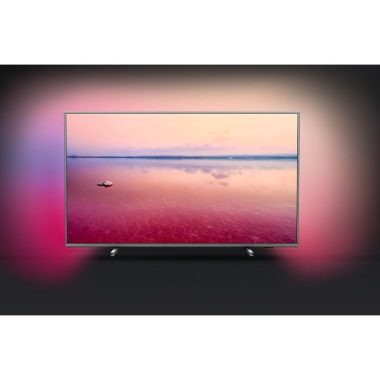
SAPHI smart system, 3-sided Ambilight in Philips 65PUS6754 TV

0

Extend your visual pleasure with the Philips 65PUS6754 equipped with Ambilight.

3-sided image immersion environment
Ambilight technology is unique to Philips. It makes the screen much wider and its viewing experience is more immersive, emitting an extra-wide glow from three sides of the TV screen to the surrounding wall. The color, vitality and emotion go beyond the screen and into your living room to give you a visual experience beyond the ordinary.

Pixel Precise Ultra HD and Micro Dimming for an optimized image
The elaboration of a single image differentiates Philips from their rivals. Pixel Precise Ultra HD offers smoother motion and realistic image depth. Micro Dimming analyzes the image in thousands of zones and adjusts accordingly. This maximizes the contrast of realistic images and realism.

Get the best of HDR with HDR10
For a very high-quality image, HDR10 offers scene-by-scene HDR mastering for the truest and most accurate HDR imaging technology to date. With HDR10, each scene is optimized, which means that the maximum amount of detail is displayed, even in the brightest or darkest moments. The 65PUS6754 is also compatible with the standard HDR10 and HLG formats. HLG (Hybrid Log Gamma HDR) is a standard user-generated and broadcast format that is set to become the standard for transmitting 4K signals.

Dolby Vision for dramatic images
In addition to supporting HDR10, the 65PUS6754 is also compatible with Dolby Vision, a leading format in Hollywood and in cinemas around the world. Dolby Vision also adjusts the image to take full advantage of the features of each screen and features an image optimized for each scene in specially mastered content.
SAPHI’s Smart TV
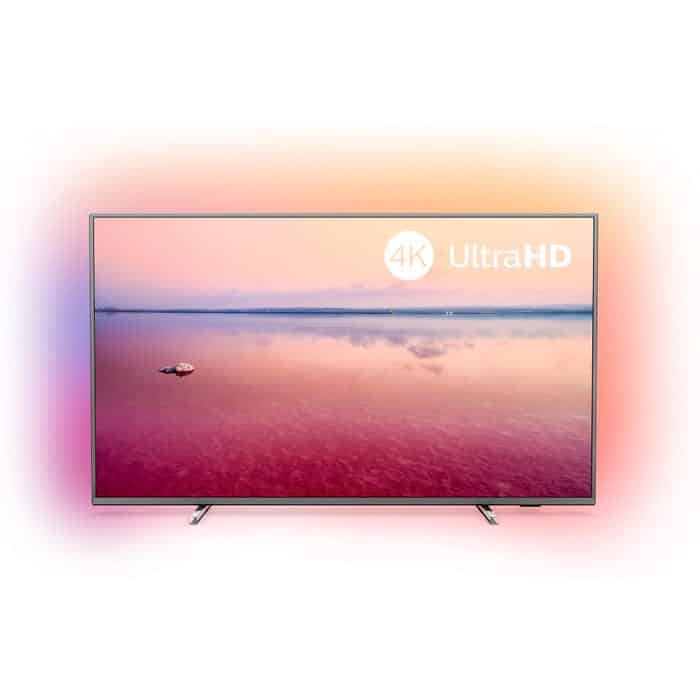
Powered by a SAPHI system & Quad Core processor, this 65″ Philips TV is also an elegant artist with Smart content. Connect to your home network via Ethernet or Wi-Fi and enjoy access to a wide range of apps, including favorites like Netflix, Prime Video, YouTube on BBC iPlayer and more. A built-in web browser allows you to browse and stream the content of your heart.

Sharp and detailed sound
Compatible with Dolby Atmos sound tracks, the 65PUS6754 has the potential to provide a broad and engaging sound. Clear Sound improves dialogue, making it easier to hear individual voices.

Freeview Play to catch up on TV
Freeview Play makes the TV up-to-date easily. Find BBC iPlayer, ITV Hub, All4 and Demand 5 shows along with over 60 TV channels and up to 15 HD channels. Just swipe back on the TV guide to watch the shows you missed in the last 7 days. Just make sure the TV is connected to the Internet and it’s done.

Fully connected
Three HDMI jacks make it easy to connect a Blu-ray player, a game console, and a TV set-off. All sockets are hdmi 2.0 version with HDCP 2.2, so this TV is compatible with UHD blue-ray players and most 4K HDR streaming services. Other connections include dual USB jacks, with registration on a compatible USB device. Start an optical connection for a soundbar/base plus headphone jack and you have everything you need from the new TV.Photo:Philips

Expand the big picture with the Philips 65PUS6754.
Brand Philips
4K Ultra HD Yes
HDR Yes
BBC iPlayer Yes
Pixel Resolution 3840 x 2160
Scart Sockets No
Speakers Yes
Screen Size 65
Motion Processing 1200 PPI
LED Backlight LED – Direct
Power Consumption- Normal Use 100
Stand Yes – Fixed
Wall Mount Required VESA – 400 x 200
Energy Efficiency Rating A+
Local Dimming Micro Dimming
Camera No
Gesture Control No
Packaging Dimensions WxHxD 1600 x 995 x 174
Netflix 4K Streaming Yes
Power Consumption – Annual 146
Maximum Stand Width (mm) 1285
Panel Bit Depth 10 bit (8 + 2 FRC)
HDR Format Dolby Vision, HDR10+, HDR10, HLG
Peak Brightness 350
Analogue Tuner Yes
USB Video Playback Yes
USB Recording Yes
Headphone Socket Yes
Wireless Connection Yes
Full Web Browser Yes
Power Consumption – Standby 0.3
ARC – Audio Return Channel Yes
Touch Screen No
Voice Activated TV No
Quad Core Processor YES
Twin Tuners No
HDMI 2.0 Yes
Screen Resolution 4k_ultra_hd
Panel Frequency (Hz) 50Hz
Dimensions excluding stand WxHxD (mm) 1462 x 851 x 89
Dimensions including stand WxHxD (mm) 1462 x 869 x 322
Digital Audio Output Yes – Optical
USB 2
Weight (KG) 23.9/24.3
Component 1
Remote Control yes
Smartphone control Yes
HDMI 3_HDCP2_2_3

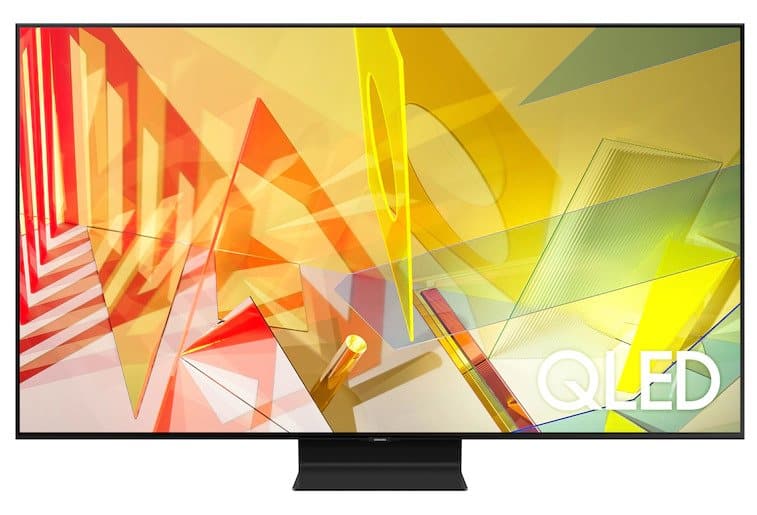
Amazing picture quality – 2020 Samsung Q90T QLED

0

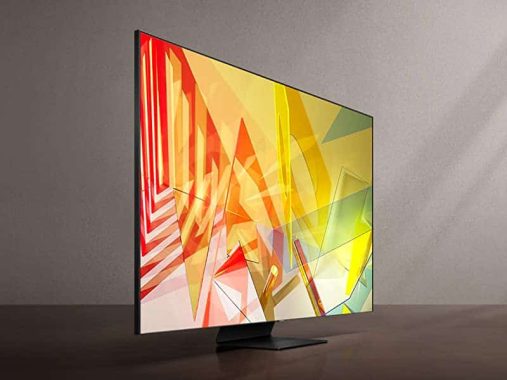
The Samsung Q90T QLED is an excellent TV that comes with almost all the features imaginable to provide amazing image quality and viewing experience. Its simple and elegant design easily fits any room, and the TV works just as well in dark or bright environments. Movement management is excellent due to its incredibly fast response time, and players should be satisfied with its exceptionally low entry delay and FreeSync support. HDR content comes with bright colors and bright reflections, and also works on the great Tizen operating system. Some small uniformity issues can disappoint sports fans, but overall, it’s a TV that should suit you the most, regardless of the content you watch.Samsung Q90T QLED

The Q90T is an excellent TV for most uses. Almost all types of content look good on this TV, whether it’s a low-resolution cable TV show or a 4k HDR movie. It has a quick response time and a low input delay and also comes with FreeSync support to reduce screen tear while playing. However, there is a bit of a dirty screen effect, which can be a bit distracted when watching sports.

The Q90T is a great TV for watching sports. The TV has an incredibly fast response time and optional black frame insertion feature, so there’s little blurring in fast-moving scenes. It can be very bright to combat glare, has exceptional handling of reflection, and its decent viewing angles are ideal for watching a game with friends and family. Unfortunately, there is some dirty screen effect, which is quite disappointing.Samsung Q90T QLED-

The Q90T is an outstanding TV for HDR games. In addition to the exceptional response time and low input delay, this TV is able to offer an excellent HDR experience with its wide range of colors and high maximum brightness. It’s a great choice for darkroom games, as it has a high contrast ratio that is driven by a full-range local attenuation, and its black uniformity is also good, albeit with some small blooms here and there.

The Samsung Q90T QLED is an exceptional TV to use as a PC monitor. It has an incredibly low input delay to provide a responsive desktop experience and has a fast response time. Chroma 4:4:4 is displayed correctly, which is ideal for text clarity and there is no risk of permanent burning with static content, such as a desktop UI. photo:Samsung

Product Type
• QLED TV
Picture
• Direct Full Array 20X
• Quantum HDR 16X
• Quantum Processor 4K
• 100% Color Volume with Quantum Dot3
• 4K UHD
• Real Game Enhancer+™
• Motion Rate 240
• Ultra Viewing Angle
• Adaptive Picture™
Design
• Boundless Design
• Titan Black Bending Plate Stand
Smart Features
• Smart TV Powered by Tizen
• Universal Guide
• Ambient Mode+™ 4
• Multiple Voice Assistants5
• TV Plus
• Mobile View
• Samsung OneRemote
• SmartThings Compatible
Connections
• 4 HDMI Connections⁶
• HDMI 2.1 Port 4
• eARC Port 3
• 2 USB Connections
• LAN Port
• 802.11AC built-in Wi-Fi
• Bluetooth®
• RS232 Control (Ex-Link)
• IP Control Support⁷
• Optical Audio Output Port
Audio
• Object Tracking Sound™
• Q-Symphony
• Active Voice Amplifi er
• Dolby® Digital Plus
• 60 Watt 4.2.2 Channel
Included Accessories
• Samsung OneRemote
Industry Certifications
• CTA 4K Ultra HD Connected
• HDR10+

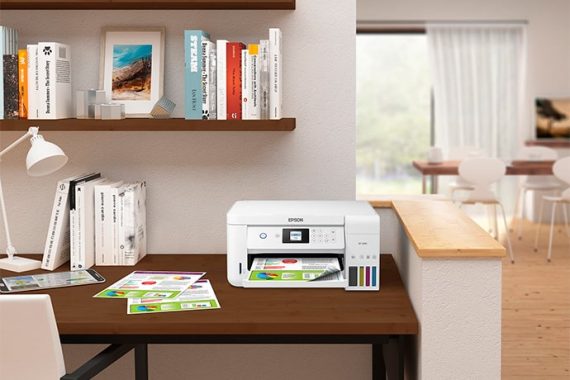
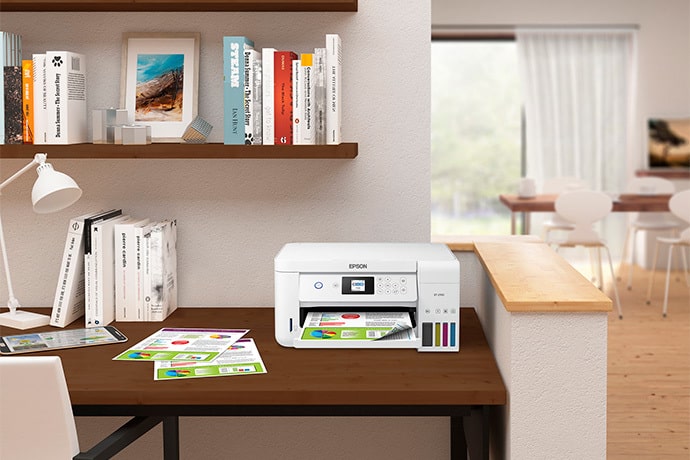
Printer Review – Epson EcoTank ET-2760 with supertank system

0

The Epson EcoTank ET-2760 is an very good printer for student use. This compact printer uses a super-tank system that produces a large amount of black and color pages before it needs to be filled, and its low cost-printing ratio makes this printer accessible for long-term use. On the flip side, the quality of photo printing is nothing to write at home, and this printer takes its time to print all the documents. It also lacks a sheet scanner and duplex scan, which can create more work for you if you have to keep pausing to flip each page to scan the other side.Epson EcoTank ET-2760

The Epson EcoTank ET-2760 is decent for mixed use. This printer has an exceptional super tank system that offers a low cost-per-print ratio, producing an exceptionally high number of pages for black and color documents. Its compact size should be small enough to fit most desks or in a bedroom, while its flat scanner helps you store more fragile objects like movie photos. However, it can be slow to print documents in black and color, which is not great when you are processing many pages in a day, and they don’t have a sheet scanner to optimize your workflow.

The Epson EcoTank ET-2760 is as good as a family printer. Although it has a mediocre photo print quality, its cost-per-print ratio for black and colored ink is outstanding, making it a convenient option for most families. It also has a piano scanner that is suitable for storing fragile objects such as movie photos or old family documents, and you can also print photos directly from the camera’s SD card using its external storage slot.

The Epson EcoTank ET-2760 is not obvious for use in the home office. The black ink tank produces a lot of pages before it needs to be recharged, which is great when you have many ways to process, and its cost per print is exceptionally low, making it a convenient option for long-term use. On the flip side, black text pages are printed slowly and do not have a sheet feeder scanner and an automatic document feeder to optimize the workflow. While you have a flat scanner, you can’t scan duplex, so if you need to scan a duplex document, you need to scan both sides manually.Epson EcoTank ET-2760-

Epson EcoTank ET-2760 is excellent for use by students. Both black and color ink have an exceptionally low cost-to-print ratio and your super tank produces a large number of pages before you have to reload it. However, it is a little slow to print black text documents, which can be stressful if you are running to deliver the final essay. However, this compact printer must be able to fit into a one-bedroom desk and also has a flat scanner if you want to scan the occasional document. You can also connect to it via Wi-Fi via your router or using Apple AirPlay or Mopria Printing Services on your mobile devices.

The Epson EcoTank ET-2760 is good for black-and-white printing. It has an exceptionally low cost-to-print ratio for black ink and the tank produces a lot of pages before it needs to be recharged. On the downside, while the first page of black text is printed fairly quickly, the back pages are slower. Photo:Epson

Epson EcoTank ET-2760 specs:

Print:


Printing Technology:4-color (CMYK), drop-on-demand MicroPiezo® inkjet technologyMinimum Ink Droplet Size:3 droplet sizes as small as 3 picolitersMaximum Print Resolution:5760 x 1440 optimized dpiISO Print Speed:

  • Black: 10.5 ISO ppm
  • Color: 5 ISO ppm

2-Sided ISO Print Speed:

  • 6.0 ISO ppm (black)
  • 4.0 ISO ppm (color)

Ink:


Ink Type:EcoTank Ink Bottles

Ink Palette:Cyan. Magenta, Yellow, Black

Ink Configuration:4 individual ink bottles Replacement Ink:

  • 502 Black (127mL)
  • 502 Cyan, Magenta, Yellow (70 mL)

Ink Yield Information:

  • 502 Black (127mL): 7,500
  • 502 Cyan, Magenta, Yellow (70 mL): 6,000

Operating Systems:

  • Windows® 10
  • Windows 8, 8.1 (32-bit, 64-bit)
  • Windows 7 (32-bit, 64-bit)
  • Mac® OS X® 10.6 – macOS® 10.13.x

Server Systems:Windows Server® 2003 – Windows Server 201610 (32-bit, 64-bit)

Temperature:

  • Operating: 50 ° to 95 °F (10 ° to 35 °C)
  • Storage: -4 ° to 104 °F (-20 ° to 40 °C)

Humidity:

  • Operating: 20 – 80%
  • Storage: 5 – 85% (no condensation)

Sound Level:

  • Power: 6.3 B(A)
  • Pressure: 50 dB(A)

Dimensions:

  • Printing: 14.8″ x 22.0″ x 10.5″
  • Storage: 14.8″ x 13.7″ x 9.4″

Weight:13.2 lbs

Safety Approvals:UL60950-1-CAN/CSA-22.2 No. 60950, EMC FCC Part 15 subpart B class B, CAN/CSA-CEI/IEC CISPR 22 class B

Country of Origin:Phillipines

Warranty:2-year limited warranty in the U.S. and Canada, 2nd year requires product registration

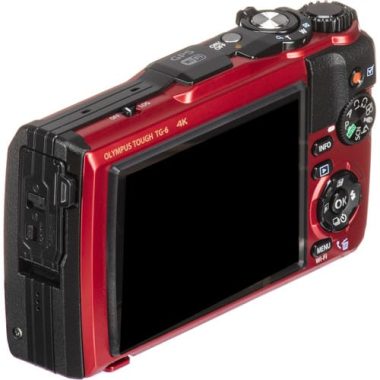
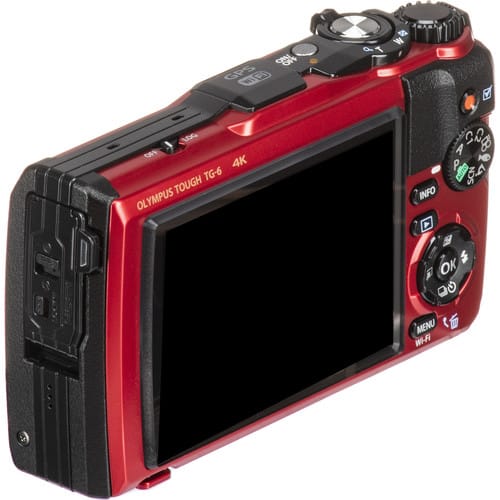
Excellent Olympus Tough TG-6 waterproof camera (up to 50 feet)

0

The Olympus Tough TG-6 is pretty much everything you’d like in a waterproof camera.

Take photos and videos with great quality, you have a rich set of features designed to make the most of your adventures and you also have the toughest construction of any camera on the market today.

The Olympus TG-6 is capable of capturing excellent still images from 12MP up to 20 frames per second, as well as ultra-sharp 4K video through its 4x optical zoom lens with f/2.0 aperture. The microscope mode for foreground shooting is also one of the camera’s features, as well as the ability to capture panoramas and time intervals. Advanced photographers have the ability to save their images in RAW file format for larger editions.

Of course, there is also the ability to take underwater photos through four dedicated modes. The camera is waterproof up to 50 feet, so you can also snorkel with you.

The rest of the camera highlights include Wi-Fi for smartphone connectivity, GPS, an integrated eCompass and a temperature sensor. You can also embed sensor data in your images when you edit it, thanks to a dedicated Olympus app. And the 3-inch LCD display makes it easy to navigate through all the camera functions.

Finally, the Olympus Tough TG-6 comes with an interesting selection of original accessories, which can further expand your capabilities. They include a robust telephoto converter and a macro ring light, among others. Photo:Olympus

Olympus TG-6 KEY SPECIFICATIONS:

12MP sensor, f/2.0 lens with 4x optical zoom
4K video recording
3-inch LCD display
Waterproof (up to 50 feet), shock-resistant, anti-forma (up to 220 pounds), frostbite-proof
Built-in Wi-Fi, GPS, compass and temperature sensor

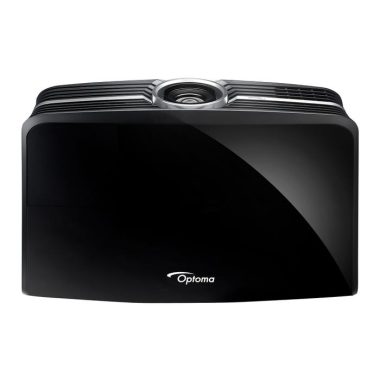
4K UHD HDR Projector Optoma UHD65 review

0

FANS of TV, games and movies can now enjoy stunning 4K cinematic quality images in their home with the Optoma UHD65.
Incorporate 4K Ultra HD resolution that brings content to life with incredible detail, color, and contrasts for an incredibly immersive experience. Featuring the latest technology and features, the sleek UHD65 features High Dynamic Range (HDR) support, HDCP 2.2 compatibility and includes a built-in speaker that delivers powerful sound. Bright 3000 lumen images and easy setup allows you to enjoy realistic entertainment on the big screen in any living space.

4K UHD resolution in Optoma UHD65
With over eight million pixels, the Ultra HD 4K resolution provides four times as much detail as Full HD, delivering sharper, more realistic images and richer colors. It allows you to sit closer to the screen and enjoy a more immersive experience.

HDR compatible
Able to receive and display HDR metadata, Optoma HDR-compatible projectors allow you to see a lot more detail and texture. Objects look more solid and how life and extra details create a greater sense of depth. It’s like looking through a window.

SDR to HDR
Give your SDR content a second life contract with SDR to HDR conversion. This unique feature allows you to enjoy almost HDR content from any standard source, providing improved contrast, detail and color to all SDR content.

Incredible color
Enjoy watching movies and TV shows and playing with stunning colors in any environment. Optoma projectors provide users with reliable performance that is suitable for any content and environment. Our home projectors are able to reproduce the Range of Rec.709 colors, the INTERNATIONAL HDTV standard to ensure accurate reproduction of the cinematic color, exactly as the director intended. Or more saturated colors for blunt-looking images – ideal for games and animated films.

Moving the lens vertically
Simplify installation with vertical lens movement, which offers a wider range of projector positioning possibilities. This makes it easy to place the projector in your room and allows for a wider range of screen size options.

DynamicBlack, New100144
This feature provides more depth to the image by gently adjusting the output of the lamp, depending on the brightness information of each frame; to create an impressive high contrast ratio. The bright scenes appear sharp and clear, while the dark scenes remain detailed with deep blacks and exceptional details of light and shadow.

Color Management System (CMS)
Display accurate realistic colors to better fit your viewing environment. This unique feature gives you the flexibility to adjust the color settings according to the Rec standard. 709 for optimal accuracy.

24p
Most films are recorded at 24 frames per second (fps). To preserve the purity of the original image, Optoma projectors can accept 24 fps high-definition fonts to view movies exactly as the director intended.

Game mode
The game mode optimizes the projector for lightning response times, maximum contrast, and bright colors to capture every detail, allowing you to focus on victory. Photo:Optoma

Brand Optoma
Colour Black
4K Ultra HD Yes
HDR Yes
Dimensions WxHxD (mm) 498 x 330 x 152
Maximum Screen Size 302
Fan Noise 25dB
Throw Ratio 1.39 – 2.22:1
Lens Shift Vertical: +15%
Projector Technology dlp
Lumens 2000_2999
Contrast Ratio 1,200,000:1
Pixel Resolution 3840 x 2160
Brightness 2200
Speakers Yes
Weight (KG) 8
Dimensions WxDxH (mm) 498 x 331 x 141 mm
HDMI 2_HDCP2_2_1
Digital Audio Output 1 – Optical
USB 1 – charge only
Remote Control Yes
Power Consumption- Normal Use 305/249 Bright/Eco
Power Consumption – Standby 1
HDMI 2.0 Yes
Scart Sockets No
Projection Technology DLP
Dimensions HxWxD (mm) 141 x 498 x 331

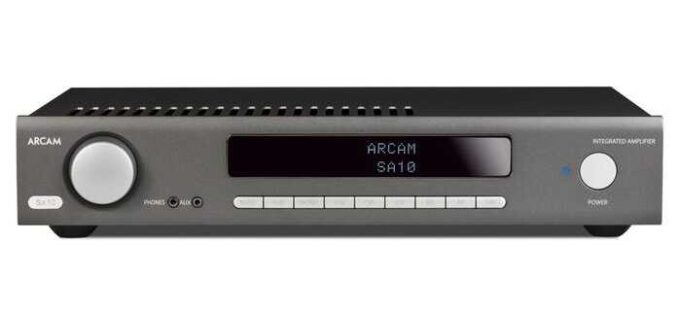
Stereo Amplifier with digital inputs, Arcam SA10 review

0

With more input flexibility than ever before and the same award-winning sound, Arcam SA10 sets a new class standard.

Winning heritage
Based on the award-winning Arcam A19, the SA10 is one of the best sound amplifiers in the class. As you would expect from Arcam, the sound quality is very well balanced with a smooth, refined, realistic midrange and powerful (but not exaggerated) bass high. The SA10 adapts to a wide range of music and reaches the heart of the melody, allowing you to listen to the music exactly as the creator wanted.Arcam SA10

The first Arcam amplifier with digital inputs
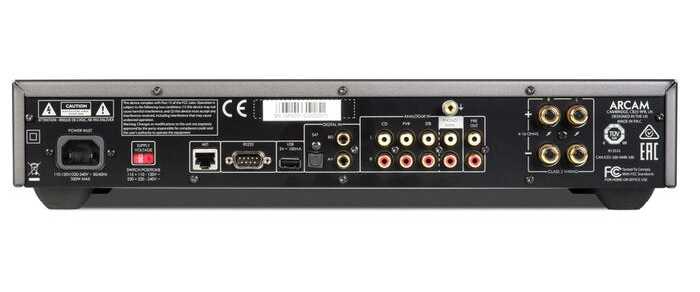
At first for Arcam, the SA10 comes with digital inputs. This means that you can connect your TV, CD/DVD/Blu-ray player, game console, streamer or other device through optical inputs and two coaxial digital inputs. Going straight and using Arcam’s integrated ESS DAC (Digital to Analogue Convertor), you get excellent clarity and a much more ‘open’ sound with strong dynamics. Television will never have sounded so good!

Dig your vinyl
If you use a turntable, then you are on a gift with Arcam SA10. The dedicated phono (Moving Magnet) input built into the SA10 is a high-quality device designed to get the best out of your vinyl. Unlike many integral sound stages that are simply there to compose specifications, the Arcam has been carefully developed to provide low noise and high levels of detail within the music. If you do not plan to use a raw log deck, simply change the insertion at the line level and can be used for another source.

Connect All
In addition to the three digital inputs and the sound phase, the SA10 also features three analog RCA inputs and a 3.5mm AUX front-mounted input. The plug at the front is perfect for laptops or even the smartphone, with the rear inputs ideal for permanent sources such as a CD player and tuner. If you’re a fan of headphones, the built-in, high-quality headphone amplifier is powerful enough to get the best out of a wide range of designs.Arcam SA10 3

Control options
As standard, Arcam SA10 comes with a backlit learning remote control. This makes it easier to use at low light levels and will control other useful functions, such as controlling the volume of your amplifier. If you prefer to use the amplifier via your iPhone or iPad, simply connect to the network and download the Arcam Musiclife app for a smooth check. For effortless operation as part of a home automation system, the SA10 also features Net, RS232 and USB interfaces (charging only). Photo:Arcam

Get into the heart of music, whatever the source, with Arcam SA10 totally attractive.

Arcam SA10 specs:

Brand Arcam
Colour Black
USB 1 – charge only
Weight (KG) 10.7
Smartphone control Yes – Musiclife
Analogue RCA Inputs 3 + MM Phono/Line 4
MP3 Front Input 1 x 3.5mm
Remote Control yes
Power Output – Watts per CH 50 x 2
Phono Input Yes – MM
Optical Digital Inputs 1
Pre Output Yes
Headphone Output Yes
Speaker Sets 1
Dimensions WxDxH (mm) 433 x 310 x 87

Slow iPad? Tips to Improve the speed of your iPad

0

Cause of slow iPad performance

There are many reasons why an iPad can work slowly. An application installed on your device may have problems. Your Internet connection may be slow. Your iPad might run a previous operating system, or the background app update feature might be enabled. Your device’s storage space may be full. If performance is slow only when you use your iPad to browse the web, Safari for iPad may have trouble managing your ads. The good news is that most of these problems are easy to solve.

How to repair a slow iPad
The following solutions can help you get your iPad in the form of races:

Restart your iPad. Whenever there is a problem with a device, a good first step is to restart that device, and the iPad is no exception. Restarting the iPad removes all temporary memory and gives the operating system a clean boot.

Restarting your iPad won’t permanently delete your personal data.

Close the current iPad app. One of the reasons an iPad can slow down is a problem with an app instead of an iPad. Exiting and reopening the application can resolve the issue.

Move all apps from the app switcher. Your iPad adds all the apps you open to the Switcher App, the Task Manager for iPad, so you can quickly switch between apps while performing multiple tasks. After a while, the number of applications in the application switch can increase. Many of these applications are in suspended mode or running in the background. Deleting applications from the application option frees memory and can improve performance.

Close applications that are running in the background. Some apps continue to run in the background, even after you exit the app. Usually these are apps that broadcast music (such as the built-in music app, Pandora and Spotify) and video streaming apps (such as the Apple TV app or apps from cable and satellite providers).

Check your Wi-Fi connection. If restarting your iPad doesn’t improve your performance, it may not be the slow-running iPad. It can be your wireless network. If the wireless network is extracted, run an Internet speed test. If your speed increases as you approach your router, try to increase your Wi-Fi range.

Update iPadOS. It is important to keep your operating system up-to-date. This ensures that you have the latest performance settings and the latest security fixes.

Install an ad blocker. If your iPad mainly slows down when you browse the web, but your internet speed is good, it could be the pages you visit. The more ads a web page has, the longer it will take to load the page. Ad blockers prevent ads from loading on webpages, which makes webpage loading in Safari faster.

Clear Update the app in the background. Background app refresh allows apps to update content even when you’re not using it. For example, Facebook can retrieve posts for your news feed or a news app can get the latest articles so they’re ready for you. As a result, this feature requires processing time and Internet bandwidth, which could cause the iPad to run a little slower.

Delete apps that you no longer use. If your iPad has little storage space, the space on your device can sometimes improve performance. To see which apps use the most space on your iPad, select Settings > General > iPad Storage. Here you can see all the apps installed on your iPad, the last time you used each and how much space each takes up. Delete uneeded apps by tapping the app, and then select Delete app.

You can also configure iPadOS to automatically delete apps that are rarely used to free up space (keeping files and data for those apps). To do this, select Settings > General > iPad Storage, and then select Enable next to Download unused apps.

5.1 500W Speaker System Logitech Z906 – superior sound quality

0

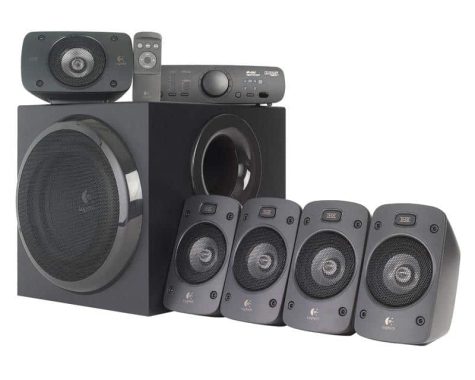
Simply put, for the price, these are some of the best 5.1 speakers you can get. To find a complete immersive system that is your rival or better especially for using PC you would spend for the thousands and usually get a much bulker system in addition. Logitech Z906 is a great system for surround sound games, but also a brilliant system for music and movies. The bass is powerful, but also narrow, not over-credited and overconducted as many of its cheaper PC speakers as they tend to be. Unless you have the bankroll to go for some serious sets of final technology or B and O, this is by far the best solution.
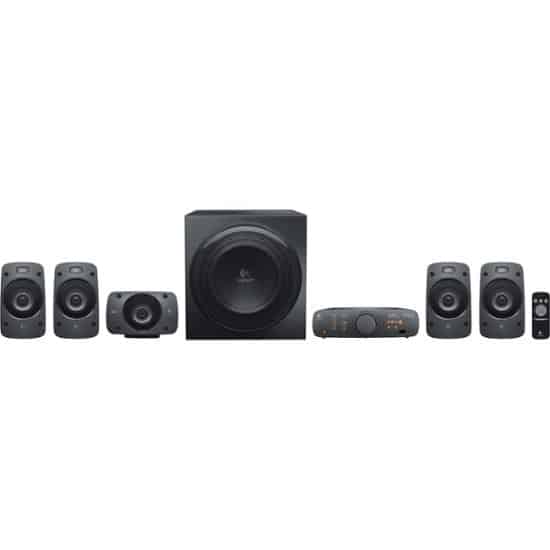
Listen to every detail around you: This Logitech Z906 THX-certified system offers a theatre quality surround sound for your movies, games and music. Lots of watts
Get a big, bold sound and details galore for these 500-watt THX certified speakers with 5.1 digital decoding. Connect
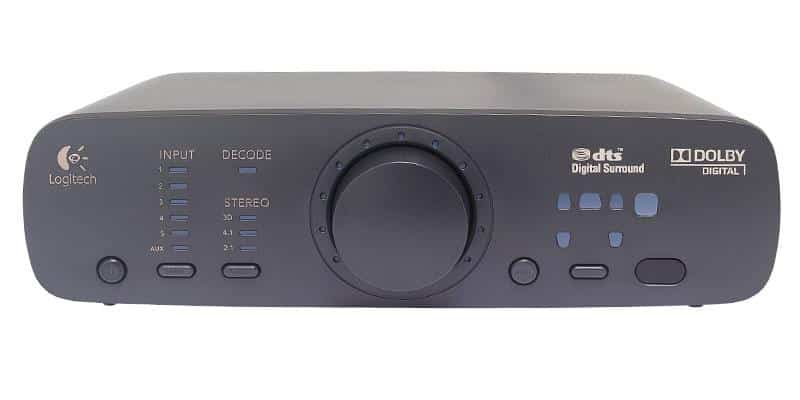
No need to connect and disconnect components – you can connect up to six at a time for easy access to all audio. You run the show.You have full control over your audio experience with an easy-to-read digital control console and wireless stack and remote control.
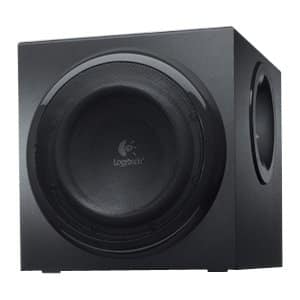

Although we couldn’t watch movies with Dolby TrueHD or DTS-HD Master Audio, the positional audio was still accurate and the action sequences had a lot of impact. The central speaker produced a clear voice without being drowned out by other satellites or subwoofers, but we had to lift the rear satellites for the best surround effect.

With a coaxial input and two S/P-DIF optical inputs, you can connect a game console, a DVD or Blu-ray player, and a set-top box for surround 5.1 sound. There are also two analog audio inputs: one in stereo sound jack and the other in three 3.5mm minijack jacks for 5.1 surround.Photo:Logitech

Logitech Z906 specs:

  • Subwoofer

    • Height x Width x Depth:
    • 11.5 in (293 mm) x 11.1 in (281 mm) x 12.6 in (319 mm)
    • Weight: 19.8 lbs (9 Kg)

    Satellites

    • Height x Width x Depth:
    • 6.5 in (166.3 mm)x 3.9 in (100.3 mm) x 3.7 in (93.5 mm)
    • Weight: 2.0 lbs (890 g)

    Center Channel

    • Height x Width x Depth:
    • 3.9 in (100.3 mm)x 6.5 in (166.3 mm) x 3.7 in (93.5 mm)
    • Weight: 2.0 lbs (.89 Kg)

    Control Console

    • Height x Width x Depth:
    • 11.5 in (293 mm) x 11.1 in (281 mm)
    • Weight: 1.0 lb (.50 Kg)

    Wireless Remote

    • Height x Width x Depth:
    • 4.4 in (111 mm) x 1.7 in (43 mm) x 0.7 in (18.9 mm)
    • Weight: (w/ Battery) 0.1 lb (67 g)

    SYSTEM REQUIREMENTS: Works with any device with either a headphone jack (3.5 mm), RCA, six-channel direct, digital coaxial input or optical inputs

      • Television
      • Computer
      • Smartphone
      • Tablet
      • Music player
      • DVD player
      • Blu-ray player
      • PlayStation®
      • Xbox®
      • Wii
  • TECHNICAL SPECIFICATIONS

    Total watts (RMS): 500 W

    Subwoofer: 165 W

    Satellites: 4 x 67 W, wall mountable

    Center channel speaker: 1 x 67 W, wall mountable

    Digital optical input: 2

    Digital coaxial input: 1

    Six-channel direct input: 1

    3.5mm input: 1

    Headphone jack: 1

    RCA input: 1

    • Control console
    • Infrared remote
  • PACKAGE CONTENTS

    • Four satellite speakers
    • One center channel
    • Subwoofer
    • Six-channel direct cable
    • Control Console
    • Wireless remote
    • 3 AAA batteries
    • User documentation

    WARRANTY INFORMATION

    2-Year Limited Hardware Warranty

How to roll back your macOS From Catalina to Mojave ?

0

The macOS update can be exciting. Your Mac has a new look and you can use features that unlock new ways to use not only your computer, but also iOS devices that work with it.

However, it can also be a problem. You may lose features or apps that are no longer available. Your computer may also experience performance issues while the new operating system is running, even if it meets the minimum requirements.

Whatever the reason, if you’ve changed your mind and want to roll back macOS Catalina (10.15) to Mojave (10.14), here are a tip to do it fast.

How to downgrade Catalina to Mojave using Time Machine
Time Machine is the built-in backup utility for macOS. And if you want to go back to Mojave after updating, it can also help you with this. If you realize shortly after the update that you want to downgrade macOS, you can restore a backup from before the change. This technique has a time limit, unfortunately; you must use it before the program completes the previous backup.

Connect the backup hard drive to your Mac.

Restart (or start) your Mac while you press and hold Command.

The macOS Utility window opens. Select Restore from Time Machine Backup and click Continue.

When the Select Restore Source window appears, highlight the backup drive and click Continue.

Enter the user password to access the disk (if encrypted).

On the next screen, select the backup that you want to use. Find one with 10.14 in the MacOS Version column. It’s Mojave’s release number.

Click Continue to continue.

On the next screen, select the destination (typically your Mac’s built-in hard drive) and click Restore.

Your Mac will restore the backup and restart with macOS Mojave installed.

1TB SanDisk Extreme Pro Portable SSD – Water resistant, very fast & much more

0

SanDisk Extreme Pro Portable Features
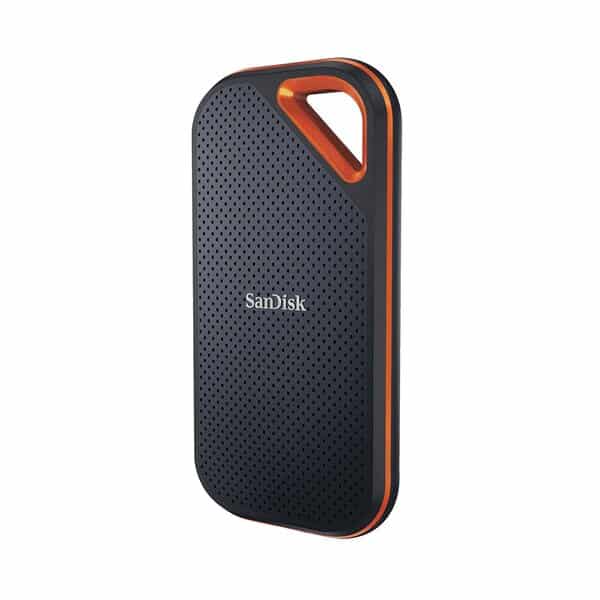
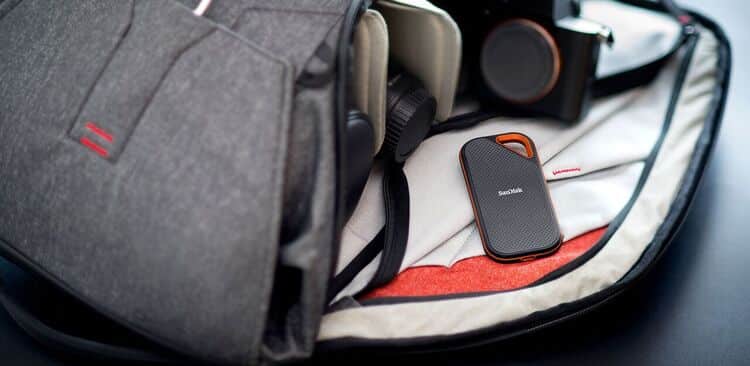
Portable SSDs can be very small, but this is bigger than we usually see. It is flat and oblong, but should fit comfortably in most pockets and is unlikely to take up space in a gear bag. The front is made of plastic with a stitch pattern and the back has a rubber texture for grip. Unfortunately, both these materials and textures tend to collect a lot of dust. The device is difficult to keep clean, and even when it is undone brand new from its factory sealed box, we had to clean it.

The plastic front and back look black, but they are actually a very deep bluish gray when seen under direct light. There is a bright orange metallic edge that runs around the perimeter and encloses the Usb Type-C port at the bottom. Surprisingly, there is no LED to tell you when the unit is in active use.

The highlight, of course, is the cutout from the orange edges in the corner that immediately catches the eye.

You can get the SanDisk Extreme Pro Portable SSD in 500GB, 1TB and 2TB capacity. The device supports 128-bit software AES encryption that you can configure by using the downloadable SanDisk SecureAccess application. The five-year warranty is a pleasant surprise, as three years is the industry standard. Inside the large sales box, you’ll find a USB Type-C cable and a Type-A cable so you can use it right away regardless of the type of computer you’re using.

The SanDisk Extreme Pro Portable SSD stands out on the market thanks to its high performance, which sets the standard for a new class of devices. The IP55-rated body and generous warranty period are also needed to attract buyers. However, this model was designed and named in much the same way as the SanDisk Extreme. This model is slower and built of plastic, making it much more pedestrian. It would be too easy to take the wrong one by mistake.

If you have a high-end computer with USB ports fast enough, you are ready. Of course, you can go back to work at lower speeds, but this defeats the purpose of spending so much money. photo:WD-SanDisk

Pros

USB 3.1 Fast Connectivity (Gen2)
RESISTANT to IP55 dust and water
Light and easy to transport

Cons

Very expensive(price $219.99 with 5-Year limited warranty)
Dust and dirt stick outside

Capacity 1TB
Interface USB 3.1 Gen 2
Connector USB-C
Compatibility
  • PC & Mac computers — no driver needed
  • Compatible with Windows 10, Windows 8,  Windows® 7 and Mac OS 10.9+
Dimensions (L X W X H) 4.34″ x 2.26″ x 0.4″
Host ConnectionUSB 3.2 Gen 2×2 (USB Type-C) or USB 3.2 Gen 2×2 (USB Type-A)
Inputs/Outputs1 x USB 3.2 Gen 2×2 (USB Type-C)
Storage CapacityTotal: 1 TB SSD
Read SpeedMaximum: 2000 MB/s
Write SpeedMaximum: 2000 MB/s
MaterialAluminum
Cooling SystemNone
Environmental ResistanceDrop, Water
IP RatingIP55
Electrical
Power SourceUSB Bus Power
Encryption256-Bit AES (Hardware-Based)