Tag: Battery life

  • Windows & macOS Battery Health Check Guide

    Windows & macOS Battery Health Check Guide

    Checking your laptop battery health allows you to see how much capacity your battery has retained compared to when it was brand new. Here is how to check battery health on both Windows and macOS:

    Windows 10 & Windows 11

    Windows includes a built-in tool that generates a detailed HTML battery report.

    1. Open Command Prompt:

      • Press the Windows Key, type cmd, right-click on Command Prompt, and select Run as administrator.

    2. Generate the Report:

      • Type or paste the following command and press Enter:

        DOS

        powercfg /batteryreport
        
      • You will see a message indicating that a battery life report has been saved to a specific folder path (usually C:\Windows\System32\battery-report.html or C:\Users\[YourUsername]\battery-report.html).

    3. View the Report:

      • Open File Explorer, navigate to the designated folder path, and double-click battery-report.html to open it in any web browser.

    4. Interpret the Results:

      • Look at the Installed batteries section for two key values:

        • Design Capacity: The maximum charge capacity the battery was manufactured with.

        • Full Charge Capacity: The current maximum charge capacity the battery can hold.

      • Health Calculation: Divide Full Charge Capacity by Design Capacity and multiply by 100 to get your current battery health percentage.

        Battery Health Check
        photo: pixabay

    macOS

    MacBooks offer both a quick system status check and detailed battery metrics natively.

    Quick Check (Battery Status)

    • macOS Ventura & Later: Go to System Settings > Battery, then click the (i) info icon next to Battery Health.

    • macOS Monterey & Earlier: Go to System Preferences > Battery > Battery Health.

    • Condition States:

      • Normal: The battery is functioning properly.

      • Service Recommended: The battery capacity has dropped significantly or is experiencing an issue and should be inspected.

    Detailed Check (Cycle Count & Capacity)

    1. Hold down the Option (⌥) key, click the Apple logo () in the top-left corner of your screen, and select System Information.

    2. Under the Hardware sidebar menu, select Power.

    3. Locate the Health Information section:

      • Cycle Count: The total number of full discharge/charge cycles completed. (Most modern MacBooks are designed for 1,000 cycles before performance degrades).

      • Maximum Capacity (or Full Charge Capacity): Displays your battery’s current maximum charge relative to when it was new.

    Extending your laptop’s daily battery life and protecting its long-term battery health boils down to two distinct goals: reducing immediate power consumption and minimizing chemical degradation.

    Here are the most effective strategies for both Windows and macOS:

    1. Long-Term Health: Manage Charging & Heat

    Lithium-ion batteries degrade faster when kept at 100% state of charge or exposed to high heat.

    • Cap Max Charge to 80%: If you regularly use your laptop plugged into a desk monitor, limiting the max charge prevents stress on the battery cell.

      • macOS: Turn on Optimized Battery Charging in System Settings > Battery (or use third-party utilities like AlDente to hard-cap charge at 80%).

      • Windows: Most manufacturers include a charge threshold tool in their companion software (e.g., Lenovo Vantage, MyASUS, Dell Power Manager, or HP Command Center). Set the battery threshold to 80% or Balance / Conservation Mode.

    • Prevent Thermal Throttling: Never use your laptop on soft surfaces like beds, couches, or blankets that block cooling vents. Heat is the single fastest way to permanently lose battery capacity.

    • Long-Term Storage Rule: If you store your laptop for several weeks without using it, leave the charge level at roughly 50% and keep it in a cool environment. Storing it completely full or empty damages the cell chemistry.

    2. Daily Runtime: Tweak Display & System Settings

    The display and CPU are the two biggest power consumers on any system.

    • Lower Display Brightness: Dropping your screen brightness to 50%–60% yields the largest immediate jump in battery runtime.

    • Enable Low Power / Saver Mode:

      • Windows: Click the battery icon in the taskbar and toggle Battery Saver, or set it to activate automatically at 20–30% in Settings > System > Power & battery.

      • macOS: Go to System Settings > Battery and set Low Power Mode to Always or On Battery.

    • Reduce Screen Refresh Rate: If your laptop features a high-refresh screen (120Hz or 145Hz), drop it down to 60Hz in your display settings while working on battery power.

    • Reduce Display Timeout: Set your screen to turn off after 2 to 3 minutes of inactivity.

    3. Software Optimization: Tame Apps & Browsers

    • Use Browser Power Efficiency Features: Browsers consume significant RAM and processing power. Enable Memory Saver and Energy Saver modes in Chrome, Edge, or Safari to automatically sleep inactive tabs.

    • Identify Rogue Background Apps:

      • Windows: Go to Settings > System > Power & battery > Battery usage to see which apps are draining energy in the background.

      • macOS: Open Activity Monitor, click the Energy tab, and sort by Energy Impact or 12-hr Power usage to locate heavy drainers.

    • Unplug Unused Peripherals: USB flash drives, external mice, wireless dongles, and external hard drives draw power directly from the laptop logic board even when idle. Disconnect them when working on battery.

  • Review of Sony WH-CH520 Wireless Headphones

    Review of Sony WH-CH520 Wireless Headphones

    The Sony WH-CH520 represents a step forward from the casual-use on-ear Sony WH-CH510 Wireless headphones. What sets them apart as a significant upgrade is their customizable features through the Sony| Headphones Connect app. This app allows users to tweak the sound profile using a 5-band graphic EQ and presets, personalize the control scheme, and access Sony’s 360 Reality virtual soundstage software. Straight out of the box, their sound is more balanced compared to the Beats Solo3 2019 Wireless headphones, and they boast a longer battery life. Overall, these on-ear headphones offer several premium features typically absent in higher-priced models, making them a worthy option to explore.

    The Sony WH-CH520 delivers a commendable neutral sound. The bass and mid-range exhibit excellent balance, rendering genres like EDM and rock with punchiness, richness, and clarity. However, the treble range tends to be recessed, resulting in a slight loss of detail in vocals and instruments, with sibilants sounding somewhat muted. Thankfully, the companion app’s 5-band graphic EQ and presets allow users to adjust the sound profile to their preference. Nevertheless, there is some distortion in the low-bass and low to mid-treble frequencies, which compromises clarity, especially at moderate to high volumes.

    Sony WH-CH520 Wireless Headphones
    Sony WH-CH520 Wireless Headphones

    These on-ear headphones boast a sleek and understated design. The yokes seamlessly integrate with the ear cups, and a subtle manufacturer’s logo adorns the headband. They are available in four monochromatic color options: Black, White, Beige, and Blue.

    In terms of comfort, the Sony WH-CH520 performs decently. They exert minimal clamping force and feel lightweight on the head, thanks to well-padded and plush headband and ear cups. However, due to their on-ear design and relatively small ear cups, users may need to make adjustments to achieve a comfortable fit.

    The headphone controls are adequate, offering intuitive operation with tactile feedback and voice prompts indicating maximum/minimum volume levels and battery status upon power-up. However, discerning between buttons may be challenging despite the presence of indicator protrusions.

    The Sony WH-CH520 offers a slightly warm sound profile characterized by flat and well-balanced bass and mid ranges, albeit with a noticeable low-bass roll-off. This results in audio that feels full-bodied, clear, and present. However, the treble range exhibits less balance, causing vocals and instruments to sound clear yet lacking in detail, while sibilants like cymbals may appear dull. Fortunately, the companion app provides a graphic EQ and presets for users to customize their listening experience according to their preferences.

    In terms of frequency response consistency, these on-ear headphones require adjustment each time they are worn to ensure consistent audio delivery, especially impacting treble delivery, which can be affected by factors such as hair length or wearing glasses.

    Regarding peaks and dips performance, a mismatch in the L/R drivers leads to slight differences in performance between each side. A small mid-bass bump, more pronounced in the right driver, lends punchiness to the audio but extends into the high-bass, potentially muddying the mix. Additionally, a wide peak from mid-mid to low-treble, particularly noticeable in the left driver, may render instruments and vocals sounding boxy and harsh. The presence of a deep dip and peak in the mid-treble range causes sibilants, such as S and T sounds in dialogue, to sound alternatively dull and piercing, noticeable in both drivers.

    The Sony Headphones Connect app’s 360 Reality Audio feature, capable of analyzing ear shape and integrating a virtual soundstage via compatible apps like Tidal and Sony’s own 360 Reality Audio Live, enhances the listening experience. However, it’s worth noting that many of these programs require a subscription for use.

    Sony WH-CH520 Wireless Headphones
    WH-CH520 – images: Sony

    Comparatively, the JBL Tune 660NC Wireless and Sony WH-CH520 Wireless are both on-ear Bluetooth headphones, with only the former featuring active noise cancelling (ANC), albeit not particularly impressive. The JBL model offers better noise reduction against ambient chatter and traffic noise, along with more comprehensive controls and a more compact fold-down design. However, its sound profile is notably more bass-heavy without the option to adjust EQ through an app. On the other hand, the Sony WH-CH520 boasts longer battery life and a more balanced sound profile with the inclusion of EQ adjustments and virtual surround sound via the companion app. Nevertheless, its passive noise isolation is limited to high-pitched sounds, and while its headband offers better padding for comfort, it lacks ANC.

    For calls, the Sony WH-CH520 performs adequately, with the integrated mic delivering clear but slightly thin and unnatural voice reproduction. The mic effectively separates the user’s voice from moderate background noise but struggles in louder environments, such as busy subway stations, where the user’s voice may be drowned out. The absence of ANC and poor passive noise isolation further impedes call clarity, especially in moderately loud environments.

    The Sony WH-CH520 offers a commendable neutral sound experience. With well-balanced bass and mid-range frequencies, genres like EDM and rock are delivered with punchiness, full-bodied presence, and clarity. However, the treble range takes a step back, leading to a slight loss of detail in vocals and instruments, with sibilants appearing somewhat dull. Thankfully, the companion app’s 5-band graphic EQ and presets allow for sound profile customization. Yet, there’s noticeable distortion in the low-bass and low to mid-treble frequencies, particularly evident at moderate and high volumes, impacting clarity.Sony WH-CH520

    In terms of noise isolation performance, the Sony WH-CH520 falls short. Lacking active noise cancellation (ANC) and a seal around the ears due to their on-ear design, they struggle to block incoming noise effectively. Bass-range noise, such as the rumble of a bus engine, remains largely unaffected, while mid-range noise like ambient chatter barely gets isolated. However, they fare relatively better in eliminating treble-range noise, such as the hum of an AC unit.

    Battery performance is a strong suit for these headphones. Offering nearly 53 hours of continuous usage, they can last through multiple workdays without requiring a recharge. Additionally, their standby mode extends up to 200 hours, alleviating concerns about unintentional power drain if left on overnight. Nonetheless, it’s important to note that being Bluetooth-only means there’s no passive listening option via an AUX cable in case the battery depletes. It’s worth mentioning that actual battery life may vary based on usage patterns.

    Bluetooth performance of the Sony WH-CH520 is noteworthy. Capable of maintaining connections with up to two devices simultaneously, seamless switching is facilitated, although audio playback from a second device requires pausing on the first. On iOS or Android devices, there’s minimal sync discrepancy while watching videos. However, latency issues are apparent on PCs, resulting in audio lag during live streams or gaming sessions. It’s essential to consider that different apps and devices may handle latency compensation differently.

    Here’s a summary of the key points regarding the Sony WH-CH520 Wireless headphones:

    Sony WH-CH520
    Sony WH-CH520

    Sound Quality: Offers a neutral sound profile with well-balanced bass and mid-range frequencies, providing punchiness and clarity to genres like EDM and rock. However, the treble range is slightly recessed, impacting detail in vocals and instruments, but can be adjusted via the companion app’s graphic EQ.

    Noise Isolation: Limited noise isolation performance due to the absence of active noise cancellation and an on-ear design that fails to create a seal around the ears. While they fare better with treble-range noise, bass and mid-range noise, such as engine rumble and ambient chatter, remain largely unblocked.

    Battery Performance: Impressive battery life of nearly 53 hours of continuous usage, making them suitable for extended periods without recharging. Additionally, standby mode extends up to 200 hours, ensuring prolonged usability without worrying about power drain.

    Connectivity: Strong Bluetooth performance allows for simultaneous connection with up to two devices, although playback from a second device requires pausing on the first. Minimal sync issues are observed on iOS or Android devices, but latency may affect PC usage, particularly during live streams or gaming.

    The Sony WH-CH520 Wireless headphones offer a neutral sound experience with customizable features, long-lasting battery life, and reliable Bluetooth connectivity, although their noise isolation performance may be lacking for some users.

  • Maximizing Your Laptop’s Battery Life: Extra Tips

    Maximizing Your Laptop’s Battery Life: Extra Tips

    In our tech-driven world, laptops have seamlessly woven themselves into the fabric of our daily lives. Yet, amid their convenience and utility, there’s one constant concern that hovers over laptop users like a dark cloud: battery life. It’s a common quandary – should we keep our laptops perpetually tethered to their power source? In this article, we’ll delve into the intricacies of prolonged charging and its impact on your laptop’s battery life.

    First things first, it’s crucial to recognize that all batteries have a finite lifespan. The number of charge cycles a battery can withstand before its performance takes a hit is contingent on its type and usage. Most contemporary laptops are equipped with lithium-ion batteries, boasting an endurance of 300 to 500 charge cycles. Beyond that threshold, the battery’s capacity gradually dwindles.

    So, how can you extend your laptop’s battery life without sacrificing productivity? Let’s explore some pro tips:

    1. Streamline Your Software: Every program running in the background saps a bit of your battery life. Close unnecessary programs to conserve power.
    2. Optimal Charging: Avoid overcharging; maintain a charge level between 15% and 85%. Unplug your charger when it’s not in use.
    3. Peripheral Prudence: Disconnect unused external devices like a mouse, USB drives, and other accessories. Additionally, turn off Wi-Fi when it’s not in use to save power.
    4. Battery Maintenance: Clean your battery contacts regularly. Every six months, remove your laptop’s battery and clean the contacts with a cloth and rubbing alcohol.
    5. Activate Battery Saver Mode: Tweak your laptop’s power options to enable features like maximum battery or super energy saver mode. Consider using hibernate mode instead of standby to shut down your laptop entirely while preserving your work.

      extend your laptop's battery life
      photo: Pixabay
    6. Upgrade to SSD: Swap out your traditional hard drive for a solid-state drive (SSD). SSDs operate on flash memory, which consumes significantly less power than mechanical hard drives. This not only conserves battery but also speeds up your laptop’s performance.
    7. Boost Your RAM: Adequate RAM helps store data in a faster, more power-efficient manner. It reduces the need for frequent hard drive access, which can drain your battery.

    To keep your laptop operating at peak performance and efficiency, heed these additional tips:

    • Ensure Proper Ventilation: Overheating is a common issue that can damage your laptop’s hardware. Always place your laptop on a hard, breathable surface, and avoid placing it on fabrics that can obstruct airflow.
    • Regular Cleaning: Wipe your laptop with a cotton cloth daily to keep it free from dust and debris.
    • Safe Storage: Turn off your laptop, let it cool down, and store it in a bag when not in use.
    • Software Maintenance: Keep your antivirus software up to date to protect your system from threats. Avoid installing applications you rarely use.
    • Driver Updates: Ensure your device drivers are always up to date to optimize efficiency.
    • Screen Brightness: Lower your screen brightness to a comfortable level to conserve battery power.
    • Wireless Management: Disable Bluetooth and Wi-Fi when not in use to minimize power consumption.
    • External Peripherals: Consider using an external keyboard and mouse when possible, as this can prolong your laptop’s life by reducing internal wear and tear.

    In the quest to maximize your laptop’s battery life, these strategies, both hardware and software, should empower you to squeeze every drop of productivity out of your trusty companion while preserving its vitality.

  • The list of 15 laptops with the best battery life right now(2020)

    The list of 15 laptops with the best battery life right now(2020)

    Only laptops with the best battery life can crush most premium machines, no matter how stacked their specifications are, because laptops are useless if they can’t hold a charge.
    What are the laptops with the best battery life?
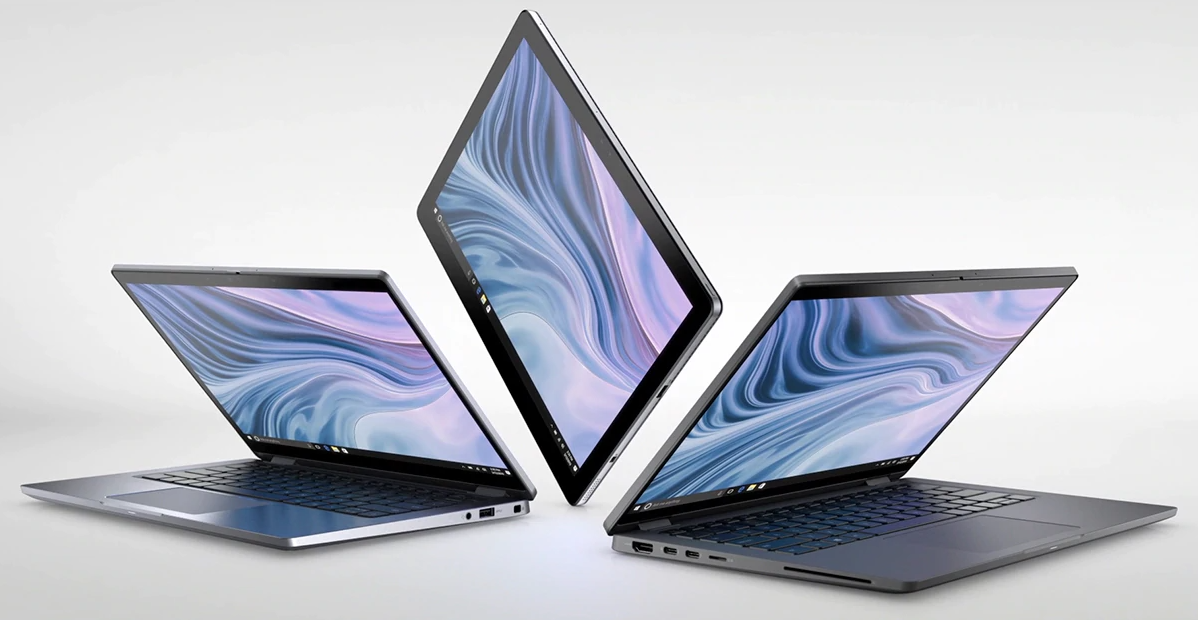
    Everything is a numerical game, so deciding which laptops with the best battery life is objective. At the moment, the laptop with the best battery life you can buy is the Dell Latitude 9410 2 in 1, which comes in 16 hours and 54 ridiculous minutes. This is one of the best corporate laptops you can buy. Along with its epic endurance, this ultra-portable company machine has a thin but durable frame, a solid 1080p display and plenty of security features, including a fingerprint sensor and infrared camera.

    If you’re looking for a 2-in-1 laptop, hp Spectre x360 is perfect for you. It lasted 13 hours and 20 minutes. Updated with 10th-generation Intel processors and a modernized chassis, the Spectre x360 takes everything we love about its predecessor and increases it. Start with the laptop design, which is more impressive than ever thanks to the thinnest screen frames and reduced footprint. Other highlights include a bright and vivid display, a comfortable keyboard, fast performance and an included stylus.

    However, if you’re looking for a MacBook that matches laptops with the best battery life, then you’ll have to skip for the 16-inch MacBook Pro, which lasted exactly 11 hours in our test. The new 16-inch MacBook Pro is a beast, with a new keyboard, a larger display with thinner frames and power gobs with up to 8 Core Core i9 CPU cores, 8 GB of VRAM and 8 TB of storage. In addition, the audio of the 16-inch MacBook Pro is even more impressive than the graphics.Photo:Dell

    Dell Latitude 9410 2-in-1
    Laptop with best battery life:
    Dell Latitude 9410 2-in-1: TIME:16:54

    List – The laptops with best (longest lasting) battery life:


    1. Dell Latitude 9410 2-in-1:     16:54
    2. Asus ExpertBook B9450:       16:42
    3. Samsung Galaxy Book Flex 15:   15:44
    4. LG Gram 14 2-in-1 (2020):     14:00
    5. Dell Latitude 7400:     13:23
    6. HP Spectre x360 (13-inch, 2019):    13:20
    7. Dell Latitude 7400 2-in-1:      13:08
    8. Lenovo Chromebook Duet:    12:46
    9. Dell XPS 13 9380 (2019):     12:22
    10. Lenovo Yoga C630:     12:14
    11. Dell XPS 15:     11:53
    12. Lenovo Yoga C940:     11:46
    13. Asus ROG Zephyrus G14:     11:32
    14. Google Pixelbook Go:     11:29
    15. HP Envy 13:     11:11
  • The Unconventional Guide to Laptop Batteries

    The Unconventional Guide to Laptop Batteries

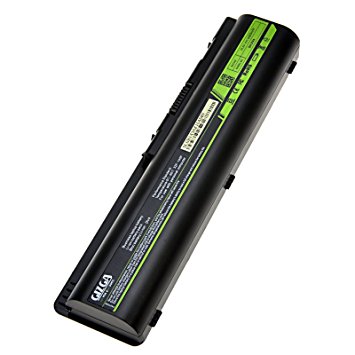
    Laptop computers have to carry their power supply with them,when you take them on the way.They do this in the form of batteries that generally plug into the bottom part of the laptop.Laptop batteries
    are available in many types,based upon on the notebook manufacturer. The period you can run your laptop
    on a charged battery is known as the battery life, and this differs from laptop to laptop. You have to charge
    your laptop battery on a regular basis.laptop battery life

    Battery Life
    Batteries deliver a certain amount of hours of battery life,or working time.The
    standard laptop battery offers anywhere from two hours to four hours of battery life. The
    life of the battery is impacted by whether the laptop computer is being used or is on standby
    mode, and by the size of the laptop monitor, with big displays draining power
    more rapidly than smaller ones.

    Types of Batteries
    There are numerous types of laptop batteries,with the most well known type being the
    lithium ion (Li-ion). Li-ion batteries hold a charge longer than earlier types such as
    nickel cadmium (NiCad) or nickel-metal hydride (NiMH). Some laptops also feature secondary alkaline batteries to power
    internal clocks or keep the laptop working while the primary battery is changed.For most effective performance, Li-ion batteries are the standard now.

    AC Power
    If you use your laptop at home or workplace rather than on the road, you can plug it
    into an electrical outlet and run the pc off electricity all the time.However, laptops used for more than a few
    hours this way can become overly warm,which can badly damage or interfere
    with your computer’s “health and fitness”.To prevent
    this,invest in a specially made laptop pad to help disperse undesired temperature.

  • Laptops battery life and Types of Batteries

    Laptops battery life and Types of Batteries

    Laptops have to carry their power supply with them when you take them on the road. They do this in the form of batteries that typically plug into the bottom of the computer. Laptop batteries
    come in various types, depending on the notebook manufacturer. The time you can run your laptop
    on a charged battery is called the
    battery life, and this varies from laptop to laptop. You must charge
    your laptop battery on a regular basis.

    Battery Life
    Batteries provide a certain number of hours of battery life, or operating time. The average laptop battery offers anywhere from
    two hours to four hours of battery life. The life of the battery is affected by whether the laptop is being used or is on standby
    mode, and by the size of the laptop monitor, with large displays draining power more quickly than smaller ones.
    Laptop batteries

    Types of Laptop Batteries
    There are several types of laptop batteries, with the most popular type being the lithium ion (Li-ion). Li-ion batteries hold a
    charge longer than earlier types such as nickel cadmium (NiCad) or nickel-metal hydride (NiMH). Some laptops also feature
    secondary alkaline batteries to power internal clocks or keep the laptop running while the main battery is changed. For best
    performance, Li-ion batteries are the standard today.

    AC Power
    If you use your laptop at home or office rather than on the road, you can plug it into an electrical outlet and run the
    computer off electricity all the time.However, laptops used for more than a few hours this way can become overly warm,
    which can adversely damage or interfere with your computer’s “health.” To avoid this, invest in a specially made laptop pad to help disperse unwanted heat.

    Sherry Kinkoph Gunter

  • Lenovo Phab 2 Plus-It’s BIG-Innovative 13 MP dual cam and powerful

    Lenovo Phab 2 Plus-It’s BIG-Innovative 13 MP dual cam and powerful

    The Phab line of devices is well-known for its huge displays,but the Phab 2 Plus even now
    stunned us with its dimension.It is 173.9 mm long, 88.3 mm wide and a slightly bulky 9.6 mm
    thicker,a far cry from the more sleek 7.5 mm think Mi Max from Xiaomi,which is probably to be
    its most phablet competitor.And at 218 grammes, it is also one of the bulkier phones that
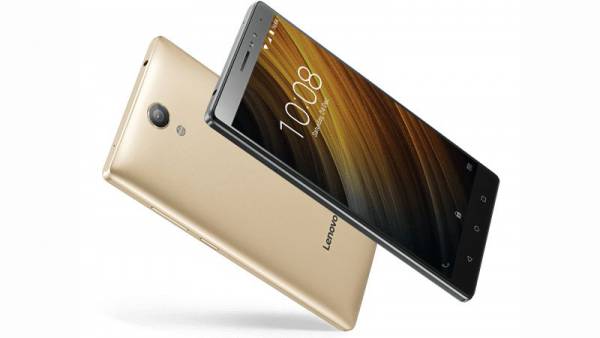
    we have seen in recent periods.Lenovo Phab 2 PLus

    That said,Lenovo has included some very neat design flourishes to it.The
    black bordered 6.4 inch display does provide the illusion of a bezelless display, and below it are 3 touch
    buttons for menu, home and back. The sides and backside are metal,and the back curves
    out softly to give the smartphone less of a boxy look, although
    the sides are dead straight.On the right are the volume rocker and the power-display
    button, both of which we think are a bit on the higher side,considering the size of the
    phone, while on the left are the dual SIM card slots, one
    of which is a hybrid. The base houses the micro USB port and speaker grilles.Possibly the most exceptional feature
    of the device is the dual 13.0-megapixel cameras on the back, which will allow you to add
    better depth of field as well as AR features.The camera unit is of a jet black colour and
    protrudes slightly, which might not be to everyone’s elegant,and just below it is a spherical
    fingerprint scanner. All in all,it really does not look bad and the metal and glass build have a
    very solid feel to them,but hey, this is a huge phone,no getting away
    from it.

    In terms of hardware, the Phab 2 Plus is a mixture of the good and the middling.The 6.4
    inch display is a full HD one and driving the device is an MediaTek MT8783 Octa core processor accompanied by 3
    GB of raM and 32GB of storage, which is expandable using a memory
    card, provided you are prepared to compromise one of the two SIM slots.The device has
    dual 13 megapixel digital cameras at the rear, making it one of the most affordable dual camera
    phones in the marketplace and a front facing 8.0-megapixel selfie shooter.In terms of
    connectivity, it arrives with 4G, dual SIM support, GPS,Wi-Fi and Bluetooth.There is
    support for Dolby Atmos in the sound department and operating on top of all of this is android 6.0 Marshmallow.
    Battery life is superb – you can see out close to two days on a one charge with careful
    handling, thanks to the large 4050 mAh battery.Lenovo Phab 2 PLus-

    The trouble for it is that it goes up against potentially the most formidable large display
    phone-tab blend we have seen for a while – the Xiaomi Mi Max, whose 3 GB raM and
    32 GB storage space also comes at exactly the same price,
    and is powered by a far better Qualcomm Snapdragon 650 processor and also has a much
    larger 4850 mah battery. Yes,the Phab 2 Plus really does have a
    more revolutionary camera set up and we believe much better sound, but it has its task cut
    out winning the massive screen fight.

    Screen-
    6.4″ Full HD (1920 x 1080) wide-view IPS display
    2.5D curved glass
    Design-
    88.3 mm x 173.89 mm / 3.48″ x 6.85″ aluminum alloy unibody
    Weight: 218 g / .48 lbs
    Fingerprint scanner (rear side)
    Camera: Rear
    13 MP dual rear cameras
    Professional-grade Milbeaut® image processing, F2.0 aperture
    1.34 μm Big Pixel, laser focus with PDAF light supplement
    Camera: Front
    8 MP fixed focus
    F2.2 aperture
    1.4 μm Big Pixel light supplement
    75-degree wide angle
    Processor-
    MediaTek (MTK 8783) octa-core processor
    SIM: Dual slots
    2 Nano SIM or nano SIM & TF card
    Battery-
    4050 mAh Li-ion, embedded
    Standby- up to 17 days
    Talk-time- up to 23 hours
    Memory-
    32 GB ROM
    3 GB RAM
    Expandable memory up to 128 GB, microSD card
    Audio
    Triple array mics with active noise-cancellation
    Dolby Atmos® / Dolby Audio Capture 5.1
    3.5 mm audio jack
    Operating System-
    Android 6.0, Marshmallow
    Connectivity
    Speed: 2.4 GHz & 5 GHz
    WLAN: 802.11 a/b/g/n/ac, dual band
    Bluetooth® 4.0
    Colors-
    Champagne Gold
    Gunmetal Grey