Tag: Fast IPS

  • The 4 Best ASUS Monitors in 2026

    The 4 Best ASUS Monitors in 2026

    ASUS continues to dominate the monitor market in 2026 with an impressive lineup of gaming, professional, and productivity displays. Whether you’re a competitive gamer, content creator, programmer, or office user, ASUS offers a monitor that balances performance, image quality, and advanced features. This guide explores four of the best ASUS monitors available in 2026, covering their specifications, performance, advantages, disadvantages, and ideal use cases.

    1. ASUS ROG Swift OLED PG27UCDM

    Best Overall Gaming Monitor

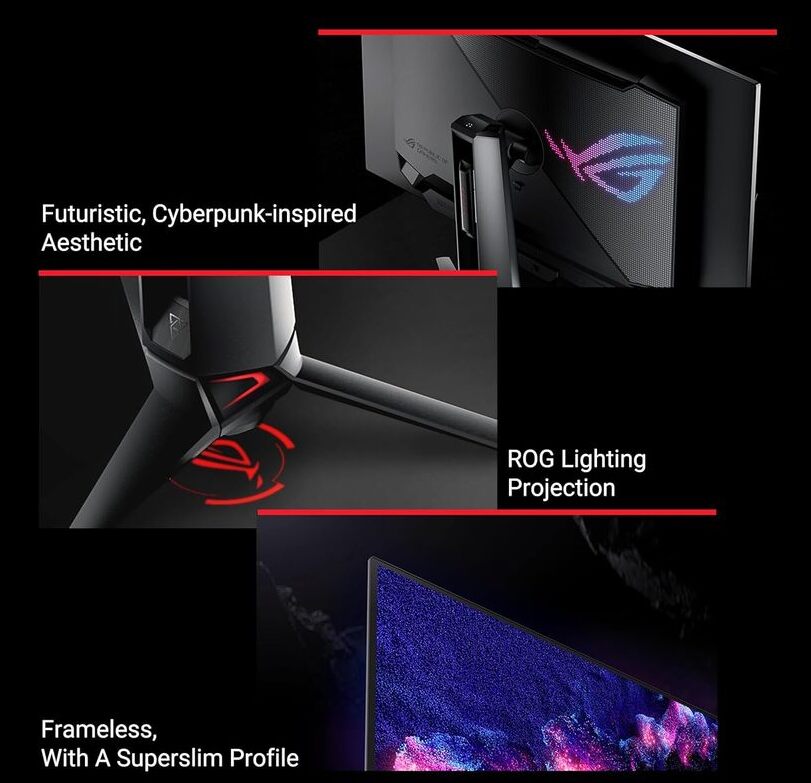
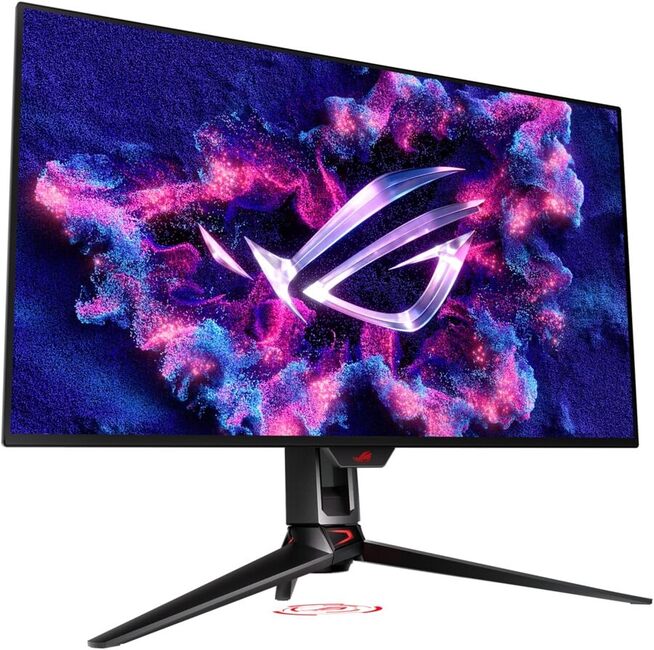
    The ASUS ROG Swift OLED PG27UCDM is widely considered one of the finest gaming monitors of 2026. It combines a stunning 27-inch 4K QD-OLED panel with a blazing-fast 240Hz refresh rate, making it ideal for both esports and immersive AAA gaming. Independent reviews consistently rank it among the top gaming displays available.

    Key Specifications

    • Screen Size: 27 inches
    • Resolution: 3840 × 2160 (4K UHD)
    • Panel Type: QD-OLED
    • Refresh Rate: 240Hz
    • Response Time: 0.03ms
    • HDR Support
    • Adaptive Sync

    Performance

    The monitor delivers exceptional color accuracy, perfect blacks, infinite contrast, and virtually instant pixel response. Motion clarity is outstanding, while 4K resolution provides razor-sharp images.

    Pros

    • Outstanding OLED image quality
    • True 4K at 240Hz
    • Extremely fast response time
    • Excellent HDR performance
    • Premium gaming features

    Cons

    • Expensive
    • OLED burn-in remains a long-term consideration
    • Requires a powerful GPU to maximize performance

    Best For

    • Competitive gamers
    • High-end PC enthusiasts
    • Streamers
    • AAA gaming

    2. ASUS ROG Swift OLED PG32UCDMR

    Best Premium 32-inch Gaming Monitor

    For users who want a larger screen without sacrificing speed, the PG32UCDMR offers a spectacular 32-inch 4K OLED experience at 240Hz.

    Key Specifications

    • 32-inch QD-OLED
    • 4K UHD
    • 240Hz refresh rate
    • 0.03ms response
    • HDR support
    • G-SYNC and FreeSync compatibility
    ASUS ROG Swift OLED PG32UCDMR
    photo- ASUS ROG Swift OLED PG32UCDMR

    Performance

    The larger display enhances immersion while maintaining exceptional motion clarity. Colors are vibrant, blacks are truly black, and HDR content looks stunning.

    Pros

    • Larger immersive display
    • Exceptional contrast
    • Excellent color reproduction
    • Fast gaming performance
    • Premium build quality

    Cons

    • High price
    • Large desk space required
    • OLED care is recommended

      ASUS ROG Swift OLED PG32UCDMR
      ASUS ROG Swift OLED PG32UCDMR

    Best For

    • Console gamers
    • PC enthusiasts
    • Single-monitor gaming setups

    3. ASUS ProArt PA32UCDM

    Best Professional Creator Monitor

    The ProArt PA32UCDM is designed for professionals who require outstanding color accuracy for photography, filmmaking, graphic design, and video editing.

    Key Specifications

    • 32-inch 4K QD-OLED
    • Factory color calibrated
    • 99% DCI-P3
    • Thunderbolt 4 connectivity
    • HDR support
    • Professional color management tools

    Performance

    This monitor delivers precise colors, uniform brightness, and exceptional HDR capabilities. It is one of the best displays for professional creative workflows.

    Pros

    • Industry-leading color accuracy
    • Excellent HDR quality
    • Wide connectivity options
    • Premium build
    • Ideal for creative professionals

    Cons

    • Very expensive
    • Overkill for casual users
    • Lower value for gaming-focused buyers

    Best For

    • Video editors
    • Photographers
    • Graphic designers
    • Content creators

    4. ASUS TUF Gaming VG27UQ1A

    Best Value Gaming Monitor

    The TUF Gaming VG27UQ1A offers impressive gaming performance at a much more affordable price than ASUS’s flagship OLED models.

    Key Specifications

    • 27-inch Fast IPS
    • 4K UHD
    • Up to 160Hz
    • 1ms response time
    • Adaptive Sync
    • DisplayHDR support

    What is Fast IPS panel?

    A Fast IPS (In-Plane Switching) panel is an improved version of a standard IPS LCD display. It is designed to keep the excellent color accuracy and wide viewing angles of IPS while significantly reducing response times, making it ideal for gaming.

    How Fast IPS Works

    Like a regular IPS panel, Fast IPS uses liquid crystals that align parallel to the screen. The “Fast” designation means the panel has been optimized to switch pixels more quickly, reducing motion blur and ghosting during fast-moving scenes.

    Key Features

    • Fast response times: Typically 1 ms (GtG), compared to 4–5 ms on many traditional IPS panels.
    • High refresh rates: Commonly available at 144 Hz, 165 Hz, 180 Hz, 240 Hz, and even higher.
    • Excellent color accuracy: Produces vibrant, accurate colors, making it suitable for gaming, content creation, and everyday use.
    • Wide viewing angles: Colors and brightness remain consistent even when viewed from the side.
    • Low motion blur: Fast pixel transitions make moving objects appear sharper.

    Pros

    • Great color reproduction
    • Wide viewing angles
    • Fast response times for gaming
    • Smooth performance with high refresh rates
    • Better overall image quality than most TN panels

    Cons

    • Lower contrast than OLED or VA panels, so blacks appear more gray in dark rooms
    • HDR performance is usually limited unless the monitor has advanced local dimming
    • Can be more expensive than basic IPS monitors

    Fast IPS vs. Other Panel Types

    Panel TypeColorsContrastSpeedBest For
    Fast IPSExcellentGoodExcellentGaming, mixed use
    OLEDOutstandingPerfectOutstandingPremium gaming, movies
    VAVery goodExcellentGoodMovies, immersive gaming
    TNFairFairVery fastCompetitive esports (less common today)

    Who Should Choose a Fast IPS Monitor?

    A Fast IPS monitor is an excellent choice if you want:

    • Smooth gameplay with minimal motion blur
    • Accurate colors for work and entertainment
    • A display that balances gaming and productivity
    • Better viewing angles than TN panels

    In short, Fast IPS offers one of the best all-around experiences, making it a popular choice for gamers, students, professionals,

    Performance

    While it lacks OLED’s infinite contrast, the Fast IPS panel provides excellent color reproduction, strong brightness, and smooth gameplay, making it an excellent value.

    Pros

    • Affordable compared to premium OLED models
    • Sharp 4K resolution
    • High refresh rate
    • Good gaming performance
    • Excellent value for money

    Cons

    • Lower contrast than OLED
    • HDR performance is limited
    • Blacks are not as deep as OLED

    Best For

    • Budget-conscious gamers
    • Students
    • Everyday gaming
    • Mixed productivity and entertainment

    The 4 Best ASUS Monitors – Quick Comparison

    MonitorBest ForResolutionRefresh RatePanel
    ASUS ROG Swift OLED PG27UCDMOverall Gaming4K240HzQD-OLED
    ASUS ROG Swift OLED PG32UCDMRPremium Gaming4K240HzQD-OLED
    ASUS ProArt PA32UCDMContent Creation4K240HzQD-OLED
    ASUS TUF Gaming VG27UQ1ABest Value4K160HzFast IPS

    Final Verdict

    ASUS offers outstanding monitors for virtually every type of user in 2026.

    • Best Overall: ASUS ROG Swift OLED PG27UCDM
    • Best Premium Choice: ASUS ROG Swift OLED PG32UCDMR
    • Best for Professionals: ASUS ProArt PA32UCDM
    • Best Budget-Friendly Option: ASUS TUF Gaming VG27UQ1A

    If gaming performance is your priority, the ROG Swift OLED series delivers class-leading speed and image quality. Creative professionals will appreciate the exceptional color accuracy of the ProArt series, while gamers seeking excellent value can confidently choose the TUF Gaming VG27UQ1A.
  • 27″ QHD Fast IPS Dell G2724D Monitor – Review

    27″ QHD Fast IPS Dell G2724D Monitor – Review

    The Dell G2724D monitor is an impressive display that offers a range of features to elevate your gaming experience. With its 27″ Fast IPS panel and 2560 x 1440 QHD resolution, the graphics are sharp and lifelike, making it easy to immerse yourself in games for hours on end. The 3-sided ultra-thin bezels further enhance the visual appeal, creating a seamless and expansive view.

    One of the biggest virtues of this monitor lies in its gaming capabilities. The 165Hz refresh rate and 1ms response time ensure seamless gameplay, minimizing motion blur and input lag. Additionally, the support for up to 120Hz at QHD resolution with HDR on consoles via HDMI connectivity is a great bonus for console gamers. The inclusion of VESA Adaptive-Sync, NVIDIA G-SYNC Compatible, and AMD FreeSync Premium makes it adaptable to different graphics cards, reducing screen tearing and stuttering during gameplay.

    The monitor also comes with seven pre-set gaming profiles tailored to different genres like Sports, FPS, MOBA/RTS, RPG, Warm, Cool, and sRGB mode. This customization feature allows users to optimize their visuals for specific gaming scenarios. Moreover, the Dark Stabilizer, Console Mode, Frame Rate Counter, and Timer provide additional tools to enhance the gaming experience.

    Dell G2724D monitor
    Dell G2724D monitor – images: Dell

    Another highlight is the inclusion of four unique overlays: Night Vision, Clear Vision, Chroma Vision, and Crosshair. These overlays improve visibility and assist gamers during different game scenarios, making it easier to spot enemies and navigate challenging environments.

    The Dell G2724D monitor boasts a bright display with a peak brightness of 400 cd/m², ensuring vibrant and detailed visuals. The 99% sRGB color gamut support further contributes to accurate color reproduction.

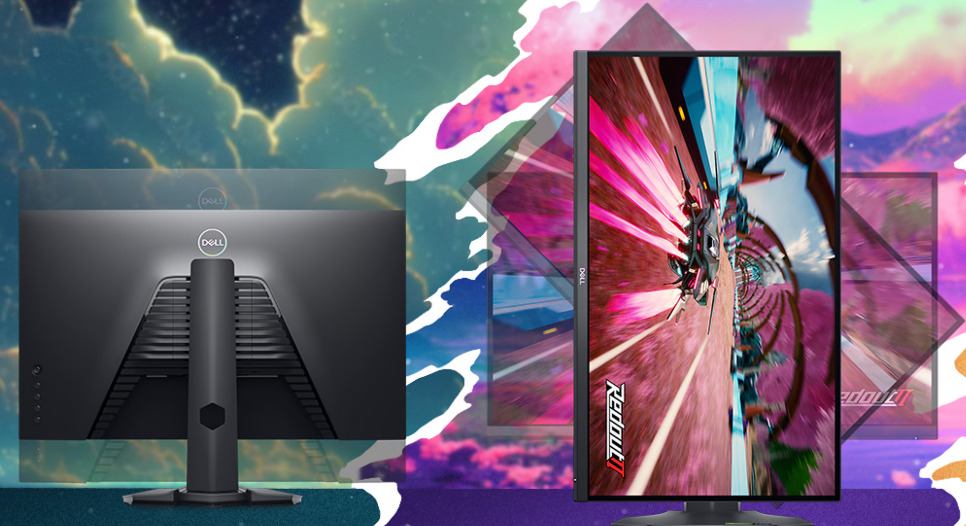
    The monitor’s ergonomics are commendable as well, with various adjustments available, including height, pivot (rotation), swivel, and tilt. This versatility allows users to find the most comfortable viewing position for extended gaming sessions.

    However, there are a couple of flaws worth noting. Firstly, the monitor’s HDR certification is only Display HDR 400, which means it may not deliver the full HDR experience compared to higher certifications. Users seeking the best HDR visuals may find this limiting.

    Secondly, while the monitor’s response time is specified as 1ms (gray-to-gray extreme), real-world performance might not always match this claim, leading to some motion artifacts in fast-paced games.

    Moreover, the Dell G2724D offers excellent connectivity options, ensuring seamless integration with various devices. The two HDMI ports with HDCP 2.2 support, as well as the two DisplayPort 1.4 ports with HDCP 2.2 support, provide plenty of input options for gaming consoles, PCs, and other compatible devices. The inclusion of a DisplayPort cable and a USB-C to DisplayPort cable further enhances the monitor’s versatility and ease of setup.

    The build quality of the monitor is solid, and the inclusion of a VESA mounting interface allows users to easily mount it on a compatible stand or wall bracket, providing flexibility in setting up their gaming station.

    One of the most notable advantages of the Dell G2724D is the “Low Blue Light technology” and flicker-free panel, which reduces eye strain during extended gaming sessions. This feature is beneficial for users who spend long hours in front of the screen, contributing to a more comfortable and enjoyable gaming experience.

    Dell G2724D monitor
    Dell G2724D monitor

    The Dell ComfortView Plus technology further enhances eye comfort by reducing harmful blue light emissions without compromising color accuracy, making it suitable for both gaming and general computing tasks.

    While the monitor performs admirably for gaming, it also holds up well for other multimedia tasks like watching movies, editing photos, or general productivity work. The 27″ screen and high resolution make multitasking a breeze, enabling users to work efficiently without feeling cramped.

    In terms of design, the Dell G2724D boasts a sleek and modern look that blends well with most gaming setups or office environments. The slim bezels not only enhance the visual appeal but also facilitate a seamless multi-monitor setup for users who require extended screen space.

    It’s worth mentioning that Dell is known for its excellent customer service and warranty support, which adds peace of mind for buyers in case of any unexpected issues.

    The Dell G2724D monitor stands out as an exceptional gaming display with its Fast IPS panel, QHD resolution, and gaming-focused features like pre-set profiles, overlays, and low latency. Its versatility, eye-care technologies, and ergonomic adjustments make it a well-rounded choice for both gaming and general computing needs. Despite some limitations in HDR certification and potential real-world response time performance, the monitor’s overall performance, reliability, and value for money ($269.99) make it a top contender in the market.

    Dell 27 Gaming Monitor - G2724D
    Dell 27 Gaming Monitor – G2724D

    In conclusion, the Dell G2724D monitor is a fantastic choice for gamers looking to elevate their gaming experience. The 27″ Fast IPS panel, QHD resolution, and low latency make it perfect for immersive gameplay. The range of gaming features, overlays, and customizable profiles provide a competitive edge for different gaming scenarios. However, the limitations of its HDR certification and potential real-world response time performance are the main drawbacks. Nonetheless, for its price point and overall performance, the Dell G2724D remains a highly appealing option for gamers seeking a top-notch gaming monitor.

    Specs Dell G2724DDetails
    Display TypeLED-backlit LCD monitor / TFT active matrix
    Diagonal Size27″
    Adaptive-Sync TechnologyVESA Adaptive-Sync, NVIDIA G-SYNC Compatible, AMD FreeSync Premium
    Panel TypeFast IPS
    Aspect Ratio16:9
    Native ResolutionQHD 2560 x 1440 (DisplayPort: 165 Hz, HDMI: 144 Hz)
    Pixel Pitch0.2331 mm
    Pixel Per Inch109
    Brightness400 cd/m²
    Contrast Ratio1000:1 / 1000:1 (dynamic)
    HDR CertificationDisplayHDR 400
    Color Support16.8 million colors
    Color Gamut99% sRGB
    Response Time1 ms (gray-to-gray extreme)
    GamingYes
    Horizontal Viewing Angle178°
    Vertical Viewing Angle178°
    Screen CoatingHaze 25%, anti-glare 3H hardness
    Backlight TechnologyLED backlight
    FeaturesLED edgelight system, Low Blue Light technology, 3-sided bezel-less, Dell ComfortView Plus, flicker-free panel
    Dimensions (WxDxH)24.1 in x 7.9 in x 15.5 in – with stand (lowest position)
    ConnectivityHDMI (HDCP 2.2)
    2 x DisplayPort 1.4 (HDCP 2.2)
    MechanicalDisplay Position Adjustments: Height, pivot (rotation), swivel, tilt
    Tilt Angle-5°/+21°
    Swivel Angle-90°/+90°
    Rotation Angle-90°/+90°
    Height Adjustment5.1 in
    VESA Mounting Interface100 mm
    MiscellaneousFeatures: VESA interface support
    Cables Included1 x DisplayPort cable
    1 x USB-C to DisplayPort cable
    PowerInput Voltage: AC 100-240 V (50/60 Hz)
    Power Consumption (On mode)26 W
    Power Consumption (Typical)56 Watt
    Power Consumption Stand by0.3 Watt
    Power Consumption (Off Mode)0.3 Watt
    On / Off SwitchYes
    Software / System RequirementsIncluded Software: Dell Display Manager