Home Blog Page 143

Wireless & Mobile Communication Networks

0

Communication without being physically connected to cables has always been interesting and mobile and wireless communication networks promise it. In recent years there has been unprecedented growth in wireless communication networks. Significant progress has been made in technologies that support the wireless communication environment and there is much more to it in the future. Devices used for wireless communication require some features that wired communication devices may not necessarily need. These features include low energy consumption, lightness and communication skills around the world.

In wireless and mobile communication networks, access to a communication network is wireless so that end users remain free to move. The rest of the communication path could be wired, wireless, or combined by the two. In general, a mobile user, during communication, has a wireless connection with a fixed communication function and the rest of the communication path remains wired. The range of wireless communications is always limited and therefore the user’s range of mobility is also limited. To overcome this limitation, the cellular communication environment has been devised. In a cellular communication environment, a geographic region is divided into smaller regions called cells, hence the cell name. Each cell has a fixed communication device that serves all mobile devices within that cell. However, as a mobile device, during active communication, it moves from one cell and to another cell, the service of that connection is transferred from one cell to another. This is called the delivery process. The cellular arrangement has many interesting features. Because cell sizes are small, mobile devices don’t need very high transmission power to communicate. This leads to smaller devices that consume less energy.

In addition, it is well known that the frequency spectrum that can be used for wireless communication is limited and therefore can support only a small number of wireless communication connections at a time. Splitting communication regions into cells allows the same frequency to be used in different cells, as long as they are separated enough to avoid interference. This increases the number of mobile devices that can be supported. Advances in digital signal processing algorithms and faster electronics have led to very powerful, smaller, more elegant and versatile mobile communication devices. These devices have huge mobile communication capabilities, including wireless Internet access, wireless email and news, and wireless (albeit limited) video communication on mobile devices. Wireless phones are now available and operate in different communication environments on all continents. The day is not far off when a single communication number will be assigned to each newborn and will remain with that person regardless of their location.

Another area that is emerging rapidly is that of ad hoc wireless communication networks. These networks are temporary in nature and are established for a certain need and for a certain duration. No elaborate configuration is required to establish these networks. Because some mobile communication devices are in the vicinity of others, they can establish a communication network between them. Typical situations where you can use ad hoc wireless networks are in classroom environment, business meetings, conferences,
disaster recovery situations, etc. Once the network need is met, the ad hoc network configuration disappears.
Cheap and perfect: 55-inch OLED TV – Philips 55OLED804 Review

0

Image processing is always a key part of any high-end Philips television story, and it’s no different with the 55OLED804. Unsurprisingly, we get an updated version of Philips’ P5 imaging platform, named after the way it focuses on what Philips sees as the five pillars of image quality: sharpness, movement, color, contrast and Recognition of Sources.

The P5 platform has already produced rather dazzling results with previous Philips OLED TVs. But there are numerous improvements claimed to be waiting this time. So many, in fact, that Philips had to reprocess processing through two chips, after boasting with last year’s P5 TVs to get all in one.

When it comes to the sharpness pillar, we now have new systems to protect details in highly detailed sources and restore them to fonts that may have lost them due to native compression or low resolution. These settings should improve the feeling of three-dimensional depth and space that you get with 4K images, too.

The OLED804 replaces last year’s excellent OLED803 range. It features the third-generation version and two chips of the P5 image processor that is more powerful than the previous iteration. The audio system is an integrated 2.1 effort, with the compatible dolby Vision and HDR10 formats, plus space for compatibility with the Android 9 operating system and Alexa integration.

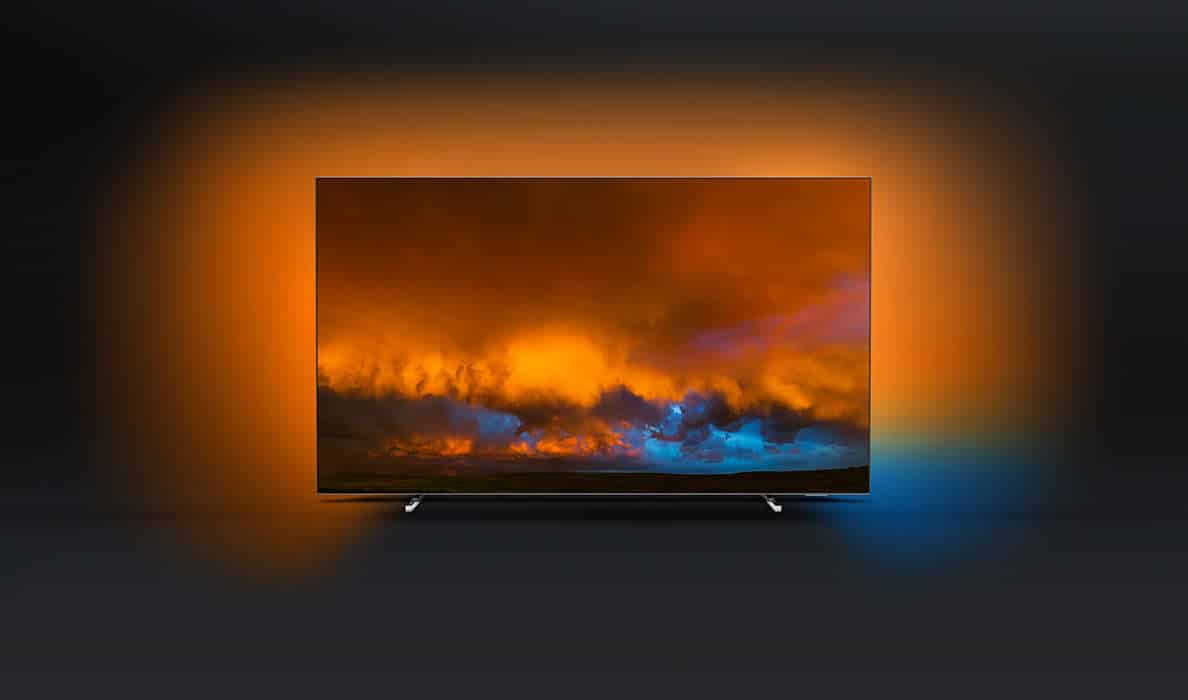
The Philips 55OLED804 is the first of the Dutch brand’s latest OLED TVs. It features an improved video processing system, Philips exclusive Ambilight design feature, and support for HDR HDR HDR HDR HDR 10 and Dolby Vision systems. All on top, of course, of the traditional advantages of OLED Contrast and Angle of Viewing.

The screen is located on a pair of thin metal feet that become virtually invisible when you are watching TV directly in front.

The back, oddly enough, is where the screen design becomes more showiest. Much of its back is finished in a polished, sturdy metal, with rows of LEDs running around its top, left and right back edges.

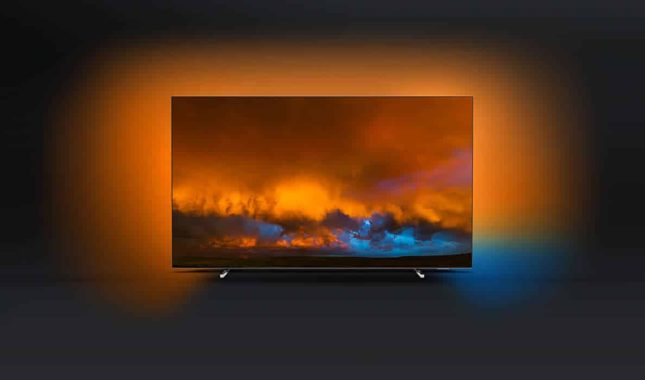
These LEDs are there to provide Philips Ambilight technology, which throws colored light over the wall behind the TV. The light can be adjusted to the desired color and intensity, or you can track the color content of the displayed images. Choosing the latter option and the precision of Ambilight in terms of color tone and positioning of the local color is really amazing.

It’s not just native 4K sources that look beautifully detailed on the Philips 55OLED804. The additional sophistication of SQ processing also allows sub-4K sources to be extended to 4K screen resolution with greater intelligence and finesse.

The result is that good quality HD sources are often seen remarkably close to native 4K images, while lower quality HD and SDR sources look more natural than ever on any Philips 4K TV. This is essentially because the processing is smart enough to apply its sharpness and detail improvements on a more adaptable and intelligent basis.

The 55OLED804 not only updates sub-4K content impressively. It also does a great job of converting SDR to HDR. Philips’ latest Perfect Natural Reality processing expands the color and light range of SDR content very well. So much so that as long as you keep the PNR setting minimal, that if you give the feature an opportunity, I guess you’ll probably never want to look at native SDR content again.

That said, if your purist impulses require you to look at SDR without any HDR conversion, then the Philips 55OLED804 does it very well.

The 55OLED804 offers the most refined natural images Philips has ever produced from an OLED TV, without sacrificing much of the brand’s dynamism and vitality. The set is well designed too, with Ambilight beautifully disturbing its glittering bodywork. And its dual support for HDR10 and Dolby Vision is an incredibly consumer-friendly touch that I’d love to see all the other brands they adopt as well.

Unless you hate your Android TV smart system to an unreasonable level, the excellent OLED image quality of the 55OLED804, the cute and well-built design, enhanced by Ambilight, its aggressive price and the brilliant HDR10/Dolby Vision support it make it extremely difficult to resist. photo:Philips

+
Extremely sharp, detailed and vibrant images
HDR10 and Dolby Vision support
Great price for what is offered

Colors are unleashed in Vivid mode
MPEG noise potential with dark video
The sound is a little light on the bass

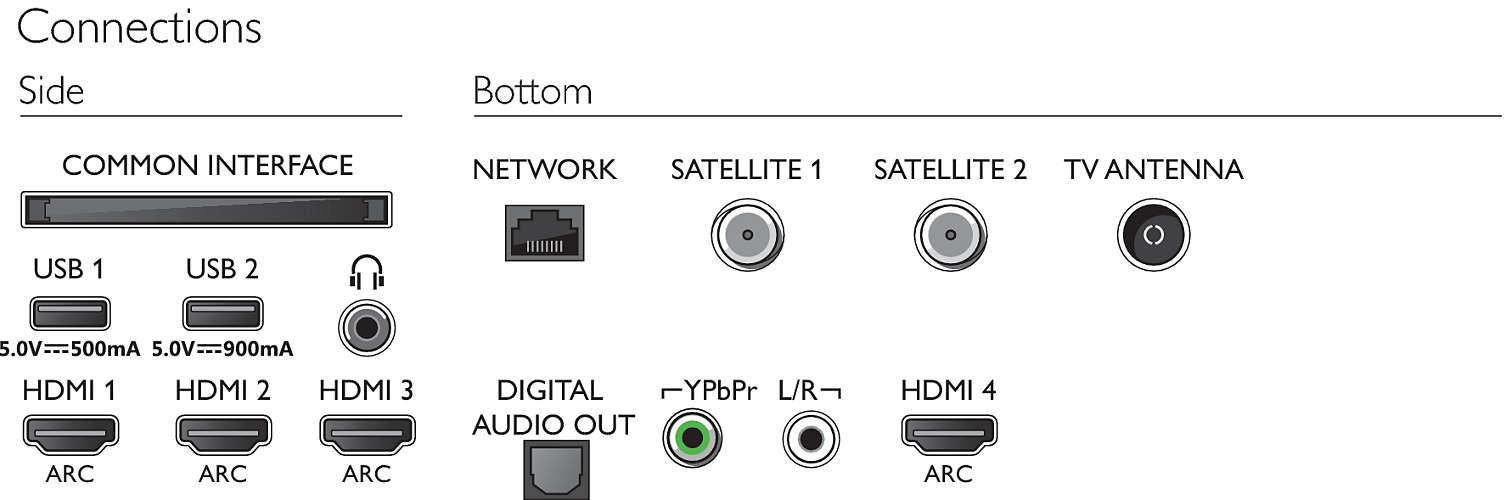
  • Supported Display Resolution

    Computer inputs on all HDMI
    • up to 4K UHD 3840 x 2160 @60 Hz
    • HDR supported, HDR10+/HLG
    Video inputs on all HDMI
    • up to 4K UHD 3840 x 2160 @60 Hz
    • HDR supported, HDR10+/HLG
  • Android

    OS
    Androidâ„¢ 9.0 (P)
    Pre-installed apps
    • Google Play Movies*
    • Google Play Music*
    • Google Search
    • YouTube
    Memory size
    16 GB
    • Processing

      Processing Power
      Quad Core
    • Tuner/Reception/Transmission

      HEVC support
      Yes
      Digital TV
      DVB-T/T2/T2-HD/C/S/S2
      MPEG Support
      • MPEG2
      • MPEG4
      Video Playback
      • NTSC
      • PAL
      • SECAM
      TV Programme guide*
      8-day Electronic Programme Guide
      Signal strength indication
      Yes
      Teletext
      1000-page Hypertext

Hard drive diagnostic – CrystalDiskInfo software

0

A hard drive diagnostic is a tool or utility that is used to test a hard drive for errors, bad sectors, and other potential issues. This type of diagnostic can help to determine if a hard drive is functioning properly and if it needs to be repaired or replaced.

To run a hard drive diagnostic, you will need to use a specialized tool or utility. These tools are often provided by the manufacturer of the hard drive, and they can be downloaded from the manufacturer’s website.

Once you have downloaded and installed the diagnostic tool, you can use it to scan your hard drive for errors and potential problems. The tool will typically provide a detailed report of any issues that it finds, along with instructions on how to fix them.

hard drive
photo: Pixabay

It’s important to note that running a diagnostic on your hard drive may take some time, depending on the size of the drive and the number of errors that it finds. It’s also important to make sure that you have a recent backup of your data before running a diagnostic, as the process may cause data loss in some cases.

CrystalDiskInfo is a comprehensive hard drive diagnostic tool that can test and display a set of tested drive parameters.

It’s not just the hdd drives that CrystalDiskInfo supports, in fact you can also get the relevant data from the installed SSDs as well. It does a great job of monitoring disk health, making sure that data is not lost.

Installing CrystalDiskInfo is not complicated, and once you start the application, you will be able to start scanning the drives. The main information provided at startup is basic such as firmware, interface, drive letter, and buffer size.

The most important data collected can be summarized as a percentage of read error, turn time, start/stop count, frequency of search failures, and other vital data for the status of the unit that was tested. CrystalDriveInfo can also be configured to send alerts via desktop, email, or sounds. You can also access an event log.

If you’re looking for a powerful drive management and diagnostics tool, CrystalDiskInfo is a great option that provides most of the relevant data from the S.M.A.R.T analysis.

Features and highlights
Supports some external USB disks
Health and temperature control
Information chart S.M.A.R.T.
Check AAM/APM settings

Download CrystalDiskInfo Hard drive diagnostic tool here

Hard drive diagnostic – more useful free tools

There are several free tools available for performing hard drive diagnostics, including:


HD Tune: This tool can be used to benchmark your hard drive and check for errors, as well as to monitor the health of your hard drive over time.

  • Hard Disk Sentinel: This tool provides detailed information about your hard drive, including the temperature, S.M.A.R.T. status, and disk performance. It also includes the ability to set up alerts for when certain thresholds are reached, and provides a full hard disk analysis.
  • DiskCheckup: This tool provides detailed information about the health of your hard drive, including the temperature, S.M.A.R.T. status, and disk performance. It also includes the ability to set up alerts for when certain thresholds are reached and to schedule regular scans.
  • GSmartControl: This tool provides detailed information about your hard drive, including the temperature, S.M.A.R.T. status, and disk performance. It also includes the ability to run self-tests on the drive, and to monitor the health of your hard drive over time.
  • DiskScan: This tool allows you to scan your hard drive for bad sectors, and can also be used to benchmark your hard drive and check for errors.

These are some of the most popular and widely used tools available, but there are many other options available as well. It’s always recommended to backup your data before running any diagnostic tool to avoid data loss.

The Best Ways You Can Use Microsoft OneNote

0

With the design of a digital notebook, Microsoft OneNote is a place to create, collect, store, and search for notes. This is a great program for organizing pieces of information that may not fit easily into the structure of one of the other Office programs. And when you store laptops on your network or in the cloud, you can access data from multiple devices and even share it with others.

What can OneNote insert?

With OneNote, you can organize notes by sections and pages into notebooks. These notes may include:

Documents
E-mail
Activities
Websites and other hyperlinks
Images, drawings, and media
Impressions
Data from other office programs

OneNote Tips: Content you can easily insert
OneNote is a very flexible application that can contain a wide range of content. It is not limited by page size or a linear structure. The Insert Ribbon tab gives you some ideas about the type of items you can easily insert into OneNote. Let’s look at these oneNote tips and more.

Record audio or video: You don’t need to use your smartphone to record meeting notes or video events. Simply capture a video or audio recording directly within OneNote. It’s also easy to crop the recording and play the audio or video.
Printing files: Do you want to capture an impression without scanning a file or creating a PDF? From any Office application, simply choose Send to OneNote as the print option. From this option, you can specify the name of the notebook, the section, and the page where you want to capture the printout. You can also insert a printout directly from OneNote.
Attachment: When printing is not required, add an attachment instead. The file can be opened directly from OneNote, even if the attachment is not linked to the source file that may have been updated.
Hyperlinks: OneNote notebooks can also store links to webpages, email addresses, or network files.
Tables and spreadsheets: When notes require a more structured appearance or even calculations, add a table or worksheet to a page in your notebook. OneNote also supports equations and symbols for more detailed input.
Date and time stamps: When you create notes, adding a date and/or time stamp allows you to document comments and additions, especially when sharing notebooks with others.
Tags, tasks, and task items: Arrange notes as actions by tagging individual notes or items. A tag marks an element with a tag, such as Do Item, Important, or Question. These options are available on the Start Ribbon tab, or use keyboard shortcuts, such as [Ctrl], to mark a note. Labels can be searched in all notebooks so that they can be easily found. To track, check a label to run when you’re done or send it to Outlook to create an Outlook task.
Custom pages: Even if you don’t need a hard page structure in OneNote, it might be easier to work with some pages by changing the look of the page. On the View Ribbon tab, change the color of the page, choose from a variety of lined lines, or change the size and layout of the page view.
Drawings: With a touchscreen or portable device and a stylus, you can also create freehand shapes and drawings with a wide range of colors and widths. These options are available on the Draw Ribbon tab. If you don’t have a touchscreen or stylus, OneNote also supports mouse drawing. At least if you’re a better artist than I am!
From Ink to Text or Ink to Math: Like drawing tools, you can create freehand text in your notes. If the handwriting is readable, choose Ink to Text to convert handwriting to text.
Explore these OneNote tips to expand the variety of ways you can create, capture, and edit important content in OneNote notebooks. photo:Microsoft

Quick and easy tips – Website Recovery Services

0

Your website works as an online brand identity. This is where your target audience, existing customers, and potential customers come to find relevant information about your products or services. This means, therefore, that your website needs to be updated and as interesting as possible when it comes to providing conversions. There are many things you can do to make sure your site is still relevant to your market and your attention can also help you improve your rankings.

But to the extent that you work hard to keep your website functional and relevant, you can get lost. There are a number of things that can lead to the loss of your website, including not paying for your accommodation. While it is possible for you to download and recover your website file, it can come up with a lot of bugs, which means you would still have a lot of work to do before it is running again. Fortunately, there are professional website recovery services that you can use to bring back your website as good as it was, so it could be back up and running quickly. But what makes it a better idea to use the pros and then try to download the site yourself?

1. Professional services will retrieve your site from the fully functional archive. With help, you can say goodbye to mistakes that take a long time to solve the problem. Professionals use the right tools to save the tedious and tedious work of making changes page by page.

2. Recovery services are quick and easy. When you choose to download the site manually, it can mean page management by page and file by file, which can really take a long time. It would take days to get everything back and this may have a problem with your business. By allowing professionals to manage the process, you can be sure to have your website back within 24 hours or less. For small sites of an hour or less it would be enough to download and recover the website.

3. Service providers will allow you to get into what has been recovered and what was not from the web file. This means you’ll quickly know which areas your care needs in terms of improvement. It saves you time to make your website work again. You can also enjoy conversions so that you eventually have a responsive, easily editable site to make the necessary changes quickly and easily.

4. Site recovery services also keep the original URLs in the file. This way you will be able to maintain your SERP rating. With professional assistance, you don’t have to worry about losing the search engine rankings for your business.

5. Using the services, you will not only be able to have your site pages downloaded, but also videos, flashes, images, CSS and Javascript.

High Speed Internet – Tips to choose the best service provider

0

Today, we have many needs and the internet is one of them. We need energy and water. In fact, people who use the Internet simply can’t live without it. When we talk about the Internet, most people think about slow speeds. If you have been looking for high-speed Internet, you may want to keep reading.

1. A larger number

Don’t be happy just because your ISP announces big numbers. What you need to do is find out how consistent the high speeds will be provided, especially when it comes to peak hours. Most service providers use the term “up to” to describe their speed. For example, in Australia, the average speed is 6Mbps or lower. Therefore, you should ask the service about the average speeds they offer.

2. Local Customer Service

From time to time, you may experience problems with your Internet connection. And ISPs are responsible for addressing these issues as soon as possible. Therefore, make sure that your ISP provides services to local employees to troubleshoot issues. Therefore, you may prefer an ISP that provides local customer support.

3. Local Peering

Ensure that your service provider provides a high-speed connection through quality local mirror servers. In other words, if you know your ISP does, you’ll have a better video streaming and gaming experience. After all, you may not want to wait years before watching your favorite YouTube videos. Therefore, this is an important factor to consider.

4. Unlimited plans

When making a decision, it is advisable to know that the unlimited term does not always mean unlimited. The reason is that unlimited networks suffer from contention. If they have no download or upload limits, subscribers will exert extreme pressure on the network. As a result, average speeds will decrease significantly.

5. Network Properties

Some vendors buy ‘Internet’ from entire sellers. You can try them out, but keep in mind that they’re not very good at solving problems as soon as possible. We recommend that you opt for a provider that offers services directly to end users. This way you can enjoy high quality services without any problem.

6. Price

Finally, price is also an important factor. Make sure you know your Internet usage needs. If you download a large amount of data on a regular basis, it’s a good idea to go for a larger plan or unlimited plan, if available. But if you need a solution for normal use, it is advisable not to opt for an expensive plan as it will be an unnecessary load on your wallet.

Long story short, high-speed internet is what everyone wants. There are a lot of ISPs that claim affordable high-speed Internet providers, but the reality is different. Therefore, we recommend that you consider your needs and consider the recommendations provided in this article before opting for a service provider. Let’s hope you don’t regret your decision.

Huge, curved, wide gaming monitor – Excellent Asus ROG Strix XG49VQ

0

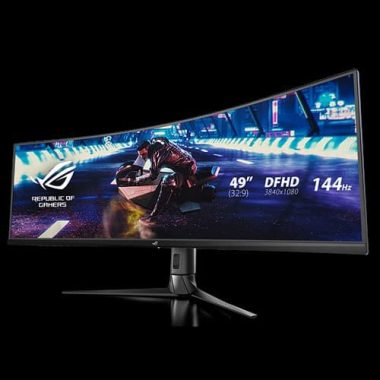
The Asus ROG Strix XG49VQ has several good attributes. The contrast and color accuracy are excellent, the widescreen format helps in various game genres, and the lower resolution means that more GPUs will be able to run this screen properly. You have AMD FreeSync, good build quality and robust fit options. Even the speakers are impressive.

However, HDR has little impact, connectivity could be better and not all games benefit from a widescreen. The resolution means that the screen is not particularly sharp, and the uniformity is quite poor. These are issues we don’t necessarily expect when a screen costs 989 pounds, more than any of its rivals.

If you can deal with these issues and have a lot of money to burn, then the Asus ROG Strix XG49VQ is a good choice for fans of particular genres – mainly because of its gaming features and, potentially, due to the lower resolution as well. However, there is no denying that this monitor has obvious flaws, and simply does not fit most players.

  • Display
    Panel Size: Super ultra-wide 49″ (124.46cm) 32:9
    Panel Type : VA
    True Resolution : 3840×1080
    Display Viewing Area(HxV) : 1195.8 x 336.3 mm
    Display Surface : Non-glare
    Pixel Pitch : 0.311mm
    Brightness : 450 cd/㎡ (Typical)
    Contrast Ratio : 3000 :1 (Typical)
    Viewing Angle (CR≧10) : 178°(H)/178°(V)
    Response Time : 4ms (Gray to Gray)
    Display Colors : 1.07 Billion
    Flicker free 
    Curved Panel : 1800R
    HDR (High Dynamic Range) Support : Yes
    Refresh Rate(max) : 144Hz
  • Video Feature
    GamePlus(modes) : Yes (Crosshair/Timer/FPS Counter/Display Alignment)
    Picture-by-Picture : Yes
    Low Blue Light : Yes
    HDCP support : Yes
    GameVisual :8 Modes(Scenery/Racing/Cinema/RTS/RPG/sRGB Modes/MOBA Mode/User Mode)
    Display Widget
    GameFast Input technology
    FreeSync 2 HDR technology
    Shadow Boost
  • Audio Features
    Stereo Speakers : 5W x 2 Stereo RMS

photo:asus

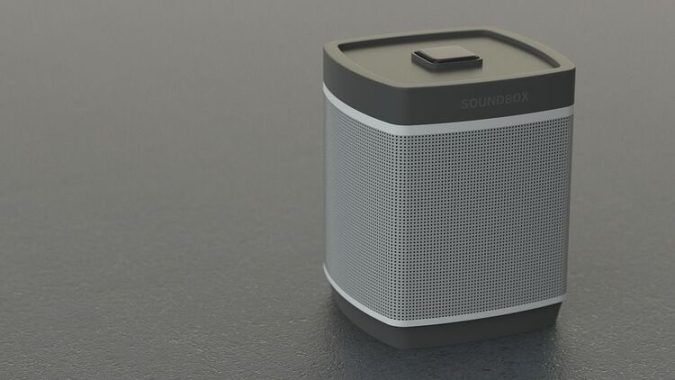
Tips to choose The Best Wireless Speakers

0

So you’re looking for a new wireless speaker for personal use maybe entertainment or whatever. Today, wireless speakers come in different types and huge price ranges. How do you know what’s right for you? Check out these three tips to help you decide to choose the right wireless speaker for you.

Tip 1: Let’s start here – Bluetooth, WiFi or both?

– Bluetooth Speaker: We see these everywhere and are probably the most popular type of wireless speakers to stream your music.
Pro: Easy to carry and you can take it anywhere with you. Bluetooth works with a wide range of devices. Example: Android, iPhone, Google smartphones, etc. THE PRICE! Bluetooth is usually cheaper than WiFi speakers.
Con: Some can be bulky, and you can only stream one device at a time. A limited range that is up to 33 feet.

– WiFi speaker: Do you have a home network? Great! You can take advantage of that by connecting a WiFi speaker to it.
Pro: Stronger and more stable connection. It can stream to multiple speakers and also has a longer range than Bluetooth. They can usually go about 200 feet, but I’d keep it less than that. You don’t want to push him too hard.
Con: Bandwidth! Yes, if you don’t have reliable bandwidth, this can affect your speakers. If you have tons of devices connected to WiFi, this can hoard a lot of bandwidth which will then reduce the quality of your audio. Some can be quite expensive.

There are many wireless speakers on the market, so it can be difficult to choose the best one. Some of the top-rated wireless speakers include the Sonos Move, the Bose SoundLink Revolve+, and the Ultimate Ears Megaboom 3. These speakers offer great sound quality and are durable and portable, making them suitable for a variety of uses. Additionally, they are compatible with various music streaming services, so you can easily play your favorite tunes on them.

The Sonos Move is a portable wireless speaker that offers great sound quality and is designed for outdoor use. It is equipped with two Class-D amplifiers and a tweeter, as well as a mid-woofer for deep, powerful bass. The speaker is also durable, with a weather-resistant design that can withstand rain and dust. Additionally, the Sonos Move can be controlled with your voice using Amazon Alexa or Google Assistant, and it is compatible with a wide range of streaming services, including Spotify, Apple Music, and Pandora.

– Bluetooth and WiFi: If you want everything, well both could be for you.
Pro: More flexibility with both. Use WiFi if you are going to walk around the house with your phone and don’t want to lose the connection or if you’re on the move and want to take it with you and then connect Bluetooth. Having people and someone want to play music? The easiest way here is to have them in touch with Bluetooth, and they’re ready to go.
Con: Reduced to price. You’ll pay more because it has more features than a Bluetooth-only or WiFi option.

Well, now that you’ve read the pros and cons of each, this brings us to the next piece of advice.

Tip 2: What are you going to use the speaker for? This is an excellent question to begin with. What is the main use of your speaker? Is it to go out on deck, inside the house, travel, etc.

If you’re out on the patio or on your way out, Bluetooth or WiFi might work here. There are WiFi speakers that are designed for out-dourse, or if you want something right next to you on the table or on the railing and you want to move it, a Bluetooth would be the best option. If you’re walking on the patio, walking or traveling, go with a Bluetooth speaker and look for something that’s water resistant or water-resistant and sturdy in case you drop it. I hate everything…

If you’re going to be listening to the audio mainly inside, I’d go with a WiFi speaker. You won’t have to worry about the signal because WiFi has a longer distance and objects won’t affect the signal. With Bluetooth, the walls will affect the Bluetooth signal. If you go three rooms from your Bluetooth speaker, the signal has to pass through those walls that will weaken the signal. This can cause it to enter and exit or disconnect from the device. With WiFi, you won’t have to worry about that just make sure to keep it below 200 feet. All you have to worry about is whether your router or WiFi can handle it.

That should have your brain moving a little more in a certain direction. Let’s go to tip number three.

Tip3: Functionality! There are certain things that we definitely or would want in our wireless speakers.
– Remote and voice control: The voice can be fun, you don’t have to leave your place, but it can also be a pain if you don’t understand. Sometimes accents can affect speech recognition. With the remote control it could be a real remote control or an app on your device can be a more efficient way to control your wireless speaker.
– Online music service: A good example here for WiFi speakers is the Amazon Echo. Here I can access my music account to play music like Spotify, Pandora and much more.
– Built-in microphone or hands-free speaker – This feature is great. This feature is only available on certain Bluetooth speakers.When you’re connected to your Bluetooth speaker and someone calls you, you don’t have to disconnect from the speaker to receive the call.

If you’ve been looking for an excellent wireless speaker, I suggest you follow these three tips. This will help you reduce to what you need and not end up buying something you don’t need and save money.

The Best Cheap GPS Systems Guide

0

The purpose of this article is to target the best cheap GPS system that still meets all your needs. Of course, you want to find the best value for money. When you start your search, you have navigation devices that are used for a wide range of activities.

There are great values in every type of GPS. The more roles you’re able to perform, the more your price. Each brand has models ranging from high price to low price. Let’s look at the different types and how they can be used. This is the information you should have before buying any GPS unit.

GPS sports watch

Are you interested in one for sport, such as marathon training? Maybe you just want one to run, walk or walk. If you are interested in one for swimming, you should think of something that is waterproof. They are also great training aids for other types of sports. This type is often referred to as a GPS sports watch that is worn on the wrist. It’s easy to customize for your individual needs. In addition, you can read the screenshots while it is active. It’s easy to transfer your stats to a program on your PC. Then you have your record.

GPS car on the dashboard

Or, do you want a GPS for your vehicle? Again, you need to make some other decisions. There are those who drive permanently in their vehicle. They must be installed professionally. These are known as an In-dash car system.

Portable GPS

On the other hand, you can get a portable GPS that is held in place by an mounting device on the control board. You can remove both the drive itself and the mount device when they are not in use.

One advantage of a laptop is that it can be used on more than one vehicle if desired. You’ll only need a unit that can be moved from one vehicle to another. Another advantage is that you can remove it from view when you leave the car or truck. This way, it is less likely that someone will automatically get damaged in the process of stealing the GPS system.

Maybe you just want a GPS that you can carry in your hand when you walk or walk. This would be a smaller size. You should also be able to put it in your pocket, purse or briefcase for safekeeping. You will find that some of these have Bluetooth wireless functionality built into them. This will allow you to subscribe to additional options, such as emergency locator or anti-theft, etc.

Other

Marine industries without aircraft have been using global positioning systems for years. It was only in more recent times that we relied on these systems for our cars, sports activities, and so on. So, i’m not really a modern invention.

Manufacturers

There are several well-known manufacturers of global positioning systems. You could say that some of them have their specialties in the field of navigation. But, most of them now make some models for cars, both on the board as well as laptops, laptops and sports watches. You may recognize the names of Garmin, TomTom, and Magellan. They’re all good manufacturing companies.

In conclusion

As seen in this review, there are many types of GPS units for different uses. All manufacturers have models of different types that vary in price, depending on their capabilities. You will be able to select your new GPS unit with the confidence that you are getting the best cheap GPS system at great value.

Tips To Get Good Taxi Insurance Quotes Online

0

You will meet a large number of online insurance companies eager to offer you, as a taxi driver, various policies. A simple Google search will show you only a small fraction of the policies offered. However, when it comes to buying quotes online, there are a few tips you may need to follow. Some people have some concerns about providing so much personal information to multiple providers, but there’s nothing to worry about if you study the features of the policy before requesting a budget. If you want to get a really good appointment all you need is follow a series of steps.

Driving records

Driving registration is one of the key aspects in which the insurance company will estimate the amount of risk it poses as insured. When you try to get taxi insurance quotes online, the main question can be passed on to the history of your guide. If the previous mistakes you have made are still present in the logs and you have not provided this information (to which you may not be aware that they were still registered), the price of the quote will be massively inflated. Ideally, you need to take a copy of the driving record to avoid the wrong assumptions, and avoid getting into this position. Why get an incorrect quote when you can get a copy of the local government record, at a small cost.

Preparing personal information

Despite the fears that you may have in mind of making personal information accessible to online insurance companies, it is a necessary formality for any provider. Even when comparing cheap taxi insurance, it is imperative that you provide your own address, phone number, driver’s license number and other information needed to get an authentic fare. Comparing quotes will help you set what is cheap compared to what is expensive.

Amount of coverage

This is certainly one of the most difficult issues, as there is no policy to mitigate the requirement of each driver. On the one hand, it’s your budget and personal financial conditions, and on the other hand the protection you need for your particular vehicle. As for the coverage requirements, you may want to consult your insurance companies or your financial adviser to find out if you have made the right decision. The purchase of the best insurance policy is the requirements of each taxi owner, so make sure you have made the right choice.

Get cheap quotes

There are ways to reduce the quote of the policy you want to acquire. For example, you can balance the number of miles that the taxi has driven in a year and compare it with the previous year. Another factor that can significantly increase or decrease the price can significantly reduce the amount of risk associated with the driver group.

Taxi insurance agents

As a taxi owner, you want to know that you have visited every website for online taxi insurance providers. An example of differences in suppliers is that private taxis have to shell more premiums than taxis intended for the general public. While policies vary from company to company, there’s no reason why you can’t find the best quote for yourself if you make sure you’ve been informed and made purchases.