Home Blog Page 142

Four main types of VoIP Mobile Dialers

0

Main types of VoIP Mobile Dialers

VoIP (Voice over Internet Protocol) mobile dialers are software applications that allow users to make voice and video calls over the internet using their mobile devices. There are several different types of VoIP mobile dialers, including the following:

  1. Softphone dialers: These are software applications that are installed on the user’s mobile device and allow them to make and receive calls using the device’s internet connection.
  2. SIP dialers: SIP (Session Initiation Protocol) dialers use the SIP protocol to establish a connection between the user’s mobile device and a VoIP server, allowing the user to make and receive calls over the internet.
  3. Web-based dialers: These dialers are accessed through a web browser on the user’s mobile device and allow the user to make and receive calls using the device’s internet connection.
  4. Hybrid dialers: Hybrid dialers combine the features of softphone and SIP dialers, allowing the user to make and receive calls using both the device’s internet connection and a VoIP server.

Overall, the type of VoIP mobile dialer that is best for a particular user will depend on their specific needs and preferences.

Before moving on to the main topic, we’ll understand what exactly a mobile dialer, SIP dialer, or mobile VoIP dialer is. Well, these are all different names for an application that you can install and use on your smart device. This application is used on the smart device to make Voice over Internet Protocol (VoIP) calls. It uses SIP signaling and can be associated with an IP or softswitch device.

Using a mobile phone to make calls is the most preferred way to call and this app allows users to initiate a voice or video or instant messaging call on their mobile device. This mobile dialers app makes the app for free calling application, which is the main advantage of it. In addition, it makes international calls very cheap compared to other traditional options.

Now let’s look at four main types of mobile dialers:

1. Basic Mobile dialers

This is the simplest version of a mobile VoIP dialer that allows its users to make domestic and international long-distance VoIP calls at low rates. Several service providers leverage these such dialers to provide a high-quality calling experience for their users. Offering a simple user interface with not many advanced features, this type of dialer stills has many good features such as audio calls to make calls; Address Notebook integration that allows users to initiate a VoIP call simply by selecting a contact. Basic mobile dialers are very popular as they are very profitable.

2. Advanced Mobile dialers

This type of dialers has some value-added features to offer to its users. In addition to typical VoIP calls, they also provide text messages and instant messages. Worldwide, it is the tendency among people to stay in touch using a text messaging tool and advanced mobile bookmarks improve this trend, as well as providing the fastest communication choice. When it comes to its user interface, it’s modern and more intuitive. These mobile dialers have a lot of features to offer, plus just viewing address book integration.

– Cross NAT (network address translation)
– Call logs
– Balance transfer
– IVR Announcement
…and many more.

3. Hybrid mobile dialers

Also known as phone card markers, hybrid VoIP diaries brought together the concept of VoIP calls and business cards. They simplify the use of business cards and allow people to switch between communication channels as they please. For this reason alone, people can also make prepaid calls without an internet connection. When an Internet connection is available, this hybrid dialer will switch to the VoIP subscriber account to initiate the call. The best part about these bookmarks is that users won’t have to remember their long PIN codes and access numbers because the bookmark itself will. To start the call from a phone card account, the dialer itself will enter the necessary credentials.

4. UC Mobile dialers

As the name suggests, these are dialers enabled for unified communications, more popular and useful in a corporate work environment. Employees of a company can download a UC marker to their device and connect to the corporate communication network. They can easily use some great UC features such as file transfer, messaging, group chat, fax, video and audio conferencing, and more.

In addition to this, mobile dialer’s exceed the traditional VoIP limitation that has allowed only computers or any other VoIP devices to be used to make calls. Now, this is possible with mobile phones without too much hassle because next-generation phones have integrated access to certain Internet services such as Wi-Fi, 3G, 4G and GPRS that allow people to make VoIP calls more easily and to higher economic speeds.

The Best Browsers for your Android device

0

Your Android might have a built-in web browser, but that doesn’t mean it’s the best Android browser. There are many far superior options out there that ensure your browsing experience is faster, more reliable, stable, and safer, too. Here’s a look at the best Android web browser for any situation.

Naked Browser– If you need an incredibly simple and basic Internet browser for Android, while still being useful, Naked Browser is for you. There’s a learning curve thanks to its extremely minimalist user interface, but if you’re interested in being a little more technical with things for the sake of speed and efficiency, it’s worth it.

Naked Browser is a lightweight, minimalistic web browser for Android devices. It is designed to be simple and easy to use, with a focus on speed and efficiency. Naked Browser does not have many of the features and functions that are found in other browsers, such as a tabbed interface or a bookmark manager. Instead, it provides a basic web browsing experience with a minimalistic user interface. Some of the features of Naked Browser include:

  • Fast browsing speed: Naked Browser is designed to be fast and efficient, so it can load pages quickly.
  • Low resource usage: Naked Browser uses fewer resources than other browsers, making it a good choice for devices with limited memory or processing power.
  • Customizable user interface: You can customize the look and feel of Naked Browser by choosing from different themes and fonts.
  • Ad blocking: Naked Browser includes an ad blocker to help protect your privacy and improve page loading times.

Overall, Naked Browser is a good choice for those who are looking for a simple and fast browser that doesn’t have many bells and whistles.

Naked Browser is very simple, but this means it uses very little memory and there is no risk of tracking anything. This is ideal for both mindful security, and users with aging Android phones who need to worry about memory and disk space.

Naked Browser still offers some useful features, such as tabs, and the ability to restore where it was in the event of an accident. For the most part, however, this is a browser designed for more minimalist needs.

Opera– If you want a feature-rich browser that still manages to be fast enough, Opera is a good option to chase. It has a native ad blocker that effectively gets rid of intrusive ads while maintaining your privacy and has a built-in VPN that further enhances your privacy and security while browsing.

Opera is a web browser that is available for Android devices, as well as other platforms. It is known for its fast browsing speed and data-saving features. Some of the key features of Opera for Android include:

  • Fast browsing speed: Opera is designed to be fast and efficient, so it can load pages quickly.
  • Data-saving features: Opera includes a number of features that can help you save data when browsing the web. For example, the browser can compress data to reduce the amount of data that is used, and it can block ads to help pages load faster.
  • Battery-saving mode: Opera’s battery-saving mode can help extend the battery life of your device by reducing the amount of power that the browser uses.
  • Personalized news feed: Opera’s news feed feature shows you articles and stories that are tailored to your interests.
  • Free VPN: Opera includes a built-in VPN that you can use to encrypt your internet connection and improve your online privacy.

Opera is a good choice for Android users who are looking for a fast and efficient browser that can help them save data and extend the battery life of their device.

Elsewhere, there’s a personalized news feed that provides A-curated news tailored to your interests. There is also a night mode to make browsing at night easier, as well as other accessibility settings, such as being able to adjust the text size. For an all-round Android browser, Opera has above all.

Firefox – A popular name over the years, Firefox for Android is very stable regardless of the age of your Android phone, so you will rarely experience a crash or a crash. It is also designed with privacy in mind, with monitoring protection that automatically blocks parts of web pages that attempt to monitor browsing activity.

Mozilla Firefox is a web browser that is available for Android devices, as well as other platforms. It is known for its fast browsing speed and strong focus on privacy. Some of the key features of Firefox for Android include:

  • Fast browsing speed: Firefox is designed to be fast and efficient, so it can load pages quickly.
  • Privacy-focused: Firefox includes a number of features that can help protect your online privacy. For example, it has a private browsing mode that doesn’t store your browsing history, and it can block tracking cookies that are used to follow you across the web.
  • Customization: Firefox allows you to customize your browsing experience with a range of extensions and themes.
  • Sync across devices: You can use Firefox’s sync feature to access your bookmarks, history, and open tabs on other devices that are signed in with your Firefox account.
  • Pocket integration: Firefox includes integration with Pocket, a popular service for saving articles and web pages to read later.

Firefox is a good choice for Android users who are looking for a fast and privacy-focused browser that allows for customization and syncing across devices.

Firefox for Android
Firefox for Android

In addition, its search tools intuitively guess what you might be looking for based on previous searches, and there are plenty of easy shortcuts already implemented.

That said, to enjoy browsing sync, you’ll have to use Firefox on your desktop or laptop and that’s not as good as a browser as some alternatives.

Ecosia– We all know we should do more for the world, but knowing how to help can be difficult. Ecosia is a web browser for Android that also helps to reforest the planet while searching through it. Through the money Ecosia earns from research, it funds reforestation in an effort to empower communities around the world. He has a transparent policy that shows that he does too.

Ecosia is a web browser that is similar to other popular browsers, such as Chrome and Mozilla Firefox. It is a good choice for those who are concerned about the environment, as Ecosia donates a portion of its ad revenue to planting trees. In terms of performance, Ecosia is generally considered to be a good browser. It is fast and reliable, and it offers a number of features that you would expect from a modern browser, including a private browsing mode and the ability to block ads. Some users have reported that Ecosia can be a bit more resource-intensive than other browsers, but overall it is a solid choice.

What’s more, it’s a browser that’s in its own right, as it’s based on Chromium, just like Chrome. It’s fast and secure, and offers tabs, a private mode, bookmarks and a section of the story. While other features are a bit subtle, most users will be more than happy with what Ecosia Browser provides.

Send and receive fax from your iPhone

0

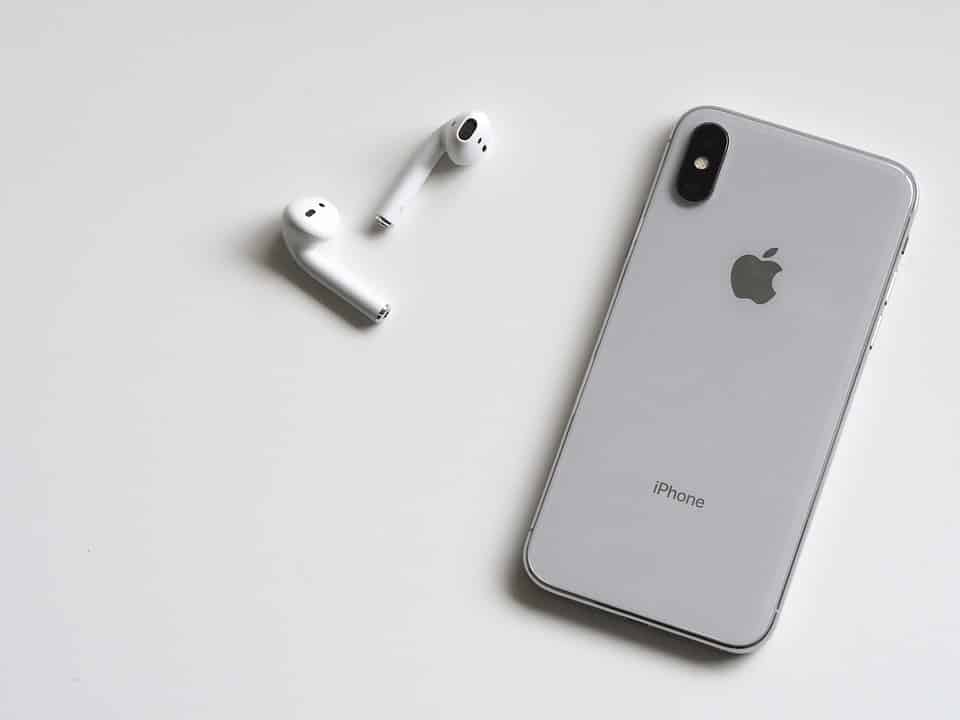
In this world we live, having flexibility in terms of location and space is very important. Technology has helped us in this regard, primarily with the introduction of laptops and more recently with the development of smartphone technology. The iPhone was a device that changed the playing field in smartphone technology and we can use it for different things; Now you can also send and receive faxes from your iPhone.fax iphone

To start using this technology you need the help of a fax e-mail service.

What are email fax services?

These are companies that have powerful fax servers that can convert ax images into digital files and vice versa. They have become the preferred way to send and receive faxes due to the increased speed of delivery and the wide range of features they bring, including, the ability to send faxes using an iPhone. One of the main advantages of using a service is that they provide a virtual fax number, which is essential if you want to receive digital faxes from faxes.

Fax Reception

Once you have a valid fax account via email, you are ready to start sending faxes. Let’s start by downloading a mobile fax app. Go to the App Store and find a fax to an app that matches your service. Please note that the services offer these apps for free, so stay away from paid alternatives that only carry more charges.

To use the app, you will be asked to enter your fax account details. Enter them and the app will be completely unlocked for you. There you will find different configuration options that vary depending on each service, but you can immediately receive the fax with your iPhone. You can choose to receive instant notifications from incoming faxes, or you can simply check your iPhone from time to time to see if new messages have arrived.

The application will allow you to review, store and even forward the received fax to other recipients.

Sending a fax

To send a fax, you must access the application and choose one of two methods to compose a fax. The first one is quite simple. You must type the message directly with the touch keypad on your phone. The second allows you to use your iPhone’s camera to take a picture of a document you want to fax. The document will then be optimized to ensure that it is 100% readable on the receiving side.

Searching for the best Car Audio Head Unit-What Do You Need?

0

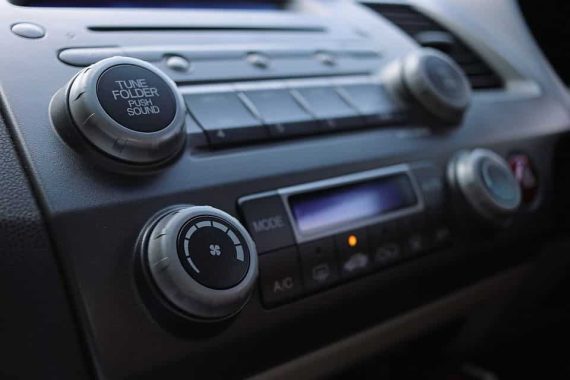
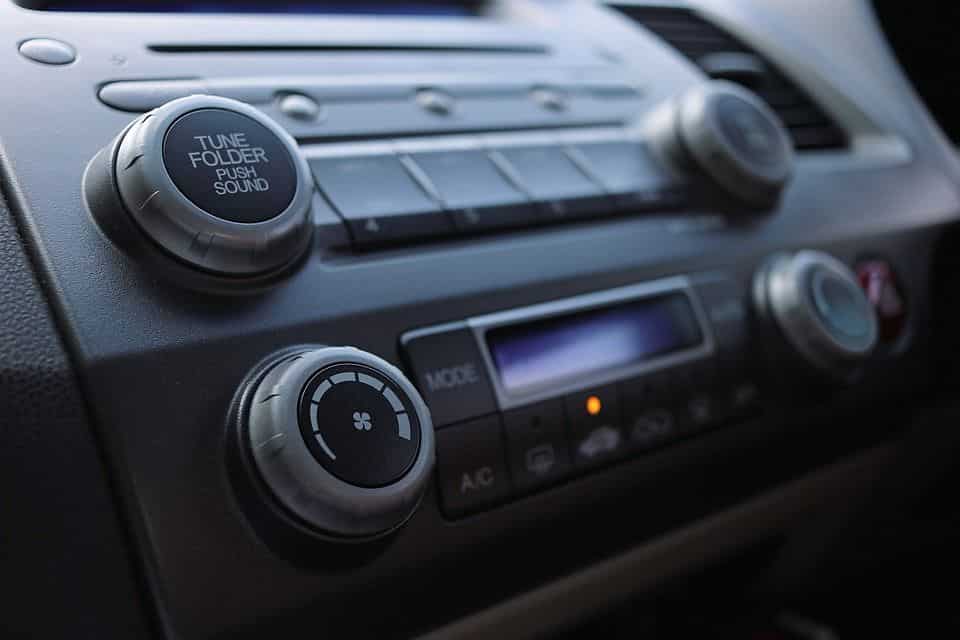
If you’re thinking of upgrading your car’s sound system, your first step is more likely to replace the factory head unit with an aftermarket product. As long as you already have speakers running, this movement can instantly improve the sound. There are several names for this system component, and one is head unit, which applies to any interface mounted on the dashboard that controls the car’s audio.

Variety of head units

Tuner – A unit that lacks built-in power amplification. The tuners require an additional amplifier to power the speakers.

Receiver – One containing an onboard amplifier. A receiver can be used to power an existing set of speakers without any other equipment.

Controller – An interface that has no radio function, although it may include any combination of CDs, DVDs, cassettes, auxiliary inputs, and/or USB.

Mechless – A handset or tuner without CD, DVD, or cassette capabilities. “Mechless” refers to the absence of mechanical (moving) components, as these devices have a solid state construction instead. These parts of the gear may have auxiliary compatibility, USB and Bluetooth® as well.

Some of these categories overlap. For example, controllers and mechless-free heads can exist with or without built-in amplifiers. You’ll need to read the specifications of any equipment you’re interested in to make sure it meets your needs.

What do you need?

Now that you know the basic styles, you need to consider the factors that can influence your decision on which car audio equipment to install. If you just want to replace what’s on the board first, you’ll need something with your own power to get the sound out of your factory speakers. However, if you’re going to upgrade your speakers and add sub-woofers and tweeters for a complete overhaul of your car’s sound system, you’ll probably need an external amp liking to provide enough juice. In this case, you can buy a receiver with pre-amp outputs. These outputs will prevent on-board power, causing less distortion so you can bypass louder music without sacrificing sound quality. If the sound quality is your focus and the volume is not important, you can save money by getting out of the amp and subs, using a drive with enough power and buying better port speakers.

Now think about getting in the car and being in the mood to fly your favorite songs. What would you do? Do you have a large collection of documents that you would like to enter and listen to all the way? If so, you definitely need a model with a disk player. Maybe you’ve abandoned your hard copies and your music is stored digitally on your smartphone or dedicated audio player. In this case, you can choose to go completely mechless-free and play your library over a USB connection for the best audio. If streaming services on your phone are your preferred method for retrieving music, a dedicated Bluetooth interface is useful or you must have at least one auxiliary connector.

With what you now know about the brain of your auto audio system, you can prioritize the features that are most important to you and look for a product that offers them all within your budget.

Types of HDMI cables – Which HDMI cable to use?

0

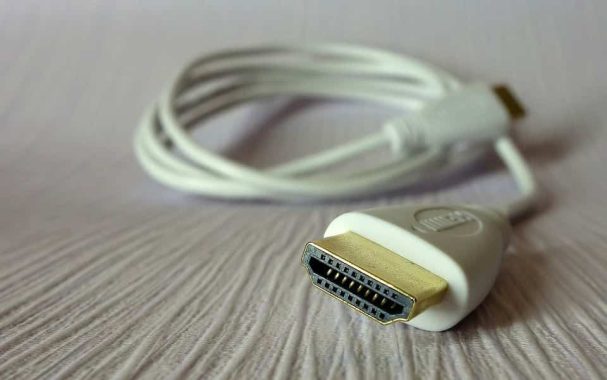
In fact, there are five different types of HDMI cables available, each of which is designed to meet a particular performance standard. These different types of cables have been established by the HDMI Forum to help consumers identify and choose the cable that best suits their needs.

Standard HDMI cable – This type of HDMI cable is designed to handle most basic home applications and is tested for reliable streaming of 1080i or 720p videos – HD resolutions commonly associated with cable and satellite TV, DVD players in STREAMING and HD digital scalability.

Standard HDMI cable with Ethernet: This type of cable offers the same basic performance as the standard HDMI cable (720p or 1080i video resolution), as well as an additional dedicated data channel, known as HDMI Ethernet channel, for the device’s network. HdMI Ethernet channel functionality is available only if both connected devices are enabled for the Hdmi Ethernet channel.

HDMI Standard Automotive Cable – This type of cable also supports up to 720p/1080i but is not compatible with the HDMI Ethernet channel. However, because an automotive system can be connected to one or more internal wrecks that can affect signal strength, the standard automotive HDMI cable must send a stronger signal than other types of cables, so it is tested with standard higher performance.

High-speed HDMI cable – These days this is the most used HDMI cable that has been designed and tested to handle 1080p and beyond video resolutions, including advanced display technologies such as 4K, 3D, High Dynamic Range (HDR) and Deep Colour. If you use one of these technologies, this is the recommended cable.

High-speed HDMI cable with Ethernet: This type of cable offers the same basic performance as the high-speed HDMI cable shown above (1080p video resolution and beyond), as well as a dedicated additional data channel, known as HDMI Ethernet channel, for the HDMI device. Network. HDMI Ethernet channel functionality is available only if both connected devices are enabled for the Hdmi Ethernet channel.

Which HDMI cable should I use?

You don’t necessarily need to buy high-speed premium HDMI cables, but you need to make sure your high-speed HDMI cable is rated for 18 Gbps or you may find that it can’t handle the higher bandwidth required for 4K Ultra HD content with 60p, 4:4:4, HDR and WCG. If a cable cannot correctly deliver a full bandwidth signal of 18 Gbps, the image may fall intermittently or there is no image. This can also be a problem with short HDMI cables, but it becomes a problem over longer distances, so as a general rule, if you’re buying a new HDMI cable make sure it’s high speed and up to 18 Gbps.

Do you need a new cable for HDMI 2.1?

HDMI 2.1 is the latest version of HDMI, which is designed to cover all possible video and audio developments that we can expect to see in the next decade or more. HDMI 2.1 supports higher resolutions and faster refresh speeds, including 8K 60Hz and 4K 120Hz, and also supports Rec. 2020 and 16-bit color. In addition, version 2.1 also supports HDr with dynamic and static metadata, an enhanced audio return channel (eARC),and a VRR game mode.

To ensure that HDMI 2.1 can offer all supported features, bandwidth has been increased from 18 Gbps to 48 Gbps and there will be new cables to meet this requirement. These new 48G cables allow a bandwidth of 48 Gbps for compatibility with uncompressed HDMI 2.1 features, including 8K video with HDR. It is a robust, high-quality cable to improve bandwidth performance and exceptionally low IMI and uses existing A, C and D connectors and includes an Ethernet HDMI channel.

This new cable is compatible with HDMI specifications and can be used with existing HDMI devices. However, this does not mean that you need to purchase new HDMI cables yet because most of the new features such as dynamic metadata, and ARC and VRR game modes can be delivered using existing 18Gbps high-speed HDMI cables, in so as long as you already use 18Gbps HDMI cables at high speed then you won’t need to replace anything.

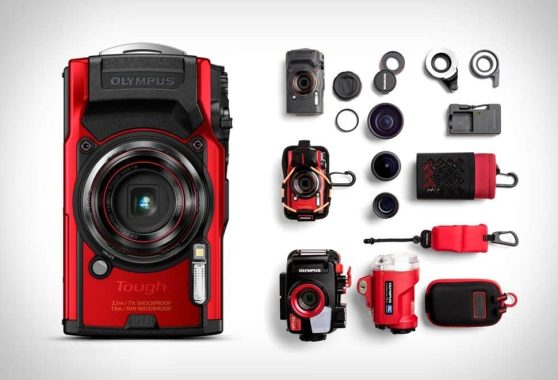
Great compact waterproof camera – Olympus Tough TG-6

0

One of the main reasons the Olympus Tough TG-6 tops our list of the best waterproof cameras was its impressive range of features for a robust camera.

The Olympus Tough TG-6 is a rugged digital camera that is designed to withstand harsh environments and conditions. It is waterproof, shockproof, and freeze-proof, and can be used for activities such as snorkeling, diving, and mountain climbing. The camera has a 12 megapixel BSI CMOS sensor, a 4x optical zoom lens, and a 3-inch LCD screen. It also has built-in Wi-Fi and GPS, and is capable of capturing Full HD 1080p video. The TG-6 is a versatile camera that is suitable for outdoor enthusiasts and anyone who wants a durable camera that can handle a variety of conditions.

The Olympus Tough TG-6 is designed to withstand harsh environments and conditions, and has several features that make it resistant to water, shock, and cold.

Waterproof: The TG-6 is waterproof to a depth of 50 feet (15 meters), making it suitable for use in a variety of aquatic environments, including the ocean, rivers, and lakes. It can also withstand being submerged in water for extended periods of time, making it ideal for activities such as snorkeling and diving.

Shockproof: The TG-6 is also shockproof, meaning that it can withstand drops and impacts. It is designed to withstand falls from up to 7 feet (2.1 meters) and is suitable for use in rugged and outdoor environments.

Freeze-proof: The TG-6 is also freeze-proof, meaning that it can function in cold temperatures down to 14°F (-10°C). This makes it suitable for use in cold weather and in snowy or icy conditions.

Overall, the Olympus Tough TG-6 is a rugged and durable camera that is designed to handle a variety of conditions, making it ideal for outdoor enthusiasts and anyone who wants a camera that can withstand the elements.

There really is no big difference between the Olympus TG-6 and its predecessor, the TG-5, which is an indication of how well the latter was. But at a time when video is becoming increasingly important, some key updates have been added.

Another novelty is the Underwater Microscope mode, which complements the existing range of underwater shooting modes and makes this choice obvious for anyone with an inclination to photograph small sea creatures while diving or diving. Or, in fact, any kind of macro photography.

Yes, the Olympus Tough TG-6 camera has a built-in microscope mode that allows you to take detailed close-up shots of small objects. This feature is particularly useful for underwater photography, as it allows you to take high-resolution images of small marine creatures and other underwater subjects. To use the microscope mode, you will need to attach the camera to the included microscope adapter and set the camera to the microscope mode. The camera’s 4x optical zoom lens and digital zoom can then be used to magnify the image and capture detailed close-up shots. The Olympus Tough TG-6 also has a number of other shooting modes and features that are specifically designed for use in the water, such as a fish mode and an underwater HDR mode.

The 3-inch fixed screen is still the same size as the TG-5, but includes twice the resolution. This makes it much better to compose your shots and see them playing. There’s no sensitivity to tapping here, but for a camera that’s designed primarily for underwater use (where touch sensitivity wouldn’t work), it’s no surprise.

What remains the same is its 12-megapixel and 1.33-inch sensor. These days some smartphones actually carry larger sensors, so don’t expect super-stellar performance, but this Olympus TG-6 camera is all about the places where you can take pictures that your phone wouldn’t dare step on. There’s also a 4x optical zoom, which gives you the practical equivalent of a range of 25-100mm.

The camera’s Tough credentials include 2.1-meter-high shock resistance, waterproofing up to 15 meters,freeze and crush-proofing.

In general, the image quality of the Olympus TG-6 can be defeated by some of the high-specification smartphones. But the goal of this model, and the like, is that you can take it to places where your smartphone just can’t go. These include deeper underwater, extreme cold, or just a family vacation where you don’t want to worry about cracked screens or sand damage.

When you consider all this, you can forgive yourself for not giving super-impressive images in all conditions. This is not to say that images are scarce – in general, they are vibrant and powerful with a fair amount of detail.

The Olympus Tough TG-6 also offers solid video performance, with new frame rates offering some extra versatility. If your main concern is the video, you could say that you will be more suitable for an action camera like the black GoPro Hero7. But for those who like to mix still images and movies, the Olympus TG-6 makes a lot of sense.

Putting the camera against a high-end smartphone will probably result in very similar images – in fact, sometimes the computational magic of the smartphone could also give you the advantage. However, there will be a lot of scenarios that you wouldn’t be able to take your smartphone in the first place – diving 15 meters underwater, for example – and smartphones also generally can’t take good macro photos without additional lenses.

  • Price: £449.99
  • 12MP 1/2.33-inch CMOS sensor
  • 4x optical zoom lens (25-100mm equivalent), f/2.0-4.9
  • 3-inch, 1040k-dot fixed LCD screen
  • Waterproof to 15m
  • Slo-mo modes include 1080p at 120fps and 720p at 240fps
  • GPS and Wi-Fi

photo:Olympus

What is the best protection for your Android smartphone?

0

Tablets and phones are not just devices that people carry around. They contain a lot of personal information about their users. They can be infected with viruses just as a computer can. Many people ask themselves the question “What is the best antivirus protection for Android?”. There are several applications and tools to choose from. You can protect a device from all kinds of malicious files, including adware, spyware, malware, phishing emails, etc.

First, we recommend that you check and see if the antivirus software on your current computer also offers licenses for other devices such as Android phones. If you want to change the software or believe that the protection will be inadequate, take steps to choose a new security software.

Decide if a free app will be enough for your needs. Free versions of antivirus software do not offer all-inclusive protection. A full and premium suite, on the other hand, will offer tools such as firewalls, VPNs, ransomware protection, camera protection, parental controls, etc. Make a list of the features you need and start looking for which security suites offer these features. This will be the best antivirus protection for Android.

Another reason you might want to opt for more than one free program is because free software often comes with “extra” that you don’t really want, such as ads and plug-ins. Poorly designed antivirus protection applications are sometimes annoying as viruses and adware itself.

What you need in the best antivirus protection for Android?

It is crucial that you have malware detection tools on your Android device. This is one of the biggest security issues that many smartphone users face. Another vital feature to look for is a tracking/location finder. Having anti-theft controls on an Android phone is very, very important. We recommend that you have the best tracking tools to locate and track a lost or stolen phone. If you’re always paying attention to him, there’s always a chance someone else can get it. In case it is unrecoverable, you should be able to remotely lock and delete the personal content of it. Some Pro versions of antivirus programs include a “capture” feature that actually takes photos of the thief.

Receiving spam messages and unwanted calls is extremely annoying. It’s hard to have a quiet day when you keep receiving spam calls. It’s even more annoying when you’re waiting for an important phone call from an associate or loved one, and you’re still getting spam. You won’t have to worry about getting these nasty calls and text messages with the right security features.

The importance of engine oil for your car

0

The engine oil is one of the most important fluids in the vehicle system and plays a crucial role in the proper operation of the engine. Careful monitoring of its quantity, consistency and quality is inevitable part of the maintenance of each vehicle. As all car owners know, a well-maintained lubrication system ensures a longer and hassle-free engine life.
The engine oil minimizes the effects of friction between components such as pistons, valves, cranks and others, thus preventing unwelcome wear on one side. On the other hand, it lowers the high temperature in the engine system, caused by friction.
That’s why mechanics always say that it is very important to check the level and consistency of the oil. A sudden fall below the permitted limits can lead to extreme wear and overheating of internal components, which can result in very expensive repairs or, worse, damage that is not able to be repaired. If we notice sudden changes in their appearance (color, texture) and smell (you can’t skip the distinctive smell of something burned), then it’s time to see what’s under the hood. Most drivers wait for the dashboard light to arrive to indicate the need for action. In most cases, when this happens, it is time for a specialist to search for the car.

So, how to check the level of the engine oil?
This is probably the first thing that young drivers are thought to.It all starts with parking the vehicle on a flat surface. The engine should always be cold (wait at least 20 minutes) – trying to do it in a still hot engine is dangerous and useless. After the car cools down, you can continue with the check. The oil dipstick will help us measure the level of the oil, but it must be thoroughly cleaned before the procedure. Dip the stick in the oil box, the liquid sticks to it. As you may have noticed, the dipstick is divided into two, by two distinctive lines. The best scenario is when the oil is between the two lines. When the oil mark is below the bottom or upper line, then we may have a situation.

A sign below the bottom line means that the engine sucks too much air, which means it works without enough lubricant. This would eventually lead to overheating and damage. In this case, you need to add enough oil, to restore the balance of the liquid.
Too much oil is not a good thing. When the oil mark is above the top line it can endanger the rubber seals of the components.

Different engines need different amounts of oil. The safest way to know your needs is to read the owner’s manual. And yet, sometimes even the manufacturer’s data can’t give us the answer we need. That’s why from time to time, we need to check if an extra portion of oil is needed. But it all depends on the way we drive and the condition of the vehicle. As a rule, older tend to use more oil for the engine.

Learn New dental technologies – dental courses

0

Improving teeth has the greatest impact on the value of the face. Not only does it embellish the aspects, but it changes every interaction. It positively transforms everyday life by adding a new glow and attraction. It improves self-confidence as the need to cover the face or smile is eliminated and the confidence to speak freely is implanted. In turn, this increases social life as everyone begins to swarm. Friends and family, in fact, become vibe and invite you out. Job prospects are also improved, as there is less chance of being rejected due to low confidence due to broken, missing or yellow teeth. With so many benefits, it’s no wonder that millions of people are turning to new dental technology to improve their smiles. He has launched many career opportunities to practice or aspire to dentists to learn new technologies and increase careers. To do this, they usually need to improve knowledge with dental clinical courses.new dental technology

IMPROVE DENTAL CAREER WITH A SMILE

Several factors affect smile and low self-esteem. While the aging process itself removes the charm, harmful lifestyle habits such as smoking and drinking, as well as faulty eating habits and irregular dental care also have a negative impact. Once the damage is done there are quite a few options available.

a) For yellow teeth, there are safe and effective whitenings!

b) Missing teeth are connected through filling procedures.

New dental technologies taught as part of dental courses can help you learn to subtly realign crooked or irregular teeth until they are perfectly positioned to give a bright smile to the patient. Similarly for short front teeth technologies are available to give a more youthful look. Dental and gum contouring technologies can also correct an asymmetrical smile and return the beautiful smile! These skills can be learned in short-term dental courses.

Dental training in renowned institutions offers to learn the state of the art, certified dental training in advanced practice equipment and upcoming dentists. The focus is on teaching skills and experiences that allow each student to practice themselves in their own dental care clinic. Short-term dental courses such as a comprehensive course in aesthetic and reconstructive dentistry will train a student in 360 degrees, including all types of dental restoration, bleaching procedures, smile design and methodologies for selecting shadows and jewellery teeth. The fully practical approach works wonderfully well to increase your confidence in driving techniques by conducting regular hands-on lessons. Following these courses, dentists have the power to perform unsupervised procedures, perform the necessary task safely and responsibly. The simple and extensive coverage of all topics, from endodontics to prosodontics. Even the latest dental technologies such as laser dentistry are covered with equipment and world-class levels.