Home Blog Page 25

Sennheiser MOMENTUM True Wireless 4 – the latest flagship earbuds

0

Following the grand reveal of the latest flagship earbuds at CES 2024, the Sennheiser MOMENTUM True Wireless 4 is now globally available starting today. Boasting over a dozen enhancements and cutting-edge technologies like Snapdragon Sound™ Technology featuring Qualcomm® aptX™ Lossless Technology and Auracast™, along with an ultra-low-latency mode, this portable powerhouse series sets a new standard for uncompromised sound, appealing to high-performance audio enthusiasts.

Frank Foppe, Sennheiser Product Manager, emphasizes, “Sound quality remains paramount for our customers, and there’s a growing demand for experiencing it in real-world scenarios. With top-notch hardware and the broadest range of wireless technology support to date, MOMENTUM True Wireless 4 adapts seamlessly to consumers’ evolving needs, both current and future.”

MOMENTUM True Wireless 4
MOMENTUM True Wireless 4 – images: Sennheiser 

Entering a new realm of wireless audio, MOMENTUM True Wireless 4 marks the dawn of an exhilarating era, seamlessly blending superior sound quality, state-of-the-art features, and personalized comfort. Designed with a focus on user-centric innovation, it delivers an impeccably tailored audio experience for consumers who seek both individualized adaptability and versatility in their daily lives.

Straight out of the box, MOMENTUM True Wireless 4 effortlessly connects you to your digital ecosystem using Bluetooth® 5.4, ensuring next-level performance, features, and reliability. These earbuds are crafted on the Qualcomm® S5 Sound Gen 2 platform, incorporating Snapdragon Sound and supporting aptX Lossless alongside aptX Adaptive Audio. Furthermore, Bluetooth LE Audio with LC3 and AURACAST compatibility will soon be available via a firmware update, ensuring these earbuds are primed for the exciting opportunities of tomorrow while delivering premium, ultra-low-latency sound for today.

The effectiveness of wide-ranging wireless technologies ultimately hinges on the quality of the hardware supporting them, and MOMENTUM True Wireless 4 excels in this aspect by integrating Qualcomm® RF Front End (RFFE) technology with Sennheiser’s esteemed TrueResponse transducer technology. This advancement includes an enhanced antenna design, resulting in greater RF sensitivity, improved signal-to-noise ratio, and dynamic role switching for faster connections and enhanced signal continuity, especially while on the move. Compared to previous generations, MOMENTUM True Wireless 4 operates at accelerated speeds, ensuring a more immersive experience when streaming, communicating, or gaming on devices that prioritize low-latency performance.

Sennheiser MOMENTUM True Wireless 4

Moreover, Sennheiser MOMENTUM True Wireless 4 offers up to 7.5 hours of uninterrupted audiophile-inspired listening, extendable to 30 hours with the charging case. Quick charging capabilities provide an additional hour of listening with just 8 minutes of charging, facilitated by the USB-C charging case for swift and convenient replenishment wherever you go. Integrated Qi wireless charging adds further convenience, maintaining tidy desktops. Sennheiser has also enhanced the earbuds’ long-term battery performance with a battery protection mode, optimizing charging cycles to prolong their lifespan and provide consumers with extended listening time over the years.

While MOMENTUM True Wireless 4 boasts cutting-edge wireless technologies compared to its predecessors, Sennheiser has also refined the acoustical experience. The six-microphone array enhances voice pickup and Adaptive Noise Cancelling system effectiveness, swiftly reacting to environmental noise changes. An adaptive equalizer ensures consistent sound across various genres or content types, complemented by popular features like Sound Personalization, Sound Zone, and Sound Check via the Smart Control App (available on iOS and Android).

Furthermore, a redesigned ear tip and nozzle offer improved earwax protection, allowing audio enthusiasts to fully immerse themselves in the refined tuning, which features smoother treble response alongside extensive bass and effortless midrange performance characteristic of Sennheiser’s audiophile headphones. MOMENTUM True Wireless 4 includes a comprehensive fit kit, enabling consumers to find the perfect balance of comfort and stability with various sizes of ear tips and ear fins, guided by a fit test integrated into the Smart Control app to ensure optimal bass response and noise cancellation for each listener.

The Sennheiser MOMENTUM True Wireless 4 is available today in three color options—Black Copper, Metallic Silver, and Graphite—at an MSRP of $299.95 USD.
Ideal Shopify Themes for Boosting Sales and Engagement

0

Shopify online store owners are constantly on the lookout for themes that captivate visitors and drive conversions. Selecting the right theme from the vast array of choices can be challenging, with over 1600 options available. Whether embarking on a new project or seeking to enhance an existing store, the theme’s visual appeal, built-in features, and support are crucial considerations.

To aid in this decision-making process, here’s a curated list of top-performing and mobile-responsive Shopify themes for 2024:

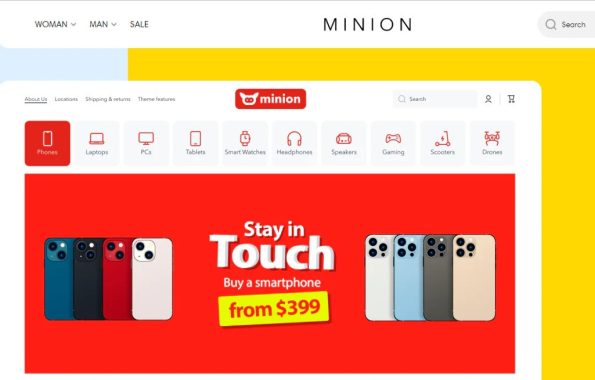
Minion: Ideal for high-volume stores, Minion offers extensive customization options and features tailored for diverse niches. With 24 sections and advanced marketing tools, it’s priced at USD 250, promising scalability and versatility.

Key features of the Minion theme include:

Flexibility: The Minion theme provides users with extensive customization options, allowing them to tailor the theme to suit their brand identity and aesthetic preferences.

Responsive Design: With a mobile-first approach, Minion ensures that your online store looks and functions seamlessly across different devices and screen sizes, optimizing the user experience for all visitors.

Minion theme
Minion theme

Customizable Pages: The theme includes a custom page builder, empowering retailers to create unique and engaging product pages tailored to their target audience. Users can easily add, rearrange, and remove sections to customize their pages as needed.

Marketing and Conversion Features: Minion comes equipped with built-in features designed to enhance marketing efforts and drive conversions. This includes options for merchandising, product discovery, and various marketing tools to promote products effectively.

Navigation Options: With three navigation options, Minion offers flexibility in organizing and presenting products to customers, ensuring easy navigation and a smooth browsing experience.

The Minion theme is an excellent choice for businesses seeking a powerful and adaptable Shopify theme that can accommodate their evolving needs and drive success in the competitive online marketplace.

Refresh: A sleek and free option, Refresh revitalizes online stores with its clean design and quick setup. It boasts mobile-friendliness and advanced customization, making it a popular choice for Shopify development projects.

Kalles: For those seeking advanced customization, Kalles stands out with unlimited layouts, homepage demos, and unique features like the winning wheel for email collection. Its multi-currency support and Ajax product filters cater to diverse international markets.

No matter what you’re marketing, Kalles stands out as the ultimate Shopify theme for crafting a strong online presence and delivering a seamless shopping journey for your customers. Designed to cater to a diverse range of online ventures, Kalles boasts a contemporary aesthetic, minimalist charm, and an array of specialized demos. Showcase your products with flair and ensure easy navigation, selection, and purchase for your clientele. Kalles now supports video thumbnails and 3D.

Kalles theme embodies simplicity, innovation, and cost-effectiveness, making it the quintessential choice for your e-commerce endeavors.

Kalles
Kalles theme

District: Priced at USD 220, District offers regular updates and lightweight design for enhanced responsiveness and SEO performance. With video integration and mobile-optimized popups, it transforms the shopping experience.

Key features of the District theme include:

Regular Updates: District receives regular updates, ensuring it remains adaptable to evolving industry trends and technological advancements. This commitment to updates helps keep the theme fresh and relevant over time.

Adaptive Design: District is designed with a lightweight framework, prioritizing responsiveness and adaptability. This ensures that the theme functions seamlessly across various devices and screen sizes, optimizing the user experience for all visitors.

Enhanced Product Descriptions: The theme enables online retailers to enrich product descriptions with multimedia elements such as videos and images. This feature enhances product visibility and engages customers more effectively.

Customizable Layouts: District offers customizable layout options, allowing users to organize content and products in a way that best suits their brand and target audience. This flexibility enables retailers to create visually appealing and intuitive storefronts.

SEO Optimization: With a focus on search engine optimization (SEO), District helps improve the visibility of online stores in search engine results. This feature contributes to increased organic traffic and enhances the discoverability of products.

Promotional Tools: The theme includes built-in promotional tools such as mobile-optimized popups and promotional banners. These features help drive sales by highlighting discounts, special offers, and featured products to customers.

The District theme is a comprehensive solution for online retailers looking to elevate their storefronts and maximize sales potential. With its combination of adaptability, functionality, and design flexibility, District offers a powerful platform for building successful e-commerce businesses.

Flow: Known for its unmatched design and flexibility, Flow offers three presets for USD 350. Featuring a masonry-style grid and slide-out cart, it’s ideal for large-volume stores looking to customize their design and boost conversions.

Cozy: A multipurpose theme with four menu options and extensive customization features, Cozy offers over 30 homepages and various product styles for free. Its smart features and user-friendly interface create enjoyable shopping experiences without additional costs.

Handy: Handy serves as an exemplary model of mobile-first Shopify theme design. Its homepage showcases a plethora of impressive features, including AKA sections, enabling the creation of a seamless mobile-first layout. Users can select from a variety of fonts, colors, and layouts to enhance the visual appeal of their online store. Additionally, Handy’s dynamic product listing feature allows for innovative presentation of featured products. With customizable page builder elements, online retailers benefit from exceptional flexibility to tailor product pages according to their buyers’ preferences. Sections can be effortlessly added, rearranged, or removed to ensure a comprehensive and professional appearance.

Mobilia: For those seeking to present their brand with sophistication and seamless content integration, Mobilia is the ideal choice. Priced at USD 180, it offers excellent value for money. The homepage features menu lists to aid customers in navigating extensive product catalogs, while custom promotion tiles effectively highlight sales, discounts, and featured products. The latest version, Mobilia 4.4, introduces an expanded array of button options (rounded and square) and seamless integration with the free Shopify product review app. Enhanced features such as size charts and optimized product page thumbnail positioning further enhance the presentation of featured products.

Conclusion: Selecting the ideal Shopify theme for your online store can instantly capture shoppers’ attention. A theme aligned with your brand’s identity can effectively showcase your niche and provide customers with enjoyable user experiences. Each of the themes mentioned above offers versatility and built-in features to support extensive customization. Choosing the perfect theme from this selection will undoubtedly contribute to increased sales and profitability for your online store.

Xerox VersaLink C500 – very fast laser printer

0

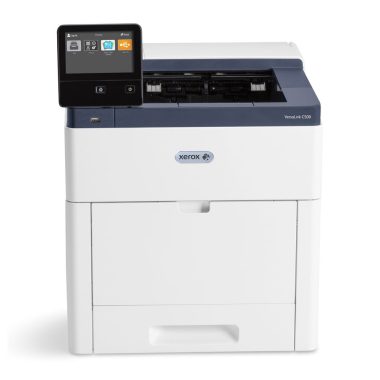
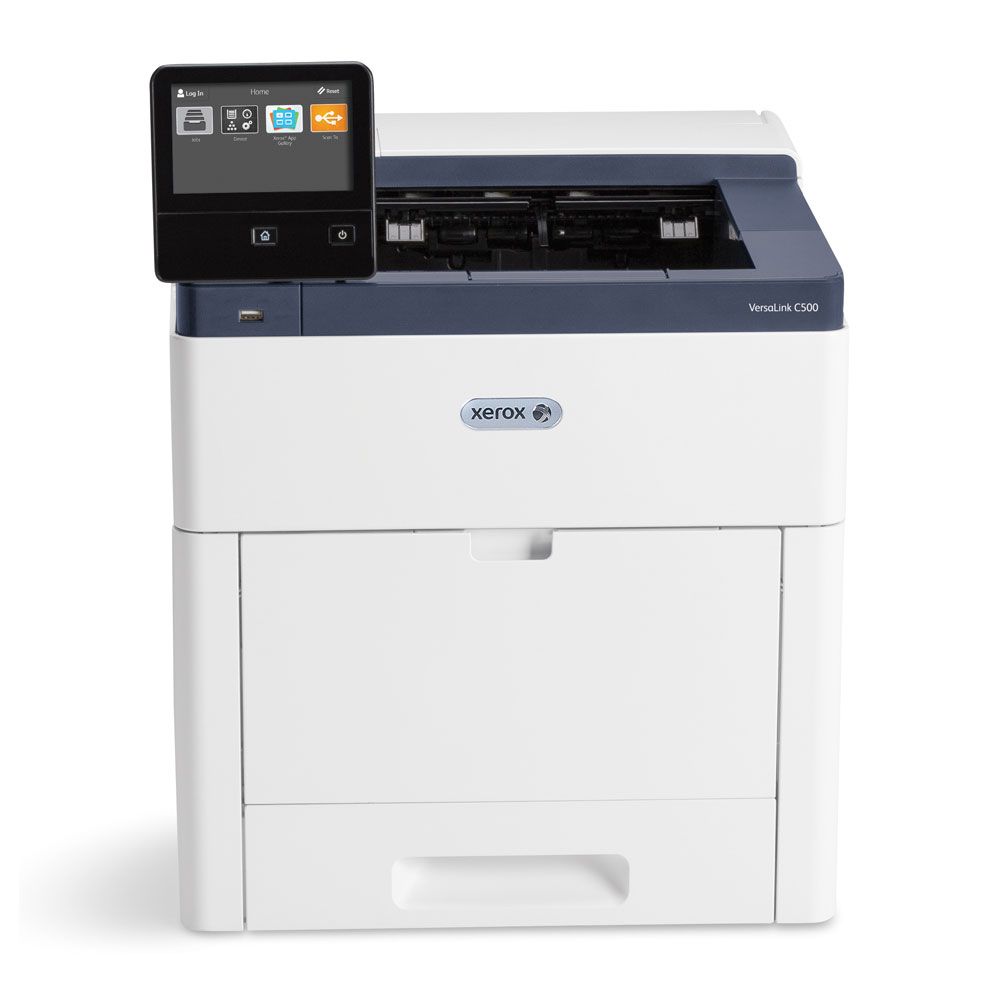
The Xerox VersaLink C500 showcases exceptional build quality, with sturdy plastic construction overall. However, there are slight alignment issues with the back and side doors, causing a minor wiggle. Despite this, there’s a convenient space at the back for installing a hard drive, and accessing components like the drum unit, cartridges, waste box, and sheet rollers is easy. One drawback is that there’s a slight toner leakage when installing or removing cartridges, though it’s minimal and infrequent unless cartridges are frequently swapped.

As a laser printer, printhead clogging isn’t a concern. Maintenance tasks like identifying printing issues through tools like “Repeating Defects” are straightforward. Various other maintenance tasks such as fuser temperature adjustment and belt cleaning can be performed easily.

Xerox VersaLink C500

Accessing consumables like toner cartridges, drum units, and the waste container is simple through the front and side panels. Paper jams can be cleared through the back panel, also providing access to the fuser. The printer monitors consumable life and can send email notifications for replenishment. Admin access allows for setting permissions and accessing advanced settings through the Embedded Web Server.

The printer boasts a large, touch-sensitive display with excellent brightness and viewing angles. Navigation is intuitive, and adjustments like brightness are easily made. The Xerox App Gallery offers additional functionality, including a screensaver feature for reminders.

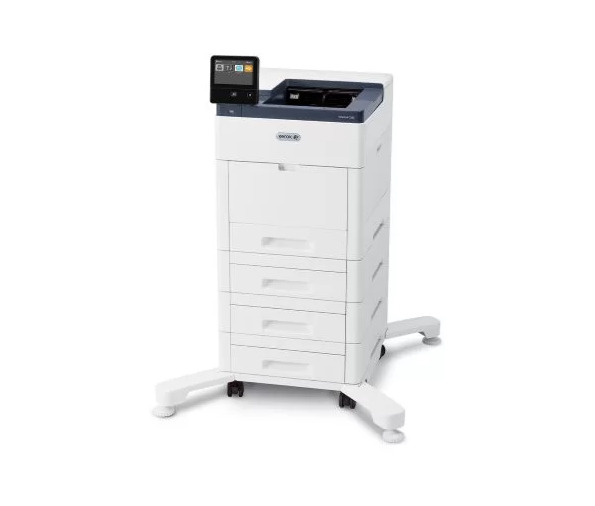
While toner cartridges are pricey, their high page yield offsets frequent replacements, especially for high-volume printing. Color cartridges are bundled with black cartridges, affecting pricing. The printer’s speed is noteworthy, and additional components like extra cassettes and high-capacity feeder trays can be added to accommodate office needs.

The Xerox VersaLink C500 stands out for its efficient cost-per-print ratio. Despite the initial expense of toner cartridges, their longevity ensures a favorable overall expense, particularly for heavy printing needs. However, it’s worth noting that purchasing color cartridges requires buying them alongside black cartridges.

In terms of performance, the printer impresses with its swift warm-up time and rapid printing of multi-page documents. Furthermore, the flexibility to add extra parts such as additional cassettes and high-capacity feeder trays enhances its suitability for diverse office environments.

The Xerox VersaLink C500 does not support wireless printing by default, but you have the option to purchase a separate wireless network adapter for Wi-Fi connectivity, Apple AirPrint, and Mopria Print Service. Installing the Wi-Fi card or a hard drive is straightforward by removing the cover, and there’s a port available for adding an Auxiliary Device Kit, enabling attachment of extra devices like smart card readers or payment card readers. Additionally, a Kensington Security Slot enhances security against theft.

Xerox VersaLink C500
VersaLink C500

Compatibility with the Xerox Workplace app extends functionality to Android and iOS devices. While both versions offer similar features, the Android version lacks a dedicated photo icon found in iOS, requiring users to access photos through the File Library. Printing MS Office and TXT files is possible after logging into the Xerox Workplace account, with MS Word documents being converted before printing. However, HTML files cannot be printed directly from web browsers; instead, users must select “Webpage” from the side menu within the app.

For printing on Windows and macOS systems, manual driver installation is necessary. In Windows, the printer is added through the Printers & Scanner settings in Windows settings, while Chrome OS and macOS users must add the Xerox VersaLink C500 via its IP address.

Ideal for small or home offices, the Xerox VersaLink C500 offers fast printing speeds of 45 PPM for both black and color documents. While its cartridges are expensive, the high page yield offsets the cost, making the overall cost-per-print favorable. However, it’s important to note that this model lacks a scanner and wireless printing options without the separate adapter.

For black-and-white printing, the Xerox VersaLink C500 excels, providing thousands of pages before requiring cartridge replacement. Despite the expensive cartridge, the excellent cost-per-print ratio makes it a viable option. Rapid warm-up time and fast printing further enhance its efficiency, although wireless printing necessitates the additional purchase and installation of a wireless network adapter.

Although not designed for photo printing, the Xerox VersaLink C500 can handle it to some extent. However, the resulting photos may appear grainy, with oversaturated colors and poor color accuracy, typical of laser printers.

Overall, the Xerox VersaLink C500 offers a compelling combination of robust build quality, ease of maintenance, intuitive user interface, and cost-effectiveness, making it a top contender in the realm of color printers. Its blend of speed and expandability ensures it can adapt to the demands of various workplace settings with ease.

Increase your phone’s battery life with this straightforward guideline

0

As your smartphone ages, you may notice a decline in its performance, indicating wear on the battery. To preserve its functionality and prolong its lifespan, heed this straightforward advice from tech experts.

Your smartphone’s battery is delicate, requiring careful attention. You’ve likely experienced it yourself: over time, your device’s performance gradually diminishes. This is a natural outcome as lithium-ion batteries, commonly found in smartphones, degrade with use and charging. After numerous charge and discharge cycles, they gradually lose efficiency.

To mitigate this inevitable decline, implement some simple strategies. One such strategy is adhering to the 80/20 rule, a principle endorsed by experts. Essentially, this rule dictates maintaining the battery level between 20% and 80% of its capacity—neither exceeding nor falling below these thresholds. This practice prevents subjecting the battery to higher voltages, which occur when it’s charged beyond 80% or discharged below 20%, consequently reducing wear and tear.

phone's battery life
photo: pixabay

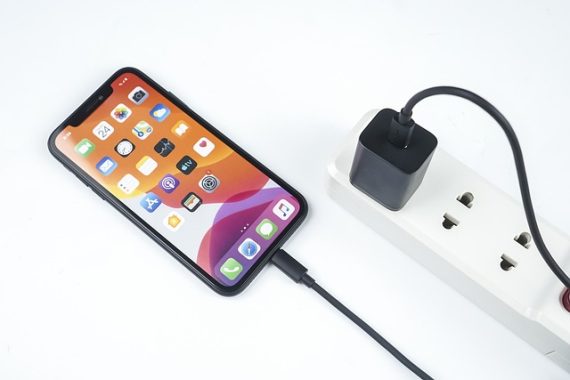
Acknowledging this common issue, smartphone manufacturers have introduced solutions to simplify your experience. Since iOS 13, Apple has introduced the “Optimized Battery Charging” feature for iPhones. To access it, navigate to Settings > Battery > Battery Health & Charging. This feature delays charging beyond 80% overnight, ensuring your iPhone reaches full charge just before you wake up. With the latest iPhone 15s, Apple now also offers the option to halt charging at 80%.

Similar functionalities are available on the Android platform. Google provides “Adaptive Charging” on Pixel devices, mirroring Apple’s approach. Samsung also offers a feature blocking charging at 85% on select models. If you own a smartphone from another brand, explore the battery settings to activate a comparable option if available.

Additionally, there are straightforward methods to prolong your battery’s lifespan. High temperatures can adversely affect batteries, so refrain from engaging in demanding tasks like playing 3D games while your smartphone is charging, or unplug it if it becomes excessively warm.

Another effective approach to alleviate battery strain is conserving power usage. Consider utilizing the Power Save mode even when your phone is fully charged, reducing screen brightness, or switching to airplane mode, which significantly reduces energy consumption when your phone isn’t immediately needed. Your battery will appreciate these efforts.

In essence, charging your phone overnight after a full day’s use may not be optimal. Once the battery reaches 100%, the phone maintains a high voltage, accelerating battery degradation. Similarly, leaving your phone plugged in continuously while using it should be avoided. Instead, consider charging it more frequently throughout the day, ensuring it doesn’t reach a full charge.

Boost Your Wi-Fi signals: A Quick & Reliable Solutions

0

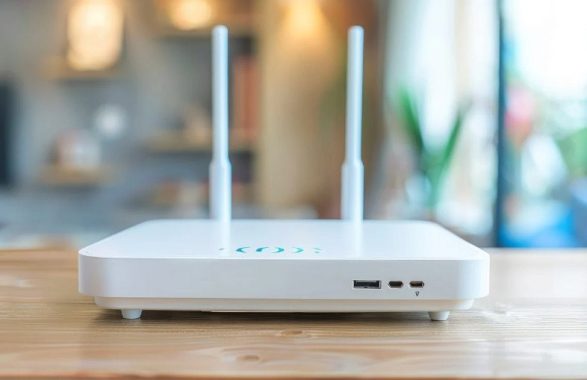
A modem-router serves a dual purpose: the modem component connects to the Internet, whether it’s fiber or ADSL, while the router aspect links all devices within your network, either through wired connections (Ethernet) or wirelessly (Wi-Fi). This combination enables you to distribute your Internet connection among various devices such as computers, smartphones, tablets, TVs, and other smart devices at home.

Wi-Fi signals struggle to penetrate thick walls made of materials like stone, concrete, or brick, as these materials absorb rather than reflect the waves. Additionally, Wi-Fi signals are impeded by ceramic surfaces (such as tiles) and water (like in aquariums). They’re also obstructed by physical obstacles like furniture and people, as well as metallic surfaces including mirrors and certain windows. Moreover, Wi-Fi signals are susceptible to interference from household appliances emitting electromagnetic waves or radiation, such as microwave ovens, washing machines, dishwashers, and induction cooktops, as well as electronic devices like hi-fi systems, home cinema amplifiers, unshielded speakers, Bluetooth devices, baby monitors, and cordless phones. Generally, anything producing an electromagnetic field, such as lamps or power supplies, can disrupt Wi-Fi signals.

Wi-Fi signals
photo: pixabay

Hence, placing your router near devices like TV which contain metal frames, electronic components, and are often surrounded by objects that interfere with Wi-Fi signals is highly unfavorable, especially if the router is enclosed within a TV cabinet.

To ensure optimal Wi-Fi performance throughout your home, it’s advisable to relocate your router away from electronic screens to prevent interference. If possible, utilize an Ethernet cable to connect your router to the TV decoder, even if you prefer a Wi-Fi connection for your television. If Wi-Fi connectivity is preferred, maintain a distance of at least one to two meters between the router and the TV to allow for proper signal dispersion.

Ideally, position your Wi-Fi router in a central, open area of your home to maximize coverage to all rooms, as Wi-Fi signals weaken with distance. Mount the router at a height of more than one meter above the ground and ensure there are no obstructions nearby. Avoid placing the router directly on the floor, adjacent to concrete or stone walls, or within enclosed furniture, as this can lead to overheating and malfunction.

Your WiFi may be optimally positioned, and your router may be up-to-date, yet you still encounter inconsistent coverage. Fortunately, a WiFi extender could resolve this issue. One effective option is a powerline ethernet kit, such as this starter kit offered by various manufacturers. This kit enables you to transmit your internet signal through the electrical circuit in your home or office. It comprises two adapters: one connects to a power socket near your current router, and the other is placed where you require signal. Simply link the first adapter to your router using an ethernet cable, and attach the second one to an ethernet device, like a Smart TV or gaming console. Alternatively, the second adapter can be linked to a WiFi router to establish a secondary WiFi network.

This solution offers notable advantages. Firstly, it’s quick to set up; simply plug and play. Attempting to replicate this setup with extensive lengths of ethernet cables entails drilling holes in walls and running cables throughout the house, rendering it less convenient to relocate the setup. Secondly, in terms of bandwidth, it’s swift. Extenders utilizing WiFi typically experience speed degradation. Since they communicate with the router over WiFi, there’s a significant speed reduction if the extender communicates with your devices on the same band it uses to communicate with the router. Although there are workarounds (discussed below), the powerline ethernet kit circumvents this issue entirely. By leveraging the existing electrical circuit in your home, it establishes a faster link from your WiFi router to your device, which can be set up in mere minutes.

This solution is particularly advantageous if, for instance, you have a gaming console in the basement experiencing insufficiently fast or reliable signal. The kit can be directly plugged into the console’s ethernet connection, connecting it to the router situated in another part of the house.

By adhering to these guidelines, you can optimize the performance and longevity of your router while ensuring reliable Wi-Fi connectivity throughout your home.

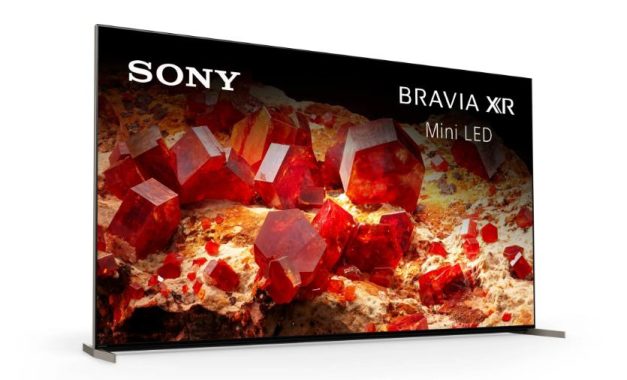
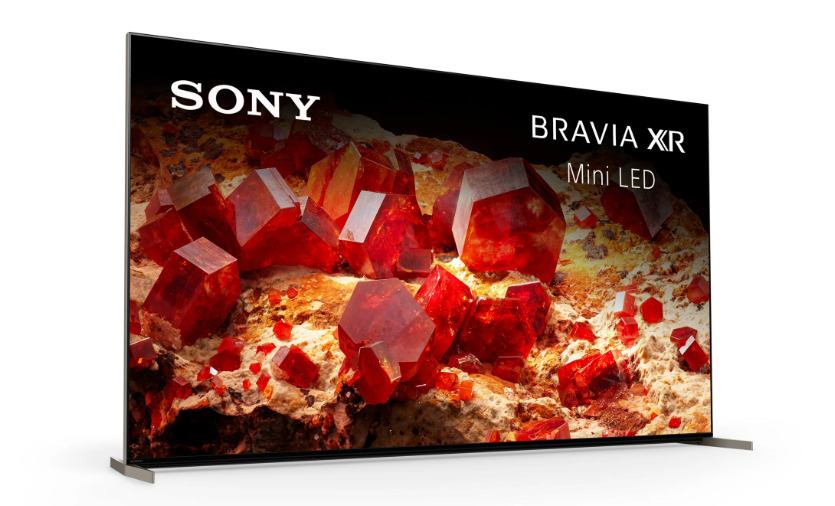
4k TV with a Mini LED – Sony X93L Review

0

The Sony X93L TV offers exceptional performance across various aspects. It excels in bright environments, making it ideal for watching shows or sports due to its high peak brightness and outstanding reflection handling. In darker settings, its Mini LED backlight ensures impressive contrast, delivering deep blacks with minimal blooming around bright objects. Gamers will appreciate its low input lag, quick response time, and array of gaming features, including variable refresh rate support to minimize screen tearing.

Compared to its counterpart, the Sony X90L, the X93L stands out with superior reflection handling, making it the preferable choice for well-lit spaces. Its Mini LED backlight significantly enhances contrast and reduces blooming and flicker, especially noticeable during zone transitions.

Sony X93L
Sony X93L  – images: Sony

The design of the Sony X93L is sleek and premium, featuring a distinctive checkerboard pattern on the back and slim bezels. Its adjustable feet and removable panels facilitate cable management, while the straight metal feet offer sturdy support. Multiple mounting points allow for flexible height adjustments, accommodating accessories like soundbars without obstructing the screen.

Constructed with quality materials, the X93L boasts stability and durability, with minimal wobble in various stand positions. Despite the plastic back panels, the TV maintains a premium appearance, enhanced by metal borders around the screen. While the cable management panels may not attach perfectly, they do not detract significantly from the overall build quality.Sony X93L

The Sony X93L delivers excellent contrast, producing deep blacks and vivid highlights in dark scenes. Although its native contrast with local dimming disabled may appear lower due to the X-Wide Viewing Angle layer, enabling Auto Local Dimming ensures impressive performance, particularly in dark areas of the screen.

Similar to other Sony TVs, the Sony X93L effectively enhances lower-quality content by mitigating issues like macro-blocking and pixelization while preserving fine details. Its sharpness processing is exceptional, adeptly upscaling low-resolution content without over-sharpening and maintaining clarity even in busy scenes and text.

With its impressive response time, the X93L minimizes motion blur behind fast-moving objects, ensuring clarity during gaming and fast-action scenes. However, some black smear may be noticeable behind rapidly moving dark objects due to the TV’s slower response time in the 0-20% range.

Regarding connectivity, HDMI ports 3 and 4 on the X93L support the full 48 Gbps bandwidth of HDMI 2.1, while HDMI 1 and 2 are limited to HDMI 2.0 bandwidth. However, using HDMI 3 for an HDMI 2.1 connection and eARC functionality means sacrificing one HDMI 2.1 slot if connecting a receiver, limiting simultaneous use of HDMI 2.1 bandwidth across multiple devices unless the receiver also supports it. Additionally, the tuner supports ATSC 3.0, enabling streaming of over-the-air channels at up to 4k resolution.

While the Sony X93L offers comprehensive compatibility with Xbox Series S|X consoles, it has limitations such as supporting Dolby Vision gaming only at 60Hz, not 120Hz, and lacking support for 1440p resolution at 120Hz.

The Sony X93L stands out as an exceptional choice for HDR gaming, offering a remarkable experience with its low input lag, quick response time, and support for various gaming features like VRR. Its HDR performance is outstanding, showcasing vibrant colors, deep contrast, and impressive peak brightness that enhances bright highlights in games while minimizing blooming in darker areas. The wide color gamut ensures vivid and lifelike gaming visuals.

Sony X93L TV
Sony X93L TV

When used as a PC monitor, the X93L maintains its gaming prowess with low input lag, although there may be slight delays in cursor movements on the desktop. Its excellent gray uniformity minimizes the dirty screen effect, ensuring a smooth visual experience. However, its narrow viewing angle may result in fading and inaccuracies on the sides of the screen, especially when viewed up close.

Released in 2023, the Sony X93L fills a unique position in Sony’s lineup, closely resembling the 2023 Sony X95K but available exclusively in North America in 65, 75, and 85-inch sizes. Positioned between the Sony X90L/X90CL and the Sony X95L, it offers an array of premium features such as hands-free voice control, S-Center speaker input, and an ATSC 3.0 tuner for up to 4k broadcast support. Powered by Sony’s Cognitive Processor XR, it delivers enhanced image processing and upscaling capabilities. Gamers will appreciate its HDMI 2.1 bandwidth and VRR support for optimal performance with the latest consoles. Operating on the Google TV smart platform, it provides a user-friendly interface with access to a wide range of downloadable apps.

TikTok Growth Secrets: How to get more followers

0

Getting more followers and likes on TikTok requires more than just creating good content. While the app’s content operations team keeps an eye out for standout creators, there are several strategies users can employ to increase their visibility and engagement.

TikTok’s algorithm is powered by artificial intelligence (AI), meaning there are ways to enhance your profile beyond content quality alone. Users with substantial followings may even earn a verified account status.

Why Prioritize High-Quality Videos?

When creating TikTok content, prioritize well-lit, high-quality videos. TikTok’s Community manager often highlights HD content in its featured videos category, enhancing your chances of exposure.

The Importance of Trend Following

Trending topics drive visibility on TikTok. By creating videos that align with current trends and utilizing relevant hashtags, you can expand your reach to a broader audience.

get more likes on tiktok
photo: pixabay

Entertainment as a Success Factor

Engagement is key to TikTok success. Even content lacking in substance can garner attention if it prompts reactions. Remember, any form of publicity—whether positive or negative—can contribute to your visibility.

Consistency Yields Results

Consistent posting is crucial for maintaining visibility and improving your standing within TikTok’s algorithm. Regular uploads increase your profile’s value and prolong its presence on users’ timelines.

Networking and Collaboration

Building connections on TikTok can significantly boost your profile. Engage with other users by tagging, following, messaging, and sharing their content. Interacting with popular creators can also elevate your visibility and follower count.

Leveraging ByteDance’s AI

ByteDance, TikTok’s parent company, employs sophisticated AI to gauge user activity. Higher engagement rates, including multiple views and likes, increase a video’s crawl rate and likelihood of being featured prominently.

Gaining more TikTok followers can be a thrilling experience! I’ve discovered a number of efficient strategies for expanding my audience based on my expertise.

I prioritize producing relatable and interesting material above all else. I keep an eye out for issues and trends that appeal to viewers. Using hashtags and well-known noises increases the likelihood that I will be found. Similar to entering a vibrant discussion, my chances of gaining new followers increase with the relevance of my content.

Another important element in attracting followers is consistency. In order to let my audience know when to expect new information, I try to update frequently, whether that be once a day or a few times a week. Maintaining a routine not only fosters expectation but also motivates my audience to come back for more.

I’ve discovered that time is crucial as well; publishing at the peak of my audience’s activity can greatly increase views and interaction.

Interacting with my audience is also essential. I always try to reply to messages and comments, which promotes a feeling of community. In order to encourage engagement and demonstrate that I respect their viewpoints, I frequently pose questions to my audience. Another excellent strategy to expand my audience and infuse my work with new ideas is to collaborate with other creators.

Lastly, I’m quite interested in analytics. TikTok gives me information on the kinds of content my audience likes, so I can modify my strategy.

I can constantly improving my videos and entertaining my viewers by taking note of what works best.

By implementing these strategies effectively, you can expect to see a noticeable increase in followers and potentially earn a coveted verification badge on TikTok.

ASRock Introduces AMD Radeonâ„¢ RX 7900 GRE Series Graphics Cards

0

ASRock unveils its latest lineup of AMD Radeonâ„¢ RX 7900 GRE Series graphics cards, leveraging the innovative AMD RDNAâ„¢ 3 architecture. These cards boast redesigned compute units, second-gen AMD Infinity Cacheâ„¢, ray tracing capabilities, and enhanced AI processing. They’re optimized for high-resolution gaming, streaming, and content creation, featuring the AMD Radiance Displayâ„¢ Engine with support for DisplayPort 2.1 and full AV1 encoding.

With a focus on performance, the ASRock AMD Radeonâ„¢ RX 7900 GRE Series cards come equipped with 16GB GDDR6 memory running at 18Gbps, offering pre-overclocked settings for enhanced performance. The AMD Radiance Displayâ„¢ Engine ensures exceptional color accuracy with 12-bit per-channel color support, providing up to 68 billion colors.

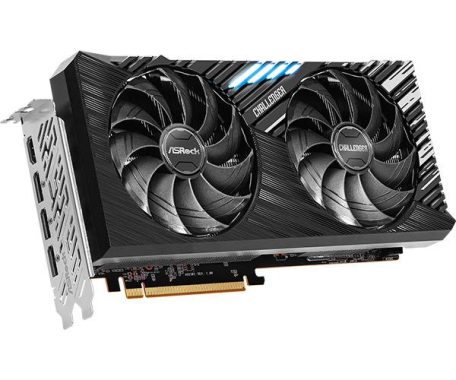
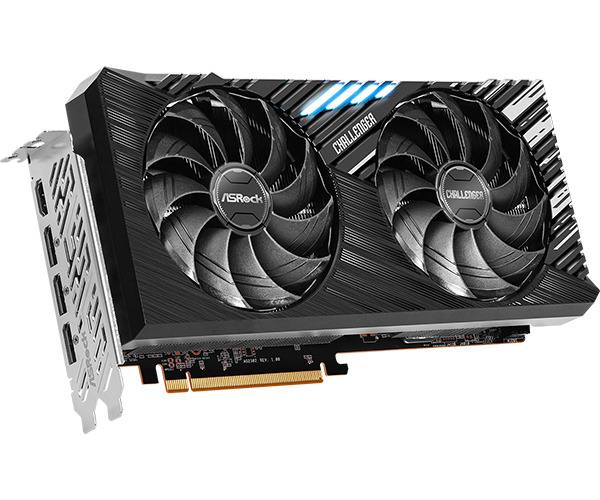
ASRock AMD Radeon RX 7900 GRE Challenger

Moreover, these graphics cards incorporate ASRock’s exclusive features like the Striped Ring/Axial Fan, Air Deflecting Fin, Ultra-fit Heatpipe, Metal Backplate, and Polychrome SYNC technology, delivering efficient cooling, sturdy build quality, and customizable ARGB lighting effects. Designed for 4K/2K gaming and content creation, they offer a premium choice for enthusiasts.

ASRock AMD Radeon RX 7900 GRE Steel Legend 16GB OC Graphics Card

The ASRock AMD Radeon RX 7900 GRE Steel Legend 16GB OC graphics card caters to white-themed PC builds, boasting a Boost Clock of up to 2333MHz. Its triple-fan thermal design, featuring Striped Axial Fans and Air Deflecting Fin, ensures excellent heat dissipation. The metal frame and backplate enhance structural integrity, while ARGB fans with Polychrome SYNC software enable customizable lighting effects, making it ideal for visually appealing white PC setups.

ASRock AMD Radeon RX 7900 GRE Challenger 16GB OC Graphics Card

Targeting mainstream users, the ASRock AMD Radeon RX 7900 GRE Challenger 16GB OC graphics card offers a Boost Clock of up to 2293MHz. Its dual-fan cooler, comprising the Striped Ring Fan and Ultra-fit Heatpipe, efficiently dissipates heat. Enhanced with an LED indicator and a metal backplate for durability, along with factory overclocking settings, this card provides stability and performance for system integrators and mainstream users alike.

AMD Radeon RX 7900 GRE Challenger
AMD Radeon RX 7900 GRE Challenger – source: ASRock


SpecificationDetails
Graphics EngineAMD Radeonâ„¢ RX 7900 GRE
Bus StandardPCI® Express 4.0 x16
DirectX12 Ultimate
OpenGL4.6
MemoryGDDR6 16GB
Engine ClockBoost Clock: up to 2293 MHz
Game Clock: 1927 MHz
Stream Processors5120
Compute Units80
Memory Clock18Gbps
Memory Interface256-bit
ResolutionDigital Max Resolution: 7680×4320
Interface1 x HDMIâ„¢ 2.1 (up to FRL 12Gbps)
3 x DisplayPortâ„¢ 2.1 with DSC (up to UHBR3 13.5Gbps)*
HDCPYes
Multi-view4
Recommended PSU750W
Power Connector2 x 8-pin
Accessories1 x Quick Installation Guide
Dimensions269 x 130 x 51 mm, 2.55-slot
Net Weight985g

Which monitor to choose for your Mac?

0

Finding the perfect monitor for your macOS setup can be a bit more intricate compared to the PC realm. Hence, I’ve taken the liberty to provide some sensible recommendations regarding specifications and budget-friendly models from reputable brands. However, I understand that not everyone can adhere to these suggestions, perhaps due to existing monitor ownership or limited access to preferred retailers.

In this guide, I’ll delve deeper into why I recommend specific resolutions and sizes, taking into account the current market landscape. Additionally, I’ll address how to address any scaling issues that may arise when deviating from these recommended sizes.

Before you make your selection, it’s essential to consider your budget and specific usage scenarios. Avoid the temptation to opt for a large monitor with subpar color accuracy, akin to attending a rave in an earthquake.

When it comes to acquiring a monitor for your Mac, there are three primary avenues: those subject to the “Apple tax,” those offering a good balance of size and resolution, and the remaining options.

Let’s begin with the first category—the monitors endorsed by Apple:

The Apple Way or None: While not everyone can afford them, those who can invest in one of the following top monitors for macOS will experience seamless integration:

  • LG UltraFine 5K ($1,200)
  • Apple Studio Display 5K ($1,600)
  • Apple Pro Display XDR 6K ($5,000)

These monitors aren’t just about impressive specs and hefty price tags. Modern macOS systems prioritize monitors with high pixel density, with 218 pixels-per-inch (PPI) being the optimal threshold. Notably, 5K/6K monitors, as listed above, boast this 218PPI standard.

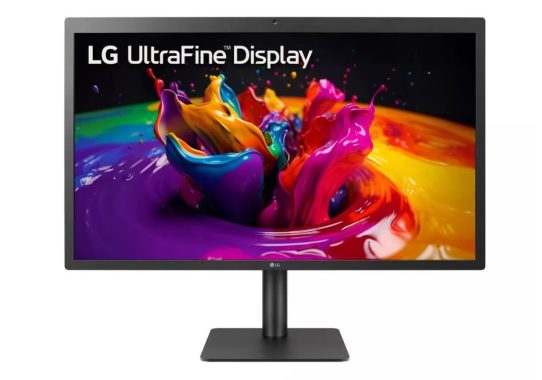
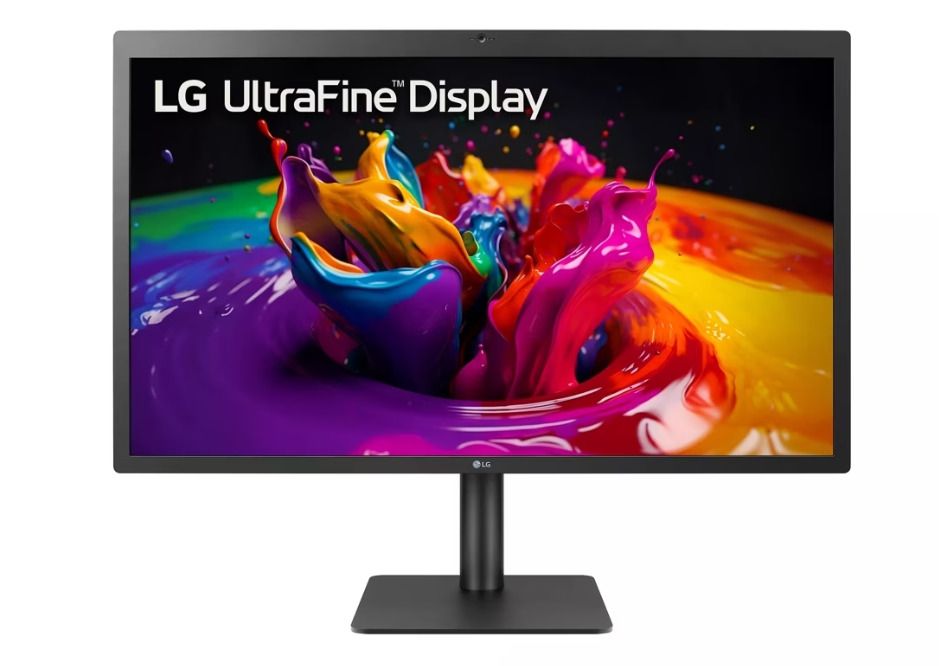
LG UltraFine 5K
LG UltraFine 5K – image: LG

Apple’s engineers have designated this pixel density as the gold standard for their “Retina Display” technology on desktops, leaving the rest of us to abide by it.

The primary purpose of such high pixel density is to render individual pixels nearly invisible, resulting in sharper images without sacrificing screen real estate—a concept that Steve Jobs famously introduced.

Conversely, the broader market, driven by PC sales, prioritizes size and resolution over PPI. Consequently, monitor manufacturers may compromise on factors like color accuracy and brightness to cater to their target demographics, such as incorporating high-refresh panels for gaming enthusiasts.

Thus, when exploring options beyond Apple-endorsed monitors, it’s crucial to focus on models with at least 109PPI and then evaluate additional features based on your requirements.

Considering the Retina Display ratio for desktops, we can identify five monitor types with an optimal size and resolution ratio for consideration:

  1. 1080p monitor (20 to 24 inches): 110PPI to 91PPI
  2. 1080p Ultra-Wide monitor (25 to 30 inches): 111PPI to 92PPI
  3. 1440p monitor (27 to 29 inches): 109PPI to 91PPI
  4. 1440p Ultra-Wide monitor (34 to 38 inches): 109PPI to 98PPI
  5. 2160p/4K monitor (27 to 32 inches): 163PPI to 137PPI

Once you’ve narrowed down your options based on resolution and size, consider additional features such as color accuracy, brightness uniformity, USB-C Power Delivery (for MacBook charging), refresh rate, HDR support, integrated KVM, speakers, and more, depending on your specific needs.

There’s a method behind this selection process, which I’ll elaborate on shortly.

Concerning the suitability of a 1440p monitor for macOS:

Some users may question whether a 1440p monitor is too small for macOS, particularly on a 27-inch screen. If you’re unsure, my recommendation is to seek advice from someone with a similar setup and make an informed decision based on your preferences.

The contemporary Mac interface operates on a straightforward principle: it thrives at 218PPI or remains satisfactory at 109PPI.

When you opt for a monitor exceeding 109PPI, macOS triggers “Retina Display” (HiDPI), quadrupling the level of detail. Essentially, the UI renders at four times the resolution, accounting for the remarkable clarity and detail evident in the top-tier Mac monitors.

However, in the unpredictable market, locating 218PPI monitors, especially at reasonable prices, proves challenging. Consequently, we often settle for 109PPI monitors but must tread carefully within this pixel density range:

Choosing a monitor with a lower PPI, around ~70PPI, results in oversized elements, creating a peculiar appearance. Opting for a higher PPI, approximately ~160PPI, renders everything uncomfortably small. For instance, a 29-inch 1080p Ultra-Wide monitor offers 96PPI. At the default resolution, the macOS interface appears larger, potentially revealing pixels to the naked eye. Nevertheless, this can be rectified by adjusting your viewing distance from the screen.

Conversely, a 27-inch monitor boasting 4K resolution provides 163PPI. Utilizing the default resolution renders the macOS interface impractical due to the small pixel density, necessitating scaling to enlarge it.

Having a monitor that presents the interface larger proves less bothersome than one displaying it smaller, particularly on a 4K monitor. Hence, users with high PPI monitors often resort to screen scaling.

Screen scaling on a larger display, summarized:

When macOS detects a high PPI monitor, such as a 27-inch 4K model, it offers users various scaling options. Let’s use this monitor size and resolution as an example to elucidate further.

macOS typically provides five scaling steps by default.

The initial scaling, 2:1, entails filling the 4K frame buffer while doubling the size of everything, essentially emulating an 1080p monitor with exceptionally crisp graphics but reduced screen real estate.

Conversely, the final scaling, 1:1, involves macOS displaying the interface without any scaling, resulting in an unusably small size, akin to a 13-inch Full HD monitor, proving equally vexing.

Therefore, the most commonly selected scaling option on a 4K monitor is “Looks like 1440p.” This choice affords users more screen real estate and sharper imagery, albeit with some imperfections.

However, this method of scaling can introduce certain issues, particularly noticeable during intensive graphic tasks like photo manipulation, video editing, 3D modeling, and graphic design. These may include uneven patterns and compromised 3D performance due to the uneven scaling process, wherein a 5K frame buffer (double that of 1440p) is compressed by 33%, resulting in distorted imagery.

It’s a well-established fact that macOS doesn’t always cooperate seamlessly with text rendering on monitors lacking high pixel density. This is primarily because macOS typically disables sub-pixel smoothing by default, as it’s unnecessary on HiDPI displays where text appears naturally crisp.

While this arrangement may suffice under normal circumstances, issues arise when employing uneven scaling. Due to the discrepancy between framebuffer pixels and physical pixels on the monitor, sub-pixel information becomes compromised.

Therefore, if you find your text resembling a bakery window at 7:00 AM while using uneven scaling, it’s time to employ BetterDisplay. Additionally, you may need to re-enable sub-pixel smoothing using a free application called Font Smoothing Adjuster.

Technics SU-G700M2 Stereo Amplifier – audio perfection

0

In the world of audio amplifiers, finding the perfect balance between connectivity, compatibility, performance, and price can feel like a quest for the Holy Grail. But fear not, fellow audiophiles, for the Technics SU-G700M2 Stereo Amplifier has arrived, promising to be the shining beacon of your audio setup. In this review, we’ll delve deep into its intricate design, explore its arsenal of features, and uncover how it performs in the real world.

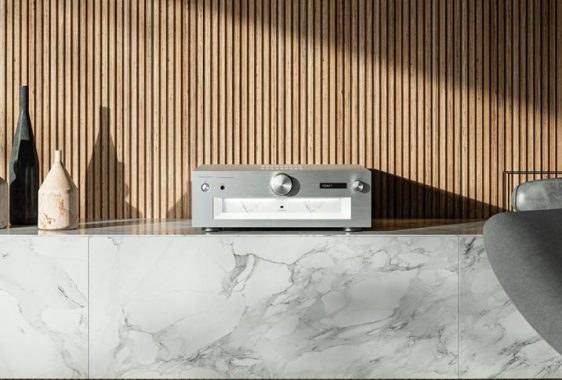
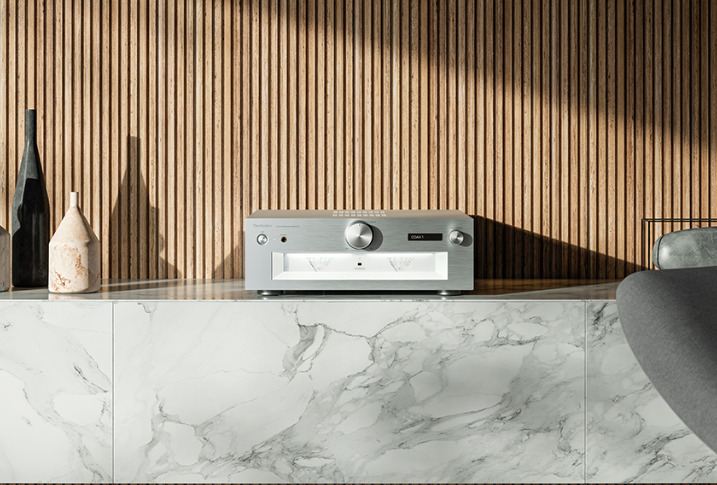
Design: Let’s kick things off with a look at the design of the Technics SU-G700M2. From the moment you lay eyes on it, you know you’re dealing with a piece of audio equipment that means business. The high rigidity aluminium cabinet not only exudes a sense of premium craftsmanship but also serves a functional purpose by minimizing vibration and interference. It’s a sleek and sophisticated addition to any audio setup, making a statement without being ostentatious.

SU-G700M2
SU-G700M2 – images; Technics

Connectivity: One of the standout features of the Technics SU-G700M2 is its extensive connectivity options. Whether you’re a vinyl enthusiast, a digital purist, or somewhere in between, this amplifier has you covered. With analogue RCA inputs, coaxial and optical digital inputs, a phono input for MM/MC cartridges, and even a USB-B input for your PC or Mac, you can effortlessly integrate all your music components into one cohesive system. Additionally, the inclusion of a headphone output ensures that you can enjoy your music privately without disturbing others.

Compatibility: In today’s diverse audio landscape, compatibility is key, and the Technics SU-G700M2 rises to the challenge with flying colors. Its reference-class audio technology, including JENO and LAPC, ensures that regardless of the source, you’ll experience unparalleled sound quality. JENO (Jitter Elimination and Noise-shaping Optimization) works its magic by delivering high-resolution digital signals without any distortion, while LAPC (Load Adaptive Phase Calibration) optimizes speaker matching for a more focused and defined soundstage. Whether you’re streaming music from your network, spinning vinyl on your turntable, or watching movies on your TV, this amplifier elevates your listening experience to new heights.

Performance: But enough about design and features; let’s talk performance. At the heart of the Technics SU-G700M2 lies a commitment to sonic excellence. Thanks to its innovative battery-driven clock generator, which enhances digital clock precision, every note is rendered with utmost clarity and precision. The three-section configuration ensures perfect isolation between amplifier functions, preserving the finer nuances of your music. Whether you’re cranking up the volume on a rock concert or immersing yourself in the delicate melodies of a classical symphony, this amplifier delivers a performance that is nothing short of breathtaking.

The Technics SU-G700M2 is a revelation in the world of mid-price integrated amplifiers. So much so that I found myself momentarily forgetting its price bracket and comparing it to my usual high-end pre/power setup. The results? Well, let’s just say my listening notes began to reveal a bias towards the Technics. Despite its modest price point, this amplifier manages to impress with its power, punch, scale, drive, engagement, and excitement. And remarkably, it does so without sacrificing smoothness or civility.

Technics SU-G700M2
Technics SU-G700M2

In absolute terms, some might argue that it lacks a bit in resolution. But trust me, the positives far outweigh this minor setback. When stacked against formidable competitors like the old-school, all-analogue Class AB Exposure 3510 and the Class D Marantz Model 30, the Technics holds its ground admirably. In fact, it surpasses them both in sheer drive, making a compelling case for itself in this esteemed company.

If you’re in the market for an amplifier in this price range, regardless of your preferred class, the Technics SU-G700 mk2 is a must-audition. Its exceptional performance and undeniable allure make it an essential contender for anyone seeking audio excellence without breaking the bank.

Price: Of course, all this sonic prowess comes at a price, quite literally. Priced at £2,499, the Technics SU-G700M2 stereo amplifier sits comfortably in the premium segment of the market. However, for discerning audiophiles who demand nothing but the best, it’s a small price to pay for audio nirvana. When you consider the build quality, the cutting-edge technology, and the sheer sonic bliss it brings to your ears, it’s an investment that pays dividends in the form of countless hours of musical enjoyment.

Quality: Last but certainly not least, let’s talk about quality. Technics has long been synonymous with uncompromising quality, and the SU-G700M2 is no exception. Every component, from the meticulously engineered circuits to the robust aluminium cabinet, exudes a sense of craftsmanship and attention to detail that is second to none. This is a piece of audio equipment that is built to last, providing years of faithful service and musical enjoyment.

In conclusion, the Technics SU-G700M2 stereo amplifier is a true sonic marvel that excels in every aspect. From its extensive connectivity options to its unparalleled performance, it’s a testament to the dedication and expertise of the engineers at Technics. While the price may be steep for some, for those who demand nothing but the best, it’s a small price to pay for audio perfection. So if you’re ready to elevate your listening experience to new heights, look no further than the Technics SU-G700M2.