Home Blog Page 7

Volvo EM90 Review: Redefining Electric Luxury in the Minivan Realm

0
In the ever-evolving landscape of electric vehicles (EVs), where SUVs and sedans dominate the headlines, Volvo has taken a bold and unexpected leap into uncharted territory with the EM90—a fully electric luxury minivan designed to redefine what a family hauler can be. Unveiled in late 2023 and launched in China in March 2024, the EM90 is not just a vehicle; it’s a statement of intent from the Swedish automaker, blending its storied legacy of safety and Scandinavian design with cutting-edge electric performance and opulent comfort. At a starting price of approximately $112,000 USD or £85,000 GBP, the EM90 is a premium proposition, but does it deliver enough to justify its lofty price tag and carve a niche in the competitive luxury EV market?

A New Chapter for Volvo

Volvo has long been synonymous with safety, practicality, and understated elegance, with iconic wagons like the 1953 Duett and modern SUVs like the XC90 cementing its reputation. However, the EM90 marks a significant departure—a minivan, a segment Volvo has never ventured into before. Built on the Sustainable Experience Architecture (SEA) platform shared with its Geely sibling, the Zeekr 009, the EM90 is a product of strategic synergy under the Geely umbrella. While it shares its bones with the Zeekr 009, Volvo has infused the EM90 with its distinct design language, safety ethos, and a cabin that feels more like a Scandinavian living room than a mere vehicle interior. This is not a lazy rebadge, as some early critics suggested, but a carefully curated reinterpretation tailored for the luxury-conscious Chinese market, with potential expansion to other regions still under consideration.

Volvo EM90
Volvo EM90
At first glance, the EM90’s exterior is unmistakably Volvo. The signature “Thor’s Hammer” LED headlights, now with a pixelated, rectangular design, frame an illuminated grille that proudly displays the Volvo logo. The sleek, aerodynamic lines and vertical taillights connected by a full-width light bar give it a commanding yet refined presence. Measuring 5,206 mm long, 2,024 mm wide, and 1,859 mm tall with a 3,205 mm wheelbase, the EM90 is slightly larger than traditional minivans like the Chrysler Pacifica or Toyota Sienna, offering a stately road stance that screams premium. Available in three metallic paint colors and riding on 19- or 20-inch aero wheels wrapped in Volvo’s “silent tires,” the EM90 balances elegance with efficiency.

A Cabin That Redefines Luxury

Step inside the Volvo EM90, and you’re transported into a realm of tranquility and sophistication that few vehicles—let alone minivans—can match. Volvo’s claim of creating a “living room on the move” is no marketing hyperbole. The six-seat (2+2+2) configuration prioritizes comfort, particularly for second-row passengers, who are treated to plush “Sofaro” captain’s chairs that rival business-class airline seats. These seats, equipped with heating, ventilation, massage functions, and headrest-integrated speakers, slide and recline electrically, complete with fold-out tray tables for work or leisure. The third row, often an afterthought in minivans, is surprisingly spacious, offering ample legroom and easy access, making it a viable option for adults on long journeys.

Volvo EM90 2024, 2025
Volvo EM90 2024, 2025 – images: Volvo
The interior design is quintessentially Volvo, with a minimalist aesthetic that marries form and function. Birch wood panels with intricate backlit patterns adorn the dashboard and door trims, while an Orrefors crystal gear selector adds a touch of opulence. A 15.4-inch central touchscreen serves as the nerve center for infotainment, navigation, and vehicle settings, complemented by a 10.2-inch driver display. The system supports Android Auto and Apple CarPlay, ensuring seamless smartphone integration, and Volvo’s voice assistant is remarkably intuitive, allowing passengers to transform the cabin into a theater, meeting room, or even a “bedroom” mode with a single command that adjusts lighting, seats, and climate control.
The pièce de résistance is the 15.6-inch (or 17-inch, depending on the source) OLED screen that folds down from the ceiling for rear passengers. This screen supports streaming apps, phone mirroring, and even video conferencing, catering to the needs of busy executives or tech-savvy families. A 21-speaker Bowers & Wilkins sound system delivers a three-dimensional audio experience, meticulously tuned to the cabin’s acoustics. Whether you’re listening to classical music or a podcast, the sound quality is immersive, rivaling high-end home audio systems.
Volvo’s commitment to sustainability is evident in the use of eco-friendly materials, such as recycled plastics and responsibly sourced textiles. The panoramic glass roof, with a retractable curtain, bathes the cabin in natural light, enhancing the airy, open feel. Ambient lighting inspired by Swedish forests and the Northern Lights adds a whimsical touch, creating a mood that’s both calming and luxurious. Noise cancellation technology, dual-chamber air suspension, and specially designed tires ensure a whisper-quiet ride, making the EM90 a sanctuary from the outside world.
Performance and Range: Practical Power
Under the hood—or rather, under the floor—the EM90 is powered by a single rear-mounted electric motor producing 200 kW (268 hp) and 686 Nm of torque. While not a performance beast, it accelerates from 0 to 62 mph in a respectable 8.3 seconds, more than adequate for a vehicle of its size and purpose. The rear-wheel-drive setup, combined with a fully adaptive air suspension, delivers a smooth, composed ride that glides over imperfections with ease.
The 116 kWh (110 kWh usable) nickel-manganese-cobalt (NMC) battery, sourced from CATL, offers a claimed range of 738 km (459 miles) on China’s CLTC cycle, though real-world estimates based on more stringent EPA standards suggest around 450-500 km (280-310 miles). This puts it in the same league as competitors like the Mercedes EQE and BMW iX, though it trails the Tesla Model X’s 547 km (340 miles). The EM90 supports bidirectional charging, allowing it to power external devices or even other EVs, and can charge from 10% to 80% in under 30 minutes at a 250 kW DC fast charger—a practical feature for long-distance travel.
One-pedal driving, enabled by regenerative braking, adds convenience in urban settings, though the absence of automatic regeneration may disappoint some EV purists. The EM90’s top speed is capped at 190 km/h (118 mph), but this is a vehicle designed for comfort, not speed. Its adaptive suspension, with adjustable height (162-192 mm ground clearance), ensures versatility across various road conditions, from city streets to rural highways.
No Volvo review would be complete without addressing safety, and the EM90 upholds the brand’s gold standard. Built with a robust safety cage of high-strength steel and boron, the EM90 is designed to protect occupants in a wide range of crash scenarios. The battery is encased in a steel and aluminum structure for added stability. An array of advanced driver assistance systems (ADAS), including lidar, five radars, seven cameras, and 12 ultrasonic sensors, powers features like adaptive cruise control, lane-keeping assist, blind-spot monitoring, rear cross-traffic alert, and Pilot Assist for semi-autonomous driving. Rear collision warning, traffic sign recognition, and a driver fatigue monitoring system further enhance safety.
Volvo’s 96 years of accident research inform the EM90’s design, ensuring that safety isn’t just a feature but a philosophy. Airbags are distributed throughout the cabin, and the double A-pillars provide both structural integrity and excellent visibility. This is a vehicle that feels like a fortress, yet it’s approachable and unintimidating to drive.

Volvo EM90
electric EM90 premium MPV – Volvo EM90
The EM90 enters a niche but fiercely competitive segment of luxury electric minivans, particularly in China, where it faces off against the Zeekr 009, Denza D9, and Xpeng X9. Its closest rival, the Zeekr 009, offers a dual-motor option with 536 hp and a 4.5-second 0-62 mph sprint, but the EM90 counters with superior refinement and Volvo’s brand cachet. The Mercedes EQV, another premium electric minivan, matches the EM90’s range but lacks the same level of interior opulence. The Lexus LM, a hybrid luxury MPV, has proven successful in markets like the UK, suggesting potential demand for the EM90 if Volvo expands its reach.
Compared to SUVs like the Tesla Model X or BMW iX, the EM90 offers unmatched interior space (1,826 liters of cargo capacity with rear seats folded) and a focus on rear-seat comfort, making it a compelling alternative for families or executives who prioritize practicality over sportiness. However, its $112,000 price tag—significantly higher than the Zeekr 009’s $72,000—raises questions about value, especially in a price-sensitive market.
The Volvo EM90 is a triumph of ambition and execution, blending the practicality of a minivan with the luxury of a private jet. Its serene cabin, cutting-edge technology, and robust safety features make it a standout in the electric vehicle landscape. While its single-motor powertrain and leisurely acceleration won’t excite thrill-seekers, they perfectly suit its mission as a mobile sanctuary for families, executives, or anyone seeking unparalleled comfort on the move.
However, the EM90’s high price and limited market availability (currently China-only) may deter some buyers. Critics have pointed to its close resemblance to the Zeekr 009 as a weakness, but Volvo’s thoughtful design tweaks and premium interior elevate it beyond a mere rebadge. If Volvo can justify the price premium with discounts or expand its availability to markets like Europe or Malaysia, where interest in luxury MPVs is growing, the EM90 could redefine the segment.
For now, the EM90 is a bold statement from Volvo—a vehicle that challenges conventions and proves that minivans can be aspirational. It’s not perfect, but it’s a compelling vision of what electric luxury can be when practicality meets panache. If you’re in the market for a spacious, tech-laden, and supremely comfortable EV, the EM90 is worth every penny—just don’t expect to see it in North America anytime soon.

The 5 Best Free Video Converting Tools

0
Today, video content dominates the digital landscape, from social media platforms to professional presentations. However, with countless devices, formats, and platforms, ensuring your videos are compatible and optimized can be challenging. Video converting tools bridge this gap, allowing you to transform files into desired formats, reduce file sizes, or prepare content for specific devices without breaking the bank. This guide explores the 5 best free video converting tools of 2025-26, diving into their features, benefits, and limitations to help you choose the perfect tool for your needs. Whether you’re a content creator, marketer, or casual user, these tools offer powerful solutions without watermarks or costly subscriptions.
Why You Need a Free Video Converter in 2025?

Video converters are essential for addressing compatibility issues, optimizing file sizes, and ensuring seamless playback across devices. Here’s why they’re indispensable:

  • Format Compatibility: Different devices and platforms (e.g., iPhones, Androids, YouTube, or editing software) require specific formats like MP4, AVI, or MOV.
  • File Size Optimization: Large video files can be compressed for easier sharing or storage without sacrificing quality.
  • Device-Specific Presets: Converters often include presets for devices like smartphones, tablets, or gaming consoles.
  • Cost-Effective Solutions: Free tools provide robust functionality for users on a budget, avoiding expensive subscriptions.
  • Editing Capabilities: Many free converters offer basic editing features like trimming, cropping, or adding subtitles.

With the rise of 4K and 8K videos, AI-enhanced tools, and cross-platform sharing, choosing a reliable, free video converter is more critical than ever. Let’s dive into the top five free video converting tools for 2025, based on performance, usability, and features.

1. HandBrake: The Open-Source Powerhouse

Overview: HandBrake is a free, open-source video transcoder available for Windows, macOS, and Linux. Renowned for its robust feature set and extensive format support, it’s a favorite among tech-savvy users and professionals.Key Features

  • Supported Formats: Converts to MP4, MKV, WebM, and more, with support for codecs like H.264, H.265 (HEVC), and VP9.
  • Batch Conversion: Process multiple files simultaneously, saving time for large projects.
  • Advanced Controls: Adjust bitrate, frame rate, resolution, and apply filters like cropping, scaling, or deinterlacing.
  • Device Presets: Optimized profiles for iPhone, Android, Apple TV, PlayStation, and more.
  • Subtitle Support: Add or embed subtitles, ideal for multilingual content.
  • Preview Mode: Test a short clip before converting the entire video to ensure quality.

Pros

  • Completely free with no ads or watermarks.
  • High-quality output with minimal quality loss.
  • Cross-platform compatibility (Windows, macOS, Linux).
  • Regular updates from an active open-source community.
  • Ideal for advanced users who need granular control.

Cons

  • Interface can be intimidating for beginners.
  • Slower conversion speeds compared to GPU-accelerated tools.
  • Limited editing features compared to premium software.

Why Choose HandBrake? HandBrake excels for users who need precise control over their video conversions. Its open-source nature ensures no hidden costs or bloatware, and its extensive format support makes it versatile for both casual and professional use. For example, converting a 4K video to a smaller MP4 for YouTube upload is seamless with HandBrake’s presets. However, beginners may need time to navigate its utilitarian interface.

Best For

  • Advanced users and developers.
  • Batch converting large video collections.
  • Converting videos for specific devices or platforms.

2. Any Video Converter Free: Versatile and User-Friendly

Overview: Any Video Converter (AVC) Free is a popular choice for its intuitive interface and extensive format support. Available for Windows and macOS, it combines conversion with basic editing and online video downloading capabilities.

Key Features

  • Supported Formats: Over 100 input and 160 output formats, including MP4, AVI, MOV, MKV, and MP3.
  • Online Video Conversion: Download and convert videos from YouTube, Facebook, Vimeo, and more (ensure compliance with copyright laws).
  • Editing Tools: Trim, crop, rotate, and add effects or watermarks.
  • Device Presets: Ready-made profiles for smartphones, tablets, and gaming consoles.
  • Audio Extraction: Convert video to audio formats like MP3 or WAV.
  • Batch Processing: Convert multiple files at once for efficiency.

    Any Video Converter Free
    Any Video Converter Free – photo

Pros

  • Beginner-friendly interface.
  • No watermarks on converted videos.
  • Supports online video conversion (with legal caution).
  • Includes basic editing tools for quick adjustments.
  • Wide format compatibility for diverse needs.

Cons

  • Free version has limited features compared to the paid Ultimate version.
  • Installation may prompt additional software (opt-out available).
  • Slower conversion for large 4K files without GPU acceleration.

Why Choose Any Video Converter Free?

AVC Free is ideal for users seeking a balance between simplicity and functionality. Its ability to handle both local and online videos makes it versatile for content creators who need to repurpose YouTube clips or optimize personal recordings. For instance, converting a 1080p MOV file to MP4 for Instagram is quick and straightforward. Be cautious during installation to avoid bundled software.

Best For

  • Beginners and casual users.
  • Converting online videos for offline use.
  • Quick edits and format changes for social media.

3. Freemake Video Converter: Fast and Flexible

Overview: Freemake Video Converter is a Windows-only tool known for its speed, ease of use, and support for over 500 formats. It’s a go-to for users who want quick conversions with minimal setup.Key Features

  • Supported Formats: MP4, AVI, MKV, WMV, MP3, and more, with 500+ format options.
  • Device Presets: Profiles for iPhone, Android, PSP, Xbox, and smart TVs.
  • Editing Tools: Trim, join, rotate, and add subtitles or watermarks.
  • DVD/Blu-ray Support: Rip and burn videos to DVD or Blu-ray.
  • Online Video Conversion: Download and convert videos from YouTube and other platforms (subject to copyright restrictions).
  • Batch Conversion: Process multiple files simultaneously.

Pros

  • Intuitive interface suitable for all skill levels.
  • Fast conversion speeds for standard HD videos.
  • Supports a vast array of formats and devices.
  • Includes DVD burning for physical media enthusiasts.

Cons

  • Some features (e.g., YouTube downloading) require a free Web Pack unlock after three days.
  • Watermarks on certain outputs unless upgraded.
  • Windows-only, limiting cross-platform use.

Why Choose Freemake Video Converter?

Freemake shines for its simplicity and speed, making it perfect for users who need to convert videos for social media or personal devices quickly. For example, converting a batch of AVI files to MP4 for an iPad takes just a few clicks. Its DVD-burning feature is a bonus for users archiving videos. However, the watermark on some outputs may deter users seeking completely free solutions.

Best For

  • Windows users seeking simplicity.
  • Converting videos for social media or DVDs.
  • Quick batch conversions with minimal setup.

4. VLC Media Player: The Hidden Converter

Overview: VLC Media Player, primarily known as a versatile media player, doubles as a free video converter for Windows, macOS, and Linux. Its lightweight design and no-cost model make it a surprising yet effective choice.Key Features

  • Supported Formats: Converts to MP4, AVI, MOV, FLV, WebM, and audio formats like MP3.
  • Basic Conversion: Simple process for changing formats or codecs.
  • No Ads or Bloatware: Completely free with no hidden costs.
  • Cross-Platform: Works on Windows, macOS, and Linux.
  • Streaming Support: Convert and stream videos to other devices.

Pros

  • Free, lightweight, and ad-free.
  • Already installed on many systems, reducing setup time.
  • Supports a wide range of formats for basic conversions.
  • Reliable for quick, one-off conversions.

Cons

  • Conversion tool is hard to find and not intuitive.
  • No batch conversion support.
  • Limited editing or advanced features.
  • May crash with large or complex files.

Why Choose VLC Media Player?

VLC is a fantastic backup converter for users who don’t want to install additional software. Its conversion feature, though basic, handles standard tasks like converting an MKV to MP4 for a smartphone. However, it’s not ideal for large projects or users needing advanced options. To access the converter, go to Media > Convert/Save in the VLC interface.

Best For

  • Users needing a quick, no-install converter.
  • Basic format changes for small files.
  • Cross-platform users with VLC already installed.

5. Format Factory: The All-in-One Media Converter

Overview: Format Factory is a multifunctional, free converter for Windows that handles video, audio, images, and documents. Its comprehensive feature set and user-friendly interface make it a top choice for diverse conversion needs.Key Features

  • Supported Formats: AVI, MP4, MOV, MKV, WMV, MP3, and more, plus image and document formats.
  • Batch Conversion: Process multiple files at once.
  • Editing Tools: Merge, split, crop, and add watermarks or subtitles.
  • DVD/CD Ripping: Convert physical media to digital formats.
  • File Repair: Fix corrupted video or audio files.
  • Multilingual Support: Available in 62 languages.

Pros

  • Versatile, supporting video, audio, and other file types.
  • Simple interface with drag-and-drop functionality.
  • Includes file repair and ripping features.
  • No watermarks on most outputs.

Cons

  • Windows-only, limiting accessibility.
  • Ads during installation (opt-out required).
  • Slower conversion for large 4K files.
  • Outdated interface compared to modern tools.

Why Choose Format Factory? Format Factory is a jack-of-all-trades, ideal for users who need a single tool for multiple media types. Converting a batch of MOV files to MP4 while compressing them for email sharing is effortless. Its file repair feature is a unique bonus for salvaging damaged videos. Be cautious during installation to avoid bundled software.

Best For

  • Windows users needing a multifunctional converter.
  • Converting mixed media types (video, audio, images).
  • Repairing or ripping media files.

How to Choose the Right Free Video Converter

Selecting the best free video converter depends on your specific needs. Here’s a quick guide to help you decide:

  • For Advanced Users: HandBrake offers unmatched control and format support, ideal for tech-savvy users handling large projects.
  • For Beginners: Any Video Converter Free or Freemake provide intuitive interfaces and quick conversions for casual use.
  • For Minimalists: VLC Media Player is perfect if you already have it installed and need a no-fuss solution for small tasks.
  • For Multifunctionality: Format Factory excels for users needing video, audio, and image conversions in one tool.
  • For Speed and Simplicity: Freemake or AVC Free are great for fast conversions with minimal setup.

Consider factors like supported formats, conversion speed, editing features, and whether you need cross-platform compatibility. Always check for watermarks or limitations in the free versions to avoid surprises.

Tips for Using Free Video Converters Effectively

  1. Check Format Compatibility: Ensure the tool supports your input and output formats (e.g., MP4, AVI, MKV).
  2. Use Presets for Devices: Device-specific profiles save time and ensure compatibility.
  3. Test with Small Clips: Use preview modes (like HandBrake’s) to test settings before converting large files.
  4. Avoid Bundled Software: During installation, opt out of additional software offers (common with AVC and Format Factory).
  5. Respect Copyright Laws: When converting online videos, ensure you have permission or the content is public domain.
  6. Optimize Settings: Adjust bitrate or resolution to balance quality and file size, especially for 4K videos.
  7. Update Regularly: Free tools like HandBrake benefit from community updates, improving performance and security.

The Future of Video Conversion in 2025The video conversion landscape in 2025 is evolving with trends like:

  • AI Integration: Tools like VideoProc Converter AI use AI for upscaling, stabilization, and frame interpolation, enhancing output quality.
  • 4K and 8K Support: As high-resolution videos become standard, converters are prioritizing compatibility with HEVC and AV1 codecs.
  • Cloud-Based Conversion: Online tools like FreeConvert and Convertio offer browser-based solutions for quick tasks.
  • GPU Acceleration: Free tools are adopting GPU acceleration (seen in premium versions of AVC) for faster processing.

While free tools may lack some advanced features, the options above provide robust solutions for most users, with HandBrake and AVC Free leading in versatility.

In 2025, free video converters like HandBrake, Any Video Converter Free, Freemake Video Converter, VLC Media Player, and Format Factory offer powerful solutions for transforming videos without costing a dime. Each tool caters to different needs, from advanced transcoding to simple format changes. By understanding their features and limitations, you can select the perfect converter for your projects, whether you’re optimizing videos for social media, archiving DVDs, or preparing files for specific devices. Download one of these tools today and take control of your video content with ease.

Premium Video Converting Tools

Whether you need to convert a video format for compatibility with a specific device, compress a large file for easier sharing, or enhance the quality of your footage, premium video converting tools offer robust features and superior performance. Here we explore some of the best premium video converting tools available today.

1. Adobe Media Encoder

Adobe Media Encoder is part of the Adobe Creative Cloud suite and is a go-to solution for video professionals. Its intuitive interface allows users to encode video files in various formats without compromising quality. Adobe Media Encoder supports batch processing, meaning you can convert multiple files simultaneously, saving time and effort. The software also offers a range of preset options for different devices and platforms, ensuring optimal playback. Additionally, integration with other Adobe products such as Premiere Pro and After Effects enhances collaborative workflows.

2. Wondershare UniConverter

Wondershare UniConverter boasts an extensive feature set that goes beyond mere video conversion. With support for over 1,000 formats, this tool is versatile and user-friendly. It provides fast conversion speeds thanks to its use of hardware acceleration technology. UniConverter also includes features like a built-in video editor, DVD burning capabilities, and a screen recorder, making it a comprehensive multimedia suite. The user-friendly interface allows even beginners to navigate the software effortlessly.

3. FFmpeg

For those who prefer open-source solutions, FFmpeg is a powerful command-line tool that offers video conversion among its many capabilities. It supports virtually all video and audio formats and is highly customizable, making it a favorite among advanced users. FFmpeg can be daunting for beginners due to its command-line nature, but it provides unparalleled flexibility and control for those willing to invest the time to learn. It’s particularly useful for automating the conversion process through scripts, which is invaluable for bulk conversions.

4. Movavi Video Converter

Movavi Video Converter is designed for speed without sacrificing quality. This software supports over 180 file formats, including the latest codecs. Its user-friendly interface allows users to convert videos quickly, and the “Smart Diver” feature helps maintain optimal quality by adjusting the settings automatically. Movavi also includes video editing tools, which enable users to trim, merge, or add effects to their footage before conversion. For those looking for an all-in-one solution that prioritizes speed and simplicity, Movavi is an excellent choice.

5. Any Video Converter Ultimate

Any Video Converter Ultimate lives up to its name with a vast array of format support and features. This software excels in its straightforward design, allowing users to convert videos easily, regardless of their expertise level. Aside from converting, it includes functionalities such as screen recording, video downloading from sites like YouTube, and basic editing tools. The premium version of Any Video Converter removes ads and unlocks additional features, making it an appealing option for regular video converters.

With an array of premium video converting tools available, users can find the right software to meet their specific needs, whether for professional use or personal projects. From Adobe Media Encoder’s industry-standard features to user-friendly options like Movavi and Wondershare UniConverter, these tools empower creators to maximize the potential of their video content. As digital media continues to grow, investing in a quality video converter is essential for anyone looking to enhance their viewing and creation experience.

Compact SUV Mazda CX-5 III 2.5 e-SKYACTIV G 2.5 M Hybrid

0
The Mazda CX-5 has long been a standout in the fiercely competitive compact crossover SUV market, blending sophisticated design, engaging driving dynamics, and premium craftsmanship at a price that undercuts many rivals. With the launch of the third-generation Mazda CX-5 in 2025, Mazda has once again raised the bar, introducing a vehicle that evolves its successful formula while embracing subtle electrification and cutting-edge technology. At the heart of this lineup is the Mazda CX-5 III 2.5 e-SKYACTIV G 2.5 (141 Hp) M Hybrid i-ACTIV AWD Automatic, a model that promises efficiency, versatility, and Mazda’s signature driver-centric ethos.

Mazda’s Kodo design philosophy, which translates to “Soul of Motion,” has always imbued its vehicles with a sense of elegance and dynamism, and the third-generation CX-5 is no exception. Unveiled on July 10, 2025, the 2026 Mazda CX-5 (marketed as a 2025 model in some regions) features an updated interpretation of Kodo, with a bolder, more sculpted appearance. The front fascia is wider and more assertive, dominated by a larger grille flanked by slimmer, stacked LED headlights that incorporate a new daytime running light signature. The Mazda lettering now proudly adorns the tailgate, while updated taillights add a modern flourish to the rear. This design evolution aligns the CX-5 visually with Mazda’s larger SUVs, the CX-70 and CX-90, creating a cohesive family aesthetic.

2025 Mazda CX-5
2025 Mazda CX-5
The 2025 CX-5 is slightly larger than its predecessor, with a wheelbase of 106.2 inches, a length of 180.1 inches, a width of 72.6 inches, and a height of 66.3 inches. These dimensions contribute to a more spacious cabin and enhanced practicality, addressing one of the few criticisms of the previous model. The “Wearable Gear” design concept, inspired by functional yet stylish clothing, ensures the CX-5 looks purposeful in various settings, whether navigating urban streets or tackling light off-road trails. Available in four trim levels in Europe—Prime-Line, Centre-Line, Exclusive-Line, and Homura—each offers distinct styling cues, from rugged accents on the Newground trim to luxurious leather finishes on the Takumi.
However, Mazda’s shift toward a button-less interior, with a larger touchscreen dominating the dashboard, has sparked some debate. While the expansive display (Mazda’s largest to date) enhances the modern feel, the reduction in physical controls may frustrate drivers who prefer tactile interfaces for common functions. This move reflects an industry trend toward minimalism but risks alienating customers who value Mazda’s traditionally intuitive ergonomics.
Powertrain: Efficiency Meets Refinement

Under the hood, the 2025 Mazda CX-5 III 2.5 e-SKYACTIV G M Hybrid i-ACTIV AWD Automatic is powered by a 2.5-liter naturally aspirated four-cylinder engine, part of Mazda’s SKYACTIV-G family. This engine produces 141 horsepower (139 hp in some markets) and is paired with a 24V mild-hybrid system, a six-speed automatic transmission, and Mazda’s i-ACTIV all-wheel-drive system. While the power output may seem modest compared to turbocharged rivals, Mazda has recalibrated the engine for improved flexibility, offering sharper throttle response for spirited driving and a quieter, more relaxed demeanor for cruising. The mild-hybrid system, dubbed M Hybrid, enhances fuel efficiency and reduces emissions with a brake-by-wire system, achieving a combined fuel economy of 33.6 US mpg (7 l/100 km).

The 2.5 e-SKYACTIV G engine replaces the previous 2.0-liter base unit in Europe, offering a slight power increase but prioritizing refinement over outright performance. With a 0-100 km/h (0-62 mph) time of 10.5 seconds and a top speed of 116.2 mph (187 km/h), the CX-5 is not the quickest in its class. Critics note that it lacks the low-end torque of turbocharged competitors like the Hyundai Tucson or Kia Sportage, requiring more revs to achieve brisk acceleration. However, the engine’s smooth power delivery and the responsive six-speed automatic make it well-suited for everyday driving, particularly in urban environments where its nimble handling shines.
Mazda’s i-ACTIV AWD system is a standout feature, monitoring road conditions 200 times per second to distribute torque between the front and rear wheels for optimal grip. Paired with the Mi-Drive system, which allows drivers to select different driving modes, the CX-5 adapts seamlessly to varying conditions, from slick city streets to light off-road trails. The suspension, featuring struts up front and a multilink setup at the rear, has been refined to reduce vibrations and road noise, enhancing ride comfort without sacrificing Mazda’s hallmark agility.
Looking ahead, Mazda has confirmed that a full hybrid variant, powered by the SKYACTIV-Z engine with Mazda Hybrid System technology, will debut in 2027. This electrified option promises greater performance and efficiency, positioning the CX-5 to compete more directly with hybrid-heavyweights like the Toyota RAV4. For now, the mild-hybrid system offers a modest but meaningful step toward electrification, appealing to buyers seeking lower running costs without sacrificing Mazda’s engaging driving experience.

2025 Mazda CX-5 III 2.5 Interior: A Blend of Luxury and Practicality

Step inside the 2025 CX-5, and you’re greeted by a cabin that punches above its price point. Mazda has long been praised for crafting interiors that rival premium brands, and the third-generation CX-5 continues this tradition. High-quality materials, including available Nappa leather seats on the Takumi trim, create a luxurious ambiance. The redesigned cabin offers improved space, with a passenger volume of 104 cubic feet and a cargo capacity of 29-31 cubic feet, expandable with the rear seats folded. This addresses previous complaints about the CX-5’s practicality, making it more competitive with segment leaders like the Honda CR-V and Toyota RAV4.

The centerpiece of the interior is Mazda’s largest-ever touchscreen, integrated into a sleek dashboard that emphasizes horizontal lines for a sense of width and openness. Standard features on the Centre-Line trim include adaptive cruise control, dual-zone climate control, automatic headlights, and a suite of parking aids. Higher trims like Exclusive-Line and Takumi add luxuries such as heated and ventilated front seats, a heated steering wheel, keyless entry, an electric tailgate, and a head-up display. The Takumi trim also includes a 360-degree camera and a Driver Assistance Pack, enhancing safety and convenience.

2025 Mazda CX-5
Mazda CX-5 III 2.5 e-SKYACTIV G – images: Mazda
However, the shift to a touchscreen-heavy interface has drawn mixed reactions. While the infotainment system is intuitive and supports wireless phone charging and a 10-speaker Bose audio system, some drivers may miss the tactile feedback of physical buttons. The MyMazda app further enhances connectivity, allowing remote control of climate settings, door locks, and vehicle diagnostics, making the CX-5 a tech-savvy companion for modern drivers.
Driving Dynamics: The Joy of Driving
Mazda’s reputation for building driver-focused vehicles is well-earned, and the 2025 CX-5 lives up to this legacy. The chassis and steering are tuned to deliver a sporty yet composed ride, making the CX-5 feel more like a premium sedan than a family SUV. G-Vectoring Control, a Mazda-exclusive technology, subtly adjusts engine torque and steering to enhance cornering stability, resulting in a connected and engaging driving experience. Whether carving through winding roads or navigating tight city corners, the CX-5 remains poised and responsive.
The i-ACTIV AWD system ensures confident handling in adverse conditions, directing torque to the wheels with the most grip. Off-Road Traction Assist, standard across all trims, further enhances capability on unpaved surfaces, though the CX-5 is not designed for serious off-roading. The refined suspension strikes a balance between comfort and agility, absorbing bumps while maintaining sharp handling. Critics praise the CX-5’s ability to deliver “pure driving joy,” a rarity in the compact SUV segment where practicality often trumps engagement.
Safety and Technology: A Comprehensive Package

Safety is a priority for the 2025 CX-5, with Mazda’s i-Activsense suite of driver-assistance features standard or available across the lineup. These include adaptive cruise control, lane-keeping assist, blind-spot monitoring, rear cross-traffic alert, and automatic emergency braking. The Takumi trim’s Driver Assistance Pack adds advanced features like adaptive LED headlights and a 360-degree camera, enhancing visibility and safety. The CX-5’s rigid platform and updated chassis contribute to improved crash protection, building on Mazda’s strong safety record.

2025 CX-5
2025 CX-5
The infotainment system is another highlight, with Mazda Connected Services allowing remote access via the MyMazda app. Drivers can monitor vehicle health, send navigation directions, and control climate settings from their smartphones. The available windshield-projected Active Driving Display provides key information without diverting attention from the road. While the touchscreen interface is modern, its reliance on touch controls may not suit all drivers, particularly those accustomed to Mazda’s rotary controller.
Market Positioning and Competition
The 2025 Mazda CX-5 competes in a crowded segment that includes the Toyota RAV4, Honda CR-V, Hyundai Tucson, and Kia Sportage. Its strengths lie in its premium interior, engaging driving dynamics, and competitive pricing, particularly in the Centre-Line trim, which offers generous standard equipment. However, the lack of a full hybrid or plug-in hybrid option puts it at a disadvantage for company car buyers seeking lower BIK tax rates, where rivals like the Tucson and Sportage shine. The 2.5 e-SKYACTIV G’s modest power output also lags behind turbocharged competitors, requiring drivers to work the engine harder for quick acceleration.
In the U.S., the CX-5’s 187-hp 2.5-liter engine (without mild-hybrid tech) offers more power than the European-spec 141-hp version, making it a stronger contender against rivals. The upcoming SKYACTIV-Z hybrid in 2027 will further bolster its competitiveness, but for now, the CX-5 appeals to buyers who prioritize driving enjoyment and craftsmanship over outright performance or electrification.
The 2025 Mazda CX-5 III 2.5 e-SKYACTIV G M Hybrid i-ACTIV AWD Automatic is a refined evolution of a compact SUV icon. Its bold design, premium interior, and engaging driving dynamics make it a standout in a segment often dominated by practicality over personality. The mild-hybrid system improves efficiency, and the i-ACTIV AWD system ensures versatility, but the lack of low-end torque and a full hybrid option may deter some buyers. Mazda’s focus on driver-centric technology and safety, combined with its competitive pricing, keeps the CX-5 relevant, though the shift to a touchscreen-heavy interface may not resonate with all.
As Mazda prepares to introduce a full hybrid in 2027, the 2025 CX-5 serves as a bridge, offering a compelling blend of style, refinement, and driving joy. For buyers seeking a compact SUV that feels like an extension of their driving passion, the CX-5 remains a top choice, even as it faces stiff competition from electrified rivals. With over 4.5 million units sold globally since 2012, the CX-5’s legacy is secure, and this third-generation model ensures it will continue to captivate drivers in 2025 and beyond.

How can I completely wipe my PC’s hard drive?

0

Wiping a PC’s hard drive completely erases all data, making it unrecoverable. This is useful for preparing a drive for resale, recycling, or ensuring sensitive data is gone. Here’s how to do it, with steps depending on your operating system and needs:

Before You Start

  1. Backup Important Data: Save any files you want to keep to an external drive, cloud storage, or another device, as wiping the drive is irreversible.
  2. Understand the Process: A full wipe overwrites the drive with random data, making recovery nearly impossible. Simply deleting files or formatting won’t suffice for secure erasure.
  3. Gather Tools: You’ll need a bootable USB drive, external media, or specific software, depending on the method.

Methods to Wipe a Hard Drive

1. Using Built-in Tools (Windows)

  • Windows Reset (Windows 10/11):
    1. Go to Settings > System > Recovery (or Update & Security > Recovery in older versions).
    2. Under Reset this PC, click Get Started.
    3. Choose Remove everything.
    4. Select Local reinstall or Cloud download for the OS.
    5. In the “Additional settings” window, choose Change settings and enable Clean data to securely wipe the drive by overwriting it.
    6. Follow prompts to complete the reset. This may take a few hours.
    • Note: This method is secure but may not meet high-security standards (e.g., DoD 5220.22-M). Use third-party tools for stricter requirements.

      wipe my PC's hard drive
      photo: pixabay

2. Using Third-Party Software

For a more thorough wipe, use dedicated tools that overwrite the drive multiple times:

  • DBAN (Darik’s Boot and Nuke):
    1. Download DBAN from its official site (dban.org) and create a bootable USB using a tool like Rufus.
    2. Boot your PC from the USB (change boot order in BIOS/UEFI if needed).
    3. Follow DBAN’s interface to select the drive and choose a wiping method (e.g., DoD 5220.22-M for multiple passes).
    4. Start the wipe. This can take hours, depending on drive size and method.
  • Other Tools: Alternatives like CCleaner (Drive Wiper feature), Eraser, or Parted Magic offer similar functionality. Some are free; others require payment for advanced features.
  • Note: These tools are effective but require booting from external media if wiping the system drive.

3. Using a Bootable Linux USB (Manual Method)

  1. Create a bootable USB with a Linux distro (e.g., Ubuntu) using tools like Balena Etcher.
  2. Boot from the USB.
  3. Open a terminal and use the dd command to overwrite the drive:

    bash

    sudo dd if=/dev/zero of=/dev/sdX bs=4M status=progress
    • Replace sdX with your drive’s identifier (use lsblk to find it).
    • This writes zeros to the entire drive, erasing all data.
  4. For a more secure wipe, use random data:

    bash

    sudo dd if=/dev/urandom of=/dev/sdX bs=4M status=progress
  5. Wait for completion (hours, depending on drive size).

4. Physical Destruction (Ultimate Security)If you don’t plan to reuse or sell the drive:

  • Remove the hard drive from the PC.
  • Use a drill, hammer, or shredder to physically destroy it. For SSDs, ensure the memory chips are damaged.
  • Dispose of the remnants responsibly (e.g., at an electronics recycling center).

Additional Considerations

  • SSDs vs. HDDs: SSDs require special attention due to wear-leveling. Tools like Parted Magic or manufacturer utilities (e.g., Samsung Magician, Intel SSD Toolbox) offer secure erase functions optimized for SSDs.
  • Encrypted Drives: If the drive is encrypted, wiping the encryption key (if supported) can render data inaccessible without overwriting.
  • Multiple Passes: For high-security needs, use tools that support multiple overwrite passes (e.g., DoD 5220.22-M or Gutmann method), though single-pass zeroing is often sufficient for modern drives.
  • Reinstall OS (Optional): If you plan to reuse the PC, create a bootable USB with Windows, Linux, or another OS to reinstall after wiping.

Warnings

  • Double-check the drive you’re wiping to avoid accidental data loss.
  • Ensure you have the necessary permissions to wipe the drive (e.g., for work PCs).
  • Some methods void warranties, especially for SSDs—check with the manufacturer.

Seven-Seater SUVs from KIA: Futuristic & Premium!

0
The seven-seater SUV segment is a fiercely contested battleground, where practicality, comfort, and versatility reign supreme for families needing space without sacrificing style or efficiency. Kia, a brand that has transformed from a budget player to a serious contender in the premium SUV market, offers two compelling options in this category: the Kia Sorento and the Kia EV9. Both vehicles cater to the demands of modern family life, but they take distinctly different approaches—one rooted in versatile powertrain options and refined design, the other blazing a trail as a bold, all-electric flagship. In this short review, we’ll dive deep into the strengths, weaknesses, and unique characteristics of these two Kia seven-seaters, assessing their design, performance, practicality, technology, and value to determine which might best suit the needs of today’s families.

Overview: Kia’s Seven-Seater Strategy

Kia has spent the last two decades climbing the automotive ladder, shedding its budget-car image to deliver vehicles that rival premium brands in quality, technology, and design. The Sorento, now in its fourth generation, has long been Kia’s go-to seven-seater, blending practicality with a touch of luxury and offering diesel, hybrid, and plug-in hybrid (PHEV) powertrains. The EV9, meanwhile, represents Kia’s ambitious leap into the electric vehicle (EV) market, a fully electric seven-seater that challenges premium competitors like Audi, BMW, and Mercedes while delivering family-friendly functionality.Both vehicles share Kia’s commitment to quality, backed by a class-leading seven-year/100,000-mile warranty, but they cater to different buyers. The Sorento appeals to those seeking flexibility with traditional and electrified powertrains, while the EV9 is aimed at families ready to embrace the electric future. Let’s break down each model across key categories.

Design and Styling Kia Sorento: Sharp, Sophisticated, and Family-Focused

The Kia Sorento’s 2024 facelift brings it closer in aesthetic to its electric sibling, the EV9, while retaining a distinct identity. Measuring 4.82 meters long, the Sorento is sizable but not overwhelming, striking a balance between urban maneuverability and imposing road presence. Its exterior features Kia’s updated “Tiger Nose” grille, flanked by vertical LED headlights with a “star map” motif, giving it a bold, modern look that aligns with the brand’s electric-inspired design language. The redesigned front bumper and air intakes add a touch of aggression, while the rear gets subtle updates with new light signatures and a reshaped bumper. It’s handsome, if not groundbreaking, and its sleek lines make it stand out against boxier rivals like the Land Rover Discovery Sport.

7-seater family carSorento -
Sorento – 7-seater family car – images: KIA
Inside, the Sorento’s cabin is a testament to Kia’s upmarket ambitions. The 2024 refresh introduces a cleaner dashboard layout, with a dual 12.3-inch digital driver’s display and infotainment screen dominating the cockpit. The materials are generally high-quality, though some textured plastics on the passenger side and piano-black surfaces prone to scratches slightly detract from the premium feel. The Sorento’s interior is functional and family-oriented, with ample cubby storage, cupholders, and USB ports across all three rows. The sage green cloth and artificial leather upholstery option adds a sustainable touch, reducing reliance on animal-derived materials while maintaining a stylish, tactile appeal.

Kia EV9: Futuristic and Unapologetically Bold

The Kia EV9 is a different beast altogether, a 5-meter-long electric SUV that embraces a blocky, unapologetic design. Its upright stance, sharp lines, and slim “star map” LED headlights give it a futuristic, almost sci-fi aesthetic that’s unlike anything else in Kia’s lineup. At 1.98 meters wide and 1.78 meters tall, the EV9 commands attention, its boxy proportions emphasizing space and presence over aerodynamic sleekness.

Kia EV9
Kia EV9
The GT-Line and GT-Line S trims elevate the look with larger alloy wheels (up to 21 inches), darkened trim, and camera-based side mirrors for a cutting-edge vibe.Step inside, and the EV9 feels like a premium lounge. The cabin is airy and spacious, with a minimalist design centered around a triple-screen setup: a 12.3-inch digital driver’s display, a 12.3-inch infotainment touchscreen, and a 5.3-inch climate control screen. Ambient lighting, heated and ventilated front seats, and a heated steering wheel are standard, creating a premium atmosphere that rivals the likes of the Audi Q8 e-tron or BMW iX. The optional six-seat configuration, with captain’s chairs in the second row, adds a touch of luxury for those prioritizing rear-seat comfort over maximum occupancy. The EV9’s use of eco-friendly materials, like recycled plastics, aligns with its forward-thinking ethos, though the overall fit and finish feel a step above the Sorento’s.
Verdict: The Sorento’s design is refined and approachable, blending practicality with a touch of elegance. The EV9, however, steals the show with its bold, futuristic styling and premium interior, making it the more eye-catching choice for families wanting to stand out.
Performance and Driving Dynamics

Kia Sorento: Versatile Powertrains, Refined Ride

The Sorento offers three powertrain options: a 2.2-liter diesel (197 hp), a 1.6-liter turbo petrol hybrid (212 hp), and a 1.6-liter turbo petrol plug-in hybrid (PHEV) (248 hp). All come with all-wheel drive (AWD) as standard, paired with either an eight-speed dual-clutch transmission (diesel) or a six-speed automatic (hybrids). The diesel is the most economical for high-mileage drivers, averaging around 37 mpg in real-world conditions, while the hybrid offers a combined 5.4L/100km (52 mpg) in front-wheel-drive guise. The PHEV, with a 32-mile electric-only range, is ideal for company car drivers seeking low Benefit-in-Kind (BiK) tax rates, though its real-world efficiency depends on regular charging.
On the road, the Sorento delivers a mature, composed driving experience. It’s not sporty—nor does it need to be—but the suspension soaks up big bumps well, and the steering is quick enough for confident handling. The diesel feels torquey and capable, especially for towing (up to 2,500 kg), while the hybrids provide smoother, quieter operation. Kia’s Terrain Mode (Mud, Snow, Sand) adds versatility for light off-road duties, though the Sorento is no hardcore off-roader like a Land Rover Discovery. The cabin remains refined at highway speeds, with minimal wind or tire noise, making it a comfortable long-distance cruiser.
Kia EV9: Electric Power, Surprising Agility
The EV9 comes with two powertrain options, both powered by a 99.8 kWh battery. The entry-level “Air” trim features a single rear-mounted motor (200 hp, 350 Nm), delivering a 0-62 mph time of 9.4 seconds and an official range of 349 miles. The GT-Line and GT-Line S trims get a dual-motor AWD setup (378 hp, 700 Nm), slashing the 0-62 mph sprint to 5.3 seconds and offering a 313-mile range. Ultra-rapid charging (up to 210 kW) allows a 10-80% charge in about 24 minutes, making the EV9 practical for long trips despite its hefty 2.6-tonne weight.
The EV9’s driving experience is remarkably polished for such a large vehicle. The single-motor version feels relaxed but never underpowered, even with a full load, while the dual-motor setup delivers surprising urgency without compromising comfort. The EV9’s low center of gravity, thanks to the floor-mounted battery, gives it stable, composed handling, though the 12.4-meter turning circle can make tight maneuvers tricky. The ride is smooth and quiet, with minimal motor whine or tire noise, even on the UK’s pothole-ridden roads. However, some driver assistance systems can feel intrusive, and the throttle pedal requires finesse at low speeds.
Verdict: The Sorento’s powertrain variety caters to diverse needs, from diesel towing to hybrid efficiency, with a refined but unexciting drive. The EV9’s electric performance is more engaging, especially in dual-motor form, and its near-silent operation elevates the family-driving experience, though it’s less versatile for off-road or towing tasks.

Practicality and Space

Kia Sorento: Family-Friendly Versatility

The Sorento is a true seven-seater, with ample space for passengers and luggage. The second row accommodates tall adults comfortably, with sliding and reclining seats to balance legroom between the second and third rows. The third row is suitable for kids or smaller adults, with air vents, cupholders, and USB ports ensuring comfort. Boot space is impressive: 616 liters in five-seat mode, dropping to 187 liters with all seven seats up. The 60:40 second-row and 50:50 third-row seats fold flat for maximum flexibility, and the smart tailgate opens automatically with the key in proximity, a boon for parents juggling groceries and kids.

Kia Sorento’s cabin
Kia Sorento
The Sorento’s cabin is designed with families in mind, offering clever storage solutions, including door bins, a deep center console, and underfloor compartments. The high ride height makes it easy to load car seats or assist elderly passengers, and the overall layout feels intuitive and user-friendly.
Kia EV9: Spacious and Future-Proof
The EV9 takes practicality to another level, leveraging its larger dimensions and electric platform. All three rows offer usable space, with even a 6’5” driver leaving enough room for a similar-sized passenger in the second row and a child in the third. The optional six-seat layout enhances second-row comfort with captain’s chairs, though the seven-seat configuration is more practical for larger families. Boot space is generous, though exact figures vary by configuration (typically around 300 liters with all seats up and over 2,000 liters with seats folded). A front trunk (frunk) adds extra storage for charging cables or small items, a feature the Sorento lacks.
Access is easy thanks to the EV9’s high ride height, and the wide cabin ensures adults can sit comfortably across all rows. Sliding second-row seats and a flat floor make it easy to configure the interior for passengers or cargo. The EV9’s design prioritizes family convenience, with plenty of storage nooks and connectivity options, including wireless charging and multiple USB-C ports.
Verdict: Both SUVs excel in practicality, but the Sorento’s slightly smaller size makes it easier to park and maneuver, while its boot space is more competitive with all seats in use. The EV9 offers superior passenger space and a more flexible interior, especially in six-seat form, making it the better choice for larger families or those prioritizing comfort.

Technology and Features Kia Sorento: High-Tech, Family-Focused

The Sorento’s tech suite is impressive for a mainstream SUV. The 2024 facelift brings wireless Apple CarPlay and Android Auto, a responsive 12.3-inch infotainment system, and a matching digital driver’s display. Mid-spec “3” trims add a 360-degree camera, leather seats, and a 12-speaker Bose sound system, while top-spec “4” trims include a head-up display, nappa leather, and fingerprint recognition for personalized settings. The climate control panel, borrowed from the Sportage, combines physical knobs with digital shortcuts for ease of use.
Safety features are comprehensive, with adaptive cruise control, lane-keep assist, and blind-spot monitoring standard. Over-the-air (OTA) updates keep the software fresh, and the seven-year warranty adds peace of mind. However, some driver aids can be overly sensitive, requiring manual adjustments.
Kia EV9: Cutting-Edge and PremiumThe EV9 pushes the boundaries of Kia’s tech offerings, positioning it as a flagship. The triple-screen setup is intuitive and visually striking, with crisp graphics and seamless smartphone integration. Standard features include wireless charging, heated and ventilated seats, and a Meridian sound system (GT-Line S). The GT-Line trims add advanced LED headlights and camera-based mirrors, though the latter can take some getting used to. OTA updates ensure the EV9 stays current, and its suite of driver assistance systems is robust, though, like the Sorento, some alerts can feel intrusive.
The EV9’s electric platform enables unique features, like vehicle-to-load (V2L) capability, allowing it to power external devices. Safety tech mirrors the Sorento’s but feels more polished, with smoother adaptive cruise control and lane-centering functions. The EV9’s premium feel is enhanced by ambient lighting and a dual panoramic sunroof, creating an upscale, family-friendly environment.
Verdict: The Sorento’s tech is excellent for its price, offering a user-friendly and well-equipped experience. The EV9 takes it a step further with a more futuristic interface and premium features, making it the tech leader, though its higher cost reflects this.

Value and Pricing Kia Sorento: Affordable Luxury

Starting at around £45,000, the Sorento is competitively priced against rivals like the Skoda Kodiaq (£40,000) and Nissan X-Trail (£42,000). Its standard AWD, generous equipment, and seven-year warranty make it a strong value proposition. The diesel is the most cost-effective for high-mileage drivers, while the PHEV’s 32-mile electric range appeals to company car buyers. Running costs are reasonable, with the hybrid’s 52 mpg and the diesel’s 37 mpg keeping fuel bills in check.However, the Sorento’s price has crept up, and it’s no longer the budget option it once was.
Kia EV9: Premium Price, Premium ExperienceThe EV9 starts at £65,000 for the Air trim, rising to £75,000 for the GT-Line S. This puts it in premium territory, competing with the Audi Q8 e-tron (£70,000) and BMW iX (£69,000). While expensive, the EV9’s long range, fast charging, and extensive standard kit justify the cost. Running costs are lower for EV drivers with access to home charging, though insurance premiums can be high. The EV9’s lack of a diesel or hybrid option limits its appeal for those not ready for full electrification, but its awards underscore its value in the EV space.
Verdict: The Sorento offers better value for budget-conscious families, with lower upfront costs and flexible powertrains. The EV9’s premium price is justified by its electric performance and luxury features, but it’s a bigger investment.

Which Kia Seven-Seater Is Right for You?

The Kia Sorento and Kia EV9 are both exceptional seven-seater SUVs, each catering to different family needs. The Sorento is the pragmatic choice, blending versatile powertrains, a refined ride, and strong value with a spacious, well-equipped cabin. It’s ideal for families who need flexibility, whether towing, driving long distances, or keeping costs down. Its 2024 facelift keeps it fresh, and its seven-year warranty is a major selling point.

The Kia EV9, however, is the future-forward option, combining bold design, premium tech, and electric performance in a package that rivals luxury brands. Its spacious interior, long range, and fast charging make it a standout for families ready to embrace EVs, though its higher price and larger size may deter some.Recommendation:

  • Choose the Sorento if you prioritize affordability, powertrain flexibility, or need a vehicle for towing or occasional off-road use.
  • Choose the EV9 if you’re ready for an electric SUV with premium features, superior passenger space, and a futuristic driving experience.

Both vehicles showcase Kia’s ability to deliver family-friendly seven-seater SUVs that punch above their weight, making the choice a matter of lifestyle and priorities. Test drive both to see which fits your family’s needs best.

All Versions of Android & Their Key Improvements

0

Since its inception in 2008, Android has grown from a nascent mobile operating system to the world’s most widely used platform, powering billions of devices globally. Each Android version has introduced significant improvements, shaping the user experience, enhancing performance, and pushing the boundaries of mobile technology.

Android 1.0 (2008) Release Date: September 2008

Codename: None (unofficially referred to as “Apple Pie”)
Key Improvements:
Android 1.0 debuted on the HTC Dream (T-Mobile G1), marking Google’s entry into the mobile OS market. It introduced a customizable home screen, widgets, and a notification shade—features that became Android hallmarks. The Android Market (now Google Play Store) allowed app downloads, though the ecosystem was sparse. Integration with Google services like Gmail, Google Maps, and YouTube provided a cohesive experience. The OS supported Wi-Fi, Bluetooth, and basic multitasking, but it was rudimentary compared to modern standards, with a clunky interface and limited hardware support.

Android 1.5 Cupcake (April 2009)

Key Improvements:
Cupcake brought significant refinements. It introduced an on-screen keyboard, enabling touchscreen-only devices and reducing reliance on physical keyboards. Auto-rotation based on accelerometer input improved usability. Video recording and playback support, along with Bluetooth A2DP for stereo audio, enhanced multimedia capabilities. Widgets became more interactive, and the browser gained copy-paste functionality. Cupcake also introduced third-party keyboard support, laying the groundwork for customization.

All Versions of Android
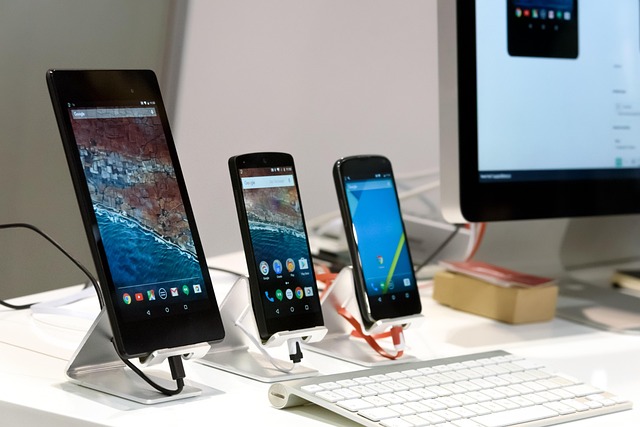
photo: pixabay

Android 1.6 Donut (September 2009)

Key Improvements:
Donut optimized Android for a wider range of devices by supporting multiple screen resolutions and densities-independent pixels (dp). The introduction of the Quick Search Box integrated web and device searches. Text-to-speech functionality and improved accessibility features made Android more inclusive. The Android Market saw UI improvements, and CDMA network support expanded compatibility. Camera enhancements, including faster capture and better gallery navigation, improved the multimedia experience.

Android 2.0–2.1 Éclair (October 2009–January 2010)

Key Improvements:
Éclair introduced a revamped user interface with smoother animations and live wallpapers, adding visual flair. Google Maps Navigation debuted, offering free turn-by-turn GPS navigation—a game-changer at the time. Multi-touch support in the browser enabled pinch-to-zoom, and the camera app gained flash support and scene modes. Microsoft Exchange support catered to enterprise users. Éclair also improved hardware performance with better memory management and faster app launches.

Android 2.2 Froyo (May 2010)

Key Improvements:
Froyo focused on performance with the introduction of the Just-In-Time (JIT) compiler, significantly boosting app execution speed. Users could move apps to SD cards, addressing storage limitations on early devices. Wi-Fi hotspot functionality and USB tethering allowed internet sharing. The Android Market gained a web interface, and push notifications via Google Cloud Messaging improved app interactivity. Froyo also enhanced security with numeric PIN and alphanumeric password options.

Android 2.3 Gingerbread (December 2010)

Key Improvements:
Gingerbread refined the UI with a darker, more polished design and improved keyboard responsiveness. It introduced native support for VoIP/SIP calling and near-field communication (NFC), enabling contactless payments on compatible devices. Power management was optimized with better battery usage monitoring. Copy-paste functionality became more intuitive, and the Download Manager streamlined file handling. Gingerbread also supported larger screens, paving the way for tablets.

Android 3.0–3.2 Honeycomb (February 2011–July 2011)

Key Improvements:
Honeycomb was Android’s tablet-optimized release, debuting on the Motorola Xoom. It introduced a holographic UI with a system bar for navigation and an action bar for app controls. Multitasking was enhanced with a recent apps tray, and hardware-accelerated graphics improved performance. Honeycomb supported USB peripherals like keyboards and game controllers, and the browser gained tabbed browsing and incognito mode. However, its tablet exclusivity limited its impact on smartphones.

Android 4.0 Ice Cream Sandwich (October 2011)

Key Improvements:
Ice Cream Sandwich unified the smartphone and tablet experience, merging Honeycomb’s features with a polished UI. It introduced a modern design with the Roboto font, resizable widgets, and a customizable launcher. Face Unlock used facial recognition for security, and Android Beam leveraged NFC for content sharing. Data usage monitoring, improved multitasking, and a revamped notification system enhanced usability. The browser and Gmail app received significant updates, and GPU acceleration became standard.

Android 4.1–4.3 Jelly Bean (July 2012–October 2013)

Key Improvements:
Jelly Bean introduced Project Butter, making the UI buttery smooth with triple buffering and vsync for 60fps animations. Google Now, a predictive assistant, debuted with voice search and contextual cards. Expandable notifications allowed quick actions, and lock screen widgets added functionality. Jelly Bean 4.2 brought multi-user support for tablets, Photo Sphere for 360-degree photography, and Daydream screensavers. Jelly Bean 4.3 added OpenGL ES 3.0 support and restricted profiles for better parental controls.

Android 4.4 KitKat (October 2013)

Key Improvements:
KitKat optimized Android for low-end devices with Project Svelte, reducing memory usage to run on devices with as little as 512MB of RAM. The UI adopted a cleaner look with translucent status and navigation bars. Google Now integration deepened with “OK Google” voice activation. The phone dialer gained smart caller ID, and immersive mode hid system bars for full-screen apps. KitKat also introduced the Android Runtime (ART) as an experimental feature, improving app performance.

Android 5.0–5.1 Lollipop (November 2014–March 2015)

Key Improvements:
Lollipop introduced Material Design, a bold visual language with vibrant colors, fluid animations, and a card-based UI. ART became the default runtime, boosting performance and battery life. Project Volta optimized power consumption with battery saver mode and detailed usage stats. Notifications appeared on the lock screen, and Smart Lock allowed trusted devices to bypass security. Multi-user support extended to phones, and 64-bit architecture support prepared Android for future hardware.

Android 6.0 Marshmallow (October 2015)

Key Improvements:
Marshmallow focused on user control and efficiency. App permissions became granular, allowing users to toggle specific permissions. Doze mode and App Standby drastically improved battery life by limiting background activity. Google Now on Tap provided contextual information from any screen. Fingerprint sensor support became native, enhancing security. Marshmallow also introduced USB-C support, direct share for faster sharing, and a revamped app drawer with vertical scrolling and search.

Android 7.0–7.1 Nougat (August 2016–October 2016)

Key Improvements:
Nougat introduced split-screen multitasking, allowing two apps to run side-by-side. Notifications were bundled for better organization, with quick reply support directly from the notification shade. The Doze mode was enhanced to save battery even when the device was in motion. Nougat added Daydream VR support, seamless updates for faster OS upgrades, and improved security with file-based encryption. It also introduced the Pixel Launcher and Google Assistant, replacing Google Now.

Android 8.0–8.1 Oreo (August 2017–December 2017)

Key Improvements:
Oreo focused on performance and security. Project Treble modularized the OS, enabling faster updates by separating vendor code from the core system. Autofill APIs streamlined form filling, and picture-in-picture mode allowed video playback in a floating window. Notification channels gave users granular control over alerts, and adaptive icons improved visual consistency. Oreo 8.1 added the Neural Networks API for on-device machine learning and optimized performance for low-end devices via Android Go.

Android 9 Pie (August 2018)

Key Improvements:
Pie introduced gesture navigation, replacing traditional buttons with a swipe-based system. Adaptive Battery used AI to prioritize power for frequently used apps, while Adaptive Brightness learned user preferences. The Digital Wellbeing suite, including Dashboard and App Timers, promoted mindful device use. Slices and App Actions integrated app functions into Google Search and Assistant. Pie also enhanced security with DNS over TLS and improved biometric authentication.

Android 10 (September 2019)

Key Improvements:
Android 10 dropped dessert names, adopting numerical branding. It introduced system-wide dark mode, improving battery life on OLED displays and reducing eye strain. Gesture navigation was refined for a more immersive experience. Live Caption automatically subtitled media, enhancing accessibility. Focus Mode and Family Link expanded Digital Wellbeing. Project Mainline enabled modular updates via Google Play, and enhanced privacy controls allowed precise location sharing and background app restrictions.

Android 11 (September 2020)

Key Improvements:
Android 11 emphasized communication and media control. The notification shade grouped conversations for easier access, and chat bubbles enabled multitasking for messaging apps. A dedicated media control widget and device controls for smart home integration improved usability. One-time permissions and auto-resetting permissions enhanced privacy. Android 11 also optimized for foldable devices and 5G, with improved screen recording and wireless Android Auto support.

Android 12 (October 2021)

Key Improvements:
Android 12 introduced Material You, a dynamic theming system that adapted colors based on the user’s wallpaper. The UI became more fluid with oversized scrollbars, redesigned widgets, and smoother animations. Privacy Dashboard provided transparency into app data access, and approximate location sharing added granularity. Android 12 improved performance on large screens, supporting foldables and tablets. It also introduced a new app hibernation feature to free up storage and enhanced accessibility with magnification tools.

Android 13 (August 2022)

Key Improvements:
Android 13 refined Material You with more color options and themed app icons. Per-app language settings improved multilingual support. Predictive back gestures showed previews of navigation actions, enhancing user confidence. Taskbar improvements and better split-screen support optimized large-screen devices. Android 13 also strengthened security with Wi-Fi and Bluetooth permission controls and restricted access to media files, reducing app overreach.

Android 14 (October 2023)

Key Improvements:
Android 14 focused on customization and efficiency. It expanded Material You with new lock screen customization options, including clock styles and shortcuts. Regional preferences allowed tailored units and formats. Battery life improved with better resource management and predictive app loading. Android 14 enhanced satellite connectivity support for emergency communication and optimized performance for foldables and tablets with updated multitasking features. Accessibility was bolstered with larger font scaling and improved hearing aid support.

Android 15 (October 2024)All Versions of Android

Key Improvements:
Android 15, the latest version as of July 2025, emphasized privacy, productivity, and cross-device integration. Private Space allowed users to secure sensitive apps in a hidden, encrypted area. Enhanced satellite messaging expanded beyond emergencies, supporting select messaging apps. The notification cooldown feature reduced spam from repetitive alerts. Android 15 optimized foldable and tablet experiences with a persistent taskbar and improved app scaling. AI-driven features, like predictive text input and smarter battery optimization, leveraged on-device machine learning. Accessibility improvements included enhanced color contrast and braille display support.
Android’s Ongoing Evolution

Android’s journey from version 1.0 to 15 showcases a commitment to innovation, accessibility, and user empowerment. Early versions focused on establishing a flexible, open-source platform, while later releases prioritized performance, privacy, and seamless integration across devices. Key trends include:

  • Performance: From JIT in Froyo to ART in KitKat and Project Treble in Oreo, Android has consistently optimized speed and efficiency.
  • Privacy and Security: Granular permissions (Marshmallow), Privacy Dashboard (Android 12), and Private Space (Android 15) reflect growing emphasis on user control.
  • Customization: Material Design (Lollipop) and Material You (Android 12) have made Android visually distinct and user-centric.
  • Ecosystem Expansion: Support for foldables, tablets, wearables, and satellite connectivity shows Android’s adaptability to diverse hardware.

As of July 2025, Android powers over 2.5 billion active devices, according to industry estimates, dominating the global smartphone market. Its open-source nature and robust developer ecosystem ensure continued evolution. Future versions are expected to deepen AI integration, expand cross-device functionality, and further enhance privacy, keeping Android at the forefront of mobile innovation.

Sennheiser HD 599 SE Review: Great value and performance

0
Sennheiser has long been a titan in the audio world, crafting headphones that bridge the gap between casual listening and audiophile-grade precision. The Sennheiser HD 599 Special Edition (SE), an Amazon-exclusive variant of the HD 599, is a compelling proposition for those seeking high-quality sound without breaking the bank. Priced around $129-$199 (often dipping lower during sales), this open-back, over-ear headphone promises near-audiophile performance with exceptional comfort.

The Sennheiser HD 599 SE arrives in a surprisingly understated package for a product bearing the Sennheiser name. The brown cardboard box, sealed with recyclable tape, prioritizes sustainability over flashiness, a refreshing nod to eco-conscious design. Inside, the headphones are nestled in a plastic sleeve, accompanied by two detachable cables: a 3-meter cable with a 6.3mm jack for home audio systems and a 1.2-meter cable with a 3.5mm jack for portable devices. A 6.3mm to 3.5mm adapter and a Velcro cable tie round out the accessories. The unboxing experience lacks the premium flair of higher-end models like the HD 800 S, but there’s a certain charm in the simplicity, especially when lifting the cardboard flap reveals the headphones tilted toward you, almost as if they’re being presented on a pedestal.

Sennheiser HD 599 SE
Visually, the HD 599 SE trades the polarizing ivory-and-brown color scheme of the standard HD 599 for a sleek black-and-silver aesthetic. The matte black finish, accented by subtle metallic silver details, exudes understated elegance. It’s less ostentatious than the standard model’s retro vibe, making it a better fit for modern setups. The design screams “functional chic,” with Sennheiser’s logo tastefully embossed on the earcups’ metal mesh. However, the predominantly plastic construction, while lightweight at 250 grams, feels less premium than pricier competitors like the Beyerdynamic DT 990 Pro. The silver accents, while stylish, are prone to chipping, so handle with care.

Sennheiser HD 599 SE: Design and Build Quality

Sennheiser’s design philosophy with the HD 599 SE is clear: prioritize comfort and functionality over ostentatious materials. The headphones feature large, oval earcups with plush velour earpads that envelop the ears without applying undue pressure. The padded headband, clad in brown leather (or pleather, depending on the source), distributes weight evenly, making these headphones a joy to wear for extended periods. During my testing, I wore them for six-hour music marathons and movie binges without discomfort—a feat few headphones can match. The clamping force is light, almost non-existent, which enhances comfort but may feel too loose for users with smaller heads.
The open-back design is both a blessing and a curse. It contributes to the airy, spacious soundstage, but it offers zero noise isolation. Ambient sounds—like a doorbell or a roommate’s chatter—seep in, and your music leaks out, making these headphones unsuitable for public spaces or shared environments. This is by design, as open-back headphones are tailored for quiet, controlled settings like home listening rooms or studios. If you need isolation, look to closed-back alternatives like the Audio-Technica ATH-M50x.
The build quality, while sturdy, leans heavily on plastic, which might disappoint those expecting metal reinforcements at this price point. That said, the plastic construction keeps the weight down, and user reports suggest the HD 599 SE is durable enough for years of use. The detachable cables are a standout feature, extending the headphones’ lifespan by allowing easy replacements. The 2.5mm plug at the earcup end uses a quarter-turn locking mechanism, ensuring a secure connection but requiring a bit of finesse to attach or remove.

If comfort is your top priority, the HD 599 SE is hard to beat. The velour earpads are soft, breathable, and spacious enough to accommodate larger ears without touching the cartilage—a common pain point with lesser headphones. The padded headband, while adjustable, can slip out of place during handling, requiring occasional readjustment. Still, the lightweight design and minimal clamping force make these headphones feel like they “disappear” on your head. I wore them with glasses for hours without pressure points, a testament to Sennheiser’s ergonomic focus. Compared to the HD 58X or HD 6XX, the HD 599 SE feels noticeably lighter and less constricting, earning it top marks for marathon listening sessions.

One minor gripe: the velour earpads, while comfortable, aren’t as plush as memory foam alternatives found on premium models. Some users might prefer the latter for a more luxurious feel, but the velour’s breathability prevents heat buildup, a crucial advantage during long sessions.
Sound Quality: Near-Audiophile Bliss
The HD 599 SE’s audio performance is where it truly shines, delivering a sound signature that punches well above its price class. Powered by Sennheiser’s proprietary 38mm dynamic transducers with aluminum voice coils, these headphones offer a frequency range of 12-38,500 Hz, a sound pressure level of 106 dB, and total harmonic distortion below 0.1%. The result is a clean, detailed, and engaging sound that caters to both casual listeners and budding audiophiles.

The HD 599 SE’s sound is warm, smooth, and musical, with a slight coloration that prioritizes enjoyment over clinical accuracy. It’s less neutral than the HD 600 or HD 6XX, which are designed for critical listening, but more engaging for casual use. Compared to the Audio-Technica ATH-AD700X, the HD 599 SE offers a better-balanced treble and less bass roll-off, while its comfort surpasses the Beyerdynamic DT 880’s harsher sound. For $129, the sound quality is astonishingly close to audiophile-grade, making it an ideal entry point for those dipping their toes into high-fidelity audio.

Sennheiser HD 599 SE
Sennheiser HD 599 SE – images
With a 50-ohm impedance, the HD 599 SE is easy to drive, sounding robust even from a smartphone, though a DAC/amp enhances clarity. Compared to the HD 560S, it’s less neutral but more comfortable. Against the Drop HD 58X, it offers similar sound but superior comfort. The Audio-Technica ATH-M50x provides more bass and isolation but lacks the open-back airiness.
At $129 (or $70 on sale), the HD 599 SE is a phenomenal value, rivaling headphones costing $200 or more. Its combination of comfort, sound quality, and versatility makes it a top pick for budget-conscious audiophiles.
Pros and Cons

Pros:

  • Exceptional comfort for long sessions
  • Near-audiophile sound with a warm, musical profile
  • Wide, immersive soundstage and precise imaging
  • Detachable cables enhance durability
  • Great value, especially on sale

Cons:

  • Open-back design offers no noise isolation
  • Plastic build feels less premium
  • Sub-bass roll-off limits deep bass impact
  • Slight upper-mid compression affects some vocals
Open-back headphones, like the Sennheiser HD 599 SE, occupy a unique niche in the audio world, celebrated for their airy sound and immersive listening experience. Unlike their closed-back counterparts, open-back designs prioritize soundstage and natural acoustics over isolation, making them a favorite among audiophiles and home listeners.
Open-back headphones feature earcups with perforated or mesh-like outer shells, allowing air and sound to pass freely through the drivers. This contrasts with closed-back headphones, which have sealed earcups to block external noise and contain sound. The open design mimics the natural acoustics of a room, creating a listening experience that feels less confined and more akin to hearing music in a live setting. The Sennheiser HD 599 SE, for instance, uses a metal mesh on its earcups to facilitate this open airflow.The core technology in open-back headphones revolves around dynamic transducers—typically larger drivers (e.g., 38mm in the HD 599 SE) with lightweight diaphragms and voice coils. These drivers are tuned to produce sound with minimal internal reflections, as the open-back structure reduces the resonance and pressure buildup found in closed-back designs. The result is a sound signature that emphasizes clarity, spatiality, and natural tonal balance.
Open-back headphones tend to produce a more neutral and transparent sound compared to closed-back models, which can emphasize bass due to trapped air pressure. The lack of enclosure reduces internal reflections, leading to cleaner mids and highs. The HD 599 SE, for instance, delivers crisp vocals and smooth treble with minimal distortion (less than 0.1% THD), though its slight bass roll-off below 40 Hz reflects a common open-back trait: prioritizing clarity over deep rumble.

Breathability and Comfort: The open-back design enhances physical comfort by allowing air circulation around the ears. Unlike closed-back headphones, which can trap heat, open-back models like the HD 599 SE with velour earpads remain cool during long sessions. This makes them a top choice for marathon listening, though the lightweight construction (250 grams for the HD 599 SE) further amplifies comfort.

Sennheiser HD 599 SE

The acoustic principles of open-back headphones hinge on minimizing sound wave reflections within the earcup. Key technological aspects include:

  • Driver Design: Open-back headphones use large dynamic drivers with lightweight materials like aluminum voice coils (as in the HD 599 SE) to ensure quick, accurate response. These drivers are tuned for low distortion and high clarity.
  • Earcup Ventilation: The perforated or mesh outer shells (e.g., the HD 599 SE’s metal mesh) allow sound waves to exit freely, reducing resonance and creating a natural acoustic environment. This contrasts with closed-back designs, where sealed earcups trap sound, boosting bass but muddying mids.
  • Impedance and Amplification: Open-back headphones often have moderate impedance (50 ohms for the HD 599 SE), making them easy to drive with basic devices, though a DAC/amp enhances detail. High-end models like the Sennheiser HD 800 S (300 ohms) require more powerful amplification.

Notable Open-Back Models

  • Sennheiser HD 599 SE ($129-$199): Budget-friendly, warm, and comfortable, ideal for entry-level audiophiles.
  • Sennheiser HD 600 ($399): A step up with neutral sound and deeper soundstage, but pricier and less forgiving of poor recordings.
  • Beyerdynamic DT 990 Pro ($179): Bright and analytical, great for detail but less comfortable than the HD 599 SE.
  • HiFiMan Sundara ($349): Planar magnetic drivers offer exceptional clarity, though they require more amplification.

Sennheiser’s engineered transducers feature aluminum voice coils that deliver high efficiency, strong dynamics, and exceptionally low distortion.

Finished in classic black with matte metallic silver accents, the headphones convey a sense of quality at first glance. While the plastic housing of the 599 SE may not appear particularly premium, it has proven to be durable and helps keep the price competitive. Accessories are minimal, though this is not uncommon even among more expensive headphones. Still, some users may miss a more practical transport solution than the bulky brown cardboard box provided.

The manufacturer’s comfort claims result in a somewhat mixed, yet largely positive experience. The 599 SE sits a bit looser on the head than the HD 600, and its soft ear pads are exceptionally comfortable. Combined with the lightweight construction, long listening sessions are fatigue-free. Comfort is therefore a clear strength and contributes positively to the overall impression.

Perceptions of earcup size are subjective. However, when compared to models like the HD 800 S with its 56 mm driver and corresponding design, the classification of the 599 SE as having “large” earcups may invite skepticism.

Ultimately, the 599 SE is not a headphone built from premium materials, nor is it a genre-defining all-rounder. Nevertheless, it offers enough value at its price point to make it an appealing addition to an existing collection—particularly during sales. Listeners who enjoy rock music with solid, controlled bass and who are unwilling to invest in higher-priced options from brands like Fostex or Meze will find the 599 SE to be a sensible and affordable entry into the audiophile world. Those seeking broader versatility or higher-end performance may want to consider stepping up to the next price tier.

Open-back headphones like the Sennheiser HD 599 SE are a gateway to immersive, high-fidelity audio, offering a spacious soundstage, natural tonal balance, and unmatched comfort for home listening. Their design prioritizes acoustics over isolation, making them ideal for quiet environments but impractical for public use. While they sacrifice deep bass and portability, the trade-off is a listening experience that feels alive and unconfined. For audiophiles on a budget or casual listeners seeking a step up from mainstream headphones, open-back designs are a revelation, proving that sometimes, letting sound breathe is the key to hearing it at its best.

Open-back headphones like the Sennheiser HD 599 SE
Open-back headphones -Sennheiser HD 599 SE
The Sennheiser HD 599 SE is a triumph of value and performance, delivering a near-audiophile experience for a fraction of the cost. Its warm, detailed sound, expansive soundstage, and unparalleled comfort make it a stellar choice for home listening, whether you’re spinning vinyl, streaming movies, or gaming casually. While the open-back design and modest sub-bass limit its versatility, and the plastic build lacks premium flair, these are minor trade-offs for a headphone that often retails below $130. For those stepping into the world of high-fidelity audio or seeking a comfortable, musical pair of cans for home use, the HD 599 SE is a no-brainer. Sennheiser has crafted a budget-friendly gem that proves you don’t need to spend a fortune to hear music the way it was meant to be heard.

The best free online screen recorders for Windows

0

To record your screen on a PC, the method depends on your operating system. Here are concise steps for Windows and macOS, plus a third-party option:Windows 10/11:

  1. Use Xbox Game Bar:
    • Press Win + G to open Game Bar.
    • Click the “Record” button (or press Win + Alt + R).
    • Stop recording via the same shortcut or the Game Bar. Videos save to C:\Users\[YourUsername]\Videos\Captures.
    • Note: Works for most apps but may not record File Explorer or desktop directly.

macOS:

  1. Use Screenshot Toolbar:
    • Press Shift + Command + 5.
    • Select “Record Entire Screen” or “Record Selected Portion.”
    • Click “Record.” Stop by clicking the stop icon in the menu bar.
    • Recordings save to the desktop by default.

Third-Party Option (Cross-Platform):

  • OBS Studio (Free, Windows/macOS/Linux):
    1. Download and install OBS Studio from obsproject.com.
    2. Open OBS, click “+” in the “Sources” panel, and select “Display Capture.”
    3. Click “Start Recording” in the Controls panel. Stop when done.
    4. Files save to a location you set in Settings > Output.

Tips:

  • For basic needs, built-in tools (Game Bar or macOS Screenshot) are simplest.
  • OBS Studio is better for advanced features like streaming or editing.
  • Ensure you have enough disk space, as recordings can be large.

How to take a screenshot on a PC

To take a screenshot on a PC, the method depends on your operating system. Here are concise steps for Windows and macOS:Windows 10/11:

  1. Full Screen:
    • Press PrtSc (Print Screen) to copy the entire screen to the clipboard. Paste into an app like Paint or Word (Ctrl + V).
    • Or, press Win + PrtSc to save directly to C:\Users\[YourUsername]\Pictures\Screenshots as a PNG file.
  2. Active Window:
    • Press Alt + PrtSc to copy the active window. Paste into an app.
  3. Selected Area:
    • Press Win + Shift + S. The screen dims, select an area to capture, and it copies to the clipboard. Paste as needed.
    • Or, use Snipping Tool: Open via Start menu, click “New,” select area, and save/edit the screenshot.

macOS:

  1. Full Screen:
    • Press Shift + Command + 3. Saves to desktop or clipboard (add Control to copy).
  2. Selected Area:
    • Press Shift + Command + 4. Drag to select an area. Saves to desktop or clipboard (add Control).
  3. Active Window:
    • Press Shift + Command + 4, then press Spacebar. Click the window. Saves to desktop or clipboard (add Control).
  4. Screenshot Toolbar:
    • Press Shift + Command + 5, choose “Capture Entire Screen,” “Capture Selected Window,” or “Capture Selected Portion.” Saves to desktop or custom location.

Tips:

  • Windows Snipping Tool or macOS Screenshot Toolbar offer basic editing/markup.
  • For advanced editing, use third-party tools like Greenshot (Windows) or Skitch (macOS).
  • Check save locations in settings if files don’t appear.

The best free screen recorders for Windows

Here are some of the best free screen recorders for Windows, focusing on ease of use, features, and no watermarks. These options cater to various needs like tutorials, gaming, or webinars:

  1. OBS Studio:
    • Features: Open-source, no watermarks, supports full-screen, window, or region recording, webcam overlay, system and microphone audio, and live streaming. Highly customizable with overlays, hotkeys, and multiple sources. Ideal for gamers and professionals.
    • Pros: Free, no time limits, high-performance for HD gameplay and streaming. Supports multiple platforms (Twitch, YouTube).
    • Cons: Steep learning curve, lacks built-in editing tools.
    • Best For: Advanced users, gamers, and streamers needing robust features.
      best free screen recorders OBS Studio
      OBS Studio – image
  2. ScreenRec:
    • Features: Lightweight, no watermarks, records screen, webcam, system audio, and microphone. Offers 2GB free cloud storage for instant sharing. Supports MP4 output and screenshot capture.
    • Pros: Simple interface, instant uploads, secure with 128-bit AES encryption. No time limits.
    • Cons: Limited editing features, requires internet for cloud features.
    • Best For: Quick recordings and business communication.
  3. ShareX:
    • Features: Open-source, no watermarks, supports full-screen, window, or custom region recording. Includes screenshot tools, workflow automation, and GIF export. Records system and microphone audio.
    • Pros: Highly customizable, lightweight, no time limits. Great for casual users.
    • Cons: Limited video editing, less intuitive for beginners.
    • Best For: Users needing simple recordings with automation.
  4. ScreenPal (formerly Screencast-O-Matic):
    • Features: No watermarks, records screen, webcam, or both, with microphone audio. Free version allows up to 15-minute recordings. Includes basic editing (trimming, annotations) and virtual backgrounds.
    • Pros: Intuitive, cross-platform (Windows, Mac, mobile), no account needed for basic use.
    • Cons: Free version limits recording time and adds a branded outro.
    • Best For: Quick tutorials and casual content creation.
  5. Windows Xbox Game Bar:
    • Features: Built into Windows 10/11, no watermarks, records apps or games (not full desktop). Supports microphone and system audio. Saves to C:\Users\[YourUsername]\Videos\Captures.
    • Pros: No installation needed, simple to use (Win + G to open, Win + Alt + R to record).
    • Cons: Can’t record desktop or File Explorer, limited customization.
    • Best For: Basic app or game recording without extra software.

Recommendations:

  • For beginners or quick recordings: ScreenRec or ScreenPal for their simplicity and no watermarks.
  • For gaming/streaming: OBS Studio for its advanced features and high performance.
  • For screenshots and automation: ShareX for its versatility.
  • For built-in solution: Xbox Game Bar for hassle-free, basic recording.

Tips:

  • Check system requirements (e.g., Xbox Game Bar needs compatible video cards).
  • Test a few tools to match your use case (tutorials, gaming, etc.).
  • Ensure sufficient disk space for recordings.

The best online screen recorders

Here are some of the best free online screen recorders for Windows, focusing on ease of use, no watermarks, and no software downloads. These are ideal for quick recordings like tutorials, meetings, or presentations, with key features highlighted:

  1. Screencapture.com:
    • Features: Records screen, webcam, system audio, and microphone. No watermark, no time limit, supports MP4 downloads. Browser-based (Chrome, Edge, Safari, Firefox), no signup required. Offers instant cloud sharing with 2GB free storage.
    • Pros: Simple interface, secure with 128-bit AES encryption, no installation needed. Great for quick, hassle-free recordings.
    • Cons: Limited editing features, requires internet for cloud sharing.
    • Best For: Beginners and professionals needing fast recordings for tutorials or troubleshooting.
  2. Apowersoft Free Online Screen Recorder:
    • Features: Captures full screen, window, or tab, with webcam and audio (mic/system). Supports multiple formats (MP4, AVI, WMV, etc.). One-click sharing to YouTube or cloud. Basic annotations during recording.
    • Pros: No time limit, easy to use, no watermark. Suitable for webinars and video lessons.
    • Cons: Requires launcher download for first use. No advanced editing. System audio on Mac requires desktop version.
    • Best For: Teachers and professionals creating video content without complex editing.
  3. ScreenPal Online Recorder:
    • Features: Records screen, webcam, or both, with mic audio. No watermark, 15-minute recording limit per video, unlimited recordings. MP4 (Chrome/Edge) or WEBM (Firefox) output. Basic editing (trimming, annotations) and virtual backgrounds.
    • Pros: User-friendly, no account needed, supports fun effects during recording. Free hosting with secure links.
    • Cons: 15-minute limit per recording, premium features (like system audio) require paid desktop version.
    • Best For: Quick screencasts for education or team sharing.
  4. Panopto Express:
    • Features: Browser-based, no watermark, no time limits. Records screen, webcam, and audio (mic/system). Supports multi-stream recording (multiple cameras/screens). Share via YouTube, Google Classroom, or direct links.
    • Pros: No downloads, no signup, enterprise-grade quality. Ideal for lectures and demos.
    • Cons: Limited editing features, requires stable internet.
    • Best For: Educators and businesses needing reliable, unrestricted recordings.
  5. Canva Screen Recorder:
    • Features: Records screen, webcam, or both, with audio. No watermark, 15-minute limit. Integrates with Canva’s design tools for adding recordings to presentations. Supports MP4 export, auto-captions, and basic editing (trimming, effects). Works on Chrome, Edge, Safari, Firefox.
    • Pros: Seamless integration with Canva, great for presentations and social media content.
    • Cons: 15-minute limit, not available in India, limited editing compared to standalone tools.
    • Best For: Content creators combining recordings with graphic design.

Recommendations:

  • For simplicity and no setup: Screencapture.com or Panopto Express for instant, no-download recording.
  • For presentations with design: Canva for its integration with design tools.
  • For educators or tutorials: Apowersoft or ScreenPal for ease and sharing options.
  • For long recordings: Panopto Express or Screencapture.com, as they have no time limits.
    Tips:
  • Ensure a stable internet connection, as these are web-based tools.
  • Check browser compatibility (Chrome or Edge often perform best).
  • For advanced editing or offline use, consider desktop alternatives like OBS Studio or ScreenRec (noted in prior responses).

750W PSU: Thermaltake Toughpower GF1 vs. CM MWE Gold 750 V3

0
The PSU is the backbone of any system, ensuring stable and efficient power delivery to all components. Two popular options in the 750W power supply market are the Thermaltake Toughpower GF1 750W and the Cooler Master MWE Gold 750 V3 750W. Both units are priced competitively, making them attractive choices for mid-to-high-end gaming or workstation builds.

Introduction to Power Supplies and Why They Matter

Before diving into the specifics, it’s worth understanding why the PSU is so important. A reliable PSU ensures that your CPU, GPU, motherboard, and other components receive clean, stable power, preventing crashes, component damage, or performance bottlenecks.
A poorly chosen PSU can lead to system instability, reduced component lifespan, or even catastrophic failure. Both the Thermaltake Toughpower GF1 750W and Cooler Master MWE Gold 750 V3 750W are 80 PLUS Gold-certified, fully modular units designed to meet modern PC building demands, but they differ in key areas that may sway your decision.
This review will explore their technical specifications, build quality, cooling performance, efficiency ratings, cable management, warranty, and real-world performance, drawing from technical data, user feedback, and professional reviews where applicable. Let’s start by examining the core specifications of each unit.

Specifications Overview:

Thermaltake Toughpower GF1 750W

  • Wattage: 750W
  • Efficiency: 80 PLUS Gold, Cybenetics Gold (87-91% efficiency at typical loads)
  • Modularity: Fully modular
  • OEM: Channel Well Technology (CWT)
  • Cooling: 140mm hydraulic bearing fan
  • Connectors:
  • 1x 24-pin ATX
  • 2x 4+4-pin EPS12V
  • 4x 6+2-pin PCIe
  • 12x SATA
  • 4x Molex
  • 1x 12VHPWR (optional in newer models, 300W rated)
  • Dimensions: 150mm x 86mm x 160mm
  • Warranty: 10 years
  • Protections: Over Power Protection (OPP), Over Voltage Protection (OVP), Under Voltage Protection (UVP), Over Current Protection (OCP), Short Circuit Protection (SCP), Over Temperature Protection (OTP)
  • Compliance: ATX12V v2.4, EPS 2.92 (some models support ATX 3.0 and PCIe 5.0)
  • Price: ~$90–$110 (varies by region and retailer)

    Thermaltake Toughpower GF1 750W
    Thermaltake Toughpower GF1 750W – image

Cooler Master MWE Gold 750 V3 750W

  • Wattage: 750W
  • Efficiency: 80 PLUS Gold, Cybenetics Gold (87-91% efficiency at typical loads)
  • Modularity: Fully modular
  • OEM: Likely Lite-On or similar (Cooler Master collaborates with multiple OEMs)
  • Cooling: 120mm HDB (Hydro Dynamic Bearing) fan
  • Connectors:
  • 1x 24-pin ATX
  • 1x 4+4-pin EPS12V
  • 4x 6+2-pin PCIe
  • 8x SATA
  • 3x Molex
  • 1x 12VHPWR (ATX 3.1 compliant, 450W rated)
  • Dimensions: 150mm x 86mm x 140mm
  • Warranty: 10 years
  • Protections: OPP, OVP, UVP, OCP, SCP, OTP
  • Compliance: ATX12V v3.1, EPS 2.92, PCIe 5.1
  • Price: ~$85–$105 (varies by region and retailer)

    Cooler Master MWE Gold 750 V3 750W
    Cooler Master MWE Gold 750 V3 750W – image

Initial Observations:

  • Both PSUs offer 750W of power, sufficient for mid-to-high-end builds with modern GPUs like the NVIDIA RTX 4070 or AMD RX 7800 XT.
  • The Thermaltake GF1 is slightly older but has a robust reputation, while the MWE Gold 750 V3 is a newer model with updated ATX 3.1 and PCIe 5.1 compliance.
  • The GF1 has a larger 140mm fan, potentially quieter, while the MWE Gold V3’s compact 140mm depth aids installation in smaller cases.
  • The MWE Gold V3 includes a 450W-rated 12VHPWR connector, making it more future-proof for next-gen GPUs.

Build Quality and Design

Thermaltake Toughpower GF1 750W

The Thermaltake Toughpower GF1 is built by Channel Well Technology (CWT), a well-known OEM with a strong track record in PSU manufacturing. The GF1 series has been praised for its high-quality components, including Japanese capacitors (Nichicon and Nippon Chemi-Con) in both primary and secondary stages, which enhance durability and reliability. The unit’s exterior features a sleek, black design with a restrictive fan grille, which may slightly impact airflow but doesn’t significantly affect cooling performance.

The fully modular design allows for excellent cable management, with flat, flexible cables that are easy to route. The inclusion of a 140mm hydraulic bearing fan ensures quiet operation, with a rated lifespan of 120,000 hours. The GF1’s build feels premium, and the 10-year warranty reflects Thermaltake’s confidence in its longevity. However, some users have noted that the side stickers are overly prominent, which may detract from the aesthetic in windowed cases.

Cooler Master MWE Gold 750 V3 750W

The Cooler Master MWE Gold 750 V3 is a newer design, likely manufactured by Lite-On or a similar OEM, though exact details are less clear compared to the GF1. It uses high-quality components, but some reviews suggest that its capacitors may not be as premium as the Japanese ones found in the GF1. The unit’s compact 140mm depth makes it ideal for smaller cases, a significant advantage for builders working with mini-ITX or micro-ATX setups.

The MWE Gold V3 also features a fully modular design with flat cables, though some users report that the cables are slightly stiffer than those of the GF1, which could complicate cable management in tight spaces. The 120mm HDB fan is smaller than the GF1’s but still effective, with a focus on quiet operation. The exterior design is understated, with a clean look that prioritizes function over flash.Comparison:

  • Thermaltake GF1: Superior component quality with Japanese capacitors, slightly larger footprint, premium feel.
  • Cooler Master MWE Gold V3: More compact, slightly less premium components, but still robust for its price point.

Performance and Efficiency

Both PSUs are 80 PLUS Gold-certified, ensuring at least 87% efficiency at 20% load, 90% at 50% load, and 87% at 100% load. They also carry Cybenetics Gold ratings, confirming their efficiency in real-world testing. However, performance differences emerge in voltage regulation, transient response, and compatibility with modern hardware.

Thermaltake Toughpower GF1 750W

The GF1 delivers stable power with tight voltage regulation on the +12V rail, which provides 62.5A (750W) of its total output. 

However, some versions of the GF1 (pre-2022) lack ATX 3.0 and PCIe 5.0 compliance, which could limit compatibility with next-gen GPUs like the NVIDIA RTX 4080 or 4090. Newer GF1 models include a 12VHPWR connector rated at 300W, but this is insufficient for high-end GPUs requiring 450W or more. Transient response is solid but not exceptional, with some reviews noting that it handles high transient loads (e.g., from modern GPUs) adequately but not as well as premium competitors like the Corsair RMx series.

Cooler Master MWE Gold 750 V3 750W

The MWE Gold 750 V3 is designed with ATX 3.1 and PCIe 5.1 compliance, making it more future-proof. Its 12VHPWR connector is rated at 450W, suitable for GPUs like the RTX 4080. However, users notes that its transient response is weaker, with lower 12V voltage during demanding tests, which could impact performance in real-world scenarios with power-hungry components. Voltage regulation on the minor rails (3.3V and 5V) is looser compared to the GF1, though the +12V rail remains stable.

The MWE Gold V3’s efficiency is comparable to the GF1, but its Active Power Factor Correction (APFC) performs well at both 115V and 230V, which is a plus for users in regions with varying power standards. Overall, the V3 is a solid performer but doesn’t match the GF1’s consistency in high-load scenarios.

Comparison:

  • Thermaltake GF1: Tighter voltage regulation, slightly better transient response, but older models may lack PCIe 5.0 support.
  • Cooler Master MWE Gold V3: Future-proof with ATX 3.1 and PCIe 5.1, but weaker transient response and looser minor rail regulation.

Cooling and Noise Levels

Thermaltake Toughpower GF1 750W – The GF1’s 140mm hydraulic bearing fan is designed for quiet operation, with a Cybenetics A- rating (25-30 dB[A] at 28-32°C). The fan supports semi-passive operation, which can be toggled off for builds where the PSU is oriented fan-down or sideways. The restrictive fan grille slightly increases noise under high loads, but most users report near-silent performance during typical gaming or productivity tasks. The fan’s 120,000-hour lifespan ensures long-term reliability.

Cooler Master MWE Gold 750 V3 750W – The MWE Gold V3 uses a 120mm HDB fan, which is smaller and potentially noisier than the GF1’s. Many users criticized the use of a Yate Loon fan instead of a higher-quality Hong Hua model, suggesting that noise levels may be higher under load. The V3 lacks a semi-passive mode in some configurations, meaning the fan runs continuously, which could be a drawback for users prioritizing silence. However, the fan is still quiet during light-to-moderate loads, and its compact size aids airflow in smaller cases.

Comparison:

  • Thermaltake GF1: Quieter due to larger fan and semi-passive mode, better for noise-sensitive builds.
  • Cooler Master MWE Gold V3: Slightly noisier, no semi-passive mode, but compact design aids cooling in tight spaces.

Cable Management and Connectivity

Both PSUs are fully modular, allowing users to connect only the cables needed, reducing clutter and improving airflow. However, their cable configurations differ slightly.

Thermaltake Toughpower GF1 750W

The GF1 offers a robust selection of cables, including two 4+4-pin EPS12V connectors for high-end CPUs and 12 SATA connectors, ideal for builds with multiple storage drives. The flat, flexible cables are easy to manage, and all are 16AWG, reducing voltage drops at high loads. The optional 12VHPWR connector (300W) is a recent addition, but older models may require an adapter for next-gen GPUs.

Cooler Master MWE Gold 750 V3 750W

The MWE Gold V3 provides fewer SATA (8) and Molex (3) connectors, which may limit its appeal for users with extensive storage setups. Its single 4+4-pin EPS12V connector is sufficient for most CPUs but could be a bottleneck for overclocked, power-hungry processors. The 450W 12VHPWR connector is a significant advantage for modern GPUs, and the cables are also 16AWG, though some users note they are stiffer than the GF1’s.

Comparison:

  • Thermaltake GF1: More connectors for storage and CPU, more flexible cables.
  • Cooler Master MWE Gold V3: Fewer connectors but includes a higher-rated 12VHPWR for future-proofing.

Warranty and Reliability

Both PSUs come with a 10-year warranty, signaling confidence in their durability. The GF1’s use of Japanese capacitors and CWT’s proven platform gives it a slight edge in perceived reliability. The MWE Gold V3’s OEM is less consistent, and some reviews question the quality of its components compared to top-tier brands. User feedback on both units is generally positive, with few reports of failures, though the GF1 benefits from a longer track record.

Value for Money

At similar price points (~$85–$110), both PSUs offer strong value, but their strengths cater to different needs:

  • Thermaltake Toughpower GF1 750W: Ideal for users prioritizing build quality, quiet operation, and a robust connector suite. Its slightly older design may require an adapter for next-gen GPUs, which could add cost.
  • Cooler Master MWE Gold 750 V3 750W: Better for future-proof builds with ATX 3.1 and PCIe 5.1 support, especially for users planning to upgrade to high-end GPUs. Its compact size is a bonus for smaller cases, but noise and component quality are slight drawbacks.

Real-World Use Cases

To illustrate how these PSUs perform in practice, consider two build scenarios:

  1. Mid-Range Gaming PC (e.g., Ryzen 5 7600, RTX 4070):
    • GF1: More than sufficient with its 750W capacity and stable power delivery. The extra EPS connector supports CPU overclocking, and the quiet fan is ideal for gaming.
    • MWE Gold V3: Equally capable, with the 450W 12VHPWR connector ensuring compatibility with the RTX 4070. Its compact size suits smaller cases.
  2. High-End Workstation (e.g., Ryzen 9 7900X, RTX 4080):
    • GF1: May struggle with the RTX 4080’s 450W+ requirement unless equipped with a newer 12VHPWR connector. Its robust build quality still ensures reliability.
    • MWE Gold V3: Better suited due to its 450W 12VHPWR connector and ATX 3.1 compliance, though transient response could be a concern under heavy loads.

Conclusion and Recommendation

Both the Thermaltake Toughpower GF1 750W and Cooler Master MWE Gold 750 V3 750W are excellent choices for a 750W PSU, but they cater to slightly different priorities:

  • Choose the Thermaltake Toughpower GF1 750W if you value superior build quality, quieter operation, and a more comprehensive connector suite. It’s ideal for mid-range builds or systems with multiple storage devices, but ensure you have the correct model or adapter for PCIe 5.0 GPUs.
  • Choose the Cooler Master MWE Gold 750 V3 750W if you prioritize future-proofing with ATX 3.1 and PCIe 5.1 compliance, especially for high-end GPUs like the RTX 4080. Its compact size is a bonus for smaller cases, though it may be slightly noisier and less refined in transient response.

For most users, the Cooler Master MWE Gold 750 V3 is the better choice in 2025 due to its newer standards and compatibility with next-gen hardware, provided noise levels and cable stiffness aren’t dealbreakers. However, if silence and premium components are paramount, the Thermaltake Toughpower GF1 remains a top contender. Always verify compatibility with your specific components and check retailer pricing for the best deal.

TCL Unveils QM8K: A Game-Changing QD-Mini LED TV with ZeroBorder Design

0
TCL, one of the top leader in consumer electronics, has just announced the QM8K, the latest flagship in its 2025 TV lineup. Building on the success of the award-winning QM851G, the QM8K introduces TCL’s proprietary CrystGlow WHVA Panel with ZeroBorder, redefining premium TV design and performance. With cutting-edge QD-Mini LED tech, a 35% increase in dimming zones, 65% higher peak brightness, and immersive Bang & Olufsen audio, the QM8K aims to dominate the ultra-large TV market.
“The QM8K is a testament to TCL’s relentless innovation, especially for screens over 75 inches,” said Chris Hamdorf, EVP of TCL North America. “It’s not just a TV—it’s a premium experience that pushes the boundaries of picture quality and design.”

Revolutionary Design Meets Next-Level Performance

At the heart of the QM8K is the CrystGlow WHVA Panel with ZeroBorder, a first for TCL’s Precise Dimming Series. This anti-reflective, high-contrast panel delivers a 40% wider color viewing angle, virtually eliminating color shift for vibrant visuals from any seat. The ZeroBorder design shrinks the bezel and border to a sleek 3-4mm, using aerospace-grade aluminum and anodized ceramic film for structural integrity without compromising aesthetics. Small-scale LCD driver circuitry ensures no panel deformation or light leakage, creating a stunningly thin, premium look.

TCL QM8K
TCL QM8K – photo: TCL QD-Mini LED
TCL’s Halo Control System is the secret sauce behind the QM8K’s picture quality. It combines a Super High Energy LED Chip, a Super Condensed Micro Lens, and a Micro OD layer to minimize light overlap, delivering crisp contrasts with no blooming or halo effects. The result? Enhanced color and grayscale accuracy for lifelike visuals. Paired with upgraded QLED tech and a new Color Optimization Algorithm, the QM8K achieves richer, more precise colors and up to five times better native contrast than its predecessor.
Processing power gets a boost with the TCL AiPQ Pro Processor and Zero-Delay Transient Response, ensuring no lag between input and backlight for blur-free highlights. A Bi-Directional 23-bit Backlight Controller fine-tunes over 65,000 brightness levels per LED, while the Dynamic Light Algorithm optimizes SDR content to near-HDR quality, regardless of source.

TCL QM8K – Premium Audio and Design

The TCL QM8K QD-Mini LED doesn’t just look good—it sounds incredible, thanks to Audio by Bang & Olufsen with up-firing Dolby Atmos drivers and DTS Virtual:X support. Its sleek, flatter cabinet design enables flush wall mounting, while a height-adjustable pedestal stand offers flexibility for traditional setups.“With the QM8K, TCL is setting a new standard for large-screen TVs,” said Scott Ramirez, VP of Product Marketing. “The ZeroBorder panel and ultra-wide viewing angle make every seat the best seat, while the HDR impact and audio quality elevate the home theater experience.”

Key Features of the TCL QM8K QD-Mini LED:

  • Halo Control System: Super High Energy LED Chip, Micro OD, 23-bit Backlight Controller, and Dynamic Light Algorithm for unmatched picture precision.
  • CrystGlow WHVA Panel with ZeroBorder: Ultra-wide viewing angle and ultra-thin 3-4mm bezel.
  • HDR Performance: Up to LD3800 dimming zones and HDR5000 peak brightness.
  • Gaming Ready: 144Hz native refresh rate, Game Accelerator 288 for 288 VRR, AMD FreeSync Premium Pro.
  • Audio Excellence: Bang & Olufsen sound with Dolby Atmos and DTS Virtual:X.
  • Smart Features: Google TV, Nextgen TV (ATSC 3.0), hands-free voice control, and new Art Mode with AI-generated art.
  • Certifications: Dolby Vision IQ, HDR10+, IMAX Enhanced.
  • Design: Thinner cabinet, backlit remote, height-adjustable stand (65”-85”).

Available now, the QM8K replaces the QM851G and solidifies TCL’s position as a leader in premium, large-screen TVs. For those seeking a transformative viewing experience, the QM8K is poised to be the ultimate choice.

For more details, visit TCL’s official website.