

The very first thing you must do when you buy and install a wi-fi router in your home is to secure it. Many people ignore to do so because they are often too lazy and they think that sharing their Internet connection is a respectable thing or they are technically challenged and do not understand what to do.
Why is it so significant and why do you need to keep your router or Wireless connection secure? Any open-unsecure wi-fi router or connection means that anyone can share your Internet connection and use it to browse smutty, racist or other unpleasant sites using your IP address. Aside from this, it can certainly also slow down the overall performance of your Internet connection.
Using an open unprotected wireless connection may also leave you exposed to other serious threats which could lead to serious issues, such as online fraud and identity theft which are very common these days.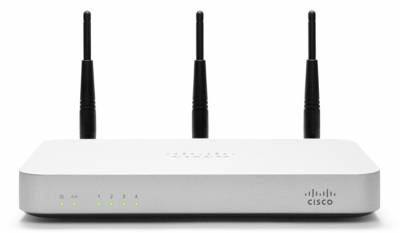
Here are standard methods to keep your Wi-Fi router or connection protected:
Change the router’s Default Username and Security password.
Pick an uncommon username, a specific thing only you can know. Then choose a powerful password – keep it at minimum 8 characters long, using a mixture of letters, numbers and characters. Keep it secure and don’t share it with others.
Simply turn on Encryption.
Right now, the best encryption technology is WPA2. Choose that one if your router supports it. If you are still in the process of purchasing one, avoid routers that just support WPA (Wi-Fi Protected Access) and WEP (Wired Equivalency Privacy) and buy one that supports WPA2. There are available applications on the Net that can very easily crack WPA and WEP encryption.
Modify the Default SSID and Disable Broadcasting.
The SSID is your network label. By default, routers use a generic manufacturer SSID .Change it to something different, something unusual. You can use the similar concept as creating a good password. A network using a default SSID can be recognized by the attacker as a weak and improperly configured network and will most likely attack it first. One more thing you can do with your SSID is to turn off or disable broadcasting. Keeping it “out of view” will reduce the chances of it getting attacked. Don’t be concerned about shutting this function off, simply because you can still connect to it manually.
photo:cisco