The Technics SU-G700 M2 integrated stereo amplifier is a high-quality audio device designed to provide excellent performance…
Xerox VersaLink C500 – very fast laser printer
Last Updated on
The Xerox VersaLink C500 showcases exceptional build quality, with sturdy plastic construction overall. However, there are slight alignment issues with the back and side doors, causing a minor wiggle. Despite this, there’s a convenient space at the back for installing a hard drive, and accessing components like the drum unit, cartridges, waste box, and sheet rollers is easy. One drawback is that there’s a slight toner leakage when installing or removing cartridges, though it’s minimal and infrequent unless cartridges are frequently swapped.
As a laser printer, printhead clogging isn’t a concern. Maintenance tasks like identifying printing issues through tools like “Repeating Defects” are straightforward. Various other maintenance tasks such as fuser temperature adjustment and belt cleaning can be performed easily.
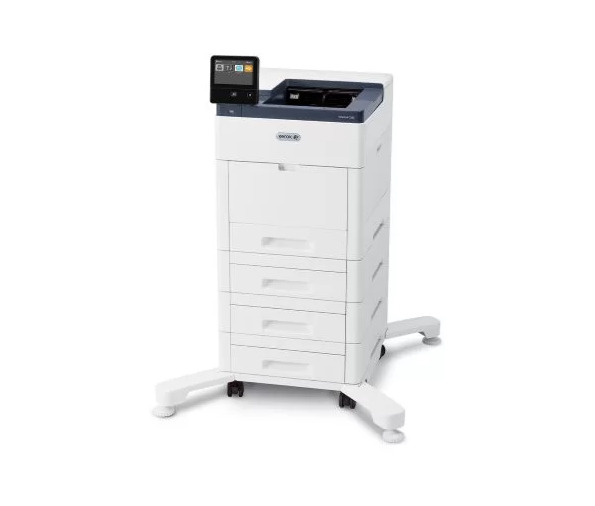
Accessing consumables like toner cartridges, drum units, and the waste container is simple through the front and side panels. Paper jams can be cleared through the back panel, also providing access to the fuser. The printer monitors consumable life and can send email notifications for replenishment. Admin access allows for setting permissions and accessing advanced settings through the Embedded Web Server.
The printer boasts a large, touch-sensitive display with excellent brightness and viewing angles. Navigation is intuitive, and adjustments like brightness are easily made. The Xerox App Gallery offers additional functionality, including a screensaver feature for reminders.
While toner cartridges are pricey, their high page yield offsets frequent replacements, especially for high-volume printing. Color cartridges are bundled with black cartridges, affecting pricing. The printer’s speed is noteworthy, and additional components like extra cassettes and high-capacity feeder trays can be added to accommodate office needs.
The Xerox VersaLink C500 stands out for its efficient cost-per-print ratio. Despite the initial expense of toner cartridges, their longevity ensures a favorable overall expense, particularly for heavy printing needs. However, it’s worth noting that purchasing color cartridges requires buying them alongside black cartridges.
In terms of performance, the printer impresses with its swift warm-up time and rapid printing of multi-page documents. Furthermore, the flexibility to add extra parts such as additional cassettes and high-capacity feeder trays enhances its suitability for diverse office environments.
The Xerox VersaLink C500 does not support wireless printing by default, but you have the option to purchase a separate wireless network adapter for Wi-Fi connectivity, Apple AirPrint, and Mopria Print Service. Installing the Wi-Fi card or a hard drive is straightforward by removing the cover, and there’s a port available for adding an Auxiliary Device Kit, enabling attachment of extra devices like smart card readers or payment card readers. Additionally, a Kensington Security Slot enhances security against theft.
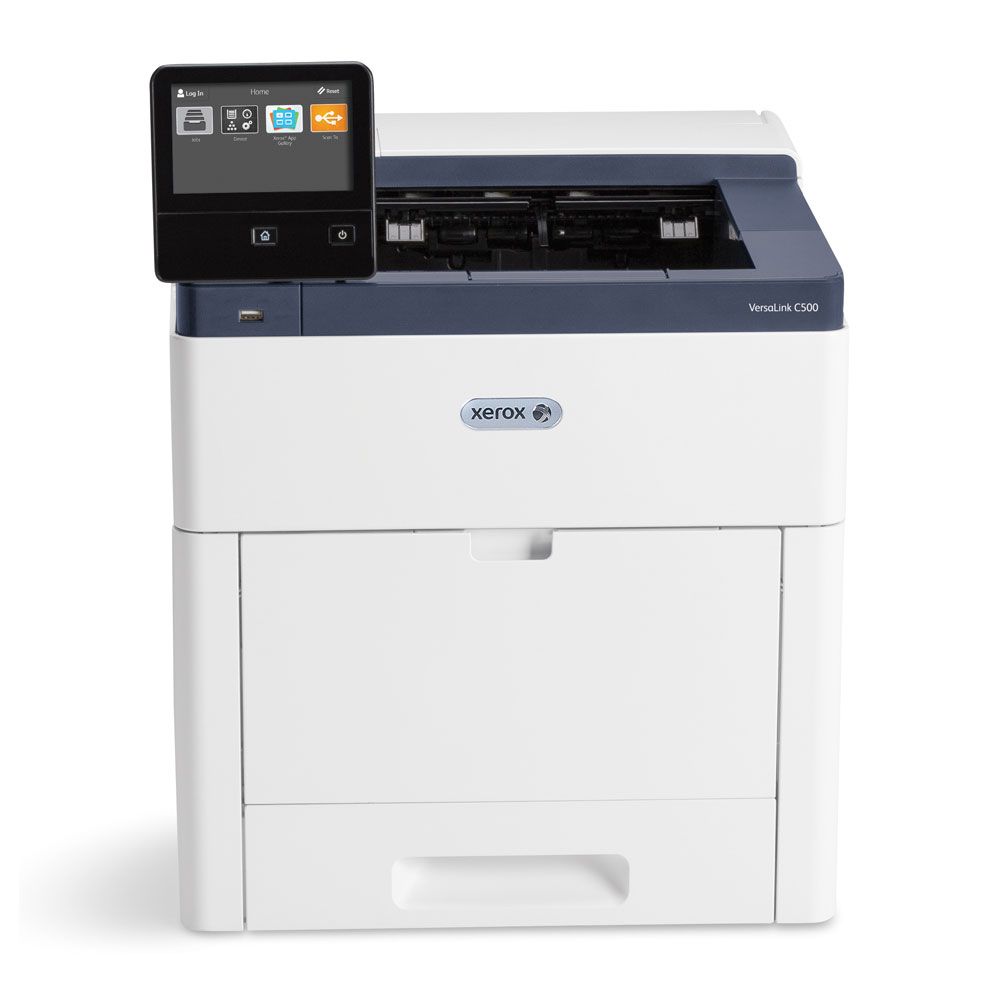
Compatibility with the Xerox Workplace app extends functionality to Android and iOS devices. While both versions offer similar features, the Android version lacks a dedicated photo icon found in iOS, requiring users to access photos through the File Library. Printing MS Office and TXT files is possible after logging into the Xerox Workplace account, with MS Word documents being converted before printing. However, HTML files cannot be printed directly from web browsers; instead, users must select “Webpage” from the side menu within the app.
For printing on Windows and macOS systems, manual driver installation is necessary. In Windows, the printer is added through the Printers & Scanner settings in Windows settings, while Chrome OS and macOS users must add the Xerox VersaLink C500 via its IP address.
Ideal for small or home offices, the Xerox VersaLink C500 offers fast printing speeds of 45 PPM for both black and color documents. While its cartridges are expensive, the high page yield offsets the cost, making the overall cost-per-print favorable. However, it’s important to note that this model lacks a scanner and wireless printing options without the separate adapter.
For black-and-white printing, the Xerox VersaLink C500 excels, providing thousands of pages before requiring cartridge replacement. Despite the expensive cartridge, the excellent cost-per-print ratio makes it a viable option. Rapid warm-up time and fast printing further enhance its efficiency, although wireless printing necessitates the additional purchase and installation of a wireless network adapter.
Although not designed for photo printing, the Xerox VersaLink C500 can handle it to some extent. However, the resulting photos may appear grainy, with oversaturated colors and poor color accuracy, typical of laser printers.
Overall, the Xerox VersaLink C500 offers a compelling combination of robust build quality, ease of maintenance, intuitive user interface, and cost-effectiveness, making it a top contender in the realm of color printers. Its blend of speed and expandability ensures it can adapt to the demands of various workplace settings with ease.
Related Posts