Home Blog Page 149

PC Tips for Fixing “USB device not recognized”

0

USB device errors not recognized as “Unknown device ” or “USB device not recognized ” are very common problems that PC users will encounter sooner or later. There are several causes that contribute to these errors, including defective devices and damaged USB device drivers. We will discuss several possible solutions to choose from if you are experiencing a problem now or want to prevent these problems from occurring in the future.

There are two main categories of problems attaching unknown USB devices: manual options and the Instant option. First, consider the manual options.

The manual troubleshooting options of unknown USB devices vary depending on the causes and approaches, but to begin with, we will consider the two basic options.

Reconnect the USB device:

There are some cases where a properly functioning USB device stops working suddenly. This unknown USB device error can be easily resolved by unplugging the device and plugging in a USB port again. This option is true for portable USB devices and other Plug and Play devices.

photo:Pixabay

Restarting the computer:

Except for defective devices, some USB devices will not function properly unless you reboot your computer after installation. To resolve this issue, you must restart your computer to establish a proper connection and initialization between your computer and the USB device.

The first two manual solutions can only be effective for repairing defective device connections and incorrectly installed USB devices.

The following solutions will work primarily for problems with unknown USB devices caused by damaged or missing USB device drivers.

Reinstall USB Device drivers:

Reinstalling USB device drivers can also be a basic option if the required device drivers are already available on your computer or if the installation CD is still available. You can run this solution by following these steps:

Right-click the unknown problematic USB device that appears in the Device Manager window.
Click Properties.
Click “Update ” and follow the installation wizard.
Throughout the process you will be asked if you still have your installation CD, and if you do:
Insert the CD
Select the option “Install the software automatically (recommended) “
Click “Next “
From this point on, the installation will continue automatically and you need to install the necessary drivers.

Online Search:

Having an installation CD will be very useful, but if you do not have the installation CD and the problem persists after attempting to reinstall the device driver, then you could try to search online for the device driver to solve your problem Unknown USB device. For this you will need the identification numbers of your device. To be able to collect this data, return to the properties of the unknown USB device problematic by passing through the following steps:

Right click on the unknown USB device problematic
Mark the tab “Details “
From the drop-down list, locate the “device instance path ” or “device instance ID “
The alphanumeric data provided, such as USB | VID_0951 & PID_1623 | 00137298f25ba1140000011, it will allow you to search the device driver online. The necessary information in this example is the vendor ID or VID with a value of 0951 and the PID_1623 or product ID with a value of 1623.

Only the use of the Internet already invites the risks to your computer, so what about finding the device drivers and downloading them? You may end up downloading outdated device drivers that can worsen the functionality of your USB device, damaged drivers that will make your device malfunction, or USB drivers full of free gifts-viruses like Trojans, Adware and spyware .
Consider this when Looking for A High Current Switch

0

People have difficulties when it comes to wiring electrical cables in their apartments. Advanced technology has influenced production companies to produce different types of switches that fit the needs and desires of customers. A thorough search is useful for determining the right products for purchases.

The price of raw materials can influence the type and quality tools to be purchased. The cost of the goods varies with the types of companies, so they need to take time to make a match. The value can be high for people to refrain from buying the necessary tool and equipment. Search for the latest market price of your type of product that you need. Knowledge of costs can protect you from making an excessive payment.

photo:Pixabay

The qualification of the experts and the professionals who will install the buttons is essential for the search of contractors. Review the references of an individual selected to evaluate his experience and professional specialization. Be sure to choose the right contractor who will provide quality services. Highly skilled and competent staff are likely to do their homework with due consideration and in a short time.

Choose tools and equipment according to your specific design techniques. The size and design of the devices can help you make the right choice. Be sure to outline the function of the desired device before going to a market. The specification will depend on your purpose and goals. Also, select a device that can perform several functions to reduce the cost. Ask for ideas and opinions from your friends and neighbors.

Follow the rules and regulations before installation. The installation of the products has different laws, which you need to meet. The government protects its neighbors and property security. Avoid the creation of electrical cables near the water masses. Have the correct permission for the Wire permission. The deep skill contractor should guide you in the best positions to put your skirting board.

Look at the operating environment before doing the installations. There are environments that are risky for the installation of electrical devices. Hire a researcher who will invest to discover the best place for electrical wiring. Avoid sites near water bodies. A highly skilled and qualified professional must know the best positions for the installation of plugs. Choose the correct way to install the devices that may have a minimum interruption of the usual activities.

The type of business you are about to buy your tool is essential to consider. There are several electric distributors so need to take time for evaluation. Stores must have the correct license and certificates. In addition, they must have a reasonable guarantee for their products and a discount on the cost of goods and services. The company must have a good image and reputation.

The above criteria are useful for selecting on the appropriate device you need. Companies with skilled employees can produce quality things. Be sure to take time in researching quality products as companies produce almost the same type of commodities. High quality switches are durable and sustainable for technical challenges. It is essential to take time to evaluate the data collected to avoid making hasty decisions that can be costly.

Tips To Buy a great Electric Scooter

0

When buying an electric scooter, there are several important factors to consider to ensure you make the right choice. Here’s a guide to help you navigate through the buying process:

  • Determine your needs: Before you start looking for electric scooters, assess your requirements. Consider factors such as your intended usage, distance you’ll be traveling, terrain types, speed requirements, and portability needs. This will help you choose a scooter that suits your specific needs.

  • Range and battery life: The scooter’s range refers to the distance it can travel on a single charge. Consider the average distance you’ll be traveling and choose a scooter with a range that comfortably covers your needs. Additionally, check the battery life and charging time. Some scooters have removable batteries, which can be convenient for charging.

  • Motor power and speed: Electric scooters come with different motor power and speed capabilities. Higher motor power generally translates to better acceleration and the ability to handle inclines. Check the scooter’s top speed and ensure it aligns with your requirements.

  • Weight capacity: Pay attention to the maximum weight capacity of the scooter. Make sure it can support your weight or the weight of any potential riders if you plan to share it with others.

  • Construction and durability: Look for scooters made from high-quality materials that can withstand regular use and various weather conditions. Pay attention to the weight of the scooter itself, as you might need to carry or transport it when necessary.

  • Braking system: A reliable braking system is essential for safety. Most electric scooters come with electronic or disc brakes. Ensure the scooter you choose has an efficient braking mechanism that suits your preferences.

  • Suspension and tires: Suspension and tire quality play a crucial role in providing a comfortable and smooth ride. Scooters with suspension systems and pneumatic tires tend to handle bumps and uneven surfaces better than those with solid tires.

  • Portability and folding mechanism: If you need to carry or store the scooter frequently, consider its portability features. Look for models that are lightweight and foldable, making them easier to transport and store.

  • Safety features: Check if the scooter has essential safety features such as lights (headlights and taillights), reflectors, and a horn. Some models may also have additional safety features like turn signals and brake lights.

  • Reviews and user feedback: Before making a purchase, read reviews and user feedback on the specific electric scooter model you’re considering. Pay attention to aspects like reliability, performance, battery life, and customer support.

  • Price and warranty: Set a budget for your electric scooter purchase and compare prices across different brands and models. Consider the warranty offered by the manufacturer to ensure you have support in case of any defects or issues.

  • Legal requirements: Familiarize yourself with the local regulations and laws regarding electric scooters. Some areas have specific rules about speed limits, age restrictions, and where scooters can be used. Ensure you comply with all applicable regulations.

By considering these factors, you can make an informed decision when buying an electric scooter that meets your needs and preferences.

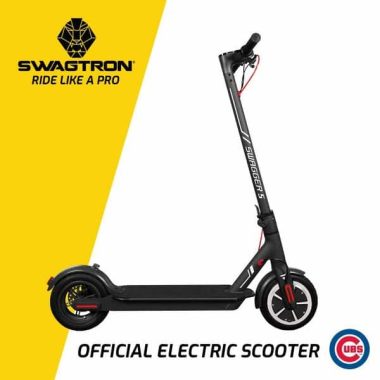
An electric scooter is a vehicle that resembles a motorcycle. He gets his power from electricity. It does not need oil or fuel in order to operate an electric scooter. Depending on the purpose, anyone can make use of these vehicles.

Since there are a lot of sizes, shapes and colors, it can be hard for you to buy the right size scooter. However, the advice we have given below can help you make the best decision.

While looking for one, it is a good idea to decide on the model you want. Will you buy one for your children or for teenagers? Maybe you need one for medical purposes or maybe you want to get one for someone you love who has mobility problems. By answering these questions, it will be easier for you to reduce your options.

In addition to the purpose, your personal preferences may also play an important role in helping you opt for the right bike. If you have a favorite manufacturer, you can check out the bicycles. If they’re good, you can buy them.

Weight limits

Before you pay for a bike, don’t forget to check your weight limits. Larger models should be more inclined if you want to take a ride. Therefore, you may find it difficult to turn with them. They also have a longer braking distance, which means you’ll have to wait a while to stop.

However, a great advantage of a larger bike is that it will not be affected by external factors such as wind guits. In other words, they are more stable than traditional bicycles.

Recharge Time

Do not forget to understand the running time of your desired scooter has. Also, you should find out how long you need to keep it plugged into the power source to recharge the batteries.

Price

Although you can buy an expensive unit, make sure the price is worth it. In other words, make sure you’re getting what you’re going to pay in terms of quality. The information contained in this guide can help you a lot. Keep in mind that the prices of the different bicycles vary.

Safety functions

To purchase electric bicycles, be sure to examine the safety features and devices. You better check all that property rather than regret it afterwards.

It is not a good idea to underestimate the risks associated with an electric scooter. Therefore, following the safety instructions is a great idea.

Maximum speed

It is better to compare the speed of different units between them. If you are thinking about buying a recreational unit, a maximum speed of up to 10 miles per hour is not enough.

Long story short, these are some features that you need to look for when you are thinking of buying a good electric scooter. Remember: You should spend a little more and get a durable bike that is a little safer. Photo: Swagtron

Buying a New TV – A Comprehensive Tips to Get the Best Option

0

These days, buying a new TV can be a daunting task. This is because there are so many options in terms of types and features. While doing a quick online search of the best TV options, I was bombarded with more questions than answers. At that time, I had to find out if I wanted a plasma, LCD, LED or OLED TV. As if that wasn’t enough, an online retailer sang praises on 4k TV. In fact, this was even more confusing. Fortunately, this guide has been compiled to give you the best advice when you buy a TV in 2019 and more. Cut the jargon and figure out the best attributes to consider before making that crucial order for a new TV.

Types of TVs

It is really useful to know the various types of television on the market today. Right now, Smart TVs are on top. These are just the ones that connect to the Internet. You will be delighted to know that most TVs are now smart. The following is a breakdown of all the major types.

OLED-This is short for the Organic Light Emitting Diode TV. They are known for their high quality images because of their high contrast proportions. They are great if you are looking for that dramatic cinematic experience with your enjoyment. They use LED light to create images. These screens are known to be expensive. If you don’t mind saying goodbye with extra money, this is a good option.

LCD-Liquid crystal displays are cheaper than most televisions. In addition to having a good color screen, they are excellent for saving energy. However, they are known for their ability to display at a limited angle. In General, they are the most common to find, making them a reasonable bargain.

LED-Short for the light-emitting diode, these TVs are very similar to the types of LCD. The only difference is that here, the LEDs are used instead of the liquid crystals. This option does not consume much power over the plasma and the LCD screen. The downside is that you dig deeper into your pocket for them.

Plasma-These televisions will give you dramatic images of high quality and screens. They are great if you want a wider viewing angle. They are known both for the quality of the color and for a high contrast ratio. If you are looking for that big enough TV that will serve a sizable room, this is a great option.

Smart TV-As suggested above, these are televisions that give Internet access for a world of more entertainment. If you’re looking to enjoy services like Netflix, these options are excellent. Some use Ethernet connectors while others use Wi-Fi.

4k televisions-this refers to the resolution capacity of the TV. Sharpness is usually measured or determined through pixels. The most common resolutions are HD or high-definition TVs. There is a better version of sharpness called Full HD. Today, this bar has been set higher by the Ultra HD set giving new meaning to the TV resolutions. The Ultra HD sets are also called 4k TVs.

Key factors to consider when choosing the right TV

All the above types will be equipped with individual specs. However, there are basic elements that should help you decide on the best option as follows:

Screen size

The size of the room or space must determine the actual size of the screen. This is because you want to provide the best graphics for everyone here. Also, budget needs can also determine the size of the screen. 55 inches are very common if you are looking for that screen sound that fits your area. The bigger the screen, the higher the resolution. Therefore, know the specifics to make an informed decision. For budget buyers, anything from 32 inches will serve the purpose.

Update Rates

With a higher refresh rate, you can get a smooth image by reducing motion blur. If you’re into action movies or games, this high speed will give you that seamless entertainment because the images will remain crisp. Check this rate as indicated in Hertz and you will find 60hz at 144hz or more. The higher the rate, the better for you.

Contrast ratio

A low contrast ratio means that the black area of an image may appear as dull gray or washed. When it comes to bright areas, there will be no vigour and for this purpose, the relationship must be satisfactory. The greater the relationship, the better the quality of the images.

HDMI and input connections

Plugs and doors will allow you to do more with your TV. For this purpose, the more ports, the better for you. From game consoles to soundbars, the voices will find many uses. It is recommended that you have at least four HDMI ports. HDCP compatibility is the key for 4k TV buyers.

General tips for buying an online TV

-The information is always fundamental. When shopping, make sure you get all the information available on the product. Please read the specifications provided by your online retailer first. Then look for comments that can give you more information about functionality and quality.

-Looking for cheapest online TV might not give you a value for money. Discover the features of the TV and find out if they adapt to what you have in mind. Sometimes spending a little more for a higher quality will save you money in the long run.

-Testing unconventional signs will not hurt. Many leading brands will sell their products to a premium. Looking for alternatives can save you money and give quality as well.

-Take your time before you buy. Just order it when you are absolutely sure about the product you have found. Feel free to go to offers and discounts. Stay on the lookout for offers that could save you so much on your best choice of TV.

Cursor on your laptop not moving? Easy tips to solve the problem

0

Having the cursor locked when you’re in the middle of writing something is probably one of the most frustrating problems a laptop can throw. We’ll show you how to fix this, so you can quickly get back to important things.

Therefore, many laptops allow you to disable the touchpad, via a dedicated button, a combination of keys or through the BIOS.

It’s too easy to accidentally press that button and ask yourself why the cursor is locked and does not move. If you have cats, it is also very likely that you have the correct keys to turn off the trackpad without you noticing it.

When this happens, restarting your laptop will not help. Instead, you’ll need to find the button or combination of function keys that will reactivate the trackpad. It is also possible that someone else has deactivated the trackpad via Windows.

Here we will explain how to enable it again.

Look for a touchpad switch on the keyboard.
The first thing to do is check if there is a button on the keyboard that has an icon that looks like a touchpad with a line that runs through it. Press it now,and see if the cursor starts moving again.

If not,try to check your row of function keys at the top of the keyboard. Many will have icons, so look for one that can be a trackpad, usually F7, but we have also seen laptops that use F5 and F9.

It is unlikely to work simply by pressing this button, even if on some laptops it will. But in most cases, you need to press and hold the Fn key and then press the corresponding function key to bring the cursor back to real life.

Check your Windows configuration
To check if the trackpad has been disabled in Windows, click the Start button, type “mouse” in the search field, and then select Mouse (or Mouse Settings) in the search results.

In Windows 10, type directly into the search box in the taskbar.

On the Device Settings tab of the Mouse Properties screen, select the touch panel from the list. If you do not know which one to choose, click on each one and you’ll probably find that one is disabled.
Some HP laptops have an LED in the upper left corner. If yours is on, it means that the touchpad is disabled. Simply double touch (a double quick tap) to reactivate the pad.

Various security devices for your home

0

Home security should be at the top of the list of priorities for those who care about the safety of their family. It can be particularly disturbing when you’re on vacation because your mind is still worrying about what might happen in your absence. Neighbors realize you’re not around? Are the doors and windows securely closed? Has anyone tried to enter the house?

To help keep your mind relaxed and take care of all these worries, you may want to use high-tech devices that will make it easier for you to keep an eye on things from any place through your smartphone.

Canary Security System

This is an All In One security system for the home. It is connected to HD video and audio and an integrated siren. It works for self-armament once you leave the house. The device is hard to notice because it is designed to look like everyday home gadgets; Like light bulbs and sockets. It sends you an alert directly to your mobile phone when a task or movement is detected.

It comes with a 2 way microphone, night vision, motion detector and multi-angle cameras. Cameras can capture images up to 65 meters away. The 24 LEDs light up automatically when they detect low light conditions. Motion detection and programmed recordings are some of the features that make this home security system a device of choice for many homes. Once you receive the alert, you can view a live streaming video directly from your phone and call to get help from the app.

Ringtone Video Ringer

This device allows you to view and talk from your smartphone to anyone who pushes the doorbell. It gives the stranger or the visitor the impression of being at home, scaring potential thieves. The device also has built-in motion detectors that trigger mobile alerts and record videos that can be accessed from your phone.

Internal hidden camera and external camera

It is crucial that you pay the same attention to the interior, as well as to the outside of your home. This is where the hidden cameras come in. The internal camera will give you personalized alerts on your phone and records all movements inside the house.

Choose an external camera type that will keep the watch on its compound if there is sunshine or rain. Make sure you can withstand all kinds of weather if you want to 24/7 security. Good quality indoor and outdoor cameras must have built-in speakers and a microphone, allowing you to converse with a visitor.

Go for a camera that connects to the current so you never have to worry about dead batteries when you’re away. Just make sure they are positioned strategically, but, well hidden from the view, for proper recording and to avoid tampering with the intruding.

Smoke and carbon monoxide alarms

Consider getting a smoke detector that lets you know when there is a fire in your home. It also detects a loss of carbon monoxide and sends a warning to your smartphone, allowing you to locate the leak or the fire. The technology behind this gadget works by using a split-spectrum sensor in combination with an improved blue LED to monitor the air around it. Interestingly, you can choose between the wired and Wi-Fi versions that work in the 120v and battery configurations respectively. You can stop the alarm from the phone.

Smart Door Lock

To increase the safety of your home, you need to consider improving the traditional door locks with modern High-Tech. On the market, you can find closures that work with Bluetooth enabled mobile devices like the IPhone.

The smart door locks come with a touch screen that is very easy to use, where you have to write a code instead of inserting a key to unlock it. Others are locked and unlocked once they detect their fingerprint; Therefore, you must configure them accordingly. The most important advantage is that you don’t have to worry about losing your keys and being locked up.

However, be sure to store the code well so that it freezes too. It will give you an alert when you are handling it, so be sure that nothing will be done in your home behind your back.

Telephone and key finder

It is imperative to have the security of being able to easily find the keys and the phone in case of loss. Think of the time you lose when you look around the house for them in the most unusual places. Although this device may not fall into the category of home security devices, it will make your life easier and reduce the chances of your keys falling into the wrong hands and entering your home illegally.

The phone and key finder works by helping you track your items with the help of a Bluetooth connected smartphone application. By connecting a tile device to an object, you can easily find it via a sound or mark it as lost. You’ll get an alert when you find it.

Alarm sensors for windows

You may have all the security systems available, but if your doors and windows are not hermetically sealed, it is likely that your home will continue to be broken in while you’re gone. In addition to reliable locking systems, make sure you also receive sensors for doors and windows to enhance the security of your home. The window alarm sensor has a sleek and simple design, is easy to install and discreet. The alarm is triggered if it detects that the window is open, that there is a broken glass or that there are holes.

Light sensor / Light automation

Light sensors are simple electronic devices that work by detecting infrared energy and, in this case, detect the temperature of the human body and light up. They are sensitive up to a range of 12 micrometers and ring a bell once they detect movement. You can also ask them to send a notification to your mobile device once motion is detected, allowing you to take the necessary measures against intruders.

If you use a combination of some, or all of these security methods, you are giving your home and family first-class security. Whether you are at your home or outside it, the last thing you need to worry about is having your home stolen or losing your property due to thieves.

Microsoft OneNote tips: Interesting ways you can use OneNote

0

With the design of a digital notebook, Microsoft OneNote is a place to create, collect, archive and search for notes. It is a great program to organize pieces of information that may not easily fit the structure of one of the other Office programs. And, when you store notebooks on the network or in the cloud, you can access data from multiple devices and even share them with other users.

What can go into OneNote?

With OneNote, you can organize notes for sections and pages in notebooks. These notes may include:

Documents
E-mail
Activities
Web pages and other hyperlinks
Images, drawings and media
Impressions
Data from other Office programs

OneNote Tips: Content that you can easily insert
OneNote is a very flexible program that can contain a wide range of content. It is not limited by the size of the page or by a linear structure. The Insert Ribbon tab gives you some ideas about what kind of items you can easily insert into OneNote. Let’s explore these tips from OneNote and more.

Record audio or video: You do not need to use your smartphone to record the meeting notes or the event video. Simply capture a video or audio recording directly in OneNote. It is also easy to cut the recording and play the audio or video.
Printing files: Do you want to capture a printed copy without scanning a file or creating a PDF? From any Office program, simply choose Send to OneNote as the printer option. From this option, you can specify the name of the Notepad, the section, and the page where you want to capture the printed copy. You can also put an impression directly from OneNote.
Attachment: When you don’t need a hard copy, add an attachment in place. The file can be opened directly from OneNote, even if attachments are not linked to the source file that may have been upgraded.

Hyperlinks: OneNote Notebooks can also store links to Web pages, e-mail addresses, or network files.
Tables and worksheets: When notes call a more structured appearance or even computations, add a table or spreadsheet to a page on your notebook. OneNote also supports equations and symbols for more detailed entries.
Date/Time: When you create notes, adding a date and/or timestamp allows you to document comments and additions, especially when you share notebooks with others.
tags, tasks, and item creation: organizes notes as action elements by assigning tags to individual notes or elements. A tag marks an element with a tag, such as Create item, important, or question. These options are available on the Home page tab or use keyboard shortcuts, such as [CTRL] + 1 to make a note. The labels can be searched in notebooks so they can be easily placed. To track, select a tag to run when you complete or send to Outlook to create an Outlook task.
Custom pages: Even if you don’t need a hard page structure in OneNote, it might be easier to work with some pages by modifying the appearance of the page. On the View tape tab, change the color of the page, choose between different lines, or adjust the size and layout of the page view.

Designs: With a touch screen or a handheld device and an optical pen, you can also create freeform shapes and designs with a wide range of colors and widths. These options are available on the Draw Ribbon tab. If you don’t have a touch screen or an optical pen, OneNote also supports drawing with a mouse.
Ink on text or ink in mathematics: Similar to Drawing tools, you can create freehand text in notes. If the write is readable, choose the Ink-to-text function to convert the write to text.

Car Insurance – Important Tips

0

Don’t put yourself at risk for the financial burden of not having car insurance for you or your teenage drivers! Car insurance protects you and helps you to compensate for costs in the event of an automobile accident. Use the following tips to choose the right car insurance company to meet the needs of you or your teenage driver.

When you choose Auto Insurance, be sure to protect yourself properly when it comes to liability for damage to things and personal injury. The correct amount of coverage in this area can make a big difference in the event of an accident. Not having enough coverage can leave you with a cause that can be difficult to recover.

By insuring a teenage driver, you reduce the cost of your car insurance by asking for all eligible discounts. Insurance companies usually have a discount for good students, teenage pilots with good driving records, and teenage pilots who have taken a defensive driving course. Discounts are available even if your teenager is just an occasional driver.

photo:Pixabay

When you consider insurance for a young driver, you may not want to buy an expensive car. The rates are high enough for teenagers, who hover depending on the type and value of a car. In This situation, security is one of the highest factors affecting insurance costs.

One of the best ways to give up your car insurance rates is to show the insurance company that you are a safe and reliable driver. To do this, you should think of attending a safe driving course. These courses are convenient, fast, and you could end up saving thousands of dollars during the life of your insurance policy.

By purchasing a car insurance policy, most companies will offer extras such as towing, roadside assistance, GPS services and other accessories. These can be helpful if you are ever in a hurry, but they can be very expensive. Say no to these extras in order to save money on your insurance.

There are many factors that determine the cost of your car insurance. Your age, sex, marital status and position play a factor. Although it is not possible to change most of them, and few people would move or get married to save money on car insurance, you can check the type of car you drive, which also plays a role. Choose car with lots of security options and burglar alarm systems instead.

Check how much you would save by using the same insurer both for your home and your car. Some companies offer a discount if you have different policies with them. Most companies today secure a variety of items, so it’s a good idea to look at the possibility.

To ensure that you get fair pricing on premiums, make sure that the information you report is accurate in your policy. For example, make sure the shape/model of your vehicle is correct, the number of miles in the vehicle when you have taken the policy, etc. The reported switching distance is also important as the shortest switching distances can have a positive effect on Premium savings.

You want to make sure you contact your insurance company if you get divorced and no longer want your ex to be in your policy. If you enter an accident while you are in your insurance policy, you could make your rates go up, and you will have to pay for your mistake for the rest of the time you have a policy with that company.

When you buy a new car, you should keep in mind the insurance rates and look for the best security features that you can get. Safer cars are cheaper to protect. As insurance companies are responsible for medical liability, they will charge a lower premium for safe cars that minimize accidents in the event of an accident.

You know the laws of your state on car insurance. In almost all states, car insurance is mandatory. You can deal with fines and stiff penalties for not having adequate car insurance. Some states are also known to repeat non-insurance offenders held. Educating yourself is important so that you can abide by the laws.

When trying to decide on an insurance company for your car insurance, you should check in the insurance Department of your state. You will find valuable information that will include closed insurance cases, important financial data and license information. This research will help you decide if you feel comfortable relying on this insurance company.

Pay for the car’s insurance cover with an advance payment. When you pay in full, you will not be charged for interest charges as you would if you pay monthly. This means that some companies also offer a discount if the coverage is paid in advance. Monthly payments can be convenient, but they may not be as convenient as you want.

If you live in an urban area or in an area where there are many wildlife, you may want to consider the collision of animals in your insurance. Repairing a car after hitting an animal, especially a large one, can cost thousands of dollars. The animal collision covers all these costs.

A big part of the cost setting of car insurance premiums has to do with the type of car you drive. Remember that when you are on the market for a new auto-car that are more expensive to repair, for example, it will often result in higher insurance rates.

Make sure your car insurance plan pays for the car rental. Drivers whose policies do not include rental coverage may want to provide additional insurance for this purpose. The additional policy can be as much as $20 a day. If your car requires great repairs, you could pay for it for quite a while.

Don’t let your teenager or themselves drive without car insurance. Traffic accidents and car repairs can be incredibly expensive. Having car insurance before something happens is important so you can protect yourself and your family from a financial struggle. Use the tips above to get your car insurance today!

Tips About Spam and Anti Spam Software

0

Going through e-mails is tedious and unproductive. Worse, you can come across malicious programs. To make sure this doesn’t happen, you’ll soon know about anti-spam software.

Understanding spam

Spam in the digital world is unwanted e-mails sent to customers. The main goal is to advertise a product or service. Many advertisers use spam in the hope of drawing customers in their offerings. They want to hit a large target audience to increase the chances of selling. Although this is not bad, you can still distract email users.

Spam is present throughout the WEB. You’ve probably seen some during instant messaging or online games. Some users in chat rooms can send messages unrelated to the forum or game. Mobile phone users can also receive spam messages. These are not just irritants, but they can also attract additional charges in some countries. Spamming is now common in video Exchange sites as well. You may notice the sent messages that you need to click on a particular link to see something. Once you do, you might see a site that has nothing to do with the video you wanted.

Spam messages are mostly harmless. These have no intention besides getting the reader’s attention. Over time, however, many unwanted e-mails disguised as spam has evolved to become malicious. These stupid email users click on a particular website. Once the person does it, viruses and other dangerous software can go with it. When they enter a computer system, they can create problems. Some viruses can erase some important files, while others can replicate and slow down functions.

In this case, the computers may not work properly. If this personal computer is connected to a network, other computers may also suffer. In A business scenario, this can mean losing hours of work to the fullest. The owner can also face Billings to reprogram the system.

The role of anti-spam software

Anti-spam software works with a computer and e-mail accounts that can be accessed from a workstation. The software will work as an Inbox scanner sent to the specific account. Look for signs that sent mail is spam.

Many will block the possible publicity sent to a recipient. The software will do so regardless of the user’s interest in the ad sent. It can also function as a spam blocker to remove viruses and other deterrence programs.

By doing all this, the software avoids problems before it can become one. It also saves time because the user does not have to guess if you want to open an email or not. In a business environment, time saved can mean more work done. Employees and management will only read official issues instead of ordering through unrelated messages.

What are the false positives for spam blockers?

False positives occur when anti-spam software removes a legitimate message. Many software vendors indicate what their number is for false positives. The smaller the number, the better, how the spam block will be less likely to omit valid e-mails received on a computer.

Router Security – Check your Asus router software update tool

0

After configuring our Internet routers, we often don’t think about how safe they are. Some of us may be guilty of running the installation process and are missing some very important and expensive steps. The router produced and sold by Asustek is one that would certainly be aware of. ASUS have acknowledged that there are difficulties that can arise if the router is not configured properly. I’ll give you some of the many reasons to take your time and set up your ASUS router properly.

Some of their routers come with functions called Aicloud and Aidisk, which allow users to attach a hard drive to their routers to enable them to create their own cloud storage. Since the launch of these routers a complaint has emerged from the FTC. The complaint indicates that the ASUS routers had/have important security issues that allow hackers to negatively affect consumers by gaining access to confidential information, for example, the tax documents that people have archived In these services in the cloud.

photo:Pixabay

If you are using an ASUS router at home, please consider applying the following recommendations as soon as possible. First of all, be sure to download the latest security updates for your router. The FTC has noticed that the ASUS Router Upgrade kit will show that the router is currently up-to-date when many times it’s not really. This is one of the main factors that put people’s personal information at risk.

As you move forward, ASUS is required to solve this problem and provide accurate update information about software updates. That said, I recommend that this took place with the router. Check out the ASUS Router Software Update Tool and visit the ASUS support site to get the latest security updates. Verify and make sure that the network storage is set to limited. Make sure that access to your aicloud and Aidisk is limited to your preferences. The FTC has also uncovered a problem with one of the default configurations within the Aidisk configuration, which gives anyone in Internet access for their Personal Storage. For maximum privacy you have chosen the option of “Limited ” or “admin Rights ” Access, instead of default “Unlimited ” option. Be sure to change the default passwords provided for the router. The FTC found that the default passwords provided were considered “weak”. In general, take care of what you are doing on the Internet, as there will always be a risk of hackers.