PotPlayer is a free multimedia player for Windows developed by the South Korean company Kakao. Designed as a successor to KMPlayer (developed by the same original author), PotPlayer aims to deliver a lightweight yet extremely powerful video playback experience. Its primary purpose is to offer smooth playback of virtually any media format while giving users deep control over audio, video, and rendering settings. Over the years, PotPlayer has built a reputation for being one of the most feature-packed media players available—but not without some controversies and limitations.
Key Features
Broad Media Format Support
PotPlayer supports an extensive list of formats, often without requiring additional codec installation. Commonly supported types include:
-
Video: MP4, MKV, AVI, MOV, WMV, FLV, HEVC/H.265, VP9
-
Audio: MP3, FLAC, AAC, OGG, WAV
-
Subtitles: SRT, ASS/SSA, VobSub, Blu-ray subtitles
-
Advanced containers: Blu-ray ISO, DVD folders, network streams
Built-in decoders ensure smooth playback even for high-bitrate 4K and 8K files.
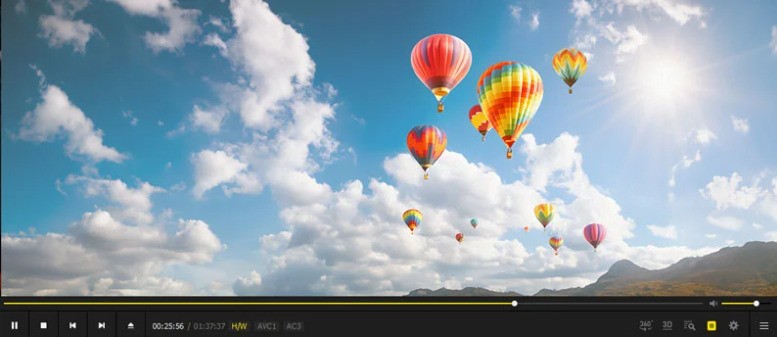
User Interface and Layout
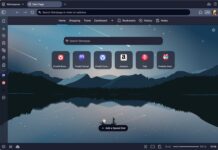
PotPlayer has a clean, modern interface with dark-theme aesthetics. While the default UI is simple, it is highly customizable:
-
Skins and theme packs
-
Adjustable panels (playlist, bookmarks, equalizer, video controls)
-
Minimalistic mode for distraction-free viewing
The interface may feel slightly dense for casual users but is a dream for power users who love customization.
Extensive Customization Options
PotPlayer is known for its remarkable degree of configurability:
-
Video renderers (EVR, madVR compatibility, Direct3D9/11)
-
Audio filters, output modules, DSP, and equalization
-
Subtitle styling, sync adjustments, and automation rules
-
Keyboard/mouse gestures and customizable hotkeys
-
Playback speed and frame interpolation options
These advanced controls rival professional playback tools.
Performance and Resource Usage
PotPlayer is optimized for fast startup and smooth performance. Highlights include:
-
Very low CPU/RAM usage
-
Hardware acceleration (DXVA, CUDA, QuickSync)
-
Fluid playback of high-bitrate 4K and even 8K videos
-
Fast seeking and buffering for large files
Even on older systems, PotPlayer typically runs smoothly.
Advantages of PotPlayer
Exceptional Format Compatibility
PotPlayer’s ability to play virtually anything makes it a top choice for users who handle diverse media libraries, replacing the need for separate codecs or plugins.
Highly Customizable Viewing Experience
Few players offer PotPlayer’s level of control. Whether you want fine-tuned subtitle positioning or specific video color adjustments, PotPlayer excels.
Superior Playback Performance
Thanks to hardware acceleration and efficient internal decoders, users frequently report:
-
Smooth 4K playback
-
Fast loading and seeking
-
Stable performance even with large, high-quality files
This places PotPlayer on par with MPC-HC, VLC, and MPV for high-resolution content.
Useful Advanced Tools
PotPlayer includes several features that are not common in other media players:
-
Video capture and screen-recording tools
-
Bookmarking of scenes
-
Built-in subtitle search (depending on region)
-
3D playback and VR support
-
A/B repeat loops
-
Frame-by-frame navigation
Such tools appeal especially to power users, editors, and enthusiasts.
Free and Lightweight
Despite offering “premium-player” features, PotPlayer remains free, lightweight, and efficient compared to some competitors that require paid versions (e.g., PowerDVD).
Drawbacks and Limitations
Update and Installer Concerns
Historically, some users reported that the PotPlayer installer attempted to bundle optional promotional software. While recent versions are cleaner, this reputation remains a concern. Users must still be cautious during installation.
Overwhelming for Casual Users
PotPlayer’s extensive menus, settings, and technical terminology may intimidate beginners. Compared to VLC’s simpler interface, PotPlayer can feel complex or cluttered.
Windows-Only Software
PotPlayer is not available on macOS or Linux. This limits its adoption and makes it less flexible than VLC or MPV, which work across multiple platforms.
Unclear Development Pace
PotPlayer once had very frequent updates, but in recent years, updates have become less predictable. Some users worry about:
-
Slower bug fixes
-
Less communication from developers
-
Occasional instability after updates
Though the player remains functional and stable for most users, the shift in update frequency can be seen as a drawback.
Limited Streaming Integration
While PotPlayer can handle network streams, it lacks the native streaming integrations found in players like Kodi or Plex. There is no library management system—PotPlayer is purely a playback tool.
PotPlayer is a powerful, free, and highly customizable multimedia player that stands out for its exceptional format support, deep configuration options, and excellent playback performance. It is ideal for enthusiasts and users who want complete control over video rendering, audio output, and subtitle behavior. However, its complexity, update concerns, and Windows-only availability may deter some users who prefer a simpler, cross-platform solution.
PotPlayer is an outstanding choice for power users, video collectors, and anyone who demands advanced playback tools. If you frequently watch high-resolution videos, need precise playback controls, or enjoy customizing your media experience, PotPlayer is one of the best free players available.
However, if you prefer a simple, no-configuration media player or need something cross-platform, alternatives like VLC, MPV, or MPC-HC may be more suitable.
Overall, PotPlayer earns a strong recommendation for its performance, customization, and depth—provided that users are comfortable navigating its extensive feature set.