Home Blog Page 130

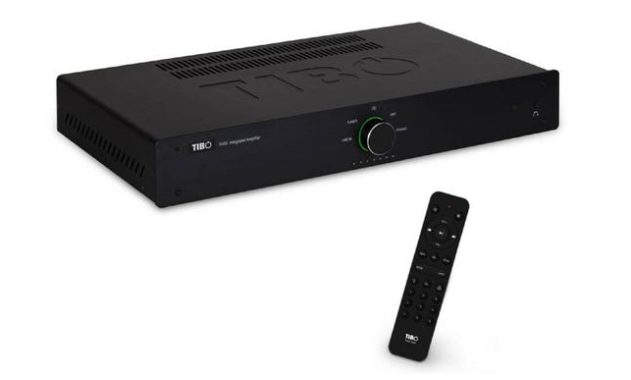
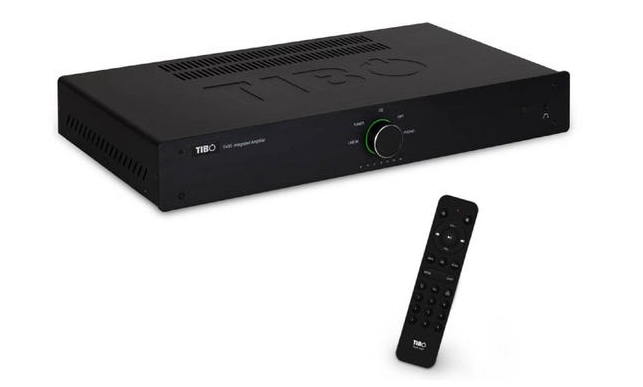
Tibo TI435AMP – very good budget amplifier

0

With its sleek design, powerful sound and digital input, the Tibo TI435AMP is not a regular budget amplifier.

Design and practicality come together
Thin and elegant, the Tibo TI435AMP is an eye-catching design. It’s also very practical. With four analog inputs and digital inputs, the amplifier takes five sources. Outputs include subwoofers and headphones, as well as speaker jacks.

Connect everything, including the TV
With an optical digital input, Tibo TI435AMP is ideal for connecting your TV or game console and increasing the audio experience. For other sources there are four inputs at the line level – perfect for a CD player, tuner, streamer and turntable (equipped with phono pre-amp).Tibo TI435AMP Stereo Amplifier

Replacement power
With 50 watts per channel, the TI435AMP is twice as powerful as many budget amps, giving you the ability to fill larger rooms with engaging sound. For lower bass, simply connect the active subwoofer choice through the dedicated output.

Elegant design
From its untidy front panel to the Tibo smart emboss, the TI435AMP demonstrates timeless design elegance. In addition, the simple control design, with practical jog dial, makes it practical and easy to use.Tibo TI435AMP Stereo Amplifier

All the features you need
Supplied with a remote control, the Tibo TI435AMP is convenient to use. For tuning the sound, there are also bass and high controls. You can also change the color of the lighting around the volume control, using the ‘light’ button on the remote control.Photo:TiboTibo TI435AMP Stereo Amplifier

Make the center of your entertainment system an elegant hub, with Tibo TI435AMP.

Brand Tibo
Power Output – Watts per CH 50 x 2
Phono Input No
Optical Digital Inputs 1
USB Input No
Power Amp In No
Audio Outputs No
Pre Output No
Sub Output Yes
Headphone Output Yes
Speaker Sets 1
Tone Controls Yes
Loudness Control No
Weight (KG) 4.6
Remote Control yes
Coaxial Inputs No
Dimensions WxDxH (mm) 430 × 230 × 65
Bluetooth No
Analogue RCA Inputs 4
MP3 Front Input No
Freq Response (Hz) 20 – 20,000
Price:£149.99

32GB MP3 Player Mibao – excellent little player – Specifications

0

I must admit I haven’t had an MP3 player in probably five years or more until I bought this. The first thing I would like to mention is that we travel 1000 miles several times a year and there are long stretches of road where you don’t get radio stations This will solve this problem.
As for the MP3 player. It came fully loaded, so I could start using it right away. Came up with some sample songs about it, so I could hear the sound quality right away.
Things I like on Mibao MP3 Player include:
Built in 32 gigs of storage, probably more than enough for what I need.
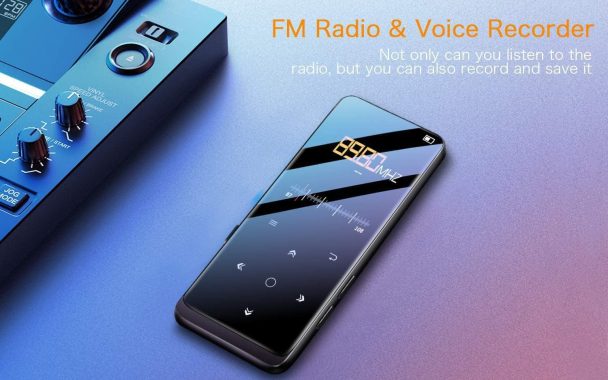
Small sizeMibao MP3 Player with Bluetooth 4.2
Has an FM radio
Supports many formats, MP3, WAV, etc.
Comes with headphones, bracelet and USB cable
It came with easy instructions, but to be honest, you can discover most of it in minutes.

So with this quarantine going on I thought a little running might be in order, and since I needed some music I was looking for something compact, reliable, easy to use and compatible with a sports band.

The Mibao MP3 Player, it fits almost all those boxes.
At the time of reception I realized that it was well packaged (always a good sign), had clear instructions and was quite light. It came with headphones, charging cable and best of all, a decent quality bracelet.
The configuration is very simple and is used like any other removable hard drive.
The Mibao MP3 Player has a great set of features for the price: bluetooth so you can play on other devices, FM radio, storage for eBooks and photos and the ability to record. The user interface is simple (although I recommend for the next version of gen a wheel for faster scrolling) and intuitive.
With anything, things could improve: the sound is great, but I wish it was a stronger and lower touch (just the kind of music I play) and wifi would be absolutely brilliant (so you can update the song titles, etc.). These are just personal preferences.Mibao MP3 Player with Bluetooth 4.2

The Mibao MP3 player with Bluetooth 4.2 is an excellent choice, offering great value for its features. It is compact, fitting perfectly in your pocket, and boasts a generous 600mAh battery, providing an impressive 50 hours of music playback on a single charge. Measuring only 2.4 inches, it features a color screen that conveniently displays status updates, song titles, album art, and even functions as a miniature ebook reader.

While it may not support app downloads like some other devices, it compensates with its ability to pair with external speakers and deliver exceptional sound quality for an MP3 player within its price range. Additionally, it comes equipped with an FM radio and an aux out port. The Mibao MP3 player supports a wide range of audio formats, including MP3, WMA, WAV, and FLAC, and offers expandable storage by allowing you to add your own SD card, providing over 128GB of storage capacity. So, turn up the volume, connect your best workout headphones, and enjoy your music to the fullest.

However, for such a small package, at a very good price and none of the faffs looking for accessories (it was the free bracelet that induced me) I can not be too picky. Recommended! Photo: Amazon

Mibao MP3 Player Specification:

Super light: 2.4-inch TFT display, 0.32-inch thick, 73g in weight.
32 GB memory capacity: Supports SD cards up to 64G.
Bluetooth 4.2 wireless technology: better music, more stable connection.
Dual-sided acrylic glass design: makes mp3 lighter, brighter and more durable.
High-sensitivity touch button: automatic backlighting in the dark for easy operation.
FM Radio: A built-in FM tuner, it receives the signal very easily.
E-Book: Supports autoplay and memory, bookmarks, and page selection.

Indications:

Product material: double-sided acrylic glass
Built-in storage capacity: 32 GB
Screen size: 2.4 inches

Audio format: MP3/WMA/WAV/OGG/AAC/ACELP/APE(8KHz-48KHz)/FLAC(8KHz-48KHz)
Bluetooth support audio format: EPA/MP3/FLAC/WMA/WAV
FM Format/Registration: WAV/MP3
EBook Format: TXT
Photo format: JPG, BMP, GIF

Contents of the package:

1x Mibao M500 MP3 Reader
1x Music headphones
1x Sport bracelet
1x micro USB cable
1x User’s Guide
Mibao MP3 Player price:$39.99

Internet protocol communication – Advantages Of IP Phones

0

There are several advantages to using IP phones, also known as VoIP (Voice over Internet Protocol) phones, in a business or organizational setting:

Advantages Of IP Phones

  1. Cost savings: Because IP phones use the internet for communication, there are no long-distance charges for calls made over the internet. This can result in significant cost savings for businesses that make a lot of long-distance calls.
  2. Flexibility: IP phones can be used from any location with an internet connection, which makes them ideal for remote workers or employees who frequently travel.
  3. Scalability: Adding or removing phone lines is easy with IP phone systems, as it can be done remotely without the need for additional hardware. This makes it easy for businesses to scale their phone systems up or down as needed.
  4. Integration with other technologies: IP phones can be integrated with other business systems, such as customer relationship management (CRM) and unified communication platforms, which can improve efficiency and productivity.
  5. Advanced features: Many IP phones come with advanced features such as call forwarding, voicemail, and conference calling, which can improve communication and collaboration within a business.

There are also some disadvantages to using IP phones, or VoIP (Voice over Internet Protocol) phones:

Some disadvantages to using IP phones, or VoIP

  1. Dependence on internet connectivity: IP phones rely on the internet to make and receive calls, so if there are issues with the internet connection, the phone system will not work. This can be a problem for businesses that rely on phone communication and need a reliable system.
  2. Potential for poor call quality: The quality of calls made over the internet can be affected by factors such as the speed and reliability of the internet connection, as well as the quality of the IP phone itself. This can result in poor call quality, which can be frustrating for users and may impact their ability to communicate effectively.
  3. Security concerns: Because IP phones use the internet for communication, there is a risk of cyber attacks or unauthorized access to the system. It is important for businesses to implement security measures to protect their IP phone systems.
  4. Limited compatibility with traditional phone systems: IP phones may not be compatible with traditional phone systems, which can be a problem for businesses that want to transition to an IP phone system but still need to maintain connectivity with traditional phone lines.
  5. Initial setup and maintenance costs: While IP phones can be cost-effective in the long run, there may be initial setup and maintenance costs associated with implementing an IP phone system, which can be a drawback for some businesses.

Overall, while IP phones can offer many benefits, it is important for businesses to consider the potential disadvantages and carefully weigh the pros and cons before deciding whether an IP phone system is right for their needs.

Overall, IP phones can provide significant benefits for businesses in terms of cost savings, flexibility, scalability, and advanced features, making them a cost-effective and efficient choice for business communications.

People need to communicate and interact in all areas of life. The most attractive and easy means of communication is voice communication. To exchange opinions and speak through voice, several devices based on different technologies were introduced.

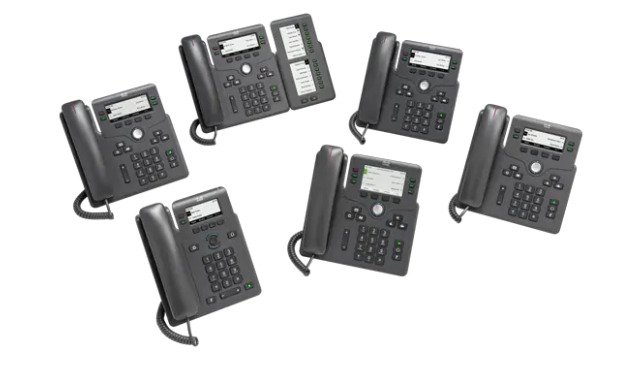
One of the most intriguing devices is an IP phone. Substitutes for IP phones are SIP phones, VoIP phones, and more. An IP phone is a device based on voice protocol communication over the Internet. The purpose of this technology is that it facilitates communication over the Internet while using a computer.

The operation of this technology is simple that converts the voice into a digital signal and vice versa. It looks like a simple phone with a dial pad, headset and display screen, but the phone is connected to a sound card that is connected to a personal computer. Contains the DAC and ADC converter for exchanging digital and voice messages. The other important things included are the general processor, voice engines and Ethernet network. The most commonly used power supplies are direct current and batteries; does not require any separate wiring.

An IP phone is connected directly to the router and once it is connected, then you are connected to the entire information exchange network. All you need is voice protocol software on the Internet, this can be purchased at a very reasonable price or you can download it for free. The operation of this adapter is easy, takes a simple analog signal and converts it into a digital signal for delivery over the Internet.

It also provides many different features, such as business tools, call management tools, and other services based on your communication needs. It provides several features such as call forwarding, call waiting, call blocking, local number portability, conference call, FAX, re-composition of the last issue like many other services. It also maintains a complete trace of voice messages, caller ID, and contact list.

It has endless advantages over any other means of communication, business or home voice communication have become hassle-free through the use of these devices. Using IP phones, you can quickly access and communicate with each other around the world. It is also the cheapest form of communication. The only expense to pay is the expenses of the Internet service provider.

On a normal phone, only two people can communicate, but with these gadgets you can easily set up a conference call and add more people to the conversation without the line falling. Photo:Cisco

Therefore, the IP phone is an innovative technology and has the full potential of a erudite telephone system. It makes your job easy and awesome.

Ring Spotlight Cam – Brilliant Spotlight Camera Wired

0

We added one of these to complete a Ring Pro ringtone that we installed recently. Like other Ring products, they provide plenty of installation extras, including tools, and the instructions were pretty good. It was easy to add the device to my existing Ring app, make firmware updates, etc. However, there are some limitations that we found frustrating.

  • Connect your Ring camera with Alexa then enable announcements to be alerted when motion is detected. Talk to visitors through compatible Echo devices by saying “Alexa, talk to the front door”.
  • Lets you see, hear and speak to visitors from your phone, tablet and PC
  • With a Ring Protect Plan (subscription sold separately), record all your videos, review what you missed for up to 60 days, and share videos and photos.
  • Sends alerts as soon as motion is detected
  • Plugs into standard power outlets for non-stop power
  • Monitors your home in 1080HD video with infrared night vision and Live View
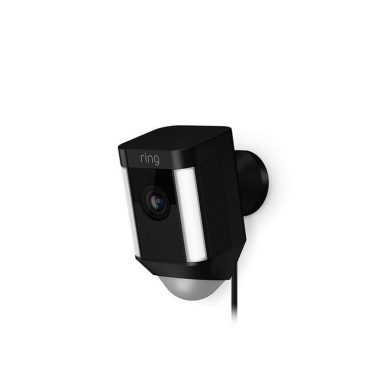
  • Includes built-in LED light strips and a sirenRing Spotlight Cam Wired

Pro:
Excellent instructions
– Good user setup experience (although we struggled with the Ring Pro, so maybe we benefited from the knowledge gained through that painful process)
– You don’t have to worry about batteries dying with the plug-in model
– Easy-to-set/edit motion capture settings
– With your subscription, stored video captures are often very useful

Against:
– There is no wired Ethernet option -this is a security camera – why only WiFi?
– No 5 GHz WiFi support (great monitoring)
– LEDs activated by the “spotlight” movement kill the night vision of the camera, so as soon as the movement is detected, the lights come on and the camera can’t see how far in the dark. Calculate that the visible distance is reduced by 60% when LEDs are turned on. There is no way to disable the “spotlight” LEDs that come in response to the movement, although the application suggests it can.Ring Spotlight Cam Wired
– There is no model to replace infrared LEDs with white LEDs. I’d rather have a camera that doesn’t generate any visible light, but can see a lot more at night than an expensive motion-activated luminary.
– The camera support must be installed with the cable facing down. Despite having a turn lock connector that suggests that different rotations are possible, attempting any other alignment will damage the power pins. The instructions don’t warn against this.

The plug can’t be removed from the cable. If you want to pass the cable through a wall to make the installation cleaner, you need to cut the cable plug and cancel the warranty.Photo:Ring

Summary – this is an OK camera, but it lacks some features that would have made it much better. You will need strong, clear 2.4 GHz WiFi where you plan to install this. Be prepared to pay for your subscription if you buy this.

Average Install Time10-15 minutes
Video1080p HD, Live View, Night Vision
Field of View140° horizontal, 78° vertical
Motion DetectionAdvanced Motion Detection
AudioTwo-way talk with noise cancellation
SirenRemote-activated alarm
LightsMotion-activated LED Spotlights
PowerPlugs into standard power outlets (110-240 VAC).
Internet RequirementsRequires a minimum upload speed of 1Mbps, but 2 Mbps is recommended for optimal performance.
Connectivity802.11 b/g/n Wi-Fi connection @ 2.4GHz, 902 – 928 MHz radio

SplitCam Powerful webcam software – more that just camera splitting

0

SplitCam is a software application that allows users to add various video effects and filters to their webcam video streams. Some of the notable features of SplitCam include:

  1. Video Effects: SplitCam allows users to add various video effects such as masks, overlays, and face effects to their webcam video streams.
  2. Virtual Webcam: SplitCam allows users to use a video file or a screen recording as a virtual webcam, which can be used in various video conferencing and streaming platforms.
  3. Multiple Webcams: SplitCam allows users to use multiple webcams simultaneously and switch between them during a live video stream.
  4. Audio Effects: SplitCam also includes various audio effects such as echo and pitch shift, which can be applied to the audio from the webcam microphone.
  5. Chroma Key: SplitCam includes a chroma key feature, which allows users to remove the background from their webcam video and replace it with a custom image or video.

Overall, the versatility and flexibility of SplitCam’s video and audio effects make it a useful tool for enhancing webcam video streams and adding creativity to live video streams.

SplitCam – The virtual video capture software allows you to link multiple applications to a single video capture source. For example, if you have a webcam connected to your computer, you can’t use it in multiple apps at the same time, there are no standard Windows options to make it possible. SplitCam does just what its name says: it divides the video stream from the video source and provides it to other client applications.

With SplitCam, you can connect up to 64 clients to a single video source.SplitCam - virtual video capture
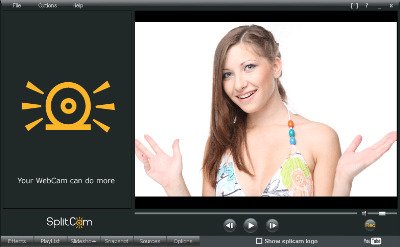
Typically, after installing a video capture device, such as webcam, dv-camera, TV tuner, or a TV-IN video card, you can only connect to it from a Windows app. If you launch another app and try to use the same video source, you’ll receive an error message that your device is already in use. In this case you have no choice but to wait for the first application to finish its work, or to get out of the idea of using the second app. Sometimes it may be absolutely necessary or more advisable to use, for example, the webcam in more than one client application at the same time.

New features and enhancements:

1. Different video resolutions (including HD): Go to Options and select the required resolution.
With the release of SplitCam 5, we’ve solved our major issues with compatibility with Windows 7, Vista, and x64 operating systems. However, there are still many people asking for SplitCam with Win7 and x64 in search engines, on forums, via our support email…

With this post we want to respond to all these people and say that now SplitCam is fully compatible with the operating system Windows 7, Windows Vista, x32 and x64. SplitCam 5 is tested many times on all these operating systems and platforms, and all bugs depending on the architecture of Windows 7 and Vista are fixed.

SplitCam is sa oftware that can capture video from input devices.

Features and highlights
Cool webcam effects software
Splitting videos into various programs
Realistic 3D masks
All popular video sharing sites are supported
Streaming to video sharing sites
Broadcast HD video and many supported video resolutions
Different video streaming sources
Software to use the IP camera as a source
Useful additional video features
Videos can zoom in and outSplitCam - virtual video capture
Let’s proceed to the detailed review of SplitCam and evaluate its performance based on key parameters.

Performance: Unlike some professional video recorders, SplitCam is a lightweight application that doesn’t burden the CPU significantly. It delivers smooth performance even when recording videos, thanks to the restricted video recording quality.

Video Quality: SplitCam limits the video quality to a maximum resolution of 2048×1536. Consequently, it doesn’t support 4K video recording, even if your webcam or desktop screen has a 4K resolution. There is room for improvement in video quality, prompting users to seek alternative software similar to SplitCam.

Device Support: SplitCam allows recording from external webcams, desktop screens, IP cameras, and supports NDI devices. However, it is only compatible with Windows 7 and Windows 10 operating systems.

Editing Options: SplitCam provides various customization options to adjust video parameters like brightness, saturation, and even skin smoothing. However, it lacks post-recording editing options to take your videos to the next level.

Best Alternative: If you are dissatisfied with the features and functionalities of SplitCam and are seeking a superior alternative, we recommend Filmora screen video recorder. It addresses the shortcomings of SplitCam and offers a comprehensive set of features and options desired by users. Filmora allows 4K video recording, professional editing capabilities, and supports multiple output file formats, enabling the creation of professional-quality videos. Here are the steps to record your screen and webcam using Filmora.

Cool webcam effects software
Add effects to your webcam video in video chat and have fun with your friends!
It’s a real source of positive emotions!
Splitting videos into various programs
Feel free to use your webcam in various applications without receiving the “busy night” error. He thinks your webcam can do more!
Realistic 3D masks
Replace the entire head with a 3D object. Imagine virtual elephant or some other animal head on your shoulders repeating all the movements of the real head. You can also apply some famous 3D movies like Darth Vader.
All popular support services
Skype, Windows Live Messenger, Yahoo Messenger, AOL AIM, ICQ, Camfrog, Gtalk, YouTube, Justin.tv, Ustream, Cam-ap and Chatroulette, ooVoo and more…
Streaming to popular services
The SpliCam webcam software allows live video streaming to Livestream, Ustream, Justin.tv, TinyChat and other services in just a few clicks and using all the features of SplitCam. Make your streaming brighter and more flexible!
Broadcast HD video and many supported video resolutions
Stream video from HD camera without loss of video quality. Manually select the required resolution from the list of the most popular resolutions: 320×180, 320×240, 400×225, 400×300, 512×384, 640×360, 640×480, 800×600, 960×540, 1024×768, 1280×720, 1280×960, 1400×1050, 1600×900, 1600×1200, 1920×1080, 1920×1440, 20488×1536
Different video streaming sources
SplitCam lets you stream webcams, video files, slideshows, and desktops
(full desktop or selected part of it)!
Use the IP camera as a source
Connect to any IP camera and send it as a video source instead to your webcam to IP connection messages and video streaming services.
Small video features useful
Record your video without special professional software and upload it to YouTube
in just a few clicks right from the SplitCam window!
Zoom video function
Zoom in on your video in SplitCam and stream only the part you need. Zoom with keyboard and mouse available.

The most interesting and impressive feature of SplitCam software are the effects. It’s a great way to make your video chat fresh and unusual. You can apply effects regardless of the selected video source. You can apply multiple effects at the same time and make combinations of amazing effects.

With SplitCam you can leave stereotypes and have unusual, bright and full of emotions video calls. For example you can change your video stream source to video file. It can be anything you want – animated cartoon, video from YouTube, home video… In using of this your imagination is the only limitation. You can send video file instead of webcam for education (give a lecture), make video answering machine like in usual phone, imitate 24/7 online activity on some video site… Moreover you can play like webcam not only one file, but even make a playlist.

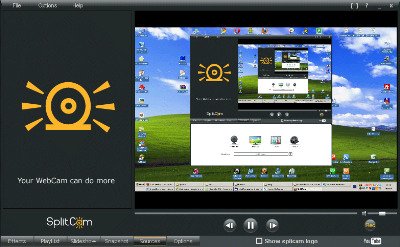
And it’s only one of SplitCam video source features. You can set your desktop as a video source. During video chat all your friends will see your desktop. It worth to say that desktop video source in SplitCam works in three modes: full desktop, zoomed area where mouse cursor is and selected rectangle of the desktop. With the desktop feature of SplitCam you can help your friends in a few moments showing what to do in real time and commenting your actions with voice.

System Architecture: Windows 10 32-bit, Windows 10 64-bit, Windows 8 32-bit, Windows 8 64-bit, Windows 7 32-bit, Windows 7 64-bit.

All effects are divided into groups. Let’s take a look at each set of effects and find out what we can with SplitCam effects. Photo:SplitCam 

The best group is Filters. With these effects you can edit the entire video. One filter makes the video black and white, another – negative, the next… Click and download SplitCam download
LG NANO81 TV NanoCell series (2020)- IPS, Real 4K, Quad Core Processor…

0

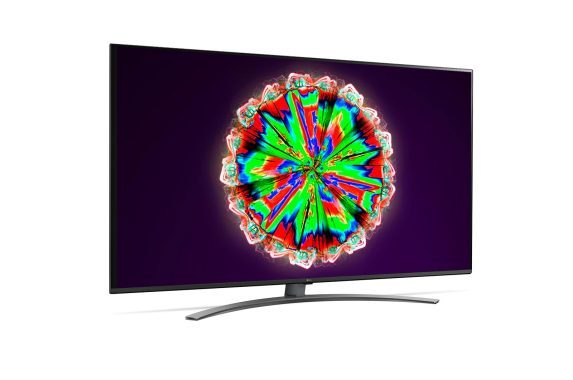
The LG NANO81 is a good TV for most uses. With its IPS panel, it’s a great choice to watch sports with a group of friends or use it as a PC monitor. It has a low contrast ratio, poor black uniformity, and its local attenuation function is poor, so watching movies in the dark is not a good choice. It has no VRR support and has an update frequency of 60 Hz, but casual players should appreciate the incredibly low entry delay and decent response time.LG NANO81 TV

The LG NANO81 is a decent general TV with an IPS panel. It is a very simple TV that is limited in additional functions, as it does not support any variable update frequency (VRR) or Dolby Vision technology. It has wide viewing angles, which makes it a good choice to watch the big match with many friends. Unfortunately, people who like to watch movies in the dark might be disappointed with their low contrast ratio, poor local attenuation function, and uniformity issues. It’s a good choice for console players because the response time is decent and the entry delay is incredibly low. Overall, it’s a pretty well-built TV with excellent design and a premium central-looking stand.
The LG NANO81 is mediocre for watching movies. It has an IPS panel that has a low contrast ratio, and its local attenuation function is bad. It also has a poor black uniformity, so the dark scenes don’t look good. Fortunately, it increases low-resolution content well and removes judder from 24p fonts as native apps.

Very good for TV shows. The LG NANO81 has excellent handling of reflection, but it doesn’t get very bright, so you should avoid placing it in really bright rooms. It has wide viewing angles and increases the content by 720p, as of cable boxes, without any problem. LG’s WebOS platform also has a wide selection of applications available for download.

The LG NANO81 TV is good for video games. It doesn’t have game features like VRR support and is limited to a 60 Hz refresh rate. Despite everything, it has a decent response time and an incredibly low input delay. It also increases 1080p content very well, making it a good TV for console games.LG NANO81 TV

Disappointing for HDR movies. The LG NANO81 does not support Dolby Vision, its color range is just decent and does not become bright enough to make the reflections appear in HDR, so it does not look different from the SDR content. It also has a low contrast ratio, a poor characteristic of local attenuation and poor black uniformity. On the plus side, remove the judder from 24p native fonts.

The LG NANO81 is good for HDR games, mainly because of its good gaming performance. It has an incredibly low input delay and a decent response time, but the HDR content doesn’t look good. Its color range is a bit limited and does not become bright enough to stand out. In addition, it is limited to a 60Hz refresh rate and does not have VRR support.

LG NANO81 TV is a very good choice to use as a PC monitor. Displays the appropriate 4:4:4 chroma, which is important for reading text. It has wide viewing angles, which makes it a good choice to place in a meeting room. It is not the best TV to place in bright rooms, because although it has excellent handling of reflection, it does not become bright enough to combat glare.LG NANO81 TV

The LG 65NANO81 has good grey uniformity. The edges of the screen are slightly darker, closer to the corners. There is also a very minimal dirty screen effect in the center, which is ideal for sports fans. The uniformity is much better in the almost dark scenes, except that there is bleeding of the visible background light in the lower right corner.
The LG NANO81 TV has exceptional color accuracy after calibration. Any remaining inaccuracies are difficult to detect without the help of a colorimeter and the range follows the target almost perfectly. The color temperature is cool when an image with 5% and 10% stimulus levels is displayed, which affects the color temperature score.Photo:LG

  • Display Type
    4K NanoCell
    Screen Size
    55
  • Resolution
    3840*2160
    NanoCell Display
    Yes
  • IPS Panel
    Yes
    Wide Viewing Angle
    Yes
  • Wide Color Gamut
    Nano Color
    Biliion Rich Colors
    Yes
  • Dimming
    Local Dimming
    Ultra Luminance
    Ultra Luminance
  • BLU Type
    Edge
    TruMotion / Refresh Rate
    TM100 (Refresh Rate 50Hz)
    • Processor
      Quad Core Processor 4K
      Upscaler
      4K Upscaler
    • Image Enhancing
      Image Enhancing
      HDR
      Active HDR
    • HDR10 Pro
      RF/HDMI/CP/USB
      HLG
      RF/HDMI/CP/USB
    • FILMMAKER MODE ™
      Yes
      HDR Effect
      Yes (4K/2K)
    • Dynamic Tone Mapping / Pro
      HDR Dynamic Tone Mapping
      Dimming Algorithm
      LG Local Contrast
    • HEVC (Video Decoder)
      4K@60P, 10bit
      VP9 (Video Decoder)
      4K@60P, 10bit
    • HGIG Mode
      Yes (MR)
      Instant Game Response (VRR/ALLM)
      Yes
    • Picture Mode
      Yes 10 modes (Vivid, Standard, Eco, Cinema, Sports, Game, HDR Effect, Filmmaker, (ISF)Expert(Bright Room), (ISF)Expert(Dark Room))

Display Driver Uninstaller – Removes Intel, ATI, AMD and Nvidia display drivers

0

Display Driver Uninstaller is a very good, basic driver uninstaller utility that can quickly and effectively remove drivers installed by various brands of different video cards such as NVIDIA, AMD/ATI and Intel.

The program can be useful when the stubborn Windows installation system crashes and/or has trouble removing video drivers.

As a portable application, you don’t need to install the Display Driver Uninstaller which is useful considering the fact that it is not likely that removing and installing drivers a daily task.Display Driver Uninstaller

The Display Driver Uninstaller interface is simple and easy to use, and when you use the software, you have the option to create a system recovery point as recommended. The software also suggests running the application in safe mode.

Display Driver Uninstaller has a very simple interface. Select the graphics driver from the first drop-down menu, and after that, you can complete the actions with a click such as “Clean up and restart”, “Clean up and don’t restart” or “Clean up and close”. A record will immediately display the DDU version, the detected GPU, and the current version of the driver.

One last useful feature is the “Set up Windows Automatic Driver installation to default” which allows Windows to install an updated driver after Display Driver Uninstaller has completed its task.

In general, Display Driver Uninstaller is a useful application that makes removing complicated display drivers a quick and painless task.  Download Display Driver Uninstaller

True 4K Native Projector – Excellent JVC DLA-N5

0

JVC DLA-N5 is something home theater fans have been dreaming of for years. That is, a reasonably affordable projector that combines JVC’s excellent, contrast-rich D-ILA technology with a true (instead of pseudo) 4K resolution.

JVC DLA-N5 Design – Large and Heavy
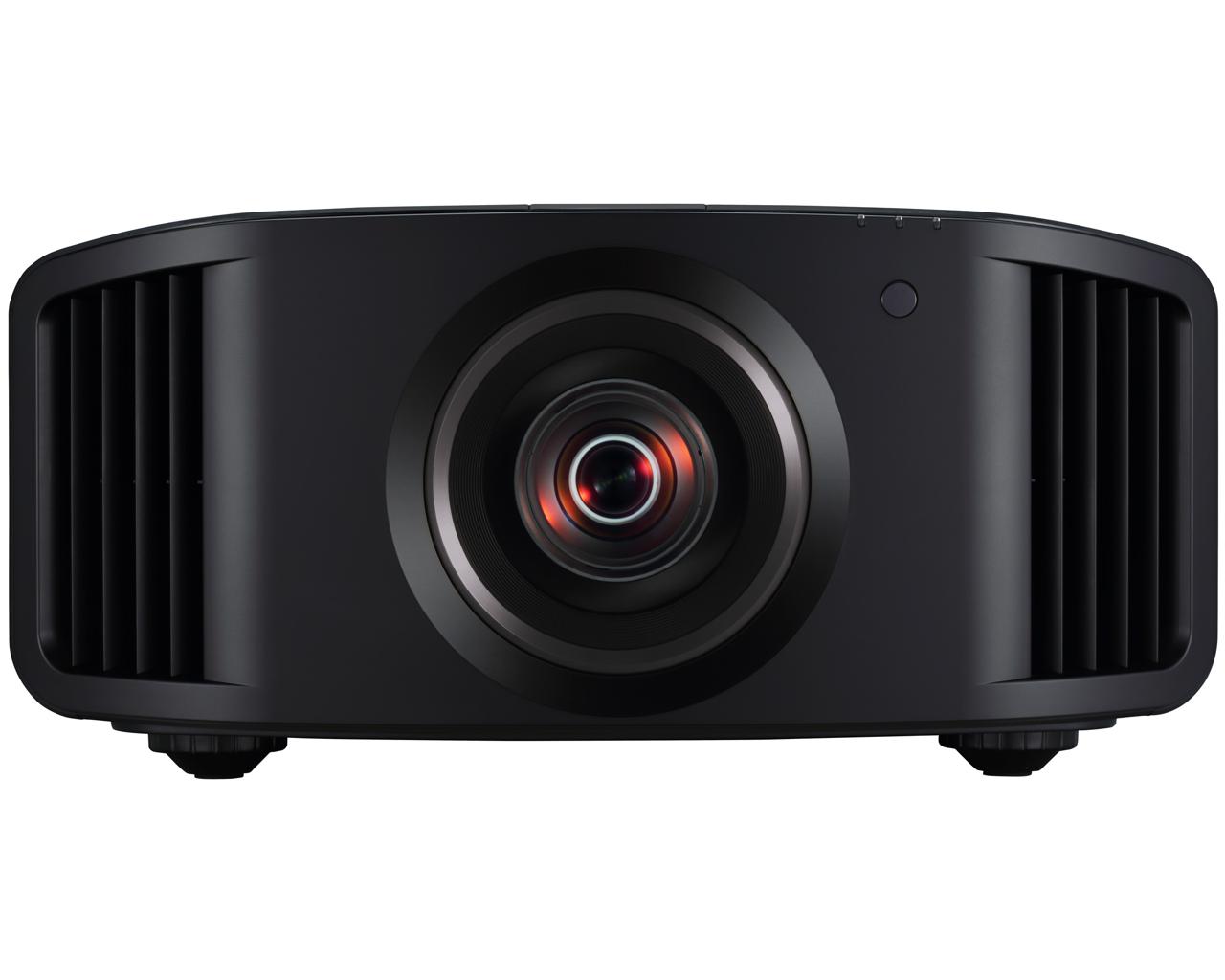
As usual in JVC D-ILA projectors, the DLA-N5 is a bit monstrous. Its footprint is very large and is also much larger than most rivals.JVC DLA-N5 D-ILA projector

However, it carries its volume quite neatly. All its corners and edges are decorated with taste. The ventilation holes on either side of the huge centrally mounted lens housing are perfectly integrated. And the strip in the middle of the top edge breaks what might otherwise have been a rather sad stretch of sturdy plastic.
The main attraction of JVC home theater projectors has long been its D-ILA optics. The combination of D-ILA chips and a so-called wire grid optical engine that prevents unwanted light from entering the optical array has provided state-of-the-art black levels for years.JVC DLA-N5 D-ILA projectorIn the case of DLA-N5, the D-ILA agreement offers a native contrast ratio of 40,000:1. All competing projection technologies to date should use dynamic irises or lamps to obtain the alleged contrast ratios of this magnitude. But the N5 calculates that you can do this without using the automated light output settings that can distract you. Even if you choose to use the dynamic contrast features of the N5, its claimed contrast ratio jumps to a phenomenal 400,000:1.
Luckily, JVC’s latest range offers fans the true 4K support they’ve wanted. All three D-ILA optical chips (one for red, green and blue) carry 4096 x 2160 pixels.JVC DLA-N5 D-ILA projectorThis 4K resolution is actually slightly higher than the 3840-2160 resolution found on 4K TVs and used from virtually all 4K sources. However, the projector will still play 4K content in a native pixel in pixels instead of scaling images to the marginally higher number of lines.

Gamers will be happy to hear that the JVC DLA-N5 has a low latency mode. This reduces the time it takes to produce N5 pictures to 24 ms.

Finally, 3D fans will be happy to know that the N5 supports 3D via an RF wireless transmission system. Just train with JVC’s PK-AG3 3D glasses and the SYNCHRO PK-EM2 3D emitter.

Being able to maintain higher brightness levels for HDR helps the N5 produce brighter but also natural HDR colors. The quality of JVC’s D-ILA color management system, which the brand has been refining for over a decade, ensures that this new vitality never seems out of control, or that subtle tones are lost or exaggerated. On the contrary, the way the colors appear on the N5 makes you feel like JVC’s D-ILA color management has been waiting for the HDR tone mapping system to catch up.

The new native 4K resolution also plays its part in the JVC DLA-N5’s EXCELLENT color performance. With four times the pixel density to play with, you essentially get four times as much refinement in color and skin blends.
The movement, on the other hand, seems clean and credible on the N5 without the help of JVC’s motion processing functions.

No wonder it takes care of HDR’s challenges, the JVC DLA-N5 looks great with SDR as well. The only driver I would like to add is that its magnification of the sub-4K image is right to middling. The improvement in detail is pretty good, but the processing doesn’t seem as skilled in blocking the source noise as the best options found on the best TVs. If your source computer has its own built-in 4K scaling, try giving it a vortex to see if it delivers better results than the N5 climber.
The only other bad thing that comes to mind is that the N5 works much stronger in HDR mode than the SDR mode. The extra cooling fan racket, however, is so soft that you quickly learn to ignore it. Until you have to sit too close anyway.JVC DLA-N5 D-ILA projectorThe way it combines the striking contrast of the JVC projector with the native 4K resolution and the excellent HDR tone mapping makes everything less irresistible.Photo:JVC

If you can’t afford the sale price of the JVC DLA-N5(£6,495), Sony’s VPL-VW270ES can be held for around £4,999. However, this does not give you such an impressive contrast. If you’re looking for a more ‘lifestyle’ projector option, LG’s ULTRA-short HU85LS laser model curls up against your wall and adapts very well to the bright and dark room conditions.

Native Aspect Ratio16:9
Projector TypeD-ILA
Brightness (Lumen)1800
Contrast Ratio40000:1 (native), 400,000:1 (dynamic)
Full HD 1080pYes (actually 4k)
3D ReadyYes (no glasses included)
Max Diagonal Image Size (Inch)200
Lamp TypeNSH
 

Different types of memory cards and sticks – Quick guide

0

There are different types of memory cards, so it can be a bit confusing when you’re looking to expand the storage capacity of your brand new mobile phone. Music phones, mobile phones and smartphones are very fun, but they don’t usually come with much internal memory. Here is a brief overview of the common formats used by mobile phones.

Types of memory cards

Almost all types of memory cards use solid state flash technology. Unlike hard drives on your computer, NAND flash memory has no moving parts. This is crucial for mobile devices (such as mobile phones), because they are prone to shake what would otherwise cause reading errors. The following types of memory cards are not mobile phone-specific; they are also used in digital cameras, PDAs, MP3 players and various other portable devices.

Secure Digital (SD)
The Secure Digital family of memory cards paved the way for Sandisk, Toshiba and Panasonic. The format is regulated by the SD Association and was originally conceived as an extension of the MultiMediaCard (MMC) format. SD cards are slightly thicker and clearly have faster reading speeds than their MMC counterparts. Along the way, several variants emerged:Memory

SD: The standard SD card is about the same size as a stamp, usually measuring from 32 mm to 24 mm to 2.1 mm. There are also high-speed versions, which are particularly suitable for high-speed digital cameras.
MiniSD: These cards have about half the footprint of their standard-sized counterparts. Its potential, both in terms of speed and capacity, is also significantly lower. For more information about miniSD, see our main article on formatting.
MicroSD: Also known as TransFlash (TF) in the realm of mobile phones, microSD cards are the size of a nail and are available in capacity up to 2GB. It is currently one of, if not the most popular memory card expansion format for various mobile phones.
SDIO: For “secure digital input-output”, these tabs are not normally used for memory expansion (although they can extract the dual function in this regard), rather than being implemented on PDA and smartphones to add additional functionality (WiFi connectivity is the most common).

Memory Sticks

Used only with Sony products, the Memory Stick range of multimedia cards is commonly implemented in Sony’s CyberShot digital cameras, sony Clie PDS and Sony Ericsson mobile phones. Most formats are available as a “Pro” variant, which offers significantly faster reading and writing speeds and superior capacity.

Memory Stick: Measuring almost the same as a chewing stick, this format is available in capacity up to 8 gigabytes, but it’s usually too big for today’s mobile phones.
Memory Stick Duo: About half the size of a standard Memory Stick, the Memory Stick Pro Duo is very popular among Sony Ericsson Walkman and PlayStation Portable phones.
Memory Stick Micro: The smallest of the group, this is a really micro format (known as M2).
Another memory
While the SD and Memory Stick family cards dominate the mobile phone market these days, there are a few other formats you may need to look for, depending on your chosen mobile phone. The most notable is the RS-MMC, or small MultiMedia tab. Also available in a dual voltage variant (RS-DV-MMC), these stamp-sized cards are commonly found on a number of Nokia mobile phones.

Some other types of memory cards that you can find include Compact Flash (CF, I and II), MicroDrives and MMCmicro cards. These should not be confused with Subscriber Identity Module (SIM) cards found on GSM-based mobile phones, as SIM cards are used to associate the phone with your mobile account. Photo:Pixabay

5 Great Tips – How To Use Technology in Education

0
Education
Photo:Pixabay

The coronavirus pandemic has hinted at various methods of using technology in every aspect of life. Education is one of the things that urgently needs cutting-edge technology. Based on new inventions, people are constantly implementing new forms of schooling, thus improving instructor teaching methods and increasing student efficiency and productivity. As a result, recent research has shown that in students’ Google search systems, phrases do my programming tasks for me, and educational podcasts, for example, go hand in hand. Read on to recognize the best ways to use technology for educational purposes.

Podcast

Podcasts can not only be supplements for lessons, but can also appeal to the public, acting as a learning station. Undoubtedly, podcasts are not the invention of 2020; however, some educational institutions, if any, display podcasts in their programs. In addition, it is widely agreed and demonstrated by numerous researches that students cannot sit in a place for a long time because their concentration evaporates after 20 minutes, which helps podcasts replace some classes.
It can be said that it is not possible to control whether students listen to podcasts carefully, thus storing the material. In fact, it is difficult to control, but even when passive and only listening, speakers can somehow engage listeners by asking various questions and, for example, sending answers to these questions via email.
In order to stagger listeners and push them to pay attention to audio, educators through podcasts can include interviews with the author of a book that students are reading, some on-site questions related to the curriculum, described from a different angle, and so on. Student radio is not something new, but we know that a plethora of people don’t feel comfortable when exposed, interacting with each other in real life, so authorities are very encouraged to motivate students to record their podcasts and disseminate/publish them on the school’s website.

Video content

Another option would be to create video content on popular online course platforms or YouTube. Video can’t be underestimated today, people tend to ask YouTube everything they want to know even more often than they’re looking for on Google. Before you ask yourself why, you need to understand that people can browse video content indefinitely, especially if they’re fans of a particular blogger or professional.
People don’t watch videos just for fun, they want to learn something new, to make their lives easier or even to get a great job. To satisfy these desires YouTube has millions of channels in countless fields. It’s a very progressive niche where every student could learn something new instead of wasting their time. Teachers may make you more productive and make video courses, important lessons, or presentations available online.

Adaptive content
Considering the fact that the most used device among students is a smartphone, it would be reasonable to convert some of the material into the support format of the smartphone. Smartphones are used for academic purposes when graduates can’t reach their laptop or tablet.

This usually happens on the way to school, after a hectic day, when all you want is to lie down in bed. For such occurrences, adaptive content will be a wonderful opportunity to review the material, read an article or complete a questionnaire. The key thing the school needs to implement is just the app that is compatible with student gadgets. It may seem difficult for teachers at first glance, but once they learn the ropes, they will be able to throw virtual classrooms, build tasks and perform ratios for the fall of a hat.

Online calendar

Needless to say, students are inclined to forget certain tasks, events and meetings, which doesn’t necessarily mean they’re lazy or irresponsible. Not only do they struggle with the absence of household chores, but they also create a chain reaction in which they also struggle with those who have written the assignment and are constantly questioned about it. Therefore, to keep students informed about the material that will be asked, creating an online class calendar will be a great feature, which will give a clear picture of what to do, how to do it and the expiration date of the assignment.
No need to invent the bike and think about any ostentatious app. Google Calendar is a simple but surprising and functional application, in which the teacher can enter crucial information, sending the calendar hyperlink to the student group mail, separately or to their parents. The nearest expiry dates will inform students, which will no doubt make them more self-disciplined and ensure that no assigned assignments are lost.

Ten minutes to Twitter

Regardless of the topic, each class must be summarized to determine which new materials have been acquired by material students. Twitter is an amazing application for this purpose because, in 140 characters or less, students can encapsulate the most meaningful information they recognized during the lesson. The point of this summary is to evaluate the different shots of the students on a topic, from what angle each of them sees. Giving 10 minutes at the end of each lesson to write a summary will help students repair the material. Certainly, such summaries cannot have an impact on the overall assessment of students, and under no circumstances should they be included when qualifying the student at the end of the semester or year.
Instead, they help the teacher understand what needs to change completely in terms of learning and what part of the technique should stay or improve. In order to make such recaps more or less hidden from users outside the classroom, think of some creative and hard-to-follow hashtags by clicking on what you’ll be able to analyze the above rundowns.

Finally, but not least, the development of critical thinking during traditional classes has always seemed to be more of a far-fetched scenario than a true milestone in education. By using technology, you can dramatically help students advance their critical thinking in their area of expertise. That said, search for some web pages with content that’s closely related to your lessons, and ask students to do some analysis of their credibility, noting some notes, which they’ll present later. The point is to make them less naive, more analytical and independent. Some programs allow you to create interactive screenshots of any page by adding its URL.
In addition, this activity will excite the group during the collective, as well as the individual presentation of the research carried out. Or, by dividing the class into multiple groups, compare the editions to see what changes examined the most complete web page, indicating the pros or cons of the submitted material. You can also implement the above Twitter synopsis recommendations to make sure students agree or disagree with what they’ve heard and seen.