Virtual Reality (VR) has revolutionized gaming, plunging players into immersive worlds that traditional screens simply can’t replicate. You’re not just controlling a character—you are the character, moving, reacting, and feeling every moment.
But first, what exactly are VR games? They’re interactive experiences designed for VR headsets, using motion tracking and spatial audio to create a convincing alternate reality. Swing a sword, aim a gun, or cast a fishing line—your real-world movements translate directly into the game, making everything feel startlingly lifelike.
VR Game Genres at a Glance
VR spans a wide range of styles to suit every mood:
First-Person Shooters (FPS): Heart-pounding combat where every bullet and dodge feels personal.
Puzzle & Adventure: Brain-teasing challenges wrapped in rich narratives and discovery.
Simulations: Lifelike recreations of driving, flying, or managing complex systems.
Exploration: Vast digital landscapes filled with secrets and wonder.
Horror: Pulse-racing tension that exploits VR’s intimacy to maximum scare factor.
The Best VR PC Games Under 1GB
Island Time
Stranded after a shipwreck, you awaken on a tiny desert island with nothing but wits and whatever washes ashore. Scavenge for food, craft primitive tools (spears from driftwood, anyone?), and fend off wildlife while managing hunger and resources. The longer you last, the more the island reveals—hidden caches, rare materials, and new crafting possibilities. Your only companion? A sarcastic crab named Carl, who dishes out survival tips with a side of sass.Island Time VR game – photo
Vrkshop
Step into a judgment-free woodworking paradise. Armed with authentic hand tools—saws, chisels, clamps, and a rainbow of lumber types—you’re free to tackle guided projects or go rogue in sandbox mode. Measure twice, cut once, then admire your handiwork. The real magic? Steam Workshop integration lets you browse community creations, download blueprints, or upload your masterpieces. Pro tips: master the cloning tool for rapid prototyping and organize your pegboard like a true craftsman.
Undead Development
Part fortress builder, part zombie apocalypse simulator. Scour abandoned buildings for weapons, ammo, and barricade materials, then transform any structure into a death trap. Nail furniture to windows, reinforce doors with scavenged planks, and get creative—mount axes to rifles, rig bear traps to baseball bats, or create spiked barricades. Waves of undead test your engineering nightly. With multiple maps, endless loot combinations, and a physics-based nailing system, every defense feels uniquely yours.
Catch & Release
Escape to a pristine alpine lake surrounded by towering pines and jagged peaks. This isn’t just fishing—it’s mindfulness in VR. Row your boat to hidden coves, select the perfect lure, and battle trophy fish that fight back with realistic physics. Between casts, crank up the radio, skip stones across mirror-smooth water, or simply soak in the scenery. Success demands patience: read the water, tire out your catch, and time that final reel-in perfectly. Pure relaxation with just enough challenge.
Fruit Ninja VR
The arcade classic explodes into 3D mayhem. Dual-wield katanas to dice flying fruit in spectacular slow-motion combos, now with depth, distance, and physics. Classic, Zen, and Arcade modes get VR-exclusive arenas, while new additions include: rhythm-based slicing to thumping soundtracks, long-range archery with explosive fruit bows, and reflex-testing whack-a-fruit mini-games. Earn blades with special effects (pixel art, frost trails, fire) and unlock secret areas across the vibrant world of Fruitasia.Fruit Ninja VR – photo
Prison Boss VR
Live the clandestine life of a jailhouse entrepreneur. From the confines of your 6×8 cell, master 11 black-market crafts: roll cigarettes with precise gestures, ferment prison hooch in hidden containers, bake contraband cookies. Trade with a daily visitor whose prices fluctuate like the stock market. Reputation unlocks cell upgrades—furniture, hiding spots, better tools—but guards patrol regularly. Three modes (Story, Arcade, Boss) span four unique prisons, with 80+ jobs and a swinging jazz soundtrack setting the speakeasy mood.
The Thrill of the Fight
Boxing, distilled to its raw, physical essence. No button-mashing—just you, your fists, and opponents who punch, weave, and counter with authentic technique. The physics engine tracks every jab, hook, and uppercut with 1:1 motion, while smart simplifications keep matches flowing without frustration. Dodge by actually moving your head; block by raising your guard. Matches are won through stamina, strategy, and real sweat. Requires a 2m x 2m play space and rewards physical movement—no teleportation or joystick crutches here.
All games confirmed under 1GB installed size and compatible with major PC VR headsets.
Quick Picks – VR PC Games <1GB
Game
Genre
Size
Short Desc
Island Time
Survival
~1GB
Shipwrecked on a tiny isle; craft, fish, survive with crab pal Carl.
vrkshop
Woodworking
<1GB
Free-build with realistic tools; Steam Workshop sharing.
Undead Development
Zombie Builder
<1GB
Scavenge, nail traps/weapons, defend bases from hordes.
Catch & Release
Fishing Sim
<1GB
Rowboat on alpine lake; realistic casts, fights, chill vibes.
Fruit Ninja VR
Arcade Slicer
<1GB
Dual blades dice flying fruit; modes, combos, global battles.
Prison Boss VR
Crafting Tycoon
~1GB
Jail contraband empire: roll smokes, brew hooch, dodge guards.
Thrill of the Fight
Boxing
<1GB
Physics punches, dodges; climb ranks in sweaty ring bouts.
Transform your regular television into a powerful smart entertainment hub with the Android TV Box. Designed for speed, clarity, and convenience, this compact device lets you stream movies, shows, music, and games in stunning 4K Ultra HD quality. Powered by the Android TV operating system, it gives you seamless access to Google Play Store, YouTube, Netflix, Disney+, Prime Video, and thousands of other apps.
With built-in Google Assistant and voice control, you can easily search for your favorite content, control smart home devices, or get updates — all hands-free. The Android TV Box supports Wi-Fi and Bluetooth connectivity, ensuring fast streaming and smooth performance.
Whether you’re watching live sports, playing Android games, or exploring the latest streaming platforms, the Android TV Box delivers a fast, fluid experience with vibrant colors, rich sound, and an intuitive interface that’s easy for everyone to use.
Key Features:
Android TV OS with Google certification
4K Ultra HD streaming with HDR10 support
Built-in Google Assistant and Chromecast
Dual-band Wi-Fi & Bluetooth connectivity
HDMI, USB, and Ethernet ports for versatile connections
Access to thousands of apps via Google Play Store
Compact design and energy-efficient performance
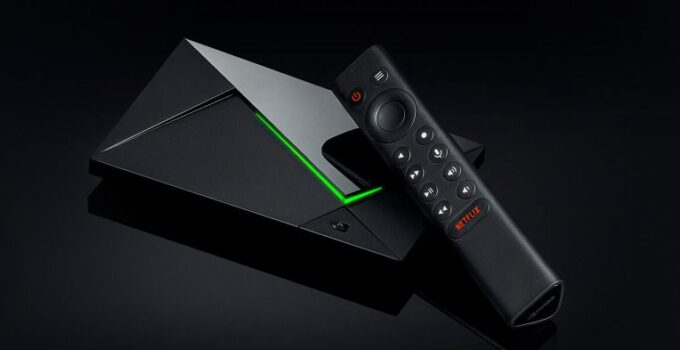
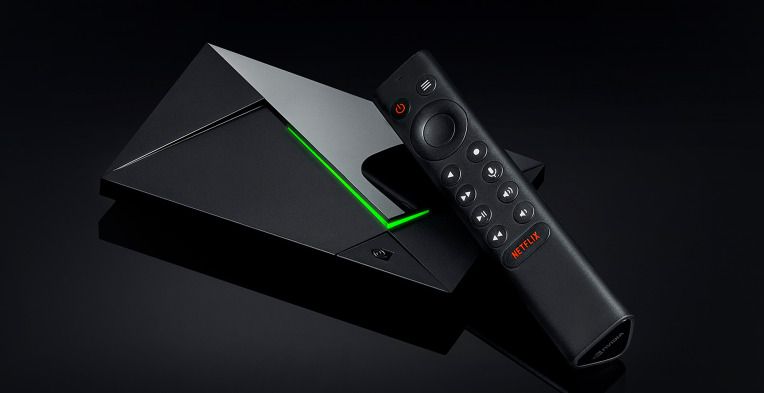
If you want raw performance, longevity and the best home-theatre features, get the NVIDIA SHIELD TV Pro. If you want the smoothest Google-native experience, smart-home integration and a current, supported Google device, the Google TV Streamer (4K) is the no-nonsense pick. If value and certified streaming (Netflix/Disney+/AV1) matter, the MECOOL KM9 Pro Max gives the best bang for your buck.
1) NVIDIA SHIELD TV Pro — the performance & home-theatre king
What it is (essentials)
The SHIELD TV Pro is NVIDIA’s high-end Android-TV/Google-TV family member aimed at enthusiasts: Tegra X1+ SoC, AI upscaling, wide codec support, Plex/Emby power-user features and GeForce NOW/cloud gaming. It’s the box that still sets the bar for AV fidelity and advanced features.
Ports: Gigabit Ethernet, USB 3.0 (useful for network shares, Plex server storage), reliable remote and controller support.
Software & ecosystem: Nvidia maintains a good update cadence for SHIELD and it’s the easiest device for cloud gaming (GeForce NOW) and local game streaming (GameStream).
Real-world performance
UI navigation is snappy, and the Tegra X1+ still outperforms nearly every cheap Amlogic/Realtek box in decoding overhead and sustained playback. The SHIELD excels when you want lossless audio passthrough to an AVR and accurate frame-rate switching (important for cinephiles). AI upscaling works best on well-lit, constant scenes — it sharpens edges, reduces blur and often makes 1080p content feel less soft when stretched to 4K. Reviews from AV-focused sites and SHIELD’s own spec pages consistently show that it remains the reference among Android boxes.
Pros
Best audio/video support and home-theatre features.
Strong community, proven longevity and frequent third-party apps that support it.
Excellent for local media servers, Kodi, Plex, Emby and high-bitrate files.
Cons
Price: it’s at the premium end (often ~$150–$200 at retail).
Not the newest SoC design — it’s a mature, refined platform rather than bleeding-edge silicon (but that maturity is why it’s stable).
Some advanced features (like AV1 hardware decoding) aren’t native if your SHIELD is an older revision; check the model year.
Who should buy it?
Buy SHIELD if you want the best AV experience, plan to use cloud/local gaming, or run a home-server/HTPC workflow. If you’re an enthusiast who demands accurate audio passthrough and long firmware support — this is the box to beat.
2) Google TV Streamer (4K) — the modern Google device with smart-home + Google ecosystem
What it is (essentials)
In 2024–25 Google retired the old Chromecast dongle line and introduced the Google TV Streamer (4K) as the next-generation, more powerful Google device. It’s Google’s answer to people who want a first-party Google experience with better performance, more storage and built-in smart-home (Thread/Matter) capabilities. This is the device Google pushes now as “the” Google TV reference.
Standout specs & features
CPU & memory: newer processor and more RAM/storage than the older Chromecast family (Google lists expanded storage and a faster SoC on the official product page).
AV: 4K with Dolby Vision and Dolby Atmos support; built-in Google TV UI and Google Assistant.
Smart home: Thread border router + Matter support (useful if you have a smart-home ecosystem and want the Streamer to act as a hub).
Real-world performance
The Streamer is the easiest choice for users who want a tightly integrated Google experience — profile management, recommendations across services and a polished remote. Performance is a step up from older Chromecast dongles and the Streamer’s extra storage is noticeably helpful for installing apps and handling OTA updates. Some early reviews called out that it isn’t dramatically faster than the last Chromecast, but the improved smart-home features and the new form factor are genuine wins for many.
Best first-party Google experience and long-term compatibility with Google services.
Solid smart-home integration (Thread/Matter).
Good 4K HDR support and an ergonomically updated remote (find-my-remote features, programmable buttons).
Cons
Not the rawest performer for gaming or heavy local transcoding compared to SHIELD.
Price point is higher than some budget boxes (but it’s positioned as official Google hardware).
A few early firmware quirks were reported by power users (Google rolled fixes in OTA updates).
Who should buy it?
If you live inside Google’s ecosystem, use Google Photos, Nest devices and want a manufacturer-backed Google TV device with smart-home hub features, this is the most straightforward pick. It’s also the most “future-proof” if you care about first-party updates from Google.
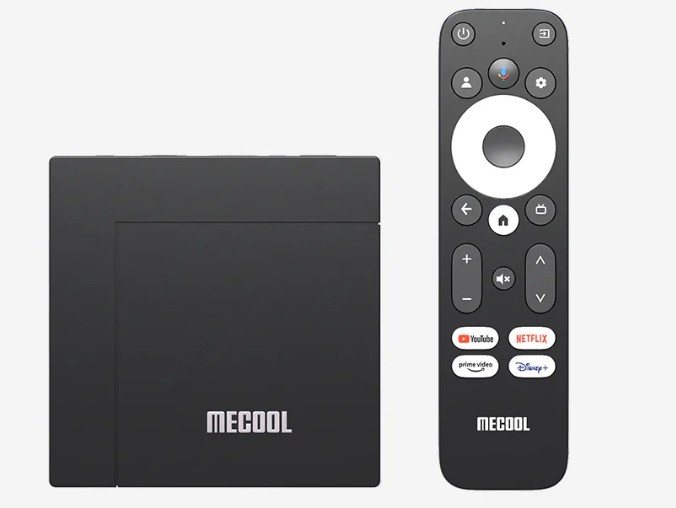
3) MECOOL KM9 Pro Max — the best value certified Google TV box
What it is (essentials)
MECOOL has carved a niche delivering Google-certified boxes at aggressive prices. The KM9 Pro Max is one of the best mid-range Google TV boxes in 2024–2026: Google/Netflix certified, AV1 decoding, HDR10+/AFR and good real-world UI optimization. Several outlets praised it as a near-Shield experience for a fraction of the price.
Standout specs & features
System & codecs: Google TV based on Android 12 (officially certified), AV1 hardware decoding, HDR10+, Dolby audio (implementation varies by firmware).
Memory & storage: commonly configured at 2GB RAM / 32GB storage (enough for typical streaming and a handful of apps).
Connectivity: Wi-Fi 5 dual-band, 10/100M Ethernet on many SKUs, and an intuitive bundled remote.
The KM9 Pro Max punches above its weight. UI responsiveness is impressive for a device with 2GB RAM because MeCOOL optimizes the launcher and Google TV build. It supports Auto Frame Rate (AFR) and is generally certified for Netflix 4K and Disney+ where supported — a big plus for buyers who care about native streaming certification. Reviewers repeatedly noted that for day-to-day streaming it feels very close to higher-end boxes.
Pros
Unbeatable price/performance ratio; often heavily discounted.
Official Google certification + Netflix/Disney+ certifications make it usable for subscription HD/4K.
AV1 support (improves bandwidth efficiency and future-proofs streaming).
Cons
Build quality and long-term firmware support are not at NVIDIA/Google levels — check the seller and warranty.
Ethernet is 10/100 on many models (not Gigabit), so cadence for large local 4K files is reduced unless you use Wi-Fi or USB storage.
Some advanced audio formats and niche passthrough behaviours can be inconsistent across firmware versions.
Who should buy it?
If you want certified 4K streaming without paying SHIELD/first-party prices, or need AV1 for future-proofing, the KM9 Pro Max is an excellent choice. It’s ideal for living rooms where streaming is the primary use and heavy gaming/local transcoding are not priorities.
Important buying caution: malware & uncertified boxes (a short security note)
One of the biggest hidden risks in the Android TV box market is uncertified, cheap devices with firmware that contains malware or backdoors. Security researchers, Google and the FBI warned about the “BADBOX 2.0” operation that infected millions of uncertified Android-based devices (cheap TV boxes, projectors, picture frames) through preinstalled or malicious setup apps; Google has taken legal action and Play Protect measures to disruptive effect. The practical advice: buy devices that are Google-certified (or from reputable vendors), avoid random no-name boxes from untrusted sellers, and keep firmware/Play Protect turned on.
Quick comparison (practical checklist)
Best AV + gaming: NVIDIA SHIELD TV Pro — AI upscaling, best passthrough and GeForce NOW.
Best Google ecosystem + smart-home hub: Google TV Streamer (4K) — official Google device, Thread/Matter, polished Google TV.
Best value / certified streaming: MECOOL KM9 Pro Max — Google/Netflix certified, AV1, great price.
Practical buying tips (what to check before you buy)
Certification: Look for Google Certified and Netflix 4K labels if you need official app support and DRM (Widevine L1). Certified devices get better support and fewer streaming issues.
Codec support: AV1 is now standard for future streaming efficiency — prefer boxes with AV1 hardware decode. (KM9 Pro Max and many modern boxes include AV1.)
Ethernet & HDMI: If you stream high-bitrate local files, prefer Gigabit Ethernet and HDMI 2.1 (or 2.0b minimum) depending on your TV/receiver. SHIELD has GigE and USB3; many budget boxes do not.
Software updates & community: A device with an active community and proven update track is simpler to keep secure and compatible. SHIELD and Google Streamer have the best track record here.
Which one Android TV Box to pick?
If you’re building a high-fidelity living room (AV receiver, TrueHD/DTS-X, want game streaming and local media), buy the NVIDIA SHIELD TV Pro. It’s the most dependable, highest-capability box for enthusiasts.
If you want the cleanest Google experience, smart-home integration, and an official Google device, choose the Google TV Streamer (4K). It’s the simplest long-term pick for users in the Google ecosystem.
If your budget matters and you still want certified 4K streaming + AV1 support, go for the MECOOL KM9 Pro Max — it gives the best price/performance for straight-up streaming.
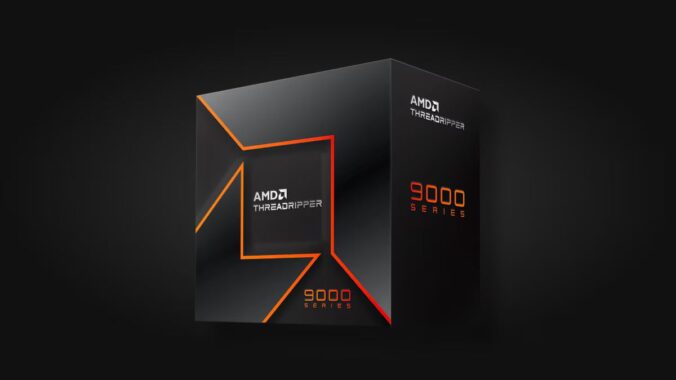
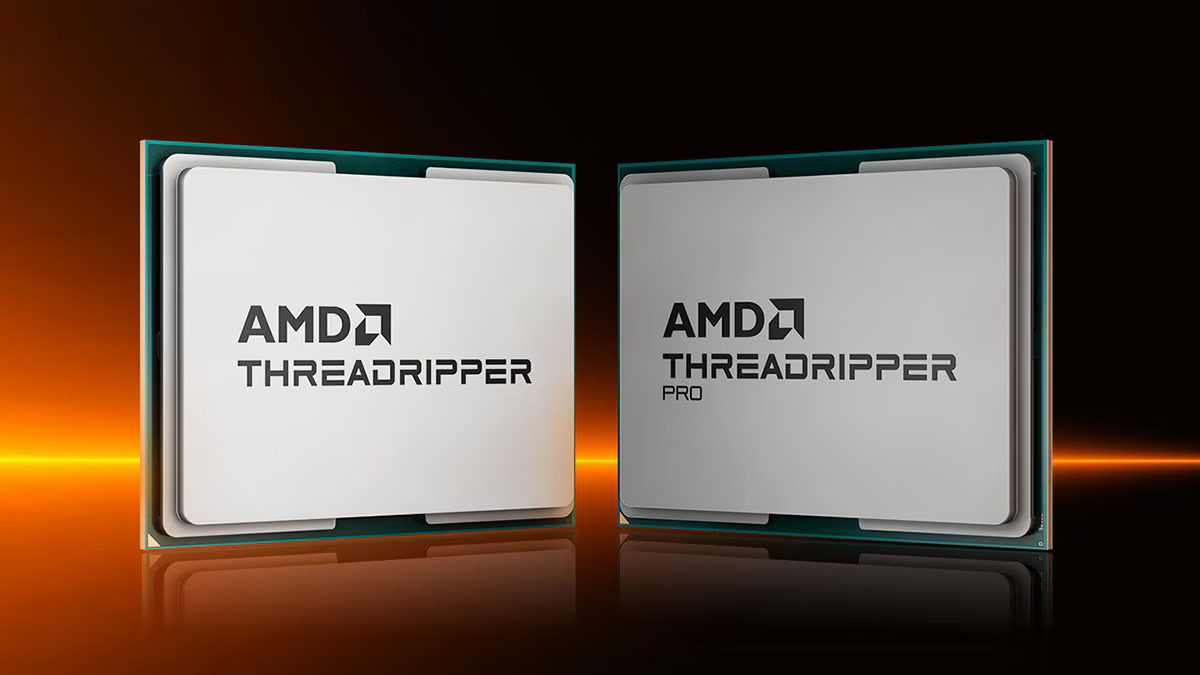
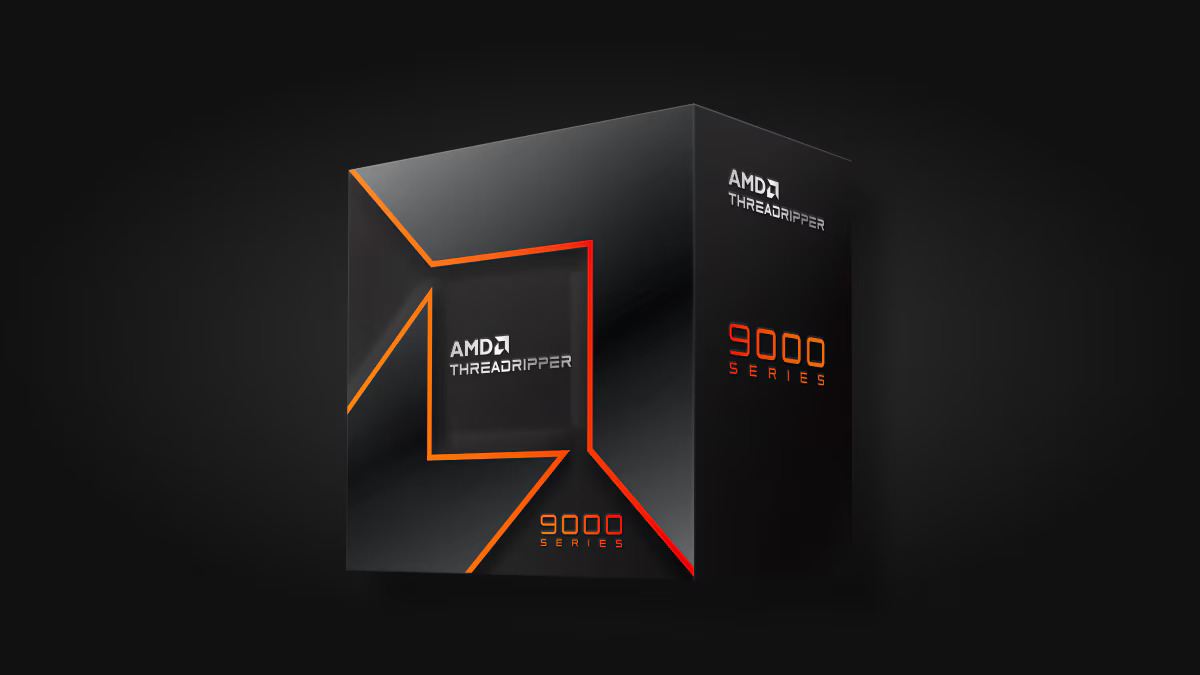
The AMD Threadripper 9000 series brings HEDT and workstation computing back into focus. Built on the Zen 5 architecture, these CPUs deliver extraordinary multi-thread performance, cutting-edge platform features, and the bandwidth modern creative and AI workloads demand.
Next-Gen Zen 5 Architecture
Threadripper 9000 CPUs use AMD’s 4 nm Zen 5 design, offering higher IPC and improved power efficiency. Depending on the model, users can access up to 96 cores and 192 threads, making them ideal for rendering, simulation, code compilation, or local AI workloads.
Threadripper 9000 & Threadripper PRO – images: AMD
Two Platforms: TRX50 vs WRX90
TRX50 (sTR5 socket) targets high-end desktop and prosumer creators. It supports quad-channel DDR5 memory and up to 80 PCIe 5.0 lanes, perfect for multi-GPU and NVMe RAID setups.
WRX90 (sWRX9 socket) powers the Threadripper Pro 9000WX series. It doubles memory channels to eight, adds ECC DDR5 support, and expands connectivity to 128 PCIe 5.0 lanes, delivering true workstation bandwidth for engineers, AI developers, and VFX professionals.
In 3D rendering, video editing, and software compilation, Threadripper 9000 cuts render and build times dramatically. Studios using CPU renderers such as Arnold or V-Ray can see near-linear scaling up to 96 cores. AI developers also benefit from vast I/O and memory bandwidth for data preprocessing and multi-GPU inference pipelines.
While mainstream Ryzen processors are still excellent for gaming, the Threadripper 9000 excels in parallel compute workloads where every core counts.
For builders, the platform provides freedom to design extreme systems — multi-GPU AI rigs, ultra-fast NVMe RAID arrays, or heavy compute nodes.
Cooling and Power Recommendations
Due to its 350 W power envelope, Threadripper 9000 requires a 360 mm AIO or custom water loop. Combine that with a 1000 W+ PSU for single-GPU systems, or 1600 W+ for multi-GPU workstations. Proper airflow and BIOS tuning ensure stable sustained boosts during long renders.
AMD’s Threadripper 9000 series marks the company’s return to high-end desktop (HEDT) and workstation dominance with Zen 5 microarchitecture, massive core counts, and platform improvements aimed squarely at creators, engineers, and AI developers. Whether you’re rendering photoreal scenes, compiling enormous codebases, training or fine-tuning models, or driving multi-GPU workstations, Threadripper 9000 offers a platform designed to remove bottlenecks and accelerate real-world workflows. Below is a complete, SEO-friendly deep dive into what the 9000 series brings, how it compares to alternatives, and practical guidance for buying and building around it.
What is the Threadripper 9000 series?
The Threadripper 9000 family is AMD’s latest lineup of HEDT and workstation processors based on the Zen 5 core, spanning both consumer HEDT Threadripper SKUs and the higher-capability Threadripper Pro WX workstation SKUs. The HEDT family targets high-end desktop users (TRX50 platform) with up to 64 cores/128 threads, while the Pro WX family scales even higher — up to 96 cores/192 threads — with more memory channels and increased PCIe lanes for dense GPU and storage configurations. These CPUs are built to tackle massive multi-threaded workloads and heavy I/O demands.
AMD Threadripper 9000
Key headline specs (what matters most)
Microarchitecture: Zen 5 (4nm process) — higher IPC and efficiency than prior Zen generations.
Core counts: HEDT Threadripper models up to 64 cores / 128 threads; Threadripper Pro WX models up to 96 cores / 192 threads.
Memory: HEDT TRX50: quad-channel DDR5 (up to DDR5-6400); Pro WRX90: octa-channel DDR5 ECC on Pro WX parts (greater capacity and bandwidth for datasets and large scenes).
PCIe: Up to 80 PCIe 5.0 lanes on HEDT models (optimized for multi-GPU + NVMe), and up to 128 PCIe 5.0 lanes on Pro variants for very dense I/O.
Power envelope: Typical package TDP around 350 W — high power, so plan cooling and VRM accordingly.
These headline numbers underline AMD’s positioning: raw parallel compute plus platform bandwidth rather than incremental single-thread cache tweaks.
Platform breakdown — TRX50 vs WRX90
Understanding which platform you need is critical:
TRX50 (sTR5 socket) — Targets HEDT builders and creators. Typically offers quad-channel DDR5, up to 80 PCIe 5.0 lanes, and works with consumer-class workstation motherboards geared for prosumers who still want a powerful desktop experience. Best for creators who need high core counts combined with workstation-level I/O without stepping fully into enterprise pricing.
WRX90 (sWRX9 socket) — Threadripper Pro WX — Enterprise/workstation platform: octa-channel DDR5 ECC, more PCIe lanes (up to 128), and higher memory capacity limits. Ideal for VFX studios, simulation engineers, and AI teams who need the absolute maximum memory bandwidth and I/O density. Pro WX models are often sold through OEM workstation channels.
Real-world performance — where Threadripper 9000 shines
Threadripper’s strengths show up in workloads that can parallelize:
3D rendering and ray tracing — CPU-bound renderers (e.g., CPU V-Ray, Arnold) scale almost linearly with core count; the 64- and 96-core options dramatically cut render times. Review benchmarks and studio tests show large multi-core lead over mainstream desktop CPUs and strong competitiveness versus Intel’s server/workstation parts in multi-threaded rendering.
Video encoding & transcoding — When multiple high-bitrate timelines or simultaneous encodes are required, extra cores provide clear throughput advantages. Note: GPU acceleration still matters for many codecs, but CPUs determine how many concurrent streams you can process without GPU saturation.
Compiling large codebases — More cores shorten full-build times for huge projects or when parallel compilation is used.
Local AI model fine-tuning & inference — The Pro WX variants, with their memory capacity and PCIe lanes, are particularly useful for inference pipelines and multi-GPU model training or finetuning where fast CPU pre/post-processing and I/O are crucial. AMD highlights Threadripper 9000’s suitability for AI development.
Benchmarks from independent labs show that while single-thread performance is competitive, the real advantage is throughput on highly parallel tasks. For workloads limited by GPU compute or by single-thread latency, the uplift will be smaller.
Power, thermals and cooling — plan for it
A 350 W TDP and the thermal density of up to 64 or 96 cores mean cooling and power delivery are not optional details — they’re companions in any build:
Cooling: High-end AIO liquid coolers (360 mm) or custom-loop water cooling is recommended for consistent sustained boost; extreme overclocking has already been seen with LN2 in labs. Also ensure case airflow supports heat rejection from radiators.
Motherboard VRMs: Look for professional-grade VRM designs with robust phases and heatsinks. Pro-class motherboards for WRX90 often include heavier-duty VRMs by default.
Power supply: Large builds with multiple GPUs plus a 350 W CPU demand high wattage PSUs (1000 W+ depending on GPU count). Factor in headroom for peak power draw and overclocking.
Comparing Threadripper 9000 to alternatives
vs mainstream desktop Ryzen (e.g., Ryzen 9 desktop parts): Threadripper scales to far higher core counts, wider memory channels, and far more PCIe lanes. For single-thread workflows, a Ryzen desktop CPU may be more cost-efficient, but for heavy multi-threaded throughput the Threadripper wins.
vs Intel workstation/server parts: AMD’s 96-core Pro flagship competes directly with high-core-count Intel Xeon W and server SKUs. In many multi-threaded benchmarks AMD often leads on price-to-performance and memory bandwidth, although Intel sometimes posts similar results in specific workloads. For creators and studios balancing cost vs performance, Threadripper Pro’s core/memory balance is compelling. Independent reviews and AMD’s own comparisons highlight strong multi-thread leadership.
Who should buy a Threadripper 9000?
Studios and professional content creators needing dramatic cuts in render farms or local render times.
Engineers and simulation teams that rely on high memory bandwidth and massive parallel compute.
AI developers who run local fine-tuning, inference, or multi-GPU workstation tasks requiring high CPU-driven I/O throughput.
Enthusiasts building extreme workstations where single-system concurrency (many VMs, many encode streams, massive local storage arrays) is required.
If your primary tasks are gaming, single-threaded applications, or a limited number of GPU-accelerated creative workloads, a high-end desktop Ryzen 9 or mainstream HEDT part may provide better value.
Build and configuration tips
Choose platform with future needs in mind: If you expect to expand to many GPUs or need ECC and massive RAM, invest in WRX90 and Pro WX. If you’re a creator who needs high cores but don’t need ECC or octa-channel RAM, TRX50 can be more cost-effective.
Prioritize cooling and case airflow: Use at least a 360 mm AIO or custom loop for sustained workloads. Overprovision fan curves for long render sessions.
Memory speed vs capacity: Balance DDR5 speed and capacity by workload — for many pro workflows, capacity and channel count matter more than pushing the highest clock rates. Pro WX’s ECC DDR5 and octa-channel layout is optimized for this.
PSU margin: Size your PSU for worst-case: CPU + peak GPU draw + 20–25% headroom. Multi-GPU workstation builders should budget 1600 W+ depending on cards.
BIOS and driver updates: Since Threadripper 9000 is a new platform generation, keep motherboard BIOS and chipset drivers updated for stability and performance fixes post-launch. AMD and vendors are actively releasing microcode and firmware updates.
Feature
AMD Threadripper 9000
Intel Xeon W9-3495X
AMD Ryzen 9 9950X
Architecture
Zen 5 (4 nm)
Sapphire Rapids (10 nm)
Zen 5 (4 nm)
Max Cores / Threads
96 / 192 (Pro WX)
56 / 112
16 / 32
Memory Channels
4 (HEDT) / 8 (Pro)
8
2
PCIe 5.0 Lanes
80 / 128
112
24
TDP
≈ 350 W
≈ 350 W
170 W
Target Users
Creators, engineers, AI devs
Enterprise workstations
Gamers & prosumer creators
Pricing and Availability
AMD launched the Threadripper 9000 series in mid-2025, with HEDT models starting around $1,499, and the top-end Pro WX 96-core versions surpassing $10,000 in enterprise channels. Expect full platform bundles with high-end TRX50/WRX90 motherboards and premium DDR5 kits.
For professionals whose workflows scale with cores, memory bandwidth, and I/O — absolutely. AMD has positioned the Threadripper 9000 family to outperform prior HEDT generations and to challenge server-class options in the workstation space. The platform is not for every user, but for those who need it, Threadripper 9000 removes many architectural bottlenecks that used to constrain creative and engineering workloads. If you’re building a workstation for heavy multi-threaded tasks, local AI development, or a multi-GPU render machine, Threadripper 9000 belongs at the top of your shortlist.
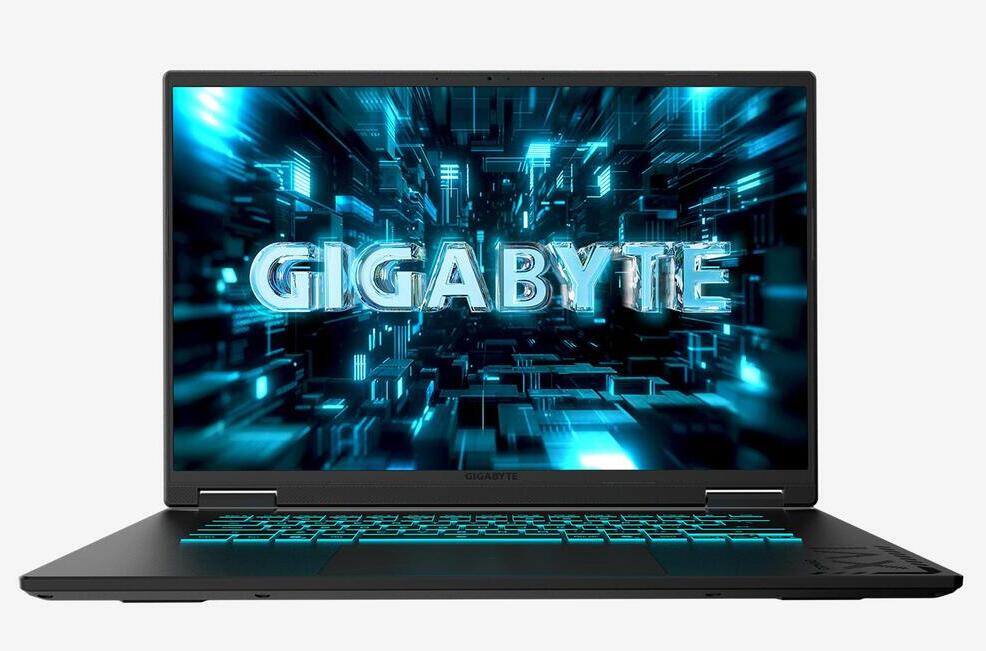
GIGABYTE has launched its latest gaming powerhouses, the GAMING A16 PRO and GAMING A18, now available worldwide as part of the 2025 GAMING Series. These laptops blend cutting-edge performance with sleek, portable designs, boasting up to NVIDIA® GeForce RTX™ 5080 Laptop GPUs and GIGABYTE’s innovative GiMATE AI Agent. Offering over 12 hours of battery life, these slim machines deliver robust power and immersive experiences tailored for gamers and creative professionals.GAMING A16 PRO
Designed for versatile gaming and AI-driven tasks, the GAMING A16 PRO and GAMING A18 incorporate advanced features like NVIDIA DLSS 4, NVIDIA Studio, and compatibility with NVIDIA NIM microservices. The proprietary GiMATE AI Agent introduces seamless “Press and Speak” functionality, allowing users to fine-tune performance, adjust cooling, manage privacy settings, and more. Both models sport WQXGA 165Hz displays with a 3ms response time, Dolby Atmos® audio for rich soundscapes, and an enhanced keyboard with larger keycaps and 1.7mm key travel for precision and comfort. A MUX Switch optimizes GPU performance for dynamic needs.
The GAMING A16 PRO is crafted for gamers seeking high performance in a lightweight package. Its WINDFORCE Infinity EX cooling system, paired with a Frost Fan featuring 158 asymmetric blades, ensures efficient heat dissipation at up to 115W GPU power. Housed in a chassis under 20mm thick and weighing just 2.3kg, it also includes a 180° lay-flat hinge for flexible use in collaborative settings.
The GAMING A18, meanwhile, offers the same high-end specifications in a bolder 18-inch form factor. Weighing 2.8kg with a 20mm slim profile, it features a surround-vent cooling system for sustained thermal efficiency during long sessions. The larger display enhances immersion, making it perfect for gaming enthusiasts and productivity-focused users who value expansive screen space.GAMING A16 PRO and GAMING A18 – images: GIGABYTE
Both laptops support Type-C PD 3.0 fast charging and deliver all-day battery life, striking a balance between power, portability, and endurance. Availability may vary by region, depending on local retailer and e-tailer schedules.
The Subaru Forester has long been one of the most well-rounded and budget-friendly compact SUVs on the market, offering strong value and dependable performance. For 2025, Subaru introduces the sixth-generation Forester — a refreshed and refined model that builds on its predecessor’s strengths while adding thoughtful updates inside and out.
Although Subaru markets the 2025 Forester as a completely new model, the changes are more evolutionary than revolutionary. It retains the solid foundation of the 2024 version but introduces enough refinements to keep it competitive in an increasingly crowded SUV segment.
Rugged New Styling and Subtle Exterior Changes
At first glance, the 2025 Forester looks familiar, but several key design tweaks set it apart. The SUV now wears a bolder, more rugged-looking front fascia, with a redesigned grille and sharper headlights that emphasize its adventurous personality. The side doors feature a simpler, more sculpted surface, which contrasts nicely with the muscular fenders. Around back, the liftgate maintains its overall shape, but the taillights have been reimagined and now sit lower beneath redesigned roof pillars, giving the vehicle a broader, more stable stance.
Dimensionally, Subaru hasn’t made drastic changes. Both passenger space and cargo capacity have grown slightly, maintaining the Forester’s reputation for practicality and spaciousness.
2025 Subaru Forester
Interior Comfort and Technology Upgrades
Inside, the cabin feels instantly recognizable to Forester fans, but several key enhancements make it more inviting. The most noticeable upgrade is the new 11.6-inch vertical infotainment display, which includes navigation, Apple CarPlay, and Android Auto. The base model retains a 7.0-inch touchscreen, but even that setup benefits from Subaru’s latest software and interface improvements.
Subaru also redesigned the front seats to provide better long-distance comfort and improved support. Cabin insulation has been upgraded as well, resulting in a noticeably quieter ride.
Stronger Structure and Improved Ride Quality
The 2025 Forester’s underlying structure is now 10% stiffer, thanks to enhanced welding techniques and increased use of structural adhesives. This rigidity improves safety, comfort, and handling precision. The suspension has been retuned to balance comfort with control, all while preserving the Forester’s class-leading 22 cm of ground clearance.
Another welcome addition is a new steering rack derived from the performance-oriented Subaru WRX, delivering sharper response and better feedback on the road.
Powertrain and Performance
Under the hood, the familiar 2.5-liter four-cylinder engine remains. It produces 180 horsepower and 178 lb-ft of torque, paired with a continuously variable transmission (CVT). Drivers can also use available paddle shifters to manually engage eight simulated gear ratios for a more connected driving feel.
Fuel efficiency is rated at 9.1 L/100 km in the city, 7.2 on the highway, and 8.2 combined — strong numbers for an all-wheel-drive SUV.
Subaru has confirmed that a hybrid variant is in development but isn’t expected until the 2026 model year.
Symmetrical All-Wheel Drive and Off-Road Capability
True to Subaru tradition, all 2025 Foresters come standard with Symmetrical All-Wheel Drive. The system includes active torque vectoring, which lightly brakes the inside front wheel during turns to enhance cornering stability.
Every trim above the base version adds a hill-descent control mode, which automatically maintains a steady speed when descending steep grades — a valuable tool for off-road or winter driving conditions.
Safety, Technology, and Driver Assistance
Safety remains one of the Forester’s strongest points. Subaru’s Eyesight Driver Assist suite comes standard across all trims. It includes forward collision avoidance, pedestrian and cyclist detection, and a rear-seat reminder system.
Higher trims unlock more advanced safety tech, such as blind-spot monitoring, rear cross-traffic alert, lane-change assist, a 360-degree camera system, and reverse automatic braking. A new addition for 2025 is automatic emergency steering, which can help avoid collisions at speeds under 80 km/h.
Also available is the updated Emergency Stop Assist system — an expansion of adaptive cruise control that intervenes if the driver becomes unresponsive, bringing the vehicle safely to a halt.
Pricing and Features
The base 2025 Subaru Forester starts at $34,900, including destination fees. Standard equipment includes roof rails, remote keyless entry, and a clever “welcome lighting” system that illuminates the front door handles via LEDs in the side mirrors when unlocking at night.
Dual-zone automatic climate control is standard as well, optimized to prioritize occupied seats for better efficiency.
Optional upgrades include a hands-free power liftgate, which opens or closes with a simple wave of your foot under the rear bumper — perfect for when your hands are full with groceries or gear.
The 2025 Subaru Forester might not be a ground-up redesign, but the cumulative updates make it feel fresher, more refined, and more capable than ever. With its combination of all-weather confidence, practicality, and value, it continues to be a top choice for drivers seeking a dependable, go-anywhere compact SUV.
Subtle yet meaningful enhancements to comfort, safety, and design ensure that the latest Forester remains one of the most well-rounded vehicles in its class — a true testament to Subaru’s philosophy of continuous improvement.
2025 Subaru Forester – A Smarter, Stronger, and More Refined Compact SUV
The 2025 Subaru Forester builds on one of Subaru’s most successful formulas — combining safety, practicality, and all-weather capability in an affordable package. This sixth-generation Forester isn’t a full redesign, but Subaru has made enough smart updates to keep it competitive against rivals like the Toyota RAV4, Honda CR-V, and Mazda CX-50.
Bold New Styling with Practical Design
At first glance, the 2025 Subaru Forester looks more rugged and athletic than before. Subaru redesigned the front end with a larger grille, sharper LED headlights, and a tougher bumper design that gives it a more adventurous look. The side panels feature clean, sculpted lines that emphasize the SUV’s stance, while the rear gets a wider liftgate and restyled taillights positioned below reshaped roof pillars.
Although the dimensions and cargo space haven’t changed drastically, the Forester still offers one of the most versatile and spacious cabins in its class — perfect for families and outdoor enthusiasts alike.
Cabin Upgrades and Advanced Infotainment
Inside, the 2025 Forester interior feels familiar but upgraded. A new 11.6-inch vertical touchscreen now dominates the center console, offering built-in navigation, Apple CarPlay, and Android Auto. The base trim still comes with a 7-inch display, but it also benefits from improved software and faster response times.
Subaru redesigned the front seats for better long-distance comfort and support, while additional insulation and acoustic glass make the cabin noticeably quieter.
Stronger Platform and Smoother Ride
Subaru has reinforced the Forester’s body structure, making it 10% stiffer than before thanks to better welding and more structural adhesives. This results in improved crash safety, reduced vibration, and a more stable feel on uneven roads.
The suspension has been retuned for a smoother, more composed ride without sacrificing off-road ability. The 22 cm of ground clearance remains unchanged, keeping the Forester one of the most capable small SUVs for dirt roads and snow.
The steering system also gets a notable upgrade — it now uses the WRX-inspired steering rack, delivering sharper handling and a more confident driving experience.
Powertrain and Performance
Under the hood, the 2025 Subaru Forester carries over the reliable 2.5-liter four-cylinder boxer engine. It produces 180 horsepower and 178 lb-ft of torque, paired with a continuously variable transmission (CVT) that includes paddle shifters for eight simulated gear ratios.
Fuel economy remains efficient for its size — rated at 9.1 L/100 km in the city, 7.2 L/100 km on the highway, and 8.2 L/100 km combined.
Subaru is also preparing a Forester Hybrid, expected to arrive in the 2026 model year, offering better fuel efficiency and lower emissions.
All-Wheel Drive and Off-Road Systems
Every 2025 Forester features Subaru’s Symmetrical All-Wheel Drive, ensuring consistent grip and stability on wet, icy, or uneven terrain. The system includes active torque vectoring, which lightly brakes the inside front wheel during turns for more precise cornering.
Higher trims also add hill-descent control, maintaining a steady speed when descending steep hills — ideal for off-road adventures.
Safety and Driver Assistance
Safety continues to be a Subaru hallmark. The 2025 Forester includes the latest version of Subaru’s EyeSight Driver Assist Technology as standard. This system features adaptive cruise control, lane-keeping assistance, pre-collision braking, and pedestrian/cyclist detection.
Upgraded trims add features such as:
Blind-spot detection with rear cross-traffic alert
A new Emergency Stop Assist system has been introduced for 2025. It activates automatically if the driver fails to respond to alerts, bringing the vehicle to a controlled stop — a safety innovation rarely seen in this price range.
Pricing and Trim Options
The 2025 Subaru Forester price starts at $34,900 (including destination fees). Standard features include roof rails, keyless entry, and LED welcome lighting that illuminates the door handles at night.
The dual-zone climate control system has been improved to direct airflow primarily toward occupied seats, enhancing both comfort and energy efficiency.
Available upgrades include a hands-free power liftgate, which can be opened or closed with a simple foot motion under the bumper — a thoughtful convenience when your hands are full.
A Smarter, More Capable Everyday SUV
While the 2025 Subaru Forester doesn’t reinvent the wheel, it builds on what owners already love — dependability, comfort, safety, and real-world usability. Subaru’s steady, incremental improvements have made this SUV even more refined and appealing.
From its tougher styling and advanced safety systems to its quiet, comfortable ride, the new Forester remains a standout in the compact SUV market. Whether you’re commuting daily or exploring off the beaten path, the 2025 Subaru Forester continues to deliver all-season confidence and value.
If your Wi-Fi and Bluetooth stop working after Windows 10 wakes from sleep, that’s a common power management issue. It usually happens because Windows is turning off network adapters to save power or due to outdated drivers. Here’s a complete fix guide — go step by step:
Step-by-Step Fix for Wi-Fi and Bluetooth Loss After Sleep
STEP 1: Disable Power Saving for Network and Bluetooth Adapters
Press Windows + X → select Device Manager.
Expand Network adapters → right-click your Wi-Fi adapter → Properties.
Go to the Power Management tab.
Uncheck: “Allow the computer to turn off this device to save power”
Click OK.
Repeat the same for your Bluetooth adapter (under Bluetooth section).
STEP 2: Change Power Plan Settings
Press Windows + R, type control, and press Enter.
Go to Hardware and Sound → Power Options.
Click Change plan settings next to your selected plan.
Click Change advanced power settings.
Expand Wireless Adapter Settings → Power Saving Mode.
Set both On battery and Plugged in to Maximum Performance.
Expand USB settings → USB selective suspend setting → Set both to Disabled.
Click Apply → OK.
photo: pixabay
STEP 3: Update or Reinstall Drivers
Open Device Manager again.
For both Wi-Fi and Bluetooth adapters, right-click → Update driver → Search automatically for drivers.
If no update is found:
Visit your laptop or motherboard manufacturer’s website.
Download and install the latest Wi-Fi and Bluetooth drivers manually.
Reboot your PC.
STEP 4: Reset Network Stack (if still broken)
Run these commands in Command Prompt (Admin):
netsh winsock reset

netsh int ip reset

ipconfig /release

ipconfig /renew

ipconfig /flushdns
Then restart your PC.
STEP 5: Disable “Fast Startup”
Go to Control Panel → Power Options → Choose what the power buttons do.
Click Change settings that are currently unavailable.
Uncheck Turn on fast startup (recommended).
Save and reboot.
STEP 6: Check BIOS / UEFI Power Settings (optional)
If nothing else works:
Enter BIOS/UEFI (press Del, F2, or Esc during boot).
Look for Power Management or Advanced → make sure Wake from USB, Wireless LAN, and Bluetooth are enabled.
After these steps:
Your Wi-Fi and Bluetooth should reconnect automatically after sleep or hibernation.
Here’s a PowerShell script that automatically applies the key fixes (disables power-saving for network and Bluetooth adapters, adjusts power plan, and disables USB selective suspend).
Instructions
Copy the script below into Notepad.
Save it as: Fix-WiFi-Bluetooth-Sleep.ps1
Right-click the saved file → Run with PowerShell (choose Run as Administrator when asked).
Restart your PC afterward.
PowerShell Script
# Fix Wi-Fi and Bluetooth Lost After Sleep in Windows 10
# Disable power saving for all network and Bluetooth adapters
$adapters = Get-WmiObject Win32_NetworkAdapter | Where-Object { $_.PhysicalAdapter -eq $true }
In the ever-evolving landscape of productivity software, office suites remain the cornerstone for individuals and teams seeking to create, collaborate, and manage documents efficiently. As of October 2025, the demand for cost-effective tools has surged, driven by remote work trends, budget constraints, and the need for seamless integration across devices. While premium options like Microsoft 365 dominate the market with their robust ecosystems, free alternatives have matured into viable contenders, offering feature-rich experiences without the financial barrier.
This review focuses on the best three free office suites: Google Workspace (specifically its free tier for core apps), LibreOffice, and WPS Office. Selected based on criteria such as feature parity with industry standards, user accessibility, compatibility with Microsoft formats, cross-platform support, and community feedback.
Google Workspace: The Cloud Collaboration Champion
Google Workspace, formerly known as G Suite, has long been synonymous with effortless teamwork in the digital age. Its free tier—encompassing Google Docs, Sheets, Slides, Forms, and more—requires no installation, accessible via any web browser on desktops, tablets, or smartphones. As of 2025, this suite continues to lead in real-time collaboration, making it ideal for distributed teams in software development, marketing, or education where instant feedback is paramount.
At its core, Google Docs serves as the word processor, offering a clean, minimalist interface that prioritizes speed and simplicity. Users can type at 100+ words per minute without lag, thanks to Google’s optimized servers. Key features include version history (tracking changes down to the keystroke), smart suggestions powered by AI (now enhanced with Gemini integration for grammar and style refinements), and offline editing via Chrome extensions. For instance, in a software project review, you can insert code snippets with syntax highlighting and share them instantly for peer edits—formatting preserved across collaborators.
Sheets, the spreadsheet tool, rivals Excel in analytical depth while surpassing it in accessibility. With built-in pivot tables, advanced formulas (e.g., QUERY for SQL-like data manipulation), and add-ons from the Google Marketplace (over 1,000 in 2025), it’s perfect for data visualization in software metrics tracking. Imagine plotting user engagement trends with interactive charts that update in real-time as team members input data from remote locations. Slides, meanwhile, transforms presentations into dynamic storytelling tools. Themes auto-adjust for branding, animations are subtle yet impactful, and integration with Google Meet allows embedding live polls or Q&A sessions—revolutionizing software demo pitches.
What sets Google Workspace apart is its ecosystem synergy. Drive provides 15GB of free storage (shared across Gmail and Photos), enabling seamless file syncing. Forms facilitate surveys for user feedback on software betas, with auto-generated reports in Sheets. Security features, including two-factor authentication and data loss prevention, ensure compliance with standards like GDPR, vital for software firms handling sensitive code repositories.
User experience is intuitive; onboarding takes minutes, with tutorials embedded in-app. Cross-platform availability shines on Android and iOS, where native apps support voice-to-text and stylus input for on-the-go edits. In 2025 benchmarks from PCMag, Google Workspace scored 4.5/5 for collaboration, outpacing rivals in multi-user editing speed (under 2 seconds for conflicts resolution).
However, limitations exist. Offline mode, while improved, requires pre-syncing and works best on Chrome—frustrating for Firefox loyalists. Advanced features like Sheets’ IMPORTRANGE for large datasets can hit performance walls beyond 100,000 rows without premium upgrades. File compatibility with Microsoft formats is strong (95% fidelity – tests), but complex macros may not translate perfectly, a hiccup for legacy software documentation.
In practice, Google Workspace thrives in collaborative software environments. A development team at a mid-sized firm might use Docs for agile sprint notes, Sheets for bug tracking dashboards, and Slides for stakeholder updates—all versioned and shared via links with granular permissions (view, comment, edit). Its free nature democratizes access, fostering innovation without overhead. For users prioritizing connectivity over isolation, this suite is indispensable.
LibreOffice: The Open-Source Powerhouse for Offline Mastery
LibreOffice, forked from OpenOffice in 2010 by The Document Foundation, stands as a beacon of open-source ethos in the office suite arena. Completely free and ad-free, its 2025 release (version 25.2) boasts enhanced stability and UI refinements, making it a top pick for privacy-conscious users in software engineering, academia, and non-profits who demand offline reliability and customization.
Writer, the word processor, mirrors Word’s layout with a ribbon-optional interface, supporting over 100 languages and extensions via its marketplace. It handles complex documents effortlessly: think embedding LaTeX equations for technical papers or mail merges for software license distributions. Styles and templates streamline formatting, while the built-in thesaurus and hyphenation tools aid multilingual content creation. In 2025, AI-assisted proofreading (via LanguageTool integration) catches contextual errors, boosting accuracy for code comments or API docs.
Calc, LibreOffice’s spreadsheet engine, packs Excel-level punch with 1 million rows per sheet and solver add-ins for optimization problems—crucial for algorithmic simulations in software R&D. Features like scenario management and multi-sheet consolidation allow modeling financial projections or performance benchmarks without cloud dependency. Charts are vector-based for crisp exports, and pivot tables support drag-and-drop customization. A standout: its ODF format ensures lossless round-tripping, preserving formulas even when reopening in proprietary tools.
Impress, for presentations, offers master slides, 3D transitions, and font work embedding, rivaling PowerPoint for professional decks. Draw complements it as a vector graphics editor, ideal for diagramming UML models in software design. Base, the database module, connects to MySQL or Firebird for lightweight CRUD operations, a boon for prototyping database-driven apps.
LibreOffice’s strength lies in extensibility. With 300+ extensions (e.g., Grammarly-like spellers or barcode generators), it adapts to niche needs. Cross-platform support spans Windows, macOS, Linux—even experimental Android ports—ensuring consistency. File formats? Native ODF, plus near-perfect import/export for DOCX, XLSX, PPTX (98% compatibility in SourceForge reviews). No account required; install and go.
The interface, while familiar, can feel dated to newcomers—though the 2025 “Tabbed” mode modernizes it. Performance shines offline: zero latency on mid-range hardware, handling 500-page PDFs without hiccups. Community-driven updates roll out quarterly, with volunteer forums providing rapid support.
Drawbacks include weaker real-time collaboration (limited to extensions like LibreOffice Online, which requires server setup) and occasional macro incompatibilities with VBA scripts—challenging for enterprise software automation. Mobile apps lag behind, focusing on viewing over editing.
Real-world application: A solo software developer might use Writer for RFCs, Calc for load testing data, and Impress for conference talks—all stored locally for air-gapped security. In education, it’s a staple for thesis formatting without subscription fears. LibreOffice empowers users who value sovereignty, proving open-source can match commercial polish.
WPS Office: The Microsoft Mimic with Premium Polish
WPS Office, developed by Kingsoft since 1988, delivers a free suite that feels like Microsoft 365’s desktop cousin—complete with Writer, Spreadsheet, Presentation, and PDF tools. Its 2025 iteration (version 12.2) emphasizes AI enhancements and tabbed browsing, positioning it as a bridge for users transitioning from paid suites in software documentation and reporting.
Writer’s interface is a near-clone of Word, with toolbars and shortcuts that minimize the learning curve. It supports tracked changes, footnotes, and cross-references for intricate manuals, plus a built-in translator for global teams. AI features, like paragraph summarization, accelerate content curation—handy for release notes.
Spreadsheet emulates Excel’s grid with 1,048,576 rows, conditional formatting, and pivot analyzers. Multi-threading speeds up large computations, such as Monte Carlo simulations for software reliability testing. Charts integrate seamlessly, with export options to SVG for web embeds.
Presentation’s slide sorter and morph transitions craft engaging visuals, while the PDF editor merges, annotates, and converts files natively—streamlining software user guides.WPS shines in compatibility: 99% fidelity with Office formats, per WPS Blog benchmarks, including macro support via a compatibility mode. Cloud integration (5GB free) syncs across Windows, macOS, Linux, iOS, and Android, with mobile apps offering full editing. No watermarks on free exports, unlike some rivals.
The UI is polished, with dark mode and customizable ribbons. Tabbed document management multitasks effortlessly, and the ad-light free version (skippable banners) respects user time.
Limitations: Occasional ads in the free tier (removable via premium), and collaboration relies on cloud sharing rather than native real-time edits. Linux support, while functional, lacks some mobile polish.
In software contexts, WPS suits hybrid workflows: Draft specs in Writer offline, analyze metrics in Spreadsheet, and present in boardrooms via Presentation—all exportable to OneDrive. Freelancers praise its balance of familiarity and freedom.
Comparison and Recommendations
Feature
Google Workspace (Free)
LibreOffice
WPS Office
Core Apps
Docs, Sheets, Slides
Writer, Calc, Impress
Writer, Spreadsheet, Presentation
Collaboration
Real-time, unlimited
Limited (extensions)
Cloud-based sharing
Offline Access
Partial (browser)
Full
Full
Compatibility (MS Formats)
95%
98%
99%
Storage
15GB shared
Unlimited local
5GB cloud
Platforms
Web, all mobiles
Desktop-focused
All platforms
Best For
Teams, cloud users
Offline, customizers
MS migrants, hybrids
Google Workspace wins for collaborative software projects; LibreOffice for secure, offline tasks; WPS for seamless Office transitions. All three are lightweight (under 500MB installs) and virus-free.
The best free office tools—Google Workspace, LibreOffice, and WPS Office—democratize productivity in 2025, blending innovation with accessibility. Choose based on your workflow: cloud for connection, open-source for control, or familiarity for efficiency. These suites not only save costs but elevate output, proving excellence needn’t come at a premium.
How to Stop Friend Suggestions on Facebook: A Complete Guide
Facebook is one of the most widely used social platforms in the world, connecting billions of people through friendships, groups, and communities. While the platform’s features are designed to keep users engaged, not every function is welcomed by everyone. A common frustration for many users is the endless stream of friend suggestions, also known as the “People You May Know” feature.
These suggestions are generated by Facebook’s algorithms, which analyze your mutual friends, phone contacts, search history, and even location data. The idea is to help you expand your network, but in practice, it often feels intrusive or unnecessary. If you’ve ever wondered how to stop friend suggestions on Facebook, this guide will walk you through everything you need to know—from why you’re seeing them to how you can limit or disable them across different devices.
Why Does Facebook Show Friend Suggestions?
Before we jump into the solutions, it’s useful to understand why Facebook keeps nudging you with new connections. The platform’s goal is to keep users active, and the more people you add as friends, the more likely you are to stay engaged.
Here are some of the factors that influence Facebook’s “People You May Know”:
Mutual Friends – If you share many friends with someone, Facebook assumes you may know them.
Phone Contacts – Uploading contacts from your phone can lead to Facebook suggesting those people back to you.
Search Activity – Looking up someone’s profile, even once, can trigger their name appearing in your suggestions.
Workplace, School, or Location Data – Facebook cross-references where you live, work, or study to suggest connections.
Third-party Interactions – Sometimes, simply joining the same group or attending the same event may generate a suggestion.
While this system works well for users trying to reconnect with acquaintances, it can feel invasive for those who prefer more control over their social circle.
Facebook – photo: pixabay
Can You Completely Turn Off Friend Suggestions on Facebook?
The straightforward answer is no—Facebook doesn’t provide a single button to disable the “People You May Know” feature entirely. However, you can minimize, manage, and stop notifications so that suggestions don’t constantly disrupt your experience.
Instead of being bombarded by suggestions, you can tweak settings to reduce them. This means you won’t see constant pop-ups or notifications urging you to add new people.
How to Stop Friend Suggestions on Facebook (Step by Step)
Below are several methods you can use across Facebook’s web version, Android app, and iOS app.
1. Turn Off Friend Suggestion Notifications
The most direct way to avoid constant reminders is to disable notifications for friend suggestions.
On Desktop (Web Browser):
Log into your Facebook account.
Click the downward arrow at the top-right corner.
Go to Settings & Privacy → Settings.
Select Notifications from the left-hand menu.
Find People You May Know.
Toggle off notifications for Push, Email, and SMS.
On Mobile App (Android/iOS):
Open the Facebook app.
Tap the three horizontal lines (☰) in the top-right (Android) or bottom-right (iOS).
Scroll down to Settings & Privacy → Settings.
Under Preferences, tap Notifications Settings.
Select People You May Know.
Turn off all types of notifications.
Once done, Facebook will stop notifying you about friend suggestions. However, you may still see them inside your feed or when browsing.
2. Remove Synced Contacts
If you’ve ever allowed Facebook to access your phone contacts, it may keep suggesting those people. Removing synced contacts can cut down on irrelevant suggestions.
On Mobile App:
Open the Facebook app.
Tap the menu (☰).
Go to Settings & Privacy → Settings.
Under Permissions, select Upload Contacts.
Turn off the option.
If needed, delete contacts already uploaded by selecting Manage Contacts and choosing Delete All Contacts.
This prevents Facebook from pulling suggestions based on your address book.
3. Avoid Interactions That Trigger Suggestions
Many users unknowingly activate suggestions by searching for people or interacting with certain groups. A few habits can help reduce unwanted prompts:
Avoid searching for people you don’t intend to add.
Limit group participation if you don’t want group members suggested.
Don’t click on suggested profiles, even out of curiosity—this tells Facebook you might know them.
4. Use Browser Extensions (For Desktop Users)
If you primarily use Facebook on a desktop, browser extensions can hide or block friend suggestions. While these are third-party tools and should be used cautiously, they can enhance your browsing experience.
For example, extensions like FB Purity allow you to filter out “People You May Know” entirely. Simply install the extension, open its settings, and check the option to hide friend suggestions.
5. Restrict Facebook’s Access to Your Data
Since Facebook relies heavily on your personal data to generate suggestions, limiting that access helps reduce them.
Disable location access in your phone’s settings.
Revoke permissions for apps linked to Facebook.
Turn off contact syncing in Messenger as well, since it can feed data into Facebook.
6. Ignore or Dismiss Suggestions
If you encounter suggestions while scrolling, simply tap “Remove” or “Hide”. Over time, Facebook learns that you’re not interested in expanding your network.
Extra Tips to Keep Your Facebook Experience Cleaner
Even after adjusting the above settings, you might still see occasional friend suggestions. Here are a few additional tips to refine your experience:
Review Your Privacy Settings – Set your friend list visibility to “Only Me” so others don’t use it to generate suggestions.
Avoid Connecting Instagram Contacts – Since Facebook owns Instagram, linking the two can create cross-platform suggestions.
Be Selective With Permissions – Anytime Facebook asks for data access, decline unless necessary.
Why Some Users Prefer to Keep Friend Suggestions
Although many people find them intrusive, some actually benefit from Facebook’s suggestions. For example:
Reconnecting with long-lost classmates.
Networking for professional opportunities.
Expanding groups or communities with like-minded individuals.
If you occasionally find suggestions useful, consider just turning off notifications instead of blocking the feature completely. This way, you can still check them when you want but won’t be disturbed otherwise.
Facebook’s friend suggestions are meant to help users connect, but they can feel more like digital nagging than a helpful tool. While there’s no single switch to turn them off permanently, you can take control of your experience by adjusting notification settings, deleting synced contacts, limiting data access, and using browser tools.
At the end of the day, your Facebook account should work for you—not the other way around. By following the methods outlined above, you can significantly reduce or stop friend suggestions on Facebook and create a cleaner, more private social experience.
Frequently Asked Questions (FAQ) About Stopping Friend Suggestions on Facebook
1. Why do I keep getting friend suggestions on Facebook?
Facebook uses algorithms to suggest people you may know. These suggestions come from your mutual friends, uploaded contacts, search history, groups you’ve joined, and sometimes even your location data.
2. Can I completely turn off “People You May Know” on Facebook?
No, Facebook doesn’t provide a permanent “off” button for friend suggestions. However, you can disable notifications, remove synced contacts, and limit data sharing to drastically reduce them.
3. How do I stop Facebook from accessing my contacts?
Go to Settings & Privacy → Settings → Upload Contacts on the Facebook app, and turn off contact syncing. You can also delete any previously uploaded contacts to prevent suggestions from appearing based on your address book.
4. Does Messenger also show friend suggestions?
Yes, Facebook Messenger can also display suggestions based on your contacts. You can go into Messenger settings and disable contact syncing to stop those suggestions.
5. Will ignoring a friend suggestion make it disappear?
Yes. If you click “Remove” or “Hide” on a suggested profile, Facebook learns that you are not interested and may reduce similar suggestions in the future.
6. Why do random strangers appear in my suggestions?
This usually happens because you have indirect connections, such as being in the same Facebook group, attending the same event, or searching similar profiles. Facebook’s algorithm links these patterns to suggest possible connections.
7. Is it safe to accept friend suggestions?
Not always. Some suggestions may be genuine acquaintances, but others could be fake accounts, spammers, or scammers. Always review a profile carefully before accepting a friend request.
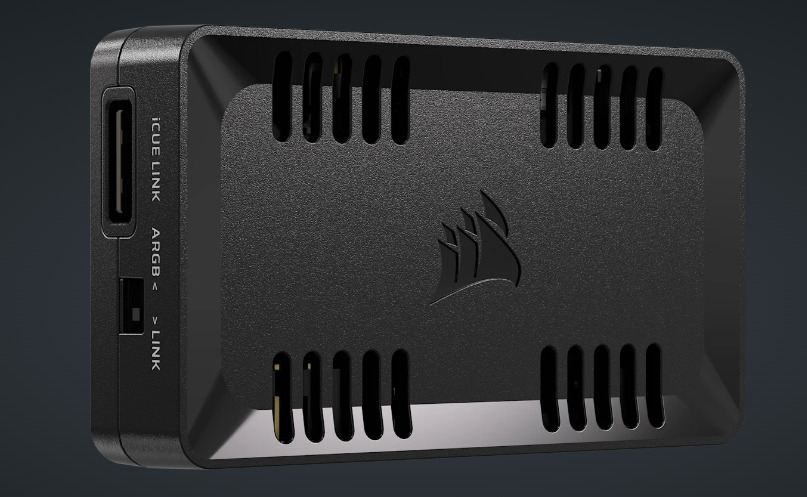
CORSAIR has launched the COMMANDER DUO, a versatile fan and RGB lighting controller that streamlines the management of mixed fan setups, offering a unified solution for PC enthusiasts. This innovative device bridges the gap between PWM ARGB fans and iCUE LINK-compatible devices, providing seamless control through CORSAIR’s iCUE software.
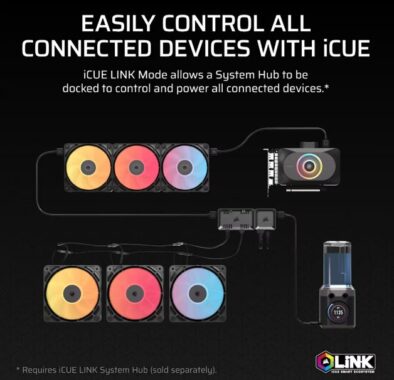
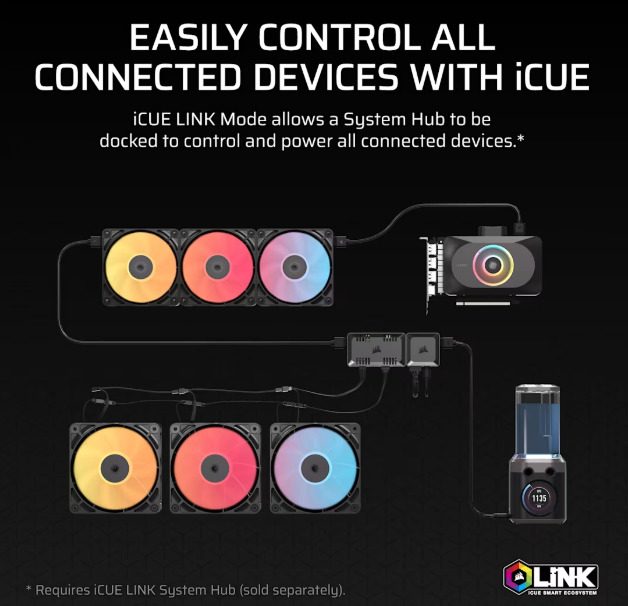
The COMMANDER DUO features two dedicated channels for PWM ARGB fan control, each supporting up to six standard fans, including CORSAIR’s new RS-R reverse-rotor RGB fans, for a total of 12 fans. Users can effortlessly synchronize fan speeds and RGB lighting effects via iCUE software for precise, customized performance. Additionally, the controller includes two iCUE LINK ports, enabling compatibility with up to 11 iCUE LINK devices when docked with a separately sold System Hub. This setup allows simultaneous management of up to 12 PWM fans and 11 iCUE LINK fans, centralizing control of your PC’s cooling system.
Designed for flexibility, the CORSAIR COMMANDER DUO comes equipped with two temperature sensors that can be strategically placed to monitor critical areas, such as near the GPU or exhaust fan. With iCUE software, users can configure fan speeds based on real-time temperature readings, ensuring optimal cooling performance tailored to their system’s needs.Installation is a breeze, with magnetic mounting for metal surfaces and included double-sided adhesive for other materials. The package also includes connectors for System Hub docking, a USB cable for iCUE integration, and two temperature sensors for enhanced monitoring.
The COMMANDER DUO eliminates the need for multiple software platforms by allowing users to integrate PWM ARGB fans with iCUE LINK CPU coolers or fan kits under a single control ecosystem. This makes it an ideal choice for builders with mixed fan configurations seeking a cohesive and efficient cooling solution.
Availability, Warranty, and Support
The CORSAIR COMMANDER DUO is available now through the CORSAIR webstore and authorized global retailers. It comes with a three-year warranty and is supported by CORSAIR’s worldwide customer service and technical support network. For pricing details, visit the CORSAIR website.
COMMANDER DUO Lighting and Fan Controller – ARGB and iCUE LINK Hybrid
Control up to 12 daisy-chained PWM fans on two channels
Docks with iCUE LINK System Hub for iCUE LINK Mode
Manage ARGB and iCUE LINK fans with iCUE software
Two temperature sensors allow custom monitoring
Magnetic back allows for easy placement inside your PC
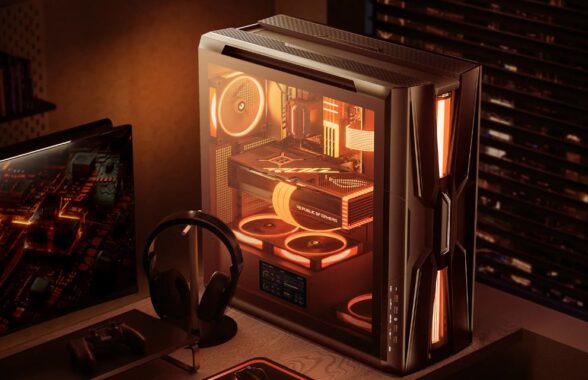
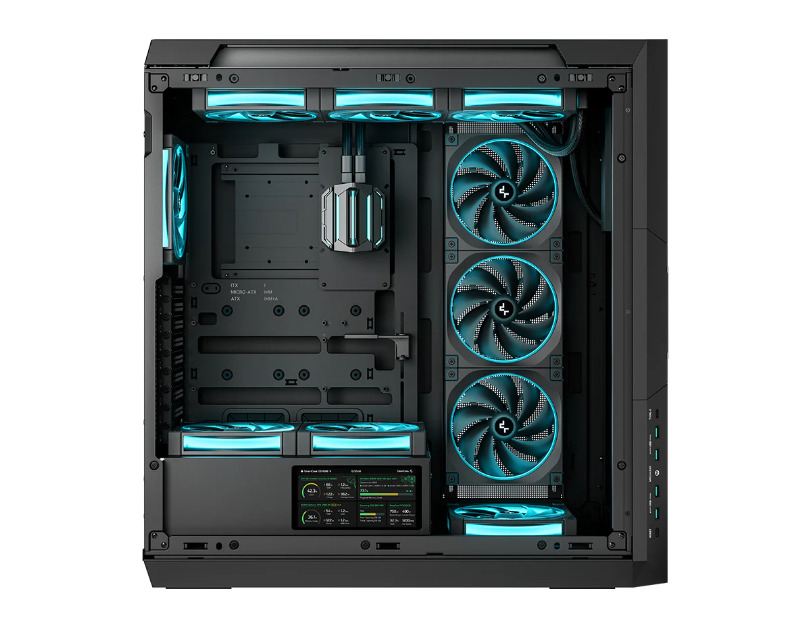
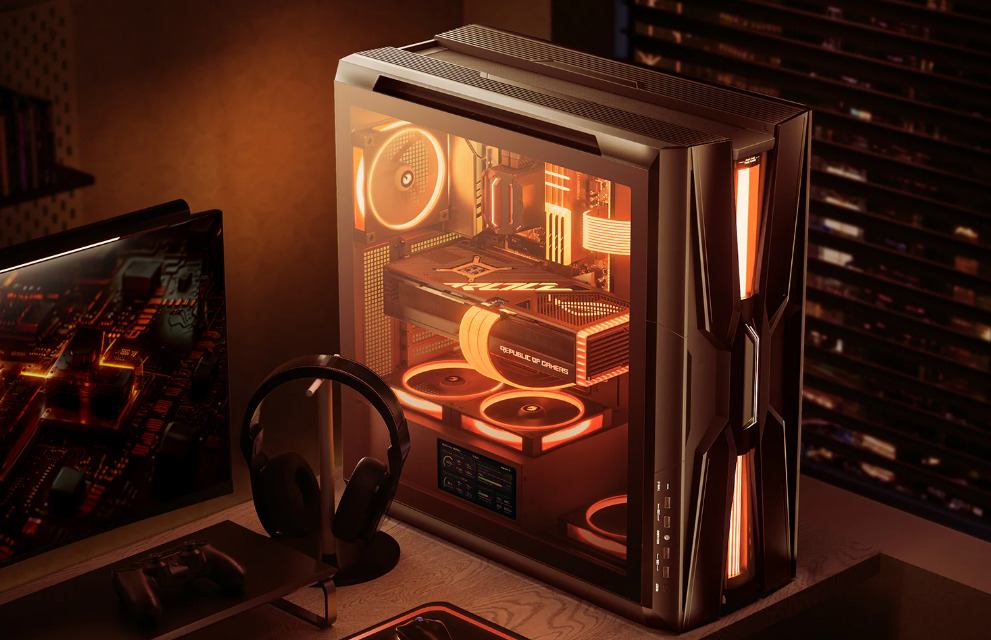
DeepCool’s iconic GENOME series makes a triumphant return with the GENOME III, a flagship full-tower case that blends cutting-edge cooling technology with intelligent system monitoring and a sleek, modern aesthetic. Designed for enthusiasts and builders seeking uncompromised performance, this case redefines liquid cooling integration while offering unmatched flexibility for high-end hardware.
Advanced All-in-One Cooling Redefined
At the heart of the GENOME III lies a pre-installed 420mm all-in-one (AIO) liquid cooling system, powered by DeepCool’s 6th-generation pump and paired with three high-performance FT14 fans. This setup ensures exceptional thermal efficiency and robust airflow, optimized for even the most demanding components. The innovative short-tube design simplifies coolant routing, while a front-mounted, transparent coolant reservoir incorporates Anti-Leak technology for reliable pressure regulation. A vibrant RGB light column, fully compatible with motherboard synchronization, enhances the case’s striking visual appeal, complementing the reservoir’s futuristic design.
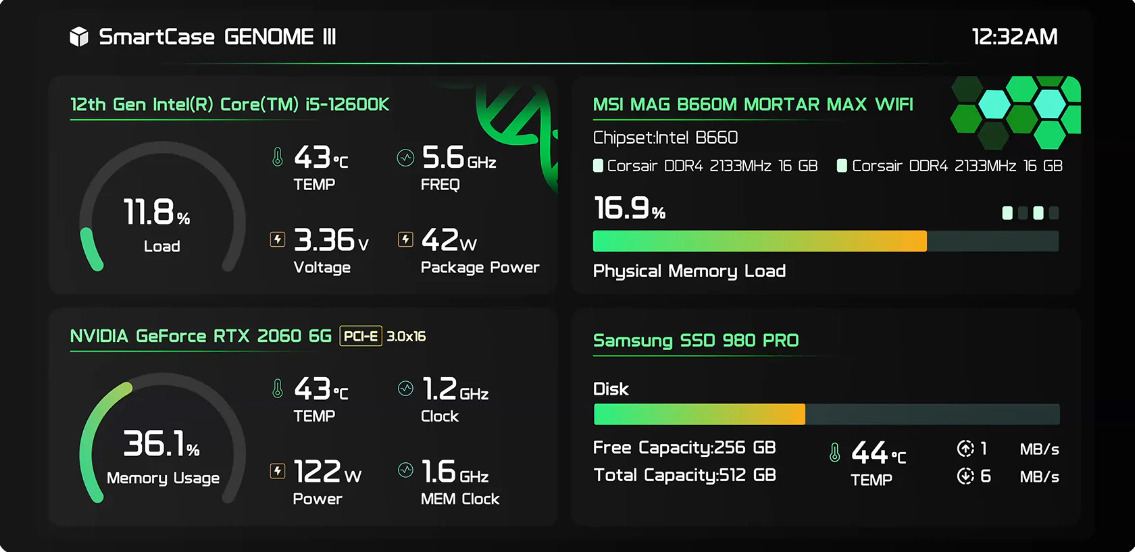
The DeepCool GENOME III sets a new standard for system awareness with its integrated 5.5-inch LCD display, boasting a crisp 480×960 resolution. This smart screen provides real-time insights into critical system metrics, including CPU and GPU performance, memory usage, storage capacity, power draw, and detailed component information. Through DeepCool’s DeepCreative software, users can customize the display with JPG images, animated GIFs, or MP4 videos for a personalized touch. The innovative Zen Mode automatically optimizes screen refresh rates when CPU usage surpasses 80%, ensuring minimal resource impact during heavy workloads.
Unrivaled Thermal Versatility
Beyond its pre-installed AIO, the GENOME III offers extensive customization for cooling setups. The case supports dual 420mm radiators or up to ten 120mm/140mm fans, providing builders with the flexibility to prioritize silent operation or maximum cooling performance. This makes the GENOME III an ideal choice for enthusiasts crafting high-performance systems tailored to their unique needs.
DeepCool GENOME III – DeepCreative software
Built for High-End Hardware
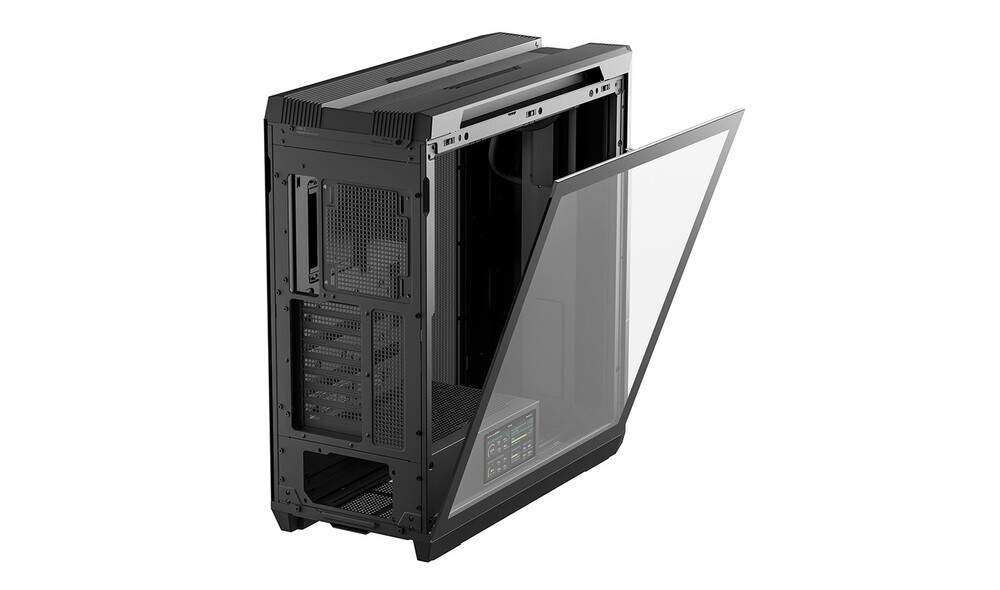
Engineered to house today’s most powerful components, the DeepCool GENOME III supports E-ATX and SSI-ECB motherboards, GPUs up to 480mm in length, and tower air coolers up to 195mm tall. With nine PCIe expansion slots and multiple drive bays, it accommodates complex multi-device configurations. The case also features 31.5mm of cable management clearance and support for PSUs up to 220mm, ensuring clean, organized builds with ease.
GENOME III
Pricing, Availability, and Warranty
The GENOME III is available in black and white variants, each priced at an MSRP of $359, and can be purchased through DeepCool’s global network of authorized retailers and distributors. Backed by a robust warranty, the DeepCool GENOME III includes 5 years of coverage for the liquid cooling system and 3 years for the integrated display, with standard case warranty varying by region. DeepCool’s worldwide customer service and technical support network ensures comprehensive support for all its products.