Home Blog Page 106

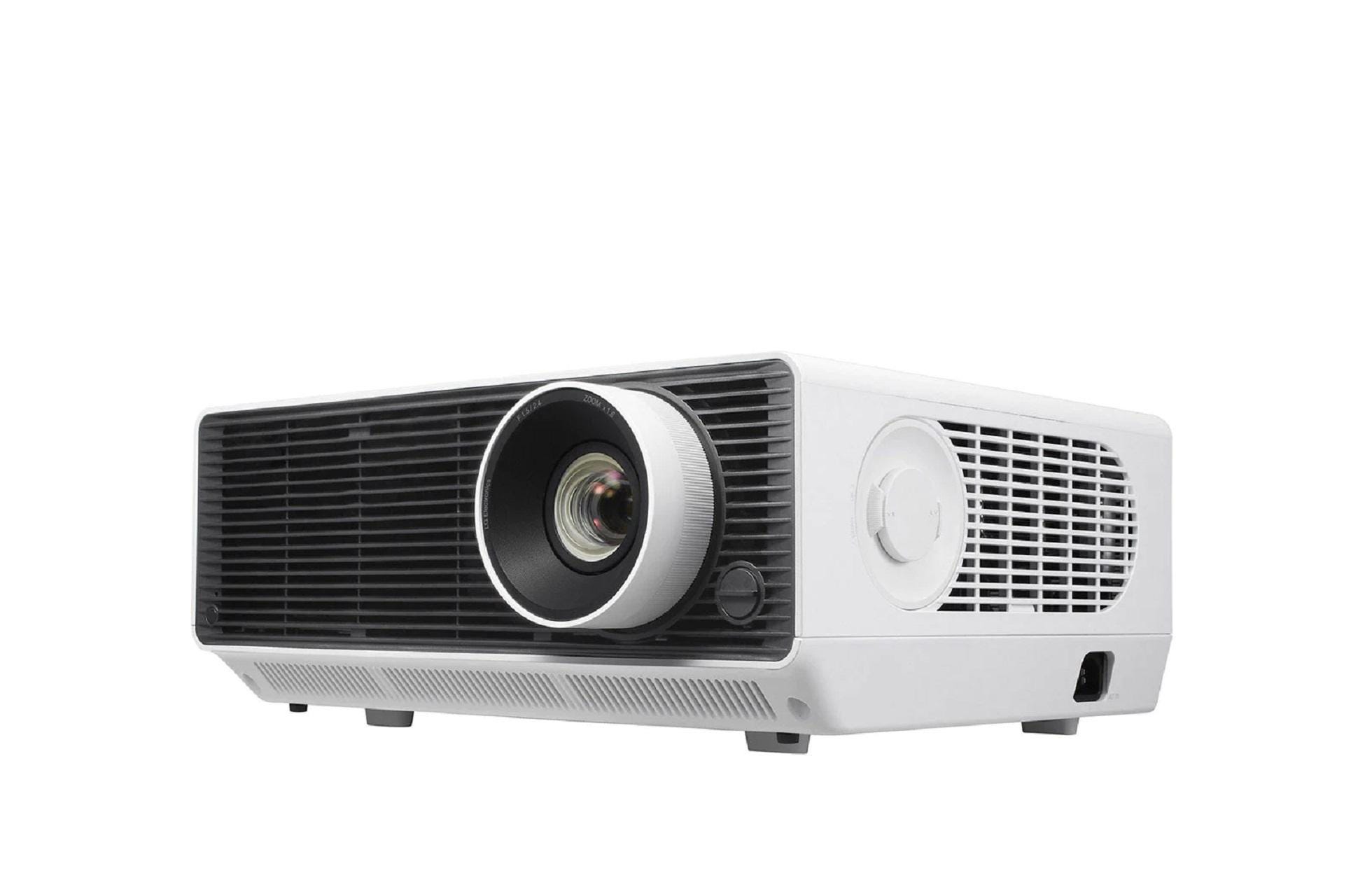
Short Throw Smart Laser Projector LG BU50NST – review

0

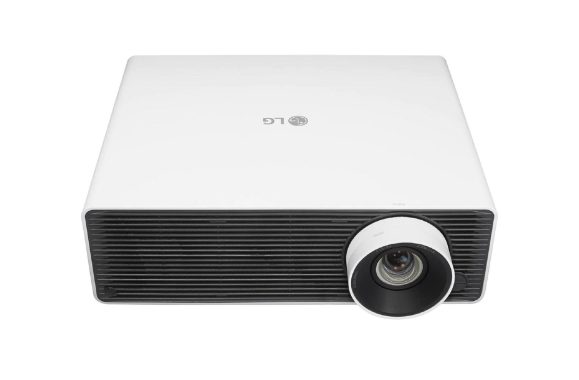
With its brilliant laser lighting, flexible installation and built-in SMART TV, the LG BU50NST is the outstanding projector for home and business.

Crisp laser images with the LG BU50NST
At the center of this LG projector is a state-of-the-art laser light source. This powerful light source offers constant lighting throughout its life and also the promise of longer lamp life. It also provides this projector with excellent brightness and contrast, allowing you to make the most of 4K and HDR UHD content.

Support for HDR10 and HLG
The LG BU50NST projector supports HDR10 and HLG to make the most of laser lighting. HDR10 and HLG offer more brightness and contrast, for a truly life-like image. These technologies work perfectly to deliver a more natural image with movies, games, and television.

4K UHD Resolution
Ultra HD 4K resolution offers four times more details than Full HD with over 8 million pixels! It offers a sharper, more life-like picture with a richer and more natural color. It also allows you to sit closer to the screen, so it’s also ideal for smaller rooms.LG BU50NST
Bright images
With 5000 ANSI Lumens, the LG BU50NST is much brighter than the average projector. This makes it ideal for illuminated rooms, such as open-plan and highly glazed spaces. High brightness means that you can see details that are usually “washed” in such lighting conditions.
Wide range of connections, including HDBaseT

Dual HDMI and USB plugs allow you to connect a wide range of sources, such as a uhd Blu-ray player, game console, and media player. There is also an HDBaseT connection. This universal connection uses a long-distance Ethernet cable that can carry UHD video, audio data, and high-resolution control, in a single cable.

Precision installation
With lens change (horizontal +/- 20% and vertical +/- 50%) and 1.6x Zoom Functions, bu50NST gives you the perfect screen, even in uncomfortable installations. 12-point deformation takes it even further away by allowing you to adjust the edges of the image to reduce distortion. Photo> LG

Smart TV – on the projector
Like its TVs, LG BU50NST comes with built-in webOS 4.5 smart TVs. This means you’ll find built-in apps like bbc iPlayer, YouTube, Now TV, Demand 5, Amazon and Netflix. There is also easy access to music sites like Spotify and Napster, as well as social sites. A full web browser gives you access to any website to navigate the big screen.LG BU50NST

Connect and show it wirelessly
With Screen Sharing, Wireless DLNA, and Wireless Content Sharing, you can stream what you’re seeing on your smartphone or tablet to your projector wirelessly. Bluetooth Sound Out allows you to wirelessly output audio to a Bluetooth speaker or bluetooth-enabled AV or high-fidelity system.

Get a Smarter 4K UHD Laser Projector with LG BU50NST.

LG BU50NST projector specs:
Brand LG
4K Ultra HD Yes
HDR Yes
BBC iPlayer Yes
Digital Audio Output No
USB 2
Weight (KG) 9.7
Component No
DLNA Compliant Yes
Remote Control yes
Bluetooth Yes
Dimensions WxDxH (mm) 370 x 290 x 158
HDMI 2_HDCP2_2_2
Wi-Fi Built In yes
Audio Outputs 3.5mm x 1
Smartphone control Yes
Pixel Resolution 3840 x 2160
Brightness 5000
Speakers Yes – stereo
Carry Bag No
Maximum Screen Size 300″
Projection Technology Laser DLP
Fan Noise 26/27/29 (Eco/Typical/Bright)
Throw Ratio 1.30 – 2.08
Lens Shift Yes ( Horiz ± 20%/Vert ± 50% )
S Video No
Projector Technology dlp
Lumens 3000_plus
Gesture Control No
HDR Format HDR10, HLG
Full Web Browser Yes
Power Consumption – Standby 0.5
ARC – Audio Return Channel Yes
Contrast Ratio 3,000,000:1

Review: GIGABYTE Z590 Aorus Tachyon motherboard

0

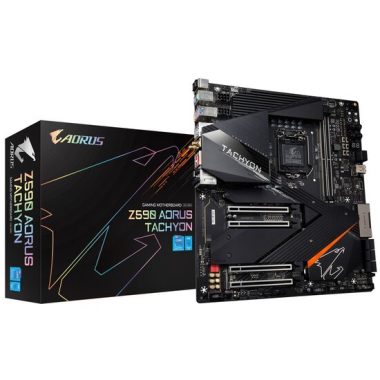
One of the most unique models of the Z590 chipset is the GIGABYTE Z590 Aorus Tachyon. While it works as a normal “relatively” daily motherboard, the main focus is on extreme overlcoking. Based on the design of its previous XOC models, which are part of its long line of performance-inspired designs, the Tachyon has only two memory slots designed to shorten the distance between memory and CPU to improve latency and overall performance. PCIe slots are also designed to allow for huge GPU coolers and power connections that are ancillary to graphic benchmarking. Other features include an extensive toolkit for overclockers, many premium drivers such as 2.5Gb Ethernet, 6E Wi-Fi and a premium built-in audio solution. To offer a solution that extreme overclockers can push Rocket Lake to its breaking point, as well as for less aggressive enthusiasts, the GIGABYTE Z590 Aorus Tachyon tries to take the Z590 to the next level.GIGABYTE Z590 Aorus Tachyon

Gigabyte Z590 Aorus Tachyon review
Getting the most out of Intel’s Rocket Lake silicon requires a robust platform with multiple aspects, and there are some premium Z590 models that can push the boundaries of both memory and CPU. One of the most specific models aimed solely at squeezing so many missile lake performance is the GIGABYTE Z590 Aorus Tachyon. Designed for overclockers, particularly extreme overclocks that want to go below zero, the Z590 Aorus Tachyon has one of the most interesting designs with an extended frame of atx size but with only two memory slots.
The CPU socket area is physically almost flat and devoid of any foreign capacitor that could break by removing some of the moisture protection, since traditional motherboards can sometimes have that problem. The almost flat and light design helps to mount copper pots for sub-zero overclockers, with naked shots much easier to isolate to prevent condensation from form into components and electronic circuits.

Focusing more on the power front, the GIGABYTE Z590 Aorus Tachyon uses a 12-step design with a direct design. It uses high-quality 100A power stages, with tantalum polymer capacitors, further improving specifications and adding some design features associated with extreme overclockers. The overall design is all black, with a single RGB LED strip separating the chipset heatsink from the PCIe slot armor and M.2 heatsinks.
UEFI GIGABYTE firmware remained consistent with previous generations on intel and AMD models. Looking at the design, GIGABYTE uses a mostly black background with orange accents, white text, and fits the Aorus game theme. The Z590 Aorus Tachyon BIOS has two main modes, Easy Mode and Advanced Mode. Enter advanced mode, which can be done by pressing the F2 key when it is in the firmware, allows access to all options of overclocking, chipset, power and card security. The Tweaker section houses the Tachyon’s extensive overclocking features, including options to adjust CPU frequency, cache frequency, built-in graphics frequency, and all relevant voltage settings.For memory, GIGABYTE includes extensive memory overclocking options, including ratio and latency optimization options, as well as Intel’s new gear mode, which allows the built-in memory controller to operate at half the memory speed at a ratio of 2:1 or 1:1, which theoretically should allow for more aggressive frequency overclocks.GIGABYTE Z590 Aorus Tachyon
Given the obvious unfounded overclocking pedigree of the Z590 Aorus Tachyon, GIGABYTE provides easy and intuitive firmware that is also responsive. The easy and advanced mode feature allows users of all levels of experience to access key features such as the Smart Fan 6 utility and flash firmware via BIOS.
Software
GIGABYTE includes a wide variety of software and utilities with the Z590 Aorus Tachyon, which focuses on the Aorus App Center, which serves as a centralized hub for all installed GIGABYTE software, Windows-related settings, and even third-party software. Some of the most important applications include EasyTune software, RGB Fusion 2.0 software to customize board aesthetics, and the System Information Viewer (SIV) utility.
The GIGABYTE Z590 Aorus Tachyon is an E-ATX motherboard designed primarily for extreme enthusiasts and overclockers, with many features for regular users such as gamers and content creators. The feature set includes four full-length PCIe slots, two running on PCIe 4.0 x16 and x8x/8 respectively, and two on PCIe 3.0 x4 and x1 respectively (top to bottom). For storage, the Tachyon has three M.2 slots, a 4.0 x4 PCIe and two 3.0 x4/SATA PCIes, with eight SATA ports in total. Six of the SATA ports are chipset controlled with RAID 0, 1, 5 and 10 support, while the other two are led by an ASMedia ASM1061 SATA controller.
Users can overclock the CPU, memory, base clock (BLCK), and INTEL UHD graphics built into the Tweaker section.
In each of the different sections there is an advanced submenu, which includes advanced CPU options, advanced memory settings, and advanced voltage settings. Each of these menus is an intricate and detailed list of customizable options to adjust both processor and memory. For the CPU, there are many power-related options and options that allow users to disable CPU thermal monitoring and CPU over-temperature protection. We don’t recommend that users use these features unless they experience or overblock in the art of benchmarking.
The firmware also includes extensive voltage configuration, load line calibration and power connection in the Advanced Voltage Settings submenu. In this menu, users can customize the CORE CPU PLL overvoltage, RING PLL overvoltage, and DRAM training voltages. There are also many CPU-specific power options, such as load line calibration and optimization of the most intricate CPU virtual core protection, which can be set automatically (default) or in millivolts.
In general, the firmware is very intuitive and easy to navigate when it comes to overclocking. There are plenty of customizable options for simple overclocks and more extensive features needed for extreme overclockers. The key to extreme overclocking in addition to firmware is the well-equipped overclocker toolkit located in the upper right corner of the board. Photo: GIGABYTE
The GIGABYTE Z590 Aorus Tachyon offers elements for both gamers and content creators, but it should be noted that to benefit more from features and features, it would require sub-zero cooling. There’s plenty for typical users, including Intel 2.5GbE, Wi-Fi 6E, and USB 3.2 G2x2 Type-C connectivity, but the overall design offers much more for extreme overclockers, including design, premium power delivery, and as such, showed some fantastic results in our overclocking tests. There’s not much on the way to competing with the two main rivals, the FORMULA ASRock Z590 OC and ASUS ROG Maximus XIII Apex, both offer similar feature sets that contain a similar extreme pedigree. For fans and extreme overclockers, the Tachyon is a brilliant example of extreme motherboard properly made, but for the average joe, there’s a lot more value in other Z590 options due to the big price tag of $530.
In general, this tab allows regular users to get the best out of their CPU, however, paying the premium for this may not be a profitable investment. Users who get the Tachyon want the best of everything from their processor. That’s why extreme overclockers will fully appreciate Tachyon.

Key Feature


  • Supports 11th and 10th Gen Intel® Core™ Series Processors
  • Dual Channel Non-ECC Unbuffered DDR4, 2 DIMMs
  • Direct 12 Phases Digital VRM Solution with 100A DrMOS and Tantalum Polymer Capacitors Matrix
  • XTREME MEMORY with 2-DIMM Design and Shielded Memory Routing
  • Exclusive onboard Overclocking Kit for extreme overclocking
  • Onboard Intel® WiFi 6E 802.11ax 2T2R & BT 5 with AORUS Antenna
  • Amp-Up Audio with ALC1220 and WIMA Audio Capacitors
  • Blazing Fast Intel® 2.5GbE LAN with cFosSpeed
  • Triple Ultra-Fast NVMe PCIe 4.0*/3.0 x4 M.2 with Thermal Guards
  • SuperSpeed USB 3.2 Gen2x2 TYPE-C® delivers up to 20Gb/s transfer speeds
  • RGB FUSION 2.0 with Multi-Zone Addressable LED Light Show Design, Support Addressable LED & RGB LED Strips
  • Smart Fan 6 Features Multiple Temperature Sensors , Hybrid Fan Headers with FAN STOP and Noise Detection
  • Q-Flash Plus Update BIOS without Installing the CPU, Memory and Graphics Card

Mobile app developers: changes and advancement in technology

0

Mobile applications today are critical to the business world by inducing beliefs, a simple approach, and increasing potential customers. In the same note, mobile developers are the key to the same thing and need to be updated with technologies.
It’s a rapidly changing world, changes and technological advancement have led to the need for mobile app developers to think about.
Here we have chosen some of such technologies that mobile app developers should consider:

AR/VR – Augmented Reality-Virtual Reality

AR/VR technology has been on demand thanks to the advantage of the user interface. According to a Deloitte report, 88% of medium-sized enterprises have already started using augmented reality in a certain capacity. A developer needs to know about computer vision skills, 3D modeling, and programming because with ar you can see the color and other product specifications even before its development. Sensors, cameras, accelerometer, gyroscope, digital compass, GPS, CPU and display are required to work with sensors, cameras, accelerometers, gyroscope, digital compass, GPS, CPU and display.

technological advancement
Photo: Pixabay

For example, Wayfair has incorporated AR to show customers what the furniture will look like in the desired locations.

AI (Artificial Intelligence) and Machine Learning

The ai strategy on mobile devices was taken over by 47% of established organizations. AI and ML are niche-based technologies that include developers who know about computing, statistics, algebra, Spark, data mining, data science, machine learning, cognitive computing, text analysis, natural language processing, R, Hadoop, etc. From dating apps to health apps that need predictions everywhere.
For example, IA is used to predict the stock market and currencies, incorporating such methods into its application and giving it innovative twists can change the entire dynamic.

Internet of Things (IoT)

IoT is the new technology that pursues the development of mobile applications, it is the interaction between humans and machines. IoT combines sensor data, machine learning technologies, and predictive analytics for intelligent and extraordinary user experiences, so a developer should be an expert in machine learning and big data management skills. According to PWC research, 58% of retailers have used IoT in active/work projects. IoT is a great success when it comes to smart homes and that the cars that arrive would all be connected to mobile phones.
During application development, IoT provides hardware (typically sensors), software, plug-ins, and clouds. Incorporation of sensors is a good idea for the application, for example, robots with temperature, pressure, smoke sensors can facilitate in many ways. Niche-based developers are needed to develop structures that are so complex that they can take your business to another level.
Huawei is a company that uses IoT to integrate data, devices, and operations management to drive un peer-to-peer digital transformation.

Safety

10.5% of enterprise devices have encryption disabled by default. The security of mobile applications is a very sensitive issue and should be the first concern during application development. Mobile app developers must support cybersecurity by ensuring that personal information is hidden and encrypted. Stereotypical detections and fingerprints are a common security option, but the developer needs to incorporate other, even more secure security features.

Applications must request credentials before disclosing sensitive information, and only required permissions must be enabled. Data encryption, trusted API usage, and high-level authentication are some of the actions developers need to embed.

The best solutions for Video Conferencing

0

There are several solutions available for video conferencing, ranging from free, consumer-grade applications to professional-grade software. Some popular options for video conferencing include Zoom, Google Meet, Microsoft Teams, and Skype. These applications allow users to connect with each other via video and audio, and often also offer features such as screen sharing, virtual whiteboards, and chat. To use these applications, users typically need a computer or mobile device with a webcam, microphone, and internet connection. Some applications may also require users to download and install software, while others can be used directly in a web browser.

Defining the term video conferencing is very easy to understand and means virtual meeting between two or more people using advanced quality software and hardware. This meeting can be done in different ways using different computers such as a mobile phone, desktop, browser-based, based on a private room, and so on. This has emerged as a very useful solution for companies and also for individuals and that’s why we came up with a post, where we discussed different categories where we can classify a video conference or video call.
Desktop applications
This type of video conferencing is often used by internal members of an organization, and companies offering video conferencing solutions often support desktop applications.
You’ll simply have to download it once and as you download it, video call participants will have access to various products and versions, features, etc. Some of them are
Collaboration with hd video and audio
Share your screen, share apps, and share uploaded videos
Chat and annotation

Browser-based
The following type of video conferencing based on the video conferencing browser and in this type there is no need to download any application or software.
This means that participants can be part of the video call simply by logging in via a common web browser used by all participants.Video ConferencingThe biggest feature of this type of conference call is that it supports real-time webRTC or CALL standards.
Because of this feature, it becomes ideal for those who want to join the meeting or conference outside your organization.
This is a very useful method as with it, simply by sharing the URL, you can make anyone part of the video conference and also, you do not need to download any software as such.
Mobile-based
With the world increasingly accustomed to mobile telephony, mobile video calls and video conferencing have become the real help for businesses and even those with small business telephone systems.
Participating in this type of call video conferencing is very easy, as it will only require membership through the mobile app that owns a provider.
So, there is also an option to take advantage of webRTC and use the browser to participate in the video call and in this way, again, there would be no additional software requirement on the desktop.
Mobile conferencing allows users to join anywhere with a Wi-Fi signal or by connecting via the data plan provided by a phone company.
Some technically advanced apps offer a variety of toll-free and local phone number choices for dial-in and call me-back service.
However, it is recommended to download the mobile meeting app from there, you can get full access to all the features of mobile-based video conferencing.

Video conferencing has several benefits, including:

  1. Increased productivity: Video conferencing allows people to communicate and collaborate in real-time, which can lead to more efficient and effective decision-making.
  2. Reduced travel costs: With video conferencing, people can meet and work together remotely, which can save a significant amount of money on travel expenses.
  3. Greater flexibility: Video conferencing allows people to attend meetings from anywhere, at any time, which can be particularly beneficial for people who work remotely or have busy schedules.
  4. Improved communication: Video conferencing allows for nonverbal communication, such as facial expressions and body language, which can improve the quality of communication and lead to better understanding.
  5. Increased sense of connection: Video conferencing can help people feel more connected and engaged with their colleagues and clients, which can lead to improved relationships and greater job satisfaction.
  6. Support remote work: Video conferencing can help companies to enable remote work opportunities which can lead to greater employee satisfaction and productivity, and also support the companies to cost savings.

Fantastic Anthem AVM-90 A/V Processor – Up to 15.4 channels support

0

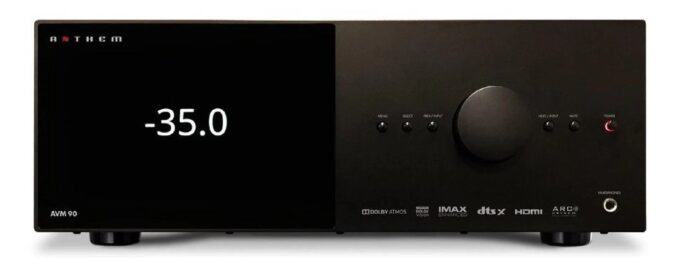
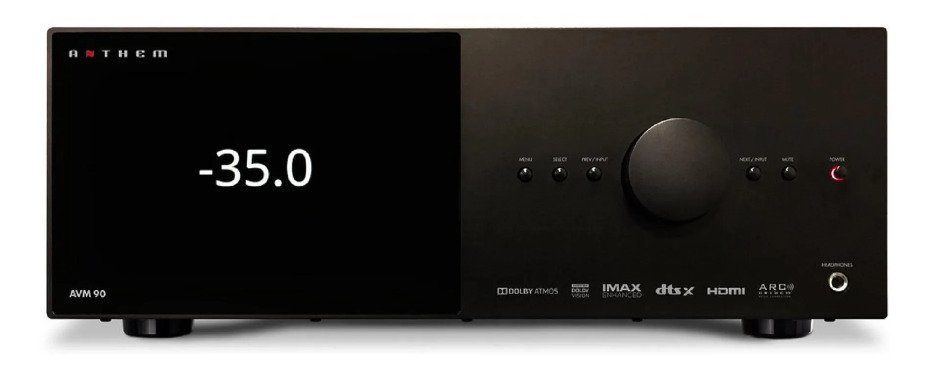
With premium digital processing and stunning 15.4-channel output, the Anthem AVM 90 delivers the ultimate home theater.

15.4-channel processing for reference home theater sound
With 15.4 output channels, the AVM 90 has the processing power for the most sophisticated home theater systems. Add suitable power amplifiers and you can decode Dolby Atmos and DTS:X signals, up to Dolby Atmos 9.4.6, enough for larger home theaters. For best results, combine it with the Anthem power amplifiers of the MCA series.
Premium digital processing
As Anthem’s flagship AV processor, the AVM 90 achieves its highest level of digital processing. The AKM AK4499EQ DAC decodes up to 32 bits, with a sampling capacity of 768 kHz. Combined with advanced analog components, it means that the AVM 90 produces levels of detail and exception of realism, allowing you to listen to every breath of information, even during an action-packed film.Anthem AVM-90XLR Balanced Output Option
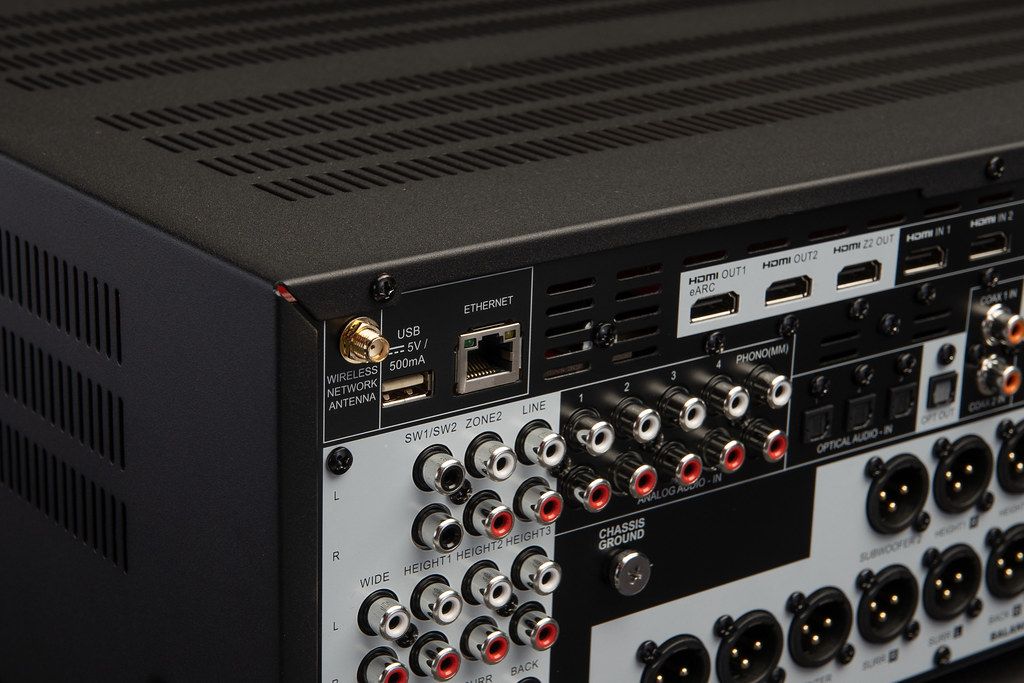
Making the AVM 90 the ideal combination for reference quality home theater systems, it has 19 balanced XLR outputs. It combines with compatible power amplification for high-quality connection and low distortion. Alternatively, unbalanced RCA phono outputs are also fitted.
ARC Genesis – Compatible with Mac and Windows
In addition to premium electronics, Anthem’s distinctive feature is ARC (Anthem Room Correction). The latest ARC Genesis software takes you a big step further, giving you seamless room integration, ensuring you make the most of the potential of the AVM 90. Compatible with Mac and Windows, this third-generation room correction system uses custom Digital Signal Processing (DSP) and a dedicated microphone. Once set up, you will feel an incredible improvement of how more integrated and “together” the sound is. (Professional configuration recommended).Anthem AVM-90DTS:X Pro
Make the most of the AVM 90’s incredible multi-channel capability, DTS:X Pro takes dts:X to the next level. Offering even higher spatial resolution, effect speakers drive sound more accurately for impressive realism.
Certificate for IMAX Enhanced
A partnership between IMAX, DTS and award-winning Hollywood audio mixers offers an impressive new audio format: IMAX Enhanced. Only the highest quality home theater equipment meets the standard, with advanced IMAX content available in HDR streaming and BLU-ray UHD disc.Anthem AVM-90Four subwoofer outputs – control them independently
Further bringing flexible speaker setup, the AVM 90 features independently adjustable quad subwoofer outputs. This means that you can place subwoooers around your room and independently control them. ARC Genesis ensures system optimization, with seamless bass throughout the listening area.
Zone 2 HDMI
For a fully independent AV output, the AVM 90 features an HDMI zone 2 output. This allows you to vary the audio and visual output on another screen, such as a TV in another room. In addition, there are two HDMI outputs at the main source, ideal if you are using a protection and a TV in the same room.  Photo: Anthem

HDMI Card (Upgradable) – Supports Dolby Vision, HDR, HLG and eARC
Featuring an upgradeable 7 in/3 out HDMI interface, the Anthem AVM 90 supports a wide range of high dynamic range video formats. These include Dolby Vision, HDR and HLG. It also supports enhanced audio return channel (eARC), the latest system of audio return channels that transmits uncompressed surround sound signals, including Dolby Atmos and DTS:X, from compatible TV to amplifier. Removable card allows for future hdmi upgrade.AirPlay 2, Chromecast and Bluetooth: your streaming choice
Connect to your network via Wi-Fi or Ethernet and stream from your music app of your choice. Compatible with AirPlay 2 and Google Chromecast, the player adapts to most music apps available on Apple and Android smartphone and tablet devices. Bluetooth provides a quick and easy wireless connection to your smartphone, tablet or computer for easy music streaming. A free and future upgrade will also include support for Spotify and Roon, which will make the AVM 90 even more versatile.
Don’t settle for the second best, the Anthem AVM 90 brings you closer to the real home theater than ever before.Anthem AVM-90

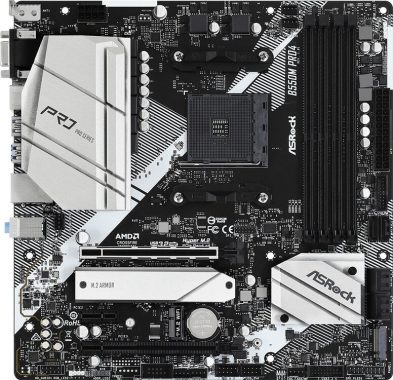
ASRock B550M PRO 4 – High-quality Motherboard for Ryzen 5 3600

0

ASRock knows how to create a high-quality and affordable small form factor motherboard. AsRock B550M PRO 4 supports PCIe 4.0, ZEN 2 & 3 RYZEN CPU, GPU SLI configurations and has four DIMM slots that can handle DDR4 memory at speeds above 4700 MHz. Packing all these features into an mATX card was no easy feat. The elegant black and white metal finish will make this board look at home in any microstructure.
Unfortunately, this card lacks Wi-Fi. It has a built-in fast gigabit LAN, but on-the-go enthusiasts want to take an external Wi-Fi card. Fortunately, this board has plenty of room for these expansions with the additional PCIe connection.ASRock B550M PRO 4
The ASRock B550M PRO 4 also supports two 4.0 M.2s that can be kept running quickly and cool with heatsinks included. PC builders will enjoy Nahimic & audio with optional HDMI output, POLYCHROME RBG and an impressive range of I/O connections. Get 2 USB 3.2 Gen 2 ports, a USB C port and a solid range of eight USB 3.2 GEN 1 ports. This tab has plenty of options for expandability despite its small size and even lower price at just $109.   Photo: ASRockASRock B550M PRO 4


ASRock B550M Pro4 specs:

Supported CPU– Supports 3rd Gen AMD AM4 Ryzen™ / future AMD Ryzen™ Processors*
– Digi Power design
– 8 Power Phase design
ChipsetAMD B550
BIOS– 256Mb AMI UEFI Legal BIOS with GUI support
– Supports “Plug and Play”
– ACPI 5.1 compliance wake up events
– Supports jumperfree
– SMBIOS 2.3 support
– CPU, CPU VDDCR_SOC, DRAM, VPPM, 1.05V_PROM_S5, 2.5V_PROM, +1.8VSB, VDDP Voltage Multi-adjustment
Form Factor– Micro ATX Form Factor: 9.6-in x 9.6-in, 24.4 cm x 24.4 cm
– Solid Capacitor design
– 2oz Copper PCB
Audio– 7.1 CH HD Audio with Content Protection (Realtek ALC1200 Audio Codec)
– Premium Blu-ray Audio support
– Supports Surge Protection
– PCB Isolate Shielding
– Individual PCB Layers for R/L Audio Channel
– Nahimic Audio


PCI– 1 x PCI Express 3.0 x1 Slot
M.2 Socket– 1 x M.2 Socket (Key E), supports type 2230 WiFi/BT module
Memory
TypeDDR4
SlotsAMD Ryzen series CPUs (Matisse)
– 2 x PCI Express x16 Slots (PCIE1: Gen4x16 mode; PCIE3: Gen3 x4 mode)
AMD Ryzen series APUs
– 2 x PCI Express x16 Slots (PCIE1: Gen3x16 mode; PCIE3: Gen3 x4 mode)
– Supports AMD Quad CrossFireX
Supported Memory– Dual Channel DDR4 Memory Technology
– 4 x DDR4 DIMM Slots
– AMD Ryzen series CPUs (Matisse) support DDR4 4533+(OC) / 4466(OC) / 4400(OC) / 4333(OC) / 4266(OC) / 4200(OC) / 4133(OC) / 4000(OC) / 3866(OC) / 3800(OC) / 3733(OC) / 3600(OC) / 3466(OC) / 3200 / 2933 / 2667 / 2400 / 2133 ECC & non-ECC, un-buffered memory
– AMD Ryzen series APUs support DDR4 4733+(OC) / 4666(OC) / 4600(OC) / 4533(OC) / 4466(OC) / 4400(OC) / 4333(OC) / 4266(OC) / 4200(OC) / 4133(OC) / 4000(OC) / 3866(OC) / 3800(OC) / 3733(OC) / 3600(OC) / 3466(OC) / 3200 / 2933 / 2667 / 2400 / 2133 ECC & non-ECC, un-buffered memory
– Supports Extreme Memory Profile (XMP) memory modules
– 15μ Gold Contact in DIMM Slots
Maximum Memory128GB
Graphics
Graphics– Integrated AMD Radeon Vega Series Graphics in Ryzen Series APU
– DirectX 12, Pixel Shader 5.0
– Shared memory default 2GB. Max Shared memory supports up to 16GB.
– Three graphics output options: D-Sub, HDMI and DisplayPort 1.4
– Supports Triple Monitor
– Supports HDMI 2.1 with max. resolution up to 4K x 2K (4096×2160) @ 60Hz
– Supports DisplayPort 1.4 with max. resolution up to 5K (5120×2880)@120Hz
– Supports D-Sub with max. resolution up to 1920×1200 @ 60Hz
– Supports Auto Lip Sync, Deep Color (12bpc), xvYCC and HBR (High Bit Rate Audio) with HDMI 2.1 Port (Compliant HDMI monitor is required)
– Supports HDR (High Dynamic Range) with HDMI 2.1
– Supports HDCP 2.3 with HDMI 2.1 and DisplayPort 1.4 Ports
– Supports 4K Ultra HD (UHD) playback with HDMI 2.1 and DisplayPort 1.4 Ports
– Supports Microsoft PlayReady
Connector & Ports
HDMI1 x HDMI Port
Display Port (s)1 x DisplayPort 1.4
USB (s)– 1 x USB 3.2 Gen2 Type-A Port (10 Gb/s) (Supports ESD Protection)
– 1 x USB 3.2 Gen2 Type-C Port (10 Gb/s) (Supports ESD Protection)
– 4 x USB 3.2 Gen1 Ports (ASMedia ASM1074 hub) (Supports ESD Protection)
– 2 x USB 2.0 Ports (Supports ESD Protection)
– 1 x RJ-45 LAN Port with LED (ACT/LINK LED and SPEED LED)
LAN Port (s)– 1 x RJ-45 LAN Port with LED (ACT/LINK LED and SPEED LED)
Supported Storage6 x SATA3 6.0 Gb/s Connectors, support RAID (RAID 0, RAID 1 and RAID 10), NCQ, AHCI and Hot Plug
Internal I/O Ports– Antenna Bracket
– 1 x PS/2 Mouse/Keyboard Port
– 1 x D-Sub Port
– 1 x HDMI Port
– 1 x DisplayPort 1.4
– 1 x USB 3.2 Gen2 Type-A Port (10 Gb/s) (Supports ESD Protection)
– 1 x USB 3.2 Gen2 Type-C Port (10 Gb/s) (Supports ESD Protection)
– 4 x USB 3.2 Gen1 Ports (ASMedia ASM1074 hub) (Supports ESD Protection)
– 2 x USB 2.0 Ports (Supports ESD Protection)
– 1 x RJ-45 LAN Port with LED (ACT/LINK LED and SPEED LED)
– HD Audio Jacks: Line in / Front Speaker / Microphone
D-Sub (s)1 x D-Sub Port

Great effects & tools: Movavi Video Editor ’23

0

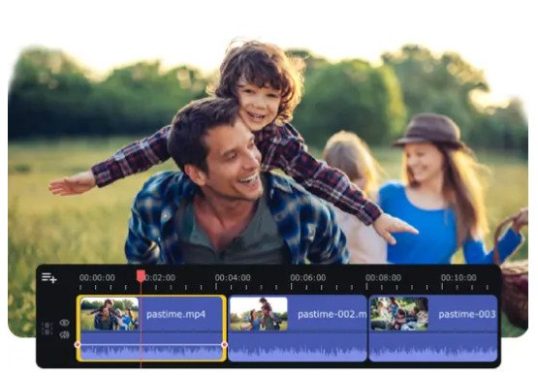
Movavi Video Editor ’23 is a video editing software that includes a variety of “smart features” to help users easily edit and enhance their videos. Some of these features include:

  • Automatic video creation: Movavi Video Editor can automatically create a video from your photos and videos by selecting the best footage and adding music, transitions, and effects.
  • Magic Enhance: This feature automatically adjusts the color settings, brightness, and contrast to improve the overall quality of your video.
  • Magic cut: This feature allows you to quickly trim and split video segments, and delete unwanted parts of a video.
  • Picture-in-picture: This feature allows you to overlay one video on top of another, which is useful for creating split-screen effects.
  • Chroma key: This feature, also known as “green screen,” allows you to replace the background of a video with a different image or video.
  • Slow-motion and time-lapse: This feature allows you to slow down or speed up a video.
  • Audio editing: Movavi Video Editor includes a variety of tools for editing audio, such as noise reduction, equalization, and more.
  • Sharing: after editing, you can easily share your videos on YouTube, Facebook, and other social media platforms.

What do I get in Movavi Video Suite 2023.?

Movavi Video Suite 2023 is a comprehensive video editing software package that includes a wide range of features and tools to help you create professional-looking videos. Some of the features that you can expect to find in Movavi Video Suite 2023 include:

  • Video editor: A powerful video editing tool that allows you to trim and split video segments, join multiple videos, add effects and transitions, and more.
  • Video converter: A tool that allows you to convert your videos to different formats, including MP4, AVI, MKV, and more, as well as optimize them for different devices and platforms.
  • Screen recorder: A tool that allows you to record your screen and create tutorial videos, capture online videos, and more.
  • Video capture: A tool that allows you to record video from external devices, such as cameras and smartphones.
  • Audio editor: A tool that allows you to edit audio files, remove noise, normalize the sound, and more.
  • Photo editor: A tool that allows you to edit images, remove unwanted objects, improve the color, and more.
  • Video stabilization: A feature that helps to smooth out shaky footage and make it look more professional.
  • Special effects: A wide range of special effects, including filters, stickers, and animations, that can be added to your videos to enhance their visual appeal.
  • Sharing: option to share videos on multiple platforms like YouTube, Facebook, Vimeo and more.

Please note that some of this features may vary depending on the version you have.

Movavi Video Editor is the basic version of the company’s video editing software. There is a Movavi Plus edition that has some additional features, but personal editing is similar in functionality and design. Movavi is designed to stand out as an easy-to-use video editor of personal movies, marketed for travel diaries, wedding videos, and vlogs. On that line, the “Assembly Wizard,” in which the program will create a quick presentation sequence for you, is ideal for merging related videos, while the full function mode goes above and beyond to edit titles, graphics, and effects.

Movavi’s export options have also been designed with YouTuber and vlogger in thought, allowing you to upload directly to YouTube from the program. The export window also includes a YouTube form to add a description and the ability to make your video public or private as I would in YouTube Studio.Movavi 15 Personal Edition Video Editor

The Movavi UI has three main dashboards: a preview monitor, a media panel, and a timeline workspace with a selection of tools. The media browser allows you to choose from a variety of settings to start a project: you can record videos directly on Movavi using your computer’s camera or webcam, you can record a screencast or add media files, and import a video, audio, or image file folder to work with.
Making cuts to shooting and deleting clips is easy in Movavi, but differs slightly from other video editing programs. The scissors tool, for example, allows you to trim the movie wherever the cursor is located, convenient for new editors to make sure they don’t accidentally cut content, but a little inconvenient for veterans who are used to being able to cut anywhere by placing the mouse and clicking.
Following these same lines, Movavi condensed other elements of the video editing software directly into the timeline panel for convenience. These include video effects and audio properties. The “Settings” gear icon will allow you to access the video effects parameters of any clip you have selected, giving you access to a great variety of parameters and video effects, although you can’t go terribly deep. Video effects include clip speed, color adjustments, rotation and cropping, panning and zooming, animation features, camera stabilization, chroma button, and more.Movavi 15 Personal Edition Video Editor
Movavi Video Editor is a high-quality software that offers superb features and ease of use to your home vlogger and cameramen reference market. At this price, you won’t get many high-end effects and tools: most of Movavi’s color effects are automatic settings that process your footage but don’t offer much depth, and video filters are equally simple. However, for its main value and characteristics, Movavi performs the work admirably. Photo: Movavi

About Movavi video converter

Movavi Video Converter is a software tool that allows users to convert their videos to different formats, as well as optimize them for different devices and platforms. Some of the key features of Movavi Video Converter include:

  • Format support: Movavi Video Converter supports a wide range of video formats, including MP4, AVI, MKV, WMV, and many others. It also supports different codecs, such as H.264, MPEG-4, and more.
  • Device optimization: Movavi Video Converter allows you to optimize your videos for specific devices and platforms, such as smartphones, tablets, gaming consoles, and more.
  • Batch conversion: You can convert multiple videos at once, saving time and effort.
  • Video editing: It also includes basic video editing features, such as trimming and cropping, which can be useful for preparing videos for conversion.
  • Audio extraction: You can extract audio from video files and save it in a separate audio file.
  • Customizable output settings: You can adjust the output settings such as resolution, bitrate, frame rate, and more to achieve the optimal balance between quality and file size.
  • Presets: It includes a variety of presets for different devices and platforms, making it easy for users to quickly and easily convert their videos without having to manually adjust settings.
  • Fast conversion: The conversion process is relatively fast, which is useful for large files.

Movavi Video Converter is a very useful tool for those who need to convert video files frequently and easily. It’s a user-friendly software and it’s easy to use.

Movavi Slideshow Maker

Movavi Slideshow Maker is a software tool that allows users to create professional-looking slideshows from their photos and videos. Some of the key features of Movavi Slideshow Maker include:

  • Drag and drop interface: The software has a user-friendly drag-and-drop interface that makes it easy to add and organize photos and videos.
  • Music and transitions: Users can add music and transitions to their slideshows to enhance their visual appeal.
  • Text and captions: Users can add text and captions to their slideshows, to provide context or tell a story.

    Movavi Slideshow Maker
    Movavi Slideshow Maker
  • Pan and zoom: Users can add pan and zoom effects to their photos, making them more dynamic and engaging.
  • Automatic slideshow creation: The software can automatically create a slideshow from your photos and videos by selecting the best footage and adding music, transitions, and effects.
  • Video export: Users can export their slideshows in a variety of video formats, such as MP4, AVI, and MOV, and share them on social media platforms, like YouTube and Facebook.
  • HD support: The software supports high-definition videos and photos, allowing users to create high-quality slideshows.
  • Theme and templates: Movavi Slideshow Maker comes with a variety of built-in themes and templates, making it easy for users to create visually appealing slideshows without much effort.

Movavi Slideshow Maker is a great tool for creating memorable slideshows of your personal photos and videos. It is easy to use and it offers a lot of customization options to make your slideshow unique and personalized.

All apps – Movavi Unlimited

Movavi Unlimited is a subscription service that provides users with access to all of Movavi’s software products. Some of the apps that are included with a Movavi Unlimited subscription are:

  • Movavi Video Editor ’23: A comprehensive video editing tool that allows users to trim and split video segments, add effects and transitions, and more.
  • Video Converter: A tool that allows users to convert their videos to different formats, and optimize them for different devices and platforms.
  • Screen Recorder: A tool that allows users to record their screen and create tutorial videos, capture online videos, and more.
  • Video Capture: A tool that allows users to record video from external devices, such as cameras and smartphones.
  • Audio Editor: A tool that allows users to edit audio files, remove noise, normalize the sound, and more.
  • Photo Editor: A tool that allows users to edit images, remove unwanted objects, improve the color, and more.
  • Slideshow Maker: A tool that allows users to create professional-looking slideshows from their photos and videos.
  • Video Stabilization: A feature that helps to smooth out shaky footage and make it look more professional.
  • Special Effects: A wide range of special effects, including filters, stickers, and animations, that can be added to videos to enhance their visual appeal.
  • Sharing: option to share videos on multiple platforms like YouTube, Facebook, Vimeo and more.

Movavi Video Editor ’23 System requirements

Operating system

Microsoft® Windows® 7/8/10/11 with up-to-date patches and service packs installed

Processor

Intel®, AMD®, or compatible dual-core processor, 1.5 GHz

Graphics card

Intel® HD Graphics 2000, NVIDIA® GeForce® series 8 and 8M, Quadro FX 4800, Quadro FX 5600, AMD Radeon™ R600, Mobility Radeon™ HD 4330, Mobility FirePro™ series, Radeon™ R5 M230 or higher graphics card with up-to-date drivers

Display

1280 × 768 screen resolution, 32-bit color

RAM

2 GB

Hard drive space

400 MB available hard disk space for installation, 600 MB for ongoing operations

System permissions

Administrator permissions are required for installation

Video: YouTube/Movavi

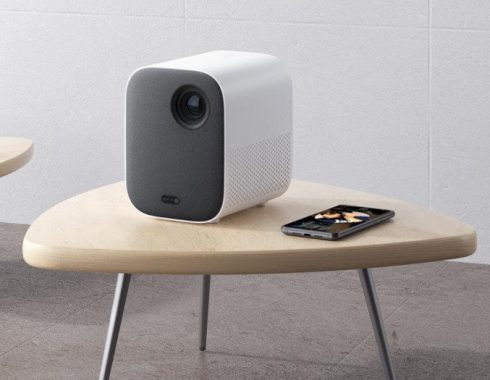
Mi Smart Compact Projector – high-definition cinema around you

0

If you’re a admirer of series, movies, or video clips, have you ever before heard of the Xiaomi Mi 150 Laser Projector?
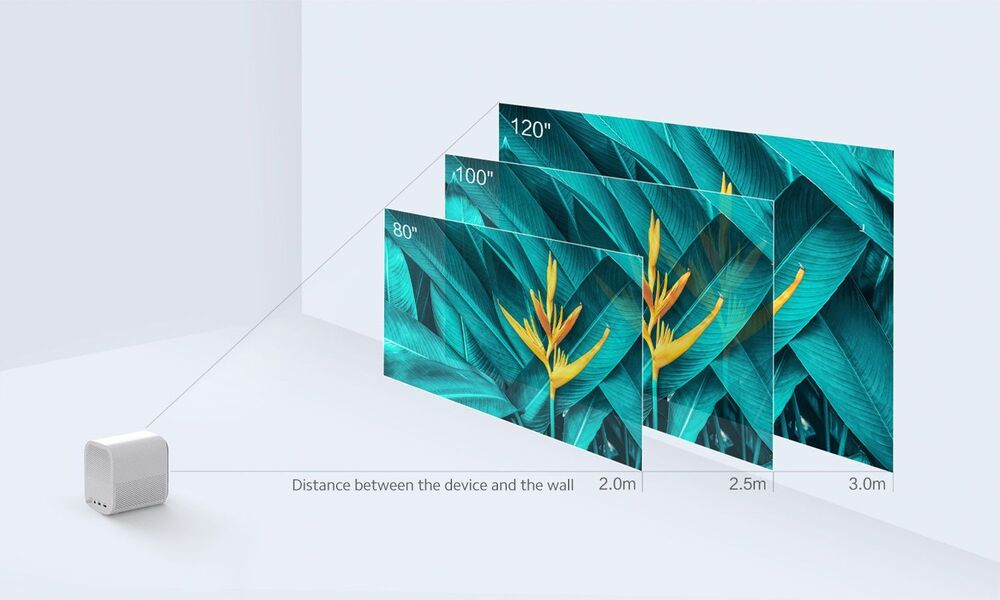
It is an super quite short laser projector, capable to display an image of 2.50 m diagonal with a recoil of just 50 cm. For illustration, you can place on a TV stand facing a white-colored wall. The Chinese brand uses an Appotronics-supplied ALPD 3.0 laser light source that delivers an exceptional 1,600 lumens brightness and very long life (over 20,000h).
As a first part, the Xiaomi 150-inch Laser Projector is equipped with a 2.1-megapixel Texas Instrument DLP processor chip with a Five segment color wheel. A few effects “rainbow” are noticeable on the images, the many luminous, with no prejudice, nevertheless, the relaxation of the viewing.Mi Laser Projector

The Mi Laser Projector 150 “has an extra short focusing optics that can project an image at a extended distance between 1.40 m and 3.05 m from the base for a recoil between 5 and 50. The Mi Laser Projector 150 from Xiaomi is an mega short product able of projecting an image of 2.5 meters. The contrast ratio calculated at 1450: 1, which is an offer to Xiaomi Laser Projector mid 150 1 330: 1 for nearly all. Even so, it It is crucial to correct defects to ensure ideal viewing sessions.
Specifically, the laser projector Mi 150 “rather of the traditional bulb, a laser transmitter ALPD 3.0.
Concerning audio, speakers built into the projector – on the front face – offer enough volume level to watch your movies, series or videos. At the level of the sound emitted by the projector, it goes up to 38 dB, whatever the mode you select. The equipment and volume-related settings let you to find the ideal balance. The latter is between 80 and 15,000 Hz. This translates into adequate power so that you do not have what part of your environment.Mi Laser ProjectorBeyond its quite interesting and competitive levels of performance on the marketplace, the projector Mi 150 “laser projector also has a very competitive selling price at the sight of its rivals.The product arrives with: Laser projector, remote control, power cable, warranty card and user manual.
Lastly, the design and style of the Xiaomi Mi 150 “Laser Projector was made in a minimalist approach. The selection of the color of the projector’s chassis has been produced white so that it can be integrated into the living room of your decision. Furthermore, you can install it at the place of your choice. Certainly, you do not need to hang it on a surface, ceiling or wall. Really practical!    Photo: mi.com 
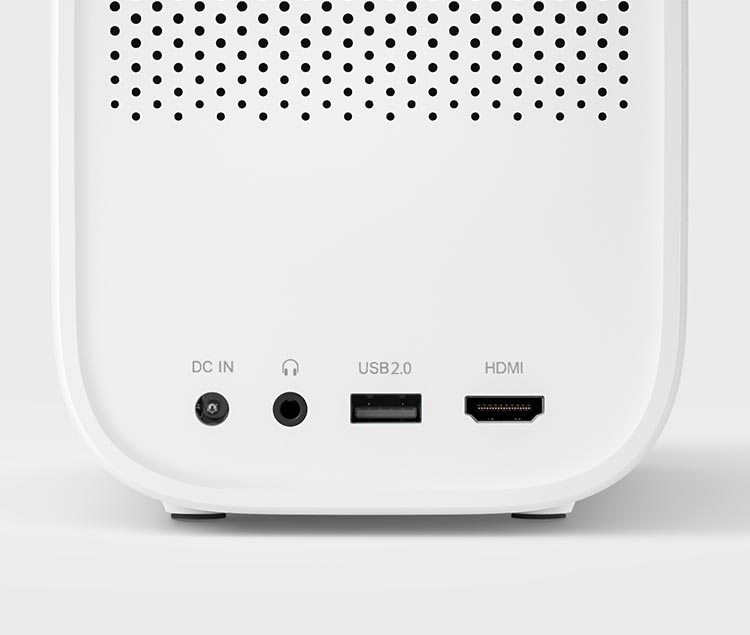
With one HDMI port, one USB 2.0 port and one head-phone port, the Mi Laser Projector can handle 4K image resolution transmissions and operates completely great with game consoles, karaoke systems and audio devices, to fulfill all your pleasure desires. Mi Laser Projector

Basic specs:

Product name   Mi Smart Compact Projector

Product model   MJJGTYDS02FM

Product Dimensions    4.5 x 5.9 x5.9 inches

Product weight    2.8 lbs

Product color   White

Focusing mode   Auto-focusing

Keystone correction   Vertical keystone correction

Electrical specifications

Power consumption   <65W Max. (in highlight mode)

Input voltage   19V DC

Standby power consumption    <0.5W

Optical parameters

Display technology    0.33″DMD

Light source technology       LED

Standard resolution     FULL HD(1080P)

Projection parameters

Zoom multiplier      Prime lens

Throw ratio (TR)         1.2

Projected picture size        40”–200″

Recommended picture size       60”–120″

System parameters

CPU      Amlogic T962-X

RAM        2GB DDR3

Built-in memory        16GB eMMC high-speed flash memory

System software

Operating system         Android TV 9.0


Apps       Google Play with plenty of apps for Android TV

Video/audio wireless transmission        Google Play with plenty of apps for Android TV

Dynamic image           Supports HDR decoding                               Video: SpareChange/YouTube

Digital marketing – optimize visibility and generate more sales

0

First of all, it is important to note that in this dynamic, competitive, changing and always connected digital world, traditional methods such as newspaper advertising, television and billboards are no longer enough to keep brands operating on the market.
Thanks to digital marketing, it is possible to optimize visibility and generate more sales, and although not necessarily the greater the advertising investment, the higher the return obtained, the truth is that without investing at all, surely your business will not be able to take off.
Some of the most relevant reasons why brands and companies should invest in digital marketing:
Digital marketing channels have great segmentation power, which allows you to reach your customers based on specific information such as age, revenue, location, and even personal interests.

investment in digital marketing
Photo: Pixabay

Digital marketing provides a set of real-time insights that allow you to have a better understanding of the effectiveness of your marketing actions. In addition, your budget can be optimized by allowing you to adjust your campaign’s investment based on the performance of your results. Digital marketing techniques are much more affordable than traditional marketing techniques. In fact, according to some studies, companies that focus on online marketing tactics or techniques have a lower cost per track.
Digital marketing channels enable two-way communication with leads and customers. Answering questions or comments through social media will bring you closer to your audience and provide an individual or personalized interactive experience.
Digital marketing helps local businesses compete on the same level as large companies. Small brands have the ability to increase their local and global traffic, managing to reach their target audience through different marketing actions.
How much to invest in digital marketing
The ideal amount to invest in digital marketing varies from business to business and depends on many factors. Calculating or estimating the right amount to invest will require an in-depth analysis of the market, leads, marketing actions to be used and the objectives pursued.
You can’t determine an exact amount that’s correct to allocate in your company’s digital marketing, as it will depend on the target segment and goals of your campaign. Part of the budget invested will be used to pay professionals in charge of creating their valuable content, images, ads, etc. While another part will be used to pay for advertising on platforms such as Facebook Ads, Twitter Ads, Google Ads, etc.
An important factor that can help you determine the amount of your marketing investment is lifetime value (LTV). By measuring the net profit you earn during your relationship with the customer, you will deduct its value. It can be calculated by multiplying average sales revenues by the percentage of the gross margin of sale x the rate of withholding tax.
How much to invest in CPC
The amount to be reversed in the cost per click can be determined by the return on the investment you want to get. An income/advertising ratio of 5:1 is considered acceptable to most companies. Which means for every dollar invested in advertising you’ll get $5 in revenue.
It should be noted that most online advertising platforms are auction-based. It’s advertisers who determine what they’re willing to pay. Those who are willing to pay more are the ones who will be able to best position your ads.
To calculate the cost per click, you must multiply the revenue generated by the sale by the website conversion rate by 20%.
Areas to invest in digital marketing
Before you decide which areas to invest in, you need to be very clear about your priorities based on the strategy you want to implement. You should also consider relevant aspects such as who your target audience is, what your needs are, and whether your products or services meet those needs.

All these questions have been discussed, you can decide in which areas you should invest. The most recommended are:

Branding
Keep in mind that your brand, personal or otherwise, is one of your most important assets. The brand is your identity and consists of a number of variables that will make your target audience identify with your project. Therefore, it is very important to invest correctly in the construction of the brand.
Web positioning
SEO is undoubtedly one of the priorities when it comes to making an investment in digital marketing. The main goal is to place it at the top of the search engine results lists. To do this you will need to analyze costs and determine the amount you will need to invest in SEO.

Content marketing
Content Marketing is another key area you need to invest because it will allow you to reach users to respond to their research on a problem or need. In addition, the higher the number of keywords you use in your content, the better and faster they will be placed.

Digital advertising
With the exception of advertising, in online marketing, any action taken has resulted in the medium or long term. That’s why you’ll need to allocate a portion of your digital investment to this area, because if it’s well designed, this type of campaign will help you get very fast results, maximizing your return on investment.
Marketing tools and techniques
Investing in marketing tools and techniques is necessary and also very important as they will allow us to obtain useful data and information to analyze and understand if the Marketing actions carried out in the strategy are effective.

Social media
Social media is an excellent tool to generate close and friendly communication with your target audience. To make an investment in social media advertising platforms it is essential to know what your goals are and to design an effective strategic campaign that allows you to achieve them.

You now have a wide range of information to decide how much to invest in digital marketing and in which areas you should prioritize your budget. In any case, each project is different and the changing dynamics of the digital environment make it necessary to constantly monitor the effectiveness of the actions in order to adjust the investment and maximize the results.

What’s the price tag to develop a mobile application?

0

What’s the price tag to develop a mobile application? Clearly, that’s the most typical question asked by any business that is searching to create a mobile application. Well, we are not able* to give you an precise number for how much it might cost you to build a mobile application simply because the development cost of any kind of web app depends on several factors. Now we are able, see at the end of this article↓

If you’re considering of creating a web app, it is always a fine idea to take a pause and find out about what all the factors a web development practice includes. It is important to understand, web app development is a complex process that includes a lot of professional knowledge and expertise.

Therefore, let’s have a look at some crucial factors that influence the cost of development of your web application. With these kinds of factors, you will be able to find the real price of development for your project.

web development
Photo: Pixabay

Scope of Your Work

The scope of your work or projects generally refers to the set of functions that you want in your web application. The features decide the quantity of work to be done on your web application. Now, if you will try to include all the desirable features at once in your web app, the complete development process will run for a long time and it will also raise the basic cost.

Although, if you focus on applying important features, the upfront cost will be quite less. This is known as the ‘MVP’ strategy. In this case, you can select to include extra or less important features through upcoming upgrades.

When you pick a limited set of functions to be integrated in your web application, developers would need to code only for the crucial features. Similarly, QA engineers will have to test much less code. The MVP approach is clearly the best process to follow in any case.

Business Niche

Yes, your online business industry also plays an very important part in influencing the cost of developing your web app. If you’re owning business in a broad business domain, you will be capable to find a large number of persons who have the potential to bring your idea into the real world. Now, it is important to fully understand that a large pool of potential developers means competitive prices because of large competition. In that case, you can expect to find a specialized team at the ideal possible price. However, this is as opposed to the case, if your business niche is extremely small.

Choice of Developer

Discussing about developers, well, it is pretty much important to choose the right developer to cut down the cost of development. The choice of programmers or company you have decided to make investments in is an important factor that affects the development cost of your project. It works on the very simple theory – the more the organization is paying its employees, the more it charges its customers. Now, the pay range of a company’s developers primarily depends on three factors – the size of the company, knowledge, and most crucial, geographical location.

For illustration, you have a business based in China and looking to employ developers from Australia. In that case, you will have to pay a lot more because the cost of living in Australia is higher, and therefore, the professionals living there tend to have higher incomes than in China.

UI/UX Design

UI/UX design is quite possibly the most important part of any web application. If you want to have a completely custom-made design to be ready for your web application instantly, the developers will have to work 24/7 with an aim to develop such a design that is unique and also reflects the identity and values of your business. Certainly, in that case, you will have to pay more. The ideal option to avoid the big cost is a standard design and style that includes pre-built themes and templates.

It’s difficult to provide an exact price for creating a mobile application without knowing the specific requirements and features of the app. The cost of developing a mobile app can vary depending on a number of factors, including the platform the app will be developed for (iOS, Android, or both), the complexity of the app, and the amount of time and resources required to complete the project.

Your project deadlines gently influence the cost of development of your web application. If you would like your project to be in a rush, then be ready to pay out a higher cost. There is an very clear reason – due to the limited deadline, either the company will dedicate more resources to your project or the limited resources will take extra hours to finish the project. Either way, the cost of development will grow.

With that simply being said, we hope you have a good concept about what would be the approx cost of developing web applications bearing in mind all the above factors. Speaking about outsourcing techniques a professional team of developers, well, you can consider S-PRO, OpenXcell, ZGRAYA, Zealous System…

But now there’s a brilliant solution: completely free, no signup required, the app development cost calculator! Estimate the cost to develop your app with app development cost calculator in minutes! Now you have an excellent option: App development cost calculator – It offers you a lot:

  • considers many factors like developers’ location, number of features, and platform choice
  • takes less than 3 minutes to complete
  • is completely free (no sign-up required either).
  • Choose Your Mobile App Platform: iOS apps, Android apps (the most popular smartphone operating system in the world), Web app and Hybrid app (Android + iOS)!

App development cost calculator – How it works:

app development cost calculator

App Development Cost calculator ->>> Get Started Now