Home Blog Page 35

Choosing the Right Car Battery: Types, Durability, and Considerations

0

The automotive battery industry is a highly competitive field, with various manufacturers vying to offer the best value to their customers in order to maintain their foothold in the market. Factors like the type of vehicle, driving habits, and climate conditions play a crucial role in determining the durability of a car battery, making it challenging to pinpoint the exact lifespan. Typically, a car battery can last anywhere from 3 to 8 years in service, subject to these influencing factors.

Battery manufacturers employ standard accelerated life tests to assess their products against specifications and the competition. These tests involve subjecting batteries to conditions that speed up their deterioration, such as elevated temperatures and increased cycling frequency. However, these tests do not always align with real-world usage because actual service conditions and various failure modes introduce significant uncertainties. Notably, batteries begin to degrade from the day they are manufactured due to slow corrosion and structural changes in the lead components, with corrosion primarily occurring during periods of inactivity rather than active driving.

Periodically, the battery industry evaluates returned batteries from diverse sources to determine their service life and failure modes, taking into account factors like climate and location. Historically, no single manufacturer has enjoyed a decisive advantage, and battery longevity has continued to improve over time. This is partly due to the standardization of materials and manufacturing techniques across the industry, as well as the enhanced control systems in modern vehicle electrical systems.
Car Battery Types and Longevity
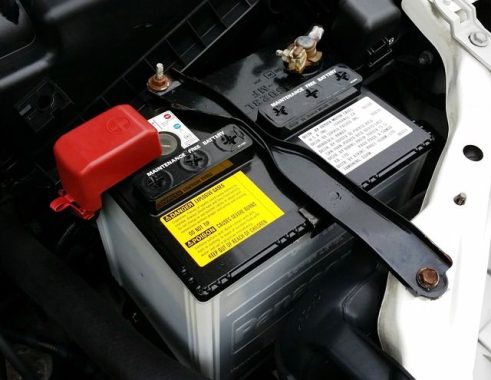
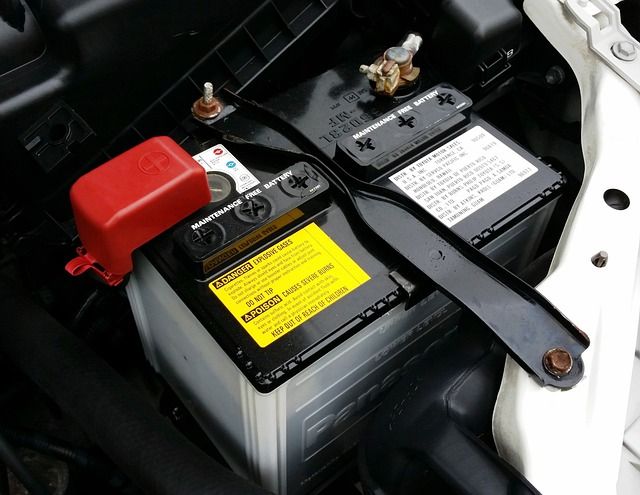
Car Battery – photo: Pixabay

It’s worth noting that marketing claims regarding batteries should be taken with a grain of skepticism, as many batteries sold under different labels may actually be manufactured by the same company. Claims of one battery label being vastly superior to another are often unfounded when the batteries themselves are essentially identical.

Car batteries come in various types to suit different vehicle needs, budgets, and longevity requirements.

To understand the proliferation of various car battery types, it’s essential to grasp the underlying reason for this diversity, and it primarily revolves around power requirements. With modern automobiles exhibiting a wide range of power needs, car batteries have evolved to cater to these demands. Now, let’s delve into the eight most prevalent car battery types available today:

  1. Flooded Lead Acid Battery –  The conventional flooded lead-acid battery, also known as the SLI (Starting, Lighting, Ignition) battery, represents the oldest and most common car battery type. This affordable choice consists of 6 cells containing a liquid electrolyte solution of sulfuric acid and water, delivering a voltage of 12.6V at full charge.

  2. Silver Calcium Battery Evolving from traditional lead-acid technology, the silver calcium battery employs lead-calcium-silver plates instead of lead-antimony plates. It typically comes in a sealed, maintenance-free design.
  3. Enhanced Flooded Battery (EFB) The EFB battery, a high-performance wet cell battery, utilizes a liquid electrolyte solution but comes as a sealed unit designed for enduring twice the cycling endurance.
  4. Gel Cell Battery (Dry Cell) Gel cell batteries were developed as spill-proof alternatives to flooded batteries, falling under the category of Valve-Regulated Lead-Acid (VRLA) batteries. Also known as dry cell batteries, they replace antimony with calcium in the lead plates and introduce silica into the electrolyte solution, resulting in a gel-like substance. These batteries offer an extended cycle life and enhanced resistance to vibration and shock.
  5. Absorbent Glass Mat Battery (AGM) An AGM battery, another VRLA design, caters to the higher electrical energy demands of modern vehicles. It closely resembles a wet cell battery, but it incorporates a fiberglass separator, to absorb and immobilize the electrolyte solution. AGM batteries outperform their flooded and gel cell counterparts.
  6. Deep Cycle Battery Deep cycle batteries, available in flooded or sealed variants, feature thicker battery plates and a denser active material in their cells. They are purpose-built for providing sustained power with a lower current draw over extended durations. These batteries are well-suited for applications such as recreational vehicles, golf carts, and marine vehicles, earning them the moniker of “marine batteries.”
  7. Lithium-Ion (Li-Ion) Battery Lithium-ion batteries are commonly found in hybrid and electric vehicles due to their ability to store more energy and offer faster charging times. Their lightweight nature is crucial for electric cars, as reduced weight translates to increased travel distance on a single charge. Although lithium-ion batteries entail higher initial costs, they boast a longer lifespan, with many manufacturers offering 5 to 8-year warranties and expected lifespans of 10 to 20 years.
  8. Nickel Metal Hydride Battery The NiMH battery, frequently used in hybrid vehicles and some electric cars, distinguishes itself with a longer life cycle compared to lithium-ion and lead-acid batteries. However, NiMH batteries exhibit high self-discharge rates, are relatively expensive, and tend to generate significant heat in high-temperature conditions. Consequently, they find greater utility in hybrid cars rather than rechargeable electric vehicles.

In summary, when purchasing a car battery, it is advisable to buy from a reputable retailer that offers products matching your vehicle’s specifications. Look for outlets with high turnover to ensure fresh batteries and compare prices to obtain the best value. Many stores and service centers offer free car battery testing to assess your current battery’s condition, potentially allowing you to replace it before it fails. Buying a replacement from a car dealer is often more expensive than purchasing the same battery from other retail outlets. In the event of an unexpected battery failure, you may have limited choices for immediate replacement to get your vehicle back on the road.


Maximizing Your Laptop’s Battery Life: Extra Tips

0

In our tech-driven world, laptops have seamlessly woven themselves into the fabric of our daily lives. Yet, amid their convenience and utility, there’s one constant concern that hovers over laptop users like a dark cloud: battery life. It’s a common quandary – should we keep our laptops perpetually tethered to their power source? In this article, we’ll delve into the intricacies of prolonged charging and its impact on your laptop’s battery life.

First things first, it’s crucial to recognize that all batteries have a finite lifespan. The number of charge cycles a battery can withstand before its performance takes a hit is contingent on its type and usage. Most contemporary laptops are equipped with lithium-ion batteries, boasting an endurance of 300 to 500 charge cycles. Beyond that threshold, the battery’s capacity gradually dwindles.

So, how can you extend your laptop’s battery life without sacrificing productivity? Let’s explore some pro tips:

  1. Streamline Your Software: Every program running in the background saps a bit of your battery life. Close unnecessary programs to conserve power.
  2. Optimal Charging: Avoid overcharging; maintain a charge level between 15% and 85%. Unplug your charger when it’s not in use.
  3. Peripheral Prudence: Disconnect unused external devices like a mouse, USB drives, and other accessories. Additionally, turn off Wi-Fi when it’s not in use to save power.
  4. Battery Maintenance: Clean your battery contacts regularly. Every six months, remove your laptop’s battery and clean the contacts with a cloth and rubbing alcohol.
  5. Activate Battery Saver Mode: Tweak your laptop’s power options to enable features like maximum battery or super energy saver mode. Consider using hibernate mode instead of standby to shut down your laptop entirely while preserving your work.

    extend your laptop's battery life
    photo: Pixabay
  6. Upgrade to SSD: Swap out your traditional hard drive for a solid-state drive (SSD). SSDs operate on flash memory, which consumes significantly less power than mechanical hard drives. This not only conserves battery but also speeds up your laptop’s performance.
  7. Boost Your RAM: Adequate RAM helps store data in a faster, more power-efficient manner. It reduces the need for frequent hard drive access, which can drain your battery.

To keep your laptop operating at peak performance and efficiency, heed these additional tips:

  • Ensure Proper Ventilation: Overheating is a common issue that can damage your laptop’s hardware. Always place your laptop on a hard, breathable surface, and avoid placing it on fabrics that can obstruct airflow.
  • Regular Cleaning: Wipe your laptop with a cotton cloth daily to keep it free from dust and debris.
  • Safe Storage: Turn off your laptop, let it cool down, and store it in a bag when not in use.
  • Software Maintenance: Keep your antivirus software up to date to protect your system from threats. Avoid installing applications you rarely use.
  • Driver Updates: Ensure your device drivers are always up to date to optimize efficiency.
  • Screen Brightness: Lower your screen brightness to a comfortable level to conserve battery power.
  • Wireless Management: Disable Bluetooth and Wi-Fi when not in use to minimize power consumption.
  • External Peripherals: Consider using an external keyboard and mouse when possible, as this can prolong your laptop’s life by reducing internal wear and tear.

In the quest to maximize your laptop’s battery life, these strategies, both hardware and software, should empower you to squeeze every drop of productivity out of your trusty companion while preserving its vitality.

Understanding Clock Speed, Frequency (Hz, MHz, GHz) in Computers

0

When it comes to computer performance, terms like clock speed, frequency (Hz, MHz, and GHz) are frequently mentioned. Some users even use these metrics as a basis for selecting a computer. In this article, we’ll explore what these terms mean and whether choosing a computer with a high GHz value is the right approach.

What are Hz, MHz, and GHz, and How to Interpret Them?

Hz, MHz, and GHz are units used to measure frequencies or vibrations. These units play a crucial role in describing various computer parameters, including:

  1. CPU clock speed.
  2. Screen scanning frequency.
  3. Wi-Fi band.

In the realm of wireless communications, the term “Hz,” derived from the name of the 19th-century scientist Heinrich Hertz, pertains to the transmission frequency of radio signals, measured in cycles per second. Here’s a breakdown:

  • 1 Hz signifies a single cycle occurring within one second.
  • 1 MHz (megahertz) equates to 1 million cycles per second, or 1 million Hz.
  • 1 GHz (gigahertz) equals a staggering 1 billion cycles per second, or 1000 MHz.

    computer
    photo: Pixabay

Wireless computer networks function at various transmission frequencies, depending on the technology they employ. These networks span a range of frequencies known as bands, rather than operating at a single, fixed frequency.

It’s worth noting that a wireless network using higher-frequency radio communication doesn’t necessarily guarantee faster speeds compared to lower-frequency networks.

Now, let’s delve into the gaming context. In gaming, the term “hertz” relates to the refresh rate, representing how frequently the display refreshes per second. Lower refresh rates in gaming can lead to undesired effects like blurring or ghosting, where multiple images seem to overlay each other. While a baseline recommendation for monitors stands at 60Hz, monitors with refresh rates of 144Hz or 240Hz may offer superior gaming performance.

How to Check a Computer’s GHz Frequency

Verifying the GHz frequency of a new computer is typically straightforward since this information is often clearly displayed on the packaging or the device itself. Alternatively, you can ask a sales consultant for quick assistance.

If you need to check the GHz for an older laptop without its specifications, follow these steps:

  1. Right-click on the My Computer (Computer) or This PC icon on the computer’s desktop.
  2. Click Properties to access a detailed table of device parameters.
  3. In the Processor section, you can find the chip name along with the CPU clock speed and GHz frequency.

You can also check the GHz parameters using the following method:

  1. Go to Start and select Run or press Windows + R to open the Run dialog.
  2. Enter “dxdiag” in the dialog box and press Enter. This opens the DirectX Diagnostic Tool, which displays CPU clock information in the Processor section.

Is GHz the Sole Indicator of Computer Performance?

In the realm of computer science, GHz measures CPU clock speed, indicating the number of CPU oscillation cycles per second. For example, a CPU with a clock speed of 3.5 GHz performs 3,500,000,000 cycles per second.

A higher clock speed means more oscillations per second, resulting in smoother program execution and faster overall computer performance. This leads some users to rely on GHz as a performance indicator when comparing computer models.

However, this approach is accurate when comparing two computers with the same processor but different clock speeds. In this scenario, a higher GHz value indicates better performance. For instance, a 3.5GHz laptop outperforms a 2.4GHz laptop if both are equipped with a 2nd generation Intel Core i5 chip.

Nonetheless, comparing GHz values between models with different processor families is misleading. For example, an Intel Core i5 at 3.6GHz cannot be equated to an Intel Core i7 at 3.0GHz, as the Core i7’s capabilities far exceed those of the Core i5 despite the lower clock speed. The number of CPU cores and their generation plays a crucial role in this distinction, with newer chip lines offering superior multitasking capabilities and energy efficiency.

While GHz does play a role in computer performance, it is essential to consider other factors like the number of CPU cores and generation when evaluating and choosing a computer. GHz alone may not provide a comprehensive picture of a computer’s capabilities.

GHz, an abbreviation for gigahertz, represents a frequency unit equivalent to one billion hertz. It finds widespread use in measuring computer processing speed, alternating current, and electromagnetic (EM) frequencies.

When discussing computer processing speed, GHz quantifies the processor’s clock rate, which determines the rate at which it produces pulses to synchronize its components’ operations. Typically, this corresponds to the frequency of a crystal oscillator.

The hertz, originally defined as one cycle per second (cps), is named in honor of Heinrich Hertz, who verified the existence of EM waves. It’s synonymous with the reciprocal second (s⁻¹).

Converting between various frequency units, like Hz, kHz, MHz, and GHz, is straightforward. These units are all multiples of a thousand. For instance, 1 MHz is equivalent to one million Hz, and 1 GHz equals one billion Hz. Thus, a GHz operates a thousand times faster than an MHz. To convert from MHz to GHz, simply divide by a thousand. Conversely, when transitioning from a larger unit to a smaller one, such as from GHz to MHz, multiply by the corresponding value.

In summary, the base frequency unit is the hertz, symbolized as Hz, representing one cycle per second. Other commonly used units include kilohertz (kHz), megahertz (MHz), and gigahertz (GHz), each denoting a thousandfold increase in frequency according to standard SI prefix conventions. A kilohertz equals a thousand hertz, a megahertz signifies a million hertz, and a gigahertz signifies a billion hertz.

PC Shuts Down While Gaming? Here’s How to Fix It

0

Experiencing sudden and unexpected computer shutdowns during gaming can be a frustrating issue. These abrupt power-offs are often triggered by heat-related problems within your computer. When a crucial component, like the CPU, surpasses its safe operating temperature, the system goes into self-preservation mode, resulting in seemingly random shutdowns to prevent overheating and potential damage. This issue is particularly prevalent during intensive tasks like PC gaming, and it’s crucial to address. Here’s what you can do to troubleshoot and potentially resolve this issue:

1. Monitor CPU Temperatures

Before your computer’s temperature becomes critical, it’s essential to monitor the processor’s temperature. Record these temperature readings in a log to help diagnose the problem later. You can use the free program Hwinfo to log this information in a file. Typically, CPU cores should operate between 45 and 60 degrees Celsius, and problems can arise when temperatures exceed 80 degrees Celsius. While some processors can withstand temperatures up to 100 degrees Celsius, it’s not ideal to run them at such high temperatures.computer shutdown

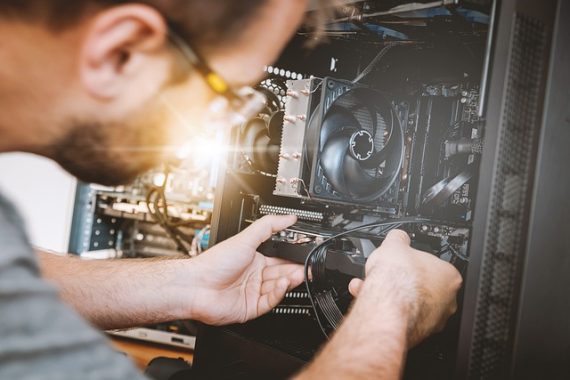
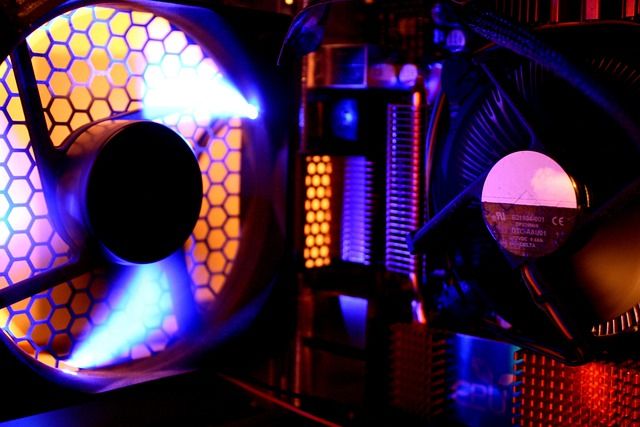
images: Pixabay

If you suspect that your CPU is overheating, here are some countermeasures to consider:

  • Ensure your computer case is dust-free and provides adequate airflow. Proper ventilation is vital for cooling, even with the best CPU coolers.
  • Check and reapply thermal paste for your CPU cooler, as well as ensuring it is correctly mounted. High-quality thermal paste can significantly improve cooling efficiency.
  • If these measures don’t resolve the issue, consider investing in a better CPU cooler, especially if you are still using the stock cooler that came with your CPU. Spend between 50 and 150 euros on a quality cooler that fits your case.

2. Monitor GPU Temperatures

The graphics card is another crucial component to consider when experiencing random shutdowns during gaming. As it handles graphics-intensive tasks, it generates significant heat. Monitoring the GPU temperature is important, and you can use Hwinfo’s logging feature for this purpose. Under heavy loads, such as gaming or video rendering, normal GPU temperatures typically range between 65 and 85 degrees Celsius, with different cards having varying temperature limits.

To prevent overheating issues with your graphics card:

  • Ensure your computer case has proper airflow and is free from dust and debris.
  • Consider adding more case fans or even changing your PC case to improve airflow and cooling.

3. Check the Power Supply Unit (PSU)PC Shuts Down

Issues with the power supply unit can also lead to sudden power loss. Your PSU might not be supplying enough power, especially when running demanding games or upgrading to a more powerful graphics card. You can use an online calculator like Seasonic’s Wattage Calculator to estimate your system’s power requirements. If your current PSU falls short of the recommendations, upgrading to a more powerful unit may resolve the issue.

4. Update Device Drivers

Outdated or corrupted device drivers can cause desktop crashes and visual errors. To address this, remove the old driver completely before installing a new one. You can do this in Windows through the device manager. Uninstall the driver by right-clicking on the graphics processor under “Display adapter” in the device manager and selecting “Uninstall Device.” For a more thorough driver removal, you can use tools like Display Driver Uninstaller.

Once your drivers are uninstalled, download the appropriate GPU utility (GeForce Experience for Nvidia, AMD Adrenalin for AMD, or the latest Intel Arc drivers) for a clean reinstall.

Addressing these common causes of random PC shutdowns during gaming can help ensure a more stable and enjoyable gaming experience. By monitoring temperatures, improving airflow, upgrading hardware, and maintaining up-to-date drivers, you can minimize the risk of overheating and other potential issues that lead to unexpected shutdowns.

5K2K Nano IPS Curved Monitor LG 40WP95C-W

0

In the ever-evolving world of computer displays, the LG 40WP95C-W emerges as a standout option, pushing the boundaries of what a monitor can offer. With an unconventional 5K2K resolution that boasts the same vertical height as a 4K display but extends its reach horizontally by 33%, this monitor is tailored for professionals and content creators seeking a workspace revolution. It utilizes LG’s cutting-edge Nano IPS technology, ensuring a rich and accurate color spectrum. Best of all, this monitor comes pre-calibrated, alleviating any concerns about color accuracy. Let’s dive deeper into the features that set the LG 40WP95C-W apart.

Streamlined Design for Maximum Productivity

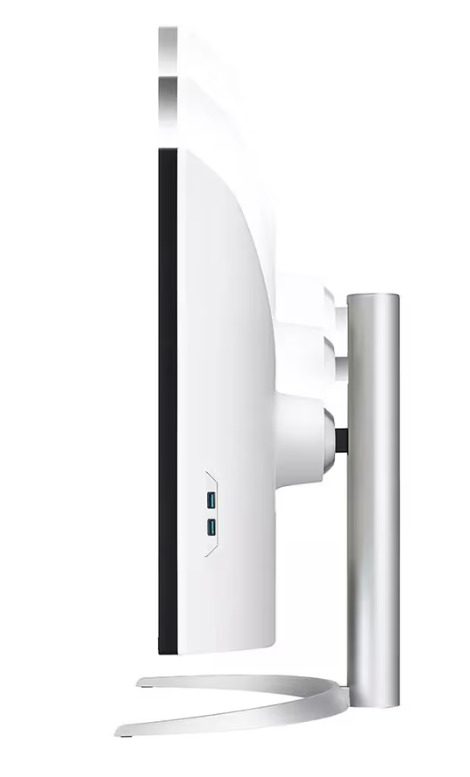
Resembling its LG monitor brethren, the 40WP95C-W exhibits a sleek appearance with slim bezels on all four sides, minimizing distractions. The stand’s gray finish, while conservative, effortlessly complements a professional office environment. The monitor boasts a gentle curve, a subtle nod to traditional flat screens without compromising on aesthetics or practicality. The build quality is exceptional, with impressive sturdiness given its size, and minimal wobbling even with a slight nudge. The primarily plastic body retains its strength, although it may exhibit some flex. However, a minor drawback is the small gap between the bezel and the panel, potentially allowing dust to accumulate.

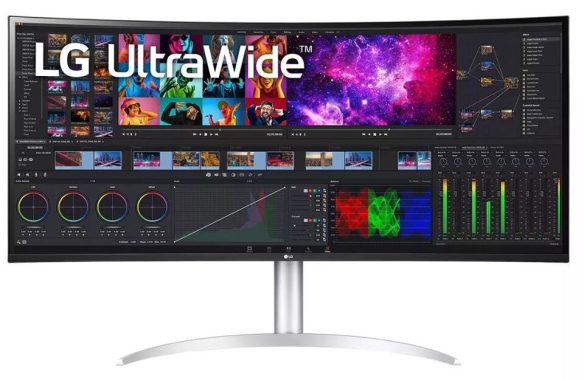
Curved Monitor LG 40WP95C-W
LG 40WP95C-W – images LG

Ergonomics that Adapt to You

Surprisingly, the LG 40WP95C-W offers superb ergonomics for its size. It’s remarkably easy to adjust to your preferred viewing angle, and the base allows for swiveling to share your screen comfortably with others. While it can’t rotate to portrait mode, this limitation is common among ultrawide displays. The monitor’s back is unadorned but carries a professional appeal. For cable management, a simple clip on the stand keeps your workspace neat and organized.

HDR Performance and Color Accuracy

In terms of HDR performance, the LG 40WP95C-W offers only mediocre peak brightness. It falls short of delivering those eye-popping bright highlights typical of HDR content. While it accurately tracks the PQ EOTF, near-black scenes suffer from a lack of true black due to a low contrast ratio. Furthermore, a sharp brightness cutoff can result in a loss of fine details in exceptionally bright scenes. The absence of local dimming compounds these issues, making HDR somewhat underwhelming.

On the bright side, the monitor’s color accuracy shines, particularly right out of the box. The factory-calibrated ‘sRGB’ Picture Mode ensures excellent overall color accuracy with minimal discrepancies. While there is room for improvement in the very bright and very dark shades of gray, the white balance remains commendable. For those wanting full control over picture settings, the ‘Custom’ mode provides the most accurate options, though it lacks factory calibration. Nevertheless, the LG 40WP95C-W’s large, high-resolution screen offers exceptional text clarity.

Gaming Potential

While not primarily designed for gaming, the LG 40WP95C-W still offers a decent gaming experience. It supports FreeSync variable refresh rate technology, reducing tearing and ensuring a smoother gaming experience. The low native refresh rate may disappoint serious gamers, and response times are just passable, making it less ideal for fast-paced action games.

An Office User’s Dream

This monitor truly excels in an office setting. Its ultrawide aspect ratio and high-resolution screen enable efficient multitasking, allowing you to comfortably manage multiple windows simultaneously. Connectivity options are a highlight, featuring USB-C power delivery and Thunderbolt 4 support, simplifying connections to your MacBook or laptop. Exceptional text clarity and flicker-free operation ensure a comfortable and productive work environment, minimizing eye strain during extended use. Monitor LG 40WP95C-W

Connectivity and Additional Features

The LG 40WP95C-W impresses with its extensive connectivity options, boasting two USB-C ports that both support Thunderbolt 4. The high bandwidth of these ports permits daisy-chaining a second monitor with a single cable to your MacBook or laptop, enhancing connectivity and streamlining your workspace. This feature also supports the connection of external storage devices or external GPUs, simplifying your setup and disconnection process.

Additionally, the monitor offers a few extra features:

  • 10W Speakers: The built-in speakers, while functional, are not audiophile-grade. For superior sound quality, external desktop speakers are recommended.
  • Picture-by-Picture Mode: This mode allows you to display images from two sources side by side, enhancing multitasking capabilities.
  • Auto Brightness: An ambient light sensor on the monitor adjusts brightness based on the room’s lighting conditions, enhancing viewing comfort.

A Video Enthusiast’s Delight

For those who enjoy watching videos, the LG 40WP95C-W proves to be a superb choice. Its large, high-resolution screen and ultrawide aspect ratio create an immersive cinematic experience. Colors appear vivid and lifelike, and the monitor’s out-of-the-box accuracy ensures a captivating viewing experience. Although its performance dips in darker environments due to a low contrast ratio, this monitor remains an excellent choice for movie enthusiasts.Curved Monitor LG 40WP95C-W

In summary, the LG 40WP95C-W is a pioneering ultrawide monitor that caters to professionals, multitaskers, and video aficionados alike. Its combination of features, including impressive color accuracy, ergonomic design, and extensive connectivity options, make it a noteworthy addition to the world of computer displays. While not a gaming powerhouse, it excels in office settings and video consumption, promising a more productive and immersive computing experience. Price: $1,799.99

Specification
Display Port CableYes
Power CordYes
ThunderboltYes
Shipping Dimensions (WxHxD)41.3″ x 20.1″ x 9.8″
Shipping Weight36.6 lbs
With Stand (WxHxD)37.3″ x 24.2″ x 11.1″
With Stand Weight27.1 lbs
Without Stand (WxHxD)37.3″ x 16.5″ x 4.5″
Without Stand Weight22.5 lbs
Daisy ChainYes
DisplayPortYes
HDMIYes
Headphone OutYes
ThunderboltYes
USB Down-streamYes
USB Type-CYes
USB Up-streamYes
USB-C (Data Transmission)Yes
USB-C (DP Alternate Mode)Yes
USB-C (Power Delivery)96 W
Aspect Ratio21:9
Brightness300cd (typ) / 240cd (Min)
Color Depth (Number of Colors)107
Color Gamut (Typ.)DCI-P3 98% (CIE1976)
Contrast Ratio700:1 (Min.), 1000:1 (Typ.)
Display TypeIPS
Pixel Pitch (mm)0.1815(H) x 0.1815(V) mm
Refresh Rate72Hz
Resolution5120 x 2160
Response Time (GTG)5ms (GtG at Faster)
Screen Size39.7″
Viewing Angle178˚(R/L), 178˚(U/D)
DC Off (Max)Less than 0.3W
Input100-240 Vac, 50/60 Hz
Power Consumption (Max.)70 W
Power Consumption (Typ.)60 W
Power Save/Sleep Mode (Max)Less than 0.5W
TypeBuilt-in Power
Rich BassYes
SpeakerYes
Speaker Channel2.0ch
Speaker Output10W
Adaptive SyncAMD FreeSync™
Auto BrightnessYes
Auto Input SwitchYes
Black StabilizerYes
Color CalibratedYes
CurvedYes
Dual ControllerYes
Dynamic Action SyncYes
Flicker SafeYes
H/W Calibration (True Color Pro)Yes
HDR (High Dynamic Range)Yes
HDR EffectYes
Nano IPS TechnologyYes
OnScreen Control (OSC)Yes
PBP (Picture by Picture)Yes
Reader ModeYes
Smart Energy SavingYes
Super Resolution+Yes
Wide Color GamutYes

9.4 Channel Marantz Cinema 40 AV Receiver Review

0

If you’re serious about your home entertainment setup and demand top-tier audio and video performance, then the Marantz Cinema 40 AV receiver might just be your new best friend. Packed with cutting-edge features and boasting impressive specs, this receiver is designed to take your home theater experience to a whole new level. With a price tag of $3,500.00, it’s a high-end investment, but it delivers quality and features that truly make it a standout option in the crowded world of AV receivers.

Marantz Cinema 40 AV receiver – Design

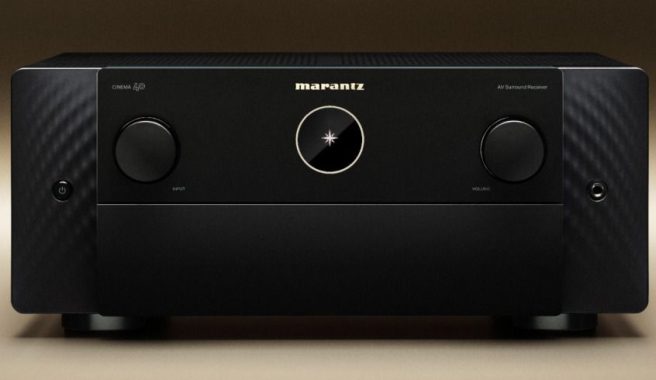
First impressions matter, and the Marantz Cinema 40 AV receiver doesn’t disappoint. With its sleek and minimalist design, it will look at home in any modern living room setup. The metal front panel adds a touch of elegance, and the two-line FLD display with a port hole OLED gives it a premium feel.

The clean layout and well-organized buttons on the front panel make it user-friendly, and the included remote control, which is part of what’s in the box, is intuitive to use. The receiver also has a compact form factor with dimensions of 17.3 x 16.2 x 7.3 inches (without antennas), so it won’t take up too much space in your entertainment center.

Marantz Cinema 40 AV Receiver
Marantz Cinema 40 AV Receiver – images Marantz

Power and Processing Performance

Let’s dive into what makes the Marantz Cinema 40 AV receiver truly special. At its core, this AV receiver boasts impressive power and processing capabilities that can bring your movies, music, and games to life. With 9 powered channels, you can enjoy a dynamic and immersive audio experience.

The power output is equally impressive, with 125W (8 ohm, 20Hz – 20kHz, 0.05% 2ch Drive) for stereo configurations, and it can push 165W (6 ohm, 1kHz, 0.7% 2ch Drive) and even up to 235W (6 ohm, 1kHz, 10% 1ch Drive) for those intense moments in your favorite action films. This level of power ensures that every sound effect and musical note is reproduced faithfully and with the necessary impact.

The use of a discrete power amplifier and Class A/B amplifier topology ensures a clean and accurate audio signal, while current feedback topology enhances the receiver’s ability to handle complex and demanding audio. It’s important to note the 70% guarantee, meaning the Marantz Cinema 40 AV Receiver can deliver its rated power even when 70% of the channels are being used simultaneously.

Compatibility and Connectivity

The Marantz Cinema 40 AV receiver is built with future-proofing in mind. It supports an array of surround sound technologies, including DTS HD Master, DTS:X, DTS Neural:X, and DTS Virtual:X. It also offers Dolby TrueHD, Dolby Atmos, and Dolby Atmos Height Virtualization, ensuring compatibility with a wide range of audio sources and formats.

Notably, this receiver supports 8K video, making it a great choice for those looking to stay ahead of the technology curve. With 7 HDMI inputs and 3 outputs, you’ll have plenty of flexibility for all your devices. It also handles all the latest HDR standards, including HDR, HLG, Dolby Vision, HDR10+, and Dynamic HDR, delivering vivid and lifelike visuals.

For gamers, the inclusion of Auto Low Latency Mode (ALLM) pass-through and Variable Refresh Rate (VRR) support is a game-changer. Whether you’re exploring vast open worlds or competing in fast-paced shooters, your gaming experience will be smooth and lag-free.-Marantz Cinema 40 AV Receiver

Streaming and Music File Support

In today’s world, streaming is a big part of our entertainment experience. The Marantz Cinema 40 AV receiver offers an extensive array of streaming options. With HEOS multi-room and streaming, Airplay 2, and support for popular streaming services like Spotify, Pandora, and SiriusXM, you’ll never run out of options for your favorite tunes. It also handles high-resolution audio with ease, supporting lossless formats like FLAC HD 192/24, WAV 192/24, and ALAC 192/24, as well as DSD audio at 2.8MHz and 5.6MHz.

The receiver even features a Compressed Audio Enhancer (MDAX2) to bring out the best in your lower-quality audio files. Additionally, gapless playback for formats like FLAC, WAV, ALAC, and DSD ensures a seamless listening experience for live albums and DJ mixes.

Network Connectivity

Connecting the Marantz Cinema 40 AV Receiver to your home network is a breeze with Ethernet and Wi-Fi support. This opens up a world of possibilities, from firmware updates to network audio sharing. The built-in Bluetooth with re-transmit for Bluetooth headphones allows for seamless wireless connections, making it easy to stream music from your smartphone or tablet.

With compatibility for voice assistants like Alexa, Google Voice Assistant, and Apple HomePod, you can control your AV receiver with simple voice commands. The Marantz AVR Remote App and HEOS app for smartphones and tablets (both iOS and Android) offer an intuitive interface for control, making your AV setup a breeze to manage. And with three multi-room zones, you can extend your entertainment throughout your home.

Audio Quality and Calibration

One of the standout features of the Marantz Cinema 40 AV receiver is its audio calibration and room correction technology. Thanks to Audyssey MultEQ XT32, this receiver can adapt to your room’s acoustics, ensuring that you get the best sound possible. Dynamic EQ and Dynamic Volume keep your audio consistent and balanced, even as you change the volume or switch between content.

The receiver also supports Dirac Live upgradability, giving audiophiles the flexibility to fine-tune their audio to perfection. Variable crossover and optimized bass redirection allow you to customize your audio experience, ensuring that your subwoofers and speakers work together harmoniously.Marantz Cinema 40 AV --Receiver

Additional Features and Accessories

Marantz doesn’t skimp on the details. Gold-plated RCA terminals and a clock jitter reducer contribute to audio quality, ensuring the purest signal transmission. The inclusion of a phono (MM) input is a nod to vinyl enthusiasts, allowing you to connect your turntable directly to the receiver.

When it comes to ease of use, the Marantz Cinema 40 AV receiver is thoughtfully designed. The setup assistant guides you through the initial installation process, and the Smart Select feature on the remote makes it easy to switch between different modes tailored to your various activities, such as movie night or casual music listening.

The receiver also features an ECO mode to help you save energy, and it can be programmed to automatically power off or enter sleep mode after a set period, which is handy for conserving electricity.

The Marantz Cinema 40 AV receiver is a powerhouse in the world of home entertainment. Its robust power and processing capabilities, along with a host of features and connectivity options, make it a top choice for those who demand the best from their AV setup. Whether you’re watching the latest blockbusters, gaming, or enjoying your favorite music, this receiver has you covered.

With a price tag of $3,500.00, it’s an investment, but it’s an investment in quality and performance that’s hard to match. Its sleek design, compatibility with the latest audio and video standards, and advanced audio calibration make it a standout product in its class. Here’s a recap of the key aspects of the Marantz Cinema 40 AV Receiver:

Performance: The Marantz Cinema 40 AV receiver shines in the performance department. With its 9 powered channels, discrete power amplifier, and Class A/B amplifier topology, it delivers powerful and accurate audio. Whether you’re enjoying the latest action movie or a symphonic masterpiece, the receiver’s capabilities ensure that you don’t miss a single detail. Its support for a wide range of audio formats, including high-resolution options, and its streaming services make it a versatile audio powerhouse.

Marantz Cinema 40 AV Receiver

Compatibility: The Marantz Cinema 40 AV receiver is fully compatible with the latest audio and video technologies. It supports DTS HD Master, DTS:X, Dolby TrueHD, Dolby Atmos, and various other immersive audio formats. On the video front, it’s 8K ready and supports all major HDR standards, making it an excellent choice for the latest 4K and 8K displays. Gamers will appreciate features like Auto Low Latency Mode (ALLM) and Variable Refresh Rate (VRR) support, ensuring a smooth and responsive gaming experience.

Streaming: In the age of streaming, the Marantz Cinema 40 AV receiver doesn’t disappoint. With support for HEOS, Airplay 2, and popular streaming services like Spotify and Pandora, it’s easy to access your favorite content. The ability to handle high-resolution audio formats and gapless playback means that your music collection will sound better than ever.

Connections: The Marantz Cinema 40 AV receiver offers a wealth of connectivity options with 7 HDMI inputs, 3 HDMI outputs, and a variety of analog and digital inputs. It’s capable of upscaling video from 1080p and 4K to 8K, ensuring your video sources look their best. The inclusion of 11.4 multichannel preamp outputs and 4 independent subwoofer outputs gives you flexibility in configuring your speaker setup.

Audio Calibration: The receiver’s audio calibration and room correction technology, featuring Audyssey MultEQ XT32 and Dirac Live upgradability, ensure that your audio is optimized for your specific room. It takes the guesswork out of achieving the best sound quality, regardless of your room’s acoustics.

Design: The Marantz Cinema 40 AV receiver boasts an elegant and minimalist design with a metal front panel and a user-friendly interface. It’s designed to blend seamlessly into modern living spaces and is equipped with a clear and informative display.

Smart Home Integration: With compatibility for voice assistants like Alexa, Google Voice Assistant, and Apple HomePod, controlling your AV receiver is as simple as giving a voice command. The Marantz AVR Remote App and HEOS app provide user-friendly control, making managing your home entertainment system a breeze.

The Marantz Cinema 40 AV receiver is a high-end audio and video powerhouse that offers exceptional performance, compatibility, and connectivity. While it comes with a price tag of $3,500.00, it’s a worthwhile investment for anyone who values top-tier audio and video quality in their home entertainment setup. This receiver’s combination of features, audio calibration, and user-friendly design make it a standout choice for serious home theater enthusiasts and audiophiles alike. It elevates your entertainment experience to new heights, ensuring that you can enjoy your favorite content in the best possible quality.

Apple Watch Water Damage: Quick Fixes to Save Your Device

0

Owning an Apple Watch comes with the perk of water resistance, but even with this feature, water exposure can spell trouble for your beloved device. Whether it’s a mere splash or an unfortunate plunge into water, taking swift action can mitigate further damage. Here’s a comprehensive guide on what to do if your Apple Watch takes an unexpected dive.

1. Activate Water Lock to Expel Water

Apple has thought ahead by introducing Water Lock, a nifty feature that seals the watch’s touchscreen, preventing inadvertent water-induced interactions. While Water Lock usually activates automatically during water-based activities, you can manually enable it by following these steps:

Swipe up from the bottom of your watch face to access Control Center.
Scroll down to locate the water droplet icon.
Tap the icon to initiate Water Lock, signified by a water droplet icon appearing at the top of the screen.

To deactivate Water Lock:

Turn the Digital Crown while keeping an eye out for the water droplet icon.
Press and hold the crown until you feel a vibration and hear a beep.
Your watch will display an “Unlocked” message and expel any trapped water from the speaker port.

Apple Watch Water Damage
photo: Apple

2. Power Off and Dry the Watch

After utilizing Water Lock, it’s crucial to switch off your Apple Watch and ensure its exterior is dry. Leaving it on can impede proper drying and elevate the risk of water damage. To turn off your Apple Watch:

Press and hold the side button until you see the Power icon in the upper right corner.
Tap the Power icon and slide the Power Off slider to the right.
With your watch powered down, employ a soft, lint-free or microfiber cloth to gently wipe its surface. Ensure the cloth is clean and free of abrasive particles to prevent scratching. Be gentle while cleaning the screen and the watch body to prevent pushing water inside or causing scratches. Also, remember to remove and clean your watch band, as it can trap water. Inspect the screen, speaker port, buttons, and crevices for any residual water or debris and wipe them clean. Finally, let the watch air dry naturally; avoid using heat sources like hair dryers, as they could damage internal components.

3. Power On and Assess for Damage

Once you’re certain your Apple Watch is dry, power it back on and assess its key functions. Test touchscreen responsiveness, Digital Crown rotation, audio output, and the proper functioning of the heart rate sensor. If any unusual behavior or functionality issues arise, these may be indicators of hardware damage. In such cases, it’s advisable to visit an Apple Store or an authorized service center for in-person repairs.

By following these steps, you can increase the chances of saving your waterlogged Apple Watch from potential damage. Swift and careful action is key to ensuring the longevity of your beloved device.

A Comprehensive Guide to Download Apps on Your Surface Pro

0

Discover the easy steps to download apps on your Surface Pro. The Microsoft Surface Pro is a versatile device that comes equipped with Windows, offering access to a vast array of applications. While you have various avenues to acquire apps, the Microsoft Store provides a user-friendly platform for downloading and managing them. In this guide, we’ll walk you through the steps to download apps from the Microsoft Store, discuss the types of apps compatible with your Surface Pro, and address common troubleshooting issues.

Download Apps on Your Surface Pro
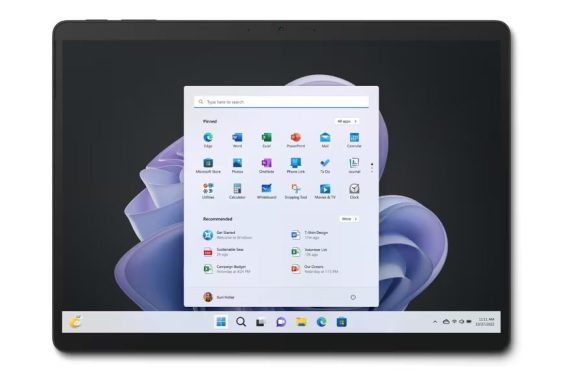
Photo: Surface Pro 9 – Microsoft

Downloading Apps from the Microsoft Store:

  1. Accessing the Microsoft Store:
    • Begin by selecting the Microsoft Store icon located on your taskbar.
    • You can either browse the catalog to find the desired app or use the search bar at the top of the program for quicker access.
  2. Selecting and Downloading Apps:
    • Tap on the icon of the app you wish to download.
    • For free apps, simply click ‘Get’ to initiate the download. If it’s a paid app, select the price and provide the necessary payment information.
    • Apps downloaded from the Microsoft Store will automatically install upon completion and appear in your Start menu alongside your existing applications.
  3. Download Times:
    • Smaller apps typically install in seconds, while larger applications such as games may take longer, contingent on your internet connection speed. You can monitor download progress via the Library tab.

Types of Apps Compatible with a Surface Pro: Your Surface Pro, running Windows 11 or Windows 10, boasts compatibility with a wide range of applications. It’s even possible to run older programs designed for Windows 95 or 98, though compatibility may require Windows compatibility mode. Additionally, you can utilize an emulator like DOSBox to run ancient DOS programs or create a virtual machine to install Linux distributions like Ubuntu for specific apps.

Running Android Apps: By default, you cannot download Google Play apps directly to your Surface Pro. However, you have the option to run Android apps on your Surface Pro using third-party Android emulators.

Advantages of Download Apps on Your Surface Pro from the Microsoft Store: While many developers distribute apps through their own websites, the Microsoft Store offers several compelling reasons to check it first:

  • Universal Windows Platform (UWP): Microsoft Store apps adhere to the Universal Windows Platform (UWP) standards, providing excellent support for various inputs, including touchscreen and stylus functionality.
  • Easy Installation and Access: Purchased apps from the Microsoft Store are linked to your Microsoft account, making it easy to install them on other Windows devices you own.
  • Automatic Updates: The Microsoft Store facilitates automatic updates for software, ensuring you stay up to date with patches and security enhancements, a feature often lacking with apps downloaded from other sources.

Troubleshooting App Download Issues: If you encounter problems while downloading apps from the Microsoft Store, here are some steps to resolve them:

  • Check Your Internet Connection: Ensure you are connected to the correct network and that your Wi-Fi password is accurate. Restart your router or reset the Wi-Fi adapter if needed.
  • Log in to Your Microsoft Account: Make sure you are logged in to your Microsoft account to reinstall previous apps and make new purchases.
  • Manage Storage Space: Confirm that your hard drive has ample space. You can uninstall unnecessary apps and clear out junk files to free up storage.
  • Restart Your Surface Pro: A simple restart can resolve temporary bugs or driver issues.

Fixing Blurry Apps on Your Surface Pro: In the event that apps appear blurry due to display settings changes, follow these steps:

  • If you receive an automatic prompt asking to “Fix apps that are blurry?” select ‘Yes,’ then navigate to Settings and click ‘Apply.’
  • If you don’t receive the prompt but still encounter blurry apps, access the Taskbar search field, type ‘advanced scaling settings,’ and enable ‘Fix apps that are blurry.’

Uninstalling Apps on Your Surface Pro: To remove unwanted apps from your Surface Pro, follow these steps:

  • Swipe downwards to access App View.
  • Find the app you wish to uninstall, tap and hold the app icon for a few seconds.
  • Select ‘Uninstall’ from the available options to delete the app.

Your Surface Pro offers a versatile platform for downloading, managing, and troubleshooting apps. Utilizing the Microsoft Store provides you with a convenient and secure method of acquiring software for your device, ensuring a seamless and productive user experience.

Dolby Atmos Error on Windows 10? Here’s How to Fix It

0

Dolby Atmos stands as an impressive audio technology designed to elevate the auditory experience for users, offering immersive sound on various devices, including those running Windows 10. However, if you encounter issues where Dolby Atmos fails to function as expected on your PC, this article provides a range of solutions to rectify the problem.

Before delving into these solutions, it’s prudent to examine your Windows 10 device for available updates and settings, as this may influence the performance of Dolby Atmos. Once you’ve covered this base, you can proceed to troubleshoot any issues with Dolby Atmos.

The troubleshooting process begins by employing Windows 10’s built-in Audio Troubleshooter. In the event that this initial step does not yield the desired results, consider the subsequent remedies.

How to Fix Dolby Atmos Error on Windows 10?

Update Audio Drivers: Keeping your audio drivers up to date is among the most effective measures to resolve Dolby Atmos-related problems. You can update your drivers manually through Device Manager, explore driver updates within the Optional Updates section of Windows Update, or obtain the latest driver version from the manufacturer’s website for your sound card.

Check Sound Settings: Verify that Dolby Atmos is enabled in your sound settings. Right-click on the speaker icon in the taskbar and select “Spatial sound.” Ensure Dolby Atmos is selected as the spatial sound format.

Fix Dolby Atmos Error on Windows 10
photo: Pixabay

Rollback to Previous Audio Drivers: In cases where updating the audio driver doesn’t resolve the issue, you have the option to revert to an older, functional version of the driver.

Reset the Dolby Application: Try resetting the Dolby application to see if it resolves the problem. If you have recently made changes to your audio settings or installed/uninstalled audio-related software, try resetting Dolby Atmos. You can do this through the Dolby Access app or Windows settings.

Uninstall and Reinstall the Dolby Application: If resetting the application proves ineffective, consider uninstalling the Dolby app from your system. Afterward, visit the Microsoft Store to search for, download, and reinstall the app on your device.

Verify the Audio Service: Ensure that the Audio Service is running on your Windows 10 device. Failure to run this service may contribute to the issue. If it’s not running, initiate the service to address the problem.

Check for Software Conflicts: Ensure that there are no conflicting software or applications causing issues with Dolby Atmos. Some third-party audio enhancement or equalizer software might interfere with Dolby Atmos.

Check Speaker Setup: Ensure that your speaker or headphone setup is correctly configured and that you have the appropriate hardware for Dolby Atmos.

Perform a System Restore: If you’ve recently observed the emergence of this issue, it’s possible that a recent system change has triggered it, and you may be unable to pinpoint the exact cause. In such instances, performing a system restore to an earlier state can revert your system to a point when it was functioning without issue. This step can potentially alleviate the problem.

By following these solutions, you can effectively address Dolby Atmos issues and restore the immersive audio experience that this technology is renowned for on your Windows 10 device.

Philips 75PML9008 Mini LED 4K TV – Review

0

In the ever-evolving world of television technology, the Philips 75PML9008 Mini LED 4K TV shines brightly as a standout option. Combining cutting-edge features with impressive performance, this TV delivers a top-tier home entertainment experience. Let’s dive into the details and explore what makes the Philips 75PML9008 a true game-changer in the world of smart TVs.

Compatibility

The Philips 75PML9008 boasts a robust and user-friendly compatibility profile. Whether you’re an avid gamer, a cinephile, or a tech-savvy enthusiast, this TV is designed to meet your needs. The secret sauce lies in its optimized processing capabilities, featuring Philips’s 7th Gen P5 AI processor. The most recent P5 processor from Philips incorporates artificial intelligence to enhance picture quality across various sources. It continuously monitors ambient light levels and dynamically adjusts the TV’s brightness, gamma, and color settings in real-time to optimize the image. Additionally, the processor includes specialized modes such as Eye Care, Dark Detail Optimization, and Color Temperature Optimization, providing a personalized and tailored viewing experience.

Philips 75PML9008 Mini LED 4K TV

One standout feature is the TV’s ability to monitor ambient light levels in your room in real time, dynamically adjusting brightness, gamma, and color to ensure an optimal viewing experience. This means that whether you’re watching a dark thriller at night or a vibrant nature documentary during the day, the Philips 75PML9008 is always up to the task. Additionally, this TV offers modes like Eye Care, Dark Detail Optimization, and Color Temperature Optimization, tailoring your viewing experience to perfection.

Performance

Performance is where the Philips 75PML9008 truly flexes its muscle. With a powerful processor and an arsenal of gaming-friendly features, it’s a dream come true for gamers and entertainment enthusiasts alike. The TV supports Auto Low Latency Mode (ALLM), Variable Refresh Rate (VRR), and AMD FreeSync Premium, delivering silky-smooth gameplay for a wide range of consoles and PCs.

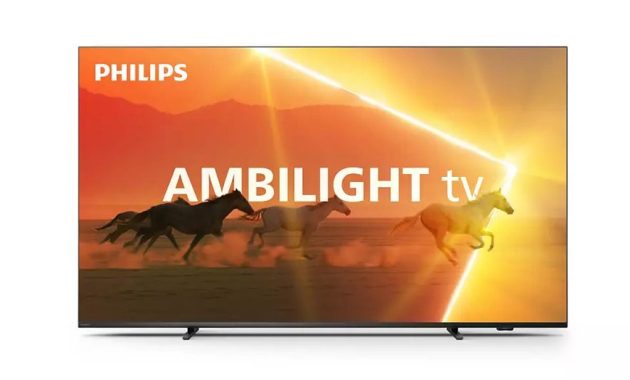
But the uniqueness of the Philips 75PML9008 doesn’t end there. Enter Ambilight, a distinctive feature exclusive to Philips. Ambilight’s gaming mode takes immersion to the next level, extending the on-screen action beyond the bezel and enveloping you in a visual spectacle. It’s not just a TV; it’s an experience.

The inclusion of its great new processor, Auto Game Mode, and comprehensive support for an array of gaming technologies make the Philips 75PML9008 a dream come true for gamers. Its compatibility with features like Auto Low Latency Mode (ALLM), Variable Refresh Rate (VRR), and AMD FreeSync Premium ensures that your gaming experience remains exceptionally smooth across a wide spectrum of consoles and PCs. Adding a distinctive touch, Philips’s exclusive Ambilight gaming mode takes immersion to a whole new level.

Brightness: Mini LED, Maximum Impact

One of the standout features of this TV is its use of Mini LED technology. By deploying far tinier LED backlights, the TV’s processor gains greater control over the screen’s zones, resulting in a remarkable improvement in contrast and a substantial enhancement in detail. The brilliance of this Mini LED technology shines through in the form of brighter and more lifelike images.

Philips 75PML9008 Mini LED 4K TV
Philips 75PML9008 Mini LED

This feature is especially appreciated when viewing HDR content. The TV supports a range of HDR formats, including Dolby Vision, HDR10, HDR10+, and HLG. With a 10-bit panel bit depth and a 120Hz panel frequency, the Philips 75PML9008 excels in delivering breathtaking picture quality, ensuring you experience every detail as the content creators intended.

Ambilight: Diving into Immersion

Philips’s Ambilight technology is a game-changer in the world of television, and the Philips 75PML9008 makes full use of it. Ambilight extends the content on your screen by projecting a dynamic halo of light onto the wall behind the TV, matching the colors and action on the screen. This creates an immersive viewing experience like no other.

The Ambilight feature isn’t limited to just casual TV watching; it extends to gaming mode, offering gamers an extra layer of immersion. With Ambilight, the action feels more intense, and the gaming experience becomes truly captivating.

Philips 75PML9008
Philips 75PML9008

Price Point

At a price point of £1,299, the Philips 75PML9008 Mini LED 4K TV offers an impressive array of features and capabilities that make it a solid investment for your home entertainment setup. It’s not only a TV; it’s a gateway to immersive gaming, movie nights, and an all-around entertainment center.

Quality and Design

The Philips 75PML9008 doesn’t just excel in performance; it’s a sleek and stylish addition to your living space. With a 75-inch screen size and a compact design that’s VESA 300 x 300 wall-mount compatible, it’s adaptable to various room sizes and layouts.

The TV features an LED backlight with Micro Dimming Premium for precise control over contrast and brightness. The Perfect Natural Motion technology ensures smooth motion processing, ideal for fast-action scenes and sports.

Smart Features

The Philips 75PML9008 is equipped with a Dual Core Processor, running the P5 AI Perfect Picture Engine, and it’s powered by Google TV. This means you have the best of both worlds: fast and efficient processing combined with a user-friendly and content-rich smart TV platform.

The TV offers a full web browser and supports Netflix 4K streaming, making it easy to access your favorite online content. It also works seamlessly with voice assistants like Amazon Alexa and Google, allowing you to control your TV with simple voice commands.

Connectivity is a breeze with features like ARC (Audio Return Channel), Bluetooth, digital audio output, DLNA compliance, and a generous set of HDMI and USB ports, making it easy to connect your favorite devices, sound systems, and gaming consoles.Philips 75PML9008

Audio and Accessories: A Feast for the Ears

With 4 x 10W speakers, the Philips 75PML9008 offers a satisfying audio experience, whether you’re watching a thrilling movie or a heart-pounding gaming session. It also supports USB recording and video playback, adding to its versatility.

The TV’s energy consumption is respectable, with low standby power usage, and it comes with a 2-year manufacturer’s warranty, giving you peace of mind about your investment.

Final Thoughts

The Philips 75PML9008 Mini LED 4K TV is not just another television; it’s a premium home entertainment experience. Its compatibility, performance, brightness, gaming prowess, Ambilight, competitive pricing, and top-notch quality make it a standout choice in the world of smart TVs. The innovative Mini LED technology and the power of the P5 AI processor combine to deliver exceptional picture quality, while the Ambilight feature takes immersion to the next level.

Whether you’re a gamer looking for the ultimate gaming TV or a cinephile seeking a true cinematic experience at home, the Philips 75PML9008 checks all the boxes. With its sleek design, user-friendly software, and robust set of features, it’s a TV that stands head and shoulders above the competition. Elevate your home entertainment experience with the Philips 75PML9008, where every moment is a masterpiece.

  Philips 75PML9008  Specification
Ambilight
Ambilight FeaturesWall colour adaptive, Lounge mode, Game Mode, Ambilight Music, AmbiWakeup, AmbiSleep, Works with Philips Wireless Home Speakers, Ambilight Boot-Up Animation
Ambilight Version3 sided
Picture/Display
Diagonal screen size (inch)75 inch
Diagonal screen size (metric)189 cm
Display4K Ultra HD LED
Panel resolution3840 x 2160
Native refresh rate120 Hz
Picture engineP5 Perfect Picture Engine
Picture enhancementPerfect Natural Motion, Micro Dimming Premium
HDR FormatsHDR10+, Dolby Vision, HLG (Hybrid Log Gamma), CalMAN Ready
Display input resolution
Resolution-Refresh rate
576p – 50Hz
640×480 – 60Hz
720p – 50Hz, 60Hz
1920x1080p – 24Hz, 25Hz, 30Hz, 50Hz, 60Hz, 100Hz, 120Hz
2560×1440 – 60Hz, 120Hz
3840x2160p – 24Hz, 25Hz, 30Hz, 50Hz, 60Hz, 100Hz, 120Hz
Tuner/Reception/Transmission
Digital TVDVB-T/T2/T2-HD/C/S/S2
Video PlaybackPAL, SECAM
TV Programme guide*8-day Electronic Programme Guide
Signal strength indicationYes
Teletext1000 page Hypertext
HEVC supportYes
Smart TV
OSSmart TV with improved OS
Smart TV Features
User InteractionSimplyShare, Screen mirroring, Interactive TV, HbbTV
Smart TV appsYouTube, Philips store, Amazon Prime video, Netflix
Voice assistantWorks with Alexa, Works with Google Home
Multimedia Applications
Video Playback FormatsContainers: AVI, MKV, H264/MPEG-4 AVC, MPEG-1, MPEG-2, MPEG-4, VP9, HEVC (H.265), AV1
Music Playback FormatsAAC, MP3, WAV, WMA (v2 up to v9.2), WMA-PRO (v9 and v10), FLAC
Subtitles Formats Support.SMI, .SRT, .SSA, .SUB, .TXT, .ASS
Picture Playback FormatsJPEG, BMP, GIF, PNG, HEIF
Processing
Processing PowerDual Core
Sound
Audio2.0 Channel, Output power: 40 watts (RMS)
Speaker configuration10Wx2 mid-high speaker, 10Wx2 tweeter
CodecDolby Digital MS12 V2.6.1, DTS:X
Sound EnhancementA.I. Sound, Clear Dialogue, Dolby Atmos®, Dolby Bass Enhancement, Dolby Volume Leveller, Night mode, A.I. EQ
Connectivity
Number of HDMI connections4
HDMI features4K, Audio Return Channel, EasyLink (HDMI-CEC), Remote control pass-through, System audio control, System standby, One-touch play
Number of USBs2
Wireless connectionWi-Fi 802.11ac, 2 x 2, Dual band
Bluetooth5.0
Other connectionsCommon Interface Plus (CI+), Ethernet-LAN RJ-45, Digital audio out (optical), Headphone out, Service connector, Satellite Connector, HDCP 2.3
HDMI ARCYes on HDMI1
HDMI 2.1 featureseARC on HDMI 1, eARC/VRR/ALLM supported, Max 48 Gbps data rate, FreeSync Premium, EasyLink 2.0, HDMI-CEC for Philips TV/SB, External setting via TV UI
Supported HDMI video features
HDMI 1/2HDMI 2.1 full bandwidth 48 Gbps up to 4K 120 Hz, Gaming ALLM, HDMI VRR, AMD FreeSync Premium, HDR, Dolby Vision, HDR10, HDR10+, HLG
EU Energy card
EPREL registration numbers1627379
Energy class for SDRG
On mode power demand for SDR140 kWh/1000 h
Energy class for HDRG
On mode power demand for HDR288 kWh/1000 h
Off mode power consumptionn.a.
Networked standby mode2.0 W
Panel technology usedLED LCD
Power
Mains powerAC 220 – 240 V 50/60 Hz
Standby power consumptionLess than 0.3 W
Power Saving FeaturesAuto switch-off timer, Picture mute (for radio), Eco mode, Light sensor
Accessories
Included accessoriesRemote Control, 2 x AAA Batteries, Tabletop stand, Power cord, Quick start guide, Legal and safety brochure
Design
Colors of TVAnthracite grey bezel
Stand designAnthracite grey offset sticks