Home Blog Page 84

HD video streaming – Roku vs. Chromecast

0

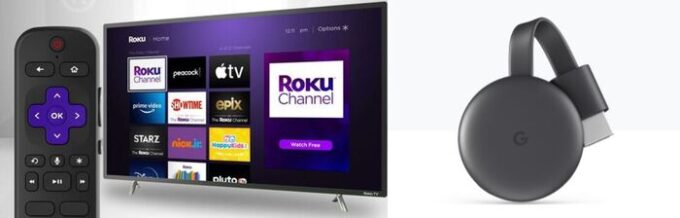
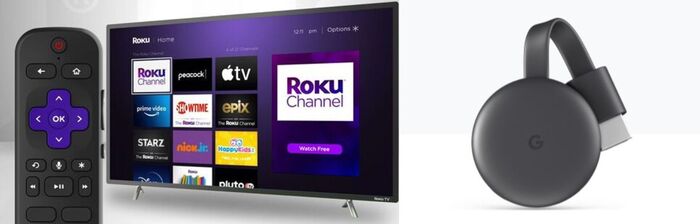
Roku and Chromecast are very similar devices with powerful media-streaming functionality. Both equally provide HD video streaming via an accessible HDMI port in a TV, then connect to your home’s Wi-Fi network, delivering a sharp, nice and clean digital picture and sound.

Both Roku and Chromecast have standard versions that support typical HD streaming and more enhanced models. Both are simple to set up and have user-friendly iOS and Android mobile applications. Content possibilities for Roku and Chromecast are numerous.

Roku and Chromecast
photo: Pixabay

The devices do have some important differences, nevertheless. Roku presents content through channels and applications, while Chromecast has a less centralized technique, where you cast through individual applications on your smartphone, tablet, or notebook. Chromecast provides more voice features, as well.
It’s simple to navigate through Roku’s stacked screen of channels and applications to deliver streaming content. The Roku remote control and the official application (downloadable via the iTunes App Store or Google Play) are user-friendly, working with a common D-pad and OK button.

Chromecast does not have a remote control. Instead of one space where you select what to watch, you cast from applications on a smartphone, tablet, or laptop. It’s a significantly less centralized approach, but one that may well truly feel more comfortable to those who watch lots of video on a smartphone or tablet.
The Google Home app provides standard controls for applications that are casting, but on the whole, control happens within the application that is at this time streaming. As a final result, if you have 6 sources for streaming video, you’ll jump back and forth between six applications.
Roku does have some voice-control capabilities. The Roku mobile application for iOS and Android, increased voice remote, Roku TV Voice Remote, and Roku Touch tabletop remote can all look for for content and manage the playback commands you require for full control.

Chromecast setup is easy. Connect the device into an available HDMI port, log in to your Google account by the Google Home app, and connect your Chromecast to your home’s Wi-Fi network. You will need to sign in to your TV or cable provider’s account to access premium and streaming TV channels. You buy monthly subscriptions or rent content through Google Play.
Roku’s setup is a little bit more involved. You will need to open an account with Roku, give a credit card number, and log in to your TV or cable provider’s account on your Roku to access premium and streaming TV channels. Providing a payment source lets you to purchase premium channel subscriptions, buy or rent movies and TV shows, or make other Roku Channel Store purchases.
Roku guides you through each part of the setup, and within around 12-15 minutes, you can sit back and watch a movie. While the setup is simple and easy, stepping into passwords for Wi-Fi networks and subscriptions can be a little bit of a take the time.

Each Are generally Powerful Solutions
Both Roku and Chromecast, are exceptional options for HD streaming entertainment. Chromecast delivers a easy product line-up at affordable prices and is an simple and easy out-of-the-box practical experience.

Roku

  • HD video streaming.
  • Offers basic and advanced models.
  • Has iOS and Android apps.
  • Content from hundreds of premium and free streaming providers.
  • Easy setup.
  • Remote is easy to use and intuitive.
  • App use is optional.
  • No built-in voice control.
  • Delivers content through channels and apps.

Chromecast

  • HD video streaming.
  • Offers basic and advanced models.
  • Has iOS and Android apps.
  • Content from hundreds of premium and free streaming providers.
  • Easy setup.
  • Watching with Chromecast requires an app for that channel or an app on a phone.
  • Doesn’t have a remote.
  • Works with Google Assistant.
  • Cast content from individual apps on a smartphone, tablet, or laptop.

Fortnite game – free to play on iPhones

0

Microsoft’s video game unit Xbox on Thursday said it will tap into cloud computing to make “Fortnite” free to play on mobile devices powered by Apple or Android software.

The popular battle royale title from Epic Games will be the first free-to-play game available through an Xbox Cloud Gaming service available in 26 countries, head of product Catherine Gluckstein said in a blog post. Fortnite’s return to iPhones and iPads comes after the game was booted from Apple’s App Store for trying to bypass its payment system in violation of the iPhone maker’s rules.

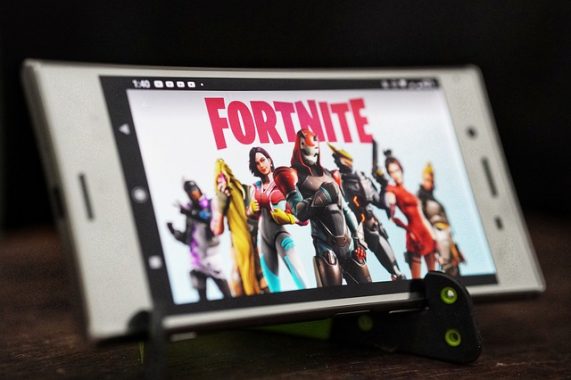
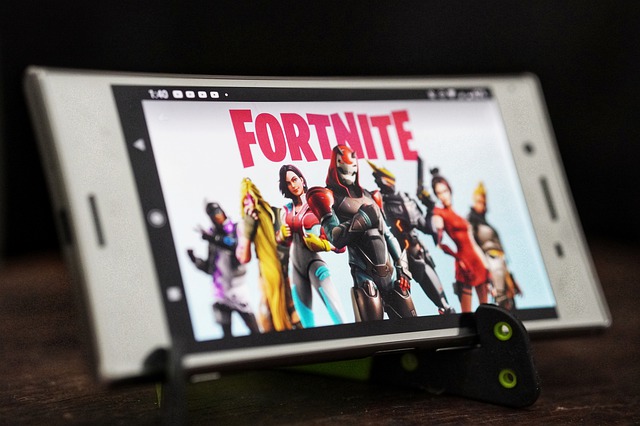
Fortnite
photo: Pixabay

Apple has clashed in court with Epic, which has accused the iPhone maker of operating a monopoly of its App Store shop for digital goods and services.

A US federal judge in November ordered Apple to loosen control of its App Store payment options, but said Epic had failed to prove that antitrust violations had taken place. “Fortnite” will be free at Xbox Cloud Gaming as a result of a partnership with Epic.

Fans of the Fortnite video game can play on Apple iOS-powered devices, Android phones or tablets, as well as on Windows computers through web browsers, Gluckstein said. Apple and Google dominate the market, with their operating systems running on the majority of the world’s smartphones.

“This is just the beginning for us,” Gluckstein said.

“We’re going to learn, implement feedback, and in time look to bring even more free-to-play titles to players through the cloud.”

Microsoft has courted the favor of antitrust regulators scrutinizing its plan to buy video game maker Activision Blizzard, promising that any app store it builds will treat developers fairly. Microsoft’s $69 billion deal to buy the video game powerhouse needs to pass muster with regulators in Europe and the United States intent on reining in tech titans.

Principles outlined by Microsoft included allowing all developers access to its app store and not requiring them to use the technology firm’s payment system for in-app transactions.

People devote third of waking time to mobile apps

0

People are spending an average of 4.8 hours a day on their mobile phones, according to app monitoring firm App Annie.
In 2020, UK regulator Ofcom found similar amounts of time spent, although its research included watching TV. App Annie’s report indicates that apps were downloaded 230 billion times in 2021, while $170bn (£125bn) was spent.
TikTok was the most downloaded app worldwide, with users spending 90% more time there compared to 2020.

“The big screen is slowly dying as mobile continues to break records in virtually every category – time spent, downloads and revenue,” said chief executive of App Annie, Theodore Krantz.
The monitoring firm predicted that, by the second half of this year, TikTok would surpass 1.5 billion monthly active users.

People- mobile phones
People are spending an average of 4.8 hours a day on their mobile phones – photo: Pixabay

The average time spent on mobile apps was four hours and 48 minutes, up 30% from 2019, App Annie’s State of Mobile report indicated.
This was calculated across ten markets, including India, Turkey, the US, Japan, Mexico, Singapore and Canada. Users in Brazil, Indonesia and South Korea surpassed five hours per day. Of that time, seven out of every 10 minutes was spent on social, photo and video apps, with TikTok leading the way, the report suggested.
The mobile eco-system in general remains very healthy – with two million new apps and games launched in 2021 and the number of apps earning more than $100m up by 20%, according to the report.

YouTube was the most popular video streaming app worldwide, clocking up more than a million downloads in 60 different countries. Netflix came second in many regions.
Mobile gaming also grew – with people spending $116bn on them. Particularly popular were what the report called hyper-casual games such as Hair Challenge, in which players have to avoid getting their hair cut, and Bridge Race, in which players collect bricks and build stairs.
Some users have complained about the number of ads in such games but app advertising generally is doing extremely well, with global spend topping $295bn last year.
This suggests that concerns that Apple’s privacy crackdown would damage mobile advertising are proving unfounded.

In its iOS 14.5 update last year, iPhone users were given the option to say ‘no’ to having their data collected by apps.

Some of the trends spotted in the research reflected wider changes, especially in how the pandemic has altered the way people live.
For instance, people were spending a lot of time in shopping apps – more than 100 billion hours globally, with Singapore, Indonesia and Brazil growing the fastest.

There was also a huge growth of food and drink apps – such as UberEats and Grubhub.

The number of sessions on such apps grew to 194 billion in 2021, according to the research – up 50% on the previous year.
Health and fitness apps also saw growth, as the pandemic meant people couldn’t always attend gyms or conduct group exercise classes. And reflecting greater emphasis on mental well-being, meditation apps such as Headspace and Calm proved popular – especially with young people, with the top five most downloaded seeing a 27% growth in 2021.
Spending on dating apps surged past $4bn, a 95% increase since 2018.
And countries with apps to help handle the Covid-19 crisis, whether vaccine passports or just information tracking, saw huge take-up.
The UK’s NHS app – which acted as a record of vaccinations – was downloaded by 71% of the fully vaccinated population, while Malaysia’s MySejahtera app saw 80% of this same demographic adding it to their phones.

source — BBC

Excellent cost-per-print – Printer Brother MFC-L2750DW

0

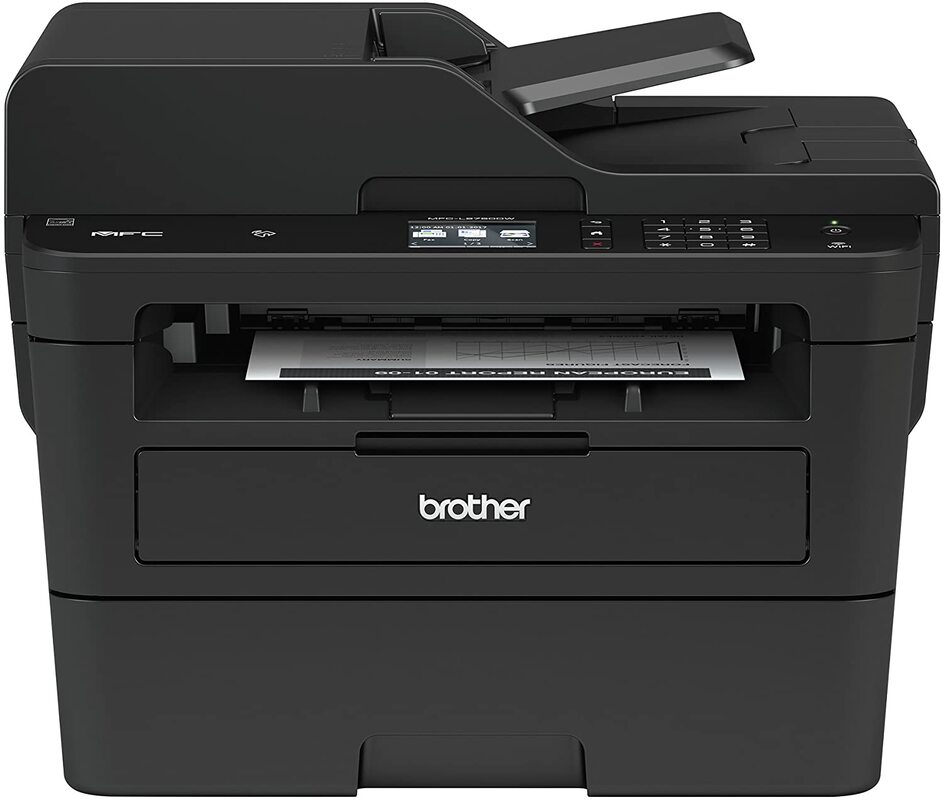
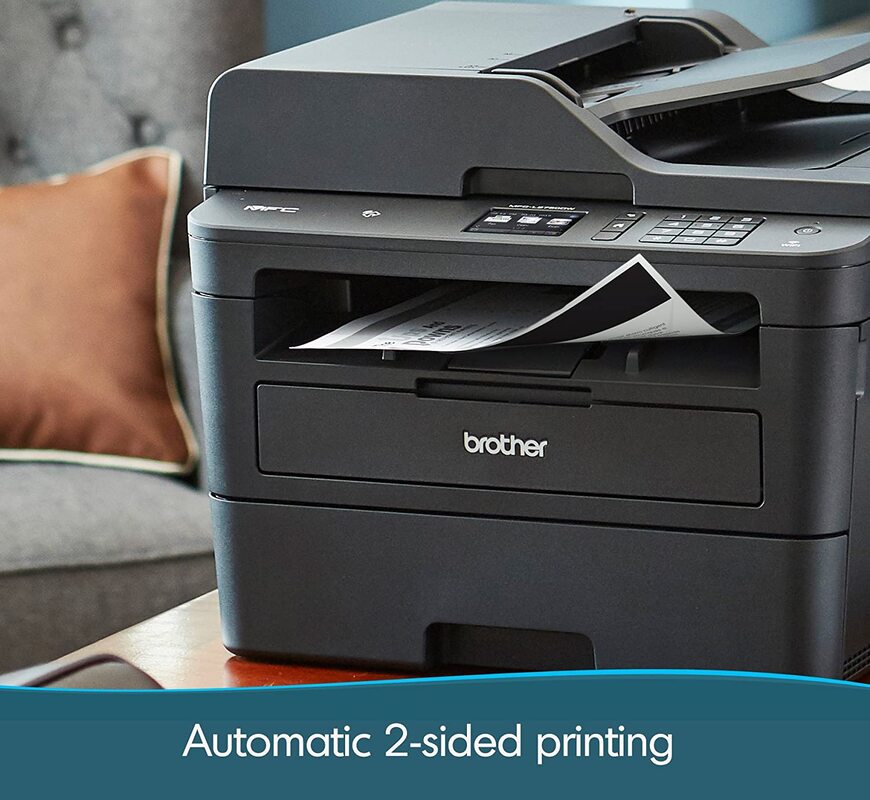
Excellent all-in-one printer – Exceptional cost-per-print – The Brother MFC-L2750DW created for the active home or small office, Brother’s newest compact laser all-in-one printer capabilities superior printing at 36 pages per minute as well as faxing, copying, and scanning features.
Designed for efficiency – This alternative for the MFCL2740DW helps spend less time with single-pass duplex (2-sided) copying and scanning through an up to 50-sheet automatic document feeder together with multi-page copying, scanning, and faxing options.
Printing on the move: Send print tasks wirelessly right from your desktop computer, laptop, smartphone, and tablet. The “Touch to Connect” printing with NFC provides included comfort.Brother MFC-L2750DWCloud based print & scan – Print from and scan to well-known Cloud services instantly from the 2.7″ color touchscreen, such as Dropbox, Google Drive, Evernote, OneNote, and more.
Wi-fi printing & outstanding support – simply connect by using wireless connections from your laptop computer, smartphone, desktop, and tablets. Copy resolution: 600 x 600 Max. Dpi. Power source-ac 120V 50/60Hz
The Brother MFC-L2750DW is a monochrome laser printer that provides really much everything you want in an all-in-one printer. Produced for small office use, this model has a regular monthly duty cycle of 15,000 pages that deals with pages rapidly and at low costs, with some of the best print rates of speed we have seen and printing fees as low as 2.7 cents per page. Photo: Brother

The printer is also bundled with practical features for instance, scanning and copying, fax capability, and a second paper tray. Two-sided copies are extra fast, thanks to two-sided scanning that captures the front and back of a page at the same time and an automated duplexer for two-sided printing. The printer also produced two-sided documents quicker than some rivals printed one-sided pages. The Brother MFC-L2750DW is particularly handy for an office printer, with simple connectivity that comes with mobile printing. Video: Brother Office/YouTube
The Brother MFC-L2750DW multifunction printer offers plenty of speed and delivers practical features like a extremely fast ADF, fast duplex printing and copying, fax capability, and a second paper tray. The MFC-L2750DW turned in the fastest speeds to date for text and and mixed text/graphics files, and it made two-sided prints faster than some models make one-sided prints. It additionally provides high image quality through the board. Even though the primary selling price is high for this category, consider that the price comes with two toner cartridges rated to print a total of 7,500 pages. By using its high-capacity toner cartridge, the MFC-L2750DW gives a cost per page of just 2.7 cents, the cheapest we have seen in this class. Brother MFC-L2750DW price: $299.99Brother MFC-L2750DW

+ PROS
Excellent cost-per-print.
Outstanding printing speed.
Superb scanning features. Very fast printing and copying. Very fast black-and-white scanning to PDF

– CONS
Bad photo printing quality.
Can’t print in color.
No support for external storage devices.
Slow to print first page of a black-only document.

Brother Cloud Apps Office Print, Scan to Mobile, Fax Forward to Cloud / Email, Easy Scan to E-mail
Cloud Services‡ GOOGLE DRIVE™/GOOGLE DRIVE for Business, ONENOTE, BOX/BOX for Business, EVERNOTE®/EVERNOTE Business, ONEDRIVE/ONEDRIVE for Business, DROPBOX/DROPBOX for Business
Mobile Device Compatibility‡ AirPrint®, Brother iPrint&Scan, Wi-Fi Direct®
Near Field Communications‡ Yes
One-Push Wireless Setup Wi-Fi Protected Setup
Standard Interface(s) Wireless 802.11 b/g/n, 10/100 Base-TX Ethernet, Hi-Speed USB 2.0
Standard Network Features† Printing, Scanning, PC Fax Send/Receive
Supported Network Protocols (IPv4) APIPA (Auto IP), ARP, BOOTP, Custom Raw Port/Port 9100, DHCP, DNS Resolver, FTP Client and Server, HTTP/HTTPS Server, ICMP, IPP/IPPS, LLMNR Responder, LPR/LPD, mDNS, RARP, SMTP Client, SNMPv1/v2c/v3, TFTP Client and Server, Web Services (Print/Scan), WINS/NetBIOS Name Resolution
Supported Network Protocols (IPv6) NDP, RA, DNS Resolver, mDNS, LLMNR Responder, LPR/LPD, Custom Raw Port/Port 9100, IPP/IPPS, SMTP Client, FTP Client and Server, SNMPv1/v2c/v3, HTTP/HTTPS Server, TFTP Client and Server, ICMPv6, Web Services (Print/Scan)
Black Copy Speed (max. ppm) 36
Copy Capability Black and White
Copy Resolution 600 x 600 max. dpi
Design Style Flatbed
Duplex Copying Yes
ID Copy Yes
N in 1 Functions 2in1 / 4in1
Poster Function No
Reduction/Enlargement 25%-400%
Sorting Function Yes
Stand-Alone Copying Yes
Auto Fax Receive Date/Time Header Yes
Broadcasting (Number of Locations) 250
Call Waiting/Caller ID/Distinctive Ring Ready No/Yes/Yes
Document Memory Backup Yes
Duplex Faxing Yes
External TAD Interface Yes
Fax Modem Speed 33.6K bps
Fax Page Memory‡ (max. pages) 500
Faxing Capability Black and White
Fax/Telephone Switch Yes
Out-of-Paper Reception Yes
PC Fax Capability (Send/Receive) Yes
Quick Scan/Memory Transmission‡ (approx. sec./page) 2.5
Total Auto Dial Locations 200
LCD Back-lit Yes
LCD Display 2.7″ Color Touchscreen
Maximum Monthly Duty Cycle 15,000 printed pages
Optional Memory NO
Recommended Monthly Print Volume Up to 2,000 pages
Standard Memory (MB) 256
Toner Save Mode Yes

AIWA APX-680BT – Premium Bluetooth Turntable review

0

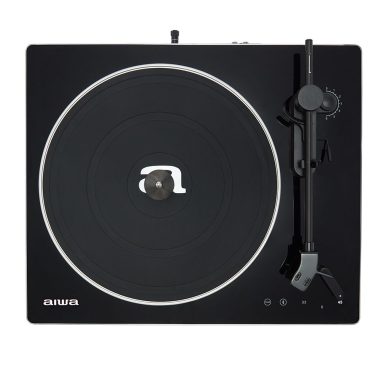
Providing the excellent combination of style, performance and sound quality, the AIWA APX-680BT Bluetooth turntable impresses all-round.

Connect your method – Bluetooth or wired
Offering a Bluetooth output, with a ten metre range, you can wirelessly connect this Aiwa turntable to your Bluetooth speaker or audio system. On the other hand, use a wired connection for the ideal quality sound. With its built-in phono pre-amp, you can connect the turntable to any kind of hi-fi system with an AUX socket.

Organize your records
Supplied with pc software, you can organize your priceless vinyl to a PERSONAL COMPUTER or Mac. Just connect via the USB port, run the software and record a digital copy of your much-loved music.

Frill-free, high quality sound
By keeping to the essentials, the Aiwa APX-680BT Bluetooth turntable puts sound quality first. The belt drive system works by using a high torque motor for sleek, stable sound. Strong construction, which includes a metal alloy platter helps minimize distortion and increase accuracy.

Flexible tonearm
Fitted with an adaptable counter weight and anti-skating dial, the tonearm is completely adjustable. This not basically lets you get the very best from the current set-up, but also implies you can very easily improve the cartridge at a later date, and adapt the tonearm to suit. Photo: Aiwa

Produced with Audio Technica cartridge
Supplied with a great quality, Audio Technica AT3600L, MM (Moving Magnet) cartridge, the APX-680BT is prepared to go, directly out of the box. Audio Technica are well known as one of the greatest cartridge manufacturer’s and the AT3600L gets you off to a flying start up.

Smooth design and style
With its brushed aluminium lightweight body, high-gloss top plate and touch very sensitive controls, the AIWA APX-680BT Bluetooth turntable is designed to impress. A world apart from plastic-bodied competitors, this Aiwa has elevated the game for budget turntable style.

Contains dust cover
Produced with a huge collection of accessories, the APX-680BT turntable has all you require to get you going. As well as pc software, cables and silicone rubberized feet, the Aiwa arrives with a leatherette dust protect – excellent for always keeping those sleek fantastic looks dust and dirt free.

  • Premium belt drive turntable with Avant Garde Brushed Aluminium body, 2-Speed (33 1/3 and 45 rpm).
  • Auto-Stop and Auto Rotation Speed Control System .Adjustable Counterweight for Tonearm Balancing.Anti-Skating Tone Arm with Soft Damping Lifter Mechanism.
  • Wireless Transmitter to use any Bluetooth Speaker with built in (with RIAA EQ) for direct LINE-IN Connection to any standard amplifier-Port for connection to PC or MAC for professional audio recording (USB Cable and Software included).
  • High Quality AT3600L moving magnet stylus with aluminium Cartridge Headshell. Crystal Polymer Touch Control Panel with white LED Ambient Back-Lighting
  • Wired Connection using RCA Audio Output Terminal Jacks (Stereo). Accessories included: IB manuals, AC cable, PC or MAC recording usb cable & software cd, Stereo Audio RCA cable (1,2 m), Silicone rubber Pad, Faux Leatherette dust cover.

Move up to smarter, far better sounding turntable, with the Aiwa APX-680BT Bluetooth turntable.

AIWA APX-680BT price: £199

Aiwa APX-680BT Bluetooth Turntable best alternatives

If you’re looking for alternatives to the Aiwa APX-680BT Bluetooth Turntable, there are several options available on the market. Here are some popular alternatives that you can consider:

  1. Audio-Technica AT-LP120XBT: This turntable offers a built-in Bluetooth transmitter, allowing you to wirelessly connect to speakers or headphones. It also features a direct-drive motor, adjustable pitch control, and a USB output for digitizing your vinyl records.
  2. Pro-Ject Debut Carbon DC: This turntable is known for its excellent sound quality and sleek design. While it doesn’t have built-in Bluetooth, you can add a separate Bluetooth transmitter to make it wireless. It features a carbon fiber tonearm, a precision belt drive, and comes with an Ortofon Red cartridge.
  3. Sony PS-LX310BT: Sony’s turntable offers built-in Bluetooth connectivity, allowing you to stream your vinyl wirelessly to Bluetooth speakers or headphones. It features a fully automatic operation, a belt drive system, and a USB output for digital archiving.
  4. Denon DP-300F: This turntable provides high-quality audio performance and ease of use. While it doesn’t have built-in Bluetooth, you can connect it to a separate Bluetooth transmitter. It features a built-in phono preamp, a belt drive system, and an automatic start/stop function.
  5. U-Turn Audio Orbit Plus: This turntable is known for its simplicity and affordability. While it doesn’t have built-in Bluetooth, you can add a separate Bluetooth transmitter. It features a belt drive system, a precision tonearm, and comes with an Ortofon OM5E cartridge.

These are just a few alternatives to consider, and the best choice depends on your specific requirements, budget, and personal preferences. It’s a good idea to read reviews, compare features, and consider factors such as sound quality, build quality, ease of use, and connectivity options before making a decision.

Aiwa APX-680BT Bluetooth turntable General Specifications:


2 Speed precision turntable with metal alloy platter (33 1/3 and 45 rpm).
Auto-Stop and Auto Rotation Speed Control System.
Adjustable counterweight for tonearm balancing.
Anti-Skating Tone Arm with soft damping lifter mechanism.

Connection Specifications


Wireless transmitter to use any Bluetooth speaker for Audio Output (Stereo) with 10M range.
USB-Port for connection to PC or MAC for professional audio recording (USB Cable and Software included).
Built In Audio Pre-Amp (with RIAA EQ) for direct LINE-IN Connection to any standard amplifier.
Pre-Amplifier ON/OFF Switch enables connection to PHONO Amplifier input.
Wired Connection using RCA Audio Output Terminal Jacks (Stereo).

Power Supply


Built In AC Power supply 230V.

Features


High Quality AT3600L moving magnet stylus with aluminium Cartridge Headshell
Crystal Polymer Touch Control Panel with white LED Ambient Back-Lighting
Avant Garde Brushed aluminium body.
45rpm Spindle Adaptor (for EP size records) included.
Heavy duty soft silicone rubber platter mat.
Dimension:430 x 368 x 116 mm.
Weight: 5,1 Kg
Accessories included: IB manuals, AC cable, PC or MAC recording usb cable & software cd, Stereo Audio RCA cable (1,2 m), Silicone rubber Pad, Leatherette dust cover.
Perfect keyboard for gaming – Razer Huntsman v2 Analog

0

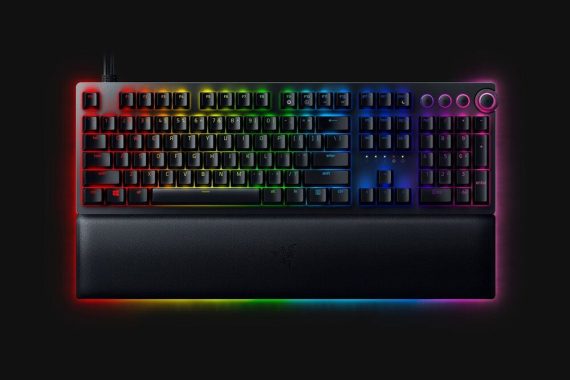
The Razer Huntsman V2 Analog is an outstanding video gaming keyboard that functions Analog Optical switches. These types of linear switches have an flexible pre-travel distance that you can personalize to your preference. You can also enable its analog mode to imitate the sense of an analog joystick or program the keys to complete two actions with just one keypress. It delivers an exceptional typing experience and should not cause any fatigue regards to the inclusion of 2 incline configurations and a plush leatherette wrist rest. It has full RGB backlighting, macro-programmable keys, as well as a USB passthrough. Regrettably, its analog mode only is effective for games that support gamepads and demands a fair amount of adaptation to make maximum use of it. Furthermore, it’s a wired-only keyboard, so it’s not the most preferred for use with mobile devices or a home theater PC.
The Razer Huntsman V2 Analog keyboard is high quality in its feature set, style and design, and selling price; even though, dedicated macro keys would’ve been fine. Razer Huntsman V2 Analog price: US$249.99

As a standard keyboard, the Huntsman V2 Analog is a really good board. Just like most of the Huntsman series, Razer has stuck to long-lasting, doubleshot PBT keycaps and a typical bottom row. This would mean no annoying keycap shine, and as well very good support for third-party keycaps if you would like a different look. You also have a great volume level wheel – press to mute, and practical specific media controls.

Magnetic Plush Leatherette Wrist Rest- Offering Razer Chroma RGB underglow, the very soft, cushioned wrist support magnetically snaps to the keyboard to reduce pressure on your wrists, so you really feel much less fatigued whenever gaming over long intervals.

Razer Huntsman V2 Analog keyboard + PROS
Highly customizable analog mechanical switches
Fulfilling typing practical experience
Pleasantly padded RGB wrist rest
Practical media controlsRazer Huntsman V2 AnalogRazer Huntsman V2 Analog keyboard – CONS
Wildly overpriced
No macro keys
Personalized actuation may go lower
Restricted PC support for analog control
Built-in twin-cable

With 16.8 million colors and a suite of effects, sync its keys and underglow with the rest of your battlestation, and enjoy greater immersion as it dynamically reacts with over 150 integrated games.

The Razer Huntsman V2 Analog is a interested experiment, and an ambitious one as well. It sets out to do a specific thing no-one else provides, and it’s mostly effective in the effort. It will not always work with all of your video games, but it’s a fine enough device to warrant a look in spite of that. In simple fact, it’s one of the greatest keyboards we have ever before used.  Photo:  RazerRazer Huntsman V2 Analog

Razer Huntsman V2 Analog specs:

SWITCH TYPE Razer™ Analog Optical Switch
SIZES Full Size
LIGHTING Razer Chroma™ RGB customizable backlighting with 16.8 million color options
WRIST REST Yes
ONBOARD MEMORY Hybrid onboard storage – up to 5 keybinding profiles
MEDIA KEYS Yes
PASSTHROUGH USB 3.0 Passthrough
CONNECTIVITY
  • Wired – USB-C
  • Wired – USB-A 3.0 (via adapter)
KEYCAPS Razer Doubleshot PBT Keycaps
OTHERS
  • 100 million keystroke lifespan
  • Underglow lighting
  • Magnetic plush leatherette wrist rest
  • Multi-functional digital dial with 4 media keys
  • Fully programmable keys with on-the-fly macro recording
  • N-key roll-over with anti-ghosting
  • Gaming mode option
  • Braided Fiber Cable
  • 1000 Hz Ultrapolling
  • Aluminum matte top plate


ExxonMobil, Chevron report high profit

0

ExxonMobil and Chevron reported soaring profit on Friday despite lower oil and natural gas volumes as the petroleum giants return billions of dollars to shareholders in the wake of lofty crude prices and refining margins.

Both US oil giants scored huge profit increases propelled by crude prices that rose after the Russian invasion of Ukraine. But both companies have thus far avoided additional capital spending increases to fund drilling and development in spite of a tightening global energy outlook.

“We continue to invest prudently,” said Kathy Mikells, chief financial officer of ExxonMobil, which increased spending on share buybacks by $20 billion.

“We’re going to stay disciplined on capital. We’ve given you a range, we’ve stuck within the that range ever since we started putting it out there,” said Mike Wirth, chief executive of Chevron, which raised its plans for share buybacks to $10 billion per year after previously targeting $5 to $10 billion per year.

Both oil giants are implementing planned 2022 capital spending increases, but ruled out additional investment.

AFP photo
AFP photo

Part of the reticence to spend more to drill comes as the oil giants ramp up investment in hydrogen, carbon capture and storage and other low-carbon ventures amid pressure from environmental, social and governance investors.

Although both companies have announced plans to lift production later this decade, output dipped in the first quarter of 2022.

ExxonMobil’s oil and gas output declined three per cent from the 2021 period, with the company pointing to severe cold weather that crimped output in Canada, as well as scheduled maintenance activity in Qatar and Guyana.

While Chevron touted a 10 per cent jump in US oil and gas production following an aggressive ramp-up in the Permian Basin in Texas, overall oil and natural gas volumes fell 2 per cent from last year’s level.

Factors in Chevron’s production decline included lower output in Thailand and the effect of lost output from a project in Indonesia where the contract expired.

Chevron Chief Financial Officer Pierre Breber said the company’s record in the Permian Basin shows its ability to grow output efficiently as he confirmed the company would not lift its capital budget beyond the current range of $15 to $17 billion in 2022.

“We can sustain and grow our traditional energy business at very reasonable rates,” Breber said. “We don’t need to grow faster. We don’t get paid for that. There’s no time in our history where the market has valued growth.”

Shares of ExxonMobil shed 2.2 per cent to $85.25, while Chevron dropped 3.2 per cent to $156.67. AFP

4K Smart LG QNED81 75″ TV – stunning 4K on an ultra-large screen

0

By using QNED technology for a high quality picture, the LG 75QNED816QA TV (2022) provides truer colour. QNED – NanoCell and quantum dot combine for exceptional colour
QNED brings together LG’s premium NanoCell technology with quantum dot, providing spectacular ranges of colour and fine detail on this LG 75 inch TV. QNED widens the colour gamut, helping to make all images look much more real to life than with a typical LED TV.LG 75QNED816QA TV

What exactly is QNED?

Combined strength of Quantum Dot and NanoCell.
The name QNED is an combinations of the word ‘Quantum’, LG’s ‘NanoCell’ LCD branding, and the ‘Emitting Diodes’ used in its backlight. That’s a Q, an N, an E, and a D. Spefically, QNED makes use of 30,000 miniscule LEDs used in its backlight, far more than the number found in its existing LCD TVs. That’s because QNED uses what’s called Mini LED technology – a kind of backlight that uses a huge number of pretty small LED lights to regulate brightness and generate efficient contrast between different sections of the screen. LG’s QNED TVs also provide 2,500 dimming zones to reduce blooming and make sure that light is directed where it really should across your screen.
LG states its brand new backlight includes up to just about 30,000 tiny LEDs that produce outstanding maximum brightness and a contrast ratio of 1,000,000:1 when combined with up to 2,500 dimming zones and advanced local dimming zones.
The contrast and brightness control is intended to be very similar to that of OLED, given the number of LEDs in play. OLED panels can turn off individual pixels totally, leading to its so-called ‘infinite’ contrast ratio between bright highlights and deep blacks. It is not an OLED beater, but really should still increase the overall performance of LG’s current NanoCell LCD TV range.

Highly effective processing, made much better – Alpha 7 Gen 5
LG 75QNED816QA TV, now in its 5th generation, LG’s powerful Alpha 7 processor chip continues to produce ideal sound and vision. Using AI technology, the picture and sound are optimized to finest suit the genre – be it movies, sport, gaming or regular TV. With Dynamic Tone Mapping, background improvement and upscaling enhancements, picture processing is more enhanced than ever.

Now with AI Picture/Sound Pro for professional audio and vision
Previously only accessible on higher versions, AI Picture Pro and AI Sound Pro are now regular on the LG 75QNED816QA. AI Picture Pro uses deep-learning algorithms to identify content, eliminate noise and optimize the picture.LG 75QNED816QA TV

Up-rated audio with AI Sound Pro
This bigger version of the QNED816QA gets an up-rated audio system with twice the power (40 watts) and dedicated woofer units for a much deeper sound. If you fancy a more cinematic sound from your TV, then LG’s AI Sound Pro really should be music to your ears. Using AI algorithms, AI Sound Pro up-mixes two-channel audio to virtual 5.1.2 sound – providing a much more impressive sound level. The Quad-core processor also optimises the sound based on content type – giving more clear vocals with news and dramas. The highly effective AI can also take account of your room’s acoustics and layout and manages to deliver the clearest sound possible.

HDR made better, with HDR10 Pro
LG’s powerful processing as well helps in getting the really perfect from HDR10 material. Whether watching movies or game playing with HDR10 games, HDR10 Pro intensifies the typical HDR practical experience. HDR10 Pro immediately adjusts the brightness, increasing colour and detail for a more vibrant picture.

See the picture just exactly as initially intended, with Filmmaker Mode
If you are mad about movies, you will really like Filmmaker Mode. Created in cooperation with filmmakers and Hollywood studios, Filmmaker Mode lets you experience the cinematic vision, exactly as the movie director intended. Overriding the TV’s own motion and picture processing, Filmmaker Mode provides the correct aspect ratio, colour and frame rate – just as the filmmakers intended.LG 75QNED816QA TV

Made for video gaming – with Game Optimiser and even more
The much better Game Optimiser utilises an improved gaming menu, giving you fast access to essential settings. There are now 5 game genre presets, which include a new one for sports games. Equipped with 48Gbps HDMI 2.1 sockets, this LG 75QNED816QA is made to get the very best from today’s, and upcoming, games consoles. ALLM (Auto Low Latency Mode) and VRR (Variable Refresh Rate) indicate that your TV automatically adjusts to the optimised configurations for gaming – giving you a softer and quicker response.

Generally regarded as one of the greatest smart TV platforms, LG’s webOS system continues to set the standard. The newest webOS 22 offers advanced personalisation and recommendations. You can make up to 6 customized profiles, with specific viewing recommendations, sport notifications and application lists.

Magic Remote for simple control
LG’s Magic Remote has always led the field for easy, gesture control. As well as this, the remote functions direct keys for well-known streaming services Netflix, Amazon Prime Video, Disney + and Rakuten TV. Google Assistant and Amazon Alexa also get dedicated buttons for simply voice recognition.

The center of your home entertainment – with voice control
Presenting LG’s ThinQ AI technology, you can control a Home IoT eco-system with purely natural voice recognition. With both Google Assistant and Amazon Alexa built-in, it makes it even much easier to control your LG QNED TV and instantly access the entertainment you are searching for. Photo: LG

Take pleasure in TV that is truer to life, with the LG 75QNED816QA TV.

LG 75QNED816QA TV specs:-LG 75QNED816QA TV-

DISPLAY

  • Type  4K QNED
    Screen Size   75″
  • Resolution   3840*2160
    Color QNED / NanoCell    QNED
  • LCD (IPS, VA)   Multi
    Colour / Wide Colour Gamut    Nano Colour Pro
  • Colour display bits / Billion Rich Colours
    Yes
    Contrast / Dimming    Local Dimming
  • Refresh Rate     120Hz
  • AI Picture Pro  AI Picture Pro
    AI Upscaling   AI Upscaling
  • AI Genre Selection  Yes (SDR/HDR)
    AI Brightness Control   Yes
  • HDR    Active HDR
    HDR10 Pro   Yes (4K/2K)
  • HLG   Yes (4K/2K)
    FILMMAKER MODE™   Yes
  • Dynamic Tone Mapping / Pro   Dynamic Tone Mapping
    4K HFR   Yes / Yes / Yes / Yes
  • 2K HFR    Yes / Yes / Yes / Yes
    Motion Pro    Motion Pro
  • HEVC   4K@120P, 10bit
    VP9 (Video Decoder)  4K@60p, 10bit
  • AV1 (Video Decoder)  4K@60p, 10bit
    FreeSync Compatible   Yes
  • HGIG Mode   Yes
    Game Optimizer (VRR/ALLM/GameGenre)    Yes / Yes / Yes
    Connectivity
    ARC – Audio Return Channel
    Yes – eARC
    Bluetooth  Yes
    Digital Audio Output  Yes – Optical
    DLNA Compliant  Yes
    HDMI   4 (HDCP 2.2 – 4)
    HDMI 2.0   Yes x 2 + ( 2 x HDMI 2.1)
    USB   2
    Wi-Fi   Yes

27″ ASUS ProArt PA279CV IPS, 4K PRO monitor – excellent!

0

The Asus ProArt PA279CV monitor offers top class mainstream image high-quality along with a high resolution and flexible set of functions, so it’s a very good mainstream display for innovative workloads – but it is not appropriate for HDR or Adobe RGB occasions. The Asus ProArt PA279CV provides a reliable set of features that should sate plenty of inventive experts.

The mixture of a 27″ diagonal and a 3840 x 2160 image resolution is a champion when it comes to workloads – it’s not so big that it’ll overwhelm your workplace, and that high resolution implies a density level of 163ppi. That is rock-solid, and it means you have got the excellent fine detail required for highly accurate creative tasks alongside plenty of on-screen real estate for spreading applications around.

On the inside, the PA279CV works by using IPS technology, which is no big surprise – it’s the best monitor hardware for colour precision and viewing angles. Asus claims that this panel renders 100% of the sRGB colour gamut, and the display is Calman-certified for colour accuracy and reliability.
Unsurprisingly, the PA279CV monitor offers 10-bit colour rendering, so it’ll manage more than a billion unique shades. It is got a useful non-glare surface so you won’t be irritated by reflections.Asus ProArt PA279CVThe response time of 5ms is great for regular use, but it’s not especially quick and you can still see a little bit of ghosting when you are moving the computer mouse. The Asus has adaptive sync that operates at refresh rates in between 40Hz and 60Hz. That maximum refresh rate provides sleek motion and is excellent for mainstream animation and creative tasks, but it’s simply normal at this selling price.

For its pricing, the ProArt PA279CV offers good connection. The USB-C port, which supports DisplayPort Alternate Mode and delivers up to 65 watts of power, is the most notable feature. While high-end laptops like a Dell XPS 15 or MacBook Pro 16 will require more electricity, this is plenty to charge the majority of compact and mid-range laptops.

Four USB-A ports are driven by the USB-C port, which offers some hub capability. Located on the back, the USB-A ports are a little difficult to reach. The monitor is less capable than Dell’s P2723QE because it does not have an Ethernet port or DisplayPort-out.

A move to 120Hz syncing would deliver a visible jump in smoothness and speed. Asus has tried to complete the space with its Rapid Rendering mode, which aims to simulate performance at greater refresh rates, but it is not as ready as just having a better refresh rate peak. It’s not a significant deal now, because most animation and broadcasting circumstances still use framerates much below 60fps, but a higher native refresh rate would have allowed better future-proofing and for more use in specific tasks, like video game development.

Asus has focused on functional features. The Asus ProArt PA279CV monitor has two HDMI ports and a DisplayPort 1.2 connection together with a USB-C port that handles DisplayPort, data transfer and a reliable 65W of power delivery – more than enough to run a laptop or charge a smartphone. There are four full-size USB ports on this panel, with a set of them handily mounted on the side of the display.
There are a lot of ergonomic possibilities as well. The Asus offers a good 150mm of height adjustment alongside tilt and swivel movement, and it can swing into portrait mode. It at the same time supports VESA mounting. The bottom bezel is designed as a ruler, and there is a nice tool where a grid can be overlaid on the display at different common dimensions.Asus ProArt PA279CV

The Asus PA279CV monitor provided a brightness level of 310 nits and a black point of 0.3, and they made a contrast ratio of 1033:1. That is a very good result and it means that you get excellent vibrancy and nuance without the display getting oversaturated. The black point could be a little bit better, although – a little more depth would certainly have been delightful.
Nevertheless, that’s a trivial problem that won’t reduce creative and colour-sensitive workloads. The quality levels were maintained with the display dialled back to half of its original brightness level, which is more acceptable for an everyday office environment. At the other end of the scale the PA279CV hits a optimum brightness level of 373 nits. That’s bold, but largely unnecessary – too bright for everyday work but not bright enough to enable adequate HDR use.

The PA279CV has two HDMI ports, a DisplayPort 1.2 connection, and a versatile USB-C port, capable of handling DisplayPort, data transfer, and delivering a robust 65W of power – sufficient for laptops and phone charging. Additionally, it offers four full-size USB ports, two conveniently located on the side of the display.

For ergonomic flexibility, the Asus model provides 150mm of height adjustment, tilt, swivel options, and portrait mode support. VESA mounting is also supported. The bottom bezel functions as a ruler, and a handy grid overlay feature is available for common display sizes.

In terms of image quality:

  • The PA279CV excels in sRGB image quality, delivering superb accuracy, contrast, and depth.
  • However, it falls short in brightness and gamut for HDR and Adobe RGB tasks.
  • Uniformity is acceptable but may not meet the demands of more challenging applications.

The Asus ProArt PA279CV shines with excellent image quality right out of the box. Its Delta E of 1.04 surpasses expectations, significantly better than Asus’ promised sub-2.0 figure. Coupled with a near-perfect color temperature of 6477K and an impressive Gamma average of 2.21, this display offers pixel-perfect color accuracy.

The Asus ProArt PA279CV is a very good professional screen for the price tag ($499), but it’s better-suited to mainstream creative tasks and video work than anything truly high-end or anything that demands HDR or Adobe RGB ability. The modes and functions support all those aspirations, and they are underlined by outstanding sRGB colour accuracy and contrast, alongside some underwhelming performance in trickier sectors.
The Asus ProArt PA279CV monitor provides wonderful mainstream image quality, a high resolution and loads of overall flexibility for a good price, so it’s a good option for mainstream creative work. But you will need to spend more if your workflow demands high-end capability, like HDR or Adobe RGB.

Asus ProArt PA279CV key features:

27-inch 4K UHD (3840 x 2160) LED backlight display with IPS 178° wide viewing angle panel
International color standard 100% sRGB and 100% Rec. 709 wide color gamut
Calman Verified with factory calibrated for excellent Delta E < 2 color accuracy
Extensive connectivity including DP over USB-C with 65W Power Delivery, DisplayPort, HDMI, USB hub
Adaptive-Sync technology (40~60Hz) to animated content with fast action and eliminate screen tearing
ASUS-exclusive ProArt Preset and ProArt Palette provide numerous adjustable color parameters
Ergonomic design with +35° ~ -5° tilt, ±45° swivel, ±90° pivot and 150mm height adjustments for a comfortable viewing experienceAsus ProArt PA279CV

A sharp 4K resolution – The 3840 x 2160 resolution means crisp imagery and loads of on-screen space, and the 27″ diagonal is not extremely huge
A more affordable pro solution – The Asus is more affordable than a lot of of its rivals in the high-quality professional space
Calman-certified colour quality – The Asus is Calman-certified to offer precise, trustworthy colours in mainstream sRGB spacesAsus ProArt PA279CV

ProArt Display PA279CV provides you unparalleled compatibility with USB-C, HDMI and DisplayPort most multimedia devices. The built-in USB-C port supports data transfers, DisplayPort and also support 65W power delivery. PA279CV also serves as a USB hub, which means that when you connect to it through USB-C (using C to C cable, or C to A cable), your device gains access to whatever peripherals are connected to the USB ports. Photo: Asus

Asus ProArt PA279CV monitor specs:

Display

Panel Size (inch) : 27
Aspect Ratio : 16:9
Display Viewing Area (H x V) : 596.74 x 335.66 mm
Display Surface : Non-Glare
Backlight Type : LED
Panel Type : IPS
Viewing Angle (CR≧10, H/V) : 178°/ 178°
Pixel Pitch : 0.155mm
Resolution : 3840×2160
Color Space (sRGB) : 100%
Brightness (Typ.) : 350cd/㎡
Contrast Ratio (Typ.) : 1000:1
ASUS Smart Contrast Ratio (ASCR) : 100000000:1
Display Colors : 1073.7M (10 bit)
Response Time : 5ms(GTG)
Refresh Rate (Max) : 60Hz
HDR (High Dynamic Range) Support : HDR10
Flicker-free : Yes
LCD ZBD Warranty : Yes(3 yr)

Video Feature

ProArt Preset : Standard
ProArt Preset : sRGB
ProArt Preset : DCI-P3
ProArt Preset : DICOM
ProArt Preset : Rec. 709
ProArt Preset : Scenery
ProArt Preset : Reading
ProArt Preset : Darkroom
ProArt Preset : Rapid Rendering
ProArt Preset : HDR
ProArt Preset : User mode1
ProArt Preset : User mode2
Color Temp. Selection : Yes(5 modes)
Color Adjustment : 6-axis adjustment(R,G,B,C,M,Y)
Gamma adjustment : Yes (Support Gamma 1.8/2.0/2.2/2.4/2.6 )
Color Accuracy : △E< 2
ProArt Palette : Yes
QuickFit : Yes
PIP / PBP Technology : Yes
HDCP : Yes, 2.2
VRR Technology : Adaptive-Sync
ProArt Widget : Yes
Low Blue Light : Yes
Multiple HDR Mode : Yes
Speaker : Yes (2Wx2)

I/O Ports

USB-C x 1
DisplayPort 1.2 x 1
HDMI(v2.0) x 2
USB Hub : 4x USB 3.2 Gen 1 Type-A
Earphone Jack : Yes
USB-C Power Delivery : 65W

Mechanical Design

Tilt : Yes (+35° ~ -5°)
Swivel : Yes (+45° ~ -45°)
Pivot : Yes (+90° ~ -90°)
Height Adjustment : 0~150mm
VESA Wall Mounting : 100x100mm
Kensington Lock : Yes

ScreenShooter app – take a screenshot of the full-screen or picked area

0

A ScreenShooter app is a type of software that allows you to take screenshots of your computer’s screen or a specific area of the screen. Screenshots can be useful for capturing images of websites, documents, or other on-screen content for various purposes such as documentation, troubleshooting, or sharing with others.

To use a ScreenShooter app, you typically launch the app and then select the area of the screen that you want to capture. The app will then save the screenshot as an image file, which you can view, edit, or share as needed. Some ScreenShooter apps may also offer additional features such as the ability to annotate or edit the screenshot, or to automatically upload the screenshot to a cloud storage service or social media platform.

There are many different ScreenShooter apps available for different operating systems and devices. Some popular options include the built-in screenshot tools that come with many operating systems, as well as third-party apps such as Snagit, Lightshot, and Nimbus Screenshot.

Take a screenshots of your screen much more efficiently with ScreenShooter app, an powerful option if you just want to take a screenshot of a piece of your screen and save screenshots on your hard drive.

Taking screenshots is one of those functions that can take up a lot of time if you do not have the correct applications for the work. And for many people, screenshots are an significant part of their daily life since you might need to take many screenshots on a daily basis.

And doing it with the Windows screen-shotting tool is not the ideal because you don’t have any kind of extra tools.
To help you fix those troubles, you can use ScreenShooter. It is a specialized application that will help you take screenshots very easily of your screen.
You can choose a part of the screen that you want to take a screenshot of and then save the screenshot to your hard drive as a PNG file. It’s quick to use and user-friendly.ScreenShooter - simple-to-use tool

Take Screenshots Fast
The primary purpose of this application is to help you take screenshots immediately without losing too much time croping and editing the screenshot.
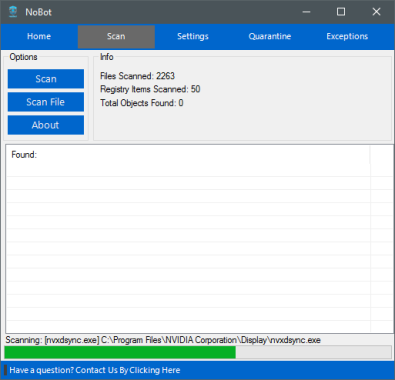
With a very simple keystroke of your choice (you can personalize the shortcut in your settings), you will be capable to take a screenshot of a chosen part of your screen. You can also screenshot the whole display screen if you would like. Photo: ScreenShooter

The ScreenShooter app is pretty lightweight because it will take less than 1MB of your hard drive once you have it installed on your hard drive.

It’s uncomplicated to use, and it offers users with an simple way to take screenshots and save them on their drives. It has a simple layout because there is no advanced menu for this app once you have set up everything correctly.

Save Screenshots and Send Them
Once you have shot the part of the screen that you want to capture, you will be able to save the screenshot to your hard drive. You can do that by selecting the PNG format, which will allow you to save the screenshot instantly.

ScreenShooter – simple-to-use tool for fast capture a screen on Windows personal computers. With ScreenShooter, you can share a screenshot with everyone straight away.

Service allows you to take a screenshot of the full-screen, window or picked area, and at the same time edit the captured screenshot using built-in innovative image edition options (cover up textual content, insert arrows and some other elements).

Summary
Take a screenshots easily and save them with the help of ScreenShooter app.

Download The ScreenShooter app HERE