Home Blog Page 85

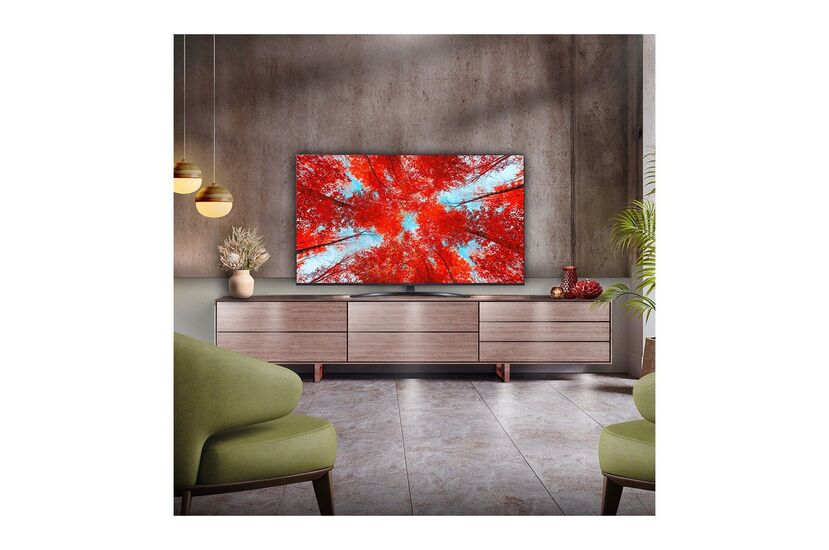
4K Smart LG QNED81 75″ TV – stunning 4K on an ultra-large screen

0

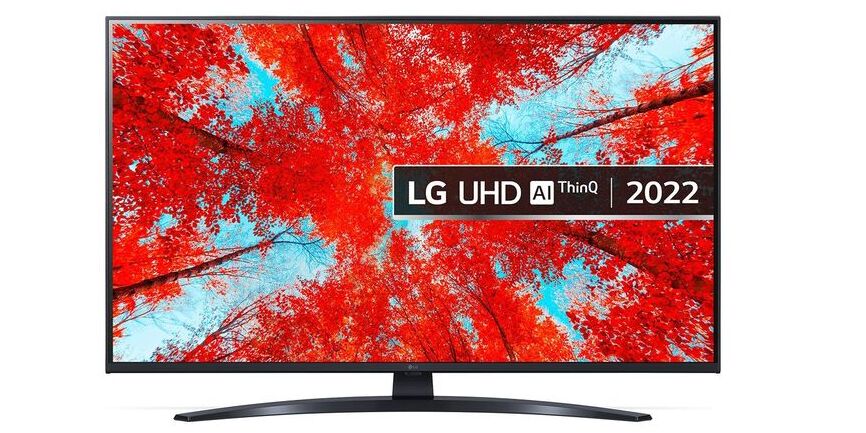
By using QNED technology for a high quality picture, the LG 75QNED816QA TV (2022) provides truer colour. QNED – NanoCell and quantum dot combine for exceptional colour
QNED brings together LG’s premium NanoCell technology with quantum dot, providing spectacular ranges of colour and fine detail on this LG 75 inch TV. QNED widens the colour gamut, helping to make all images look much more real to life than with a typical LED TV.LG 75QNED816QA TV
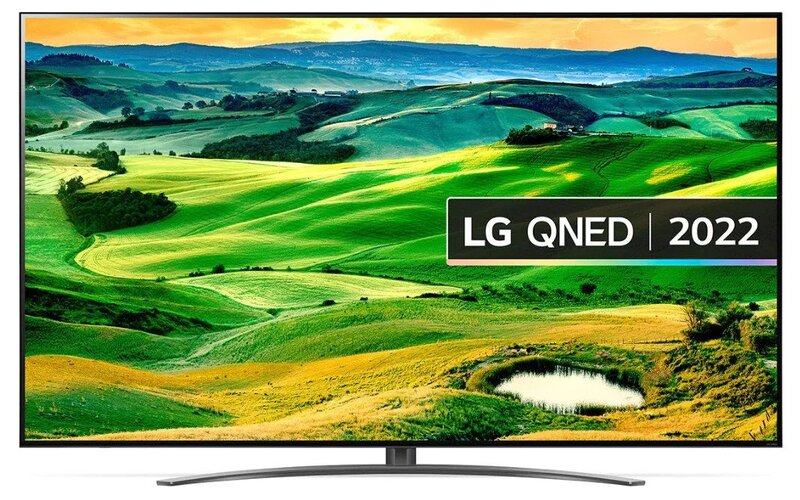
What exactly is QNED?

Combined strength of Quantum Dot and NanoCell.
The name QNED is an combinations of the word ‘Quantum’, LG’s ‘NanoCell’ LCD branding, and the ‘Emitting Diodes’ used in its backlight. That’s a Q, an N, an E, and a D. Spefically, QNED makes use of 30,000 miniscule LEDs used in its backlight, far more than the number found in its existing LCD TVs. That’s because QNED uses what’s called Mini LED technology – a kind of backlight that uses a huge number of pretty small LED lights to regulate brightness and generate efficient contrast between different sections of the screen. LG’s QNED TVs also provide 2,500 dimming zones to reduce blooming and make sure that light is directed where it really should across your screen.
LG states its brand new backlight includes up to just about 30,000 tiny LEDs that produce outstanding maximum brightness and a contrast ratio of 1,000,000:1 when combined with up to 2,500 dimming zones and advanced local dimming zones.
The contrast and brightness control is intended to be very similar to that of OLED, given the number of LEDs in play. OLED panels can turn off individual pixels totally, leading to its so-called ‘infinite’ contrast ratio between bright highlights and deep blacks. It is not an OLED beater, but really should still increase the overall performance of LG’s current NanoCell LCD TV range.

Highly effective processing, made much better – Alpha 7 Gen 5
LG 75QNED816QA TV, now in its 5th generation, LG’s powerful Alpha 7 processor chip continues to produce ideal sound and vision. Using AI technology, the picture and sound are optimized to finest suit the genre – be it movies, sport, gaming or regular TV. With Dynamic Tone Mapping, background improvement and upscaling enhancements, picture processing is more enhanced than ever.

Now with AI Picture/Sound Pro for professional audio and vision
Previously only accessible on higher versions, AI Picture Pro and AI Sound Pro are now regular on the LG 75QNED816QA. AI Picture Pro uses deep-learning algorithms to identify content, eliminate noise and optimize the picture.LG 75QNED816QA TV

Up-rated audio with AI Sound Pro
This bigger version of the QNED816QA gets an up-rated audio system with twice the power (40 watts) and dedicated woofer units for a much deeper sound. If you fancy a more cinematic sound from your TV, then LG’s AI Sound Pro really should be music to your ears. Using AI algorithms, AI Sound Pro up-mixes two-channel audio to virtual 5.1.2 sound – providing a much more impressive sound level. The Quad-core processor also optimises the sound based on content type – giving more clear vocals with news and dramas. The highly effective AI can also take account of your room’s acoustics and layout and manages to deliver the clearest sound possible.

HDR made better, with HDR10 Pro
LG’s powerful processing as well helps in getting the really perfect from HDR10 material. Whether watching movies or game playing with HDR10 games, HDR10 Pro intensifies the typical HDR practical experience. HDR10 Pro immediately adjusts the brightness, increasing colour and detail for a more vibrant picture.

See the picture just exactly as initially intended, with Filmmaker Mode
If you are mad about movies, you will really like Filmmaker Mode. Created in cooperation with filmmakers and Hollywood studios, Filmmaker Mode lets you experience the cinematic vision, exactly as the movie director intended. Overriding the TV’s own motion and picture processing, Filmmaker Mode provides the correct aspect ratio, colour and frame rate – just as the filmmakers intended.LG 75QNED816QA TV
Made for video gaming – with Game Optimiser and even more
The much better Game Optimiser utilises an improved gaming menu, giving you fast access to essential settings. There are now 5 game genre presets, which include a new one for sports games. Equipped with 48Gbps HDMI 2.1 sockets, this LG 75QNED816QA is made to get the very best from today’s, and upcoming, games consoles. ALLM (Auto Low Latency Mode) and VRR (Variable Refresh Rate) indicate that your TV automatically adjusts to the optimised configurations for gaming – giving you a softer and quicker response.

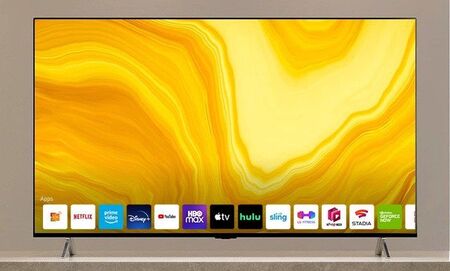
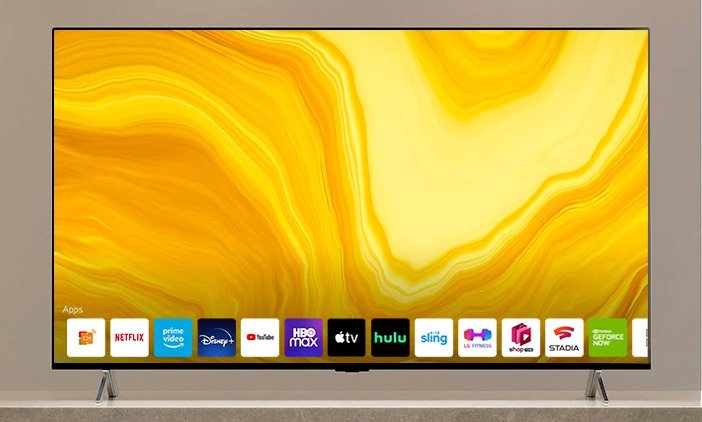
Generally regarded as one of the greatest smart TV platforms, LG’s webOS system continues to set the standard. The newest webOS 22 offers advanced personalisation and recommendations. You can make up to 6 customized profiles, with specific viewing recommendations, sport notifications and application lists.

Magic Remote for simple control
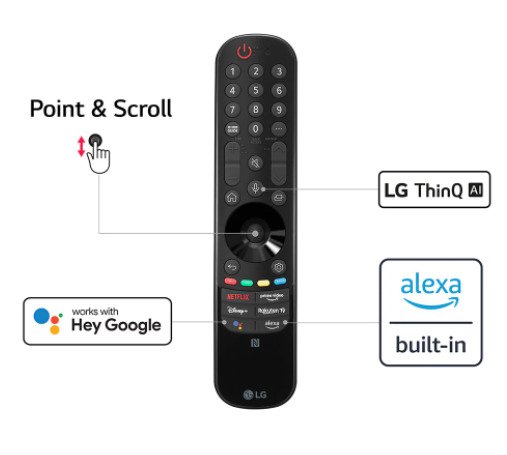
LG’s Magic Remote has always led the field for easy, gesture control. As well as this, the remote functions direct keys for well-known streaming services Netflix, Amazon Prime Video, Disney + and Rakuten TV. Google Assistant and Amazon Alexa also get dedicated buttons for simply voice recognition.

The center of your home entertainment – with voice control
Presenting LG’s ThinQ AI technology, you can control a Home IoT eco-system with purely natural voice recognition. With both Google Assistant and Amazon Alexa built-in, it makes it even much easier to control your LG QNED TV and instantly access the entertainment you are searching for. Photo: LG

Take pleasure in TV that is truer to life, with the LG 75QNED816QA TV.

LG 75QNED816QA TV specs:-LG 75QNED816QA TV-
DISPLAY

  • Type  4K QNED
    Screen Size   75″
  • Resolution   3840*2160
    Color QNED / NanoCell    QNED
  • LCD (IPS, VA)   Multi
    Colour / Wide Colour Gamut    Nano Colour Pro
  • Colour display bits / Billion Rich Colours
    Yes
    Contrast / Dimming    Local Dimming
  • Refresh Rate     120Hz
  • AI Picture Pro  AI Picture Pro
    AI Upscaling   AI Upscaling
  • AI Genre Selection  Yes (SDR/HDR)
    AI Brightness Control   Yes
  • HDR    Active HDR
    HDR10 Pro   Yes (4K/2K)
  • HLG   Yes (4K/2K)
    FILMMAKER MODE™   Yes
  • Dynamic Tone Mapping / Pro   Dynamic Tone Mapping
    4K HFR   Yes / Yes / Yes / Yes
  • 2K HFR    Yes / Yes / Yes / Yes
    Motion Pro    Motion Pro
  • HEVC   4K@120P, 10bit
    VP9 (Video Decoder)  4K@60p, 10bit
  • AV1 (Video Decoder)  4K@60p, 10bit
    FreeSync Compatible   Yes
  • HGIG Mode   Yes
    Game Optimizer (VRR/ALLM/GameGenre)    Yes / Yes / Yes
    Connectivity
    ARC – Audio Return Channel
    Yes – eARC
    Bluetooth  Yes
    Digital Audio Output  Yes – Optical
    DLNA Compliant  Yes
    HDMI   4 (HDCP 2.2 – 4)
    HDMI 2.0   Yes x 2 + ( 2 x HDMI 2.1)
    USB   2
    Wi-Fi   Yes

27″ ASUS ProArt PA279CV IPS, 4K PRO monitor – excellent!

0

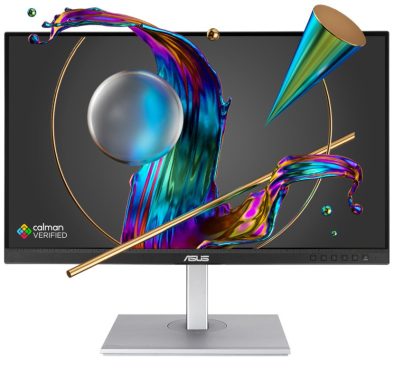
The Asus ProArt PA279CV monitor offers top class mainstream image high-quality along with a high resolution and flexible set of functions, so it’s a very good mainstream display for innovative workloads – but it is not appropriate for HDR or Adobe RGB occasions. The Asus ProArt PA279CV provides a reliable set of features that should sate plenty of inventive experts.

The mixture of a 27″ diagonal and a 3840 x 2160 image resolution is a champion when it comes to workloads – it’s not so big that it’ll overwhelm your workplace, and that high resolution implies a density level of 163ppi. That is rock-solid, and it means you have got the excellent fine detail required for highly accurate creative tasks alongside plenty of on-screen real estate for spreading applications around.

On the inside, the PA279CV works by using IPS technology, which is no big surprise – it’s the best monitor hardware for colour precision and viewing angles. Asus claims that this panel renders 100% of the sRGB colour gamut, and the display is Calman-certified for colour accuracy and reliability.
Unsurprisingly, the PA279CV monitor offers 10-bit colour rendering, so it’ll manage more than a billion unique shades. It is got a useful non-glare surface so you won’t be irritated by reflections.Asus ProArt PA279CVThe response time of 5ms is great for regular use, but it’s not especially quick and you can still see a little bit of ghosting when you are moving the computer mouse. The Asus has adaptive sync that operates at refresh rates in between 40Hz and 60Hz. That maximum refresh rate provides sleek motion and is excellent for mainstream animation and creative tasks, but it’s simply normal at this selling price.

For its pricing, the ProArt PA279CV offers good connection. The USB-C port, which supports DisplayPort Alternate Mode and delivers up to 65 watts of power, is the most notable feature. While high-end laptops like a Dell XPS 15 or MacBook Pro 16 will require more electricity, this is plenty to charge the majority of compact and mid-range laptops.

Four USB-A ports are driven by the USB-C port, which offers some hub capability. Located on the back, the USB-A ports are a little difficult to reach. The monitor is less capable than Dell’s P2723QE because it does not have an Ethernet port or DisplayPort-out.

A move to 120Hz syncing would deliver a visible jump in smoothness and speed. Asus has tried to complete the space with its Rapid Rendering mode, which aims to simulate performance at greater refresh rates, but it is not as ready as just having a better refresh rate peak. It’s not a significant deal now, because most animation and broadcasting circumstances still use framerates much below 60fps, but a higher native refresh rate would have allowed better future-proofing and for more use in specific tasks, like video game development.

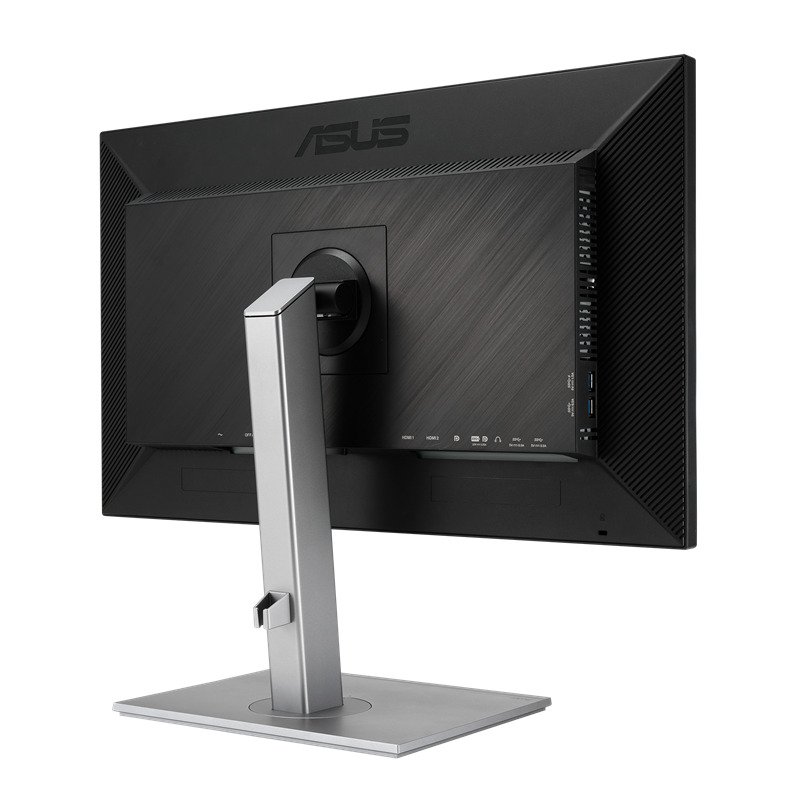
Asus has focused on functional features. The Asus ProArt PA279CV monitor has two HDMI ports and a DisplayPort 1.2 connection together with a USB-C port that handles DisplayPort, data transfer and a reliable 65W of power delivery – more than enough to run a laptop or charge a smartphone. There are four full-size USB ports on this panel, with a set of them handily mounted on the side of the display.
There are a lot of ergonomic possibilities as well. The Asus offers a good 150mm of height adjustment alongside tilt and swivel movement, and it can swing into portrait mode. It at the same time supports VESA mounting. The bottom bezel is designed as a ruler, and there is a nice tool where a grid can be overlaid on the display at different common dimensions.Asus ProArt PA279CV

The Asus PA279CV monitor provided a brightness level of 310 nits and a black point of 0.3, and they made a contrast ratio of 1033:1. That is a very good result and it means that you get excellent vibrancy and nuance without the display getting oversaturated. The black point could be a little bit better, although – a little more depth would certainly have been delightful.
Nevertheless, that’s a trivial problem that won’t reduce creative and colour-sensitive workloads. The quality levels were maintained with the display dialled back to half of its original brightness level, which is more acceptable for an everyday office environment. At the other end of the scale the PA279CV hits a optimum brightness level of 373 nits. That’s bold, but largely unnecessary – too bright for everyday work but not bright enough to enable adequate HDR use.

The PA279CV has two HDMI ports, a DisplayPort 1.2 connection, and a versatile USB-C port, capable of handling DisplayPort, data transfer, and delivering a robust 65W of power – sufficient for laptops and phone charging. Additionally, it offers four full-size USB ports, two conveniently located on the side of the display.

For ergonomic flexibility, the Asus model provides 150mm of height adjustment, tilt, swivel options, and portrait mode support. VESA mounting is also supported. The bottom bezel functions as a ruler, and a handy grid overlay feature is available for common display sizes.

In terms of image quality:

  • The PA279CV excels in sRGB image quality, delivering superb accuracy, contrast, and depth.
  • However, it falls short in brightness and gamut for HDR and Adobe RGB tasks.
  • Uniformity is acceptable but may not meet the demands of more challenging applications.

The Asus ProArt PA279CV shines with excellent image quality right out of the box. Its Delta E of 1.04 surpasses expectations, significantly better than Asus’ promised sub-2.0 figure. Coupled with a near-perfect color temperature of 6477K and an impressive Gamma average of 2.21, this display offers pixel-perfect color accuracy.

The Asus ProArt PA279CV is a very good professional screen for the price tag ($499), but it’s better-suited to mainstream creative tasks and video work than anything truly high-end or anything that demands HDR or Adobe RGB ability. The modes and functions support all those aspirations, and they are underlined by outstanding sRGB colour accuracy and contrast, alongside some underwhelming performance in trickier sectors.
The Asus ProArt PA279CV monitor provides wonderful mainstream image quality, a high resolution and loads of overall flexibility for a good price, so it’s a good option for mainstream creative work. But you will need to spend more if your workflow demands high-end capability, like HDR or Adobe RGB.

Asus ProArt PA279CV key features:

27-inch 4K UHD (3840 x 2160) LED backlight display with IPS 178° wide viewing angle panel
International color standard 100% sRGB and 100% Rec. 709 wide color gamut
Calman Verified with factory calibrated for excellent Delta E < 2 color accuracy
Extensive connectivity including DP over USB-C with 65W Power Delivery, DisplayPort, HDMI, USB hub
Adaptive-Sync technology (40~60Hz) to animated content with fast action and eliminate screen tearing
ASUS-exclusive ProArt Preset and ProArt Palette provide numerous adjustable color parameters
Ergonomic design with +35° ~ -5° tilt, ±45° swivel, ±90° pivot and 150mm height adjustments for a comfortable viewing experienceAsus ProArt PA279CV

A sharp 4K resolution – The 3840 x 2160 resolution means crisp imagery and loads of on-screen space, and the 27″ diagonal is not extremely huge
A more affordable pro solution – The Asus is more affordable than a lot of of its rivals in the high-quality professional space
Calman-certified colour quality – The Asus is Calman-certified to offer precise, trustworthy colours in mainstream sRGB spacesAsus ProArt PA279CV

ProArt Display PA279CV provides you unparalleled compatibility with USB-C, HDMI and DisplayPort most multimedia devices. The built-in USB-C port supports data transfers, DisplayPort and also support 65W power delivery. PA279CV also serves as a USB hub, which means that when you connect to it through USB-C (using C to C cable, or C to A cable), your device gains access to whatever peripherals are connected to the USB ports. Photo: Asus

Asus ProArt PA279CV monitor specs:

Display

Panel Size (inch) : 27
Aspect Ratio : 16:9
Display Viewing Area (H x V) : 596.74 x 335.66 mm
Display Surface : Non-Glare
Backlight Type : LED
Panel Type : IPS
Viewing Angle (CR≧10, H/V) : 178°/ 178°
Pixel Pitch : 0.155mm
Resolution : 3840×2160
Color Space (sRGB) : 100%
Brightness (Typ.) : 350cd/㎡
Contrast Ratio (Typ.) : 1000:1
ASUS Smart Contrast Ratio (ASCR) : 100000000:1
Display Colors : 1073.7M (10 bit)
Response Time : 5ms(GTG)
Refresh Rate (Max) : 60Hz
HDR (High Dynamic Range) Support : HDR10
Flicker-free : Yes
LCD ZBD Warranty : Yes(3 yr)

Video Feature

ProArt Preset : Standard
ProArt Preset : sRGB
ProArt Preset : DCI-P3
ProArt Preset : DICOM
ProArt Preset : Rec. 709
ProArt Preset : Scenery
ProArt Preset : Reading
ProArt Preset : Darkroom
ProArt Preset : Rapid Rendering
ProArt Preset : HDR
ProArt Preset : User mode1
ProArt Preset : User mode2
Color Temp. Selection : Yes(5 modes)
Color Adjustment : 6-axis adjustment(R,G,B,C,M,Y)
Gamma adjustment : Yes (Support Gamma 1.8/2.0/2.2/2.4/2.6 )
Color Accuracy : △E< 2
ProArt Palette : Yes
QuickFit : Yes
PIP / PBP Technology : Yes
HDCP : Yes, 2.2
VRR Technology : Adaptive-Sync
ProArt Widget : Yes
Low Blue Light : Yes
Multiple HDR Mode : Yes
Speaker : Yes (2Wx2)

I/O Ports

USB-C x 1
DisplayPort 1.2 x 1
HDMI(v2.0) x 2
USB Hub : 4x USB 3.2 Gen 1 Type-A
Earphone Jack : Yes
USB-C Power Delivery : 65W

Mechanical Design

Tilt : Yes (+35° ~ -5°)
Swivel : Yes (+45° ~ -45°)
Pivot : Yes (+90° ~ -90°)
Height Adjustment : 0~150mm
VESA Wall Mounting : 100x100mm
Kensington Lock : Yes

ScreenShooter app – take a screenshot of the full-screen or picked area

0

A ScreenShooter app is a type of software that allows you to take screenshots of your computer’s screen or a specific area of the screen. Screenshots can be useful for capturing images of websites, documents, or other on-screen content for various purposes such as documentation, troubleshooting, or sharing with others.

To use a ScreenShooter app, you typically launch the app and then select the area of the screen that you want to capture. The app will then save the screenshot as an image file, which you can view, edit, or share as needed. Some ScreenShooter apps may also offer additional features such as the ability to annotate or edit the screenshot, or to automatically upload the screenshot to a cloud storage service or social media platform.

There are many different ScreenShooter apps available for different operating systems and devices. Some popular options include the built-in screenshot tools that come with many operating systems, as well as third-party apps such as Snagit, Lightshot, and Nimbus Screenshot.

Take a screenshots of your screen much more efficiently with ScreenShooter app, an powerful option if you just want to take a screenshot of a piece of your screen and save screenshots on your hard drive.

Taking screenshots is one of those functions that can take up a lot of time if you do not have the correct applications for the work. And for many people, screenshots are an significant part of their daily life since you might need to take many screenshots on a daily basis.

And doing it with the Windows screen-shotting tool is not the ideal because you don’t have any kind of extra tools.
To help you fix those troubles, you can use ScreenShooter. It is a specialized application that will help you take screenshots very easily of your screen.
You can choose a part of the screen that you want to take a screenshot of and then save the screenshot to your hard drive as a PNG file. It’s quick to use and user-friendly.ScreenShooter - simple-to-use tool

Take Screenshots Fast
The primary purpose of this application is to help you take screenshots immediately without losing too much time croping and editing the screenshot.
With a very simple keystroke of your choice (you can personalize the shortcut in your settings), you will be capable to take a screenshot of a chosen part of your screen. You can also screenshot the whole display screen if you would like. Photo: ScreenShooter

The ScreenShooter app is pretty lightweight because it will take less than 1MB of your hard drive once you have it installed on your hard drive.

It’s uncomplicated to use, and it offers users with an simple way to take screenshots and save them on their drives. It has a simple layout because there is no advanced menu for this app once you have set up everything correctly.

Save Screenshots and Send Them
Once you have shot the part of the screen that you want to capture, you will be able to save the screenshot to your hard drive. You can do that by selecting the PNG format, which will allow you to save the screenshot instantly.

ScreenShooter – simple-to-use tool for fast capture a screen on Windows personal computers. With ScreenShooter, you can share a screenshot with everyone straight away.

Service allows you to take a screenshot of the full-screen, window or picked area, and at the same time edit the captured screenshot using built-in innovative image edition options (cover up textual content, insert arrows and some other elements).

Summary
Take a screenshots easily and save them with the help of ScreenShooter app.

Download The ScreenShooter app HERE

Premium lifestyle air purifier – Bissell air320 Max

0

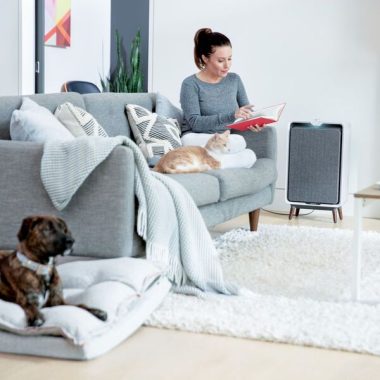
The BISSELL® air320 Air Purifier is part of the BISSELL line-up of premium lifestyle air purifiers that join form and function in your house. The Bissell Air320 Max WiFi Air Purifier is created with nice and clean lines, sleek sides, modern legs, a highly discreet cord cover, and a fabric filtration system that suit into the design and style of nearly any home. Under the exceptional design is a highly effective machine you’d expect from BISSELL – a reliable brand in homecare. The BISSELL air320 senses and captures allergens. The easily cleaned fabric pre-filter on the front side of the machine is part of this air purifier’s 3 phase filtration. This filtration system also comes with a HEPA filter to catch hair, dirt, pollen and pet dander and an activated carbon filter to capture home smells, and unpredictable organic substances. The BISSELL air320 is managed by a soft-touch dial that allows consumers to change the fan speed and can accommodate large spaces such as bedrooms, living areas, basements, and dining rooms. Cleans 39.58 square meters any 15 minutes in 4.0 turns an hour. You’ve trusted BISSELL to clean up and care for the floors and surface types in your home.Bissell Air320 Max WiFi Air Purifier

Bissell Air320 Max WiFi Air Purifier contains a fabric prefilter that collects a surprising amount of dust, an activated carbon filter, and an H13 HEPA filter, additionally you can connect it to the Bissell application for simple monitoring. The application, as well as the digital display, will tell you when it’s time to change the filters, and what your air quality level is (good, moderate, or bad) based on a color-coded system (green, yellow, red). It furthermore looks stylish, with tiny wood made feet and a place to wrap up any cord excess.
Controls are really easy. There is a one power button on top of a easy dial which controls the fan speed, and that is about it. 5 speeds are accessible, or twist it all the way to the left for auto mode. There is no noticeable LED display, but when the device is powered on, numbers show up on a hidden display underneath the machine case plastic material frame. These numbers suggest the PM2.5 reading in real time. As well, a colorful light at the rear of the grille provides another visual indicator of air level of quality, from red-colored (bad) to blue (good).

Bissell states the unit could clear a 307 square foot room in your home in 12 minutes-or a larger space in a proportionally higher amount of time. CADR ratings of 198 (smoke), dust (206), and pollen (241) are not all that high considering the size of the device, but they are convenient for most environments. On the drawback, the air320 Max is quite noisy, even at reduced fan speeds. Sure enough, Bissell rates its max loudness at 59dB, which is higher than any unit we have analyzed to date.Bissell Air320 Max WiFi Air Purifier

Bissell’s purifier stumbles when it comes to smart technology, and while the unit works with Wi-Fi (2.4GHz only), its connectivity capability is rugged. The process starts by having to scan a QR positioned behind the filters-which must be done while the unit is working. We got repeated faults trying to be connected to the purifier’s temporary network and from there had more problems connecting to my home’s Wi-Fi network.

Of course, the application can be used for manual control and to switch on a night mode that turns off all lighting. In any other case, features are reduced, although it tracks air conditions over time, but only PM2.5 levels. The application doesn’t include things like a scheduling program, nor does it connect to any third-party smart home ecosystems.  Photo: BissellBissell Air320 Max WiFi Air Purifier

The air320 filters are rated for 6 months of usage before they will need to be replaced. Replacement filters run $19 and $22 for carbon and HEPA filters respectively. , a combination pack of both costs $50, $9 more than if you buy them one by one. The great news is that, at less than $300, the air320 Max hardware is a veritable discount. If you do not have intense purification requirements and want a unit that will look excellent in any room, Bissell Air320 Max WiFi Air Purifier is certainly really worth thinking about.

Estimated Container Quantities (20’/ 40’/ 40H) / Pallet Quantity (322 / 667 / 795) / 12 Eaches / Pallet
Carton Languages    EN / DE / FR / ES / IT / RU
Warranty   2 years
Timer    No
Night Mode    Yes – Automated Dimming Feature
WiFi Connectivity    No
Type of Filtration   Pre, HEPA, Carbon
Fan Speeds    5
Auto Mode    Yes – CirQulate™ System
Onboard Sensors    (PM2.5, VOC) PM2.5 Sensor
RealTime air Quality Feedback (Numercial Reading or Colored) Yes, Colored (Blue, Yellow< Red) & Numeric Reading 002-999
Stages of Filtration    3
Sound Level (dB)    37-59 dBA
Product Weight (without accessories and packaging)   8.709 kg
Motor Type (not always advertised)    DC
Coverage (m2) 158.33 square meters with 1 turn per hour (maximum cleaning efficiency is 4.8 turns per hour)
CADR Ratings (smoke)   227 CFM or 385 m3/h

Wireless Printer Canon MAXIFY GX7020 – review & specs

0

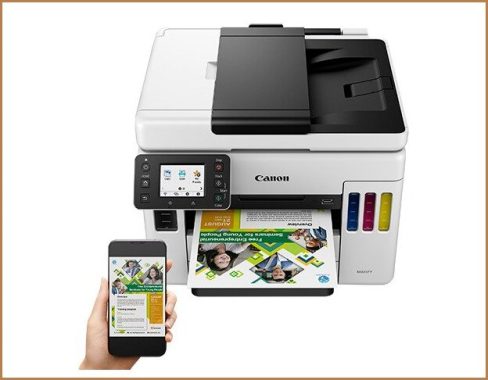
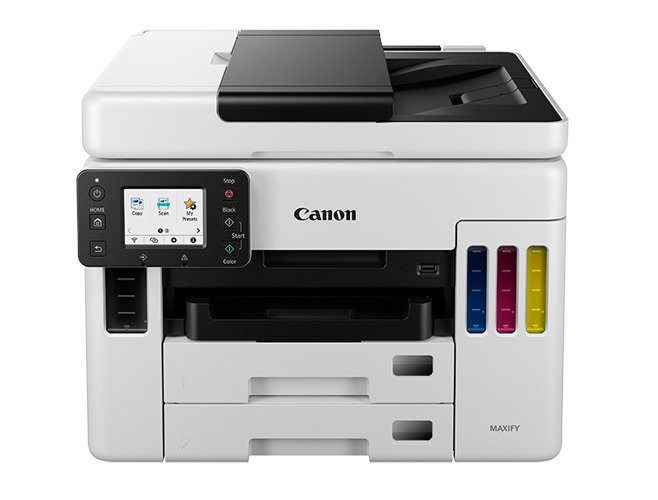
The Canon MAXIFY GX7020 feels strong and wonderfully well constructed, with long lasting feeling input and output trays. Both front cassettes are totally removable, with flexible sliders for different paper sizes and little windows to view paper amount, while the rear of the printer gives you excellent access to paper jams through a small door cover. The scan lid stays open on its own, and its hinges also lift for scanning heavier media like publications or books. The ink levels are always visible, and you can lift up the flatbed itself, which also keeps open on its own and closes easily, to access the tanks for refills. As well, the power cord is detachable in situation it gets damaged and requires replacing. Furthermore, compared with on the Canon PIXMA G7020, you don’t require to lift the display screen to print.Wireless Printer Canon MAXIFY GX7020The MAXIFY GX7020 has an outstanding touchscreen display very similar to that of the Canon MAXIFY GX6020. The icons are incredibly visible and laid out for uncomplicated navigation, and the screen itself has good viewing angles, no matter if seated or standing. It tilts vertically and audibly clicks when locking into position, and there are also 6 physical buttons around the panel to easy access typical functions.

The Wireless Printer Canon MAXIFY GX7020 has an excellent supertank system that uses big, refillable ink tanks instead of ink cartridges. The printer yields an amazing number of black and color pages, so you will not need to refill them frequently, even if you print a lot. Note, however, that if you run out of one color of ink, the printer won’t let you print at all unless the emptied tank gets refilled.
Whilst you can formally fill the supertanks with any third-party ink, we did not try it, and we don’t suggest doing so. Low-quality ink could harm the print heads, and unlike regular inkjet printers, you can’t simply remove the ink if there’s a problem. Working with third-party supplies might also void your warranty.Wireless Printer Canon MAXIFY GX7020

The Canon MAXIFY GX7020 has incredible scanning features. Its flatbed has a good scan resolution and color depth, with hinges that can lift if you need to scan thicker items. Its ADF is a bit slow to scan, but it supports automatic, single-pass duplex scanning to make it easy to copy or digitize double-sided, multi-page documents. Canon specifies that the ADF can hold up to 50 sheets of plain paper.

The Canon MAXIFY GX7020 offers a excellent cost-per-print. Its huge ink tanks have a quite large yield for black-only and color documents, so you won’t need to refill them as quite often. Even if you printing only in black color, most inkjet printers continue using the color tanks for maintenance tasks, so you may still need to refill them eventually.
The Canon MAXIFY GX7020 provides unremarkable color precision. Just like most inkjets, it specially struggles with deep blues. It’s fine for use in documents or unconventional photos, but it isn’t adequate for tasks that demand highly accurate color reproduction.

The Canon MAXIFY GX7020 is outstanding for black-and-white printing, thanks to its excellent page yield and cost-per-print. It supports duplex printing, and its automated document feeder can automatically scan double-sided. It also has various wired and wireless connectivity choices. While it prints fast, it isn’t as quickly as other options.  Photo: Canon
The Canon MAXIFY GX7020 is good for casual photos. Even though it prints photos with quite a little bit of graininess and some color in grayscale, the photo itself is nicely detailed. Colors look ok and are very good for casual use. The printer as well accepts most shiny photo paper formats, and the cost-per-print for photos is exceptionally low.Wireless Printer Canon MAXIFY GX7020

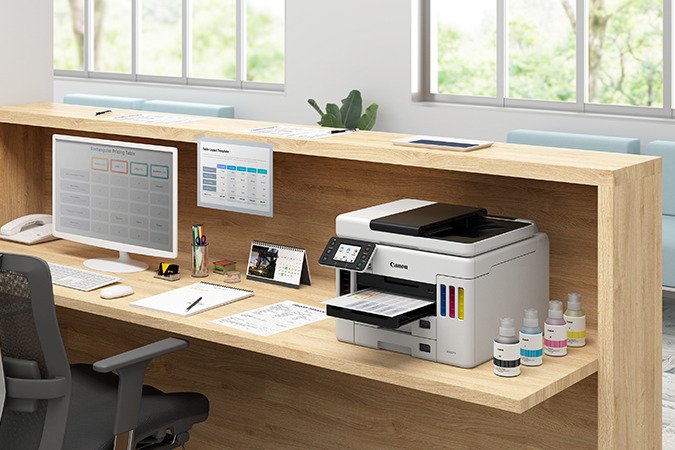
The wireless Canon MAXIFY GX7020 is a very good printer for little or home offices. It has an remarkably high black-only page yield and an even higher color page yield, and it prints black-only text documents at a very good speed. Its ADF supports auto single-pass duplex scanning, its touchscreen makes it simple to navigate through tasks, and its Ethernet port and functionality for Wi-Fi connectivity give it very good networking flexibility.
The Canon MAXIFY GX7020 is an incredible all-in-one color inkjet printer suitable for small offices. It uses a supertank ink system that gives it remarkably high page yields, reduces refills, and final results in a brilliantly low cost-per-print. Its body and components really feel durable and very well built, and paper jams are simple and easy to access. It makes decently detailed photographs, and while its color accuracy is only fine, it’s good for casual color prints. In comparison to the Canon MAXIFY GX6020, the GX7020 has faxing functions, double the paper input tray total capacity, and its ADF supports automatic single-pass duplex scanning, making it a much more versatile printer for workplaces.

  • PRINT, COPY, SCAN, and FAX with the MAXIFY GX7020 MegaTank All-in-One Printer
  • HIGH PAGE YIELD: Print up to 6,000 Black / 14,000 Color pages on just a single set of inks.
  • LOW COST PER PRINT: Save up to 80% on the cost of ink compared to high-yield laser cartridges with a low cost per print of less than 2 cents per page.
  • BONUS INK INCLUDED: Each box includes a full set of ink, plus 2 bonus black ink bottles
  • Have peace of mind with a 3-YEAR or 80,000 PAGES* LIMITED WARRANTY.
  • Easy to use intuitive user interface on a 2.7” COLOR LCD TOUCHSCREEN.
  • HIGH PAPER CAPACITY: Hold up 600 Sheets of plain paper thanks to two 250-Sheet bottom cassettes and a 100-Sheet rear tray.
  • Copy and scan multi-page documents fast and easy with the 50-Sheet AUTO DOCUMENT FEEDER!
  • Scan 2-Sided documents in just one single pass with SINGLE PASS DUPLEX SCANNING!
  • VERSATILE MEDIA SUPPORT– print on matte paper, envelopes, business cards, and more
  • EASY TO FILLwith Keyed Bottle shape for each color to only fit and fill the correct ink tank.
  • EASY SETUP for smartphone and computer so you can get to work faster.
  • Easy Wi-Fi setup with WIRELESS CONNECT.  Connect to Wi-Fi without the need for a computer.
  • MOBILE PRINTING: Print from your favorite mobile devices using the Canon PRINT app, Apple AirPrint, and Mopria Print Service
  • Built-In ETHERNET connection for Wired LAN support.
  • Print directly from a USB FLASH DRIVEreader.
  • Built-to last with a MONTHLY DUTY CYCLE of up to 45,000 pages
  • STAY WASTE-CONSCIOUS. Thanks to high page yield ink bottles, keep waste and time spent refilling ink to a minimum.
  • Packed with features in a SMALL FOOTPRINT to fit your workspace.
  • Price: Canon Store: $799.99

Canon MAXIFY GX7020 Printer specs:

High Page Yield

Up to 6,000 (Black & White) / 14,000 (Color) Pages (Per Full Ink Bottle Set)

Print Speed (up to)

Black: ESAT Approx. 24.0 ipm
Color:FPOT Color: ESAT Approx. 15.5 ipm

Number of Nozzles

Color (C/M/Y): 1.024×3 / Pigment Black: 1,280 / Total: 4,352

Print Resolution (Up to)

Up to 1200 x 600 dpi

Ink Compatibility

INK TYPE
GI-26 Pigment-Based Ink Bottles (Cyan, Magenta, Yellow, Black)

INK TANK & FILL VOLUME
GI-26 Black Ink Bottles: 167.0 ml
GI-26 C, M, Y Ink Bottles: 132.0 ml (each)

Paper Sizes

4 x 6, 5 x 5 (Square), 5 x 7, 7 x 10, 8 x 10, Letter (8.5 x 11), Legal (8.5 x 14), U.S. #10
Custom Size: Width: 3.5 – 8.5 / Length: 5 x 47

Paper Compatibility

Plain: Plain Paper, High Resolution Paper;
Glossy: Photo Paper Plus Glossy II, Photo Paper Glossy;
Semi-Gloss: Photo Paper Plus Semi-Gloss, Photo Paper Pro Luster;
Matte: Matte Photo Paper, Double-sided Matte Paper;
Other (Canon): Magnetic Photo Paper, Restickable Photo Paper, Light Fabric Iron on Transfers;
Other (non-Canon): Greeting Card, Envelopes, Recycled paper and Chlorine-free paper can be used

Rear Tray Supported Media Weight
Plain Paper: 64 – 105 gsm OR
Canon Paper: Max. approx. 275 gsm (Canon PP-301) OR
Thicker Paper: approx. 115-250gsm

Bottom Cassette Supported Media Weight Plain Paper: 64 – 105 gsm

Printer Features

Document Printing, Photo Printing, Wireless Printing8, Mobile Device Printing, Business Card Printing, Greeting Card Printing, Label Printing, Square Media Printing Support, Double-sided Matte Paper Support, Print from USB Flash Drive

HIGH PAGE YIELD: Up to 6,000 (Black & White) / 14,000 (Color)

Paper Handling

PAPER HANDLING
INPUT Cassette 1: 250 Sheets Plain Paper (Letter or Legal)
Cassette 2: 250 Sheets Plain Paper (Letter or Legal)
Rear Paper Tray: 100 Sheets of Plain Paper OR 20 Sheets (4 x 6)

AUTO DOCUMENT FEEDER
50 Sheets Plain Paper

Noise Level (Approx.)

Approx. 49.0 dB(A) (Plain Paper)

Copier

Copy Speed (up to)

FCOT (Color/Simplex): Approx. 12 seconds

Copy Features

4-on-1 / 2-on-1 Copy, Document Copy, Fit-to-Page, Frame Erase Copy (Flatbed Only), ID Card Copy, Auto Exposure Copy, Multiple Copy (Up To 99 Pages), Photo Copy, Preset Copy Ratios, Reduction / Zoom Copy (25% – 400%), Standard Copy

Scanner

Scanner Type

Flatbed & ADF (Auto Document Feeder)

Scanning Element

Contact Image Sensor (CIS)

Max. Resolutions

Optical:1200 x 1200 dpi (Optical)

Scanner Features

Single Sided (Simplex) Scanning, Single-pass Duplex Scanning Save to PC, Attach to E-mail, Multi-Page PDF, Save to USB Flash Drive, Unsharp mask, Descreen, Reduce slow-through, Rescan, Rotate, Auto Crop, Scan to Folder

Color Depth

Grayscale: 16-bit/8-bit
Color: 16-bit/8-bit Per Color

Max. Document Size

8.5 x 11.7 (A4/Letter)
ADF:8.5 x 14.0 (Legal)

Fax

Modem Speed

Max. 33.6 kbps (Automatic Fall Back)

Transmission Speed (approx.)

Black: Approx. 3 sec
Color: Approx. 1 min

Memory Capacity

Approx. 250 Pages

Speed Dialing

Max. 99 Locations

Fax Features

Caller rejection, Fax reception reject, Fax number re-entry, Check RX fax info, Dial search, Memory transmission, Answering machine connectivity, Remote reception, Redial, Double sided printing (fax images), FAX to Folder

General

Dimension (W x D x H)

Closed: 15.8” (L) x 16.2” (W) x 12.4” (H)
Trays Extended: 15.8” (L) x 25.4” (W) x 15.3” (H)
Weight: 28.6 lbs.

Display

2.7 LCD Touchscreen

Weight

28.6 lbs.

Other Features

Auto Power On/Off, Print/Scan/Copy, Quiet Mode, Wireless Direct Connection, Wireless Connect1, Auto Paper Width Detection, Energy Star® Certified23, User Replaceable Print Head, User Replaceable Maintenance Cartridge

Display: 2.7 LCD Touchscreen

Smart assistant & automation support: Amazon Alexa™18, Google Assistant™18

OS Compatibility

Windows: Windows® 10, Windows 8.1, Windows 7 SP1
Mac: macOS v10.12.6 – 10.15 (Catalina)
Mobile Operating Systems: iOS®, iPadOS, Android™

Standard Interface

Hi-Speed USB
Wi-Fi® (Wireless LAN, 2.4/5 GHz, IEEE 802.11b/g/n)
Wired LAN (100BASE-TX) / 10BASE-T)

Power Consumption (approx.)

23.0W Copying (0.9W Standby)

Software Included

SOFTWARE (WINDOWS/MAC)
MAXIFY GX7020 Wireless MegaTank Small Office All-in-One Printer Driver
Easy-PhotoPrint Editor Software, PosterArtist Lite Software

MOBILE APPS & PRINTING
AirPrint®, Mopria® Print Service, Canon PRINT app2, Easy PhotoPrint Editor App, Canon Print Service (Android), PIXMA Cloud Link, Creative Park App

Warranty

3-Year or 80,000 Page


QLED TV TCL S546 4K – great contrast, Quick response, VRR support…

0

The 50″ TCL S546 TV is excellent for video gaming. It has a fast response time and very low input lag for a soft and responsive gaming experience. It provides a several additional gaming functions such as FreeSync and ALLM support, but it’s restricted to HDMI 2.0, so you can’t take 100 % benefit of the PS5 or Xbox Series X. It’s very good for dark room gaming as it has a high contrast ratio, but the local dimming option is not anything extraordinary.TCL S546 50

The TCL 5 Series is really fine for watching HDR movies. It offers deep and uniform blacks many thanks to its excellent contrast and fantastic uniformity. It has a full-array local dimming function, but it does not do much to increase the picture quality in dark scenes as there is blooming around bright objects. It supports both HDR10+ and Dolby Vision and displays a wide color gamut, but doesn’t get bright good enough to produce highlights pop.

The TCL S546 TV has a respectable build quality. It’s a combine of metal and plastic material, and it feels stable in general. The plastic-type feet are durable, but they don’t feel as high quality as metal feet. The bottom bezel is brushed plastic meant to imitate aluminum, but it feels a bit inexpensive. The back panel has a little bit of flex on the metal part, and there is more on the plastic, but it’s not that relating to.
The TCL 5 Series has a VA -panel with a impressive contrast ratio. It displays deep blacks, and the local dimming feature further more enhances the contrast with our checker board structure, but it seems to bring up the black levels in real content. Keep in mind that contrast can differ among units.

There are certain gray uniformity problems with our unit. There are some small vertical bands that you can notice, and there is dirty screen impact in the center, which might get distracting during sports. You can view the red-colored tint from the warm color temperature here. Uniformity is far better in near-dark scenes, but the bands are still there, and there is backlight bleed in the corner. Note that uniformity can are different between units. The TCL S546 50″ has outstanding black uniformity. With no local dimming, the tv screen seems to be blue, and there is clouding all through. The image is a lot more black with local dimming enabled, but there’s much more blooming around the center cross. Note that uniformity can vary between devices.TCL S546 50

The TCL 5 Series supports adjustable refresh rate technology to minimize screen tearing, which is a fine improvement in comparison to the TCL 5 Series/S535 2020 QLED. The VRR range is minimal simply because it has HDMI 2.0 inputs and a 60Hz panel. TCL does not promote which formats it supports, but we verified it has native FreeSync support with our Radeon RX 580 graphics card. It additionally supports HDMI Forum VRR, since it’s suitable with the PS5’s variable refresh rate feature, which usually mainly supports that kind of VRR.

The TCL S546 TV is really decent for watching movies in dark rooms. It has a VA -panel with a high native contrast ratio for deep blacks and great black uniformity. It has a full-array local dimming feature that is not poor, but it leads to blooming all-around bright objects and seems to increase the black levels. This TV does not have problems displaying 1080p or 4k content, but it has issues correctly upscaling 480p content, so it’s not really a good option for watching DVDs.
The TCL S546 50″ is quite decent for HDR video gaming. It has good gaming capabilities for instance a great response time, very low input lag, and VRR support. However, it has a 60Hz panel and HDMI 2.0 inputs, so you’re limited to 4k @ 60 fps games. HDR content also seems good due to the fact it displays deep blacks and has a wide color gamut, but it does not get highly bright in HDR, and its local dimming feature causes blooming around vivid objects.
The TCL 5 Series is really fine to use as a PC monitor. It offers low input lag for a responsive desktop experience, and action looks good many thanks to the effective response time. It displays chroma 4:4:4 with 1080p and 4k signals, which is significant for reading textual content. Nevertheless, our unit has gray uniformity troubles recognizable with website pages or docs and has narrow viewing angles, meaning the picture looks incorrect at the edges if you sit very close.

TCL 5 Series/S546
TCL’s AiPQ Engine is driven by machine-learning algorithms to give you the best-possible viewing experience with vibrant color, sharp clarity, and dramatic depth.

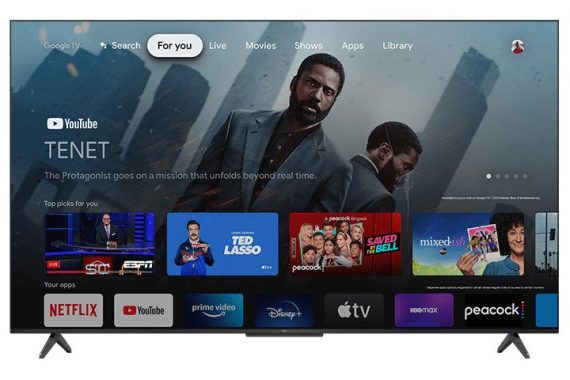
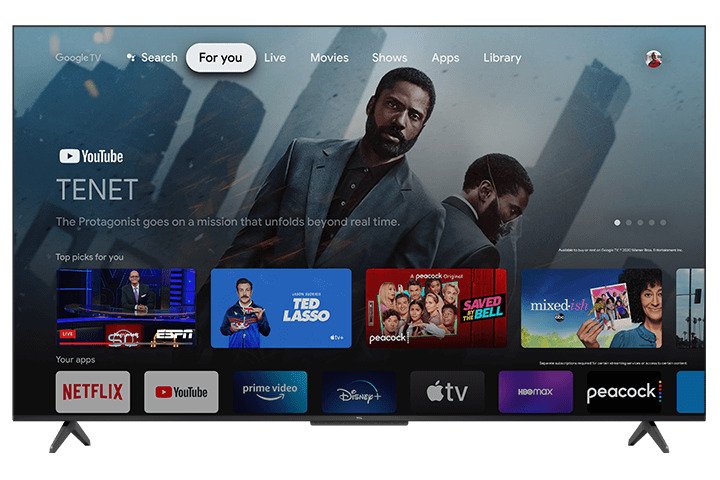
The TCL 5 Series/S546 QLED is a 4k LED TV. It’s a innovative TV in TCL’s 2021 line-up, and although it’s meant as an improvement from the TCL 5 Series/S535 2020 QLED, it’s not a direct substitute since they’re both still available as part of the 5 Series line-up. It uses Google TV, which is a pretty user friendly smart interface with many applications available to download through the Google Play Store. You have accessibility to Google Assistant via the built/in mic on the TV. There are a several more video gaming functions like variable refresh rate (VRR) support to decrease screen tearing, but it’s still limited to HDMI 2.0 inputs. It has a VA -panel that displays deep blacks, and there is a local dimming feature, but it’s not that efficient at enhancing the picture level of quality in dark scenes. Furthermore, our unit has poor out-of-the-box precision, giving everything a reddish tint, but this can also vary between units, so your practical experience could possibly vary. Photo: TCL

TCL S546 50″ specs:

Model50S546
Screen Size50″
Viewable Display Size49.5″
DescriptionPremium Picture QLED HDR 4K TV
WiFi802.11ac 2×2 Dual Band (supports 2.4GHz & 5GHz)
Advanced PQ Setting with Mobile AppYes
Control ButtonsOne button
Multilingual On-Screen-DisplayEnglish, Spanish, French
Closed CaptionYes
Parental Control (V-Chip)Yes
Accessible Menu System (CVAA)Yes
Sleep TimerYes
Easy Voice ControlWorks with Alexa and Hey Google
Integrated Hands-Free Voice AssistantGoogle Assistant
Live TV Pause from antenna (up to 30 minutes)Yes (compatible with USB drive)
Audio Power (Watts)8W + 8W
Audio PassthroughDolby Atmos / Dolby Digital Plus / Dolby Digital
Dolby ProcessingDolby Atmos
Natural MotionNatural Motion 240
Panel Resolution3840 x 2160
ResolutionUHD
Display Colors1.07 billion
High Dynamic Range FormatDolby Vision, HDR10, HDR10+, HLG
Auto Game Mode (ALLM)Yes
Variable Refresh Rate (VRR)48Hz – 60Hz @ 4K
AV InputComposite Video + L&R Audio In (Mini 3.5mm connector)
Audio Output (RCA)
No
RF Input (NTSC, ATSC)1
Ethernet1
USB1 USB 2.0
HDMI3 ports, 1 with eARC
SPDIF Digital Audio Optical1
Audio Output Headphone1

3 Top pickup trucks – Ram 1500 TRX, Ford F150 Raptor, Jeep Gladiator Sand Runner

0

Secure, equipped and practical, big American made pick-up trucks have become popular around the world during the last 20 years. Perfectly equipped and durable for bad roads, they don’t come inexpensive and are generally thirsty, but are very good value and advantage from more forgiving tasks.
Rough way of life and work vehicles, massive American pick-ups, nevertheless, started to be far more attractive and fascinating with the 2010 release of the 1st Ford F150 Raptor. Among the many well known overall performance vehicles, the Raptor now enters its 3rd generation and has been joined by the also more robust Ram 1500 TRX and Jeep’s specialized desert driving Gladiator Sand Runner.

Ford F150 Raptor

Undisputed winner of the near ready-to-race, design and style mass manufacturing off-road full-size truck segment since its first appearance. Featuring a lot of new technology and connectivity options including flexible sound levels, the most current Raptor increases on its thoroughly awesome predecessor, but holds its successful recipe and identity.Ford F150 RaptorFord F150 Raptor

Created on a durable frame engineered for punishing high performance off-road driving, the Raptor’s suspension system is fundamental to its comprehensive capabilities. Trading leaf springs for five-link coil spring back suspension, the new Raptor provides advanced axle articulation, and ride and handling properties. Larger than ever before at 78mm diameter, the Raptor’s Fox Live Valve internal bypass dampers meanwhile offer more rapidly and more nuanced dynamic adjustability to better respond to changing terrain with level of comfort, control and confidence.

Easily absorbing punishing landings, the job of launching the 2.6-tonne Ford F150 Raptor from desert dunes is once again entrusted to Ford’s twin-turbo 3.5-litre engine. Putting power down to all 4 wheels with a 10-speed automatic gearbox and electronically locking rear differential, the Raptor’s fantastic 450BHP and 510lb/ft engine supplies comfortably muscular general performance, including estimated 5.5-second 0-100km/h acceleration. However, a more efficient upcoming Raptor variant is expected to release the Ford Mustang Shelby GT500’s 760BHP supercharged 5.2-litre V8 Predator V8 engine.  Photo> Ford

Ford F150 Raptor Technical specs:

Engine: 3.5-litre, twin turbo V6-cylinders
Gearbox: 10-speed automatic
Drive-line: Four-wheel-drive, low ratio gears, electronic locking rear differential
Power, BHP (PS) [kW]: 450 (456) [335] @5,850rpm
Torque, lb/ft (Nm): 510 (691) @3,000rpm
0-100km/h: 5.5-seconds
(approximate)
Top speed: 190km/h
(approximate)
Length: 5,908mm
Width: 2,200mm
Height: 2,027mm
Wheelbase: 3,693mm
Ground clearance: 305mm
Approach, break-over, departure angles: 31°,
22.7°, 23.9°
Kerb weight: 2,603kg
Suspension: Suspension: Double wishbones/5-link solid axle
Dampers: Fox, variable compression, 79mm
Tyres: 315/70R17

Jeep Gladiator Sand Runner

Specially designed with high speed desert driving high jinks in head, the Jeep Gladiator Sand Runner is the brand’s 1st to wear a new desert scored badge, and is for the most part a Middle East edition of the US market Gladiator Mojave model. Designed for extreme potential rather than outright extreme effectiveness, the Sand Runner holds the same tried and true 3.6-litre Pentastar V6 engine and 8-speed automatic gearbox as garden variety Gladiators.

Enhancing on the Jeep Wrangler-based Gladiator pick-up’s already remarkably off-road effective formula, the Sand Runner gains a suspension lift, wider track, silver skidplate and reinforced frame, axles and steering knuckles. To deal with the hard knocks of high speed desert driving, the Sand Runner as well gets 64mm variable compression Fox dampers with internal bypass, external fluid tank and jounce bumpers to increase comfort, controlling, fade and bottoming outJeep Gladiator Sand Runner resistance for more challenging desert runs. Photo> Stellantis

If not really the significant high speed super-truck, the Gladiator’s off-road specific design allows a absolutely extreme 44.7° approach angle, while its 281BHP and 260lb/ft output can provide a lot of high rev power and low-end muscle. Strong and specially-oriented for speedy desert driving, the Sand Runner attributes low gear ratios and a rear axle that can uniquely be locked in high gear four-wheel-drive option, but lacks the more tech Gladiator Rubicon off-roader’s front differential lock and disconnecting excessive axle articulation anti-roll bars.Jeep Gladiator Sand Runner

Jeep Gladiator Sand Runner Technical specs:

Engine: 3.6-litre, V6-cylinders
Gearbox: 8-speed automatic
Drive-line: Four-wheel-drive,
low ratio gears, rear differential lock
Power, BHP (PS) [kW]: 281 (285) [209] @6,400rpm
Torque, lb/ft (Nm): 260 (353) @4,400rpm
0-100km/h: approximately 9-seconds (estimate)
Top speed: approximately 160km/h (estimate)
Length: 5,539mm
Width: 1,875mm
Height: 1,857mm
Wheelbase: 3,487mm
Ground clearance: 295mm
Approach, break-over, departure angles: 44.7°, 20.9°, 25.5°
Kerb weight: 2,256kg
Suspension: Solid axles, multilink, coil springs
Dampers: Fox, variable compression, 64mm
Tyres: 285/70R17

Ram 1500 TRX

A follow-up to Dodge’s Charger SRT Hellcat Redeye super saloon and Durango SRT Hellcat super SUV when presented last year, it was expected that Stellantis-owned Chrysler automotive group would both give the Hellcat engine treatment on the Ram 1500 pick-up truck, and in one fell swoop challenge the long uncontested Ford F150 super-truck champ. Dubbed 1500 TRX, Ram’s new major tier truck may out-muscle the regular F150 for now, but even now follows a very much the same trophy-truck motivated strategy.Ram 1500 TRX

Produced on a robust high strength, low torsion frame and riding on enormous 325/65R18 tyres, the Ram 1500 TRX’s high performance off-road potential are mostly facilitated by its it considerably improved suspension set-up. Along with forged aluminium components and much more comfortable and a active five-link, coil spring rigid axle system at the backside, the TRX also features noticeably increased wheel travel, and a 66mm Bilstein Black Hawk e2 dynamic performance damping system engineered to tackle challenging high speed off-road driving at over 160km/h. Photo> RAM Trucks

https://www.youtube.com/watch?v=mAic0BRNz-U&t=1s

The most impressive in its class — at least until Ford’s Raptor R fight back shows up — the TRX’s supercharged 6.2-litre V8-powered formula is brutally efficient with 702BHP and 650lb/f output. Driving all 4 wheels thru a full-time dynamic transfer case and 8-speed automatic gearbox, the TRX blasts through 0-97km/h in just 4.5-seconds and attains 190km/h, irrespective of a near 2.9-tonne weight. In the mean time, an electronic locking rear differential helps manage off-road traction.  Video> YouTube-  RamRam 1500 TRX

Ram 1500 TRX Technical specs:

Engine: 6.2-litre, supercharged V8-cylinders
Gearbox: 8-speed automatic
Drive-line: Four-wheel-drive, low ratio gears, electronic locking rear differential
Power, BHP (PS) [kW]: 702 (711) [523] @6,100rpm
Torque, lb/ft (Nm): 650 (882) @4,800rpm
0-97km/h: 4.5-seconds
Top speed: 190km/h
Length: 5,916mm
Width: 2,235mm
Height: 2,055mm
Wheelbase: 3,685mm
Ground clearance: 300mm
Approach, break-over, departure angles: 30.2°, 21.9°, 23.5°
Kerb weight: 2,880kg
Suspension: Double wishbones / 5-link, solid axle, coil springs
Dampers: Bilstein active dampers, 66mm
Tyres: 325/65R18

Windows 10 – Lock up your folder – How?

0

This post points out how to lock a folder in Windows 10 by using the built-in encryption tool or a password proper protection technique.

How Do I Lock a Particular Folder?
Windows has an encryption method to stop other users from starting your data files but install a more tougher third-party tool for better level of privacy.

While there are more than one solution, the most effective does not require any third-party applications. Windows 10 has this option built-in.

Lock up your folder - How
Photo> Pixabay

-Right-click the folder you intend to lock, and pick Properties.

-Select Advanced at the bottom part of the General tab.

-Check the box next to Encrypt contents to protected data.

-Select OK, and then OK once again on the Properties window to save.

Windows will prompt you to back up your file encryption key to avoid permanently losing access to your encrypted data files. You can follow those tips or dismiss them.

-Select Back up now (highly recommended) if you followed the notification to back it up.

-Begin the Certificate Export Wizard by choosing Next on the primary screen.

-Continue to keep the defaults selected, and then press Next again.

-Choose the box next to Password to enable the password, and fill out the text fields below. Select Next.

-Select where to save the PFX file, and give it a title.

-Select Next to review the info you provided and select Finish to finished the export.

-Choose OK on the successful export prompt. If you at any time need to have to use this certificate, simply open it from exactly where you saved it in step 9, and follow the on-screen requests.

Garmin Index S2 – measure your weight, body fat, BMI, Bone Mass…

0

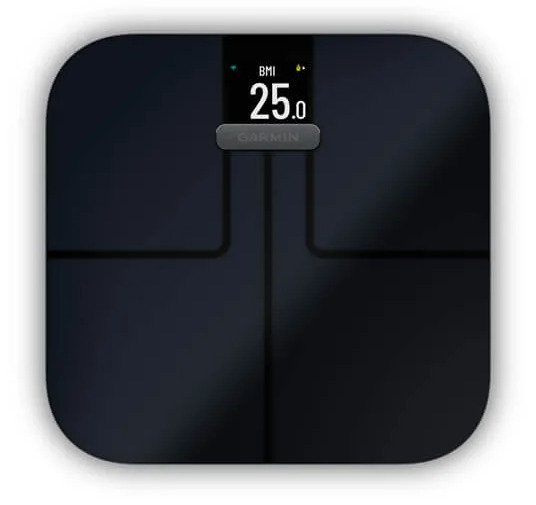
Checking your bodyweight every day is intelligent. You know what’s better? Checking your personal weight with Garmin’s Index S2 smart scale. This Wi-Fi connected product measures weight, BMI, body fat and body water percentages, as well as muscle and bone mass – giving you with an detailed look at your complete body structure. You can personalize the vivid color display to see just the information you want. And when you step on this scale, you’ll also get to see weight tendency graphs, your previous measured bodyweight, and even the day’s weather forecast (mobile phone connection necessary). Everybody in your house can use it, as well – Garmin Index S2 will maintain track of up to SIXTEEN individual user profiles.

Garmin Connect
Index S2 communicates with the Garmin Connect application. Load the free application onto your smartphone and you can do a deeply dive into your wellness statistics. You will have a detailed record of all your weigh-in data, so you can very easily discover trends and enjoy your achievements.Garmin Index S2

The Garmin Index smart scale uses bioelectrical impedance to calculate your body composition. The Garmin Index S2 device sends a small
amount of electrical current (which you will not feel) from one foot through your body to the other foot. The device measures
the electrical signal after it passes through your body to estimate aspects of your body composition.
For best accuracy, ensure you use the device under the same circumstances and at approximately the same time of day each time you use the device. Activities that temporarily impact your body’s weight, hydration, and distribution of water can impact the accuracy of measurements.
Garmin® recommends waiting two hours before using the device after eating, drinking, exercising, bathing, or visiting a sauna.
Weight trend: The weight trend widget displays your daily weight on a line graph for one month. If you weigh yourself
multiple times per day, the trend graph uses the last measurement recorded each day. Photo: Garmin
Body mass index (BMI): Body mass index is your weight in kilograms divided by your height in meters squared. BMI is often used to estimate if a person is underweight or overweight.
Body fat percentage: Body fat percentage is the percentage of total mass attributed to fat, including essential fat and storage
body fat. Essential body fat is required for basic health. Body water percentage: Water percentage is the percentage of
total mass attributed to fluid. This measurement can be used to indicate your level of hydration.Garmin Index S2Skeletal muscle mass: Skeletal muscle mass is the full amount of mass attributed to muscle. It is measured in pounds, kilograms, or stones and pounds.
Bone mass: Bone mass is the total amount of mass attributed to bone. It is measured in pounds, kilograms, or stones and pounds. Garmin Index S2 price: $149.99

  • get accurate measurements for weight, weight trend, body fat percentage, bmi, skeletal muscle mass and more
  • sync with your garmin connect account via wi-fi connectivity to see your data, get trend graphs and more (requires the garmin connect app downloaded to a compatible smartphone)
  • sleek design features a high-resolution color display
  • up to 16 user profiles allow multiple daily weigh-ins and unique goal tracking for each user
  • battery life: up to 9 months; uses 4 aaa batteries (included)

Garmin Index S2 product specs:

Smart scale with Wireless connectivity
operates with Garmin Connect application (iOS and Android compatible)
TFT LCD high-resolution color display

Measures:
Weight
BMI
body fat %
body water %
muscle mass
bone mass
tracks up to 16 users
weight trend and weight change features
weather forecast
battery life: average of 9 months (4 AAA batteries supplied)
dimensions: 12.6″ x 12.2″ x 1.1″
warranty: 1 yearindex s2

What’s in the box:
Smart scale (black)
4 Adhesive-backed plastic risers
4 “AAA” batteries
Quick Start Manual
Important Safety and Product Information

Setting Up Your Garmin Index S2 Device:
To set up the Garmin Index S2 device, it need to be paired directly
via the Garmin Connect application and connected to a compatible
Wi‑Fi router before you can use all of the features of the device.
1 From the app store on your smartphone, install and open the
Garmin Connect app.
2 Select an option to add your device to your Garmin Connect
account:
• If this is the first device you have paired with the Garmin
Connect app, follow the on-screen instructions.
• If you have already paired another device with the Garmin
Connect app, from the settings menu, select Garmin
Devices > Add Device, and follow the on-screen
instructions.
NOTE: Your device may require a software update before
you can use it. The update may take a few minutes.
3 Customize your widget views (optionally available).

New LG 50UQ91006LA – with webOS 22 & α7 Gen5 AI Processor 4K TV

0

Slim LG 50UQ91006LA 4K TV- Impressive picture – to fit all rooms
With an enhanced Alpha 5 Gen 5 processor chip at its center, this LG 50UQ91006LA 50 inch TV has an remarkable picture quality. Offering Dynamic Tone Mapping, the picture is optimized to be vivid and punchy throughout a wide spectrum of content. Working in combination with this, AI brightness senses the lighting grade around the TV and optimises the brightness to suit – providing a punchier picture when the room is filled with sun rays but dimming the image in a more dark room.LG 50UQ91006LA

HDR made far better, with HDR10 Pro
LG’s effective processing also can help in finding the very finest from HDR10 material. Whether enjoying movies or video gaming with HDR10 games, HDR10 Pro intensifies the regular HDR practical experience. HDR10 Pro immediately modifies the brightness, increasing colour and fine detail for a more intense picture.

Discover the picture just exactly as originally intended, by using Filmmaker Mode
If you are “crazy” about movies, you will really like Filmmaker Mode. Developed in cooperation with filmmakers and Hollywood studios, Filmmaker Mode lets you experience the cinematic vision, precisely as the movie director intended. Overriding the TV’s own motion and picture processing, Filmmaker Mode presents the appropriate aspect ratio, colour and frame rate – just as the filmmakers meant.

AI Audio Pro
If you extravagant a more cinematic sound from your TV, then LG’s AI Sound Pro need to be music to your ears. Using AI algorithms, AI Sound Pro up-mixes two-channel audio to virtual 5.1.2 sound – providing a substantially more stunning sound level. The Alpha 5 Gen 5 processor furthermore optimises the sound based mostly on content type – giving more clear vocals with news and series. The powerful AI can also take account of your room’s acoustics and layout and adjusts to give the most clean sound possible.LG 50UQ91006LA

LG 50UQ91006LA TV with great LG webOS 22 – the greatest in smart TV
Broadly considered as one of the best smart TV platforms, LG’s webOS system keeps to set the standard. The recent webOS 22 provides advanced personalisation and suggestions. You can create up to 6 customized user profiles, with individual watching recommendations, sport notifications and application lists. Photo: LG

Magic Remote for simple control
LG’s Magic Remote has generally led the field for uncomplicated, gesture control. As well as this, the remote functions direct keys for favorite streaming services Netflix, Amazon Prime Video, Disney + and Rakuten TV. Google Assistant and Amazon Alexa also get specific buttons for simply voice recognition.

The centre of your home enjoyment – with voice control
Offering LG’s ThinQ AI technology, you can manage a Home IoT eco-system with natural voice recognition. With both Google Assistant and Amazon Alexa built-in, it makes it even much easier to control your LG TV and instantly access the entertainment you are searching for.

Take pleasure in optimized picture quality, at all periods of the day, with the LG 50UQ91006LA.  Price: £649.98LG 50UQ91006LA

Please note, this LG 50UQ91006LA Smart TV features 3rd party Apps. These Applications may be customized or removed at any time. There may also be a delay in initiating some of the featured Apps. Catch-up TV Apps may possibly vary by location. The feature and accessibility of applications is not insured by the manufacturer’s warranty.LG 50UQ91006LA


LG 50UQ91006LA specs:

DISPLAY:

Type   4K UHD
Screen Size   50
Resolution   3840 x 2160
LCD (IPS, VA)   Multi
Refresh Rate     120Hz

PLATFORM:

BLU Type   Direct
Main Processor    α7 Gen5 AI Processor 4K
Operating System (OS)    webOS Smart TV
Number of CPUs     Quad

AI SMART FUNCTION

ThinQ    Yes (Differ by region)
Speech to Text    Yes
LG Voice Search    Yes
Google Assistant    Yes (Differ by region)
Amazon Alexa    Yes (Differ by region)
AI Home    Yes
AI Recommendation   Yes
Intelligent Edit   Yes
Home Dashboard   Yes
Apple Homekit   Yes
Google Home Connection   Yes (Differ by region)
Amazon Echo Connection   Yes (Differ by region)
Screen Share   Yes
ThinQ App   Yes (Differ by region)
Airplay2    Yes
Magic Remote Control   Built-In
Quick Access   Yes
Universal Control    Yes
360° VR Play    Yes
Related Content Search   Yes (Differ by region)
Audio Guidance (Text To Speech)    Yes
Apps    Yes
DIAL    Yes
Web Browser   Yes
LG Channels    Yes (France, Germany, Spain, Italy, Austria, Switzerland)
TV On With Mobile   Yes
Wi-Fi TV On    Yes
Bluetooth Low Energy On   Yes
Network File Browser   Yes
Block access to harmful site   Yes
Live Plus (ACR-based Bilateral Service)   Yes
Sports Alert   Yes (Differ by region)
Hotel Mode   Yes
Music Discovery   Yes
Multi View   Yes
Family settings   Yes
USB Camera Linkage    Yes


AI Picture ProAI Genre Selection   Yes (SDR/HDR)

HDR   Active HDR   HDR10 Pro      Yes / Yes / Yes / Yes (4K/2K)

HLG  Yes / Yes / Yes / Yes (4K/2K)

Dynamic Tone Mapping / Pro   Dynamic Tone Mapping

2K HFR    No / Yes / No / No

VP9 (Video Decoder)   4K@60p, 10bit

FreeSync Compatible   Yes

Speaker (Sound Output)   20W (10W per Channel)

Direction   Down Firing

AI Sound / Pro   AI Sound Pro (Virtual 5.1.2 Up-mix)

Clear Voice Pro   Clear Voice Pro

WiSA Speakers   Yes

Sound Share   Yes