YouTube Downloader downloads and converts videos from YouTube!
YoutubeDownloader – The only youtube downloader you need – FREE!
Internationally recognized FREE Youtube Downloader with over 100 million combined downloads worldwide. This youtube downloader is the last you’re going to download.
Download YouTube videos in Full HD, 4K and 8K videos at 60fps and skip those annoying preroll ads or annotations. Better still maintain a local backup for secure maintenance. Also, with the way Youtube is today, you never know when your favorite video disappears.
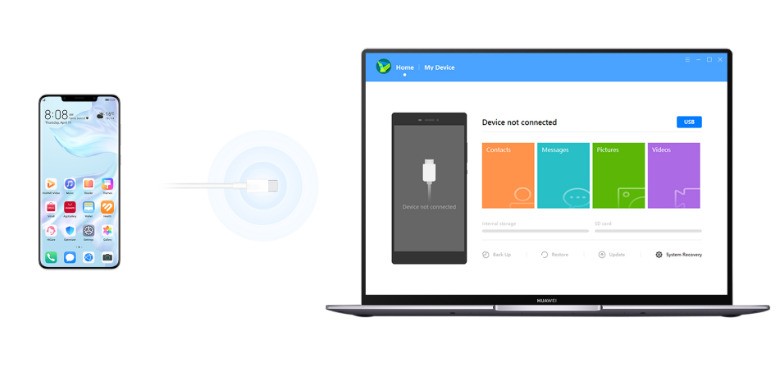
How can I transfer downloaded videos to my phone?
One of the easiest ways to transfer downloaded videos between your computer and smartphone is to use a cloud storage service such as Dropbox, Google Drive, or Microsoft OneDrive. Install the same service on both devices and save your downloads to a synchronized folder. The files will then be accessible from your phone without needing to transfer them manually.
Is it legal to download videos from YouTube and other websites?
The legality of downloading videos depends on several factors, including copyright law, the video’s license, how the content is used, and the terms of the website. Downloading a video for personal viewing is not automatically legal in every situation, and personal use alone does not guarantee that a download is permitted.
Some videos can be downloaded legally, particularly when they are in the public domain, licensed for downloading, or shared with the copyright holder’s permission. Certain uses of copyrighted material may also qualify for exceptions under applicable law, such as fair use in the United States, although this depends on the circumstances.
Downloading videos through third-party tools may also violate a platform’s terms of service, even when the intended use is personal. YouTube provides its own download options for eligible content, and using these official features is generally the safest approach.
Before downloading a video, check its license, review the platform’s terms, and obtain permission from the copyright owner when necessary. This helps you avoid potential copyright issues and ensures that you use online content responsibly.
Convert Youtube to MP3, AAC or Vorbis Audio and take it with your route, or simply download it locally to save bandwidth and cloud your local network.
In addition, the built-in search makes downloading videos from Youtube very easy for anyone. Heck even my mother can download cute cat videos from Youtube now. Enjoy this non-failure, easy to use, YouTube Downloader for free forever.
And no surprises! Youtube Downloader Free is guaranteed free malware. So you can be sure that you are downloading quality software supported by over 100 million downloads.
Download and install Free YouTube Downloader safely and without worries. Download