Home Blog Page 40

Tips – Reasons to Have One Power Bank

0

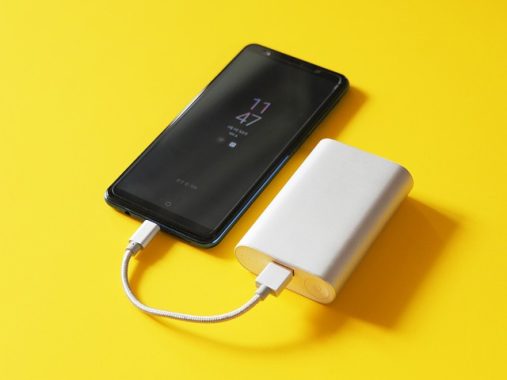
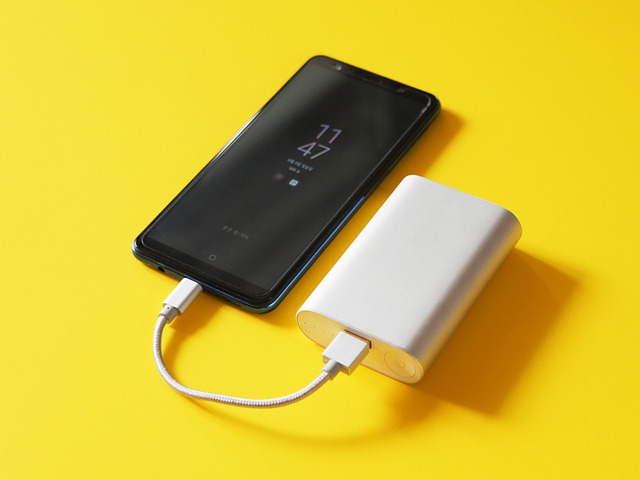
A power bank can be defined as a mobile charger that can be pre-charged to be used to charge laptops, tablets and smartphones later. This handy gadget can help you load gadgets without having to connect to the power outlet. It is an important gadget in cases where there are power problems or when traveling.

How to charge the power bank

Charging is done normally. You must connect to the power outlet. Many are also powered by USB so you can charge it using the most common chargers today. There are some that can be used on laptops and can be charged using adapters that come with them. There are also some solar-powered that still use the standard charging method.
Power bank capacity is quantified in milliampere-hours (mAh), yet this metric can be slightly misleading due to factors such as cable usage, the specific device being charged, and the charging method employed (Qi wireless charging tends to be less efficient). The maximum advertised capacity might not translate directly into usable power. We aim to provide an estimate of the number of device charges achievable from a given power bank.

The charging speed for devices like smartphones is gauged in watts (W), although most power banks detail the voltage (V) and amperage (A) ratings. Calculating wattage is a straightforward process involving the multiplication of voltage and amperage. However, achieving the maximum charging rate hinges on device compatibility, supported standards, and the type of charging cable in use. Many smartphones, including Apple iPhones, adhere to the Power Delivery (PD) standard, permitting high-power power banks to recharge these devices effectively. Some phones, like Samsung’s Galaxy S series, embrace an additional PD protocol called PPS (Programmable Power Standard), which can reach up to 45 W. Qualcomm’s proprietary Quick Charge (QC) standard is also supported by numerous phones. Though other fast-charging standards exist, power banks compatible with these standards are typically manufactured by the smartphone brand.

For those seeking simultaneous power bank charging and device replenishment, pass-through support is essential. Noteworthy models including Nimble, GoalZero, Biolite, Zendure, and Shargeek portable chargers incorporate pass-through charging capabilities. Anker has discontinued support for pass-through due to concerns that variances between wall charger output and device input may cause the power bank to cycle rapidly, shortening its lifespan. While pass-through offers convenience, it’s wise to exercise caution as it can lead to increased heat generation in portable chargers.

Traveling with a power bank is generally safe, but two airline-related restrictions apply: The power bank must be stowed in carry-on luggage (not checked in), and its capacity should not exceed 100 Wh (watt-hours). If the power bank’s capacity surpasses 27,000 mAh, it’s advisable to consult the airline for guidance. Anything below that threshold should typically pose no issues.

Power bank USB

This is a power bank that can be used to charge all kinds of products that have a USB connection. Simply connect the cable used for your tablet or smartphone to the bank and it will recharge. In some, you’ll need to press a button to start charging. You can only collect it when you’ve collected it before. Most of them have LED lights to indicate progress.

Most of them are with connectors that allows you to charge your game consoles, cameras, tablets and even smartphones.

Portable power bank

Portable power banks are available with an adapter to connect to your main computer and laptop when you need it. There are connecting parts that make loading possible. You should go through the description to find one that best suits your laptop.

How power banks work?

An power bank has one or more lithium-ion cells. They work in the same way as regular rechargeable batteries and can be recharged with the supplied adapter or cable or via USB.

How long can the power bank last?

How long they last depends on their abilities. There’s the mAh that indicates power. When the power is great, it means you will be able to charge more. It also depends on the charging of the device. A good example is a digital camera. It has a very limited capacity. Phones and tablets have a higher capacity, while laptops require a lot of power.

To know for sure, you will need to understand the battery power of your gadget.

How long should it take to recharge?

Again, this still depends on your abilities. Loading takes longer with a capacity greater than that with limited capacity. The included LED lights indicate when it is full. You can allow it to stay longer in the power outlet, even if it already indicates that it is full. Also, if it’s new, let it carry for a whole night.

Introducing Power Banks for All Your Charging Needs

In today’s market, an array of power banks offer substantial battery support to recharge your devices multiple times or even fuel several devices simultaneously. However, amidst the abundance of options available, selecting the ideal power bank tailored to your on-the-go charging requirements can prove to be a daunting task. Considerations such as capacity, number of ports, pricing, and more come into play. To simplify your decision-making process, we’ve meticulously curated a compilation of the top power banks for purchase.

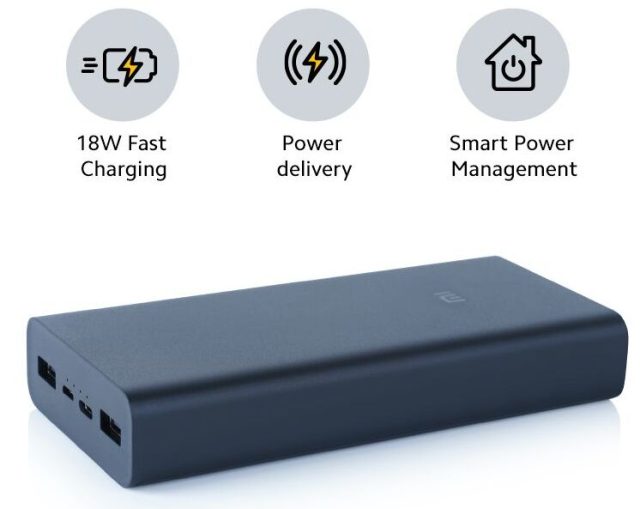
  1. Mi Power Bank 3i 20000 mAh – The Mi Power Bank 3i stands as one of the most renowned power banks, showcasing a robust 20000 mAh lithium polymer battery. It features a triple-port output mechanism that allows for the concurrent charging of multiple devices. With dual input options (Type-C and Micro-USB), this power bank boasts a 12-layer advanced chip protection system to avert issues like overheating, short circuits, and overcurrent. Available in two distinct colors, the Mi Power Bank 3i supports both 18W fast charging and low-power charging, catering effectively to devices like smartphones, tablets, fitness bands, and earbuds. (£29.50)
    Mi Power Bank 3i 20000 mAh
    Mi Power Bank 3i 20000 mAh
  2. Ambrane Stylo 20k 20000 mAh – The Ambrane Stylo 20k stands out as a robust and dependable power bank designed for modern-day users. Its substantial 20000 mAh lithium polymer battery ensures multiple charges for all your devices. Equipped with 20W power delivery and quick charge 3.0 technology, this power bank rapidly charges devices from 0 percent to 50 percent within approximately 30 minutes. Featuring three output ports, including two USB and one Type-C port, it enables the concurrent charging of up to three devices. Its sturdy design coupled with a 12-layer advanced charging protection system ensures both reliability and safety.
  3. Otterbox Fast Charge 15,000mAh – Combining aesthetics with functionality, the Otterbox Fast Charge power bank boasts a 15,000mAh capacity, providing sufficient charge for two phone cycles with residual power remaining. Positioned at a medium capacity level, it accommodates the simultaneous charging of multiple devices or larger gadgets. Despite its listed 15,000mAh capacity, this power bank performs on par with 20,000mAh counterparts while being more cost-effective. Throughout testing, it emerged as a go-to choice for personal device recharging. Sporting an elegant exterior with gray faux leather and copper accents, this power bank exhibits a compact size and weight, resembling a deck of cards and weighing just over 11 ounces. ($44.95).
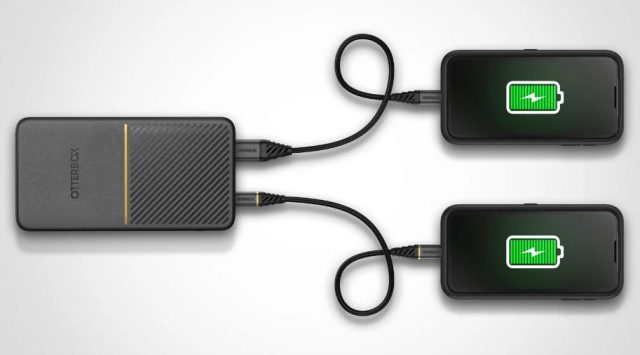
    Otterbox Fast Charge 15,000mAh
    Otterbox Fast Charge 15,000mAh
  4. Spigen Wireless Power Bank 10000 mAh – For those seeking wireless charging compatibility, the Spigen Wireless Power Bank with a 10000 mAh battery capacity presents an exceptional option. This versatile 3-in-1 product functions as a wireless charger, power bank, and mobile phone stand. The included charging dock and Type-C port enable simultaneous charging of the power bank and your device. Supporting up to 15W fast wireless charging and up to 20W via cable, this model offers convenient vertical and horizontal charging modes. (£23.99 to £33.40).
  5. INIU 10000mAh Portable Charger – Best Budget Power Bank – When budget considerations come into play, the INIU 10000mAh Portable Charger steps in, offering cost-effective charging solutions for both Apple and Android devices. With the capability to charge an iPhone 8 over 3.5 times and AirPods Pro more than 13 times, it delivers up to 78% battery charge within a single hour for iPhones. Despite its affordability, this power bank maintains a compact profile, measuring only 0.5 inches and housing a 10,000mAh battery. A three-year warranty is included, ensuring peace of mind. ($29.99).
  6. Juice Powerbank Max – Elevating the tier from budget power banks, the Juice Powerbank Max takes center stage with a formidable 20,000mAh capacity and a 20W USB PD output via USB-C. Our tests revealed nearly 15W output through USB-A, resulting in an 18% smartphone recharge within 15 minutes. The USB-C output surpassed 19W, achieving a 22% recharge within the same time frame. Despite its increased capacity, the Max maintains a manageable size and weight, fitting comfortably within bags and backpacks. Its rugged rubberized casing, composed of 90% recycled materials, ensures durability during various adventures. While other power banks may excel in performance, the Max shines in terms of value. (£29.99).

The Top 3 Best and Biggest Power Banks of 2026

With capacities pushing the limits of portability while remaining TSA-approved (under 100Wh), the biggest models offer enough juice to charge a MacBook Pro nearly once or an iPhone multiple times. Based on expert reviews, user feedback, and performance tests, here are the top three best and biggest power banks, each boasting over 27,000mAh. These stand out for their rapid charging, build quality, and versatility, making them ideal for travelers, professionals, and tech enthusiasts.

  1. Anker Prime 27,650mAh 250W Power Bank

The Anker Prime 27,650mAh leads the pack as the ultimate high-capacity champion, blending massive storage with intelligent features. At 99.54Wh, it’s flight-friendly and can charge a 13-inch MacBook Air (M2) about 1.3 times or an iPhone 14 roughly 4.7 times. Its 250W total output via two USB-C ports (up to 140W each) and one USB-A port ensures blazing-fast charging—boosting a MacBook Pro 16″ (M2 Pro) to 50% in just 28 minutes. The intuitive Anker app provides real-time stats, sound alerts to locate the device, and optimized charging modes. Recharge is equally impressive at 170W via dual USB-C, taking only 37 minutes to full.

Pros include its compact soda-can size, durable build, and 24-month warranty. However, it’s pricier than basic models, and the app might feel unnecessary for casual users. In tests, it excelled in multi-device scenarios, like powering a laptop and phone simultaneously without throttling.

Overall, this power bank earns top marks for reliability and speed, making it the best all-rounder for heavy users.

  1. EcoFlow Rapid Pro 27,650mAh 300W Power Bank

Tied for the largest capacity at 27,650mAh (99.54Wh), the EcoFlow Rapid Pro X edges out competitors with its unmatched 300W output, perfect for premium laptop charging. It features three USB-C ports and a built-in retractable 60cm cable, eliminating the need for extras. This beast can fully charge a MacBook Pro in about 1.2 hours or handle multiple devices like tablets and drones without breaking a sweat. Its premium construction feels indestructible, with a focus on efficiency—recharging fully in under an hour with a compatible adapter.
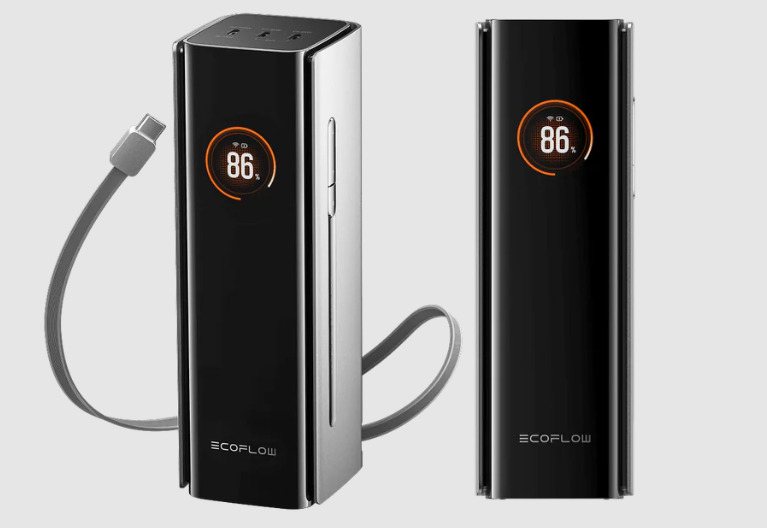
EcoFlow Rapid Pro 27,650mAh 300W

Key advantages include the retractable reel for tangle-free use and robust heat management during high-output sessions. Drawbacks? It’s bulkier than pocket-sized options and lacks USB-A ports, so adapters may be needed for older devices. Expert testing praises its stability under load, such as sustaining 300W for extended periods during travel or fieldwork.

If you prioritize raw power for laptops or creative gear, this is the go-to, offering pro-level performance at a competitive price.

  1. Lion Energy Eclipse Mag 27,000mAh Power Bank

Rounding out the trio, the Lion Energy Eclipse Mag delivers a solid 27,000mAh capacity in a rugged, magnetic design that’s built for adventure. With 99.9Wh, it provides about 0.8-1 full charges for a MacBook Pro or multiple smartphone top-ups (e.g., iPhone 15 four to five times). Output reaches 100W via USB-C, with additional wireless charging pads (up to 15W) and USB-A ports for versatility. It includes a wall adapter and supports passthrough charging, allowing simultaneous recharging and use.

Standout features are its three wireless pads for cable-free convenience and durable shell that withstands drops and weather. Cons include slower max output compared to rivals (no 140W+ ports) and a higher price for the magnetic ecosystem. Reviews highlight its endurance in real-world tests, like powering devices through a full day of hiking or remote work.

It’s the best pick for those needing wireless options in a high-capacity package, blending portability with toughness.
In summary, these three power banks represent the pinnacle of 2026’s offerings, with capacities that outpace most competitors while delivering top-tier charging speeds. The Anker Prime excels in smart features, the EcoFlow in sheer power, and the Lion Energy in wireless versatility. Prices range from $150-$250, but their longevity justifies the investment. For the best value, consider your needs—laptop focus or multi-device support—and always check for updates, as tech evolves rapidly. Whether commuting or adventuring, these giants ensure you’re never left powerless.

Simple reasons to Buy a Toyota bZ4X

0

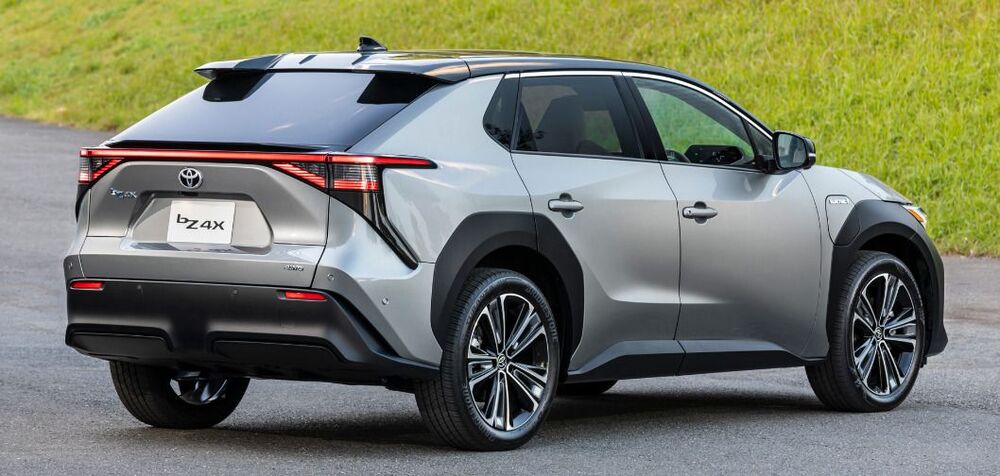
If you’re seeking reasons to opt for a Toyota bZ4X, look no further. Toyota has dedicated substantial effort to its inaugural electric vehicle (EV), and now it’s available for purchase. If you’ve been uncertain about whether this is the right choice for you, your hesitation is understandable.

This overview presents compelling rationales for considering the Toyota bZ4X. However, if this specific SUV doesn’t fully capture your interest, there are three other exceptional alternatives to explore.

The bZ4X stands as Toyota’s debut in the EV domain, showcasing the brand’s first-ever entirely electric architecture. Built from the ground up as a modular platform to accommodate all future Toyota EVs, it follows a framework not entirely unfamiliar – seen in hybrids like the Yaris. Yet, this marks Toyota’s pioneering step into the realm of EV development, generating excitement for the potential of forthcoming Toyota EVs. images: Toyota

Motives to Choose the Toyota bZ4X: First and foremost, the pricing constitutes a compelling reason to consider the Toyota bZ4X. You’re gaining access to a highly competitive, feature-laden, fully electric SUV, all at an impressively affordable price point. It comes in at a cost lower than a comparable ID.4 and roughly on par with the Hyundai IONIQ 5.

While pricing might not be a deciding factor for everyone, the value proposition of the bZ4X is remarkable. Toyota’s inaugural EV maintains the same level of quality and refinement you’d expect from any contemporary Toyota, now powered by a full-electric drivetrain.

Toyota entered the EV arena at a somewhat slower pace compared to rivals like Nissan. However, the bZ4X is constructed on the e-TNGA architecture, a proprietary modular platform developed in collaboration with Subaru and Toyota. The e-TNGA platform significantly enhances vehicle stability and handling, attributing to a more secure and comfortable driving experience due to its lower center of gravity and secure battery positioning near the frame.

The Toyota bZ4X might not be setting speed records, yet it offers commendable capability for both highway cruising and city commuting. Its acceleration, while not lightning-fast, delivers over 200 horsepower. Notably, the higher-performance dual-motor variant can accelerate from 0 to 60 miles per hour in less than seven seconds – more than satisfactory for comfortable interstate travel.

A standout feature of the bZ4X lies in its battery pack. Toyota’s battery choice provides an impressive range, serving as one of the key incentives to choose this EV. The single-motor model offers up to 250 miles on a single charge, and even the dual-motor model provides around 228 miles of range – a testament to the thoughtfulness behind its design.

In the context of an EV, the infotainment system becomes a vital component of daily use. Toyota has crafted an engaging and user-friendly interface, split between a central 12.3-inch panel for navigation and a 7-inch display for the instrument cluster. The intuitive user experience, akin to smartphone interfaces, is complemented by onboard Wi-Fi hotspots and built-in navigation, making this a standout feature of the Toyota bZ4X.

Adjusting to the driving position and dashboard layout might take a brief period. The slightly elevated center console offers a cozy feel – not uncomfortable, but interestingly, Toyota chose not to follow competitors like Ford, Hyundai, and Kia in creating an open and airy ambiance in the bZ4X’s cabin.

A surprising aspect lies in the driving position. Although the front seats provide remarkable comfort and support, Toyota seems to have drawn inspiration from Peugeot, offering a relatively compact steering wheel positioned low in your lap. Meanwhile, the digital instrument screen is positioned higher up. video: YouTube/Toyota

Once you acclimate, the wheel’s placement feels natural, and the elevated instruments are well-defined and positioned in a manner that almost negates the need for a head-up display – they’re situated exactly where your line of sight would naturally fall. However, it’s worth noting that, depending on your seating position, the top of the steering wheel might obstruct your view of the display, which can be bothersome.

Up front, practicality is generally evident, with generously sized door bins, a deep covered bin in the armrest, and cup holders capable of accommodating larger bottles. Another covered compartment appears intended for phones, although bigger phones might not fit. Additionally, several USB slots are strategically placed throughout the cabin for convenience. A storage area beneath the center console offers a degree of privacy, although it’s not as secure from prying eyes as a traditional glovebox would be.

Rear Seat Space – The rear seat area offers excellent space, boasting ample legroom and headroom. The floor remains mostly even, and the central seat is as comfortable as the outer ones, making it feasible to comfortably seat three adults in the rear due to the car’s generous width.

An armrest with cup holders and a designated phone space when the central seat is unoccupied adds practicality. The door bins are of a useful size, ensuring rear passengers are well-equipped for longer journeys.

While the rear doors might not open as widely as one might hope, the abundant rear space means fitting a child seat, even a bulkier one, remains hassle-free. The ISOFIX points are also conveniently located.

Modern EVs are equipped with safety features to ensure driver and passenger security. Toyota’s commitment to safety shines through in the bZ4X, offering automated emergency braking, pedestrian detection, lane-departure warnings, and lane-keep assist. These features are supplemented by an accessible adaptive cruise control system, reinforcing the vehicle’s safety profile.

While scrutinizing specifications is important, the interior arguably holds the most weight when choosing a car. This is a paramount reason to consider the Toyota bZ4X. The spacious and comfortable interior seats five individuals with ample legroom and headroom for the driver, front passenger, and even the back seat occupants. Furthermore, the expansive rear seating area accommodates passengers of all sizes, and the 26 cubic-foot trunk rounds off the package, offering generous space for most family needs.

The Toyota bZ4X presents a strong case for purchase due to several compelling reasons. As Toyota’s first fully electric vehicle, it offers a competitive price, impressive range, and the brand’s renowned quality. Built on the e-TNGA architecture, it provides enhanced handling and stability. While its acceleration is not the fastest, it comfortably handles highway and city driving. The spacious interior, well-designed infotainment system, and comprehensive safety features further contribute to its appeal. Despite a slight adjustment period for the driving position and dashboard layout, the bZ4X offers a comfortable and supportive front seat experience. Rear seat space is generous, making it suitable for accommodating three adults, while practicality is maintained with useful storage options.

Top Factors for Purchasing a Refurbished Laptop

0

When the need for an additional laptop arises in the office, opting for a used laptop that has undergone thorough cleaning and repair before purchase is a common strategy. These laptops fall under the category of ‘refurbished’ laptops.

Refurbished laptops offer a more budget-friendly alternative to brand-new laptops, and a well-done refurbishment can result in a laptop that looks and functions almost indistinguishably from a factory-new model. Nevertheless, it’s important to recognize the distinctions between used, factory refurbished, third-party refurbished, and renewed laptops, as these differences can greatly impact your purchasing decision.

To provide you with comprehensive guidance, we’ve prepared this informative guide to illuminate the essence of a refurbished laptop and key factors to consider, allowing you to secure a refurbished laptop that mirrors the qualities of a brand-new machine.

Refurbished Laptop Purchase
photos: Pixabay

Understanding Refurbished Laptops
Refurbished laptops encompass used or open-box laptops that have been meticulously inspected, cleansed, repaired, and prepared for resale to a new user.

While factory refurbished laptops are rejuvenated by the original manufacturer, third-party entities also engage in the sale of refurbished laptops. These laptops are typically priced significantly lower than their new counterparts, yet their specifications often align closely.

Top 5 Considerations When Purchasing a Refurbished Laptop
The origin of the refurbished laptop stands as the foremost consideration, given the variations in restoration processes across different sources. Since refurbished laptops can be acquired from various outlets, identifying the entity responsible for the refurbishment and their approach is pivotal.

Outlined below are the five principal aspects to factor in when purchasing a refurbished laptop.

Nature of Refurbished Laptops Compared to Used Laptops
Sourcing a Refurbished Laptop
Appropriate Warranty for a Refurbished Laptop
Desired Condition of a Refurbished Laptop
Optimal Age for a Refurbished Laptop
Refurbished Laptops vs. Used Laptops: Unveiling the Distinction
Refurbished laptops and used laptops diverge, although certain refurbished laptops may have seen previous use. Sometimes, a laptop is opened and briefly used before being sold as refurbished, rather than new. Laptops taken back to stores after purchase, opened, and returned, often undergo refurbishment before being resold.

Before a laptop gains refurbished status, it endures evaluation for cosmetic wear, thorough functionality tests, potential repairs, and cleansing. In some cases, even functional internal components are replaced or upgraded. The laptop is subjected to a factory reset, including a fresh operating system installation—a critical step to erase any remnants of previous usage.

Sourcing a Refurbished Laptop: The Process Unveiled
Choosing a refurbished laptop mandates a careful assessment of its source. A factory-refurbished laptop is one that has been restored by the original manufacturer, often involving meticulous testing to ensure proper functionality. Alternatively, retailers may execute their own refurbishing or enlist third-party refurbishers. Programs like Amazon Renewed exemplify this, where third-party refurbishers adhere to strict criteria to resell laptops and electronics.

Warranty: A Vital Aspect of Refurbished Laptop Purchase
Warranty durations can vary among refurbishers, and some laptops might lack a warranty altogether. It’s advisable to seek a refurbished laptop with a warranty akin to that of new laptops—a standard one-year warranty. Despite being technically not new, refurbished laptops are marketed as “like new,” hence the refurbisher should stand by the product as if it were new.

Laptop Condition: Striving for Excellence
A refurbished laptop’s condition hinges on its prior ownership and usage. Superior refurbishment processes restore a used laptop to nearly new condition, though minor cosmetic imperfections might persist. The refurbished laptop should exhibit cleanliness and minimal physical flaws.

Internally, it should undergo cleaning, testing, and repairs; faulty components are replaced, and functional ones are cleaned. The end result should mirror the laptop’s original appearance and functionality, though it may not match the latest models’ performance.Tips for Refurbished Laptop

Age Matters: Optimal Age for a Refurbished Laptop
Choosing an appropriate refurbished laptop age depends on your budget and intended usage. Basic tasks like word processing and internet browsing can be effectively executed on older refurbished laptops. For tasks demanding higher performance, opt for laptops released within the past year or two.

Apple laptops tend to possess extended longevity, but using them for over five to six years can lead to performance challenges, particularly due to operating system compatibility. Selecting a laptop released within the last eight years ensures compatibility with the latest OS updates.

Additional Tips for Refurbished Laptop Procurement
While buying a refurbished laptop presents cost savings, due diligence in vetting the seller is crucial. Prioritize factory-refurbished laptops and programs offered by reputable retailers or refurbishing companies that offer transparency about their processes.

When uncertain, perusing customer reviews provides valuable insights. Whether dealing with a renowned manufacturer or a smaller refurbisher, reviews offer firsthand experiences. Be vigilant to distinguish between genuine concerns and unrelated issues in reviews. Consistent hardware complaints should serve as a warning sign.

Regarding performance, while refurbished laptops might generally be slower than new ones due to advanced components in the latter, individual cases vary. Utilizing hardware comparison websites can assist in evaluating this aspect.

Discerning if a laptop is refurbished involves checking packaging labels or signs of wear. Upon receiving a refurbished laptop, inspect it for damage, reset it, scan for viruses, explore upgrade potential, and ensure all components function seamlessly.

In sum, purchasing a refurbished laptop yields substantial savings, contingent on thorough seller evaluation. Prioritize accredited refurbishers and leverage reviews for informed decisions. With these considerations, you can navigate the refurbished laptop market confidently, securing a reliable and cost-effective computing companion.

Phone Heating Up? Common Causes and Solutions

0

It’s not uncommon for phones to get hot during use, but excessive heat can sometimes indicate an issue that needs attention. Here are a few reasons why your phone might be getting hot:

smartphone
photo: Pixabay
  1. Intensive Usage: Running demanding apps, playing graphically intensive games, or multitasking heavily can put a significant load on your phone’s processor and other components, causing them to generate heat.
  2. Charging: Phones can heat up while charging due to the energy transfer and battery chemical reactions taking place. Fast charging, in particular, can generate more heat.
  3. Background Processes: Some apps may continue to run in the background, consuming processing power and generating heat even when you’re not actively using them.
  4. Poor Ventilation: If you’re using your phone in a warm environment or on a surface that doesn’t allow heat to dissipate effectively, it can lead to overheating.
  5. Software Issues: Bugs or glitches in the operating system or apps could cause excessive CPU usage, leading to increased heat generation.
  6. Malware or Rogue Apps: Malicious software or poorly designed apps might perform tasks in the background that cause your phone to heat up. It’s a good idea to regularly scan for malware and keep your apps updated.
  7. Battery Problems: A malfunctioning or deteriorating battery can cause heat buildup. If your battery is old or damaged, it might not efficiently regulate its temperature.
  8. Case or Cover: Using a thick case or cover can restrict heat dissipation, causing your phone to heat up more quickly.
  9. Hardware Issues: In some cases, hardware components such as the processor, memory, or other internal parts might be malfunctioning, leading to increased heat generation.

While some level of warmth is normal, especially during heavy usage or charging, if your phone becomes extremely hot to the touch or consistently overheats, it’s advisable to take some steps:

  • Close Background Apps: Make sure you’re not running too many apps simultaneously. Close unnecessary apps to reduce CPU load.
  • Update Software: Ensure your phone’s operating system and apps are up to date, as updates often include bug fixes that can help with heat-related issues.
  • Remove Case: If you’re using a case or cover, consider removing it while using your phone to help with heat dissipation.
  • Cooling Breaks: If you notice your phone getting warm, give it a break to cool down before using it extensively again.
  • Avoid Direct Sunlight: Direct sunlight can significantly increase the temperature of your phone. Try to use it in the shade or cooler environments.
  • Monitor Battery Health: Check your phone’s battery health to see if it’s deteriorating. If it’s significantly degraded, consider getting the battery replaced.
  • Contact Support: If the issue persists or worsens, and you’re concerned about your phone’s performance and safety, it’s a good idea to contact your device’s manufacturer or a professional technician for assistance.

Remember that while some heat is normal, excessively high temperatures can lead to long-term damage to your phone’s internal components and even pose safety risks. It’s always better to address the issue early on rather than risk further problems down the line.

Smartwatch Security: Can They Be Hacked?

0

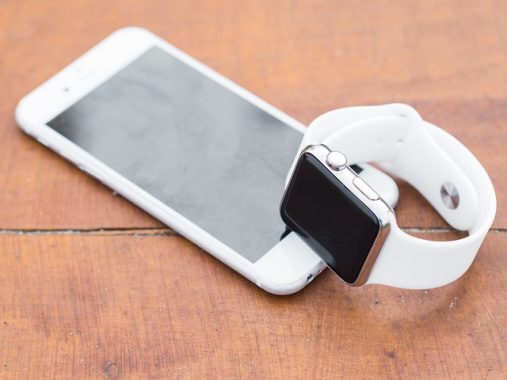
While we often take measures to safeguard our computers from cyber threats, it’s crucial to recognize that our smartphones and smartwatches are also susceptible to risks. Although smartwatches are often considered secondary devices, they’re not immune to exploitation by malicious actors. So, what’s the level of vulnerability associated with hacking smartwatches, and how can you bolster your defenses?

Smartwatches can contain a range of sensitive information, including phone numbers, email addresses, login credentials, and payment details. In the hands of hackers, these details can have serious implications. Even though smartwatches may not store as much data as computers or smartphones, any breach can lead to significant consequences. A single piece of personal information can expose individuals to various risks, so it’s unwise to underestimate the potential impact of smartwatch breaches.

Given that smartwatches are almost invariably linked to smartphones, this direct connection makes them an attractive target for hackers. Exploiting the information exchange between smartphones and smartwatches is a prime opportunity for cybercriminals, explaining the high appeal of targeting these devices.

Can Smartwatches Be Hacked
photo: Pixabay

Smartwatches: Mini Computers Vulnerable to Remote Attacks

Smartwatches can be thought of as miniature computers due to their ability to connect to the internet, utilize Bluetooth and NFC, make calls, and send messages. Consequently, they offer multiple avenues for wireless communication, creating an array of potential attack vectors.

This susceptibility to remote attacks encompasses various forms, making an exhaustive list impractical. Nevertheless, certain primary forms of attack stand out as particularly potent against smartwatches.

Phishing, a tactic involving the exploitation of communication channels like email, SMS, and social media, is a common cybercrime approach. Cybercriminals impersonate legitimate entities to spread malware or pilfer data. Opening a phishing email on a smartwatch can trigger malware deployment, enabling unauthorized tracking, data theft, and even ransomware infiltration.

Bluetooth, widely used for device pairing, also poses risks when connected to smartwatches. When a smartwatch communicates with a smartphone via Bluetooth, hackers can exploit this channel to intercept and compromise data exchange between the two devices.

Additionally, hackers might exploit factory default passwords—initial codes assigned to Internet of Things (IoT) devices during production—to infiltrate smartwatches. Changing these default passwords is often overlooked, providing hackers with a convenient entry point.

Securing Your Smartwatch

To mitigate the security risks posed by your smartwatch, consider these protective measures:

Prudent Connectivity: Enable only the necessary connections—like WiFi, Bluetooth, and NFC—and disable unused ones. Minimizing simultaneous device connections reduces vulnerability.

Cautious Device Pairing: Avoid excessive device pairings, as hacking one device could lead to access to linked devices.

Public WiFi Awareness: Steer clear of public WiFi networks without protective measures like a Virtual Private Network (VPN) to mitigate data theft and tracking risks.

Software Updates: Regularly update your smartwatch’s software, especially the operating system, to eliminate vulnerabilities and enhance security.

Strong Passwords: Employ robust passwords to prevent direct malware installation through physical access.

Choose Reliable Manufacturers: Opt for reputable smartwatch brands known for their security measures rather than opting for cheaper, potentially compromised alternatives.

Two-Factor Authentication (2FA): Whenever possible, enable two-factor authentication for your smartwatch. This adds an extra layer of security by requiring a second form of verification before granting access.

App Permissions: Monitor and manage app permissions on your smartwatch. Only grant necessary permissions to apps, as some malicious apps might exploit excessive permissions to compromise your device.

Secure Pairing: If your smartwatch supports it, use secure pairing methods like Bluetooth Low Energy (BLE) pairing with encryption. This adds an additional level of protection against eavesdropping during device pairing.

Regular Backups: Backup your smartwatch’s data regularly to ensure you can recover your information in case of a breach or loss.

Privacy Settings: Configure privacy settings on your smartwatch to limit the amount of personal information shared with apps and services.

Avoid Sideloading Apps: Stick to official app stores to download and install apps on your smartwatch. Sideloading apps from third-party sources increases the risk of installing malicious software.

Educate Yourself: Stay informed about the latest security threats and best practices related to smartwatches. Knowledge is a powerful tool in protecting yourself from potential attacks.

Physical Security: Treat your smartwatch like any other valuable possession. Avoid leaving it unattended in public places and keep it safe from theft or unauthorized access.

Use Encryption: If your smartwatch offers encryption features, enable them to safeguard your data from unauthorized access.

Monitor Activity: Regularly review the activity on your smartwatch, including installed apps, recent connections, and any suspicious behavior.

Report Suspicious Activity: If you notice anything unusual or suspect that your smartwatch has been compromised, take immediate action. Disconnect it from other devices and networks, change passwords, and report any suspicious activity to the manufacturer or appropriate authorities.

Stay Informed: Keep yourself updated about security patches and firmware updates released by the smartwatch manufacturer. Apply these updates promptly to stay protected against known vulnerabilities.

By combining these strategies, you can significantly reduce the risk of your smartwatch falling victim to hacking attempts. While no security measure is entirely foolproof, a multi-layered approach increases the complexity for potential attackers and makes your smartwatch a less appealing target.

Remember that cybersecurity is an ongoing process. As technology evolves, so do hacking techniques. Therefore, staying informed and adapting your security practices accordingly is essential for keeping your smartwatch—and your personal information—safe from cyber threats.

Horizon Fitness 7.8 AT Treadmill – practical with silent motor

0

Introducing the Horizon 7.8 AT: Your Ultimate Treadmill for HIIT Training. Here’s why this treadmill stands out as a HIIT powerhouse:

Effortless Interval Training: Jumping into interval workouts has never been simpler. The console is equipped with Sprint 8 training programs, featuring high-intensity intervals interspersed with varying recovery levels from easy (level 1) to intense (level 20). Automated speed and interval adjustments take the guesswork out – just focus on your run, and the machine adapts for you. No buttons to press, just your fitness goals to conquer.

Unlock the Benefits of Interval Training: Interval training is backed by science. It elevates your oxygen efficiency (VO2 Max), enhances insulin sensitivity, torches calories in less time than steady-state cardio, amplifies fat burn, and boosts heart health. Plus, shorter but intense HIIT sessions fit snugly into your schedule, allowing you to seize the day sooner.

Horizon Fitness 7.8 AT Treadmill

Powerful Motor and Streamlined Design: With a robust 4.0 horsepower motor, the Horizon Fitness 7.8 AT Treadmill provides a swift and satisfying workout. Its low step-up height ensures effortless on and off, while its hushed operation sets it apart from comparable treadmills. The motor’s rapid adjustment capability keeps your pace in check. No wait, just action.

A robust 4.0HP motor ensures seamless adjustments in speed and incline, catering to users across various fitness levels. The Horizon 7.8 AT accommodates a range of preferences, making it suitable for easy-paced walkers who seek simplicity and straightforward programs. It equally caters to runners and joggers committed to consistent training. However, where it truly shines is in its HIIT training capabilities. The preloaded Sprint 8 programs, comprising 20-minute intervals of high-intensity training, effectively elevate heart rates and amplify calorie burn. This machine is tailor-made for those dedicated to regular HIIT sessions, particularly enthusiasts of the Sprint 8 program.

Horizon proudly asserts that the 7.8 AT’s motor boasts a 33% quicker response rate compared to its treadmill counterparts. In my experience, I found the adjustment dials to be swift in altering the displayed speed, whether upward or downward. Yet, I did not distinctly observe the responsiveness to be significantly faster compared to other treadmills like the Nordictrack 1750, ProForm 5000, or Sole F80. It’s important to note that, during running, there’s an inherent safety limit to how rapidly the belt can accelerate. While the 7.8 AT felt adequately responsive for my needs, the perceived 33% speed advantage was not quite discernible in my experience.

At a stationary pace of 3.0mph with no user walking, our decibel meter registered a reading of 63 decibels on the Horizon 7.8 AT treadmill. With someone walking at 3mph, the decibel levels increased to approximately 68. When the treadmill was set to a running pace of 6mph, the noise level peaked at 78 decibels.

In contrast, the Nordictrack 2450 exhibited a baseline noise level of 68 decibels at 3mph (without a user walking). This figure escalated to 72 decibels when a person walked at 3mph. Running at a pace of 6mph on the Nordictrack 2450 generated a noise level of 82 decibels.

Evidently, the Horizon 7.8 AT is notably quieter, particularly at lower speeds. As one accelerates to faster speeds, and especially when accommodating heavier users, the treadmill produces more noise. This observation holds true for treadmills across the board, as noise tends to escalate with heightened activity and user weight.

Your Control, Your Way: The console is tech-savvy without the fuss. It lacks a touchscreen or subscription burden. Instead, it features two tablet shelves, inviting you to integrate your phone or tablet with third-party apps or perhaps indulge in a Netflix binge while you run. Horizon lets you lead your training without barriers.

Seamless App Integration: Horizon’s innovative edge shines through. While the console might not boast futuristic tech, it champions freedom. No video-loading waits or mandatory subscriptions. The 7.8 AT syncs seamlessly with third-party apps. Be it Zwift, Peloton, or the AFG App, you’re in control, crafting your fitness journey.

Highlights and Considerations:

Pros:

  • A formidable 4.0HP motor with a 33% speed and incline adjustment boost via the Rapid Sync system.
  • Unmatched for HIIT training, bolstered by the Sprint 8 program.
  • Swift, effective QuickDial controllers outpace traditional buttons.
  • An exceptional lifetime warranty on both motor and frame.
  • The folding deck cleverly locks vertically, preserving space.

Cons:

  • While app-syncing is possible, touchscreen content necessitates the tablet holder. No built-in touchscreen or video workouts are offered. External app subscriptions apply.
  • Weighing 330lbs and supporting 375lbs, it’s weightier for its category, something to consider for upper-level placements.
  • The LED screen doesn’t align with competitors in its price range.
  • Bluetooth compatibility varies across apps, with some integrating more smoothly than others.

Horizon Fitness 7.8 AT Treadmill:

  • Impressive 375lbs max user weight capacity, catering to a wide audience.
  • Elevate your HIIT game with a 15% incline option, intensifying your calorie burn and conditioning.
  • Seamlessly transition through speeds with the 33% faster 4.0 HP motor, offering a top speed of 12 mph.
  • Embrace space-saving convenience with the Feather Light folding mechanism, ensuring safety and security.
  • Optimal cushioning with 3-Zone Variable Response technology for balanced running support.
  • The Sprint 8 HIIT program is seamlessly integrated, offering efficient weight loss strategies.
  • Experience the motor’s responsiveness with 33% faster speed adjustments.
  • Embrace app diversity with Bluetooth connectivity, syncing effortlessly with your preferred third-party apps.
  • Navigate your workout intuitively with Roller Speed and Incline Controls.

Utilize the 16 Digit Alphanumeric LED 9.3” and High Contrast Color TFT screen, complemented by a tablet holder and Bluetooth for extended training possibilities.

Horizon Fitness 7.8 AT Treadmill
Horizon Fitness 7.8 AT Treadmill – images: Horizon fitness

Horizon Fitness 7.8 AT Treadmill Features:

375lbs Max User Weight: The treadmill’s impressive weight capacity of 375lbs makes it a versatile option suitable for a wide range of users, including those with varying fitness levels and body sizes.

15% Incline: With a 15% incline capability, the treadmill offers the advantage of adding an elevation challenge to your HIIT intervals. This feature enhances calorie burn and intensifies your conditioning, contributing to a more effective workout.

12 mph Max Speed: Thanks to its 4.0 HP motor, the Horizon 7.8 AT boasts a 33% faster speed adjustment compared to similar treadmills. This seamless transition between speeds, reaching a maximum of 12 mph, ensures that your workouts remain dynamic and uninterrupted.

Feather Light Folding: The Feather Light folding system simplifies storage by allowing you to fold the treadmill vertically. This practical design not only conserves floor space but also secures the folded deck for safety and convenience.

3-Zone Variable Response Cushioning: The treadmill’s 3-Zone Variable Response cushioning is engineered to provide a balanced and comfortable running experience. The cushioned mid-strike zone, along with a stable toe-off zone, promotes optimal running form and reduces the risk of discomfort or strain.

Sprint 8 HIIT Program Integrated: The preloaded Sprint 8 HIIT programs are a standout feature of the Horizon 7.8 AT. These programs are designed for effective weight loss and time-efficient workouts. The treadmill’s responsive motor supports the rapid speed intervals characteristic of Sprint 8 training. Furthermore, the option to access additional Sprint 8 workouts via subscription provides ongoing training variety.

33% Faster Response Motor: The treadmill’s 4.0HP motor not only delivers power but also ensures remarkable responsiveness. This quick motor response empowers you to swiftly switch between speeds, enhancing the overall efficiency of your HIIT sessions.

Bluetooth Enabled to Sync with 3rd Party Apps: One of the treadmill’s strengths lies in its compatibility with a range of external 3rd party apps. This Bluetooth-enabled feature allows you to sync the treadmill with your chosen app, granting flexibility and freedom in your training approach.

Roller Speed and Incline Controls: The QuickDial controls, a unique design element, simplify the process of adjusting both speed and incline. These intuitive controls enable seamless transitions using just your thumb, making your workouts smoother and more efficient.

16 Digit Alphanumeric LED 9.3” and High Contrast Color TFT Screen: While the console might not be the most advanced in its category, its practicality is highlighted by the inclusion of a tablet holder and Bluetooth functionality. This combination permits you to use your personal tablet to enhance your training sessions through added content options.

The Horizon 7.8 AT treadmill presents a compelling option for individuals seeking a versatile and effective tool for HIIT training. With its tailored features, such as the integrated Sprint 8 program, Bluetooth connectivity, and responsive motor, this treadmill empowers users to achieve their fitness goals efficiently and conveniently. Despite its limitations, such as lacking a built-in touchscreen, its compatibility with external apps and focus on user control make it a notable choice in the realm of treadmill options.

In essence, the Horizon 7.8 AT redefines your HIIT journey, offering dynamic workouts with streamlined features that place you in the driver’s seat. While it might not boast all the bells and whistles, its focus on control, integrated apps, and performance make it an enticing contender in the world of treadmills. Horizon 7.8 AT treadmill price: $1,999

Making the Most of WhatsApp’s Chat Lock: Practical Usage Tips

0

Ensuring the security of conversations within WhatsApp holds significant importance. While the platform already provides digital security through end-to-end encryption, maintaining personal security and privacy from the user’s perspective is equally vital. As a result, WhatsApp introduced the app lock feature, empowering users to secure the complete application. This measure prevents unauthorized access, safeguarding it from unauthenticated individuals.

Building upon this, the messaging platform has now introduced the Chat Lock feature, empowering users to individually secure both one-on-one and group chats for enhanced privacy and protection.

WhatsApp
photo: Pixabay

To leverage this functionality and secure individual chats on WhatsApp, adhere to the following stepwise instructions:

Key Points About WhatsApp’s Chat Lock:

  • Locks individual chats and group conversations
  • Conceals the contact or group from the regular chat list within the app
  • Shields message previews from appearing in the notification panel
  • Relocates locked chats to a dedicated “Locked Chat” section
  • Offers the choice of biometric, PIN, or password-based locking

Prerequisites:

  • Ensure you have the most recent version of the WhatsApp app installed on your device
  • An active WhatsApp account

Steps to Secure Individual Chats on WhatsApp:

  1. Launch the updated WhatsApp application on your smartphone.
  2. Scroll through the chat list or employ the search function to locate the chat you wish to lock individually.
  3. Access the chat window of the chosen contact and tap on the contact’s name positioned at the top.
  4. Continue scrolling and select the “Lock chat” option.
  5. Activate the toggle switch and confirm your identity using your device’s screen lock. Note: WhatsApp automatically adopts your phone’s existing lock screen method for chat locking.
  6. Following these steps, the targeted chat is now securely locked within WhatsApp. Repeat the procedure for any additional chats you wish to lock.

Accessing Locked Chats on WhatsApp:

  1. All locked chats are conveniently gathered under a new section labeled “Locked Chats.”
  2. Swipe downwards from the top of the chat list screen to reveal the “Locked Chat” option.
  3. Tap on this option, complete the authentication process, and gain access to your locked chats.

By adhering to these instructions, you can effectively employ WhatsApp’s Chat Lock feature to bolster the privacy and security of your conversations.

Guide: Playing DTS Audio on VLC Media Player

0

VLC Media Player offers users a range of multimedia playback solutions with ease and precision. However, there are limitations on supported functions and multimedia formats. In this guide, we will walk you through playing DTS audio files on VLC Media Player.

Understanding DTS Audio and Downloading the DTS Decoder

DTS (Digital Theater Systems) audio tracks use a 5.1-channel standard for encoding. DTS provides higher audio quality compared to other formats like Dolby Digital (AC3). DTS stands for “Digital Theatre System” and is a distinct digital cinema audio system. Unlike other systems like Dolby Digital, DTS is typically 5.1 or 7.1 channel lossy encoded audio created by Digital Theater Systems.

To enable DTS audio playback on VLC, you’ll need the VLC DTS codec or plugin, often referred to as a DTS filter decoder. The recommended filter is AC3Filter, an open-source AC3 decoding filter that supports AC3 and DTS surround audio.

Follow these steps to set up DTS playback:

  1. Download and Install AC3Filter:
    • Download AC3Filter and follow the on-screen instructions for installation.
  2. Extract and Configure AC3Filter:
    • Extract the downloaded AC3Filter folder.
    • Open the AC3Filter decoder from the “Start” menu: “Start” >> “All Programs” >> “AC3Filter” >> “AC3 Filter Config” >> “System”.
    • Ensure that “DTS” is selected in the configuration panel to enable DTS audio detection and playback.
  3. Activate the Update:
    • Open the “Start” menu, select “Run,” then type “regsvr32 filename.dll” or “regsvr32 filename.ax” and click “Run” to activate the update.

      vlcbb
      photo-VLC

Adjusting VLC Settings for DTS Playback

Downloading the DTS decoder doesn’t automatically enable DTS audio playback. You need to adjust VLC’s settings to accommodate DTS. Here’s how:

  1. Open VLC Preferences:
    • Launch VLC Media Player and click “Media” >> “Preferences.”
    • Scroll down and under the “Show settings” section, choose “All” for advanced settings.
  2. Select Audio Output Module:
    • In the advanced preferences, navigate to “Audio” >> “Output modules.”
    • Choose “DirectX” under the “Output Module” section.
  3. Configure Output Device:
    • Select a compatible output device that supports DTS audio, such as “5.1” under “Speaker Configuration.”
  4. Save and Apply:
    • Save the preferences settings and restart VLC Media Player.
    • Consider updating your Windows OS for changes to take effect.

DTS Playback Considerations

DTS audio offers impressive 5.1 channel audio, particularly when used with home theater systems. However, using VLC Media Player for DTS audio playback has some limitations:

  1. Stuttering Issues:
    • VLC Media Player might struggle with smooth DTS audio playback due to hardware and sound card requirements. DTS is more commonly used in home theater or cinema setups.
  2. Complex Playback Process:
    • Compared to formats like AAC or MP3, playing DTS audio on VLC requires additional decoders and installation steps, which can be time-consuming.
  3. Space Consumption:
    • DTS audio files tend to occupy more storage space, approximately three times that of Dolby audio files and other common formats. For home use, you might consider alternatives to DTS.

In conclusion, while VLC Media Player can play DTS audio, it’s important to be aware of the potential challenges and limitations associated with using this format in the player.

ASUS IoT Announces Tinker Board 3N

0

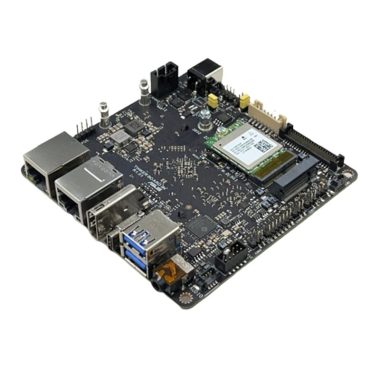
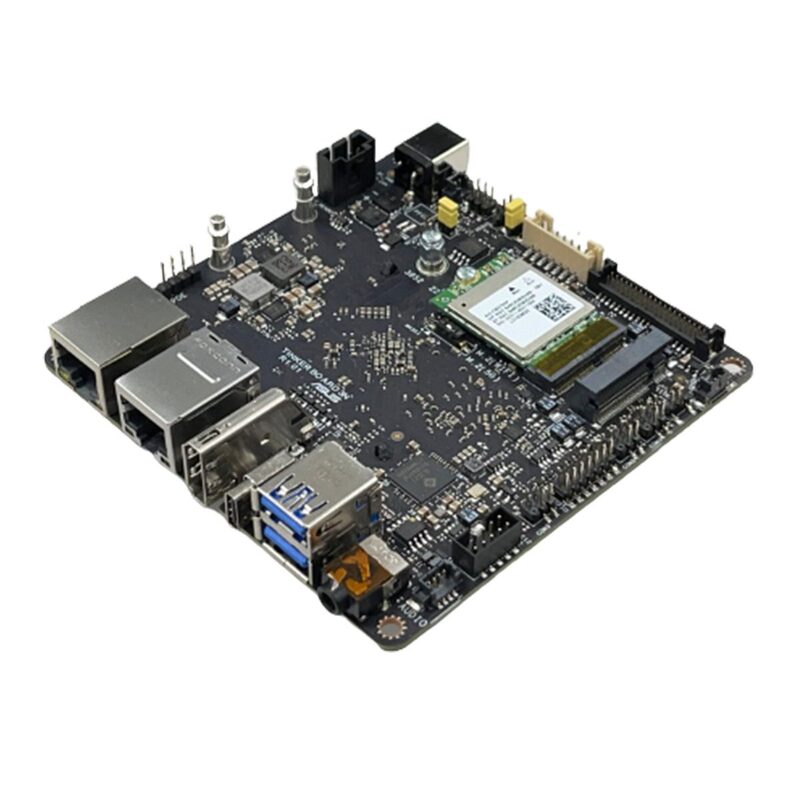
ASUS IoT, the leading global AIoT solution provider, today announced Tinker Board 3N series, a versatile, Arm®-based single-board computer (SBC) that empowers easy system integration, broad adaptability and superb expandability — elevating it to the perfect choice for the emerging Industrial Internet of Things (IIoT) era. The NUC-sized SBC series is equipped with rich I/O and supports Linux Debian, Yocto, and Android operating systems, presenting an all-new premium option for developers and system integrators’ diverse IIoT projects. Its optimized thermal design simplifies deployment of embedded applications, ensuring efficient operation in demanding environments.

With its durable and reliable design, Tinker Board 3N offers enhanced computing performance, low power consumption and a wide range of interfaces, so it’s primed and ready for smart manufacturing applications powering the IoT revolution.

Tinker Board 3N
Asus Tinker Board 3N – photo Asus

Versatile performance and advanced graphics processing

To deliver the raw power and versatility demanded by IIoT applications, Tinker Board 3N is equipped with a 64-bit, quad-core Arm Rockchip RK3568 processor. Built on the Arm v8 architecture, this generates remarkable GPU performance for seamless graphics processing with low power consumption. Exacting in-house tests show that Tinker Board 3N delivers up to 17%-higher GPU performance and up to 31% increase in total UX score, encompassing data security, processing capabilities, and image and video processing. Tinker Board 3N excels in IoT gateway, human-machine interfacing (HMI), and factory automation.

Robust and resilient thermal design

In addition to its outstanding computing performance, Tinker Board 3N incorporates several mechanical design enhancements to facilitate embedded application use with flexibility. For example, it features a low-profile pushpin heatsink and SoC placement on the back side for added strength and ease of installation, with its diminutive NUC-scale dimensions allowing for SWaP-constrained space deployment and flexible system integration. It is also engineered to operate smoothly in harsh industrial environments, with an impressive operating-temperature range of -40 to 85°C in order to fulfill industrial automation needs.

Enhanced connectivity for diverse applications

Tinker Board 3N-series devices are equipped with PoE, LVDS, COM, and CAN bus interfaces, along with M.2 E and M.2 B slots to accommodate WiFi 5/6 and 4G/5G expansion modules for cloud computing. The onboard LVDS supports FHD output via dual channels, making it suitable for multiple display solutions, while embedded COM headers and CAN bus can be utilized in diverse applications, such as controllers and robotic arms, expanding the board’s usability. Delivering enhanced computing performance, remarkable expandability and cost-effectiveness, Tinker Board 3N series is perfectly suited for industrial automation and smart factory environments. It fulfills the need for real-time communication, frictionless integration, long-term operation, and stringent revision control, making it an ideal choice for fulfilling the demands of versatile applications in these settings.

Tinker Board 3N
Tinker Board 3N

Support for the latest operating systems

Tinker Board 3N supports a variety of the latest and mainstream operating system platforms, catering to different development environment needs. Users can choose from Linux Debian, Yocto, and Android operating systems. The latest ASUS IoT SBC supports firmware over the air (FOTA) for both Android and Linux, ensuring regular software updates and system maintenance for efficient and optimal performance.

Tinker Board 3N is available in three distinct flavors to meet diverse project requirements. These include Tinker Board 3N PLUS, Tinker Board 3N and Tinker Board 3N LITE.

source Asus

Anker Nebula Apollo Portable Projector Review

0

The Anker Nebula Apollo harnesses advanced 0.2-inch FWVGA DLP display technology, contributing to its exceptional visual performance. The native resolution of 854 x 480 ensures sharp and clear imagery, allowing you to enjoy content in impressive detail.

Experience a new level of entertainment with the Anker Nebula Apollo projector, your all-in-one solution for projecting videos, photos, Android apps, and enjoying music while doubling as a Bluetooth speaker. With its impressive battery life, it’s the perfect companion for your portable, on-the-go adventures.

Compact yet enduring, the Anker Nebula Apollo is your essential projector for countless scenarios. Bask in its extended battery life during warm summer garden evenings, take it along on vacations, or elevate movie and gaming nights at a friend’s place. And when you’re not immersed in cinematic experiences, revel in its Bluetooth music speaker functionality.

Anker Nebula Apollo
Anker Nebula Apollo

From 20 to 100 inches, the Apollo offers a diverse range of screen size options to cater to your preferences. For optimal brightness and clarity, opt for a 20 – 40 inch screen, allowing you to position the projector just 58cm away for a 20 inch display. Dim the lights, sacrifice a bit of sharpness, and relish in a larger-than-life 100-inch image.

With 200 lumens of brightness, the Apollo outshines many competitors, especially in well-lit environments like sunsets. While it excels in darker surroundings, it’s recommended for the ultimate performance. Indoors or outdoors, the image truly comes to life once the lights dim.

Effortlessly navigate functions with the touchpad control or the included remote. For smartphone or tablet management, download the Nebula Connect app – available for both Apple iOS and Android devices – and take charge.

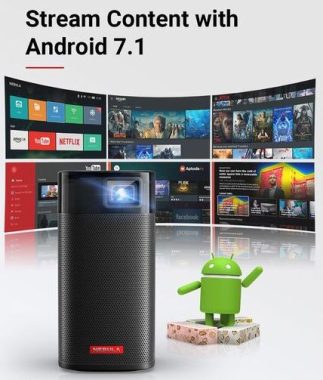
Equipped with Android 7.1, the Apollo lets you run pre-loaded Android apps and access a world of new ones through Wi-Fi. From streaming favorites like Amazon Prime Video, YouTube, to Netflix, your entertainment options are limitless, no additional sources required.

Featuring HDMI and USB interfaces, the Apollo grants you seamless connections. Plug in your Blu-ray player or gaming console via HDMI, or play content from USB media devices – versatility at its finest.

An impressive brightness of 200 ANSI lumens ensures vibrant and well-defined visuals across various lighting conditions. With a remarkable lamp life of 30,000 hours, the Nebula Apollo guarantees prolonged usage without the hassle of frequent lamp replacements.

Versatile Viewing and Keystone Correction

The projector offers a range of throw ratios, enabling flexible screen sizes at different distances. Whether projecting a 100-inch image at 2.87 meters or a 40-inch image at 1.14 meters, the Nebula Apollo adapts effortlessly to your space. The 100% offset ensures seamless alignment, while the manual focus adjustment and auto vertical keystone correction (±40°) enhance user convenience.

Anker Nebula Apollo
Nebula Apollo Portable Projector images

Interface and Connectivity

Connectivity options are diverse, with an HDMI 1.4 input supporting resolutions up to 1080p, ensuring compatibility with various devices. The USB port serves for data storage and connections. The inclusion of an IR remote with both D-Pad and Mouse modes, along with a Bluetooth Remote App for Android and iOS, amplifies control flexibility.

Powerful Hardware Configuration

The Nebula Apollo is powered by a Quad Core A7 Smartphone Chipset, delivering robust processing capabilities. The Adreno 304 GPU contributes to smooth graphics performance. With 1GB of DDR3 RAM and 8GB of eMMC ROM, the projector offers ample storage for apps and content.

Long-lasting Battery and Immersive Sound

Equipped with a substantial 9,750mAh/3.85V battery, the Nebula Apollo ensures an impressive movie playtime of up to 4 hours on battery mode. As a Bluetooth speaker, it extends its music playtime to a remarkable 30 hours, enhancing its versatility. The 6W speaker guarantees powerful audio, elevating your viewing experience.

Wireless Connectivity and User-friendly Features

Dual-frequency Wi-Fi (2.4/5GHz) ensures seamless internet connectivity, while BT4.2 Dual Mode/A2DP enables robust Bluetooth capabilities. The fan’s minimal noise level of under 30dB maintains a peaceful viewing environment.

Smart Software and Varied Usage Modes

Operating on Android 7.1, the Nebula Apollo is a hub of functionality. It seamlessly transitions between Projector Mode and Bluetooth Speaker Mode, catering to diverse needs. OTA (Over-the-Air) support and access to an App Store enhance user experience.

Extended Play and Swift Charging

Enjoy up to 4 hours of movie playtime or switch to Bluetooth Speaker Mode for up to 30 hours of music enjoyment. With a rapid charging time of 2 hours using a DC 15V3A charger, the Nebula Apollo gets you back to entertainment swiftly.

The Anker Nebula Apollo is an embodiment of technological finesse. Its cutting-edge display technology, diverse connectivity options, and impressive hardware configuration ensure an immersive viewing experience. Whether you’re enjoying movies, presentations, or music, the Nebula Apollo delivers with excellence. Its Android OS, versatile usage modes, and convenient app store access elevate its functionality. The projector’s thoughtful design, extended battery life, and rapid charging solidify its position as a top-tier choice for portable projection and entertainment.

Display Technology0.2 in FWVGA DLP
Native Resolution854 x 480
Brightness200 ANSI lumens
Lamp Life30,000 Hours
Aspect Ratio16:9
Throw Ratio100 in @2.87m
80 in @2.29m
60 in @1.72m
40 in @1.14m
Offset100%
Focus AdjustmentManual
Keystone CorrectionAuto (Vertical ±40°)
Manual (Horizontal ±10°)
Interface
HDMIHDMI 1.4 up to 1080p Input
USBData Storage / Connection via USB
IR RemoteD-Pad Mode / Mouse Mode
Bluetooth Remote AppAndroid and iOS
Hardware
CPUQuad Core A7 Smartphone Chipset
GPUAdreno 304
RAM1GB DDR3
ROM8GB eMMC
Battery9,750mAh / 3.85V
Speaker6W
Wi-Fi802.11a/b/g/n
Dual Frequency 2.4/5GHz
BluetoothBT4.2 Dual Mode/A2DP
Fan<30dB
Software
OSAndroid 7.1
Working ModesProjector Mode, Bluetooth Speaker Mode
OTASupported
App StoreSupported
Movie Playtime4 Hours in Battery Mode
Music PlaytimeUp to 30 Hours in Bluetooth Speaker Mode
Charging time2 Hours with DC 15V3A