Apple has introduced a physical security key feature starting from iOS 16.3 to provide users with enhanced protection for their Apple ID accounts. By using a physical security key, the risk of unauthorized access to your account and the subsequent misuse of personal information is significantly reduced. Here are the instructions for setting up an Apple ID security key.
Apple – photo: Pixabay
What is an Apple ID security key?
The Apple ID security key is a valuable tool that strengthens the security of your account. It effectively safeguards against hacking attempts aimed at stealing your personal data and other sensitive information.
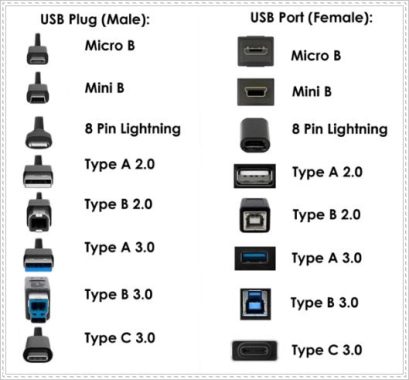
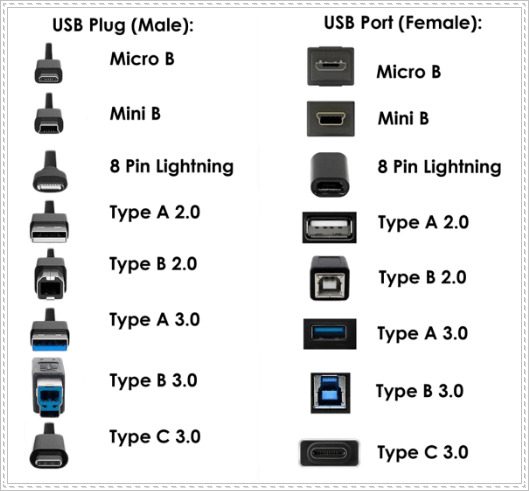
A security key is a small hardware device from a trusted third-party that can be connected to your iPhone. It acts as a means of verifying your identity when signing in to your Apple ID account. By using this physical key, you no longer rely on traditional verification codes for Apple ID two-factor authentication, making it harder for attackers to intercept or compromise your information. The method of connecting the hardware security key to your Mac or iPhone may vary based on the specific model. Some hardware security keys can be plugged into your device using a USB-A, USB-C, or lightning cable, while others utilize near-field communication (NFC) for establishing the connection. Once you have registered a security key to your accounts, it becomes significantly challenging for attackers to gain unauthorized access.
Instructions for setting up an Apple ID security key:
Step 1: On your iPhone, navigate to the Settings section and access your current Apple ID account. Then, switch to the new interface and select “Password & Security.”
Step 2: To proceed with the security settings for your account on the iPhone, you will be prompted to enter your Apple ID account password.
Step 3: In the following interface, select “Security Key” to initiate the setup process. You will find an introduction to the physical security key for your Apple ID account. Click on “Add a Security Key” and carefully follow the instructions displayed on the screen.
Step 4: When signing in to a device, website, or app that supports security key authentication, connect your physical security key to your iPhone as instructed on the screen.
Step 5: If, at any point, you wish to remove the security key you have set up, follow these steps: Go to Settings, select your Apple account, then choose “Password & Security.” Next, click on “Use Key” and select “Delete All Keys” to remove the currently configured security key.
If you remove all security keys from your iPhone, the device will revert to using six-digit verification codes for Apple ID two-factor authentication.
By setting up an Apple ID security key, you significantly enhance the security of your account, ensuring a higher level of protection against unauthorized access and potential privacy breaches.
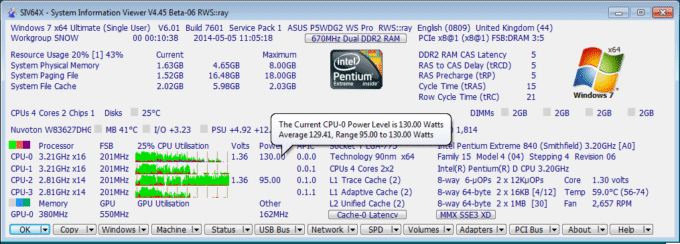
System Information Viewer, also known as SIV, is a free software utility designed to provide detailed information about the hardware and software components of your computer system. It is typically used for system diagnostics, monitoring system health, and gathering information about various system parameters.
Here are some key features commonly found in System Information Viewer software:
Hardware Information: SIV can display information about your computer’s hardware components, such as the CPU, motherboard, memory, storage devices, graphics card, and network adapters. It provides details like manufacturer, model, temperature, clock speed, and voltage.
System Information Viewer
System Monitoring:This software often includes real-time monitoring features to track various system parameters such as CPU usage, memory usage, fan speeds, temperatures, and voltages. It can help identify any issues with your hardware or system performance.
Fan Control: Some versions of SIV offer fan control functionality, allowing you to adjust fan speeds manually or automatically based on temperature thresholds. This feature can help optimize cooling and reduce noise levels.
Overclocking: Certain System Information Viewer tools may include overclocking capabilities, enabling you to modify CPU and GPU clock speeds, voltages, and other settings to increase performance. However, note that overclocking carries risks and should be done with caution.
System Alerts:SIV can provide alerts or notifications if it detects abnormal readings or issues with your hardware components. This can be helpful for proactive maintenance and troubleshooting.
It’s worth mentioning that there are several different System Information Viewer software available, developed by different companies or individuals, each with its own features and user interface. Therefore, it’s essential to research and read reviews specific to the software you are interested in to get a more accurate understanding of its capabilities and user experience.
System Information Viewer is a user-friendly software that allows you to effortlessly access detailed information about your computer’s hardware components. With this tool, you can easily view configurations for essential hardware pieces such as the CPU, GPU, memory, and other components.
System Information Viewer – images: rh-software
One of the standout features of System Information Viewer is its portability, making it compatible with a wide range of devices. You can use it without the need for installation, simply by deploying it on your computer. The interface is designed to be straightforward, ensuring a hassle-free experience.
Within the interface, you can select the specific hardware you wish to scan and view relevant information. When not in use, the tool can be minimized to the system tray, allowing for quick and instant access. The main window provides real-time resource usage details, including physical memory usage and availability.
Furthermore, System Information Viewer offers in-depth insights into your GPU and CPU information. You can also explore various aspects such as installed drivers, DNS names, DLLs, sensor debugging information, PCI devices, IP addresses, SPD data, disk mapping, and more.
The software provides comprehensive reports based on your preferred information categories. Additionally, you can easily copy the obtained information to your clipboard for use in other applications. Customization options are available to ensure a well-organized and personalized viewing experience.
System Information Viewer is a powerful and comprehensive application designed to provide you with essential hardware information. Its user-friendly interface, portability, and diverse range of features make it a valuable tool for accessing and analyzing your computer’s hardware configuration. SIV is designed for Windows 11, 10, 8.1, 8.0, 7, Vista, XP, 2022, 2019, 2016, 2012, 2008, 2003, 2000, NT 4.00 and NT 3.51. Windows 95, 98 and Me are also supported.
Remember to download system software only from trusted sources and ensure that it is compatible with your operating system before installing it.
Download System Information Viewer, the best Windows utility HERE
USB Type-B connectors, officially known as Standard-B connectors, are square-shaped connectors with slight rounding or a large square protrusion on the top, depending on the version.
With the exception of USB4, Type-B connectors are supported by every USB version, including USB 3.0, USB 2.0, and USB 1.1. There is also a second type of Type-B connector called Powered-B, which exists only in USB 3.0.
USB 3.0 Type-B connectors are often colored blue, while USB 2.0 Type-B and USB 1.1 Type-B connectors are usually black. However, manufacturers have the freedom to choose any color for USB Type-B connectors and cables.
USB Type-B – photo: cytron
You’ll typically find USB Type-B receptacles on larger computer devices such as printers and scanners. Occasionally, Type-B ports can also be found on external storage devices like optical drives, floppy drives, and hard drive enclosures.
Type-B plugs are typically found at one end of a USB A/B cable. The USB Type-B plug is inserted into the Type-B receptacle on the printer or another device, while the USB Type-A plug is connected to the Type-A receptacle on the host device, such as a computer.
USB Type-B Compatibility
The Type-B connectors in USB 2.0 and USB 1.1 are identical, which means that a USB Type-B plug from one USB version will fit into the Type-B receptacle of both its own and the other USB version.
USB 3.0 Type-B connectors have a different shape compared to previous versions, so the plugs are not compatible with those receptacles. However, the USB 3.0 Type-B form factor was designed to allow previous USB Type-B plugs from USB 2.0 and USB 1.1 to fit with USB 3.0 Type-B receptacles.
In other words, USB 1.1 and 2.0 Type-B plugs can physically fit into USB 3.0 Type-B receptacles, but USB 3.0 Type-B plugs are not compatible with USB 1.1 or USB 2.0 Type-B receptacles.
USB 3.0 Type-B connectors have nine pins, which is more than the four pins found in previous USB Type-B connectors. This increase in pins enables faster USB 3.0 data transfer rates. To accommodate the additional pins, the Type-B shape had to be modified slightly.
There are two types of USB 3.0 Type-B connectors: USB 3.0 Standard-B and USB 3.0 Powered-B. The plugs and receptacles of both types have the same shape and follow the defined physical compatibility rules. However, USB 3.0 Powered-B connectors have two extra pins to provide power, totaling eleven pins.
It’s important to note that the compatibility between Type-B connectors from different USB versions does not imply anything about their speed or functionality.
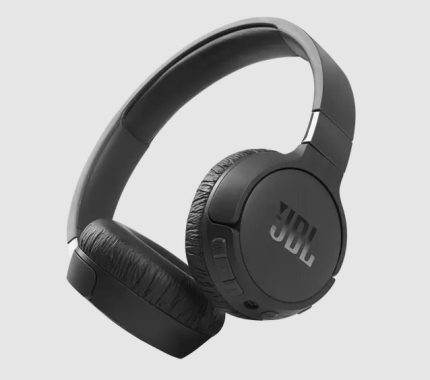
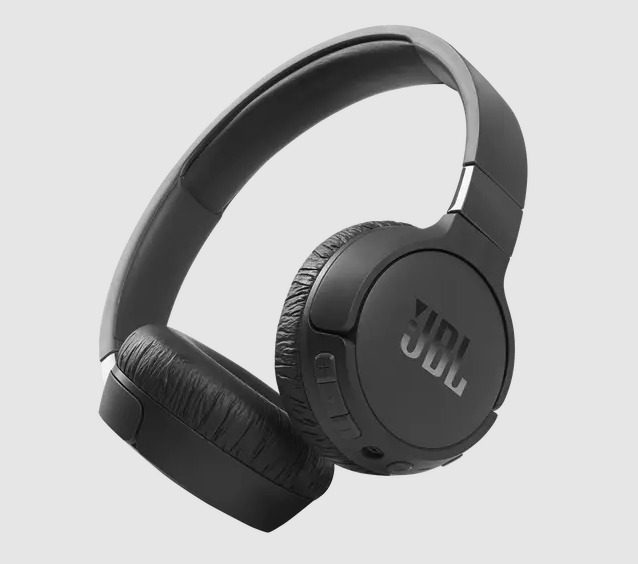
The JBL Tune 660NC is a wireless set of on-ear headphones offering from JBL, known for their audio quality and comfortable designs. Let’s dive into the various features and performance aspects of these headphones.
Starting with the design, the JBL Tune 660NC is a lightweight and portable headphone weighing just 166 grams (0.366 lbs). This makes them easy to carry around and comfortable to wear for extended periods. The headset battery is powered by a polymer lithium-ion battery with a capacity of 610 mA. The charging time is impressively quick, taking less than 2 hours to fully charge from empty.
JBL Tune 660NC
In terms of battery life, the JBL Tune 660NC offers exceptional playtime. With Bluetooth on, you can enjoy up to 55 hours of music playback. With both Bluetooth and active noise cancellation (ANC) activated, the battery life is slightly reduced to 44 hours. However, even with ANC on and using the auxiliary (AUX) connection, the headphones still offer a respectable playtime of 35 hours. This extended battery life makes them an excellent choice for long trips or busy days without access to a charger.
Moving on to the audio performance, the JBL Tune 660NC features a 32mm (1.26″) dynamic driver, which is responsible for delivering the sound. With a frequency response ranging from 20 Hz to 20 kHz and an impedance of 32 ohms, these headphones offer a balanced and immersive sound experience. The sensitivity of 100 dB SPL ensures that the audio is loud and clear even at lower volumes, providing an enjoyable listening experience.
Additionally, the JBL Tune 660NC comes equipped with Bluetooth version 5.0, ensuring a stable and reliable wireless connection. The Bluetooth profile versions include A2DP 1.3, AVRCP 1.5, and HFP 1.6, allowing for seamless pairing and control of your audio devices. The Bluetooth transmitter frequency range of 2.402 GHz to 2.480 GHz provides compatibility with most devices, and the transmitter power remains below 10 dBm.
The active noise cancellation (ANC) feature is a notable highlight of these headphones. It effectively reduces background noise, allowing you to focus on your music or calls. This is especially beneficial in noisy environments, such as during travel or in crowded areas. The microphone sensitivity of -42 dBV ensures clear voice transmission during phone calls or voice commands.
In terms of build quality, the JBL Tune 660NC feels sturdy and durable, providing confidence in its longevity. The maximum operating temperature of 45°C ensures that they can withstand different weather conditions and usage scenarios.
The JBL Tune 660NC headphones come in four stylish colors, including White, Black, Pink, or Blue. The sleek design and soft ear pads provide a comfortable fit, while the adjustable headband feels smooth and ensures a personalized experience. Thanks to its lightweight construction, you might even forget that you’re wearing them.
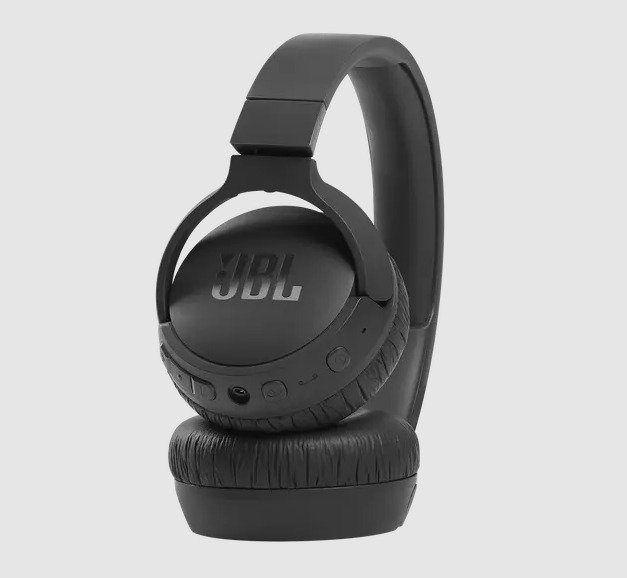
One of the convenient features of the Tune 660NC is its foldable design, allowing for easy storage and portability. Additionally, the ear cups can swivel and lay flat, making the headphones more compact for travel.
Compared to its predecessor, the JBL Tune 600BTNC, the Tune 660NC offers several important improvements. It is lighter, providing enhanced comfort, and features USB-C charging. The upgrade from Bluetooth 4 to Bluetooth 5 ensures a more stable and reliable wireless connection. Moreover, the battery life has been significantly extended from 12 hours with ANC on to an impressive 44 hours, making these on-ear headphones a compelling choice.
Here are some pros and cons of the JBL Tune 660NC headphones:
Pros:
Good active noise cancellation (ANC) for the price range, effectively reducing ambient noise.
Comfortable fit with lightweight design, suitable for extended wear.
Decent sound quality with clear mids and highs, and a balanced bass response.
Long battery life, typically around 24 hours with ANC on.
Convenient features like easy Bluetooth pairing and on-ear controls.
Foldable design for portability and easy storage.
Affordable compared to many other ANC headphones.
Cons:
Bass may be less powerful or impactful for users who prefer stronger low-end.
ANC is effective but not as advanced as premium models from higher-end brands.
Build quality is generally good but mostly plastic, which might feel less premium.
Limited app support or customization options for sound and controls.
No support for advanced Bluetooth codecs like aptX or LDAC, which may affect audio quality on some devices.
JBL is renowned for its commitment to delivering exceptional sound quality across all its audio products, and the Tune 660NC headphones are no exception. With JBL Pure Bass tuning, these headphones produce deep and powerful bass, making them a great choice for bass enthusiasts. The audio is strong and rich, with a focus on the low-end. However, if you prefer a more balanced sound with precise vocals, you may want to explore other options.
In addition to their impressive sound performance, the Tune 660NC headphones offer a simple and smart design, excellent noise cancellation capabilities, and extensive battery life, making them one of the best budget options available. They also feature Active Noise Cancelling, hands-free calls, support for smartphone voice assistants, and a foldable and portable design. If you own an Android phone, you can take advantage of Fast Pair enabled by Google.
Priced under $100, the JBL Tune 660NC offers great value for money. The noise cancellation is particularly effective, especially for over-ear headphones, and the headphones deliver satisfying bass without overwhelming those who prefer less emphasis on low frequencies. The midrange is well-balanced, ensuring consistent presence and fullness across all genres, with vocals receiving ample highlighting. The energetic sound signature of the Tune 660NC makes them a worthwhile purchase at their price point. Video: YouTube/JBL
The JBL Tune 660NC headphones combine style, comfort, noise cancellation, and impressive battery life at an affordable price. Whether you’re a bass lover or seeking a well-rounded sound experience, these headphones are a solid choice. The JBL Tune 660NC is a feature-packed wireless headphone offering remarkable battery life, impressive audio performance, and effective active noise cancellation. With its lightweight design, comfortable fit, and reliable Bluetooth connectivity, these headphones are suitable for daily commutes, travel, or leisurely listening sessions. Whether you’re a music enthusiast or someone who frequently takes calls on the go, the JBL Tune 660NC is a solid choice that delivers excellent value for its price.
Today, AMD (NASDAQ: AMD) announced that SAP has chosen AMD EPYC™ processor-powered Google Cloud N2D virtual machines (VMs) to run its cloud ERP delivery operations for RISE with SAP; further increasing adoption of AMD EPYC for cloud-based workloads. As enterprises look toward digital modernization, many are adopting cloud-first architectures to complement their on-premises data centers. AMD, Google Cloud and SAP can help customers achieve their most stringent performance goals while delivering on energy efficiency, scalability and resource utilization needs.
AMD EPYC processors offer exceptional performance as well as robust security features, and energy efficient solutions for enterprise workloads in the cloud. RISE with SAP helps maximize customer investments in cloud infrastructure and, paired with AMD EPYC processors and Google Cloud N2D VMs, aims to modernize customer data centers and transform data into actionable insights, faster.
Critical SAP Business Suite workloads now run on AMD EPYC processor-powered Google Cloud N2D offering, delivering impressive performance and energy efficiency
“AMD powers some of the most performant and energy efficient cloud instances available in the world today,” said Dan McNamara, senior vice president and general manager, Server Business Unit, AMD. “As part of our engagement with Google Cloud and SAP, SAP has selected AMD EPYC CPU-powered N2D instances to host its Business Suite enterprise software workloads. This decision by SAP delivers the performance and performance-per-dollar of EPYC processors to customers looking to modernize their data centers and streamline IT spending by accelerating time to value on their enterprise applications.”
“As part of our RISE with SAP initiative, we have made a strategic decision to add AMD EPYC processor powered N2D instances in Google Cloud to run mission critical workloads for our enterprise cloud customers.” said Lalit Patil, CTO, SAP Enterprise Cloud Services, SAP SE. “Our engineering collaboration with AMD and Google Cloud can result in an increase in performance and performance-per-dollar over comparable instances.”
“Our collaboration with AMD and SAP delivers a scalable and performant solution for our joint customers seeking to move their workloads to the cloud,” said Mark Lohmeyer, vice president and general manager of Compute at Google Cloud. “Google Cloud N2D VMs, powered by AMD EPYC processors, are helping us deliver impressive price-performance for SAP Business Suite workloads.”
Both the 13th Gen Intel Core processors and the Ryzen 7000 series processors bring significant advancements in performance and features compared to their previous generations. Here are the key points for each:
13th Gen Intel Core processors, Raptor Lake:
Performance Hybrid Architecture: These processors utilize Intel Thread Director to intelligently route workloads across up to eight Performance-cores (P-core) and up to 16 Efficient-cores (E-core).
Gaming: Designed to deliver exceptional gaming performance while efficiently handling other tasks.
Creating Experience: Faster P-cores, more E-cores, and support for DDR4/DDR5 and PCIe 4.0/5.0 enhance multitasking capabilities and customization options.
Customization: Provides a highly flexible architecture and industry-leading tools for performance customization.
Mobile: Enables work, streaming, gaming, and content creation on the go with increased multitasking power and E-cores.
Desktop: Suitable for modern gaming, streaming, and recording, offering up to eight Performance-cores and up to 16 Efficient-cores.
Overclocking: Enthusiasts can easily overclock their unlocked Intel Core processors using tools like the Intel Extreme Tuning Utility.
Intel’s 13th Gen processor, codenamed Raptor Lake, is based on the 10nm ESF “Intel 7” process node, which has been a trusted choice for the company. However, the development of their supposed 14th Gen processor, Meteor Lake, using a 4nm process, has faced significant setbacks and delays.
Intel is positioning itself as a frontrunner in the industry with the release of the new 13th Gen Raptor Lake processor. Raptor Lake promises improved speed, power, and overall enhancements in gaming experiences. DDR5 RAM compatibility plays a crucial role in achieving peak performance with these new Intel components.
To enhance performance, Intel has increased its DDR5 support to 5600, compared to the 4800 support in its predecessor, Alder Lake. This decision aligns with the stabilized prices of new RAM technology, making it a smart move for Intel.
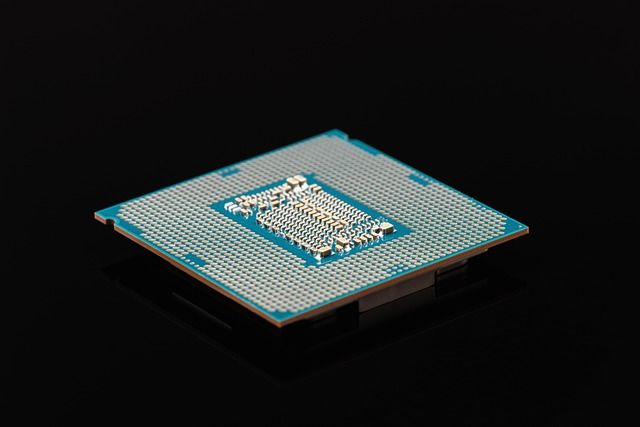
Intel – photo: Pixabay
Additionally, Intel has decided to maintain DDR4 support up to 3200, distinguishing itself from AMD’s Ryzen 7000 series, which has dropped DDR4 support.
DDR5 RAM technology showcases notable advancements in gaming performance, primarily due to improved architecture and double the available channels for efficiency improvements. Furthermore, DDR5 RAM supports significantly more memory, with capacities reaching up to 512GB compared to DDR4’s maximum of 32GB.
These advancements in memory technology have wide-ranging effects beyond gaming. The upgraded RAM capabilities deliver significant improvements in demanding tasks such as 3D rendering and machine learning.
Raptor Lake represents the pinnacle of hybrid architecture and core management. It features eight additional efficient cores and threads compared to Alder Lake, resulting in an extra 600MHz in total turbo boost.
The 13th Gen Raptor Lake chips will consist of Performance Cores (P-cores) with the new Raptor Cove microarchitecture. These cores excel in single- and lightly-threaded tasks like gaming and productivity workloads. The Efficiency Cores (E-cores) also incorporate a revamped microarchitecture, including doubled L2 cache, while still utilizing the Gracemont design. E-cores handle heavily-threaded workloads, background tasks, and multitasking.
For instance, the Core i9-13900K will feature a total of 24 cores, consisting of eight P-cores and 16 E-cores. This represents an additional eight E-cores compared to the previous-generation flagship (with the same number of P-cores). The Core i9, i7, and K-series i5 chips will utilize a new larger 8+16 die (8 P-cores + 16 E-cores). This larger die offers additional cache capacity for the cores. However, the Core i3 and lower-tier models will have the same cache amount as existing Alder Lake models.
The Core i9-13900K, priced at $589, will compete directly with AMD’s Ryzen 9 7950X, which has 16 cores and a price of $699. Intel has the advantage of potentially offering a lower price point.
The Core i7-13700K, priced at $409, receives a 400 MHz p-core frequency boost to 5.4 GHz, four additional e-cores (totaling eight), and a 400 MHz e-core boost to 4.2 GHz.
Surprisingly, the 13700K sees a 63W increase in MTP (Maximum Turbo Power) to 253W compared to the previous generation. The 13700K competes with AMD’s Ryzen 7 7700X priced at $399.
The 13600K benefits from four additional e-cores, a 200 MHz higher p-core clock reaching 5.1 GHz, and a 300 MHz e-core improvement resulting in a 3.9 GHz boost. The 13600K also sees a 31W MTP increase to 181W.
While the peak frequencies for p-cores and e-cores have been raised on all Raptor Lake chips, the base clocks have seen a decline of 200 MHz. However, this is unlikely to have a significant impact in practical applications and is likely done to manage the TDP rating. The 13900K maintains a Base Turbo Power (BTP) of 125W but sees a 12W increase in Maximum Turbo Power (MTP) to 253W.
The Core i3-13600K is the only chip to receive a price increase, with both the regular and graphics-less 13600KF models priced $30 higher than the previous generation. This SKU targets high-volume sales and positions Intel favorably against AMD in terms of pricing. However, AMD’s $299 Ryzen 5 7600X offers powerful gaming performance, so the overall performance comparison will be crucial when Raptor Lake is tested.
Several improvements apply to all three chips. For instance, Intel has increased the L2 cache from 1.25MB to 2MB for each p-core and doubled the L2 cache amount for each e-core cluster to 4MB. The L3 cache capacity has also increased due to the addition of more e-core clusters, each having an adjacent L3 cache slice as part of the design. Consequently, cache capacity has improved across all K-series Raptor Lake chips.
Ryzen 7000 series processors:
3D V-Cache Technology: Introduces AMD’s 3D V-Cache technology, adding up to 144MB of on-chip memory for a significant gaming performance boost.
Gaming: Touted as the world’s fastest gaming processors, featuring high-performance “Zen 4” cores, up to 16 cores, 32 threads, boost clocks up to 5.7GHz, and substantial on-chip memory.
Time-saving Technology: Offers time-saving features such as PCIe 5.0 storage support, ultra-fast WiFi 6E, AMD EXPO technology, and dedicated video accelerators.
Overclocking: AMD EXPO technology enables higher memory frequencies and more aggressive settings, unlocking higher and smoother frame rates in games.
Energy Efficiency: Focuses on energy efficiency, including an Eco-Mode for lower power consumption and new low-power 65W models.
Future Upgradeability: Supports the new Socket AM5 platform, allowing users to upgrade to processors with new technologies as they become available.
AMD has unveiled the suggested pricing for the first four desktop CPUs in the Ryzen 7000 Series. It’s important to note that these are only suggested prices, and individual retailers may set their own prices, resulting in potential variations. Here are the suggested prices:
Ryzen 9 7950X – $699
Ryzen 9 7900X – $549
Ryzen 7 7700X – $399
Ryzen 5 7600X – $299
Ryzen 9 7950X3D – $699
Ryzen 9 7900X3D – $599
Ryzen 9 7900 – $429
Ryzen 7 7800X3D – $449
Ryzen 7 7700 – $329
Ryzen 5 7600 – $229
Keep in mind that these prices may not reflect the actual amount you’ll pay, as retailers have the flexibility to set their own prices.
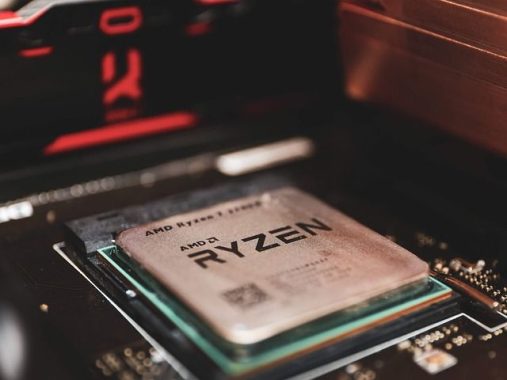
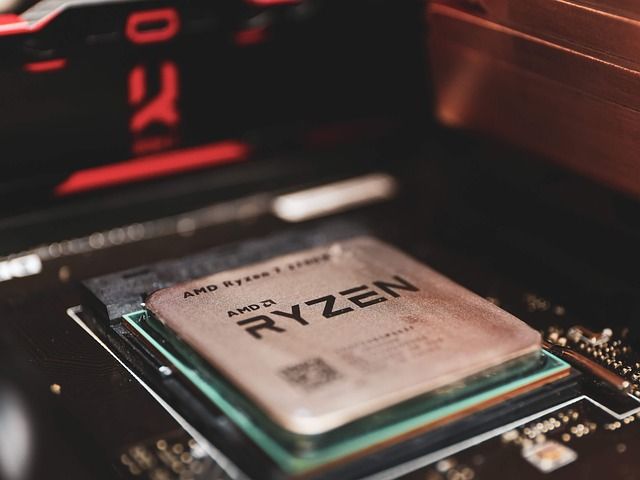
Ryzen – photo: Pixabay
The Ryzen 7000 Series CPUs are designed for desktop use and come with various specifications and features. Here is a summary of the announced desktop CPUs:
Ryzen 9 7950X – 16 cores, 32 threads, max clock speed of 5.7GHz, 80MB cache, 170W TDP
Ryzen 9 7950X3D – 16 cores, 32 threads, max clock speed of 5.7GHz, 128MB cache, 120W TDP
Ryzen 9 7900X – 12 cores, 24 threads, max clock speed of 5.6GHz, 76MB cache, 170W TDP
Ryzen 9 7900X3D – 12 cores, 24 threads, max clock speed of 5.6GHz, 128MB cache, 120W TDP
Ryzen 9 7900 – 12 cores, 24 threads, max clock speed of 5.4GHz, 65W TDP
Ryzen 7 7800X3D – 8 cores, 16 threads, max clock speed of 5.0GHz, 96MB cache, 120W TDP
Ryzen 7 7700X – 8 cores, 16 threads, max clock speed of 5.4GHz, 40MB cache, 105W TDP
Ryzen 7 7700 – 8 cores, 16 threads, max clock speed of 5.3GHz, 65W TDP
Ryzen 7 5800X3D – 8 cores, 16 threads, max clock speed of 4.5GHz, 96MB cache, 105W TDP
Ryzen 5 7600X – 6 cores, 12 threads, max clock speed of 5.3GHz, 38MB cache, 105W TDP
Four of the CPUs in the Ryzen 7000 Series have a ‘3D’ suffix, indicating additional L2 and L3 cache, which enhances responsiveness and framerates without significantly affecting clock speeds or overclocking capabilities.
All the desktop CPUs are based on the Zen 4 architecture, featuring compatibility with existing AM5 motherboards after a BIOS update. Key features across the processors include PCIe Gen 5 support, DDR5 memory, and integrated RDNA 2 graphics within the 6nm I/O die. The Zen 4 architecture delivers over 15% improvement in single-threaded performance compared to Zen 3, though it may require slightly more power to achieve this level of performance.
AMD is introducing a new socket design with the upcoming generation of CPUs, marking the retirement of the AM4 socket that has been in use for the past five years. The new socket, known as LGA1718 (Land Grid Array), features a motherboard design with CPU pins instead of pins on the CPU itself. Unlike AMD, Intel has been using LGA sockets for several generations, while AMD stuck with the older Pin Grid Array (PGA) socket design until Ryzen 5000.
The LGA1718 socket has 1,718 pins on the motherboard, allowing for a higher pin density compared to the AM4 socket, which has only 1,331 pins. This increased pin count enables support for DDR5 memory, PCI-Express 5.0, and overall improved performance.
The new AM5 sockets will be integrated into the next generation of 600 series motherboards. The top-tier X670E extreme motherboards will offer high-quality voltage regulator modules for enhanced overclocking and will feature PCI-E 5 support on all M.2 and PCIe slots. X670 boards will provide mainstream overclocking capabilities, with PCIe 5.0 on the first x16 PCIe 5.0 slot and at least one M.2 slot. B650 motherboards will have PCIe 5.0 for at least one M.2 slot and PCIe 4.0 for other slots.
These new motherboards will support up to 24 PCIe 5.0 lanes, 14 USB ports running at up to 20Gbps, Wi-Fi 6E, and Bluetooth 5.2. Additionally, thanks to the new integrated graphics, AMD 600 motherboards will be capable of supporting up to four HDMI 2.1 or DisplayPort 2 ports.
Despite the transition to a new socket design, Ryzen 7000 chips will maintain the same socket size and will be fully compatible with AM4 coolers.
Let’s take a look at the competition between Raptor Lake and Ryzen 7000. Both Intel and AMD are pushing the clock speeds of their modern chips to unprecedented levels, which naturally leads to increased power consumption, especially during multi-threaded workloads.
In terms of memory support, AMD’s Zen 4 Ryzen 7000 chips only work with DDR5 memory, while Raptor Lake supports both DDR4 and DDR5. This gives Intel an advantage in terms of overall system cost since DDR5 still carries a price premium. However, the availability of DDR5 has improved, and prices are decreasing as supply increases and demand stabilizes. As a result, the price difference should become less significant, although DDR5 is likely to retain a premium position in the market.
Ultimately, determining which is better between the 13th Gen Intel Core processors and the Ryzen 7000 series processors depends on specific models, real-world benchmarks, and individual needs and preferences.
The THERMALTAKE Toughpower GX1 RGB 600W Gold is a power supply unit that offers a range of impressive features for PC builders and gamers. With its 600W maximum output capacity and peak output capacity of 720W, this PSU provides ample power for most gaming setups.
One standout feature of the Toughpower GX1 is its RGB fan, which adds a stylish touch to any PC build. The fan illuminates in vibrant colors, enhancing the overall aesthetics of the system. The black color of the unit itself is sleek and complements various PC designs.
In terms of form factor, the Toughpower GX1 follows the standard ATX size, ensuring compatibility with a wide range of PC cases. Its dimensions of 150mm (W) x 86mm (H) x 140mm (D) make it compact enough to fit into most systems without any issues.
THERMALTAKE Toughpower GX1 RGB 600W Gold
The PSU features active power factor correction (PFC), which helps to optimize power efficiency and stability. The power good signal indicates the power supply’s performance, with a range of 100-500 milliseconds. Moreover, the hold-up time of over 12 milliseconds at 80% of full load ensures consistent power delivery even under demanding conditions.
The Toughpower GX1 operates within a temperature range of +5°C to +40°C, allowing it to function effectively in typical PC environments. The cooling system consists of a 12cm hydraulic bearing fan, which efficiently dissipates heat and maintains optimal operating temperatures.
One of the notable advantages of this PSU is its energy efficiency. It meets the 80 PLUS®Gold certification standards at 115Vac input, indicating its high efficiency in converting power from the outlet into usable energy for the PC components. This efficiency not only helps reduce electricity bills but also minimizes heat output and promotes system longevity.
With a minimum MTBF (Mean Time Between Failures) of 100,000 hours, the Toughpower GX1 demonstrates its reliability and durability. It has also received safety approvals from CE, TÜV SUD, FCC, UL, BSMI, and S-mark, assuring users of its adherence to industry standards.
In terms of connectivity, the PSU provides two PCI-E 6+2pin connectors, which are essential for powering high-performance graphics cards or other power-hungry components.
The Thermaltake Toughpower GX1 RGB 600W is a reliable and visually appealing power supply unit designed to enhance your PC build. With 10 preinstalled RGB LEDs on the 120mm fan, you can customize your system with 7 vibrant colors, including Red, Green, Blue, Yellow, Purple, Light Blue, and White. It offers three illumination modes – Pulse, Full-lighted, and 256-color RGB Cycle, as well as an LED Off mode, allowing you to create stunning lighting effects with a simple press of the RGB lighting button. The built-in memory function ensures that your chosen color is saved and retained every time you power on your PC.
To ensure durability and stability, the Toughpower GX1 RGB 600W PSU is equipped with a high-quality Japanese 105°C/221°F main capacitor. This capacitor provides excellent performance and reliability, even under demanding conditions. The voltage regulation of the PSU is set to no more than ±3% for major rails, surpassing the industry standard and delivering superior power performance. This strict voltage regulation ensures optimal power delivery to your components, surpassing Intel’s standard of ±5% for major rails and ±10% for -12V.
The PSU boasts exceptional power supply stability, with a maximum ripple/noise lower than 60mV on the +12V rail and lower than 40mV on the +5V and +3.3V rails. This low ripple noise level ensures that your critical components, such as high-end graphics cards, operate reliably and efficiently for extended periods.
The Toughpower GX1 RGB 600W PSU features a 120mm RGB hydraulic bearing fan with intelligent RPM control. This ensures superior cooling performance while operating silently, providing an optimal balance between efficient cooling and reduced noise levels.
In summary, the Thermaltake Toughpower GX1 RGB 600W PSU offers a combination of reliable power delivery, stunning RGB lighting options, and exceptional cooling performance. With its high-quality Japanese main capacitor, strict voltage regulation, and low ripple noise levels, this PSU is built to provide stable and efficient power to your system. Whether you’re a PC enthusiast or a gamer, the Toughpower GX1 RGB 600W PSU is an excellent choice to elevate your build aesthetics and ensure reliable power performance.
Samsung Electronics announced that it plans to open Samsung Game Portal, an online store specializing in gaming, on Samsung.com in more than 30 countries around the world, starting with the U.S., the U.K., Germany, France, Italy, Spain and Brazil in late June.
The Game Portal is a one-stop online store for gamers designed to significantly increase the convenience of browsing and purchasing products such as smartphones, TVs, gaming monitors and high-performance SSDs. It also provides customers with a variety of gaming-related content in one place, fine-tuned to their preferences and experiences.
Samsung Game Portal
In 2021, Accenture, a leading global professional services company, published an illuminating gaming-related study. The study found that half of the gaming population are cross-platform gamers who use more than one device to play, spending an average of 16 hours a week gaming, as well as eight hours a week watching gaming-related video content and six hours a week participating in gaming-related communities.
In response to these customer trends, Samsung has designed the Game Portal to provide an impressive variety of content, such as gaming product information, domestic and international expert reviews, product purchase benefits and offers, product utilization ideas that help users enjoy games more and game-related news.
“Gaming has become an important part of consumers’ lifestyle, not just entertainment, especially for Millennials and Gen Z,” said Evelyn Kim, Executive Vice President of the D2C Center at Samsung Electronics. “We will implement various initiatives to provide customers with a superior gaming experience, from purchase to use, by providing an environment that makes it enjoyable and easy to purchase gaming-related products.”
Notable products to be available on the portal are the Galaxy S23 Ultra, which is optimized for mobile gaming with its high-performance Snapdragon® 8 Gen 2 Mobile Platform for Galaxy and 5000mAh battery; the Neo QLED TV, which allows users to enjoy cloud gaming without a separate console through the Samsung Gaming Hub; and the Odyssey OLED G9 monitor, which provides an unparalleled immersive gaming experience with its 49-inch curved OLED screen. Another impressive offering is the 990 PRO SSD, which delivers sequential read and write speeds of up to 7,450 and 6,900MB/s for faster loading of PlayStation and DirectStorage PC games.
To celebrate the launch of the Game Portal, Samsung is offering discounts on bundles of gaming devices, as well as a variety of regional purchasing incentives centered on its recently launched Odyssey gaming monitor and Neo QLED 8K products.
The gaming industry is one of the few sectors that continues to grow. Given this trend, Samsung has been engaged in various activities to strengthen its leadership in the industry, including enhancing the competitiveness of its gaming-related products and services. Opening the Samsung Game Portal is a key move in this direction that paves the way for further growth. For more information, please visit https://www.samsung.com/game-portal.
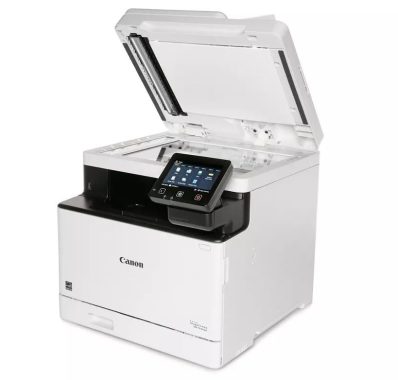
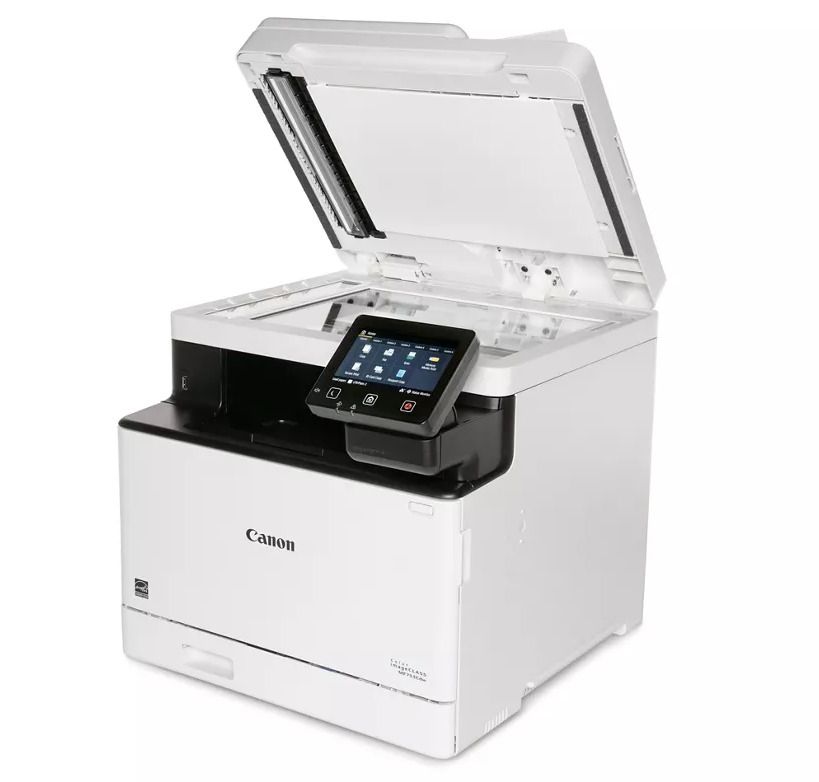
The build quality of the Canon imageCLASS MF753Cdw/MF751Cdw printer is excellent, featuring a predominantly plastic construction with some metal components. Apart from a few smaller, delicate moving parts on the front manual input tray, the printer feels robust and sturdy. The power cord securely attaches to the printer and is removable, making replacement easy if needed. The scanner’s lid stays open on its own, eliminating the need to hold it open, and a dampener prevents it from slamming down forcefully. Accessing the toner cartridges from the front and addressing paper jams through a panel on the back is straightforward. However, it’s worth noting that the printer’s display lacks the ability to be pushed to the side or retracted, which can make carrying the printer somewhat cumbersome.
In terms of maintenance, this printer requires very little attention. Unlike inkjet models, there’s no risk of clogging if the printer remains unused for an extended period. Built-in functions such as Auto Adjust Gradation, Correct Print Color Mismatch, and Adjust Print Position assist in resolving print quality issues. Cleaning functions like Clean Fixing Assembly, Clean ITB (transfer belt), and Clean Feeder are also available. The long-lasting toner cartridges contribute to reduced maintenance, and the drum is integrated into the cartridges, eliminating the need for separate drum replacement. The main input tray accommodates 250 sheets of paper, a substantial capacity that reduces the need for frequent refills unless extensive printing is performed. Toner cartridge access is achieved by opening the front cover and pulling out the drawer, while paper jams can be addressed through a large panel on the back or by removing the input trays (the green button releases the panel covering the sheet rollers).
The printer’s display is exceptional, featuring a large size and good visibility from various angles, whether sitting, standing, or viewing from the side. Although the display can be tilted for improved visibility, the range of adjustment is limited. The primary drawback is that it doesn’t provide high brightness, which may pose difficulties in well-lit environments. Nevertheless, the touch input responsiveness of the display is excellent, and the user interface is user-friendly and easy to navigate.
The Canon imageCLASS MF753Cdw boasts a feature-rich scanner. Its automatic feeder supports single-pass duplex scanning, facilitating the processing of multi-page and double-sided documents. However, the scan speed is relatively slow, significantly slower than the advertised 20 pages per minute (PPM) when scanning at a resolution of 300 x 600 dpi. The speed may vary depending on the destination of the saved files. The stated speed corresponds to saving the scans directly to a PC via USB or Wi-Fi. The scanner can achieve the advertised speed when scanning directly to a USB flash drive. Optical character recognition (OCR) functionality allows scanning documents into .TXT files for quick keyword searches. It’s important to note that the Scanner MF Utility application must be installed to utilize this software-based OCR feature. Overall, the OCR performs well, with occasional errors occurring only when special characters are involved. It’s worth mentioning that the Canon imageCLASS MF751Cdw variant does not support duplex scanning.
The Canon imageCLASS MF753Cdw/MF751Cdw printer offers a high yield of prints from a single set of toner cartridges, reducing the frequency of cartridge replacements. It’s important to note that you can achieve even more black prints than our results indicate, although there may be a slight decrease in print quality. We stopped counting the pages when the print quality started to degrade, specifically when printing black pages with 80% coverage of black toner. However, for regular documents, the print quality degradation is less noticeable, as demonstrated in the sample printed after 91 pages (80% coverage) and again after 210 pages. While the quality is noticeably worse after 210 pages, it may still be acceptable depending on the document type. The printer emits a beeping sound to alert you when the toner is low and provides a warning message when the toner is almost empty, indicating that print quality may be affected. However, you can continue printing beyond this point.
When printing long documents or in high volume, it’s worth noting that the print quality of the first pages is significantly better than that of the later pages. To maintain consistent print quality, it is recommended to break the print job into smaller segments rather than printing it all at once, as the printer refreshes the toner between print jobs.
The print quality for black and white documents is exceptional, with sharp text and fine details. However, the printer may encounter difficulties when converting yellow to grayscale, which is a common issue for many printers.
The Canon PRINT Business mobile app is outstanding, offering the ability to print, copy, and scan using the printer or your smartphone’s camera. It also allows remote operation of the printer and performs maintenance tasks. However, there are a few limitations when printing photos and web pages. For photos, accessing them directly from the app on Android devices is not possible. Instead, you need to access ‘My Files’ first, and then open the photo with the Canon PRINT Business app to print. Regarding web pages, direct printing of HTML files from the app is not supported. However, on iOS devices, the ‘Print from Web’ function can be used to access any website and print from there.
Canon PRINT Business mobile app
The Canon imageCLASS MF753Cdw is an excellent choice for small or home offices. It delivers high-quality black and color documents, and its high print yield reduces maintenance requirements. Although it takes a bit of time to warm up and start printing the first page, it prints quickly once it gets going. The scanner features an automatic feeder with single-pass duplex scanning, simplifying the processing of multi-page and double-sided documents. The printer offers multiple connectivity options, including Wi-Fi, USB, Ethernet, and the ability to print directly from a USB flash drive.
In terms of black-and-white document printing, the Canon imageCLASS MF753Cdw is exceptional. It produces remarkably sharp documents, and although it takes a while to warm up, it prints quickly at speeds of up to 23 pages per minute. The long-lasting black toner cartridge reduces maintenance costs, and the large input tray capacity is ideal for large print jobs, as it minimizes the need for frequent tray refills. The scanner, equipped with an automatic feeder and single-pass duplex scanning, further enhances productivity when handling multi-page and double-sided documents.
However, it’s important to note that the Canon imageCLASS MF753Cdw is not suitable for photo printing. Like most laser printers, it may produce photos that appear muted and lack detail. Additionally, it is unable to print on glossy paper. While the toner cartridges have a long lifespan, they can be expensive, particularly the color cartridges. Therefore, if you regularly print, you may need to allocate a significant budget for replacement toner.
The Canon imageCLASS MF753Cdw is a suitable choice for family use, provided that photo printing is not a priority. It excels at producing incredibly sharp documents; however, like most laser printers, it may not deliver optimal results for photo printing, as printed pictures can appear grainy and muted. With its wide range of connectivity options including Wi-Fi, USB, and Ethernet, the printer is easily accessible for all members of the household. Additionally, the ability to print directly from a USB flash drive adds convenience. The scanner performs admirably, producing outstanding scans with sharp text and fine details. However, when it comes to digitizing photos, the colors may appear washed out, making it less ideal for that purpose. In terms of maintenance cost, the toner cartridges have a long lifespan, but it’s important to note that color printing can still be expensive due to the high cost of color cartridges.
The Canon Color imageCLASS MF753Cdw/MF751Cdw is an all-in-one color laser printer that utilizes Canon’s 069 toner cartridges and is compatible with the 069H high-yield cartridges. It offers various connectivity options such as USB, Wi-Fi, and Ethernet, ensuring easy accessibility for users. Additionally, it provides the capability to print directly from a USB flash drive, adding to its convenience. The scanner is equipped with an automatic feeder and extendable lid hinges, supporting single-pass duplex scanning and optical character recognition. It’s worth mentioning that there is a variant of this printer, the Canon Color imageCLASS MF751Cdw, which is identical to the MF753Cdw but does not support duplex scanning. The price of the printer is $499.99.
Model Name mColor imageCLASS MF753Cdw
Model Description All-In-One, Wireless, Color Laser Printer
If you’re encountering a “Samsung Account Processing Failed Sign in” error, there are several steps you can try to resolve the issue. Here’s a troubleshooting guide to help you fix the problem:
Check your internet connection: Ensure that you have a stable internet connection. Try accessing other websites or applications to confirm if your internet is working correctly.
Verify your Samsung account credentials: Double-check that you are entering the correct username and password for your Samsung account. Remember that passwords are case-sensitive, so ensure that you are using the correct capitalization.
Reset your Samsung account password: If you suspect that you may have forgotten your password or it is not working, visit the Samsung account recovery page on a web browser. Follow the instructions to reset your password. Once reset, try signing in again with the new password.
Clear cache and data of Samsung Account app: On your Android device, go to “Settings” > “Apps” or “Application Manager.” Locate the Samsung Account app and tap on it. Select “Storage” and then choose “Clear cache” and “Clear data.” Restart your device and attempt signing in again.
Samsung Account Sign-in Error – photo: Pixabay
Update the Samsung Account app: Ensure that you have the latest version of the Samsung Account app installed on your device. Visit the Google Play Store or Samsung Galaxy Store, search for “Samsung Account,” and check if an update is available. If yes, install the update and try signing in again.
Check for software updates: Keeping your device’s software up to date is essential. Go to “Settings” > “Software update” (or similar) on your device and check for any available updates. Install the updates if there are any and restart your device before attempting to sign in again.
Disable any VPN or Proxy connections: If you’re using a VPN (Virtual Private Network) or Proxy connection, disable them temporarily. Sometimes, these connections can interfere with the sign-in process. After disabling them, try signing in to your Samsung account.
Try signing in from a different device: If you have access to another device, such as a tablet or a friend’s smartphone, try signing in to your Samsung account from there. This will help determine if the issue is specific to your device or account.
Contact Samsung Support: If none of the above steps resolve the issue, it’s best to reach out to Samsung’s customer support. They will have specific insights into your account and device, and they can provide further assistance in diagnosing and resolving the sign-in error.
I have a potential solution for Samsung Account Sign-in Error that worked for me, and hopefully, it will work for you too:
Open the settings on your Samsung Galaxy smartphone.
Go to the “Apps” or “Application Manager” section.
Look for the three-dot icon located in the top-right corner and tap on it. Then, select the option to “Show system apps” if available.
Find and select the “Samsung Account” app from the list of installed apps.
Once you’re on the Samsung Account app’s details page, tap on the option that says “App details in store.”
You will be directed to the Samsung Account app’s page on the app store (such as the Google Play Store or Samsung Galaxy Store). If there is an update available, you should see an option to update the app. Tap on it to update the Samsung Account app.
After the update is complete, go back to the Samsung Account app and sign in with your account credentials. The “Processing Failed” sign-in error should now be resolved.
Give this method a try and see if it resolves the issue for you.