Home Blog Page 102

ASRock Phantom Gaming 4/AC Cheap, good B550 motherboard

0

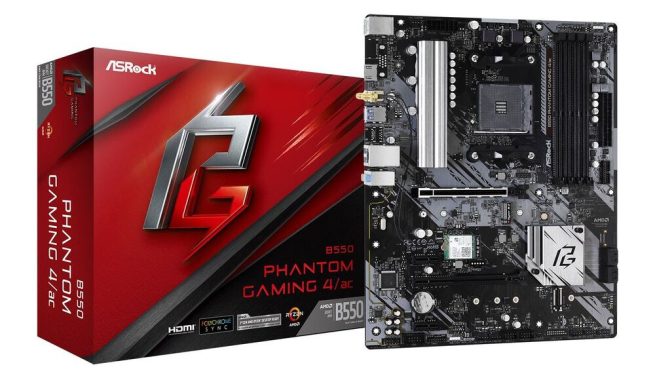
Despite being one of the cheapest B550 motherboards, the ASRock B550 Phantom Gaming 4 / AC offers a true entry-level feature set. The motherboard comes with a PCIe 4.0 x4 M. 2 slot and augments it with four SATA ports, which is a lot of capacity for gaming storage. The upper full-length PCIe 4.0 slot works on x16, while the lower slot is locked on PCIe 3.0 x4, which is controlled by the chipset, along with two additional PCIe 3.0 x1 slots. For networking it uses a standard Gigabit Ethernet controller based on Realtek, along with an Intel Wi-Fi 5 interface. This is pretty standard for an entry-level model that focuses more on general support than adding an extra charge at the expense of premium drivers. The B550 Phantom Gaming 4 / AC also uses a Realtek ALC1200 HD audio codec, but with only three 3.5 mm audio connectors on the rear panel and a basic 8-phase power delivery.B550 Phantom Gaming 4acThe B550 Phantom Gaming 4 / ac motherboard offers several ways of connection, with 8 USB 3.2 Gen1 with two on the front and 6 on the back. In addition, it features the latest HDMI 4K 60Hz graphics output specifications. As the bandwidth increases and the frame rate increases, the movement on the screen becomes smoother and less blurred. Players have little patience or time for weak WiFi signals and slow Internet. That’s why the ASRock B550 Phantom Gaming 4 / ac motherboard is equipped with an 802.11 ac WiFi module (2.4 G / 5G WiFi), which supports wireless network and Bluetooth v4.2.
The ASRock B550 Phantom Gaming 4 / AC is currently available for the new $110 on Newegg and at a slightly more expensive price than the $117 on Amazon. Looking at the big picture, most of the PG4 / AC’s competition comes from the cheaper selection of A520 boards with most of these based on the smaller micro-ATX form factor, with limited expansion options. Meanwhile, the biggest competition in the x570 product stack is perhaps ASRock’s X570 Phantom Gaming 4s model, which is currently available on Newegg for $140. This offers better future readiness and eight SATA ports, but also includes a single m slot. 2 and it has no wireless functionality, so the b550 version gets our rating only on the price. The price of this model on both Newegg and Amazon fluctuates from month to month, and although it is a bit more expensive than last month’s price, it is still a solid purchase.  Photo:  ASRockB550 Phantom Gaming 4ac

The ASRock Phantom Gaming motherboard boasts a remarkably compact size, especially when compared to the X570 Phantom Gaming-ITX, which features a larger and bulkier heatsink. It offers a range of customizable options for the front panel I/O, ports, and rear I/O. The rear I/O shroud cover is a premium touch, crafted entirely from superalloy metal and directly connected to the VRM heatsink.

The design of the motherboard is excellent, particularly in terms of minimizing height and vertical interference, making it ideal for installations with large heatsinks and CPU fans. However, it is important to note that the height of the RAM may occasionally interfere with the heatsink and fan, so it is crucial to check the exact height of the RAM before purchasing. Careful measurements should be taken when selecting components.

ASRock has included an impressive cooling plate on the rear side of the MOSFET area, effectively drawing heat away from the PCB and the flat capacitors. The motherboard employs an 8-layer PCB, evident from its thickness.

The Wi-Fi 6 and Bluetooth 5.1 card can be detached from the motherboard by removing screws on the opposite side. If you encounter any issues with either Wi-Fi or Bluetooth, you can reseat this module.

The rear M.2 slot operates at PCIe Gen3 x4 directly from the B550 chipset. It has limited space for a cooled M.2 SSD, even with a thin heatsink like the WD Black SN750. Therefore, it is advisable to reserve this M.2 slot for SSD drives that do not rely heavily on prolonged lifespans, such as the main drive for the operating system or any other SSD that does not involve extensive data writing. This configuration ensures that the SSD does not generate excessive heat.

There is a row of LEDs positioned beneath the PCB, providing an impressive RGB glow to illuminate the bottom of your case. Additionally, there are RGB headers available if you wish to incorporate more vibrant lighting effects.

The motherboard features two 4-pin fan headers and two RGB headers conveniently located at the top edge. These headers are thoughtfully positioned for easy access.

The upper area of the motherboard is open and clear, minimizing any potential interference with thicker cables or chassis fans, particularly in compact ITX cases.

In terms of DIMM slots, the motherboard offers two slots that can support up to 64GB of DDR4 memory.

Integrated graphics
The HDMI 2.1 port supports 4K monitors, allowing you to leverage AMD Ryzen CPUs with integrated graphics.
Fast network connectivity
Gigabit Ethernet connectivity provides high-speed connections to compatible wired devices.
802.11 ac Wi-Fi connects wirelessly with compatible networks.
Bluetooth 4.2 technology allows you to pair your system with compatible wireless devices, such as keyboards, mice, headphones, and more.
Immersive Audio
The Integrated Realtek ALC1200 audio technology is designed to provide detailed sound with 7.1-channel playback. Nahimic’s audio enhancements are designed to deliver rich and engaging listening experiences through external headphones and speakers.
RGB polychrome lighting
ASRock’s polychrome technology allows you to connect, customize and control lighting equipment such as RGB LED light strips on the integrated RGB headers. You can choose from a variety of lighting presets, which can be synchronized with capable peripherals such as keyboards, mice, CPU coolers and more. Addressable RGB header can detect the number of LEDs on a compatible device to further customize lighting effects.
Good gaming motherboard as it was recommended for a gaming PC build. It could use few areas of improvement:
1. The included manual is printed so light and small that it can hardly be read. We had to go to the online manual.
2. When loading Windows 10 and wanting to boot from USB, it would be nice if they told you which USB port to use. Apparently, it only reads from 1 or 2 of the 6 included USB ports and will not read from the front USB ports of the box. We had to spend some time trying to figure it out.

The ASRock B550 Phantom Gaming-ITX/ax Motherboard is equipped with heatsinks made of super alloys, allowing them to withstand higher temperatures. These super alloys also enhance durability, resist thermal creep deformation, and provide excellent resistance to corrosion and oxidation.

Overclocking is a breeze with this motherboard, thanks to ASRock’s user-friendly UEFI and outstanding power delivery solution. We were particularly impressed by the passively cooled VRM heatsink, which effectively keeps everything adequately cooled.

The storage connectivity of this ITX motherboard is robust. However, it’s important to avoid placing a heat-sensitive SSD on the rear side. For optimal cooling, it makes more sense to use the rear M.2 slot for a slower or less frequently used drive.

Should you purchase the ASRock B550 Phantom Gaming-ITX/ax Motherboard? Absolutely! In our opinion, it’s a superior choice compared to the more expensive X570 variant, offering similar performance. This motherboard is highly attractive in terms of its price, performance, and feature set.

We are extremely satisfied with the ASRock B550 Phantom Gaming-ITX/ax Motherboard. We highly recommend it to everyone, particularly those who are new to ITX builds.

Core Specifications
Edition B550 Phantom Gaming 4/ac
Form Factor ATX
CPU Socket AM4
Chipset AMD B550
RAM Memory Support
Memory Type DDR4
Memory Channel Dual (2)
Memory Type (ECC) ECC/Non-ECC
Memory Type (R/U) UDIMM (Unbuffered)
Memory Speed (Mhz)
DDR4 – 2133
DDR4 – 2400
DDR4 – 2667
DDR4 – 2933
DDR4 – 3200
DDR4 – 3466(OC)
DDR4 – 3600(OC)
DDR4 – 3733(OC)
DDR4 – 3800(OC)
DDR4 – 3866(OC)
DDR4 – 4000(OC)
DDR4 – 4133(OC)
DDR4 – 4200(OC)
DDR4 – 4266(OC)
DDR4 – 4333(OC)
DDR4 – 4466(OC)
DDR4 – 4533(OC)
DDR4 – 4533+(OC)
DDR4 – 4600(OC)
DDR4 – 4666(OC)
DDR4 – 4733+(OC)
Max. Memory Capacity 128GB
Audio
Audio Realtek ALC1200 7.1 HD Audio
Graphics Support
Primary GPU Interface PCIe 4.0 (x16)
NVIDIA SLI Support Not Supported
AMD CrossFire Support 2-Way CrossFire
Integrated Graphics Requires Processor Graphics or Discrete GPU
On-Board Graphics Connectors HDMI 2.1
Internal Connectivity
Expansion Slots
1 x M.2 Key E (Occupied by Wi-Fi Module)
1 x M.2, 22-42/60/80, PCIe Gen3/SATA3
1 x M.2, 22-60/80/110 PCIe Gen 4×4
2 x PCIe 3.0 x1
2 x PCIe 4.0 x16
SATA Support SATA3
RAID Support via
Storage Mode Support
RAID 0
RAID 1
RAID 10
Internal I/O
1 x 24-pin (Power)
1 x 4-pin (Power)
4 x 4-pin CHA_FAN connector
1 x 4-pin CPU Fan Connector
1 x 4-pin CPU OPT Fan Connector
1 x 8-pin (Power)
2 x Addressable Digital RGB Header
1 x Front Panel Audio Header
1 x Power LED / Speaker Header
2 x RGB Header
4 x SATA III – 6Gb/s (In Use)
1 x Serial (COM) Header
1 x TPM (SPI_TPM) header
2 x USB 2.0 Header
1 x USB 3.2 Gen1 Header
External Connectivity
Network Interface Type
802.11ac WiFi LAN
Wired Gigabit LAN (10/100/1000)
Network Chip/Modules
1 x Intel 802.11ac WiFi/ BT4.2 Module (433Mbps)
1 x Realtek RTL8111H (Gigabit LAN)
Rear I/O Connectors
2 x Antenna Ports
1 x Front Speaker Out
1 x HDMI
1 x Line In
1 x Mic-In
1 x PS/2 Keyboard/Mouse Combo
1 x RJ-45 with LED
6 x USB 3.2 Gen1 Type-A
Additional Specifications
Water Cooled No
Cooling Passive Heatsinks
QPI Speed N/A
Board Dimensions 305 x 244 mm
Review: Campark V40 dual-screen action camera

0

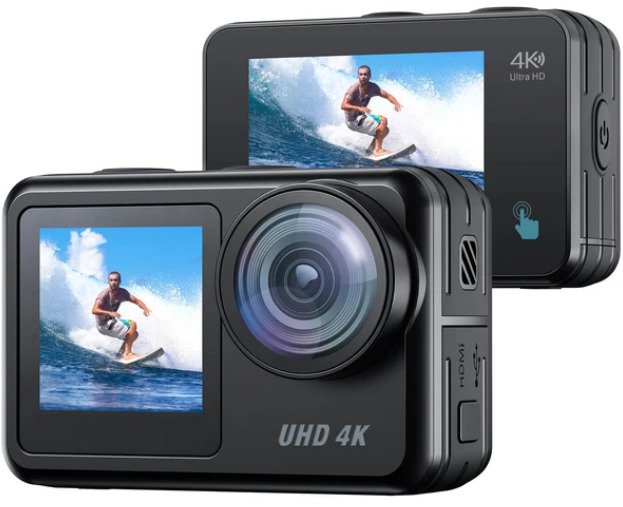
The Campark V40 dual-screen action camera is acceptable for action video. It’s extremely portable and arrives with a built/in tripod and accessories mount, which is convenient. The camera itself has an IPX7 waterproof ranking and is promoted to be waterproof up to 131 feet with the included protecting case, even though we don’t at this time test for this. Regrettably, its video quality is unsatisfactory overall, specifically in reduced light. It also does not have high-speed frame rate opportunities appropriate for creating slow-motion video footage, as it can only record at up to 60 fps in FHD and up to 30 fps in 4k. On the benefit, it does a very good overall job of smoothing out camera tremble.Campark V40 dual-screen action cameraThe Campark V40 camera is fine for vlogging. It’s very lightweight and can conveniently be mounted on a gimbal or manage for quick vlogging. It also has a front-facing display screen to monitor your recording live and ensure that you stay in frame. Nevertheless, its overall video quality is underhelming. Its lens is also fixed to a wide-angle field of viewpoint, creating a annoying fisheye effect. On the upside, it really does a great job of sleek out camera shake.
The Campark V40 is a bad choice for traveling photos. While it’s amazingly compact and very easy to travel with, it’s made mainly for action video, so its photograph capabilities and image quality leave a lot to be ideal. It has a fixed lens with a wide-angle fisheye area of view that distorts the image. You can just modify ISO, and the shutter speed changes immediately but has a limited range, leaving very little overall flexibility for taking still photographs.
The Campark V40 is not for outdoor activity and wildlife photos. It’s generally designed for action video rather than still photography. Its photo quality is inadequate, and it has a fixed focal length, so you can not zoom in on far-off subjects. Its shooting speed is also really limited, as it can only shoot burst photos at a speed of about 2 fps, even though it behaves inconsistently.
For the selling price ($99.99), Campark V40 action camera is actually decent. The attached photo and video show that the quality of pictures and videos is pretty high. The image stabilisation is not ideal but works fairly nicely.The user interface is simple to navigate and the accompanying application is self-explanatory to be connected to the camera with. The remote control for video clips was also uncomplicated to use.The build quality of this camera is o.k. and We have no problems believing that it is waterproof and dustproof even without the included case. Really like the addition of the spare battery and charger. Front screen is a good touch and helpful for taking selfie pics and videos.

The Campark V40 isn’t for landscaping photography. While it’s easy to take to remote capturing locations thanks to its small size, its primary use is meant to be action video. It has a fixed lens with a wide-angle field of view, which creates a fisheye effect that can distort landscapes. Its image quality is also lacking, and it does not have an autofocus method.
Spectacular 4K Video and 20MP Photo
Offering native 4K(3840×2160)/30fps, 2.7k/30fps, 1080P/60fps video resolution and 20MP crystal clear photo. Campark V40 action camera captures vivid, very clear and smooth footages for your activities experiences.
The Campark V40 is very poor for studio video. It’s created mainly for action video, so its video quality is sub-par. It also does not have a headphone or mic jack port. Its lens is fixed to a wide-angle field of view that distorts the image, and it doesn’t have an autofocus system.  Photo: CamparkCampark V40 dual-screen action cameraThe Campark V40 is a compact dual-screen action camera that is nearly identical to the AKASO Brave 7 LE in terms of physical looks. It’s exceptionally convenient and does a great job of smoothing out camera shake, particularly when recording in FHD. It seems well-built, with a rubberized proper grip all-around the body and a built-in tripod thread. It also has an IPX7 water-resistant rating, and when you supply the included case, it becomes waterproof up to 131 feet, eventhough we don’t at this time analyze for this. Sadly, its video quality is lacking, despite the fact that reasonably standard of an action camera, and its frame rates are minimal, as it can basically shoot in 4k at 30 fps and in FHD at either 30 fps or 60 fps.

Campark V40 Specifications:

4K30FPS Video/ 20MP Photo/ Advanced Electronic Image Stabilization/ Remote

Control/ Slow Motion Video/ Fast Motion Video/ Distortion Calibration/ H.265

Video Encoder/ Burst Photo/ Time Lapse Photo/ Time Lapse Video/ Self Timer/

Wind Noise Reduction/ Auto Low Light/ Long Exposure/ White Balance/ Loop

Recording/ Driving Mode/ Voice Record/ Micro HDMI/ Micro USB

In the Box:

  • Campark V40 action camera
  • Protective case
  • 2x 3.7v 1350mAh 4.995Wh battery
  • Battery charger
  • Micro USB cable
  • Remote control
  • 2x velcro strap
  • 2x strap
  • 2x helmet mount
  • 2x sticker for helmet mounts
  • 6x mount
  • 4x zip tie
  • Tether
  • Bicycle stand
  • Lens cloth
  • User manual

Control your devices with UltraViewer

0

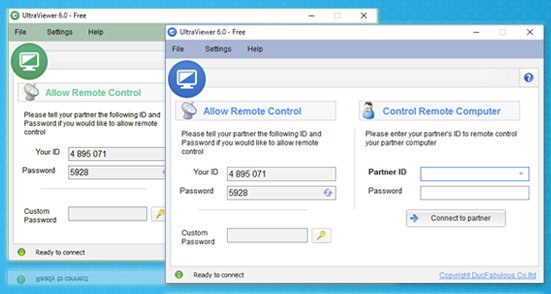
UltraViewer is an amazing software if you need a remote control for one or more computers. You can connect with a unique ID and password to provide support or to control devices. A great alternative to TeamViewer, it is a software that works very fast and very easy to use interface without many options or hidden buttons.

Connecting to a remote computer is a part of everyday work for many people. Some use it to provide support to their customers, while others use it for work. Sometimes, you can also use it to provide support to your friends who might be stuck with something on their computers. This is when you will use the remote software.UltraViewerSUPPORT ALL VERSIONS OF WINDOWS
Window XP, Window 7, Window 8, Window 10, Window Server

File size:  3.09 MB
License:  Free

One of those pieces of software is UltraViewer. It is an application that will allow you to connect to a remote computer using a unique identification number and password.

It allows fast and secure connections that allow you to control the remote computer and perform various tasks on it. It is easy to use and very professional.

Connecting to remote computers
The basic capability of Ultra Viewer is the ability to give you the power to control a remote computer. After a quick and easy installation process, you can access the main application window. You will see two different ways to use this application: you can connect to another computer or allow another user to connect to the computer. In both cases, if you choose to use this application, you must use a unique identification number and password, which each user has. Photo: UltraViewer

There is also a chat window that allows you to easily communicate with the person you are working with. It is probably better to communicate with voice chat in this case, as it allows faster and more effective use.

Manage the remote computer
When you connect to the remote computer, you will have full control over it. This means that you can do almost any task, and you can also select Hide the other person’s screen if you want.

UltraViewer is one of the best software that will allow you to connect to remote computers.

UltraViewer free DOWNLOAD

Sound processor review: Emotiva RMC-1

0

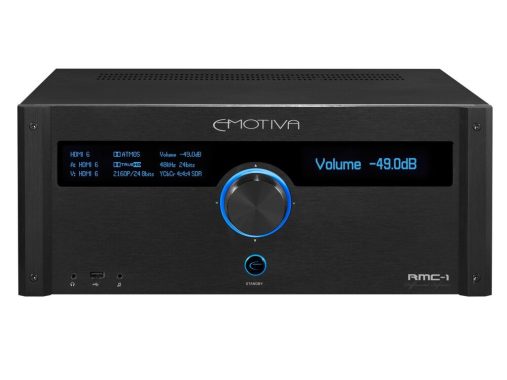
Process up to 16 channels of the highest quality home theater audio with Emotiva RMC-1 surround sound processor.

Sound processor meaning

A sound processor is a device that processes audio signals in order to improve the quality or manipulate the sound in some way. There are many different types of sound processors, including those that are used for audio recording, sound reinforcement, and audio playback. Some common examples of sound processors include equalizers, compressors, and reverb units. These devices are used to adjust the levels of different frequency ranges within an audio signal, apply effects such as echo or delay, or to limit the dynamic range of the sound. In general, the term “sound processor” can refer to any device or software that is used to manipulate audio signals in some way.

Designed to grow with you
For maximum flexibility, the RMC-1 is Emotiva’s most flexible and configurable AV processor. In addition to the already impressive standard specifications, the RMC-1 has three hardware accessory housings. These handle everything from an optional MM / MC phonostage to additional output channels (12), bringing the total number of outputs to a mind-blowing 28.

Processing up to 16 channels
With 16 output channels, RMC-1 has the processing power for the most sophisticated home theater systems. Add suitable power amplifiers and you’ll be able to decode Dolby Atmos and DTS:X signals, up to Dolby Atmos 9.1.6, enough for larger home theaters. For best results, combine them with XPA Gen3 Emotiva power amplifiers.Emotiva RMC-1High quality sound
Emotiva RMC-1 is designed to provide reference quality sound in stereo or multichannel. The fully balanced stereo reference path combines with the stereo reference mode to make this option impressive for stereo sound. Audiophile grade, Akm4490 truth DAC (Digital to Analog converters) operate in fully balanced mode on all 16 output channels, making it equally impressive in home theater mode.

Balanced XLR outputs
For the highest quality signal transfer, Emotiva RMC-1 uses 16 XLR outputs. XLR balanced sockets offer excellent noise resistance and a “locked” connection for the lowest distortion and safest connection.

Selectable operating mode
Five selectable modes offer the best balance between sound quality and control. Stereo mode and Surround mode use the dedicated room correction and bass management settings to optimize the sound. Direct mode minimizes processing, but maintains bass handling. The reference stereo mode is the purest stereo mode without bass management.

The Reference Stereo mode of the Emotiva RMC-1 is claimed to contribute to a two-channel listening experience that is unmatched at the pricing point. A full 192 kHz sample rate on all 16 channels of Dirac LiveTM automatic room correction creates the ideal harmony between the RMC-1, the listening environment, and the rest of the system. Both single-rate and double-rate DSD digital audio signals, which can come from HDMI or USB sources, are supported for native audio decoding. (An optional license that supports Auro 3DTM is available.)

Dirac Live, for the best sound in your room
For the best sound in your room, RMC-1 includes Dirac Research’s powerful room correction technology. This uses a microphone and dedicated software to take multiple readings around your room and feed the information to the amplifier for a fully tailored response (professional setup recommended).Emotiva RMC-1

Enjoy fully immersive sound with Dolby Atmos and DTS: X
Dolby Atmos and DTS:X decoders deliver truly immersive sound through ceiling or overhead speakers. Emotiva RMC-1 offers both systems, offering Dolby Atmos up to 9.1.6 and DTS: X up to 7.1.4. Photo: Emotiva

Powerful connectivity
With eight HDMI inputs and two outputs, Emotiva RMC-1 handles the most complex AV systems. HDMI2. 0B plugs are HDCP2.2 compatible, which makes it suitable for use with the latest TV and 4K HDR and Dolby Vision sources. Nine digital and 3 + 1 analog inputs are wide for a wide range of audio components such as CDs, streamers and turntables equipped with preamplifiers. There are also digital and analog optical outputs, ideal for recording or immersing sound through the processor.Emotiva RMC-1

It is very amazing that Emotiva is offering a 16 channel processor at this price point with fully differential circuitry from input to output, and the rest of the high end processor market should take note. We are excited to find out more about this product’s capabilities, particularly the channel assignments and how they may expand immersive home theater setups beyond the conventional 7.1.4 Atmos/DTS:X speaker configuration used today. The only thing an audio or videophile could possibly want from the Emotiva RMC-1 is to wait for its unspecified shipment date.

Create a real home theater, with the Emotiva RMC-1.

Emotiva RMC-1 specs

Surround Sound Processing Support:

  • Dolby Atmos (up to 9.1.6).
  • Dolby TrueHD (up to 7.2).
  • Dolby Digital Plus.
  • Dolby Digital.
  • DTS:X (up to 7.1.4)
  • DTS-HD Master Audio.
  • DTS-HD High Resolution Audio.
  • DTS 5.1.
  • Multi-Channel PCM.

Analog Audio Inputs:

  • (1) pair; stereo: Reference quality analog audio (balanced XLR).
  • (3) pairs; stereo: Reference quality analog audio (unbalanced; machined gold-plated RCA connectors).

Analog Audio Outputs:

  • (1) set; 16 channels: Main analog audio outputs (balanced XLR).
  • (1) pair; stereo: analog line level Zone 2 output (unbalanced).
  • (1) high quality 1/8” stereo headphone output.

Digital Video Inputs and Outputs:

  • (8): HDMI digital video inputs: HDMI 2.0b with HDCP 2.2 (all inputs support HDMI 2.0b and HDR, including dynamic HDR and Dolby Vision).
  • (2): HDMI digital video outputs: HDMI 2.0b with HDCP 2.2 (one with CEC and ARC). (both outputs support HDMI 2.0b and HDR – including dynamic HDR and Dolby Vision).

Digital Audio Inputs:

  • Internal high-performance AM/FM tuner.
  • (4): Toslink optical S/PDIF digital audio (up to 24/192).
  • (4): Coax (RCA) electrical S/PDIF digital audio (up to 24/192).
  • (1): AES/EBU (XLR) digital audio.
  • (1): USB Type B digital audio (UAC2 USB audio up to 24/192k)
  • Digital PCM and DSD audio supported on all HDMI inputs and USB input

Main System Processor:

  • The RMC-1 is controlled by our own proprietary Linux-based operating system, and by several powerful DSP engines, each running custom software code.
  • The main control functions on the RMC-1 are handled by a Texas Instruments AM-1808 Sitara Arm9 32 bit 375MHz processor.

Video Processing:

  • The RMC-1 is a pure video switch; video inputs are switched directly to the appropriate output without any unnecessary processing. Video switching on the RMC-1 is handled by three Panasonic MN864788 High Speed LSI 4k UHD Video Switches.

Audio Processing:

  • All audio decoding and post processing is handled by twin Analog Devices, dual-core, 450 MHz DSP engines.
  • Audio digital-to-analog conversion for each of the 16 main audio outputs is performed by an individual AKM4490 Verita DAC operating in fully balanced Mono mode.

Power Requirements

  • 115 VAC or 230 VAC @ 50 / 60 Hz (automatically detected).

Corsair K95 PLATINUM – Review and Specs

0

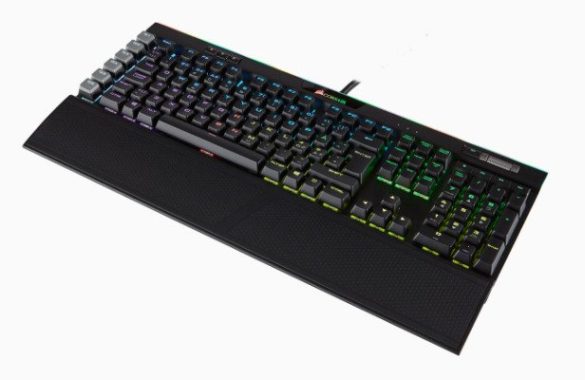
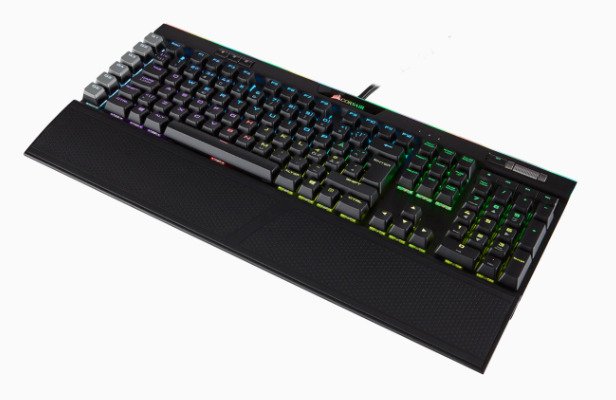
The build quality of the Corsair K95 PLATINUM keyboard is excellent. The board has an aluminum top plate with a very solid plastic base. The whole keyboard feels very well built, but the ABS keys feel a bit cheap. Some of them even come off quite easily. However, the new Corsair K95 RGB PLATINUM is announced to have double-shot PBT keys. The K95 is considerably better built than the Corsair K68.
Ergonomics are good. It has a tilt adjustment, and the feet open sideways, so you will not accidentally close them if you press the keyboard too hard. It also comes with a detachable wrist rest that has a reversible texture and offers two different options. However, if you’re looking for a wrist rest, check out the Razer BlackWidow Elite.
The backlight of the Corsair K95 is amazing. Each key is illuminated individually, and there is also an underglow Strip on the keyboard as well. You can control the brightness directly on the board. The overall typing experience is great. Linear switches are easy to press, but some people might prefer something a little more tactile with a swipe, like a Cherry MX Brown or blue. The keys feel stable and the spacing of the Keys is good to reduce typos. On the other hand, since the implementation point is fast to reach, incorrect entries can still occur easily. The Corsair K95 RGB PLATINUM is a great programming keyboard. The writing experience is excellent, but the short travel distance before the performance might be too sensitive for some, especially since it makes typos more frequent. However, the spacing of the help Keys and the card is very durable.Corsair K95 keyboardThe Corsair K95 PLATINUM is a good office keyboard. The typing quality of this keyboard is excellent with Cherry MX linear speed keys, but some may prefer to go with the MX Brown variant, as such switches provide more tactile feedback with a shot before the driving force, but we haven’t tested that variant. The keyboard is also equipped with a good wrist rest, which helps with ergonomics, and is quiet enough not to disturb surrounding colleagues. Photo: Corsair  Video: YouTube/Corsair
The Corsair K95 PLATINUM is an excellent gaming keyboard. It feels sensitive thanks to the very short pre-trip, and the keys are light to press to record. The build quality is excellent; it offers dedicated macro keys and is also fully illuminated with RGB, making it ideal for playing in the dark.

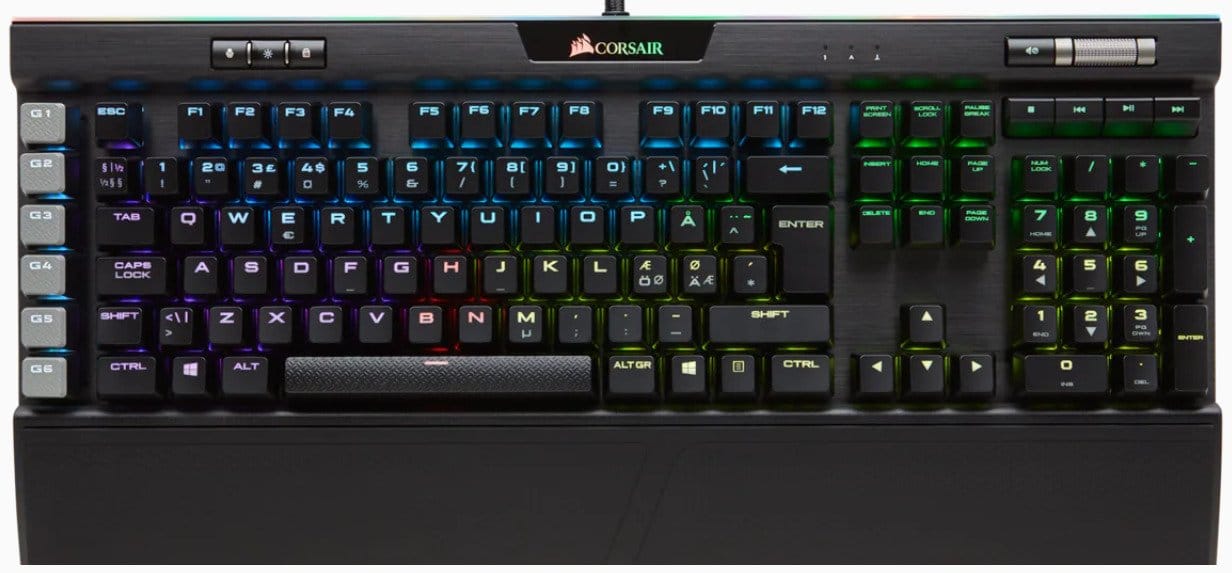
The keycaps exhibit a relatively simple design, with a font that might be perceived as unattractive due to its wide appearance. However, within the package, there’s a notable inclusion of swappable WASD keycaps and surrounding keys. These feature a textured, gray finish that complements the macro keys. The Cherry MX Speed switches provide a tactile experience akin to the linear-feel Red switches, demanding only 1.2mm for actuation. Keypress results in a swift and responsive actuation, particularly beneficial for fast-paced gaming scenarios like those found in first-person shooters.

Situated along the top-left edge of the K95 are three buttons: one for quick user profile selection, another for rapid brightness adjustment, and a key for locking the Windows key. The user button allows the storage of up to three distinct user profiles, facilitating seamless transitions between different settings or sharing the desktop with others. On the upper-right edge, a mute button and a textured metal roll-bar for volume control are conveniently placed. The volume control bar maintains the exceptional build quality seen throughout the K95. Additionally, standard media keys are positioned just above the number pad for quick and easy access.

Similar to other recent Corsair gaming keyboards, the K95 Platinum is configured using the Corsair Utility Engine (CUE). While many on-screen interfaces for keyboards can be cumbersome, the CUE system stands out as a user-friendly setup. It provides access to a diverse range of preset lighting configurations through a drop-down menu, allowing for easy customization of color, speed, and other settings. This software empowers gamers to create various actions, including double macros, re-mappable key assignments, timer countdowns, and more. With CUE, gamers can generate multiple color profiles and modes, facilitating distinct lighting and action configurations tailored to specific games or applications. Users can share and collaborate on lighting schemes by exporting and importing profiles, actions, and lighting on platforms like CORSAIR forums.

CUE offers the following features:

  1. Enable seamless and dynamic illumination with advanced lighting controls for supported CORSAIR devices.
  2. Construct intricate actions and macros for any programmable button on supported CORSAIR devices, providing nearly unlimited control.
  3. Customize icons and backgrounds to harmonize with your desktop using the new custom user interface.
  4. Unify all your CORSAIR gaming peripherals within a single application, streamlining the overall gaming experience.

Corsair K95 keyboardThe Corsair K95 RGB PLATINUM is an amazing gaming keyboard, and can also be used for a wide range of uses. It is equipped with Cherry MX Speed linear switches, which have a very low pre-travel distance and feel very responsive and fast. The keyboard is very well built and also features six dedicated macro keys. This is a full keyboard with RGB lighting that also has a strip for low brightness on the desktop. Unfortunately, the ABS keys feel a bit cheap, but there’s a newer model, the Corsair K95 PLATINUM X, with double-shot PBT caps if you prefer.

Corsair K95 RGB PLATINUM specs:

Keyboard Warranty   2 Year
Weight   1.324 kg
Lighting  RGB
Keyboard Layout  NA
Macro Keys   6
USB Polling Rate   1,000Hz
Keyswitches CHERRY® MX SPEED
USB Pass-Through Port   USB 2.0 Type-A
Matrix   110 Keys
Connectivity   Wired
Adjustable Height  Yes
Additional colored and textured keycaps  FPS / MOBA
Media Controls YN   Yes
Keyboard Type Size   K95
Keyboard Product Family   K95
Keyboard Rollover   Full Key (NKRO) with 100% Anti-Ghosting
Form Factor   Extended with macro keys
Wired Connectivity   USB 2.0 Type-A

Review & specs: Fujifilm GFX 100S

0

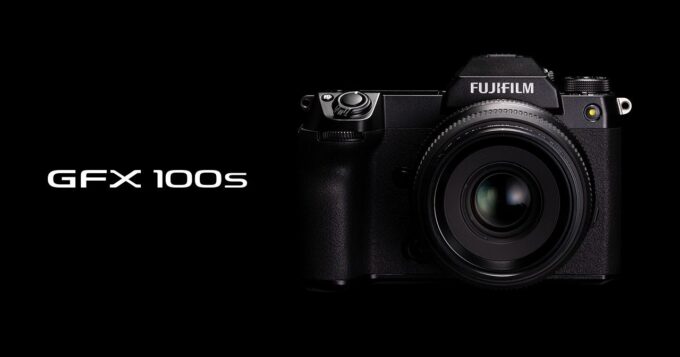
The Fujifilm GFX 100S camera arrives with dual high-speed SD card slots that can be used for data backup or additional storage space, a USB port for charging and files transfers, mic and headphone slots and a micro HDMI port. The battery is borrowed from the X-T4 and is not as big as the ones on some other GFX bodies, but it provides a acceptable 460 shots on a charge. There is no preference for a vertical battery grip just like the GFX 50S – but that’s a reasonable tradeoff for the radical bodyweight reduction.
The GFX 100S seriously provides on image quality, starting with its remarkably great low-light efficiency. You might not count on that from a digital camera with a 102-megapixel sensor. Nevertheless, those pixels are spread around a huge 43.9 x 32.9 mm sensor area, so the pixel pitch is basically the very same (3.76 microns) as the 61-megapixel sensor on Sony’s A7R IV.

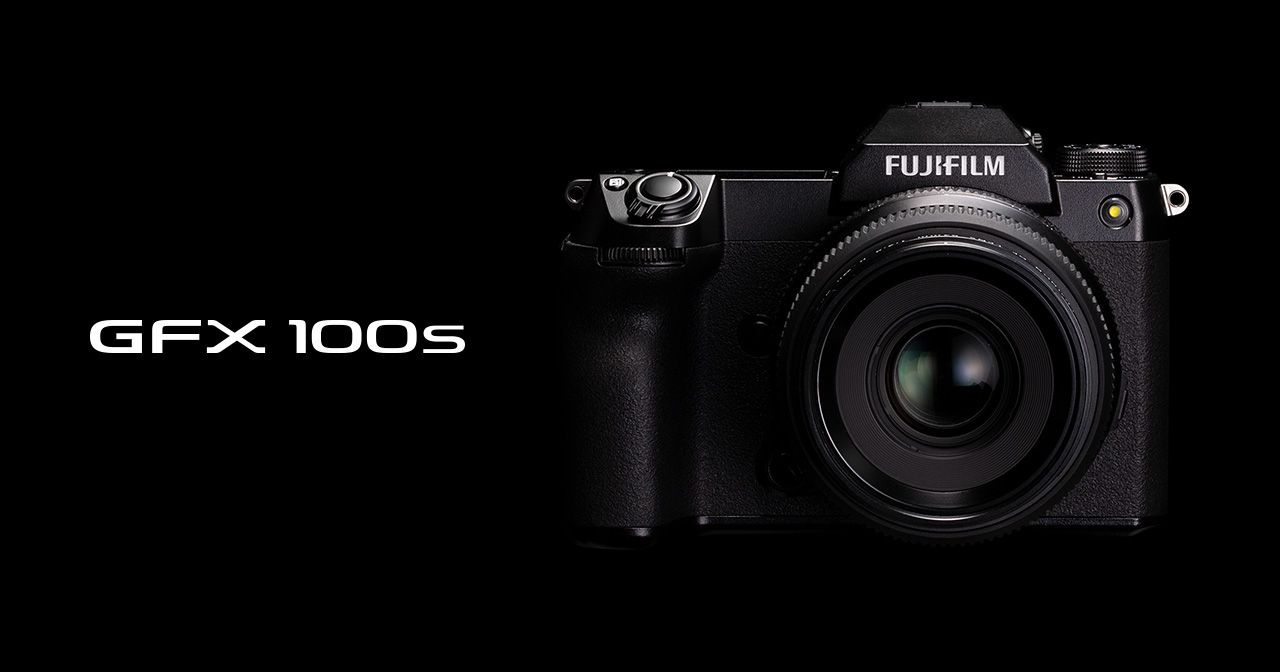
The GFX 100S from Fujifilm is a compact camera that rivals Panasonic’s full-frame, 45-megapixel S1R in size but surpasses it with a sensor that’s 70 percent larger and more than double the resolution. Alongside its increased capabilities, Fujifilm has enhanced its speed, incorporating features typically found in modern mirrorless cameras such as eye-detect autofocus and in-body stabilization. The real question is how it compares to recent models like the Sony A1 and Canon R5. To find out, I took it out for a test and also lent it to a pair of professional photographers who were interested in purchasing this particular model.

Compared to its predecessor, the GFX 100, which weighs a hefty 1,400 grams (just over 3 pounds), the GFX 100S is significantly smaller and lighter, coming in at 900 grams (just under 2 pounds), a reduction of 35 percent. It’s also two-thirds the height and slimmer in profile. The primary reason for this reduction is the removal of the vertical grip and accompanying controls.

Fujifilm has developed a new in-body image stabilizer (IBIS) for the GFX 100S that is much smaller than the one found in its predecessor. Despite the size reduction, it has managed to improve performance, providing 6 stops of shake reduction compared to the previous 5.5 stops. This enhancement is crucial as medium format camera sensors can be sensitive to hand shaking. With the IBIS activated, I was able to capture sharp shots at relatively low shutter speeds, even down to an eighth of a second or so.

The GFX 100S features a 3.2-inch rear touch display with a resolution of 2.36 million dots. The display can tilt down, up, and to the side, offering a high-resolution view and a range of adjustments. While it lacks a flip-out display, it’s worth noting that this camera is not primarily intended for vlogging or shooting selfies.

It comes equipped with dual high-speed SD card slots that can be used for backup or extra storage, a USB port for charging and data transfers, mic and headphone ports, and a micro HDMI port. The battery used is borrowed from the X-T4 and is not as large as the ones found in other GFX bodies. Nevertheless, it still delivers a reasonable 460 shots on a single charge. Although there is no option for a vertical battery grip like the GFX 50S, this tradeoff is justified considering the significant reduction in weight.

Fujifilm GFX 100S

Fujifilm has enormously improved the video features of its camera line-up over the last several years, and the GFX 100S model is certainly no exception. With a intelligent line-skipping setup that takes benefit of the full sensor width, it’s perhaps the most effective medium-format camera for video.
The Fujifilm GFX 100S is a 102MP medium format digital camera with an image stabilized BSI-CMOS sensor. This image stabilization is scored at up to 6.0 stops, and can operate in sync with in-lens stabilization to manage this overall performance. It offers a hybrid autofocus system with almost 100% coverage and a multi-shot mode for capturing 400MP images of static subjects. It shoot a DCI or UHD 4K video with internal shoot at up to 400Mbps or a option of 10-bit 4:2:2 or 12-bit Raw output over HDMI. The lightweight body is weather-sealed, has an OLED info displays on the top, and a fixed 3.69M-dot OLED viewfinder. Its dual-hinged 3.2″ LCD can tilt for both equally landscape and portrait photos. The camera has 2 SD card slots and ports for a mic, headphones and remote control. Photo: FUJIFILM

The full sensor width allows for a razor-fine detail of field and wonderfully smooth bokeh. The disadvantage is that it’s not quite as sharp as fully downsampled video, meaning you’re going to see some moire (rainbow patterns) and aliasing (jagged diagonal lines).
The video is a touch comfortable, but it is easy to operate in post regards to the 10-bit and RAW functions. The large sensor also offers it a special, IMAX-like top quality you may not find on any other digital camera. As with the photos, colors are precise with fine skin shades and tones thanks to Fujifilm’s newest color technology. It’s not intended to be used as a video camera, of course, but it’s good for periodic video use along with photographs.Fujifilm GFX 100SThe Fujifilm GFX 100S camera is also faster than almost all of its medium-format competitors. Most notably, it provides the best image quality accessible for photographers who need that and don’t mind the not so quick general performance. For $6,000, it’s really a steal for that kind of purchaser.
The Fujifilm GFX 100S camera is the most compact, the very least expensive solution to achieve image quality beyond what full-frame can at this time offer. You lose quite a few responsiveness and overall flexibility in return for that, but as an image-making tool the GFX is outstanding. It’s also a remarkably capable video camera but its more compact battery risks becoming more limiting than it is for stills capturing. Exceptional in the studio room and beyond.

Fujifilm GFX 100S specs:

Model nameFUJIFILM GFX100S
Lens MountFUJIFILM G mount
Image sensor43.8mm×32.9mm Bayer array with primary color filter
Number of effective pixels102 million pixels
Sensor Cleaning SystemUltra Sonic Vibration
Image Processing EngineX-Processor 4
Storage mediaSD Card (-2GB) / SDHC Card (-32GB) / SDXC Card (-2TB) / UHS-I / UHS-II / Video Speed Class V90*1
File format of still imageDCFCompliant with Design rule for Camera File system (DCF2.0)
JPEGExif Ver.2.32 *2
RAW16bit / 14bit RAW (RAF original format)
TIFF8bit / 16bit RGB (In-camera Raw Conversion Only)
Number of recorded pixels[L]〈4:3〉 11648×8736 〈3:2〉 11648×7768 〈16:9〉 11648×6552 〈1:1〉 8736×8736
〈65:24〉 11648×4304 〈5:4〉 10928×8736 〈7:6〉 10192×8736
[M]〈4:3〉 8256×6192 〈3:2〉 8256×5504 〈16:9〉 8256×4640 〈1:1〉 6192×6192
〈65:24〉 8256×3048 〈5:4〉 7744×6192 〈7:6〉 7232×6192
[S]〈4:3〉 4000×3000 〈3:2〉 4000×2664 〈16:9〉 4000×2248 〈1:1〉 2992×2992
〈65:24〉 4000×1480 〈5:4〉 3744×3000 〈7:6〉 3504×3000
SensitivityStill ImageStandard Output: AUTO1 / AUTO2 / AUTO3 / ISO100~12800 (1/3 step)
Extended Output: ISO50 / ISO25600 / ISO51200 / ISO102400
MovieStandard Output: AUTO / ISO200~12800 (1/3 step)
Extended Output: ISO25600
Exposure controlTTL 256-zone metering / Multi / Spot / Average / Center Weighted
Exposure modeP (Program AE) / A (Aperture Priority AE) / S (Shutter Speed Priority AE) / M (Manual Exposure)
Exposure compensationStill-5.0EV~+5.0EV 1/3EV step
Movie-2.0EV~+2.0EV 1/3EV step
Image stabilizerMechanismImage sensor shift mechanism with 5-axis compensation
Compensation Effect6.0 stops
*based on CIPA standard
*Pitch/yaw shake only
*With GF63mmF2.8 R WR lens mounted
Digital Image StabilizationYes (movie mode only)
IS MODE BOOSTYes (movie mode only)
Shutter typeFocal Plane Shutter
Shutter speedMechanical shutterP mode: 4sec. to 1/4000sec. A mode: 30sec. to 1/4000sec.
S/M mode: 60min. to 1/4000sec. Bulb: up to 60min.
Electronic shutterP mode: 4sec. to 1/16000sec. A mode: 30sec. to 1/16000sec.
S/M mode: 60min. to 1/16000sec. Bulb: up to 60min.
*The Electronic Shutter may not be suitable for fast-moving objects or handheld shooting. Flash can not be used.
Mechanical + Electronic shutterP mode: 4sec. to 1/16000sec. A mode: 30sec. to 1/16000sec.
S/M mode: 60min. to 1/16000sec. Bulb: up to 60min.
*The Electronic Shutter may not be suitable for fast-moving objects or handheld shooting. Flash can not be used.
Electronic Front Curtain ShutterP mode: 4sec. to 1/4000sec. A mode: 30sec. to 1/4000sec.
S/M mode: 60min. to 1/4000sec. Bulb: up to 60min.
*Electronic front curtain shutter works until 1/1250sec.
*When using the electronic front curtain shutter, the continuous shooting supports CL only
Electronic Front Curtain Shutter + Electronic ShutterP mode: 4sec. to 1/16000sec. A mode: 30sec. to 1/16000sec.
S/M mode: 60min. to 1/16000sec. Bulb: up to 60min.
*Electronic front curtain shutter works until 1/1250sec, Mechanical shutter works until 1/4000sec.
*The Electronic Shutter may not be suitable for fast-moving objects or handheld shooting. Flash can not be used.
*When using the electronic front curtain shutter, the continuous shooting supports CL only
MovieDCI4K/4K: 1/4000sec. – 1/4sec. FHD: 1/4000sec. – 1/4sec.
*Cannot choose slower shutter speed than framerate with LongGOP recording.
Synchronized shutter speed for flash1/125sec. or slower
Continuous shootingCH Electronic shutter 2.9fps (JPEG: 64 frames, Compressed RAW: 23frames, Lossless compressed RAW: 18 frames, Uncompressed RAW: 15 frames)
CH 5.0fps (JPEG: 42 frames, Compressed RAW: 16 frames, Lossless compressed RAW: 15 frames, Uncompressed RAW: 14 frames)
CL 2.0fps (JPEG: Endless, Compressed RAW: 45 frames, Lossless compressed RAW: 22 frames, Uncompressed RAW: 16 frames)
*Electronic Front Curtain Shutter support CL only.
*Recordable frames depends on recording media.
*Speed of continuous shooting depends on shooting environment and shooting frames.
Drive ModeAE Bracketing2 frames / 3 frames / 5 frames / 7 frames / 9 frames
*by 1/3EV step, up to ±3EV steps
Filmsimulation bracketingAny 3 types of film simulation selectable
Dynamic Range Bracketing100% / 200% / 400%
ISO sensitivity Bracketing±1/3EV / ±2/3EV / ±1EV
White Balance Bracketing±1 / ±2 / ±3
Focus BracketingAUTO / MANUAL
Multiple ExposureYes (Max. 9 frames) / Additive / Average / Bright / Dark
Pixel Shift Multi ShotYes
FocusModeSingle AF / Continuous AF / MF
TypeIntelligent Hybrid AF (TTL contrast AF / TTL phase detection AF)
Low-light PerformanceContrast: -2.5EV / GF80mmF1.7 attached
Phase Detection: -5.5EV / GF80mmF1.7 attached
AF frame selectionSingle point AF: 13×9 / 25×17 (Changeable size of AF frame)
Zone AF: 3×3 / 5×5 / 7×7 from 117 areas on 13×9 grid
Wide/Tracking AF: Yes (AF-S: Wide / AF-C: Tracking)
All: Yes
Face/eye detectionYes
FlashSync. Mode1st Curtain / 2nd Curtain / AUTO FP (HSS)
When SHOE MOUNT FLASH is set
TTL (TTL AUTO / STANDARD / SLOW SYNC. ) / MANUAL / MULTI / OFF
Hot shoeYes (Dedicated TTL Flash compatible)
ViewfinderEVF: 0.5 inch OLED Color Viewfinder, Approx. 3.69 million dots
Coverage of Viewing Area vs. Capturing Area: Approx. 100%
Eyepoint: Approx. 23mm (from the Rear End of the Camera’s Eyepiece)
Diopter Adjustment: -4~+2m-1
Magnification: 0.77x with 50mm Lens (35mm Equivalent) at infinity and Diopter set to -1.0m-1
Diagonal Angle of View: approx. 38° (Horizontal angle of view: approx. 30° )
Built-In Eye Sensor
LCD monitor3.2 inch Tilt-Type(Three Direction) Touch Screen Color LCD Monitor
Aspect Ratio: 4:3
Dots: Approx. 2.36 million dots
Touch Screen ModeShooting ModeAF, Focus Area, OFF, Double Tap Setting, Touch Function Setting, EVF Touch Screen Area Setting
Playback ModeSwipe, Pinch-in / Pinch-out, Double-tap, Drag
Sub LCD monitor1.80 inch Monochrome LCD Monitor
Aspect Ratio: 4:3
Dots: 303×230-dot
Movie recordingFile formatMOV:
HEVC/H.265, Linear PCM (Stereo sound 24bit / 48KHz sampling)
MPEG-4 AVC/H.264, Linear PCM (Stereo sound 24bit / 48KHz sampling)MP4:
MPEG-4 AVC/H.264, AAC
Movie compressionAll Intra / Long GOP
*All Intra can be used with following settings.
DCI4K/4K 29.97p/25p/24p/23.98p 400Mbps
Full HD(2048×1080) / Full HD(1920×1080) 59.94p/50p/29.97p/25p/24p/23.98p 200Mbps
File size
Frame rate
Bitrate
Recording time
[DCI4K(17:9)] 4096×2160 29.97p/25p/24p/23.98p 400Mbps/200Mbps/100Mbps Up to 120min.
[4K(16:9)] 3840×2160 29.97p/25p/24p/23.98p 400Mbps/200Mbps/100Mbps Up to 120min.
[Full HD(17:9)] 2048×1080 59.94p/50p/29.97p/25p/24p/23.98p 200Mbps/100Mbps/50Mbps Up to 120min.
[Full HD(16:9)] 1920×1080 59.94p/50p/29.97p/25p/24p/23.98p 200Mbps/100Mbps/50Mbps Up to 120min.
*For recording movies, use a SD memory card with UHS Speed Class 3 or higher.
*For recording movies in 400Mbps, use a SD memory card with Video Speed Class 60 or higher.
*Recording movies in 400Mbps can be done with DCI4K/4K 29.97p/25p/24p/23.98p.
*Recording time can become short depending on the temperature and/or shooting conditions.
Film simulation mode19 modes (PROVIA/Standard, Velvia/Vivid, ASTIA/Soft, Classic Chrome, PRO Neg.Hi, PRO Neg.Std, Classic Neg., Nostalgic Neg., ETERNA/Cinema, ETERNA BLEACH BYPASS, ACROS
ACROS + Ye Filter, ACROS + R Filter, ACROS + G Filter, Black & White, Black & White + Ye Filter, Black & White + R Filter, Black & White + G Filter, Sepia
Monochromatic ColorYes
Grain EffectRoughness: STRONG, WEAK, OFF
Size: LARGE, SMALL
Color Chrome EffectSTRONG, WEAK, OFF
Color chrome BlueSTRONG, WEAK, OFF
Smooth Skin EffectSTRONG, WEAK, OFF
Dynamic range settingStillAUTO / 100% / 200% / 400%
ISO restriction: DR100%: No limit, DR200%: ISO200 or more, DR400%: ISO400 or more
Movie100% / 200% / 400%
ISO restriction: DR100%: No limit, DR200%: ISO400 or more, DR400%: ISO800 or more
White balanceAutoWhite Priority / Auto / Ambience Priority
CustomCustom1 – 3
Color temperature selection2500K~10000K
PresetFine / Shade / Fluorescent Light-1 / Fluorescent Light-2 / Fluorescent Light-3 / Incandescent Light / Underwater
Clarity setting±5 steps
Self-timer10sec. / 2sec.
Interval timer shootingYes (Setting : Interval, Number of shots, Starting time, Interval timer shooting exposure smoothing)
Wireless transmitterStandardIEEE802.11b/g/n (standard wireless protocol)
EncryptionWEP / WPA / WPA2 mixed mode
Access modeInfrastructure
Bluetooth®StandartdBluetooth Ver. 4.2 (Bluetooth low energy)
Operating frequency (Center frequency)2402〜2480MHz
TerminalDigital interfaceUSB Type-C (USB3.2 Gen1x1)
HDMI outputHDMI Micro connector (Type D)
Othersø3.5mm, stereo mini connector (Microphone)
ø3.5mm, stereo mini connector (Headphone)
ø2.5mm, Remote Release Connector
Hot shoe
Synchronized terninal
Power supplyNP-W235 Li-ion battery (included)
Battery life for still imagesNormal Mode: Approx. 460 frames
*When GF63mmF2.8 R WR is set
Actual battery life of movie capture*34K: Approx. 60min. (29.97p)
Full HD: Approx. 65min. (59.94p)
*Face detection is set to OFF
Continuance battery life of movie capture4K: Approx. 95min. (29.97p)
Full HD: Approx. 110min. (59.94p)
*Face detection is set to OFF
DimensionsWidth: 150.0mm
Height: 104.2mm
Depth: 87.2mm
(Minimum Depth) 44.0mm
Weightincluding battery and SD memory card: Approx. 900g
excluding battery and SD memory card: Approx. 819g
Operation EnvironmentOperating Temperature-10°C – +40°C
Operating Humidity10% – 80% (no condensation)
Starting up periodApprox. 0.5sec.
Accessories includedLi-ion battery NP-W235
AC power adapter AC-5VJ
Plug adapter
USB cable
Shoulder strap
Body cap
Hot shoe cover
Cable protector
Owner’s manual

Gigabyte RTX 3090 GAMING OC: Durability, good cooling system & 8K gaming

0

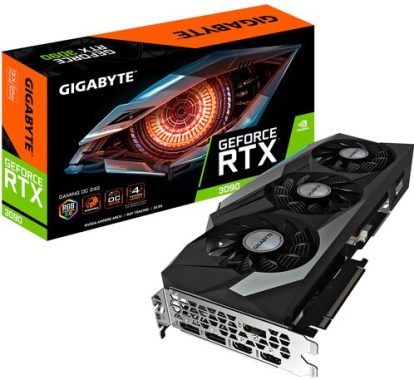
Primarily based on the Ampere architecture and created to deal with the graphical requirements of 8K video gaming and high frame rates, the Gigabyte GeForce RTX 3090 GAMING OC 24G Graphics Card provides the strength of real-time ray tracing and AI to your PC game titles. The GPU capabilities 24GB of GDDR6X VRAM and a 384-bit memory user interface, supplying enhanced general performance and power effectiveness over the earlier Turing-based generation.
The front panel of the Gigabyte GeForce RTX 3090 GAMING OC 24G Graphics Card features a wide variety of outputs, such as DisplayPort 1.4a and HDMI 2.1. HDMI 2.1 works with up to 48 Gb/s bandwidth and a range of better resolutions and refresh rates, including 8K @ 60fps, 4K @ 120fps, and quite possibly up to 10K. The RTX 3090 is not simply about high-resolution gaming. Computationally extensive programs can utilize the GPU’s 10496 cores to speed up tasks using CUDA and some other APIs.Gigabyte GeForce RTX 3090 GAMINGFor cooling, Gigabyte GeForce RTX 3090 GAMING used the WINDFORCE 3X cooling method. It includes two 90mm fans and one 80mm fan. The fans feature special blades, where the airflow is split through the triangular fan edge, and guided smoothly via the 3D stripe curve on the fan surface area. With different spinning, the fans decrease turbulence and boost air pressure. The 3D Active Fan delivers semi-passive cooling down and the fans may turn off when the GPU is in a low load or lower power state. Generally there is also 7 composite copper heat pipes and a huge copper plate with direct contact to the GRAPHICS CARD and VRAM, which effectively transfer heat. The expanded heatsink style and design helps air flow to pass through, giving much better heat dissipation. It also has RGB Fusion 2.0, which has 16.7 million personalized color choices and a wide variety of lighting effects. You can also use it to sync with some other AORUS products.

Real-Time Ray Tracing
The NVIDIA GeForce RTX platform allows real-time ray tracing of objects and environments with physically accurate shadows, reflections, refractions, and global illumination.
DLSS
NVIDIA DLSS (Deep Learning Super Sampling) is AI rendering that increases frame rates while still providing ideal image quality using the dedicated AI processing Tensor Cores on the GeForce RTX platform. This provides you the overall performance you need to maximize ray tracing settings and resolutions for an impressive aesthetic experience. Photo: Gigabyte
HDMI 2.1
The HDMI 2.1 interface provides improved bandwidth, allowing a single cable to output to 8K HDR TVs for ultra-high-resolution game playing.Gigabyte GeForce RTX 3090 GAMINGNVIDIA Ampere Architecture
NVIDIA Ampere is the Second generation RTX architecture. It features up to twice the FP32 throughput, Second Gen RT Core throughput, and Third Gen Tensor Core throughput of the earlier generation. It furthermore features a Samsung 8N customized technique and utilizes GDDR6X VRAM.

Gigabyte GeForce RTX 3090 GAMING Specs:

  • Graphics Processing    GeForce RTX™ 3090
  • Core Clock   1755 MHz (Reference card is 1695 MHz)
  • CUDA® Cores   10496
  • Memory Clock   19500 MHz
  • Memory Size   24 GB
  • Memory Type   GDDR6X
  • Memory Bus   384 bit
  • Memory Bandwidth (GB/sec)   936 GB/s
  • Card Bus   PCI-E 4.0 x 16
  • Digital max resolution   7680×4320@60Hz
  • Multi-view    4
  • Card size   L=320 W=129 H=55 mm
  • PCB Form   ATX
  • DirectX   12 Ultimate
  • OpenGL   4.6
  • Recommended PSU    750W
  • Power Connectors 8 pin 2
  • Output   DisplayPort 1.4a   3    HDMI 2.1    2
  • SLI Support   2‎-way NVIDIA NVLINK™
  • Accessories  1. Quick guide   2. 4-year warranty registration


Cambridge Audio Evo 150 – Powerful, All in one audio system

0

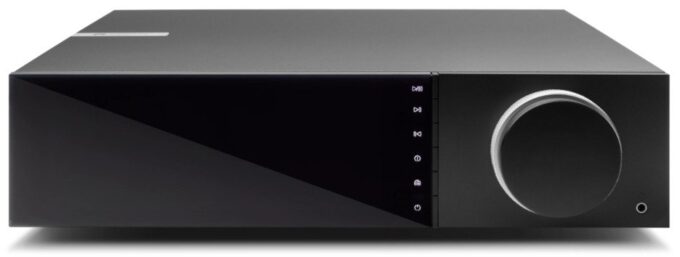
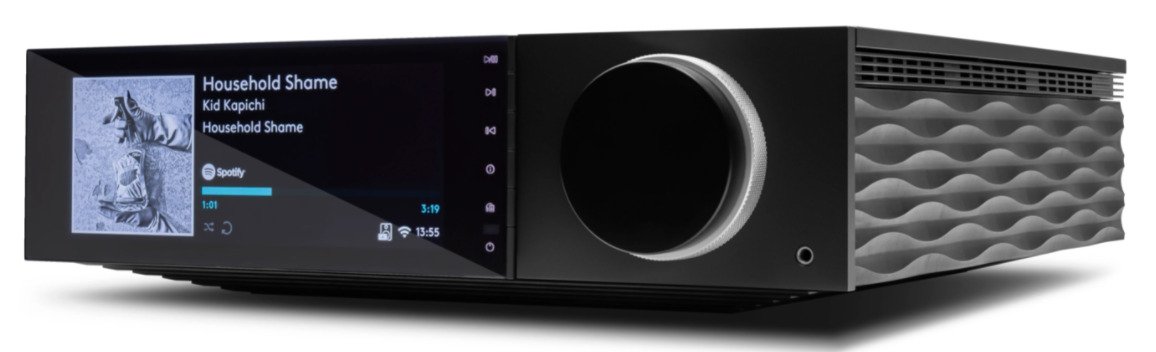
All in one audio system truly does it all – Cambridge Audio Evo 150
An development in sound and design and style, the Evo 150 is a small giant. With 150 watts for every channel and a reference high quality DAC (Digital to Analogue Convertor) built inside, sound level of quality is of the 1st order. A extensive spectrum of streaming possibilities, via wi-fi, AirPlay and Bluetooth let you stream favorite songs your way. Leading this off, there is a significant spectrum of connections, which includes turntable, USB, HDMI ARC for TV and many more.
The strength to impress
The flagship Cambridge Evo 150 mini system is powered by a powerful 150 watt Hypex Ncore amplifier. Matched to a great ESS Sabre ES9108K2M DAC this provides class-leading power and the dynamic impact to produce music pleasure. Much more than this, the prime quality electronics let you hear each and every nuance of the sound, uncovering new subtleties in the music that you may possibly hardly ever have heard before.Cambridge Audio Evo 150StreamMagic
Primarily based close to Cambridge Audio’s award-winning StreamMagic platform, the Evo 150 gives you a smooth streaming experience. TIDAL Connect, Spotify Connect and Qobuz are built-in (premium accounts might be demanded). StreamMagic operates with Hi-res music files, which include MQA-powered TIDAL Masters. The StreamMagic system furthermore works together with Roon, AirPlay 2 and Chromecast, allowing you choose the system you want to stream music.
2-way Bluetooth
Cambridge Audio Evo 150 system, 2-way Bluetooth lets you combine your smartphone, tablet, notebook or other gadget and stream in high quality aptX HD Bluetooth (designed to sound better than standard Bluetooth. Classic aptX has a compression ratio of 4:1 and a data rate of 352kbps = high-resolution audio quality!). It at the same time helps you receive a Bluetooth signal back to your Bluetooth headphones – providing you a fully wi-fi listening experience.
Connect digital or analogue
A huge range of digital inputs lets you connect almost all your home entertainment. Use the HDMI ARC to plug in your TV and feed it with your gaming console, Blu-ray/DVD player and set-top TV box, all interconnected through the two optical and one coaxial digital inputs. There is also an asynchronous USB input that’s ideal for connecting your pc and streaming Hi-res music files.A MM phono input tends to make this system standout for vinyl fans, plus there is also an AUX input for a different music source. If you want 100 % pure studio quality, then why not match up with a well balanced output music source and use the XLR balanced inputs.
Connect more
The Evo 150 functions a wide range of additional connections over the Evo 75 version. These include things like two pairs of speaker outputs, RS232/Trigger sockets for multi-room and XLR balanced inputs for a studio high quality connection with a appropriate source input. Photo: Cambridge Audio
A sophisticated evolution – select Evo 150’s look
Almost everything about the Evo 150’s design shows obsessive focus to detail. From the dual concentric volume/input selector to the big, 6.8 inch display, the Evo 150 is a pleasure to work. The smooth, customizable finish implies the system stands out from the crowd. Choose between wood or black corrugated side panels (both included) for the look you like.

Get all your music, coming from a powerful, all-in-one audio system, with the Cambridge Audio Evo 150.

Tech-Specs Cambridge Audio Evo 150:
POWER OUTPUT  150W into 8 Ohms
AMPLIFICATION   Class-D Hypex Ncore®
DAC   ESS Sabre ES9018K2M
FREQUENCY RESPONSE 20Hz – 20kHz +0/-3dB
ANALOGUE AUDIO INPUTS  1 x RCA, 1 x balanced XLR, 1 x Moving Magnet Phonostage
DIGITAL AUDIO INPUTS   2 x TOSLINK optical, 1 x S/PDIF coaxial, 1 x TV ARC
USB AUDIO INPUT  USB Type B conforming to USB Audio Class 1 or USB Audio Class 2 (user selectable)
BLUETOOTH   4.2 A2DP/AVRCP supporting SBC, aptX and aptX HD codecs
COMPATIBILITY

TOSLINK optical: 16/24bit 32-96kHz PCM only S/PDIF coaxial: 16/24bit 32-192kHz PCM only USB Audio Class 1: Up to 24-bit 96kHz (asynchronous) USB Audio Class 2: Up to 32-bit 384kHz (asynchronous) and up to DSD 256 Bluetooth: 4.2 A2DP/AVRCP supporting up to aptX HD (24bit 48kHz) UPnP, Local USB media, Airplay 2, Chromecast built-in, Internet Radio, Spotify Connect, TIDAL, MQA, Qobuz, Roon Ready.

AUDIO FORMATS:  ALAC, WAV, FLAC, AIFF, DSD (x256), WMA, MP3, AAC, HE AAC AAC+, OGG Vorbis
OUTPUTS   Speakers A+B, 3.5mm headphone, Preamp Output, Subwoofer Output, Bluetooth: 4.2 A2DP/AVRCP supporting up to aptX HD
ETHERNET    IEEE 802.3, 10 Base-T or 100 Base-T
WI-FI     Dual Band 2.4/5gHz
MAX POWER CONSUMPTION   700w
STANDBY POWER CONSUMPTION   <0.5w
DIMENSIONS (W X H X D)   317 x 89 x 352mm
WEIGHT   5.3 kg
WHAT’S IN THE BOX:  Evo 150 All-in-One player, Quick Start Guide, Safety Guide, Mains Lead, Remote Control, 2 x AAA Batteries, Customisable Side Panels x 2

SparkoCam software – add filters and effects to your webcam stream

1

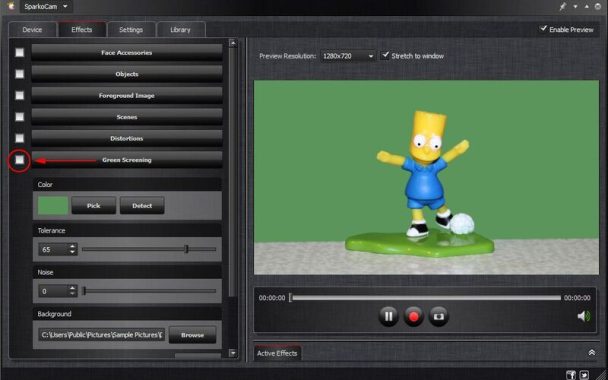
SparkoCam is a great software that lets you to add more filters and various effects to your live webcam streaming videos. SparkoCam software also uses the DSLR Canon or Nikon camera in webcam way to provide a top quality video.

Webcams are quite often used for streaming and broadcasting, which is why many streamers opt to buy good webcams. However, customizing your webcam would be even better since that would bring some more character to your stream.
SparkoCam allows you to stream from various sources: you can use a typical USB web camera or maybe Canon DSLR or Nikon DSLR camera, stream your computer’s desktop as webcam or transfer videos and photographs from your personal computer and broadcast them such as webcam feeds.SparkoCam

Right after choosing a video source, it is possible to insert incredible real-time effects and graphics to the video. You can add face add-ons to your face like eye glasses, hats, hair or masks and these fashion accessories will be immediately inserted in ideal places on the video using SparkoCam’s face tracking functionality.

A lot of people do that by adding a variety of effects to the streams, spicing important things up a little bit.

To perform that, you can use an software known as SparkoCam. It is created to deliver you with special effects for your stream that you can use to make it more exciting.

It will certainly produce 3D effects for your webcam, and an additional useful characteristic for many users is the support for Canon DSLR cameras, which allow them to work as webcams.

Add Effects to Streams
Broadcasts will become fun and a complete task if you use this application. First of all, you will need to set up it on to your system. That should really be simple enough to do.

After that, you may get started by adding some personalization options to your webcam stream. For instance, you can put pre-made effects to the stream or build your effects.

The majority of of these will be in 3-D, therefore they will seem fine as they will enrich your stream’s look. You can also add on customized videos and pictures directly into the stream to make it quite possibly much better.SparkoCam is a webcam and video effects software

Assistance for Canon or Nikon DSLR Cameras
An additional excellent feature is that you will be able to use your Canon/Nikon DSLR device with this application to produce streams. This method, you would use this app to make outstanding streams with high-quality video footage, regards to your quality webcam. Photo: SparkoSoft

It’s very easy to use, and you can get started by making a stream by just simply pushing “Record”.

Conclusion
SparkoCam is a very good application to use whenever you want to add unique effects to your streams and support Canon/Nikon DSLR cameras for streaming.

SparkoCam software supported cameras:

Canon Rebel XS, Canon Rebel XSi, Canon Rebel Kiss X2, Canon Kiss F, Canon Kiss X3, Canon Kiss X4, Canon Kiss X5, Canon Kiss X6i, Canon Kiss X7i, Canon Kiss X7, Canon Kiss F, Canon Kiss X50, Canon 8000D, Canon Kiss X8i, Canon Kiss X80, Canon Kiss X9i, Canon 9000D, Canon Kiss X9, Canon Kiss X90, Canon Kiss X10, Canon Kiss X10i, Canon Kiss M2

Canon T1i, Canon T2i, Canon T3, Canon T3i, Canon T4i, Canon T5, Canon T5i, Canon SL1, Canon T6, Canon T6i, Canon T6s, Canon T7i, Canon T7, Canon T8i, Canon T100, Canon M50, Canon M50 Mark II, Canon M200

Canon 1D Mark III, Canon 1Ds Mark III, Canon 5D Mark II, Canon 5D Mark III, Canon 1D Mark IV, Canon 1D X, Canon 1D X Mark II, Canon 5D Mark IV, Canon 6D Mark II, Canon EOS M6 Mark II, Canon EOS-1D X Mark III

Canon 1000D, Canon 1100D, Canon 1200D, Canon 1300D, Canon 450D, Canon 500D, Canon 550D, Canon 600D, Canon 650D, Canon 700D, Canon 40D, Canon 50D, Canon 60D, Canon 6D, Canon 7D, Canon 1D C, Canon 1D Mark IV, Canon 100D, Canon 70D, Canon 80D, Canon 7D Mark II, Canon 750D, Canon 760D, Canon 5DS, Canon 5DS R, Canon 800D, Canon 77D, Canon SL2, Canon SL3, Canon 200D, Canon 2000D, Canon 3000D, Canon 4000D, Canon EOS R, Canon EOS RP, Canon EOS Ra, Canon EOS R5, Canon EOS R6, Canon 250D, Canon 200D II, Canon EOS 90D, Canon 850D, Canon PowerShot G7X Mark III, Canon PowerShot G5X Mark II

Nikon D5500, Nikon D750, Nikon D7100, Nikon D7000, Nikon D5300, Nikon D5200, Nikon D5100, Nikon D5000, Nikon D90, Nikon D800, Nikon D810, Nikon D800E, Nikon D850, Nikon D600, Nikon D610, Nikon D700, Nikon D4, Nikon Df, Nikon D4s, Nikon D300, Nikon D300s, Nikon D3, Nikon D3s, Nikon D3X, Nikon D7200, Nikon D810A, Nikon 1 V3, Nikon D500, Nikon D5, Nikon D5600, Nikon D7500, Nikon Z6, Nikon Z7, Nikon Z6 II, Nikon Z7 II, Nikon Z50, Nikon D780, Nikon D6, Nikon Z5

Enjoy with SparkoCam and download software Here

Review: Philips Screeneo S4 1080p HDR DLP Short Throw Projector

0

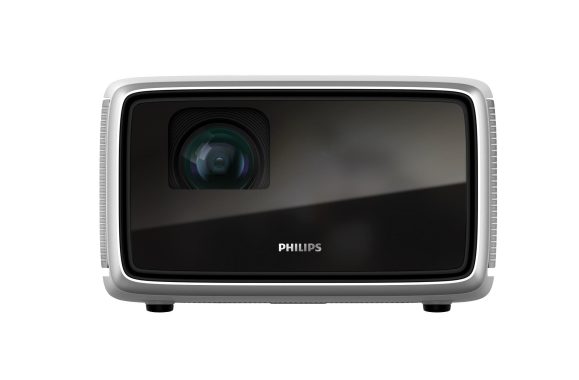
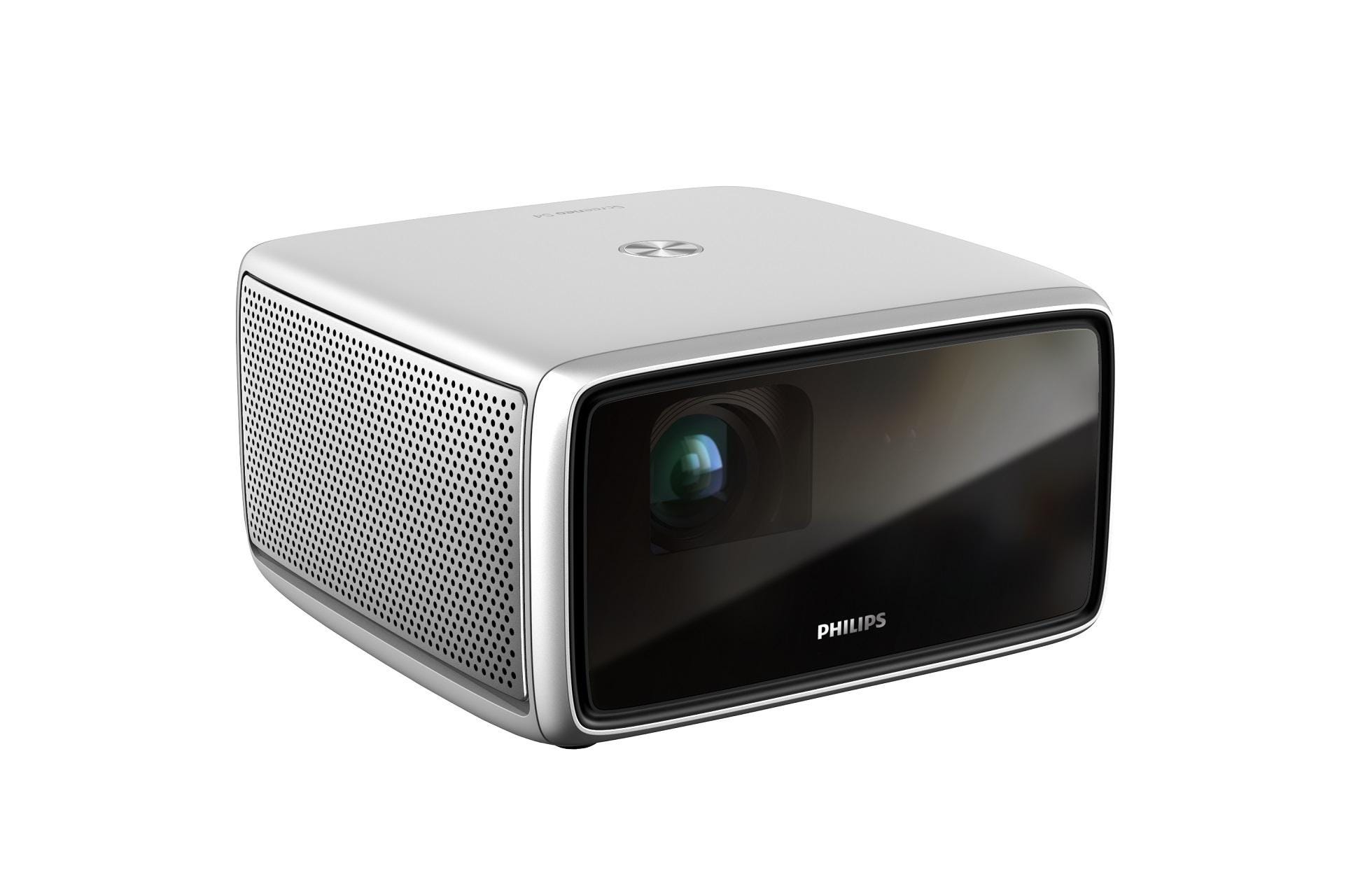
Philips Screeneo S4 Full HD projector uses DLP technology . The projector does accept Ultra HD sources, but it downscales it to Full HD. HDR10 is also on the list of supported formats.
It is supplied with an LED light source that should be good for 1,800 lumens. A huge benefit is the lifespan of the LED lamps, they last up to 30,000 hours. The projector also takes only a couple of seconds to start, not like classic UHP lamps, they are almost immediately at full brightness.The Screeneo S4 menus did not show too many options for editing the image, and that is noticeable we also during the image processing tests. De-interlacing is outstanding, but the projector has problems detecting less popular movie and video frame rates. For that reason, you should provide progressive video (720p, 1080p, 2160p) to prevent kicking and combing results.
The Full HD image does not have the finest vertical resolution, and in the built-in image presets the sharpness is a little bit too high, so you can there sees false detail. Because the projector has no options to eliminate noise, that extreme sharpness can also accentuate noise. Play your favorite songs directly on the projector. Use your Screeneo as a Boombox by connecting your smartphones or any other Bluetooth device to have fun with great sound.
The Screeneo S4 has excellent assets, but the finish leaves much to be desired. The mixture of an older Android TV version and the Aptoide application store definitely does not provide a problem-free user experience, even though the issues are pretty much never a deal breaker. The clunky menu layout and limited image settings limit the maximum image quality you get from the projector. Yes, the projector supports HDR, but the colors are not always a good choice because of the intense colors. You don’t get ideal Full HD fine detail, possibly because of to a average lens. Lastly, there is a lot of competitors in this segment and for this reason the price looks like a bit too high for all of us.Philips Screeneo S4 Full HD projectorOn the other hand, the projector however has a lot to offer. It is sleek and stylish and powerful, and an superb option if you want to take it with you to friends or families. Despite the difficulties of the operating system, the built-in media players and streaming services are good value. The LED light source provides a generous portion of light, the projector has a solid contrast and the image is optimized for use in ambient light. A large white-colored wall is all you need to produce an intensive image.
A 94 ” image from just 2.5 metres away
If you’ve always wished a projector but have been put off by the space taken up, you need to check out the Philips Screeneo S4. This short throw projector is designed to work well in regular-sized rooms. Simply place on a bracket, shelf or piece of furniture and enjoy instant big screen entertainment – whatever the size of room.

Turbo size your image – up to 160 inches
Placed the projector close to 4.5 metres from the screen and you’ll get to enjoy super-sized images. At this distance, the screen size is a great 160 inches, giving truly cinematic pictures.
The perfect picture – right out of the box
Offering Auto Keystone and Auto Focus, the Screeneo S4 projector provides you a exceptional picture – right out of the box. Digital zoom lets you size the image to fit and 4-corner modification makes it simple to get the ideal fit – even if the projector is off centre.
HDR10 for advanced colour and contrast
With HDR10 and HLG compatibility, the Screeneo S4 projector is the ideal match for your UHD Blu-ray player, games console and other HDR video sources. HDR not only offers deeper blacks, brighter whites and more vibrant colours, but also subtler images, too. So what looks like an area of solid black on an inferior projector, is shown to have shade and texture, previously unseen.Philips Screeneo S4 Full HD projectorStereo speakers
Although a projector’s built-in sound system will never match that of a soundbar or soundbase, the Philips Screeneo S4’s is better than most. Where most projectors use a simple, mono speaker, the Screeneo S4 uses stereo system speakers. Capable of producing a unique, full-range sound they’re an easy match for most TVs. Photo: Philips
Android OS for smart TV
In a complicated world of catch-up TV, Android OS makes sense of it all. Using a very clear, intuitive interface, Android lets you effortlessly switch between Netflix, Amazon Prime, YouTube and many other services. The Android OS system lets you download just the apps you need, tailoring your choice of apps to your exact needs.
AirMote for effortless control
For quick navigation, the provided AirMote, gesture controller, lets you pick and select what you want to watch with a simple point and just click.
Connect up your devices
When it comes to device compatibility the Screeneo S4 scores again. As well as the standard HDMI – which is suitable for most video sources – the Screeneo S4 also has connections for optical digital and USB. Wi-Fi and Bluetooth connectivity are typical, as well.
Bluetooth bonus
As well as being a practical projector, the Screeneo S4 also makes a nice Bluetooth speaker. Just pair your smartphone, tablet or other gadget and play your music out loud on the stereo speaker system.
Discover the much bigger picture, in comfort, with the Philips Screeneo S4 .

Philips Screeneo S4 Specs:

Brand    Philips
1080p Full HD Ready          Yes
HDR                 Yes
BBC iPlayer            Yes
Digital Audio Output             Yes – Optical
USB          2
Weight (KG)               1.8
Component                No
DLNA Compliant           Yes
Remote Control           yes
Bluetooth            Yes
Dimensions WxDxH (mm)          192 x 192 x 110
HDMI            1
Wi-Fi Built In          yes
Carry Bag        No
Maximum Screen Size              160″
Projection Technology             DLP
Fan Noise            NA
Throw Ratio         1.2:1
Lens Shift          No
S Video            No
Pixel Resolution       1920 x 1080
Contrast Ratio         100,000:1
3D TV          No
Speakers       Yes (Stereo)
Gesture Control       Yes – AirMote
HDR Format        HDR10, HLG
Power Consumption          – Standby 0.5