Home Blog Page 62

iPhone vs. Android Security: Is One More Secure than the Other?

0

Find out whether iPhones or Android phones are more secure in our comprehensive comparison of their security features. Discover the strengths and weaknesses of each operating system and learn practical tips for enhancing the security of your device. Stay informed and make an informed choice about the security of your phone.

Both iPhone and Android phones have their own security features, and it’s difficult to say definitively which one is more secure. However, in general, iPhones are considered to be more secure than Android phones due to a few key reasons:

  1. Closed ecosystem: iPhones are designed to work only with Apple’s operating system (iOS) and apps from the App Store. This closed ecosystem means that Apple has more control over the software and can ensure that apps meet strict security guidelines before they’re available to users.
  2. Regular software updates: Apple regularly releases software updates for iOS, which include security patches and bug fixes. These updates are pushed out to all compatible devices at the same time, meaning that most iPhone users have the latest security updates installed on their devices.

3. Encryption: iPhones come with hardware-based encryption, which means that your data is automatically encrypted when it’s stored on the device. This encryption is difficult to bypass, even if someone gains physical access to your phone. iPhones use hardware-based encryption to protect the data stored on the device. This means that when you create a passcode or use biometric authentication (such as Face ID or Touch ID) to unlock your iPhone, the data on the device is automatically encrypted.

security level between iPhones and Android
photo: Pixabay

Encryption is the process of converting data into a coded language that can only be deciphered with the correct decryption key. On iPhones, this process happens at the hardware level, which means that the encryption is very difficult to bypass even if someone gains physical access to your phone.

In addition to encrypting data on the device, iPhones also use end-to-end encryption for certain types of data when it’s transmitted over the internet, such as messages sent through iMessage. This means that the data is encrypted on your device and can only be decrypted by the recipient’s device – no one else can read the message, including Apple.

iPhone encryption is designed to protect your data from unauthorized access and ensure that your private information stays private.

That being said, Android phones have their own security features, such as the Google Play Protect service, and some Android phones receive regular security updates. It’s also worth noting that user behavior can play a big role in phone security – for example, if you download apps from unknown sources or don’t use a passcode or biometric authentication, your phone may be more vulnerable to security threats. Ultimately, the security of your phone depends on a variety of factors, including the specific device and software version you’re using, as well as how you use your phone.

There are several ways you can improve the security of your Android phone:

  • Keep your software up to date: One of the most important things you can do to improve your phone’s security is to keep the software up to date. Make sure to regularly check for software updates and install them as soon as they become available. These updates often include security patches that can help protect your device from known vulnerabilities.
  • Use a strong passcode or biometric authentication: Use a strong, unique passcode or biometric authentication such as fingerprint or face recognition to unlock your phone. Avoid using simple or easy-to-guess passwords that could be easily hacked.
  • Download apps from trusted sources: Only download apps from trusted sources such as the Google Play Store. Be cautious when downloading apps from unknown sources, as they may contain malware or other security threats.
  • Use a VPN: A VPN (Virtual Private Network) can help protect your online activity by encrypting your internet traffic and preventing hackers from intercepting your data. Consider using a reputable VPN service to add an extra layer of security to your phone.
  • Enable two-factor authentication: Enable two-factor authentication (2FA) whenever possible to add an extra layer of security to your accounts. This requires you to provide two forms of identification to access your account, such as a password and a code sent to your phone.
  • Use anti-malware software: Consider installing anti-malware software on your Android device to help protect against viruses, malware, and other security threats.

By following these tips, you can significantly improve the security of your Android phone and better protect your personal data and privacy.


Ultimately, both iPhone and Android users can take steps to enhance the security of their devices, such as using strong passcodes, keeping their software up to date, and avoiding downloading apps from unknown sources.

The Benefits of Using HTTPS: Increased Security, Trust, and Compliance

0

Learn about the benefits of using HTTPS for website security, user trust, and compliance with regulations. Discover how HTTPS encryption can protect sensitive information, mitigate browser warnings, and improve website performance. Understand why HTTPS is a best practice for website owners in today’s digital landscape.

HTTPS (Hyper Text Transfer Protocol Secure) is the secure version of HTTP, the protocol used for transferring data between a website and a web browser. HTTPS uses SSL (Secure Sockets Layer) or TLS (Transport Layer Security) encryption to protect the data being transmitted over the internet from unauthorized access or interception.

To tell if a website is using HTTPS, you can look for the padlock icon in the address bar of your web browser. The padlock icon indicates that the website is using a secure connection and that your data is being encrypted. You can also look for “https://” at the beginning of the website’s URL instead of “http://”. If a website is using HTTPS, you should see “https://” in the URL instead of “http://”.

HTTPS helps to prevent phishing attacks
HTTPS helps to prevent phishing attacks _ photo: Pixabay

There are several benefits to using HTTPS (Hyper Text Transfer Protocol Secure) for a website:

  • Increased security: HTTPS encrypts the data being transmitted between the website and the user’s browser, making it much more difficult for hackers or other malicious actors to intercept or steal sensitive information, such as login credentials or credit card numbers.
  • Improved trust and credibility: When users see the padlock icon and “https://” in the website’s URL, it signals that the website is secure and that their data is being protected. This can improve user trust and confidence in the website, which can lead to increased conversions and sales.
  • Better search engine rankings: In 2014, Google announced that it would give a ranking boost to websites that use HTTPS. This means that using HTTPS can help a website rank higher in search results, which can lead to increased traffic and visibility.
  • Compliance with regulations and best practices: In many industries, using HTTPS is required by law or regulation, such as in the healthcare or finance industries. Even if it is not required, using HTTPS is generally considered a best practice for website security and can help to protect both the website owner and the users of the website.
  • Protection against phishing: HTTPS helps to prevent phishing attacks by making it more difficult for attackers to impersonate a legitimate website and steal sensitive information from users.
  • Mitigation of browser warnings: Modern web browsers, such as Google Chrome, display warnings to users when they visit websites that are not secure. These warnings can be scary and can lead users to leave the website. Using HTTPS helps to mitigate these warnings and reassure users that the website is secure and trustworthy.
  • Protection against content injection: HTTPS also helps to protect against content injection attacks, where an attacker injects malicious code into a website’s content, such as ads or scripts. With HTTPS, the encryption of the data being transmitted makes it more difficult for an attacker to inject malicious code.
  • Better performance: HTTPS can actually improve website performance by reducing the time it takes for the website to load. This is because HTTPS allows for the use of HTTP/2, a newer version of the HTTP protocol that can load website content faster and more efficiently.

In summary, using HTTPS is a best practice for website security and provides numerous benefits, including increased security, trust, search engine rankings, compliance with regulations, protection against phishing and content injection, mitigation of browser warnings, and improved website performance. With the increasing importance of online security and privacy, it is essential for website owners to implement HTTPS on their websites.

 The cost of implementing HTTPS for a website can vary depending on the size and complexity of the website, as well as the method used to obtain the SSL/TLS certificate.

In general, there are three main options for obtaining an SSL/TLS certificate:

  • Free certificates: Some Certificate Authorities (CAs) offer free SSL/TLS certificates. The most popular provider of free certificates is Let’s Encrypt. However, free certificates may have limitations, such as only being valid for a short period of time or not providing as much assurance as paid certificates.
  • Domain validated (DV) certificates: DV certificates are the most basic type of SSL/TLS certificates and are generally the least expensive. They provide basic encryption and verify only that the domain name listed on the certificate matches the domain name of the website.
  • Extended validation (EV) certificates: EV certificates are the most expensive type of SSL/TLS certificates and provide the highest level of assurance. They require more extensive verification of the identity of the website owner and can take longer to obtain.

The cost of implementing HTTPS for a website can range from free to several hundred dollars per year, depending on the type of certificate chosen and the method of obtaining it. However, the benefits of using HTTPS, such as increased security and improved search engine rankings, often outweigh the costs.

Infiniti QX55: an attractive and powerful crossover coupe

0

The Infiniti QX55 is a luxury crossover SUV produced by the Japanese automaker Infiniti. It was introduced in 2021 as a new model, based on the Infiniti QX50, with a coupe-like design featuring a sloping roofline and a distinctive front grille.

The QX55 is powered by a 2.0-liter turbocharged four-cylinder engine that produces 268 horsepower and 280 lb-ft of torque, which is mated to a continuously variable transmission (CVT) and available in all-wheel drive configuration.

Standard features on the Infiniti QX55 include LED headlights and taillights, a power liftgate, leatherette upholstery, a panoramic sunroof, dual-zone automatic climate control, a 8-inch touchscreen infotainment system with Apple CarPlay and Android Auto integration, and a 6-speaker audio system.

Infiniti QX55
Infiniti QX55

Optional features on the QX55 include a 16-speaker Bose audio system, a head-up display, a 9-inch touchscreen infotainment system, a 360-degree camera system, heated and ventilated front seats, and a wireless charging pad.

The Infiniti QX55 is a stylish and luxurious crossover SUV that offers a good balance of performance, comfort, and technology.

The Infiniti QX55 SUV 2021 2.0i Turbo (268 Hp) IAWD CVT has an Intelligent All-Wheel Drive (IAWD) drivetrain system. This means that the vehicle can automatically distribute torque between the front and rear wheels depending on the driving conditions, such as traction, road surface, and speed. The IAWD system is designed to improve stability, handling, and overall performance in various weather and road conditions. Additionally, the QX55 SUV 2021 2.0i Turbo (268 Hp) is equipped with a continuously variable transmission (CVT), which provides smooth and efficient power delivery to the wheels.

The Infiniti QX55 2021 comes with a four-wheel independent suspension system that provides a balance of comfort and handling. The front suspension features a MacPherson strut setup with coil springs and a stabilizer bar, while the rear suspension is a multi-link setup with coil springs and a stabilizer bar.

As for the brakes, the QX55 comes equipped with ventilated disc brakes on all four wheels, which are assisted by an anti-lock braking system (ABS) and electronic brakeforce distribution (EBD) for improved stopping power and control. The brake system also features brake assist and an electronic parking brake.Infiniti QX55

In addition, the QX55 comes with a variety of advanced safety features, including forward collision warning, automatic emergency braking, lane departure warning, blind spot warning, and rear cross-traffic alert. These features help to improve overall safety and driver confidence on the road.

The Infiniti QX55 features a high-quality and well-designed interior that emphasizes comfort, luxury, and advanced technology. The cabin is spacious and features a variety of premium materials, including leatherette upholstery, wood trim, and soft-touch surfaces.

The front seats are designed for comfort and support, with power-adjustable settings and available heating and ventilation. The rear seats are also comfortable and provide ample legroom and headroom for adult passengers.

The QX55’s dashboard is clean and modern, with a large touchscreen infotainment system and a digital instrument cluster. The infotainment system is easy to use and features Apple CarPlay and Android Auto integration, along with a variety of other features, such as navigation, a premium sound system, and wireless charging.

The QX55’s interior quality is on par with other luxury crossover SUVs in its class, and its attention to detail and advanced technology make it a comfortable and enjoyable vehicle to drive.

The Infiniti QX55 is powered by a 2.0-liter turbocharged four-cylinder engine that produces 268 horsepower and 280 lb-ft of torque. The engine is paired with a continuously variable transmission (CVT) and comes standard with Infiniti’s Intelligent All-Wheel Drive (IAWD) system, which can distribute torque between the front and rear wheels as needed for optimal traction and handling.

The QX55’s engine features advanced technologies such as direct injection, variable valve timing, and a twin-scroll turbocharger, which help to maximize power and efficiency. The vehicle can accelerate from 0 to 60 mph in around 6.7 seconds and has a top speed of 149 mph.Infiniti QX55 SUV

The QX55’s engine also features fuel-saving technologies such as an automatic stop/start system, which shuts off the engine when the vehicle is stopped in traffic or at a red light to conserve fuel.

Overall, the QX55’s engine is a powerful and efficient powertrain that provides strong acceleration and responsive handling, making it a pleasure to drive. photo: Infiniti

Drivetrain Architecture:  The Internal combustion engine (ICE) drives the front wheels permanently, and the rear wheels are driven through an electrically or mechanically operated clutch if necessary.
Drive wheel:    All wheel drive (4×4)
Number of gears and type of gearbox:    automatic transmission CVT
Front suspension:      Independent, type McPherson with coil spring and anti-roll bar
Rear suspension:       Independent multi-link spring suspension with stabilizer
Front brakes:         Ventilated discs, 330×33 mm
Rear brakes:         Ventilated discs, 307×15 mm
Assisting systems:      ABS (Anti-lock braking system)
Steering type:      Steering rack and pinion
Power steering:      Electric Steering
Tires size:       255/45 R20
Wheel rims size:     20

How to Stop a Phone from Being Tracked: Tips and Tricks

0

Worried about someone tracking your phone? Check out these tips and tricks to prevent your phone from being tracked, including turning off location services, disabling GPS and Wi-Fi, using a VPN, removing the battery, and using a Faraday bag. However, keep in mind that some of these methods may not be foolproof and speaking with a cybersecurity expert or privacy advocate may be necessary for more personalized advice.

There are several ways to stop a phone from being tracked, but some of these methods may have unintended consequences or may not be foolproof. Here are a few suggestions:

  1. Turn off location services: Most modern smartphones have location services that allow apps and services to track your location. Turning off location services can prevent these apps and services from tracking your phone’s location. However, keep in mind that this may limit the functionality of some apps that require location data.
  2. Disable GPS and Wi-Fi: You can also disable your phone’s GPS and Wi-Fi capabilities, which can also help prevent tracking. Keep in mind, though, that this will also limit the functionality of some apps that require these features.
  3. Use a VPN: A virtual private network (VPN) can encrypt your internet traffic and mask your IP address, making it more difficult for someone to track your phone’s location. However, not all VPNs are created equal, and some may not provide adequate protection. Here are three free VPN services you could consider using:

ProtonVPN: ProtonVPN is a popular VPN provider that offers a free plan with servers in several countries. The free plan provides unlimited data and is supported by ads.

Windscribe: Windscribe is another free VPN provider that offers a generous 10 GB of data per month. It also has servers in several countries and supports multiple devices.

Hotspot Shield: Hotspot Shield is a well-known VPN provider that offers a free plan with limited features. The free plan provides access to servers in the United States and is supported by ads. It also has a data cap of 500 MB per day.

4. Remove the battery: Some older phones have removable batteries, and removing the battery can prevent the phone from being tracked. However, most modern smartphones do not have removable batteries, so this is not an option.

Faraday bag
Faraday bag – GoDark photo

5. Use a Faraday bag: A Faraday bag is a special type of bag made of a material that blocks electromagnetic signals. Putting your phone in a Faraday bag can prevent it from being tracked, but it will also prevent you from making or receiving calls or using data. These bags provide protection for your electronic devices against EMF damage and data spying. Your devices are protected from EMPs, GPS tracking, cell phone tracking, and EMF signals like 4G, 5G, WiFi, and Bluetooth when you use one of these bags. For example, GoDark Faraday Bags are military strength Faraday bags that protect your cell phones, tablets, and other electronics from location tracking, hacking, and damage by blocking all incoming and outgoing EMF signals between 200 MHz and 40 GHz, including GPS, Cell Phone, Wi-Fi and Bluetooth. Each GoDark Bag is made with 2 layers of GoDark RF shielding fabric, which has been independently lab tested to provide an average of 105 dB of EMF signal attenuation and has passed the MIL-STD-188-125-2 standardized military test for High Altitude EMP shielding.

Keep in mind that some of these methods may not be foolproof, and there may be other ways to track your phone’s location that cannot be easily prevented.

5 Must-Have Instagram Tools to Boost Your Profile

0

Elevate your Instagram with these 5 must-have tools. From design to scheduling and photo editing, these tools will help you create visually stunning content, streamline your posting process, and track your performance. Discover the best Instagram tools to boost your profile and engage your audience today.

The decision to use Instagram tools ultimately depends on your goals for your Instagram profile. If you are looking to grow your following, increase engagement, and maintain a consistent posting schedule, then using Instagram tools can be very helpful. Instagram tools can help you optimize your content strategy, save time, and create visually appealing content that resonates with your audience.

However, if you are simply using Instagram for personal use and don’t have any specific goals or objectives, then you may not necessarily need to use Instagram tools. It ultimately comes down to your individual needs and preferences. If you’re interested in taking your Instagram profile to the next level, then exploring different Instagram tools can be a worthwhile endeavor.

Boost Your Profile on Instagram – 5 Must have Instagram tools 

  • Canva: Canva is an excellent design tool that allows you to create visually appealing graphics, videos, and animations for your Instagram profile.
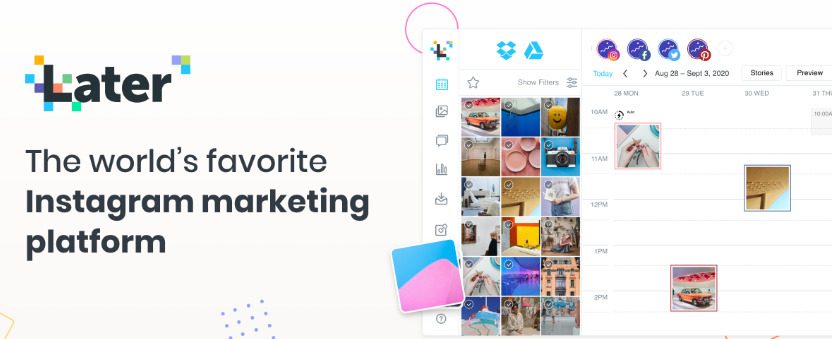
  • Later: Later is a scheduling tool that allows you to plan and schedule your Instagram posts in advance. It also provides analytics to help you track engagement and growth on your profile.
  • Hootsuite: Hootsuite is a social media management tool that enables you to manage multiple Instagram accounts, schedule posts, and monitor engagement and mentions.
  • Lightroom: Lightroom is a powerful photo editing software that can help you enhance your Instagram photos and create a cohesive and visually pleasing Instagram feed.
  • VSCO: VSCO is a mobile app that offers a range of filters and editing tools to enhance your Instagram photos. It also provides a community platform for sharing your photos and discovering new content.

1. The short review of Canva: Canva is a popular graphic design tool that is easy to use and accessible for users of all skill levels. It offers a wide variety of templates, design elements, and customizable features to help you create visually appealing graphics for your Instagram profile. With its intuitive drag-and-drop interface, you can quickly create stunning designs without needing any design skills. Canva also offers a range of features specifically tailored for Instagram, including templates for Instagram posts, stories, and highlights covers. Overall, Canva is a versatile and powerful tool that can help you elevate your Instagram game and create eye-catching content.

Canva
photo: Canva


2. About Later tool: Later is an excellent scheduling tool for Instagram that allows you to plan and schedule your posts in advance. It offers a user-friendly interface and provides a variety of features to help you manage your Instagram account efficiently. Later also offers a visual content calendar that enables you to see all your scheduled posts at a glance. This helps you maintain a consistent posting schedule and plan your content strategy more effectively. Additionally, Later provides detailed analytics to help you track engagement and growth on your profile, so you can adjust your strategy accordingly. Overall, Later is a useful tool for any Instagram user looking to streamline their posting process and optimize their content strategy.

Later tool
Later tool
3. Short review of Hootsuite
Hootsuite is a comprehensive social media management tool that allows you to manage multiple social media accounts, including Instagram, from a single dashboard. It offers a wide range of features, including post scheduling, social listening, and analytics, to help you monitor and optimize your social media presence. With Hootsuite, you can schedule your Instagram posts in advance, track mentions and hashtags, and analyze your performance across different metrics. Hootsuite also provides a range of collaboration tools, making it ideal for social media teams. Overall, Hootsuite is a powerful and versatile tool that can help you manage and optimize your Instagram account more efficiently.

4. Lightroom – a powerful photo editing software 

Lightroom is a powerful photo editing software that allows you to enhance your Instagram photos and create a cohesive and visually appealing Instagram feed. It offers a range of editing tools, including basic adjustments such as exposure, contrast, and color balance, as well as more advanced features such as selective adjustments, noise reduction, and lens correction. Lightroom’s interface is intuitive and user-friendly, making it accessible to photographers of all skill levels. Additionally, Lightroom provides a range of presets and filters that can help you achieve a consistent look and feel for your Instagram feed. Overall, Lightroom is an excellent tool for anyone looking to take their Instagram photography to the next level.

5. VSCO tool – short review

VSCO is a mobile app that offers a range of filters and editing tools to enhance your Instagram photos. It provides a user-friendly interface and a wide variety of presets and filters to choose from, making it easy to create beautiful and cohesive Instagram posts. Additionally, VSCO offers a range of advanced editing features, including color adjustments, exposure control, and grain effects, that allow you to fine-tune your images to your liking. VSCO also has a community platform where you can share your photos, discover new content, and connect with other creatives. Overall, VSCO is an excellent tool for mobile photo editing and can help you create visually stunning content for your Instagram profile.

Aptoide app – the best Android app store to get paid apps for free

0

Aptoide app is an alternative marketplace for Android devices that allows users to download and install a wide range of apps and games that are not available on the official Google Play Store. It was launched in 2009 by Aptoide S.A., a Portuguese company based in Lisbon, Portugal.

Aptoide app has a decentralized structure, which means that anyone can create and manage their own app store within the Aptoide platform. This allows users to find a variety of apps from different sources, which may not be available on the Play Store due to various reasons such as regional restrictions or non-compliance with Google Play policies.

Users can download the Aptoide app on their Android devices by visiting the official website or downloading the APK file from third-party sources. Once installed, they can search for and download apps and games from the Aptoide marketplace, which includes both free and paid apps. Aptoide also offers a feature called Aptoide TV, which allows users to install Android apps on their smart TVs.Aptoide

One of the unique features of Aptoide is its built-in app manager, which allows users to easily uninstall or update their installed apps. It also includes a feature called Aptoide Uploader, which allows developers to upload their own apps to the Aptoide marketplace.

However, Aptoide has faced criticism for its lack of app moderation and quality control, which can result in users downloading malicious or pirated apps. The platform has also been known to host counterfeit and fake apps, which can harm users’ devices and compromise their data.

Aptoide is an alternative app store for Android devices that allows users to download and install a wide range of apps and games that may not be available on the official Google Play Store. While it offers unique features and benefits, users should exercise caution when downloading and installing apps from the Aptoide marketplace.

Is it Aptoide legal?

Aptoide itself is a legal app, and there is no law against downloading and using it. However, the legality of downloading apps from Aptoide depends on the individual apps themselves. Aptoide is a decentralized platform, which means that anyone can upload apps to the marketplace, and Aptoide does not have the resources to check each and every app for legality.

Therefore, it is possible that some of the apps available on Aptoide may infringe on copyright laws or contain malware or other malicious software. Users should exercise caution when downloading and installing apps from Aptoide and should only download apps from trusted sources.

It is important to note that downloading and using pirated apps is illegal, and users who download such apps may be subject to legal action. Users should also be aware that downloading and using apps from unauthorized sources may void the device’s warranty and could compromise the security of their device and personal data.

Aptoide itself is legal, but the legality of downloading and using apps from the platform depends on the individual apps themselves. Users should exercise caution when downloading and installing apps from Aptoide and should only download apps from trusted sources.

Aptoide is the best app store to get paid apps for free? Is it true?
While Aptoide app does offer a wide range of apps, including some paid apps that are available for free, it is important to note that downloading and using paid apps for free through Aptoide may be illegal and can also pose security risks.

Some of the paid apps available on Aptoide may be cracked versions that have been modified to bypass the payment system. These modified apps may contain malware or other malicious software that can harm the user’s device and compromise their personal data.

In addition, downloading and using paid apps for free through Aptoide may infringe on the copyright of the app developer or publisher. This can result in legal consequences for both the user and the distributor of the app.

It is important for users to understand the risks associated with downloading and using paid apps for free. Apart from the legal and security risks, downloading cracked apps from unauthorized sources can also lead to instability issues and can harm the user experience.

Cracked apps may not receive updates from the original developer, which means that users may miss out on new features and bug fixes. In addition, these modified versions of apps may not work as intended, which can cause the app to crash or malfunction.

Therefore, it is not recommended to use Aptoide app or any other unauthorized app store to download and use paid apps for free. Users should only download and use apps from trusted sources and should be willing to pay the appropriate price for the apps they wish to use. Here’s the download link APTOIDE

What is a QR Code? A Brief Explanation

0

Find out what is a QR Code, how it works, and its various applications in this brief yet comprehensive guide. QR Code Generator provides all the information you need to know about QR codes, from their history to their current uses, along with instructions on how to create your own QR code for free.

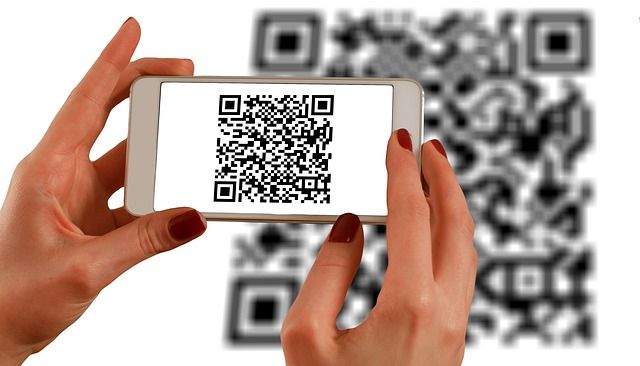
A QR code (short for Quick Response code) is a two-dimensional barcode that can be read by a smartphone camera or QR code reader. It consists of black and white squares arranged on a square grid, and can contain information such as a website URL, contact information, or a message.

QR Code
photo: Pixabay

QR codes were first developed in 1994 by a Japanese company called Denso Wave, and have since become popular due to their ability to quickly and easily store and transmit information. They can be used in a variety of settings, such as on products for marketing purposes, in digital payment systems, and for contactless check-ins at events or venues. When scanned with a smartphone, the information encoded in the QR code can be instantly accessed and used by the user.

Text, URLs, and contact details are just a few examples of the types of information that may be stored and shared using QR codes. There are many methods to use QR codes, including in marketing campaigns, on business cards, and on product packaging to provide buyers more information or point them to a website. In order to transmit information quickly and easily and encourage client participation, QR codes are growing in popularity.

How do I create a free QR Code?

There are many websites and online tools that allow you to create a QR code for free. Here’s a step-by-step guide to creating a QR code using QR Code Generator, which is one of the popular and free online tools available:
  1. Go to the QR Code Generator website at https://www.qr-code-generator.com/.
  2. Choose the type of content you want to encode in your QR code, such as a URL, text, or contact information.
  3. Enter the content you want to encode in the designated field.
  4. Customize the design of your QR code, if desired, by selecting colors and adding a logo or image.
  5. Preview your QR code to ensure it looks the way you want it to.
  6. Download your QR code as an image file or copy the embed code to use on a website or other digital platform.

That’s it! With QR Code Generator or any other free online tool, creating a QR code is quick and easy, and can be done in just a few minutes.

How QR Code works?

A QR code works by using a pattern of black and white squares to store information. When a smartphone camera or QR code reader scans the code, it uses image recognition technology to interpret the pattern and decode the information stored within it.QR Code

Here’s a step-by-step explanation of how a QR code works:

  • A QR code is created using a QR code generator or other software.
  • The information to be encoded is entered into the QR code generator, such as a website URL, contact information, or a message.
  • The generator encodes the information as a series of black and white squares, arranged in a specific pattern according to the QR code standard.
  • When a smartphone camera or QR code reader scans the QR code, it takes a picture of the code and analyzes the pattern of squares.
  • The QR code reader software interprets the pattern and decodes the information contained within the code.
  • The user is then directed to the website, presented with the contact information, or shown the message encoded in the QR code.

QR codes can store a variety of information, from simple text to more complex data such as vCard information, product information, or payment instructions. They are widely used for marketing, advertising, and information-sharing purposes due to their ease of use and convenience.

How to Download and Install Minecraft on a PC – Step-by-Step Guide

0

Learn how to download and install Minecraft on a PC with this easy-to-follow guide. Follow our step-by-step instructions and start playing Minecraft in no time. Download Minecraft from the official website, create a Mojang account, choose your payment method, and install Minecraft on your PC with ease.

To download Minecraft on a PC, follow these steps:

  1. Go to the official Minecraft website at minecraft.net.
  2. Click on the “Get Minecraft” button.
  3. Choose the edition of Minecraft you want to download. If you’re not sure, choose the “Minecraft for Windows 10” edition.
  4. If you don’t have a Mojang account, create one by clicking on the “Register” button and filling out the form. If you already have an account, log in.
  5. Choose your payment method and complete the purchase if required. Minecraft costs $26.95 USD.
  6. After completing the purchase, you’ll be taken to the download page. Click the “Download” button to start the download.
  7. Once the download is complete, run the Minecraft installation file.
  8. Follow the installation prompts to install Minecraft on your PC.

    MINECRAFT
    MINECRAFT

That’s it! Once the installation is complete, you can launch Minecraft and start playing.

WHICH VERSION SHOULD YOU INSTALL?

As opposed to the past, Minecraft Java edition and Bedrock (now known as Windows) edition are sold together as a bundle, making it impossible to make a mistake and unintentionally buy the wrong version. If you don’t want to install both, there is a distinction in which version you install.
It’s important to keep in mind the following if you’re not positive which edition you want. The best option for cross-platform play is Bedrock or Windows; it allows using a game controller and gives you access to the Minecraft Marketplace where you can purchase game textures, skins, or custom maps. For Minecraft modifications, free texture packs, and skins, Java works best. It’s also important to keep in mind that Mojang is presently working on enhancing Java with cross-platforming, so in a few months, Java may be the only option.

Both “Minecraft: Java Edition” and “Minecraft for Windows” will be available in the left-hand section of the Minecraft Launcher. By selecting the desired version and pressing the large green “install” button in the bottom center, you can install either one.

As cross-platforming is currently being added to Java by Mojang, this might be the only option in a few months.

How should we get CCTV access from Android?

0

To access CCTV from an Android device, you can follow these general steps:

  1. Install the CCTV camera’s corresponding mobile app: Most CCTV cameras come with a mobile app that can be downloaded from the Google Play Store. You can search for the app by the name of the manufacturer or the model of the camera.
  2. Connect the CCTV camera to your Wi-Fi network: You will need to connect your CCTV camera to your Wi-Fi network so that you can access the footage remotely. Follow the instructions provided with your CCTV camera to connect it to your Wi-Fi network.
  3. Launch the CCTV camera app on your Android device: Once you have installed the app, launch it on your Android device.
  4. Log in to the CCTV camera app: You will need to log in to the CCTV camera app using your account credentials. If you have not created an account, you will need to do so by following the instructions provided with your CCTV camera.
  5. View the CCTV footage: Once you are logged in, you should be able to view the CCTV footage from your Android device. You may need to select the camera you want to view if you have multiple cameras set up.

Note: The specific steps may vary depending on the manufacturer and model of your CCTV camera and its corresponding mobile app. Always refer to the instructions provided with your CCTV camera and its mobile app for the most accurate and up-to-date information.

Universal CCTV mobile app

There are several universal CCTV mobile apps available that can work with multiple brands and models of CCTV cameras. Some examples of such apps are:
  1. iVMS-4500: This app is developed by Hikvision and supports Hikvision, Dahua, and other brands of CCTV cameras.
  2. XMEye: This app supports a wide range of CCTV cameras, including Hikvision, Dahua, Foscam, and others.

    XMEye is a popular mobile app that allows users to remotely monitor and control their CCTV cameras from an Android or iOS device. The app is developed by Huangwanshui, and it supports a wide range of CCTV cameras, including both IP cameras and DVRs/NVRs.

    Some of the key features of the XMEye app include:

    • Remote viewing: The app allows users to view live footage from their CCTV cameras in real-time, from anywhere in the world as long as they have an internet connection.
    • Playback: Users can also view recorded footage from their cameras using the app’s playback feature.
    • Two-way audio: Some cameras that support two-way audio can be controlled using the app, allowing users to communicate with people near the camera.
    • PTZ control: Users can control the pan, tilt, and zoom functions of their cameras from the app.
    • Push notifications: The app can send push notifications to the user’s mobile device if motion is detected by any of their cameras.

    The XMEye app is free to download and use, and it can be downloaded from both the Google Play Store and the Apple App Store. However, the app may display ads, and some advanced features may require a subscription or in-app purchase.

  3. iSpy: This app supports a variety of CCTV cameras and allows you to view and control your cameras from your Android device.

    iSpy
    iSpy app
  4. OWLR: This app supports many popular brands of CCTV cameras, including Hikvision, Foscam, and Dahua.
  5. IP Cam Viewer: This app supports over 2000 different models of CCTV cameras from various brands.

Note that while these apps are designed to work with a wide range of CCTV cameras, not all cameras are compatible with every app. It’s always best to check the app’s compatibility with your specific brand and model of CCTV camera before installing and using the app.

What is the most secure Android mobile phone?

0

Learn about the most secure Android mobile phone options available, including features like regular security updates, built-in security features, and hardware-based security. Get tips on how to keep your Android phone safe, including using strong passwords, enabling two-factor authentication, and avoiding app downloads from untrusted sources.

Determining the most secure Android mobile phone is not a straightforward task as there are many factors that contribute to a phone’s security, such as the software and hardware features, regular security updates, and user behavior. However, there are some Android phones that are generally considered more secure than others due to their software and hardware features, such as:

  1. Google Pixel: Google Pixel phones are known for their regular security updates and fast software updates, which help to keep them secure against known vulnerabilities.
  2. Samsung Galaxy: Samsung has made significant strides in improving its security features in recent years, such as the Samsung Knox platform that provides enhanced security for business and personal use.
  3. OnePlus: OnePlus phones are known for their fast and clean software, and they receive regular security updates to keep them secure.
  4. Nokia: Nokia phones come with Android One, which provides regular security updates, and they are known for their durable hardware.

It’s important to note that no phone is completely secure, and the security of your device also depends on your own behavior, such as using strong passwords, avoiding risky downloads, and keeping your software up-to-date. It’s recommended to choose a phone that receives regular security updates and has strong security features, and to take proactive steps to protect your device and personal information.

In addition to choosing a secure phone, there are some steps you can take to increase the security of your Android device:

  1. Use a strong lock screen password or biometric authentication (such as fingerprint or facial recognition) to protect your device from unauthorized access.
  2. Keep your device’s software up-to-date by installing the latest security updates and patches. Regular updates can help protect your device against known vulnerabilities.
  3. Use a VPN (Virtual Private Network) when using public Wi-Fi networks to encrypt your internet connection and protect your data from prying eyes.
  4. Be cautious when downloading apps and only download apps from trusted sources like Google Play. Check app permissions carefully and be wary of apps that request unnecessary access to your personal information.
  5. Enable two-factor authentication (2FA) for your Google account and other important accounts to add an extra layer of security.
  1. Use a mobile security app: Install a reputable mobile security app on your Android phone that provides features such as antivirus protection, app scanning, and anti-theft tools.
  2. Avoid rooting or jailbreaking your device: Rooting or jailbreaking can remove the security measures built into your device, leaving it more vulnerable to attacks.
  3. Encrypt your data: Many Android phones come with encryption options that can protect your data in case your device is lost or stolen. Make sure to enable encryption for sensitive data like photos, messages, and files.
  4. Review app permissions: Before installing an app, review the permissions it requires and make sure they are necessary for the app’s functionality. Be wary of apps that request access to sensitive information like your location, contacts, or microphone.
  5. Use strong passwords: Use unique and strong passwords for all your accounts, including your device lock screen, email, and social media. Consider using a password manager to generate and store strong passwords.

By following these tips and choosing a secure Android phone, you can help protect your personal information and keep your device and data secure.

Why Google Pixel is the most secure Android mobile phone?

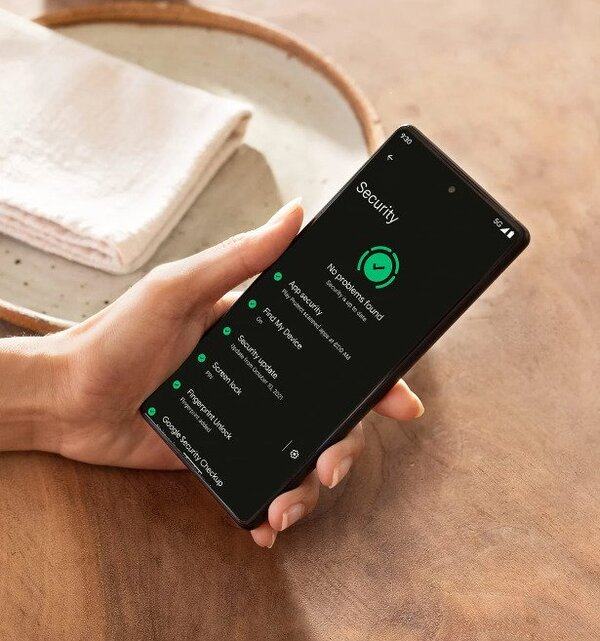
The Pixel is designed with multiple layers of hardware security, including the Titan M2 security chip and Google Tensor G2, to help protect your confidential information.
The certified Titan M2 chip from Google has passed some of the same extensive security tests used for identity, SIM, and credit card security chips.

Google Pixel phones are generally considered one of the most secure Android phones because of several reasons, including:

  • Regular security updates: Google Pixel phones receive regular security updates and patches directly from Google, which help to keep the phone protected against known vulnerabilities and security threats.
  • Fast software updates: Google Pixel phones are among the first phones to receive the latest version of the Android operating system, which includes new security features and enhancements.
  • Built-in security features: Google Pixel phones come with several built-in security features, such as the Google Play Protect service, which scans apps for malware and other security threats.
  • Hardware-based security: Google Pixel phones come with hardware-based security features, such as a secure element chip, which provides additional protection for sensitive data like payment information.
  • Verified boot: Google Pixel phones use verified boot technology, which checks the integrity of the device’s software at boot time, ensuring that the device has not been compromised.

Yes, Google Pixel phones come with a security chip, also known as a hardware security module (HSM), which is designed to protect sensitive data and cryptographic keys. The security chip in Pixel phones is called the Titan M2 security chip, which is a custom-designed chip that is separate from the main processor.

Pixel phone
Pixel phones – photo

The Titan M2 security chip provides several security features, including:

  1. Secure boot: The Titan M2 chip verifies the integrity of the boot process and ensures that the operating system has not been tampered with.
  2. File-based encryption: The Titan M2 security chip provides hardware-based encryption for files and data on the device, making it more difficult for an attacker to access sensitive information.
  3. Secure key storage: The Titan M2 chip stores cryptographic keys used for authentication and secure communication, protecting them from being accessed by malicious actors.
  4. Malware prevention: The Titan M2 chip helps prevent malware from taking control of the device or accessing sensitive data by verifying the integrity of the operating system and apps.

By using a separate security chip like the Titan M2 security chip, Google Pixel phones can provide an additional layer of security that is separate from the main processor and operating system. This makes it more difficult for attackers to compromise the device and access sensitive data.

Google Pixel phones are designed with security in mind, and Google has made significant investments in improving the security of its mobile devices in recent years. By combining regular security updates, fast software updates, built-in security features, and hardware-based security, Google Pixel phones offer a robust security platform that helps protect against known and emerging security threats.