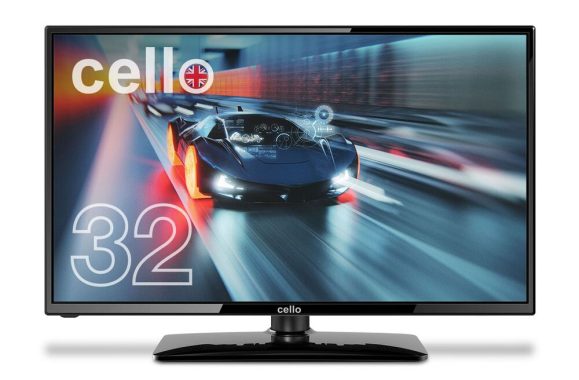
The Cello M3220G 32 inch Full HD Gaming Monitor is a notable addition to the market, designed to cater to the needs of both casual and competitive gamers. This review will delve into the various aspects of this monitor, including its performance, gaming experience, design, refresh rate, and overall advantages and disadvantages. By examining these features in detail, we aim to provide a comprehensive understanding of what this monitor offers and whether it meets the expectations of its target audience.
Performance
Display Quality
The Cello M3220G features a 32-inch Full HD (1920×1080) display, which is standard for most gaming monitors. The display quality is commendable, offering vibrant colors and sharp details. The Full HD resolution ensures that images are clear and crisp, making it suitable for a variety of games, from fast-paced shooters to detailed strategy games.
Color Accuracy: The monitor boasts good color accuracy out of the box, with deep blacks and bright whites. This makes it suitable not only for gaming but also for other activities such as watching movies or working on graphic design projects.
Brightness and Contrast: With a brightness level of 300 nits and a contrast ratio of 3000:1, the Cello M3220G ensures that images are vivid and dynamic. The high contrast ratio is particularly beneficial in games with dark scenes, as it helps in distinguishing subtle details.
Cello M3220G 32 inch Full HD Gaming Monitor – images: Cello
Response Time and Input Lag
One of the critical aspects of a gaming monitor is its response time and input lag. The Cello M3220G offers a response time of 5ms, which is decent for most gaming applications. However, for competitive gamers who play fast-paced games like first-person shooters, a lower response time might be preferable.
Input Lag: The input lag on this monitor is minimal, ensuring that there is no noticeable delay between the actions taken on the controller and their display on the screen. This is crucial for maintaining a competitive edge in gaming.
Gaming Experience
Refresh Rate
The Cello M3220G comes with a 165Hz refresh rate. Designed to complement PCs with powerful graphics cards, this 32-inch Cello Gaming Monitor excels in enhancing the experience of FPS (First-Person Shooter) and multiplayer games. In competitive gaming, where victories can hinge on split-second decisions, this Cello monitor gives you the edge.
Adaptive Sync Technology: This monitor supports FreeSync technology, which helps to eliminate screen tearing and stuttering by synchronizing the monitor’s refresh rate with the frame rate of the graphics card. This ensures a smoother and more immersive gaming experience, especially in graphically demanding games.
Gaming Modes and Features
The Cello M3220G is equipped with several gaming-specific features that enhance the overall experience:
Game Modes: The monitor offers various pre-configured game modes, such as FPS (First Person Shooter), RTS (Real-Time Strategy), and RPG (Role-Playing Game). These modes adjust the settings to optimize the display for different types of games, enhancing visibility and performance.
Low Blue Light and Flicker-Free Technology: To reduce eye strain during long gaming sessions, the monitor includes Low Blue Light and Flicker-Free technology. This makes gaming more comfortable and reduces the risk of eye fatigue.
Design
Build Quality and Aesthetics
The design of the Cello M3220G is sleek and modern, with a thin bezel that maximizes screen real estate. The monitor’s build quality is solid, with a sturdy stand that provides good stability.
Bezel and Frame: The thin bezel design is aesthetically pleasing and helps to create a more immersive viewing experience. This is particularly beneficial for multi-monitor setups, as the thin bezels minimize the gap between screens.
Stand and Adjustability: The stand is robust and offers tilt adjustment, allowing users to find the most comfortable viewing angle. However, it lacks height adjustment and swivel options, which might be a downside for some users.
Connectivity Options
The Cello M3220G monitor offers a variety of connectivity options, including HDMI and VGA ports. This makes it compatible with a wide range of devices, from gaming consoles to PCs.
Ports: The monitor includes two HDMI ports, which is convenient for users who want to connect multiple devices simultaneously. The VGA port is a nice addition for those who might still be using older hardware.
Cello M3220G
Refresh Rate
Performance and Smoothness
The 165Hz refresh rate of the Cello M3220G provides a noticeable improvement over standard 60Hz monitors. It offers a smoother and more responsive experience, particularly in fast-paced games where motion clarity is essential.
Advantages
Price to Performance Ratio
One of the significant advantages of the Cello M3220G is its price to performance ratio. It offers many features typically found in higher-end monitors at a more affordable price point.
Value for Money: The combination of a large 32-inch screen, decent refresh rate, and gaming features makes this monitor a compelling option for budget-conscious gamers.
Versatility
The Cello M3220G is versatile and can be used for various purposes beyond gaming:
Multimedia Consumption: The vibrant display and good color accuracy make it suitable for watching movies and videos.
Productivity: The large screen size and multiple connectivity options are beneficial for productivity tasks, such as multitasking and working with multiple windows.
Disadvantages
Lack of Advanced Features
While the Cello M3220G offers good value for its price, it lacks some advanced features found in higher-end gaming monitors:
Higher Refresh Rates: Gamers looking for ultra-smooth gameplay might find the 75Hz refresh rate limiting compared to 144Hz or 240Hz options.
Ergonomics: The lack of height adjustment and swivel options on the stand might be inconvenient for some users.
Resolution and Pixel Density
The Full HD resolution on a 32-inch screen results in a lower pixel density compared to smaller monitors with the same resolution. This can make text and fine details appear less sharp.
Clarity: For users who prioritize text clarity and sharpness, a higher resolution monitor (such as 1440p or 4K) might be a better choice.
Conclusion
The Cello M3220G 32 inch Full HD Gaming Monitor is a solid choice for gamers looking for an affordable yet feature-rich monitor. It offers good display quality, a decent refresh rate, and several gaming-specific features that enhance the overall experience. While it may not have all the advanced features of higher-end monitors, it provides excellent value for its price.
Ideal User: This monitor is ideal for casual gamers, multimedia consumers, and those looking for a versatile monitor for both gaming and productivity.
Considerations: Competitive gamers or users who require higher resolutions might need to look at more expensive options.
The Cello M3220G monitor stands out as a budget-friendly option (price: £189.99) that doesn’t compromise on essential features, making it a worthy contender in the gaming monitor market.
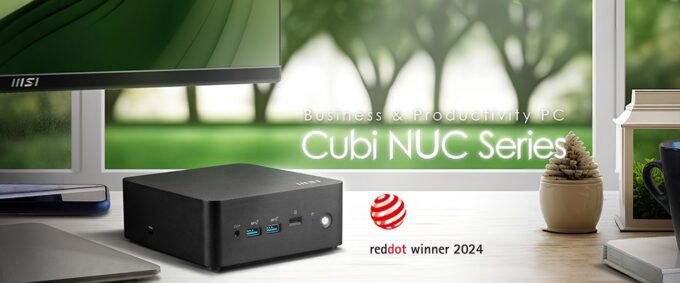
MSI has unveiled the new Cubi NUC series mini-PC, which has received the prestigious 2024 Red Dot Design Award, highlighting MSI’s dedication to innovation and design excellence in the tech industry.
The series includes the Cubi NUC 1M, Cubi NUC 1MG, and Cubi NUC 13MQG, each featuring a sleek design that fits seamlessly into any modern workspace or home setting. These mini-PCs are crafted with meticulous attention to detail and use environmentally friendly materials like PCR plastics and recycled molded pulp for packaging, reflecting MSI’s commitment to sustainability.
An exclusive software, Power Meter, offers insights into energy consumption and environmental impact by calculating carbon emissions and electricity costs. It features a one-click power-saving button, allowing users to conserve energy without sacrificing performance, promoting a sustainable future through advanced technology.
The MSI Cubi NUC boasts Thunderbolt™ 4 technology and Power Delivery, enabling fast data transfer and device charging for increased productivity. With two HDMI and two Thunderbolt ports, it supports a 4-display setup for enhanced multitasking. Additionally, MSI Power Link allows the power button on select MSI monitors to control the Cubi NUC, offering convenience for users who prefer mounting it behind a monitor. The series also includes dual 2.5G LANs and DDR5 memory, with the Cubi NUC 13MQG supporting vPro technology for improved security and user experience.
Combining outstanding design, technology, and environmental consciousness, the MSI Cubi NUC sets a new standard in mini-computing. Recognized with the 2024 Red Dot Design Award, it delivers exceptional performance and innovative features, supporting up to four displays. This series exemplifies MSI’s commitment to environmental responsibility and technological advancement.
Windows 11 Home – MSI recommends Windows 11 Pro for business
0.826-Liter with VESA mountable design
Up to Intel® Core™ 7 processor 150U with dual channel DDR5 SO-DIMMs memory
Two Thunderbolt™ 4, and one of them supports PD-in (up to 100W)
Dual 2.5G LAN & dTPM support
Quadruple display support & easy to upgrade design
MSI AI Engine: optimize user experience without manual configuration.
MSI Power Link technology allows Cubi NUC to be powered by an MSI-selected monitor.
Power Meter enables one-click power saving, carbon emission calculation, and electricity cost estimation
Made with PCR-recycled plastics; FSC™-certified carton; Waste reduction with recycled molded pulp (100% recyclable); Manufactured with 92% Renewable Energy at factory
When choosing a stereo receiver, several factors must be considered, including sound quality, connectivity, design, and additional features. This article provides an in-depth comparison of three popular models: the Onkyo TX-8470, Sony STR-DH190, and Yamaha R-N2000A. By examining their differences, advantages, and disadvantages, we aim to help you make an informed decision based on your specific needs and preferences.
Overview of the Models
Onkyo TX-8470
The Onkyo TX-8470 is a mid-range stereo receiver known for its robust build and excellent audio performance. It is part of Onkyo’s tradition of producing high-quality audio equipment and is designed to cater to both audiophiles and casual listeners.
Connectivity: Bluetooth, Wi-Fi, Ethernet, USB, HDMI, Optical, and Coaxial inputs
Special Features: Multi-room audio, Internet radio, support for various streaming services
Sony STR-DH190
The Sony STR-DH190 is an entry-level stereo receiver that offers a balance between affordability and performance. It is designed for users who seek a reliable audio system without breaking the bank.
Key Specifications:
Power Output: 100W per channel
Impedance: 6-16 Ohms
Frequency Response: 20 Hz – 20 kHz
Connectivity: Bluetooth, Phono input, 4 analog inputs
Special Features: Phono stage for turntables, A/B speaker switching
Yamaha R-N2000A
The Yamaha R-N2000A is a high-end stereo receiver that combines advanced technology with superior audio quality. It is aimed at audiophiles who demand the best performance and extensive connectivity options.
Key Specifications:
Power Output: 120W per channel
Impedance: 8 Ohms
Frequency Response: 20 Hz – 20 kHz
Connectivity: Bluetooth, Wi-Fi, Ethernet, USB, HDMI, Optical, and Coaxial inputs
Special Features: MusicCast multi-room audio, support for high-resolution audio formats, built-in streaming services
Comparative Analysis
Design and Build Quality
Onkyo TX-8470 The Onkyo TX-8470 boasts a solid and robust design. It has a brushed aluminum front panel that exudes a premium feel. The layout is intuitive, with a clear display and easy-to-access controls. The overall build quality is impressive, making it a durable option for long-term use.
Sony STR-DH190 The Sony STR-DH190 features a more basic design with a plastic front panel. It is lightweight and compact, which makes it easy to fit into various spaces. The controls are straightforward, but the overall aesthetic might not appeal to users looking for a more premium feel.
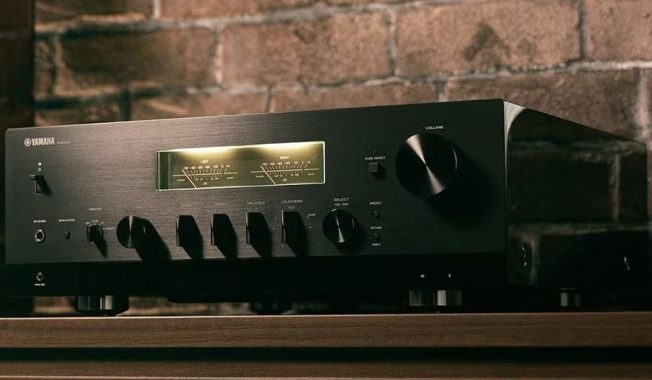
Yamaha R-N2000A The Yamaha R-N2000A stands out with its elegant and sophisticated design. It features a high-quality aluminum chassis and a sleek, modern look. The build quality is exceptional, with attention to detail evident in every aspect of its construction. The display is crisp, and the controls are ergonomically placed for ease of use.
Audio Performance
Onkyo TX-8470 The TX-8470 delivers a powerful and dynamic sound. It provides a wide soundstage with clear highs, detailed mids, and deep bass. The receiver handles various genres of music well, making it a versatile choice for audiophiles. Its high power output ensures that it can drive even demanding speakers effectively.
Sony STR-DH190 The STR-DH190 offers decent audio performance for its price range. It produces clear and balanced sound, suitable for casual listening. However, it lacks the depth and detail found in higher-end models. The phono stage is a notable feature, providing good sound quality for vinyl enthusiasts.
Yamaha R-N2000A The R-N2000A excels in audio performance, delivering rich and detailed sound. It supports high-resolution audio formats, ensuring that every nuance of the music is captured. The soundstage is expansive, and the receiver handles complex musical passages with ease. It is an excellent choice for audiophiles seeking top-tier sound quality.
Onkyo TX-8470 The TX-8470 offers extensive connectivity options, including Bluetooth, Wi-Fi, Ethernet, USB, HDMI, Optical, and Coaxial inputs. It supports various streaming services and Internet radio, making it a versatile hub for all your audio needs. The multi-room audio feature is a significant advantage for users looking to set up a comprehensive home audio system.
Sony STR-DH190 The STR-DH190 has more limited connectivity options, primarily focusing on analog inputs. It includes Bluetooth and a phono input, catering to vinyl enthusiasts. However, it lacks modern digital connectivity features such as Wi-Fi or Ethernet, which might be a drawback for some users.
Yamaha R-N2000A The R-N2000A offers comprehensive connectivity options, including Bluetooth, Wi-Fi, Ethernet, USB, HDMI, Optical, and Coaxial inputs. It supports MusicCast multi-room audio and a variety of streaming services. The high-resolution audio support and extensive connectivity make it a versatile choice for advanced audio setups.
User Interface and Ease of Use
Onkyo TX-8470 The TX-8470 features a user-friendly interface with a clear display and intuitive controls. The remote control is well-designed, providing easy access to all functions. The setup process is straightforward, and the receiver’s menu is easy to navigate.
Sony STR-DH190 The STR-DH190 has a basic interface with a simple display and easy-to-use controls. The remote control is functional but lacks the advanced features found in higher-end models. The setup is quick and easy, making it a good choice for beginners.
Yamaha R-N2000A The R-N2000A offers a sophisticated user interface with a high-resolution display and well-placed controls. The remote control is comprehensive, providing access to all features and settings. The setup process is detailed but straightforward, ensuring that users can get the most out of their receiver.
Additional Features
Onkyo TX-8470 The TX-8470 includes several additional features, such as multi-room audio, support for various streaming services, and Internet radio. It also has a sleep timer, auto power-off, and various sound modes to enhance the listening experience.
Sony STR-DH190 The STR-DH190 is more basic in terms of additional features. It includes A/B speaker switching, a phono stage, and Bluetooth connectivity. However, it lacks advanced features like multi-room audio or support for streaming services.
Yamaha R-N2000A The R-N2000A is packed with additional features, including MusicCast multi-room audio, support for high-resolution audio formats, built-in streaming services, and advanced sound modes. It also has a sleep timer, auto power-off, and a detailed equalizer for customizing the sound.
Advantages and Disadvantages
Onkyo TX-8470
Advantages:
High power output suitable for driving demanding speakers
Extensive connectivity options, including modern digital inputs
Multi-room audio support
Excellent audio performance with a wide soundstage
Robust build quality and premium design
Disadvantages:
Higher price point compared to entry-level models
The user interface may be overwhelming for beginners
Limited connectivity options, lacking modern digital inputs
Basic build quality with a plastic front panel
Lacks advanced features like multi-room audio or streaming service support
Audio performance may not satisfy audiophiles
Yamaha R-N2000A
Advantages:
Superior audio performance with support for high-resolution audio
Extensive connectivity options, including modern digital inputs
MusicCast multi-room audio support
Elegant and sophisticated design with high build quality
Packed with additional features for advanced audio setups
Disadvantages:
Higher price point, suitable for audiophiles and advanced users
Detailed setup process may be challenging for beginners
Larger and heavier compared to entry-level models
Conclusion
Choosing the right stereo receiver depends on your specific needs and preferences. The Onkyo TX-8470 offers a balance of power, connectivity, and features, making it a versatile choice for both audiophiles and casual listeners. The Sony STR-DH190 is an excellent entry-level option, providing decent performance at an affordable price, but it lacks advanced features and connectivity options. The Yamaha R-N2000A stands out for its superior audio quality, extensive features, and elegant design, making it the ideal choice for audiophiles seeking the best performance.
By considering the main differences, advantages, and disadvantages of each model, you can make an informed decision that best suits your audio setup and listening preferences.
This comprehensive guide will take you through every facet of the Cyrus Power-XR, from unboxing to performance analysis, providing a detailed understanding of its features, functionality, and overall value.
Unboxing and First Impressions
Packaging and Presentation
The Cyrus Power-XR Amplifier arrives in a sturdy, well-designed box that reflects the premium nature of the product. Upon opening, I was greeted with a meticulously organized package. The amplifier is securely nestled within foam padding, ensuring it arrives in pristine condition. Alongside the unit, the box includes a power cable, a user manual, and a remote control.
Cyrus Power-XR Amplifier
Build Quality and Design
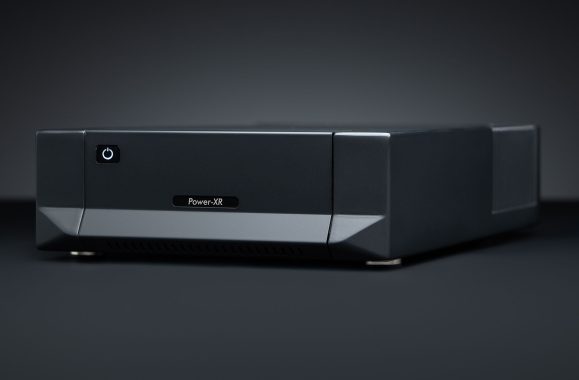
The first thing that struck me about the Cyrus Power-XR is its build quality. The chassis is constructed from high-grade aluminum, giving it a robust and durable feel. The sleek, minimalist design with a matte finish exudes sophistication, making it a perfect addition to any modern audio setup. The front panel features a simple yet elegant display, with essential controls for easy operation.
Technical Specifications
Understanding the technical specifications of an amplifier is crucial in gauging its potential performance. Here’s a breakdown of what the Cyrus Power-XR brings to the table:
Power Output: 2 x 150W into 6 Ohms
Frequency Response: 0.1Hz to 75kHz (-3dB)
Total Harmonic Distortion: <0.005% (1kHz, 100W)
Signal-to-Noise Ratio: 110dB
Inputs: 1 x RCA, 1 x XLR
Outputs: 2 x Speaker terminals, 1 x Pre-out
Dimensions: 73mm (H) x 215mm (W) x 360mm (D)
Weight: 7.7kg
These specifications highlight the amplifier’s capability to deliver high power with minimal distortion, promising a clear and robust audio performance.
Setup and Installation
Connecting the Amplifier
Setting up the Cyrus Power-XR was a straightforward process. I connected the power cable to the amplifier and plugged it into a wall outlet. Next, I linked my audio source using the RCA inputs and connected my speakers to the speaker terminals. The connections are intuitively labeled, making it easy even for those who may not be tech-savvy.
Initial Power-Up
Upon powering up the amplifier, the display lights up, indicating that it’s ready for use. The user manual provides clear instructions on navigating through the initial setup, which includes selecting the input source and adjusting the volume. The remote control is responsive and provides additional convenience for making adjustments from a distance.
Sound Quality and Performance
First Listening Impressions
The true test of any amplifier is its sound quality. From the moment I started playing my first track, I was impressed by the Cyrus Power-XR’s performance. The sound is rich and full, with a remarkable clarity that brings out the nuances in the music. The bass is deep and powerful without overwhelming the mids and highs, which are crisp and detailed.
Detailed Performance Analysis
Bass Response: The amplifier delivers a tight and controlled bass response. Whether I was listening to electronic music with heavy bass lines or a classical piece with a subtle bass undertone, the Power-XR handled it with ease, providing a solid foundation to the music.
Midrange Clarity: The midrange is where the Cyrus Power-XR truly shines. Vocals are rendered with an impressive level of detail, making them sound lifelike and engaging. Instruments such as guitars and pianos have a natural timbre, adding to the overall realism of the sound.
High-Frequency Reproduction: The high frequencies are crisp and well-defined. There’s a sense of airiness and openness that adds to the immersive listening experience. Cymbals and hi-hats in particular have a shimmering quality that enhances the overall sonic picture.
Soundstage and Imaging: One of the standout features of the Cyrus Power-XR is its ability to create a wide and deep soundstage. The positioning of instruments and vocals is precise, giving a three-dimensional feel to the music. This makes it easier to pinpoint the location of each element in the mix, adding to the overall enjoyment.
Features and Functionality
User Interface and Controls
The user interface of the Cyrus Power-XR is straightforward and user-friendly. The front panel houses a few essential buttons and a rotary knob for volume control. The display is clear and easy to read, providing information about the selected input source and volume level. The remote control is ergonomically designed and provides access to all the amplifier’s functions, including power, input selection, and volume adjustment.
Connectivity Options
The amplifier offers a good range of connectivity options. The inclusion of both RCA and XLR inputs allows for flexibility in connecting different audio sources. The speaker terminals are of high quality, ensuring a secure connection for optimal audio performance. Additionally, the pre-out option allows for connection to an external power amplifier, providing an upgrade path for those looking to expand their audio system in the future.
Thermal Management: The Cyrus Power-XR features an advanced thermal management system that ensures the amplifier operates at an optimal temperature. This not only enhances performance but also extends the lifespan of the unit.
Auto Standby: The auto standby feature is a welcome addition, automatically powering down the amplifier when not in use to save energy. It can be easily reactivated via the remote control or front panel buttons.
Upgradeable Firmware: The amplifier supports firmware upgrades, allowing users to keep their unit up-to-date with the latest features and improvements.
Comparison with Competitors
Price vs. Performance
In the realm of high-fidelity audio equipment, the Cyrus Power-XR offers a compelling price-to-performance ratio (£2,995). While it may not be the cheapest option on the market, the quality of sound and build it delivers justifies the investment. When compared to other amplifiers in its price range, the Power-XR stands out for its clarity, power, and overall musicality.
Notable Competitors
Naim NAP 200 DR: The Naim NAP 200 DR is a strong competitor, offering excellent sound quality and build. However, it comes at a higher price point, making the Cyrus Power-XR a more budget-friendly option with comparable performance.
Rega Elicit-R: The Rega Elicit-R is another worthy contender, known for its warm sound signature and robust build. While it excels in certain areas, the Power-XR’s superior midrange clarity and soundstage give it an edge.
Rotel RB-1582 MkII: The Rotel RB-1582 MkII provides a similar power output but lacks some of the advanced features found in the Cyrus Power-XR. The latter’s thermal management and upgradeable firmware make it a more future-proof choice.
Pros and Cons
Pros
Exceptional Sound Quality: The Cyrus Power-XR delivers a rich, detailed, and engaging sound, making it a joy to listen to.
Solid Build Quality: The high-grade aluminum chassis and minimalist design ensure durability and aesthetic appeal.
Advanced Features: Thermal management, auto standby, and upgradeable firmware add to the amplifier’s overall value.
User-Friendly Interface: The simple and intuitive user interface makes it easy to set up and operate.
Cons
Price: While offering good value, the Power-XR is still a significant investment.
Limited Inputs: The amplifier has a limited number of input options, which may be a drawback for users with multiple audio sources.
No Built-In DAC: The absence of a built-in DAC may necessitate an additional purchase for digital audio enthusiasts.
Home Audio Setup
For a home audio setup, the Cyrus Power-XR proves to be an excellent choice. Its powerful output and detailed sound make it suitable for a wide range of music genres. Whether you’re hosting a party or enjoying a quiet evening with a classical album, the Power-XR delivers consistently high performance.
Cyrus Power-XR Amplifier
Audiophile Listening Room
In an audiophile listening room, where sound quality is paramount, the Cyrus Power-XR excels. Its ability to reveal subtle details and nuances in the music makes it a perfect match for high-resolution audio sources. The wide soundstage and precise imaging enhance the overall listening experience, making it a worthy addition to any high-end audio system.
Professional Studio Environment
While primarily designed for home use, the Cyrus Power-XR can also find a place in a professional studio environment. Its accurate sound reproduction and high power output make it a valuable tool for mixing and mastering audio tracks. The robust build ensures it can withstand the demands of a studio setting, providing reliable performance day in and day out.
Maintenance and Support
Routine Maintenance
Maintaining the Cyrus Power-XR is relatively straightforward. Regular dusting and ensuring proper ventilation will help keep the unit in good working condition. The user manual provides detailed instructions on cleaning and care, ensuring users can keep their amplifier looking and performing at its best.
Customer Support
Cyrus Audio is known for its excellent customer support. The company offers a comprehensive warranty on the Power-XR, covering parts and labor for a specified period. Additionally, their support team is responsive and knowledgeable, ready to assist with any questions or issues that may arise.
Cyrus Power-XR Final Verdict
The Cyrus Power-XR Amplifier is a remarkable piece of audio equipment that delivers on its promises. Its combination of exceptional sound quality, solid build, and advanced features make it a standout choice for audiophiles and casual listeners alike. While it comes with a premium price tag, the value it offers in terms of performance and durability makes it a worthwhile investment.
In summary, if you’re in the market for an amplifier that can elevate your listening experience to new heights, the Cyrus Power-XR should be at the top of your list. Its impressive sound quality, user-friendly design, and robust build make it a standout performer in the crowded field of high-fidelity audio equipment.
Appendix: Frequently Asked Questions
Q: Does the Cyrus Power-XR come with a warranty? A: Yes, Cyrus Audio offers a comprehensive warranty covering parts and labor for a specified period. Check the user manual or the company’s website for detailed warranty information.
Q: Can I connect multiple audio sources to the Power-XR? A: The amplifier has both RCA and XLR inputs, allowing for connection to multiple audio sources. However, the number of inputs is limited, so users with multiple sources may need to consider an external switcher.
Q: Is the Cyrus Power-XR suitable for high-resolution audio? A: Absolutely. The amplifier’s wide frequency response and low distortion make it ideal for high-resolution audio playback, revealing subtle details and nuances in the music.
Q: Can the firmware of the Cyrus Power-XR be upgraded? A: Yes, the amplifier supports firmware upgrades, allowing users to keep their unit up-to-date with the latest features and improvements.
Q: Does the Cyrus Power-XR have a built-in DAC? A: No, the amplifier does not have a built-in DAC. Users looking to connect digital audio sources will need an external DAC.
Q: How does the auto standby feature work? A: The auto standby feature automatically powers down the amplifier when it’s not in use for a specified period, saving energy. It can be easily reactivated using the remote control or front panel buttons.
By following this comprehensive guide, you should have a thorough understanding of the Cyrus Power-XR Amplifier, from its technical specifications to its real-world performance. Whether you’re an audiophile seeking the ultimate listening experience or a casual listener looking for high-quality sound, the Cyrus Power-XR is an amplifier that deserves your consideration.
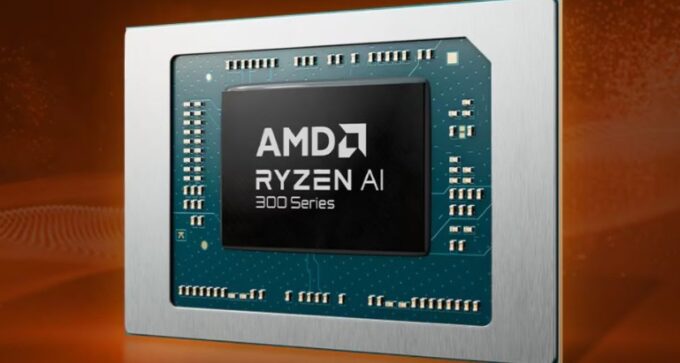
Later this year, AMD will release its next-generation laptop processors, which will coincide with the launch of the new Ryzen 9000 desktop processors. These new processors represent a significant shift in AMD’s approach to laptop CPU model numbers.
A key focus for AMD is the enhanced performance in generative AI and machine learning workloads, prominently featuring an upgraded neural processing unit (NPU) that surpasses Microsoft’s performance standards for Copilot+ PCs. The new Ryzen AI 300-series, known as Strix Point, follows the Ryzen 8040 chips from earlier this year, which themselves were minor updates to the Ryzen 7040 processors from less than a year prior.
AMD claims its new third-generation NPU can deliver up to 50 trillion operations per second (TOPS), a substantial increase from the 10 to 16 TOPS of the Ryzen 7000 and 8000 processors with NPUs. This performance surpasses the 45 TOPS of the Qualcomm Snapdragon X Elite and X Plus in the initial Copilot+ compatible PCs, as well as Intel’s expected performance for its upcoming Core Ultra chips, codenamed Lunar Lake. All these processors exceed Microsoft’s Copilot+ requirement of 40 TOPS, which enables certain Windows 11 features typically unavailable on standard PCs. Copilot+ PCs can perform more AI processing locally, enhancing performance and privacy by reducing reliance on cloud services.
For users uninterested in generative AI, the Ryzen AI 300 processors still offer significant updates, including a CPU based on the Zen 5 architecture and an “RDNA 3.5” integrated GPU to enhance gaming performance for slim laptops that lack a dedicated graphics processor. These chips are produced using TSMC’s N4 process.
AMD is introducing two high-end Ryzen 9 series chips. The Ryzen AI 9 HX 370 features 12 CPU cores and 16 GPU cores, compared to the Ryzen 8040 series’ maximum of eight CPU cores and 12 GPU cores. The Ryzen AI 9 365 offers 10 CPU cores and 12 GPU cores. Both chips include the same NPU.
Although an increase in CPU core count suggests significant improvements in multi-threaded performance, it’s worth noting that many of these cores (8 in the 370, 6 in the 365) use the “Zen 5c” architecture, a compact variant of Zen 5 optimized for small size rather than high clock speeds. This is similar to Intel’s E-cores but without the heterogeneous CPU architecture that has caused compatibility issues with some apps and games.
This is the first time AMD has used a mix of big and small CPU cores at the high-end, with Zen 4c cores previously appearing only in lower-end, lower-power CPU designs in the Ryzen 3, 5, and Ryzen Z1 families.
Interestingly, AMD did not provide direct performance comparisons between the Ryzen AI 300 chips and the Ryzen 8040 series, instead focusing on comparisons with Intel, Qualcomm, and Apple offerings. This could suggest that the generational improvements are not as substantial as AMD would like to emphasize.
Similarly, AMD did not compare the new Radeon 890M and 880M to the older Radeon 780M. They did state that the 890M is on average 36 percent faster in select games compared to Intel’s Arc integrated GPU in the Meteor Lake Core Ultra chips and 60 percent faster than the Snapdragon X Elite in the 3DMark Night Raid benchmark. However, most games on Snapdragon PCs still face the overhead of code translation from x86.
AMD anticipates that Ryzen AI chips will be available in over 100 platforms from OEMs starting in July 2024, shortly after the release of Microsoft and Qualcomm’s first wave of Snapdragon X-equipped Copilot+ PCs. Ryzen AI will also compete with Intel’s upcoming Lunar Lake chips, expected later this year.
The TCL 55C745K TV is a feature-packed, high-performance television that offers a rich viewing experience through its advanced technologies and impressive specifications. As part of TCL’s C-Series, it combines stunning picture quality, immersive audio, and smart functionality, making it a competitive choice in the mid-range TV market. This guide will provide a thorough overview of the TCL 55C745K TV, covering its design, display features, smart capabilities, connectivity options, audio performance, and user interface, along with tips for setup and optimization.
Design and Build Quality
The TCL 55C745K boasts a sleek, modern design that fits seamlessly into any home decor. Its slim bezels enhance the screen-to-body ratio, providing a more immersive viewing experience. The TV is supported by a sturdy, elegant stand that ensures stability while maintaining a minimalist aesthetic. The rear panel is well-organized, with ports easily accessible, making cable management straightforward.
Dimensions: The TV measures approximately 1227 mm in width, 706 mm in height, and 68 mm in depth without the stand.
Weight: It weighs around 14 kg without the stand.
Material: The TV features a combination of high-quality plastic and metal, contributing to its durability and stylish appearance.
TCL 55C745K
Display Features
The centerpiece of the TCL 55C745K is its 55-inch 4K UHD display, which delivers stunning picture quality with vibrant colors and sharp details. The TV is equipped with several advanced display technologies that enhance the viewing experience:
1. 4K UHD Resolution
With a resolution of 3840 x 2160 pixels, the TCL 55C745K offers four times the resolution of Full HD, providing exceptional clarity and detail. This high resolution is perfect for enjoying 4K content from streaming services, Blu-ray discs, and gaming consoles.
2. Quantum Dot Technology
Quantum Dot technology delivers a wider color gamut and more accurate colors by using nano-sized semiconductor particles. This results in richer, more lifelike colors and improved brightness, making the TV suitable for HDR content.
3. High Dynamic Range (HDR)
The TCL 55C745K supports multiple HDR formats, including HDR10, HDR10+, and Dolby Vision. HDR enhances the contrast and color accuracy of the TV, allowing for more detail in both bright and dark scenes. This makes HDR content, such as movies and games, more immersive and visually striking.
4. Full Array Local Dimming
Full Array Local Dimming (FALD) improves contrast and black levels by dynamically adjusting the backlight in different zones of the screen. This results in deeper blacks and brighter whites, enhancing the overall picture quality, especially in dark scenes.
5. Motion Clarity
The TV features a high refresh rate and motion enhancement technologies that reduce blur and judder during fast-moving scenes. This makes it ideal for watching sports, action movies, and playing video games, providing smooth and fluid motion.
Smart TV Features
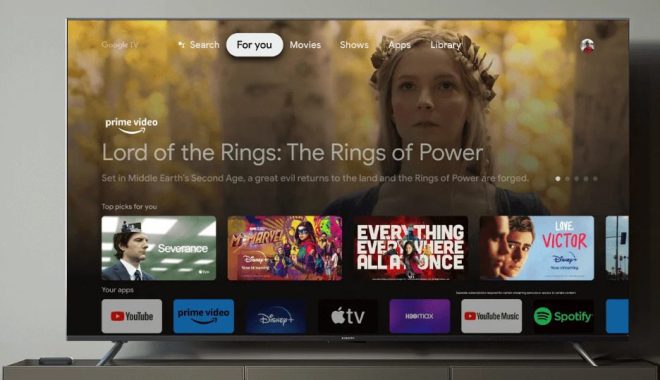
The TCL 55C745K is a smart TV powered by Google TV, offering a wide range of smart features and access to popular streaming services and apps.
1. Google TV Interface
Google TV provides a user-friendly interface that integrates content from various streaming services, making it easy to discover new shows and movies. The home screen is customizable, allowing users to personalize their viewing experience.
2. Voice Control
The TV comes with a voice-enabled remote control that supports Google Assistant. This allows users to search for content, control the TV, and even manage smart home devices using voice commands. The TV also supports Amazon Alexa for those who prefer using Alexa-enabled devices.
3. App Support
The TCL 55C745K offers access to a vast library of apps through the Google Play Store. Popular streaming services like Netflix, Amazon Prime Video, Disney+, YouTube, and HBO Max are readily available. Additionally, users can download games, music apps, and other entertainment options to enhance their viewing experience.
4. Chromecast Built-in
With built-in Chromecast, users can easily cast content from their smartphones, tablets, or laptops directly to the TV. This feature is useful for sharing photos, videos, and presentations on the big screen without the need for additional hardware.
TCL 55C745K 55 inch QLED 4K Ultra HD
Connectivity Options
The TCL 55C745K is equipped with a variety of connectivity options to accommodate different devices and enhance its versatility.
1. HDMI Ports
The TV features four HDMI ports, including one with eARC (Enhanced Audio Return Channel) support. These ports allow users to connect multiple devices such as gaming consoles, Blu-ray players, and soundbars, providing high-quality audio and video signals.
2. USB Ports
There are two USB ports available for connecting external storage devices, such as USB flash drives or external hard drives. Users can play media files directly from these devices, including videos, music, and photos.
3. Ethernet and Wi-Fi
The TV supports both wired (Ethernet) and wireless (Wi-Fi) internet connections. This ensures a stable and fast internet connection for streaming content, downloading apps, and browsing the web.
4. Bluetooth
Bluetooth connectivity allows users to connect wireless headphones, speakers, and other Bluetooth-enabled devices to the TV. This is particularly useful for private listening or enhancing the audio experience without the need for cables.
5. Audio Output
In addition to HDMI eARC, the TV has an optical audio output and a 3.5mm headphone jack. These options provide flexibility in connecting external audio systems, such as soundbars or home theater systems.
Audio Performance
The TCL 55C745K delivers impressive audio quality, complementing its excellent display performance. The TV is equipped with a 2.0 channel speaker system with a total output of 20 watts. For a more immersive audio experience, the TV supports Dolby Atmos, which creates a three-dimensional soundstage, making the audio feel like it’s coming from all around you.
1. Dolby Atmos
Dolby Atmos enhances the audio experience by adding overhead sound effects, creating a more immersive and dynamic soundstage. This is particularly effective in movies and TV shows with complex soundscapes, as well as in gaming.
2. Audio Customization
The TV provides various audio settings and presets that allow users to customize the sound according to their preferences. These settings include options for different content types, such as movies, music, and sports, optimizing the audio output for each scenario.
User Interface and Experience
The TCL 55C745K offers a user-friendly interface that is easy to navigate and customize. The Google TV platform is intuitive, providing seamless access to content and apps.
1. Home Screen Customization
Users can personalize the home screen by adding their favorite apps, channels, and content. This makes it easier to access frequently used services and discover new content tailored to their interests.
2. Universal Search
The universal search feature allows users to search for content across multiple streaming services simultaneously. This saves time and effort, making it easier to find specific shows, movies, or genres without switching between apps.
3. Content Recommendations
Google TV provides personalized content recommendations based on the user’s viewing history and preferences. These recommendations appear on the home screen, helping users discover new content that matches their interests.
4. Parental Controls
The TV includes parental control features that allow parents to restrict access to certain content and apps. This is useful for families with young children, ensuring a safe and appropriate viewing experience.
Setting up the TCL 55C745K is straightforward, but there are several tips to optimize its performance and ensure the best possible viewing experience.
1. Initial Setup
Placement: Position the TV on a stable surface or mount it on the wall at eye level for optimal viewing comfort.
Connections: Connect the TV to power and attach any external devices, such as a gaming console or Blu-ray player, using the HDMI ports. Connect to the internet via Wi-Fi or Ethernet.
Power On: Turn on the TV and follow the on-screen instructions to complete the initial setup, including language selection, Wi-Fi setup, and Google account login.
2. Picture Settings
Picture Mode: Select the appropriate picture mode based on the content you are watching. Modes such as Standard, Movie, and Game offer different settings optimized for various types of content.
Calibration: For advanced users, consider calibrating the TV’s picture settings to achieve the best color accuracy and contrast. This can be done using calibration tools or by hiring a professional.
3. Audio Settings
Sound Mode: Choose the sound mode that best suits your content, such as Movie, Music, or Standard.
External Audio: If using a soundbar or home theater system, ensure it is properly connected and configured to work with the TV’s audio settings.
4. Smart Features
Update Software: Regularly check for software updates to ensure the TV is running the latest firmware and has access to new features and improvements.
App Management: Download and organize your preferred streaming apps and services. Remove any apps that are not in use to keep the interface clean and efficient.
Troubleshooting Common Issues
While the TCL 55C745K is designed to provide a seamless user experience, users may occasionally encounter issues. Here are some common problems and their solutions:
1. No Picture or Sound
Check Connections: Ensure all cables are securely connected and that the TV is powered on.
Input Source: Verify that the correct input source is selected on the TV.
Restart: Try restarting the TV by unplugging it for a few minutes and then plugging it back in.
2. Internet Connectivity Issues
Check Network: Ensure that your Wi-Fi network is functioning correctly and that the TV is within range of the router.
Re-connect Wi-Fi: Try disconnecting and reconnecting to your Wi-Fi network through the TV’s settings menu.
Restart Router: Restart your router to resolve any temporary network issues.
Wired Connection: If possible, use a wired Ethernet connection for a more stable and faster internet connection.
3. Remote Control Not Working
Check Batteries: Ensure that the remote control batteries are not depleted and are inserted correctly.
Obstructions: Make sure there are no obstructions between the remote control and the TV sensor.
Pairing: If the remote uses Bluetooth, try re-pairing it with the TV. Refer to the user manual for specific pairing instructions.
Replacement: If the remote is damaged, consider purchasing a replacement from TCL or a compatible third-party remote.
4. Picture Quality Issues
Picture Mode: Check and adjust the picture mode settings to suit the content being viewed.
Resolution: Ensure the source device (such as a Blu-ray player or streaming service) is outputting at the correct resolution (4K UHD).
Firmware Update: Make sure the TV’s firmware is up to date, as updates can include fixes for picture quality issues.
5. Audio Issues
Volume Settings: Check the TV and external audio device volume settings.
Audio Output: Ensure that the correct audio output settings are selected on the TV, especially if using an external sound system.
Cable Check: Verify that all audio cables are securely connected and not damaged.
Sound Mode: Try different sound modes to see if one provides a better audio experience for the content being watched.
Advanced Features and Customization
The TCL 55C745K offers several advanced features and customization options that can enhance the overall user experience.
1. Gaming Features
The TCL 55C745K is a great choice for gamers due to its low input lag, high refresh rate, and support for various gaming technologies.
Game Mode: Activate Game Mode to reduce input lag and enhance responsiveness, providing a smoother gaming experience.
Variable Refresh Rate (VRR): The TV supports VRR, which helps to eliminate screen tearing and stuttering during gameplay, ensuring a more fluid visual experience.
ALLM (Auto Low Latency Mode): When connected to a compatible gaming console, the TV automatically switches to low latency mode for optimal gaming performance.
2. Custom Picture and Sound Profiles
For users who want to fine-tune their viewing and listening experience, the TCL 55C745K allows for custom picture and sound profiles.
Picture Customization: Adjust settings such as brightness, contrast, color saturation, and sharpness to create a personalized picture profile.
Sound Customization: Modify equalizer settings and sound modes to suit your audio preferences and the type of content you are watching.
3. Voice Assistant Integration
Leverage the full potential of Google Assistant or Amazon Alexa to control your TV and smart home devices using voice commands.
Google Assistant: Use voice commands to search for content, control playback, adjust settings, and manage compatible smart home devices.
Amazon Alexa: If you prefer Alexa, the TV can also be controlled using Alexa-enabled devices, providing similar functionality to Google Assistant.
4. Parental Controls and Profiles
For households with multiple users, the TCL 55C745K allows for the creation of individual profiles and parental controls.
Profiles: Set up individual profiles for different family members, each with their own app preferences, content recommendations, and watchlists.
Parental Controls: Restrict access to specific apps and content for younger viewers, ensuring a safe and appropriate viewing experience.
The screen is very responsive, too – input lag with 60Hz feeds in Game mode is just 13.2ms, which more than halves with 120Hz game feeds.
The only gaming limitations we found are that only two of the TV’s four HDMI ports support every gaming feature, and that it wasn’t possible to game in Dolby Vision at 120Hz. Our resident Xbox invariably reverted back to HDR10 when we tried to use 120Hz frame rates.
We’ve already mentioned that the C745K supports Dolby Vision HDR alongside the basic HDR10 and HLG systems. It turns out, though, that TCL’s TV also supports the HDR10+ system which, like Dolby Vision, adds extra scene-by-scene picture information to the HDR feed. This is an excellent bit of format versatility to find on such an affordable TV.
The format support doesn’t end there either, as the 55C745K has also been certified by IMAX as delivering picture quality good enough to do justice to the specially mastered IMAX Enhanced films found on a few 4K Blu-ray titles and some streaming platforms.
Despite its price, the 55C745K is able to power its pictures with an AI-powered processor, specifically the third generation of TCL’s AIPQ system. This processor influences most key elements of TV picture quality, though its integration into the TV’s menus is somewhat opaque.
The TCL 55C745K is a versatile and feature-rich TV that delivers exceptional performance in both picture and sound quality. Its combination of advanced display technologies, smart features, and connectivity options makes it a compelling choice for a wide range of users, from movie enthusiasts and gamers to families seeking a high-quality home entertainment solution. By following the setup and optimization tips provided in this guide, users can ensure they get the most out of their TCL 55C745K TV, enjoying an immersive and personalized viewing experience.
TCL 55C745K Technical Specifications
General
Brand: TCL
Model: 55C745K
Screen Size: 55 inches
Display Type: LED
Resolution: 4K UHD (3840 x 2160)
Display Features
HDR Support: HDR10, HDR10+, Dolby Vision
Quantum Dot Technology: Yes
Full Array Local Dimming: Yes
Refresh Rate: 60 Hz (Native), with Motion Enhancement
Audio
Speaker System: 2.0 Channel
Total Output: 20W
Dolby Atmos: Yes
Sound Modes: Standard, Movie, Music, etc.
Smart TV Features
Operating System: Google TV
Voice Control: Google Assistant, Amazon Alexa
Chromecast Built-in: Yes
App Store: Google Play Store
Quad Core Processor
AiPQ 3.0 Processor
Connectivity
HDMI Ports: 4 (1 with eARC)
USB Ports: 2
Ethernet: Yes
Wi-Fi: Yes
Bluetooth: Yes
Audio Output: Optical, 3.5mm Headphone Jack
Dimensions and Weight
Without Stand: 1227 mm x 706 mm x 68 mm
Weight Without Stand: 14 kg
Additional Features
Game Mode: Yes
Variable Refresh Rate (VRR): Yes
Auto Low Latency Mode (ALLM): Yes
Custom Picture and Sound Profiles: Yes
Parental Controls: Yes
By utilizing this comprehensive guide, users will be well-equipped to take full advantage of the TCL 55C745K TV’s capabilities, ensuring an enjoyable and optimized viewing experience for years to come. Price: £578
The Xiaomi Mi Box S is a popular Android TV box that offers a wide range of features and functionalities designed to enhance your home entertainment experience. Released by Xiaomi, a company renowned for its innovative and high-quality electronic products, the Mi Box S serves as an affordable yet powerful solution for streaming content, playing games, and accessing a plethora of applications available on the Android platform.
This guide aims to provide a detailed overview of the Xiaomi Mi Box S, covering its specifications, setup process, features, performance, and tips for maximizing your experience.
Overview and Specifications
Key Features
4K Ultra HD Streaming: The Mi Box S supports 4K HDR (High Dynamic Range) for an immersive viewing experience with enhanced color and contrast.
Google Assistant Integration: With built-in Google Assistant, users can use voice commands to search for content, control smart home devices, and more.
Chromecast Built-In: Easily cast content from your smartphone, tablet, or laptop to your TV.
Android TV OS: Access thousands of apps from the Google Play Store, including popular streaming services like Netflix, YouTube, Amazon Prime Video, Disney+, and more.
Quad-Core Processor: Powered by a quad-core Cortex-A53 processor for smooth and efficient performance.
2GB RAM and 8GB Storage: Sufficient memory and storage for downloading apps and storing media.
Dolby and DTS Audio: Enhanced audio quality for a more immersive sound experience.
Operating System: Android TV 8.1 (Upgradeable to newer versions)
Connectivity:
Wi-Fi: 802.11a/b/g/n/ac 2.4GHz/5GHz
Bluetooth: 4.2
Ports: HDMI 2.0a, USB 2.0, Audio Out, Power Interface
Video Output: 4K (3840 x 2160) at 60fps
Audio: Dolby Digital Plus, DTS 2.0+ Digital Out
Dimensions: 95.25 x 95.25 x 16.7 mm
Weight: 147 grams
Unboxing and Setup
Unboxing
When you first receive your Xiaomi Mi Box S, you’ll find the following items inside the box:
Mi Box S device
Remote control with voice command capability
HDMI cable
Power adapter
User manual
Xiaomi Mi Box S Setup Process
Setting up the Xiaomi Mi Box S is straightforward and can be done in a few simple steps:
Connect to Your TV:
Plug the Mi Box S into your TV using the provided HDMI cable.
Connect the power adapter to the Mi Box S and plug it into an electrical outlet.
Power On:
Turn on your TV and select the HDMI input to which the Mi Box S is connected.
Power on the Mi Box S using the remote control.
Initial Configuration:
Follow the on-screen instructions to pair the remote control with the Mi Box S.
Select your preferred language.
Connect the Mi Box S to your Wi-Fi network.
Sign in with your Google account to access the Google Play Store and other Google services.
Updates and Installation:
The Mi Box S will check for any available software updates. It’s important to install these updates to ensure optimal performance and access to the latest features.
Once the updates are installed, you can begin downloading your favorite apps from the Google Play Store.
User Interface and Navigation
Android TV Home Screen
The Android TV home screen is designed to be intuitive and user-friendly, allowing easy access to apps, content, and settings. The main components of the home screen include:
Top Row: Displays personalized content recommendations based on your viewing habits.
Apps Row: Lists your installed apps for quick access.
Play Next Row: Shows the next episode or related content for quick continuation of your viewing experience.
Settings Menu: Accessible from the top right corner, where you can adjust system settings, network preferences, and more.
Xiaomi Mi Box S
Remote Control
The Mi Box S comes with a minimalist remote control that includes the following buttons:
Power Button: To turn the Mi Box S on and off.
Google Assistant Button: Activate voice search and commands.
Navigation Buttons: Navigate through menus and content.
Select Button: Confirm selections.
Back Button: Return to the previous screen.
Home Button: Return to the home screen.
Volume Control: Adjust the volume level.
Dedicated App Buttons: Quick access to Netflix and Live TV.
Voice Control with Google Assistant
The integrated Google Assistant allows for convenient voice control. Simply press the Google Assistant button on the remote and speak into the built-in microphone. You can use voice commands to search for content, control playback, check the weather, and manage smart home devices.
Content and Streaming Services
Pre-installed Apps
The Xiaomi Mi Box S comes with several pre-installed apps to get you started:
Netflix
YouTube
Google Play Movies & TV
Google Play Store
Popular Streaming Services
You can download a wide range of popular streaming services from the Google Play Store, including:
Amazon Prime Video
Disney+
Hulu
HBO Max
Spotify
Twitch
Casting with Chromecast
The Mi Box S has built-in Chromecast functionality, allowing you to cast content from your smartphone, tablet, or computer directly to your TV. To cast, ensure your device is connected to the same Wi-Fi network as the Mi Box S, then open a supported app and tap the Cast icon.
Performance and User Experience
Video and Audio Quality
The Xiaomi Mi Box S supports 4K Ultra HD streaming with HDR10, providing stunning picture quality with vibrant colors and sharp details. The device also supports Dolby Digital Plus and DTS audio formats, ensuring high-quality sound for an immersive viewing experience.
Speed and Responsiveness
Thanks to its quad-core processor and 2GB of RAM, the Mi Box S delivers smooth and responsive performance. Apps launch quickly, and navigating the interface is generally lag-free. However, the 8GB of internal storage can fill up quickly, so it’s a good idea to periodically clear unused apps and data.
Gaming
While the Mi Box S is not a dedicated gaming console, it can handle casual gaming quite well. You can download games from the Google Play Store and use a Bluetooth controller for a better gaming experience. The device’s hardware is sufficient for playing less demanding games, but it may struggle with more graphically intensive titles.
Room for Improvement
The Xiaomi TV Box S 2nd Gen performs admirably overall, but there are a few areas where enhancements could boost its appeal. Expanding compatibility with a wider range of accessories—particularly external storage and input devices—would improve its versatility beyond its already solid Bluetooth audio support.
Moreover, while the pre-installed app store includes many popular apps and services, forming additional content partnerships could broaden the available entertainment options. This would give users access to more diverse content without relying on extra subscriptions or devices.
Customization and Advanced Features
Customizing the Home Screen
You can personalize your home screen by rearranging app icons and adjusting the content recommendations. To move an app, press and hold the select button on the remote, then use the navigation buttons to reposition the app.
Installing Third-Party Apps
In addition to the Google Play Store, you can install third-party apps on the Mi Box S by sideloading APK files. To do this, enable the “Unknown Sources” option in the settings, then use a file manager app to install the APK file from a USB drive or network location.
Using External Storage
The Mi Box S Android TV box supports external USB storage devices. You can connect a USB drive to expand your storage for apps, media, and other files. To set up a USB drive for additional storage, connect it to the USB port, and follow the on-screen instructions to format the drive if necessary.
Smart Home Integration
With Google Assistant, the Mi Box S can act as a hub for your smart home devices. You can use voice commands to control compatible smart lights, thermostats, cameras, and more. Simply link your smart home devices to your Google account, and use the Google Assistant to manage them.
Troubleshooting and Maintenance
Common Issues and Solutions
No Signal on TV:
Ensure the HDMI cable is securely connected.
Check that the TV is set to the correct HDMI input.
Restart the Mi Box S by unplugging it and plugging it back in.
Wi-Fi Connectivity Problems:
Ensure the Mi Box S is within range of your Wi-Fi router.
Restart your router and the Mi Box S.
Check for firmware updates that may address connectivity issues.
App Crashes or Freezes:
Clear the app’s cache and data from the settings menu.
Uninstall and reinstall the problematic app.
Ensure the Mi Box S software is up to date.
Remote Control Not Responding:
Replace the remote’s batteries.
Re-pair the remote with the Mi Box S by holding the home and back buttons simultaneously for several seconds.
Firmware Updates
Regular firmware updates are crucial for maintaining the performance and security of your Mi Box S. The device will automatically check for updates, but you can manually check by navigating to the settings menu and selecting “About” > “System update.”
Factory Reset
If you encounter persistent issues, a factory reset may resolve them. To perform a factory reset:
Go to the settings menu.
Select “Device Preferences.”
Choose “Reset” and confirm the action.
Note that a factory reset will erase all data and restore the Mi Box S to its original state.
Tips and Tricks
Maximizing Performance
Close Unused Apps: Keep background apps to a minimum to ensure optimal performance.
Regularly Clear Cache: Periodically clear the cache of apps to free up storage and improve performance.
Use a Wired Connection: For more stable internet connectivity, consider using an Ethernet adapter with a USB port.
Enhancing Your Viewing Experience
Adjust Display Settings: Fine-tune the display settings to match your TV’s capabilities for the best picture quality.
Enable HDR: If your TV supports HDR, enable it in the settings menu to enjoy enhanced contrast and colors.
Configure Audio Output: Set the audio output to match your home theater system for optimal sound quality.
Exploring Hidden Features
Developer Options: Unlock developer options by going to “About” in the settings menu and repeatedly pressing the “Build” number. This allows access to advanced settings for debugging and performance tweaks.
Custom Launchers: Install custom launchers from the Google Play Store to change the look and feel of the Android TV interface.
Screen Mirroring: Use the “Cast” feature to mirror your smartphone or tablet screen to the TV for presentations or sharing photos and videos.
The Xiaomi Mi Box S is a versatile and powerful Android TV box that offers a wide range of features to enhance your home entertainment experience. With its support for 4K HDR streaming, Google Assistant integration, and Chromecast functionality, it provides a comprehensive solution for accessing and enjoying your favorite content.
By following the setup instructions and tips provided in this guide, you can maximize the performance and capabilities of your Mi Box S. Whether you’re streaming movies, playing games, or controlling your smart home devices, the Mi Box S delivers a seamless and enjoyable experience.
Investing time in exploring the various features and customization options will help you get the most out of your Xiaomi Mi Box S, making it a valuable addition to your home entertainment setup.
The StormAudio ISR Fusion 20 AV Receiver is a high-end audio-visual receiver designed for home theater enthusiasts who demand the highest quality audio and video performance. With a robust feature set, cutting-edge technology, and an emphasis on customization and integration, the ISR Fusion 20 stands out in the competitive field of AV receivers.
Overview of the StormAudio ISR Fusion 20
Design and Build Quality
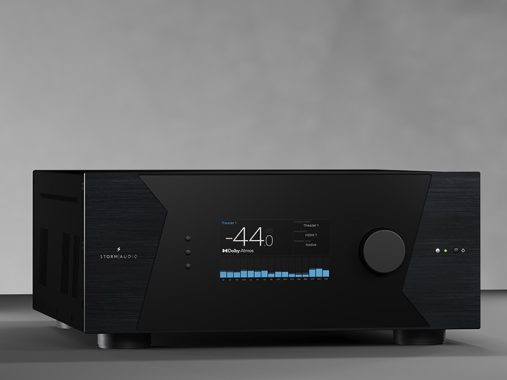
The ISR Fusion 20 boasts a sleek and modern design with a focus on durability and elegance. Its chassis is made from high-quality materials, ensuring both aesthetic appeal and long-lasting performance. The front panel features a minimalist layout with a central display, flanked by control buttons and a large volume knob. Connectivity ports are conveniently located on the rear panel, providing a clean and uncluttered look.
StormAudio ISR Fusion 20
Key Specifications
Channels: 20 channels of amplification
Power Output: 200 watts per channel (8 ohms)
Audio Decoding: Dolby Atmos, DTS Pro, Auro-3D
Video Support: 4K Ultra HD, HDR10, Dolby Vision, HLG
Connectivity: HDMI, USB, Ethernet, Wi-Fi, Bluetooth
Dimensions: 17.3 x 7.9 x 19.7 inches (W x H x D)
Weight: 55 lbs
Features and Capabilities
Audio Performance
The ISR Fusion 20 is engineered to deliver exceptional audio performance. Its 20 channels of amplification provide ample power to drive large home theater systems, ensuring dynamic and immersive sound. The receiver supports the latest 3D audio formats, including Dolby Atmos, DTS Pro, and Auro-3D, creating a multi-dimensional audio experience that places you at the center of the action.
High-Resolution Audio: The ISR Fusion 20 supports high-resolution audio formats, including FLAC, ALAC, and DSD, ensuring that your music playback is of the highest quality.
Advanced Room Calibration: Equipped with Dirac Live, the receiver can analyze and correct room acoustics to deliver optimal sound performance tailored to your specific environment.
Video Performance
On the video front, the ISR Fusion 20 excels with support for 4K Ultra HD resolution and high dynamic range (HDR) formats such as HDR10, Dolby Vision, and HLG. This ensures that your video content is displayed with stunning clarity, vibrant colors, and deep contrast, making your home theater experience truly cinematic.
HDMI 2.1 Support: The receiver features HDMI 2.1 inputs and outputs, enabling support for the latest video standards and future-proofing your system for upcoming advancements.
8K Ready: While primarily focused on 4K, the ISR Fusion 20 is also prepared for 8K video, ensuring compatibility with next-generation video sources.
Connectivity and Integration
The ISR Fusion 20 offers a comprehensive range of connectivity options to accommodate a variety of devices and setups.
HDMI Inputs/Outputs: Multiple HDMI inputs and outputs allow for easy connection of Blu-ray players, gaming consoles, streaming devices, and more.
Wireless Connectivity: Built-in Wi-Fi and Bluetooth support seamless wireless streaming from your favorite devices.
Network Capabilities: Ethernet connectivity enables integration with home networks, supporting streaming services and firmware updates.
Custom Installation Friendly: The receiver is designed with custom installers in mind, offering features such as IP control, RS-232, and advanced automation system compatibility.
StormAudio ISR Fusion 20
User Interface and Control
The ISR Fusion 20 features an intuitive user interface that simplifies setup and operation. The on-screen menu is clear and easy to navigate, providing quick access to settings and configurations.
Remote Control: A comprehensive remote control is included, offering full access to all functions and settings.
Mobile App: The StormAudio mobile app allows for convenient control from your smartphone or tablet, providing additional flexibility and ease of use.
Voice Control: Integration with voice assistants like Amazon Alexa and Google Assistant enables hands-free control of your AV system.
Installation and Setup
Unboxing and Initial Setup
Upon unboxing the ISR Fusion 20, you’ll find the receiver itself, a remote control with batteries, a power cable, a user manual, and calibration microphone. The initial setup process involves connecting the receiver to your TV, speakers, and other devices.
Positioning the Receiver: Place the ISR Fusion 20 in a well-ventilated area with adequate space for airflow to prevent overheating.
Connecting Speakers: Connect your speakers to the corresponding terminals on the receiver’s rear panel. Ensure correct polarity for optimal sound quality.
Connecting Sources: Connect your video sources (e.g., Blu-ray player, gaming console) to the HDMI inputs. Connect your TV to the HDMI output.
Powering On: Plug in the power cable and turn on the receiver.
Calibration and Optimization
To achieve the best possible sound performance, use the included calibration microphone and Dirac Live software to analyze and optimize your room acoustics.
Connect the Microphone: Plug the calibration microphone into the designated port on the front panel of the receiver.
Launch Dirac Live: Follow the on-screen prompts to launch Dirac Live and begin the calibration process.
Measure Speaker Distances: The software will prompt you to take measurements from various listening positions in your room.
Apply Corrections: Once measurements are complete, Dirac Live will generate and apply corrections to optimize sound performance.
Performance Evaluation
Audio Quality
The ISR Fusion 20 delivers outstanding audio quality across a wide range of content. Whether watching movies, playing games, or listening to music, the receiver produces clear, detailed sound with impressive dynamic range.
Movies: Dolby Atmos and DTS
Pro support create a truly immersive experience, with sound coming from all directions, including overhead.
Music: High-resolution audio support ensures that your music is reproduced with stunning clarity and detail, making it a joy to listen to your favorite tracks.
Gaming: The receiver’s low latency and powerful amplification make it an excellent choice for gaming, delivering crisp, precise sound that enhances the gaming experience.
Video Quality
The video performance of the ISR Fusion 20 is equally impressive, thanks to its support for 4K Ultra HD and various HDR formats.
4K Content: Whether streaming or playing physical media, 4K content looks sharp and vibrant, with excellent color accuracy and contrast.
HDR: HDR10, Dolby Vision, and HLG support ensure that HDR content is displayed with enhanced brightness, contrast, and color, providing a more lifelike viewing experience.
Advanced Features
Multi-Zone Audio
The ISR Fusion 20 supports multi-zone audio, allowing you to enjoy different audio sources in different rooms simultaneously. This feature is ideal for homes with multiple entertainment areas, providing flexibility and convenience.
Zone 2/3 Outputs: Connect additional speakers to the Zone 2 and Zone 3 outputs to create separate listening zones.
Independent Control: Each zone can be controlled independently, enabling different audio sources and volume levels in each area.
Customization and Expansion
The ISR Fusion 20 is designed to accommodate a wide range of setups and configurations, with numerous customization options and the ability to expand your system as needed.
Modular Design: The receiver’s modular design allows for future upgrades and expansions, ensuring that your system can evolve with your needs.
Custom Presets: Save and recall custom presets for different listening modes, making it easy to switch between settings for movies, music, and gaming.
To keep your ISR Fusion 20 performing at its best, regular maintenance is recommended.
Cleaning: Dust the exterior of the receiver regularly and ensure that ventilation openings are free from obstructions.
Firmware Updates: Check for firmware updates periodically to ensure that your receiver is up to date with the latest features and improvements.
Troubleshooting Common Issues
If you encounter issues with your ISR Fusion 20, refer to the troubleshooting section of the user manual. Common issues and their solutions include:
No Sound: Check speaker connections, ensure the receiver is set to the correct input source, and verify that mute is not enabled.
No Video: Ensure HDMI connections are secure, and check that the TV is set to the correct input source.
Network Issues: Verify that the receiver is connected to your network and check network settings.
Pros and Cons of the StormAudio ISR Fusion 20 AV Receiver
Pros
Exceptional Audio Performance
High-Quality Amplification: With 20 channels of amplification delivering 200 watts per channel, the ISR Fusion 20 provides powerful and dynamic sound.
3D Audio Support: Supports Dolby Atmos, DTS
Pro, and Auro-3D, offering a truly immersive audio experience with sound coming from all directions, including overhead.
High-Resolution Audio: Supports formats such as FLAC, ALAC, and DSD, ensuring high-quality music playback.
Superior Video Performance
4K Ultra HD and HDR Support: Ensures stunning clarity, vibrant colors, and deep contrast for a cinematic viewing experience.
8K Ready: Future-proofed for next-generation video standards.
Advanced Room Calibration
Dirac Live: Provides precise room acoustic correction, optimizing sound performance tailored to your specific environment.
Comprehensive Connectivity
HDMI 2.1: Multiple HDMI inputs and outputs, ensuring compatibility with the latest video sources and standards.
Wireless Connectivity: Built-in Wi-Fi and Bluetooth for seamless streaming from various devices.
Network Capabilities: Ethernet for integration with home networks, supporting streaming services and firmware updates.
User-Friendly Interface
Intuitive On-Screen Menu: Easy to navigate, simplifying setup and operation.
Mobile App: Allows control from smartphones or tablets for added flexibility.
Voice Control: Compatible with Amazon Alexa and Google Assistant for hands-free operation.
Customization and Expansion
Modular Design: Allows for future upgrades and system expansions.
Multi-Zone Audio: Supports different audio sources in multiple rooms simultaneously.
Custom Presets: Enables quick switching between different listening modes for movies, music, and gaming.
Build Quality and Aesthetics
Durable Chassis: Made from high-quality materials, ensuring longevity and a premium look.
Sleek Design: Minimalist and modern design, with a clean and uncluttered appearance.
ISR Fusion 20
Cons
High Cost
Premium Price Tag: The advanced features and high performance come at a significant cost, making it a considerable investment compared to other receivers.
Complex Setup
Detailed Calibration Process: While Dirac Live offers superior room correction, the calibration process can be complex and time-consuming for some users.
Advanced Features Require Knowledge: Fully utilizing all features and customization options may require a higher level of technical knowledge.
Size and Weight
Large and Heavy: The receiver’s size and weight (55 lbs) might pose challenges for installation and placement, particularly in smaller spaces.
Limited Availability
Specialized Product: As a high-end product, it might not be as readily available as more mainstream receivers, potentially requiring purchase from specialized retailers.
Potential Overkill for Small Systems
Overpowered for Small Setups: The extensive feature set and high power output might be excessive for users with smaller or more basic home theater setups.
Firmware and Software Updates
Infrequent Updates: Depending on the manufacturer’s update schedule, users might experience delays in receiving firmware and software updates.
The StormAudio ISR Fusion 20 AV Receiver is a powerful and feature-rich option for serious home theater enthusiasts, offering top-tier audio and video performance, extensive connectivity, and advanced customization options. However, its high cost, complex setup process, and size may be drawbacks for some users. Weighing these pros and cons will help you determine if the ISR Fusion 20 is the right fit for your home entertainment needs.
Understanding your TV’s full potential can significantly enhance your viewing experience. The latest Smart TVs, equipped with advanced processing power, AI enhancements, and meticulously designed screens, have the capability to deliver stunning visuals. However, they can sometimes distort the content you’re watching. Whether you own a new TV or an older model, default settings often don’t provide the optimal picture quality. Both picture and audio settings might need adjustments for the best results.
No matter the age, brand, or style of your TV, it can benefit from some tweaks to achieve the best possible picture quality. Several factors, such as the type of content you’re watching, the time of day, and the placement of your TV and seating, can affect the image quality. When my TV’s picture doesn’t look its best, or I know it can be improved, I consider the following strategies to enhance its performance.
images: pixabay
Optimize TV Placement
One crucial yet frequently overlooked aspect of picture quality is the placement of your TV. To consistently enjoy your favorite movies, shows, and games, your TV must be positioned correctly. If you’re forcing the TV into an existing stand or mounting it on the only available wall, you may encounter issues with viewing angles.
Although many modern TVs come with wide viewing angles and anti-glare screens, these features are designed to improve the viewing experience in specific conditions and aren’t universal solutions for every setup. Here are some placement tips:
Eye Level Alignment: The center of your TV screen should be at eye level when you’re seated. This ensures a comfortable viewing experience and reduces strain on your eyes and neck.
Optimal Distance: The distance between you and your TV should be 1.5 to 2.5 times the diagonal length of the screen. This helps maintain image clarity and immersion.
Adjust Settings for Better Picture Quality
Beyond physical placement, fine-tuning your TV’s settings can dramatically improve picture quality. Here are some settings to consider:
Brightness and Contrast: Adjust these settings based on your room’s lighting. Brightness should match the ambient light, while contrast should provide a clear distinction between dark and light areas.
Color Settings: Use the TV’s preset modes (like Cinema or Movie mode) as a starting point, then tweak the color temperature and saturation to your preference.
Sharpness: Avoid setting the sharpness too high as it can create unnatural edges and artifacts. A moderate sharpness level usually works best.
Motion Smoothing: This feature can be beneficial for sports and fast-paced action but can make movies and shows look unnatural. Adjust or turn off motion smoothing based on what you’re watching.
Fine-Tune Settings Like Contrast and Sharpness
When you first set up a new TV, it’s essential to review and adjust the default picture settings. Start with basic adjustments to brightness, contrast, and sharpness, as these settings often need tweaking to enhance your viewing experience.
Brightness: Typically, brightness should be set to a moderate level. However, be aware that some TVs label a different setting as brightness when it actually refers to backlighting. Adjust the backlighting to add more light to the screen, improving visibility in darker scenes.
Contrast: Increasing the contrast above 50% generally yields better results, enhancing the white areas of the screen for a more vibrant picture.
Sharpness: Lowering the sharpness setting below 50% usually improves image quality. Sometimes, setting it all the way down to zero is beneficial, especially if the image looks grainy or has halos around edges. High sharpness levels artificially enhance edges, which can degrade the overall picture quality.
Disable Motion Enhancements
Motion smoothing or interpolation is designed to make fast-moving content appear smoother by inserting artificial frames. While this can improve the viewing experience for live sports, reality TV, and older content, it often detracts from the quality of new, high-definition content, creating an unnatural “soap opera effect.”
For a more authentic cinematic experience, turn off motion smoothing, especially when watching new movies and shows. This helps maintain the original frame rate and visual intent of the content creators.
Customize for Optimal Viewing
Whenever you get a new TV or notice that the picture quality isn’t quite right, take the time to adjust all available settings. Fine-tuning these parameters can significantly enhance your viewing experience, making it worth the effort when you see content as it was meant to be seen.
By considering these factors and making small adjustments, you can significantly improve your TV’s picture quality. Whether it’s a brand-new model or an older set, these tips will help you get the most out of your viewing experience.
The LG OLED83C34LA is a cutting-edge OLED TV that boasts an impressive array of features designed to deliver an outstanding viewing experience. With its 83-inch screen, 4K Ultra HD resolution, and support for multiple HDR formats, this TV is poised to offer unparalleled picture quality. In this article, we’ll delve into the details of the LG OLED83C34LA, explore its pros and cons, and provide advice on the best soundbars to pair with this exceptional TV.
The LG OLED83C34LA is part of LG’s acclaimed OLED TV lineup, known for its superior picture quality and advanced features. With an 83-inch display, this model caters to those seeking a cinematic viewing experience in the comfort of their own homes. The TV combines LG’s OLED evo technology with a host of smart features, making it a versatile and powerful addition to any home entertainment setup.
LG OLED83C34LA
Key Features and Specifications
Screen and Display Technology
OLED Technology: The LG OLED83C34LA uses OLED (Organic Light Emitting Diode) technology, which is renowned for its ability to produce perfect blacks and vibrant colors. Each pixel can independently turn on and off, providing a stunning contrast ratio and deep black levels that LED TVs cannot match.
Screen Size: At 83 inches, the LG OLED83C34LA offers an expansive viewing area, making it ideal for large living rooms or home theaters.
Resolution: The TV boasts a 4K Ultra HD resolution of 3840 x 2160 pixels, delivering crisp and detailed images.
HDR Support: The LG OLED83C34LA supports multiple HDR formats, including Dolby Vision, HDR10, and HLG. This ensures that viewers can enjoy a wide range of content with enhanced brightness, contrast, and color accuracy.
Panel Bit Depth: With a 10-bit panel, the TV can display over a billion colors, resulting in smoother gradients and more lifelike images.
Panel Frequency: The TV features a panel frequency range of 40Hz to 120Hz, with a standard frequency of 100Hz. This helps reduce motion blur and provides a smoother viewing experience, especially during fast-paced action scenes or sports broadcasts.
Processor: The LG OLED83C34LA is powered by the a9 Gen 6 Quad Core Processor, which enhances image processing and overall performance. This processor ensures that the TV delivers high-quality visuals and responsive smart features.
Apple AirPlay and BBC iPlayer: The TV supports Apple AirPlay, allowing users to stream content from their Apple devices. It also includes BBC iPlayer for accessing a wide range of on-demand content.
Full Web Browser: The built-in web browser enables users to surf the internet directly from their TV, adding to its versatility.
Gesture Control: With the Magic Remote, users can control the TV using gestures, making navigation intuitive and user-friendly.
Netflix 4K Streaming: The TV supports Netflix 4K streaming, providing access to a vast library of high-quality content.
Voice Activation: The LG OLED83C34LA features voice activation, allowing users to control the TV using voice commands. This feature is compatible with popular voice assistants like Google Assistant and Amazon Alexa.
Connectivity Options
ARC – Audio Return Channel: The TV includes eARC (enhanced Audio Return Channel), enabling high-quality audio transmission to compatible soundbars and AV receivers.
Bluetooth: Built-in Bluetooth allows for easy connection to wireless audio devices, such as headphones and speakers.
Digital Audio Output: The TV features an optical digital audio output for connecting to external audio systems.
HDMI and USB Ports: The LG OLED83C34LA offers four HDMI ports (HDCP 2.2 compliant) and three USB ports, providing ample connectivity options for various devices.
Wi-Fi: The TV includes built-in Wi-Fi, ensuring seamless internet connectivity for streaming and smart features.
Audio Capabilities
Speakers: The TV comes with built-in speakers, but for an enhanced audio experience, pairing it with an external soundbar is recommended.
Warranty
Manufacturer’s Warranty: The TV comes with a 1-year manufacturer’s warranty, providing peace of mind for buyers.
Pros of the LG OLED83C34LA
Outstanding Picture Quality: The OLED technology delivers exceptional picture quality with perfect blacks, vibrant colors, and high contrast.
Large Screen Size: The 83-inch display offers an immersive viewing experience, ideal for large rooms or home theaters.
Comprehensive HDR Support: The TV supports multiple HDR formats, enhancing the visual quality of a wide range of content.
Advanced Smart Features: With Apple AirPlay, a full web browser, and voice activation, the TV offers a versatile and user-friendly experience.
Ample Connectivity Options: The TV’s multiple HDMI and USB ports, along with Bluetooth and Wi-Fi connectivity, ensure compatibility with various devices.
Sleek Design: The LG OLED83C34LA features a modern and sleek design that complements any living space.
LG OLED evo C3 83 inch 4K Smart TV
Cons of the LG OLED83C34LA
High Price Point: The advanced features and large screen size come at a premium price, which may be a barrier for some buyers. (price £3,999).
Potential Burn-In Risk: Like all OLED TVs, the LG OLED83C34LA is susceptible to burn-in if static images are displayed for prolonged periods.
Limited Audio Performance: While the TV includes built-in speakers, they may not provide the best audio experience. An external soundbar is recommended for optimal sound quality.
No HDMI 2.1: Despite its advanced features, the TV lacks HDMI 2.1 ports, which are essential for the latest gaming consoles and certain high-performance audio-visual setups.
Best Soundbars for the LG OLED83C34LA
Criteria for Choosing a Soundbar
When selecting a soundbar for the LG OLED83C34LA, consider the following criteria:
Audio Quality: Look for a soundbar that delivers clear, balanced sound with strong bass and crisp highs.
Compatibility: Ensure the soundbar supports eARC or ARC for seamless audio transmission.
Connectivity: Consider soundbars with multiple connectivity options, such as Bluetooth, HDMI, and optical inputs.
Size and Design: Choose a soundbar that complements the TV’s size and design, ensuring it fits well in your living space.
Top Soundbar Recommendations
1. Sonos Arc
Features:
Dolby Atmos support for immersive 3D sound
eARC compatibility
Wi-Fi and Ethernet connectivity
Voice control with Amazon Alexa and Google Assistant
Sleek design that complements large TVs
The Sonos Arc is an excellent choice for the LG OLED83C34LA, offering top-tier audio quality and advanced features. Its support for Dolby Atmos ensures a cinematic audio experience, while eARC compatibility allows for seamless integration with the TV.
2. Samsung HW-Q950A
Features:
11.1.4 channel system with Dolby Atmos and DTS support
eARC compatibility
Wireless subwoofer and rear speakers
Adaptive Sound technology
Bluetooth and Wi-Fi connectivity
The Samsung HW-Q950A is another top-tier soundbar that pairs well with the LG OLED83C34LA. Its 11.1.4 channel system delivers immersive sound, and the wireless subwoofer and rear speakers enhance the overall audio experience.
3. LG SN11RG
Features:
7.1.4 channel system with Dolby Atmos and DTS support
eARC compatibility
Wireless subwoofer and rear speakers
AI Sound Pro technology
Bluetooth and Wi-Fi connectivity
The LG SN11RG is a great match for the LG OLED83C34LA, providing a powerful and immersive audio experience. Its AI Sound Pro technology optimizes sound based on the content being played, and the wireless subwoofer and rear speakers add depth to the audio.
4. Sony HT-G700
Features:
3.1 channel system with Dolby Atmos and DTS support
eARC compatibility
Wireless subwoofer
Vertical Surround Engine
Bluetooth connectivity
For those seeking a more budget-friendly option, the Sony HT-G700 offers excellent audio quality and features. Its 3.1 channel system and Vertical Surround Engine provide a compelling audio experience, making it a solid choice for the LG OLED83C34LA.
5. Bose Smart Soundbar 700
Features:
3.0 channel system with support for Dolby Digital
Voice control with Amazon Alexa and Google Assistant
Wi-Fi, Bluetooth, and Apple AirPlay 2 connectivity
ADAPTiQ audio calibration
Sleek design
The Bose Smart Soundbar 700 is another excellent option, known for its high-quality sound and stylish design. Its ADAPTiQ audio calibration ensures optimal sound performance in any room, and the voice control feature adds convenience.
The LG OLED83C34LA is a remarkable TV that offers exceptional picture quality, a large screen size, and a host of advanced features. Its OLED technology ensures stunning visuals, while the comprehensive smart features and connectivity options make it a versatile addition to any home entertainment setup. While the high price and potential burn-in risk are considerations, the overall performance of the TV makes it a worthwhile investment for those seeking a premium viewing experience.
Pairing the LG OLED83C34LA with a high-quality soundbar can further enhance the audio experience, making movie nights and gaming sessions even more immersive. The Sonos Arc, Samsung HW-Q950A, LG SN11RG, Sony HT-G700, and Bose Smart Soundbar 700 are all excellent choices that offer a range of features and price points to suit different needs and preferences.
In summary, the LG OLED83C34LA is a top-of-the-line TV that delivers on both visual and smart capabilities. When paired with the right soundbar, it can transform your living room into a true home theater.